 MANSOQ
 Facility administration
Create an operational department in a new facility
Create and verify an actual synthetic Department through facility settings while preserving the reserved Administration root.
Current source · Actual application UI observed under a local synthetic superuser on the audited source version. Saved operations were independently read through normal product APIs. This does not qualify the full role, facility or clinical workflow matrix. · 6 min read
Before you begin
- Open the intended facility as an authorized department administrator. The captured session was a local synthetic superuser.
- Approve the department’s identity, purpose and position before assigning users or clinical responsibilities.
1. Open the department directory
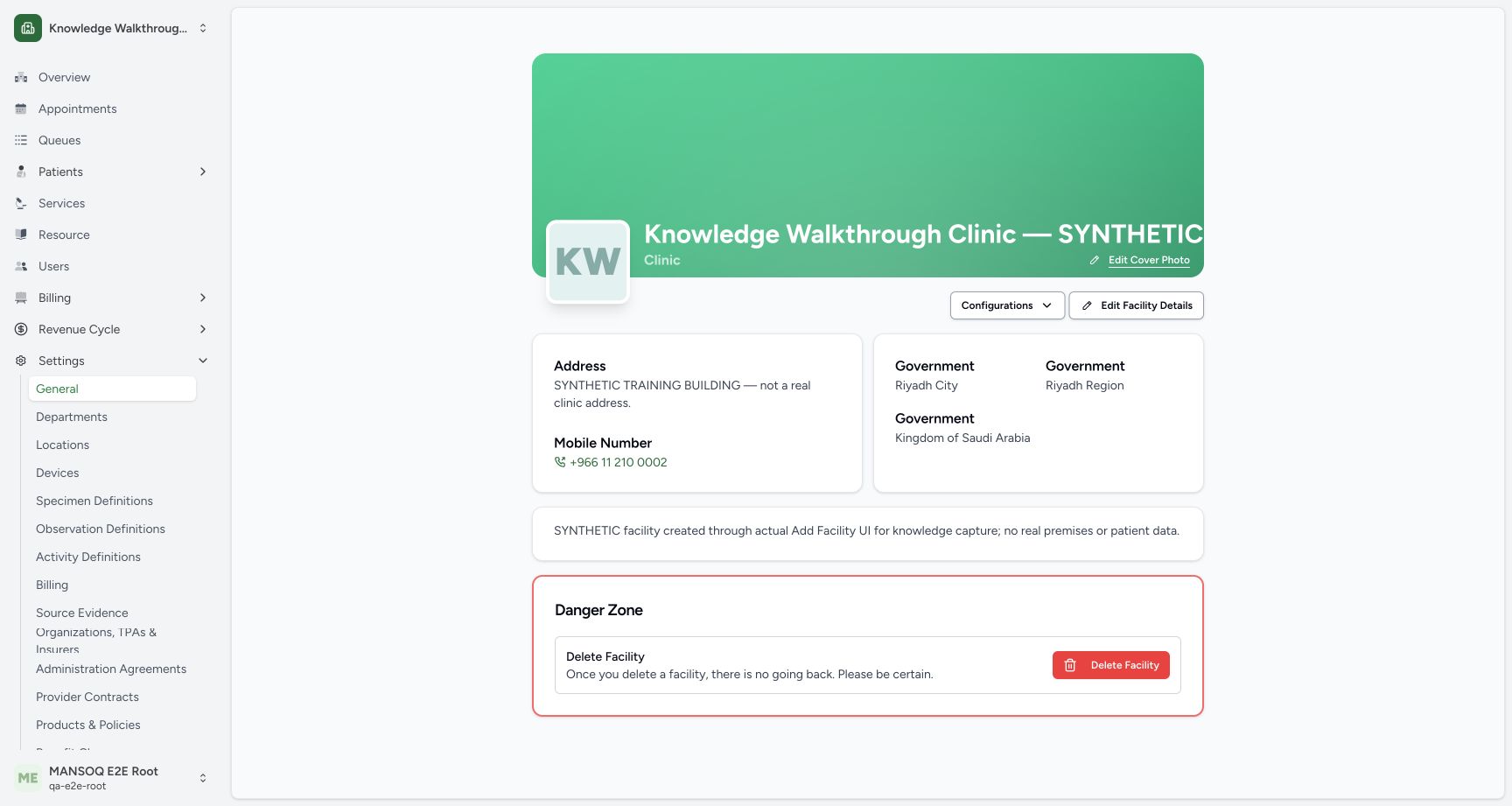
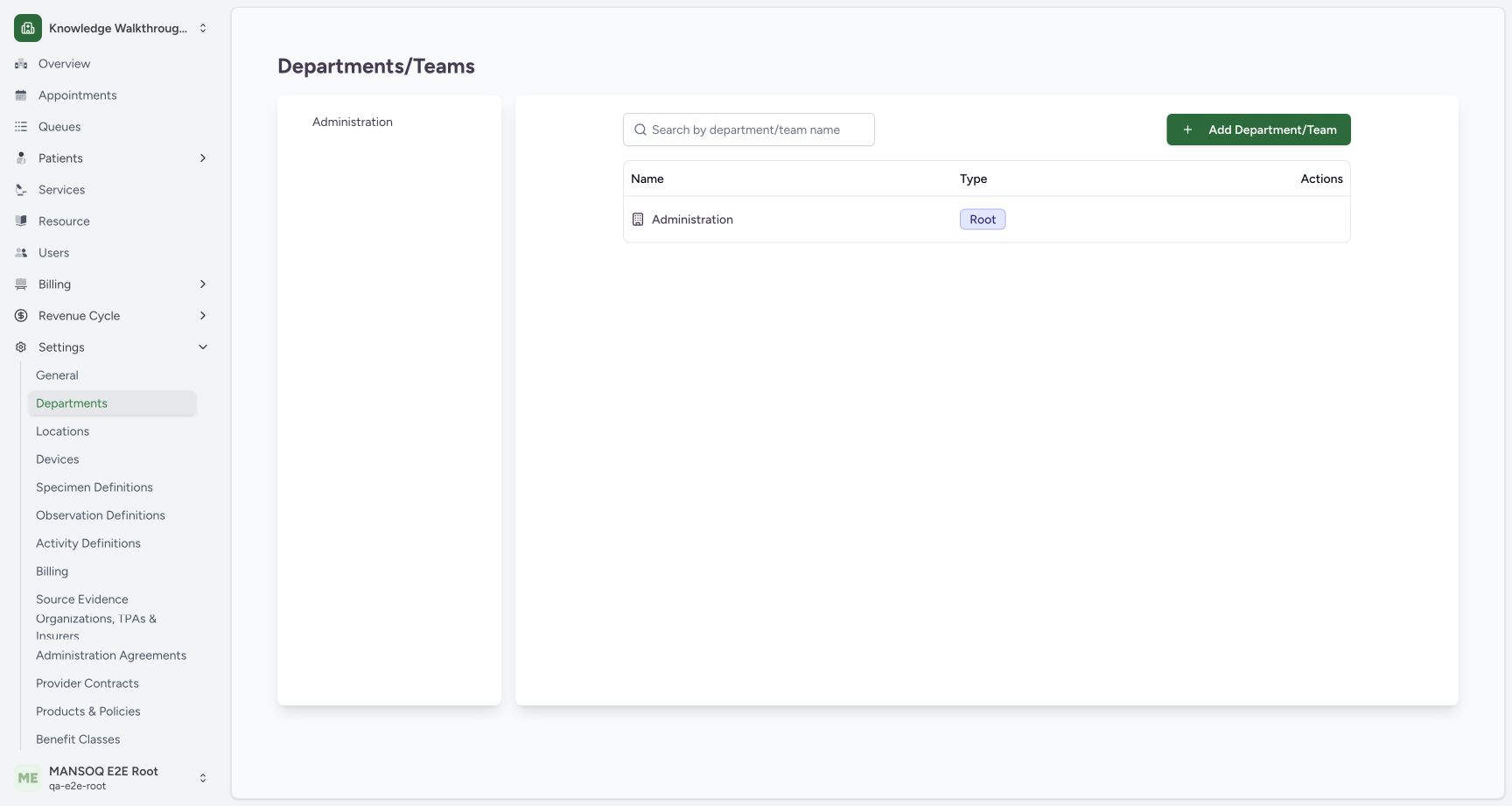
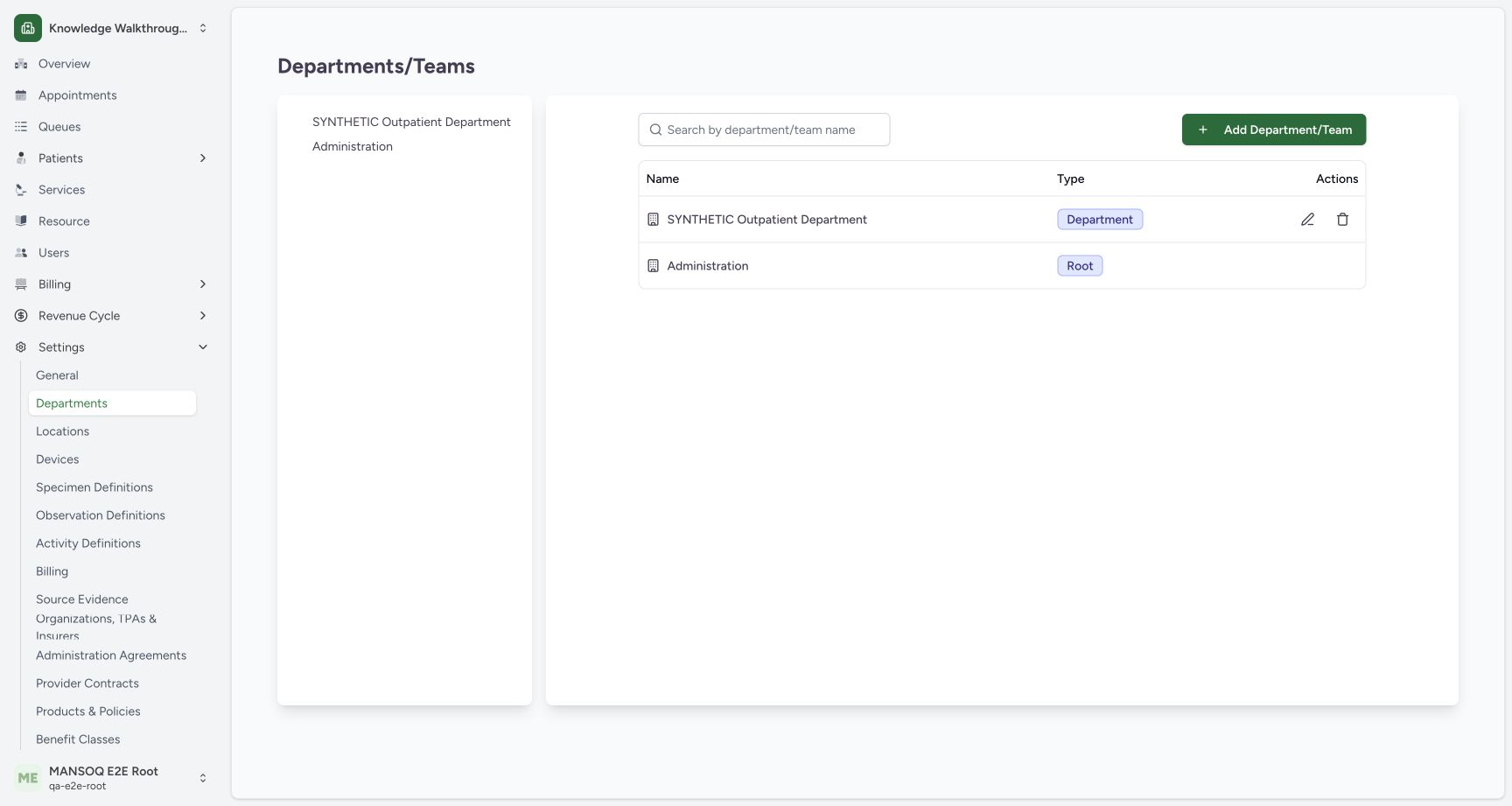
Expand Settings → Departments. A new facility already has a reserved Administration root. Choose Add Department / Team to create an operational unit. The captured example creates a separate top-level department rather than placing it under Administration.
2. Provide the name, type and purpose
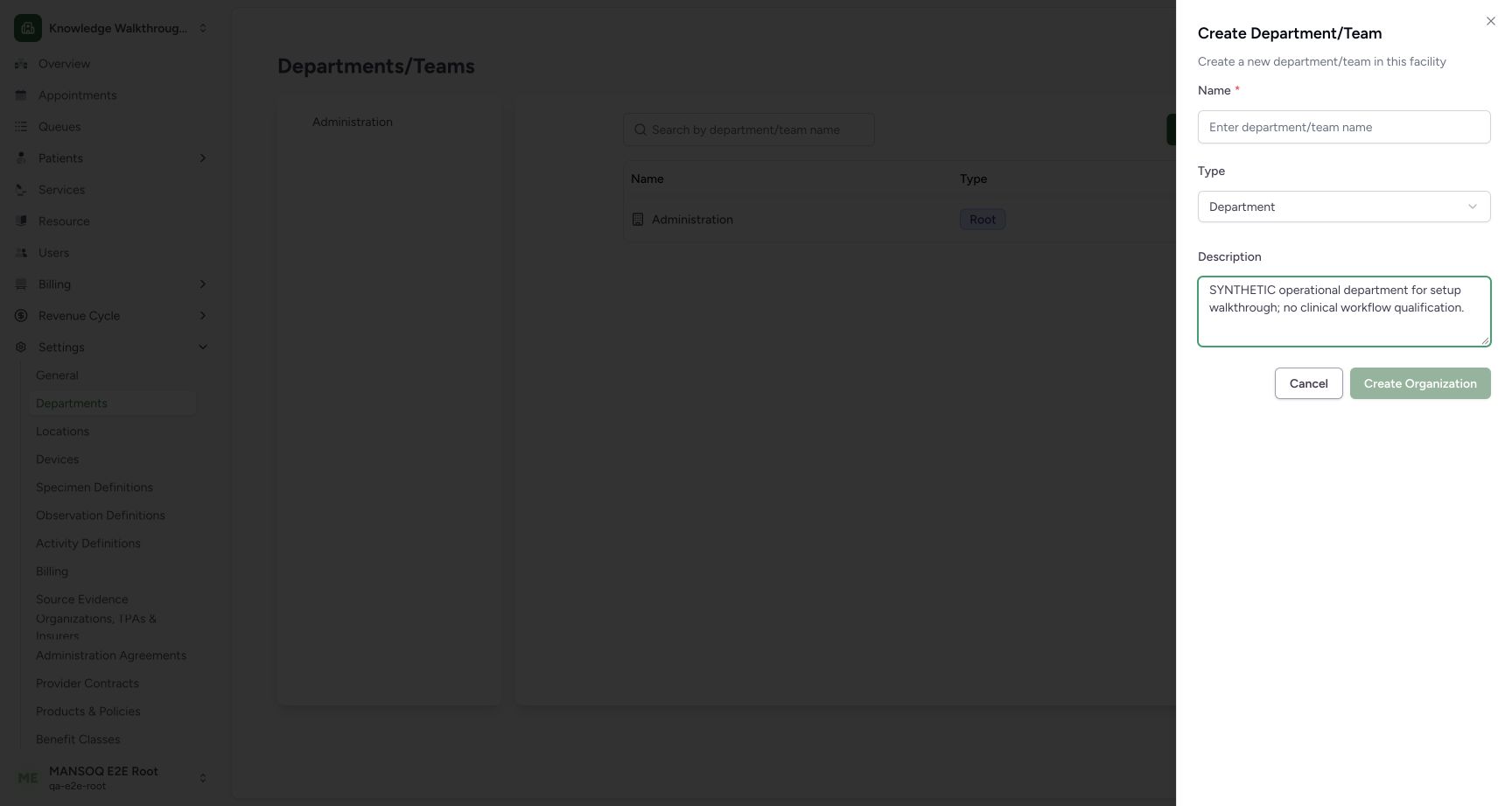
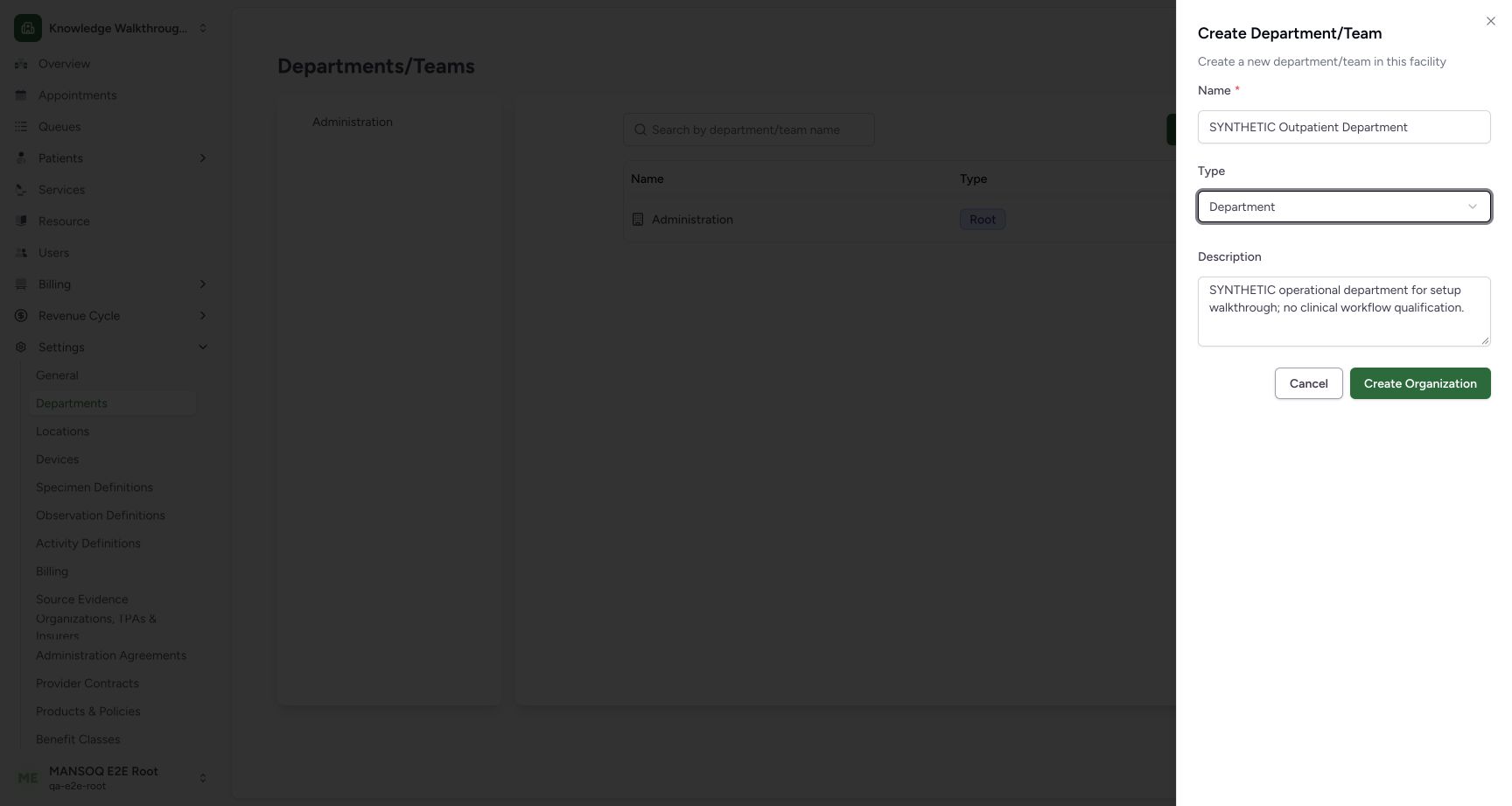
Enter the approved Name, select Department or Team explicitly and provide the description. The empty-name example leaves Create Organization disabled. During this capture, the default Department selection did not enable the button after typing; reselecting Team then Department through the normal selector enabled the valid form. No permission or validation bypass was used.
3. Create and verify the department
Select Create Organization. Confirm the new row and Department type in the directory, alongside the original Administration root. Independent normal department list and detail GETs confirmed the active saved department, type dept and absence of a parent reference. The API serializes the absent parent as an empty object in this deployment.
4. Open the department before linking people
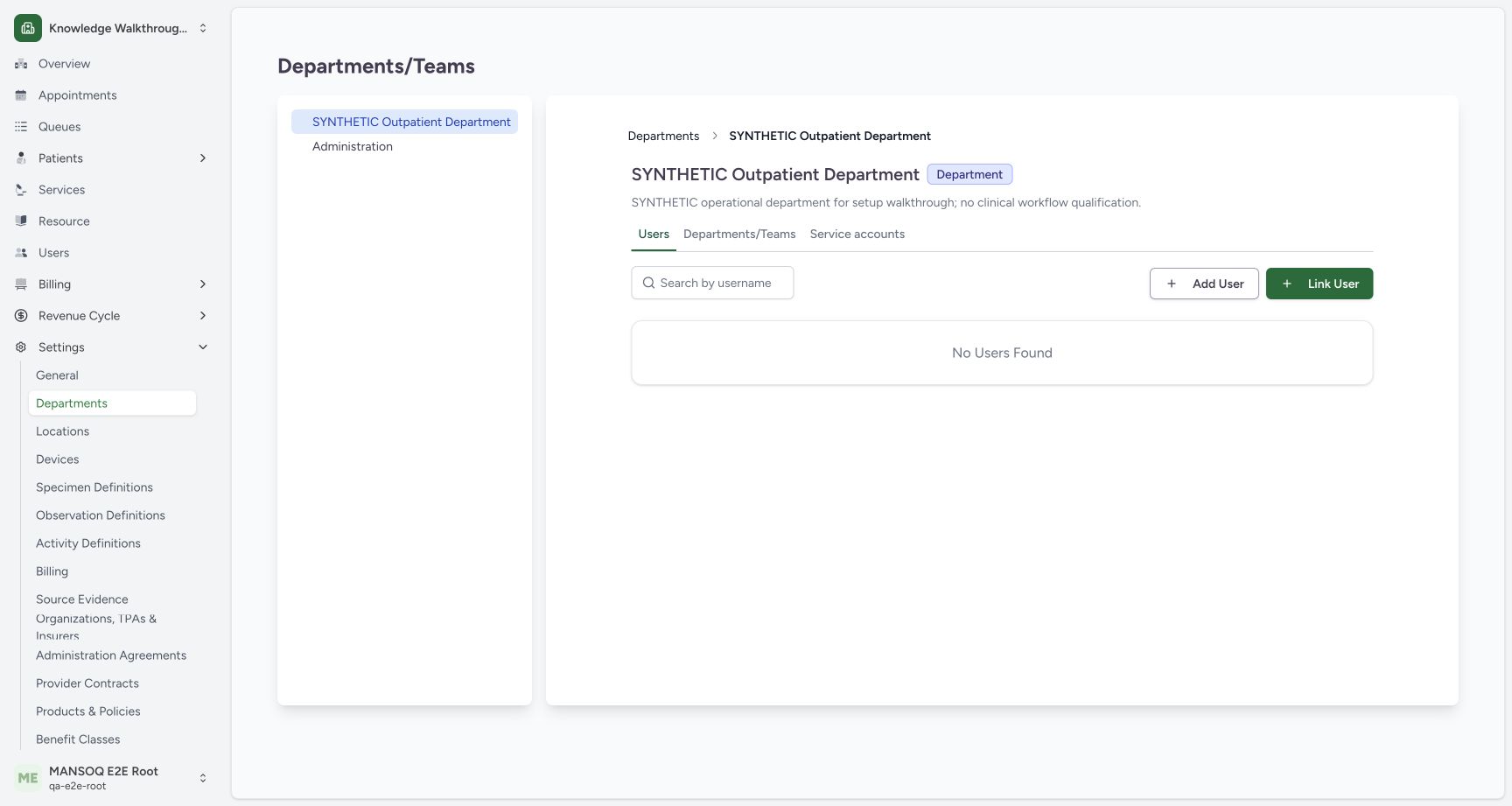
Select the saved department, then its Users tab. Check the department heading. Add User begins identity creation; Link User attaches an existing identity with a facility role. These operations have different purposes.
The reserved root is not an ordinary parent
The audited backend rejects creating an operational child under the reserved Administration root and rejects normal root creation/update operations. Use an approved operational department/team hierarchy. A department name does not establish specialist capability, staffing qualification or access boundaries.
Troubleshooting
Create Organization remains disabled
Check the name and explicit type selection. The observed form became enabled after reselecting a valid type through its selector. If the actual form remains invalid, report the state rather than bypassing validation.
Source evidence
References are pinned to the private MANSOQ source repository. Repository access is required to open these links.
- repositories/platform/mansoq-web/src/pages/Facility/settings/organizations/components/FacilityOrganizationFormSheet.tsx:74 · f6e9f05f
- repositories/platform/mansoq-web/src/pages/Facility/settings/organizations/FacilityOrganizationUsers.tsx:116 · f6e9f05f
- repositories/platform/mansoq-core/mansoq/emr/api/viewsets/facility_organization.py:65 · f6e9f05f