 MANSOQ
 Facility administration
Create a facility through its governance organization
Use the actual governance and Add Facility screens, review defaults, resolve required fields and verify a new synthetic Clinic.
Current source · Actual application UI observed under a local synthetic superuser on the audited source version. Saved operations were independently read through normal product APIs. This does not qualify the full role, facility or clinical workflow matrix. · 6 min read
Before you begin
- Use an authorized system or geographic administrator with permission to create a facility at the approved geographic leaf. The captured account was a local synthetic superuser.
- Obtain the approved facility type, name, timezone, contacts, address and directory visibility decision before beginning. Training values are not production recommendations.
1. Open the governance organization
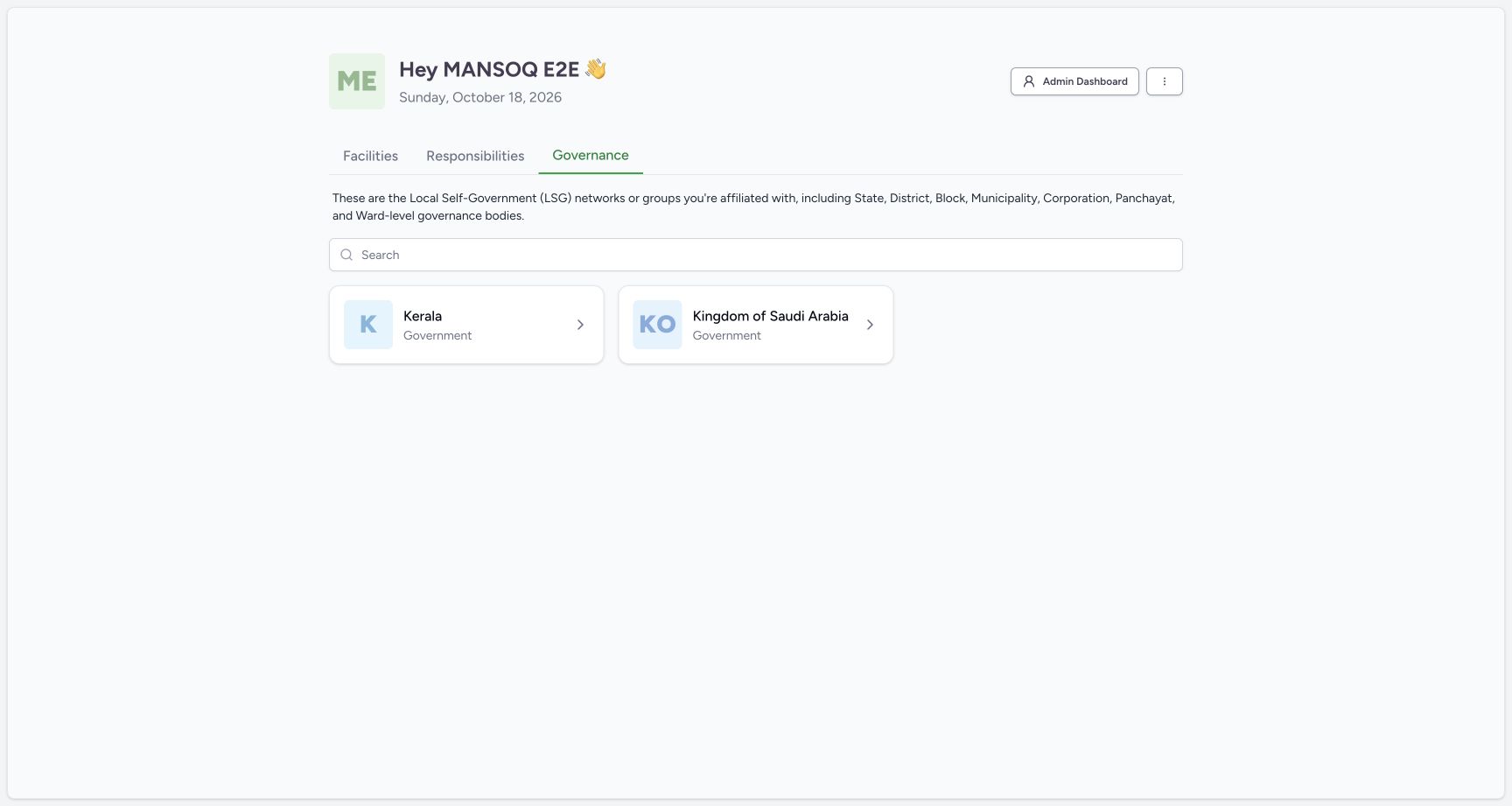
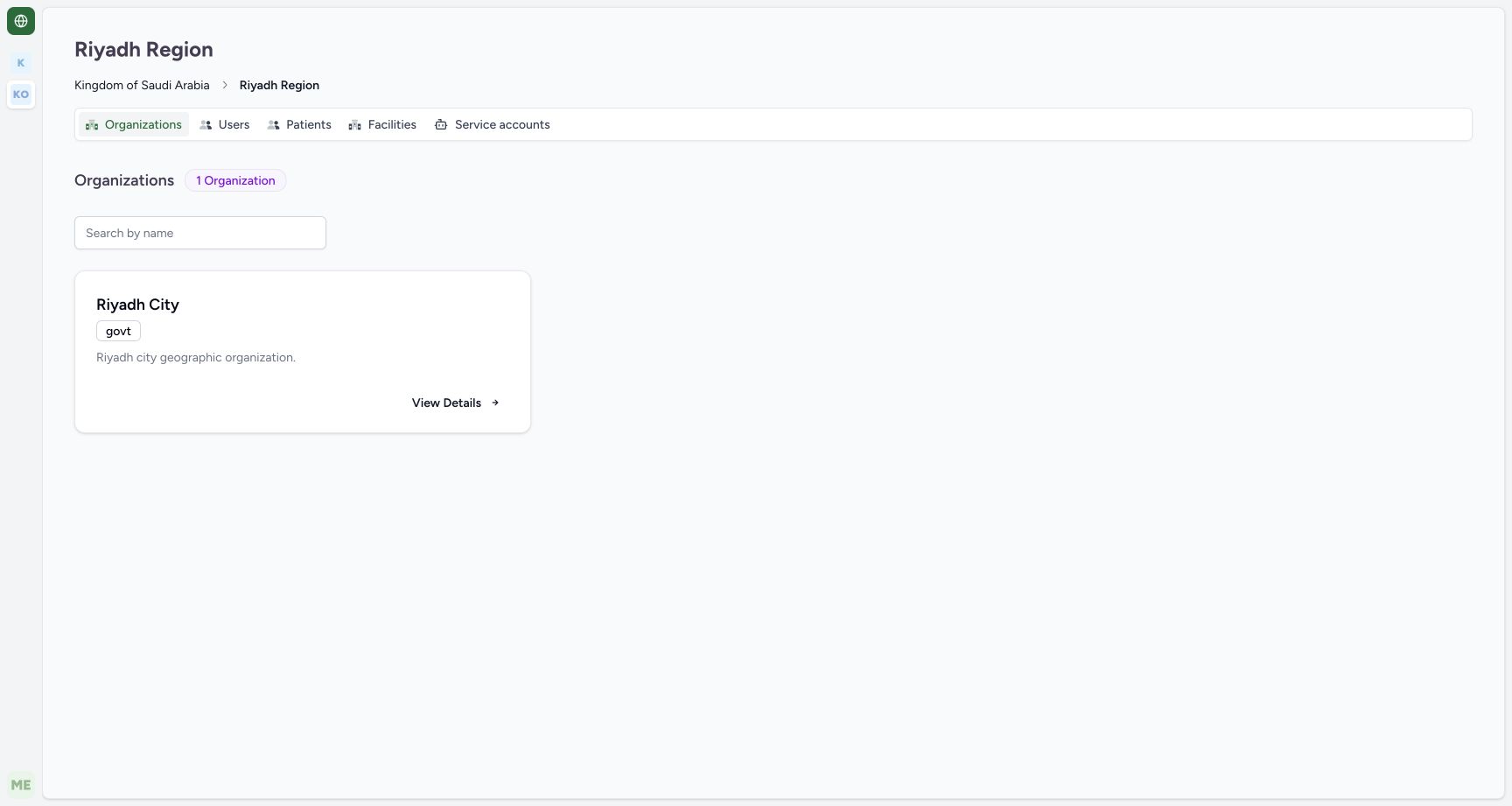
From the home dashboard, select Governance and choose the approved geographic organization. Follow its existing child organizations to the intended geographic leaf. The example uses an already configured Saudi country → Riyadh region → Riyadh city training hierarchy. Geographic organizations are separate from operational facility departments.
2. Open Facilities at the correct leaf
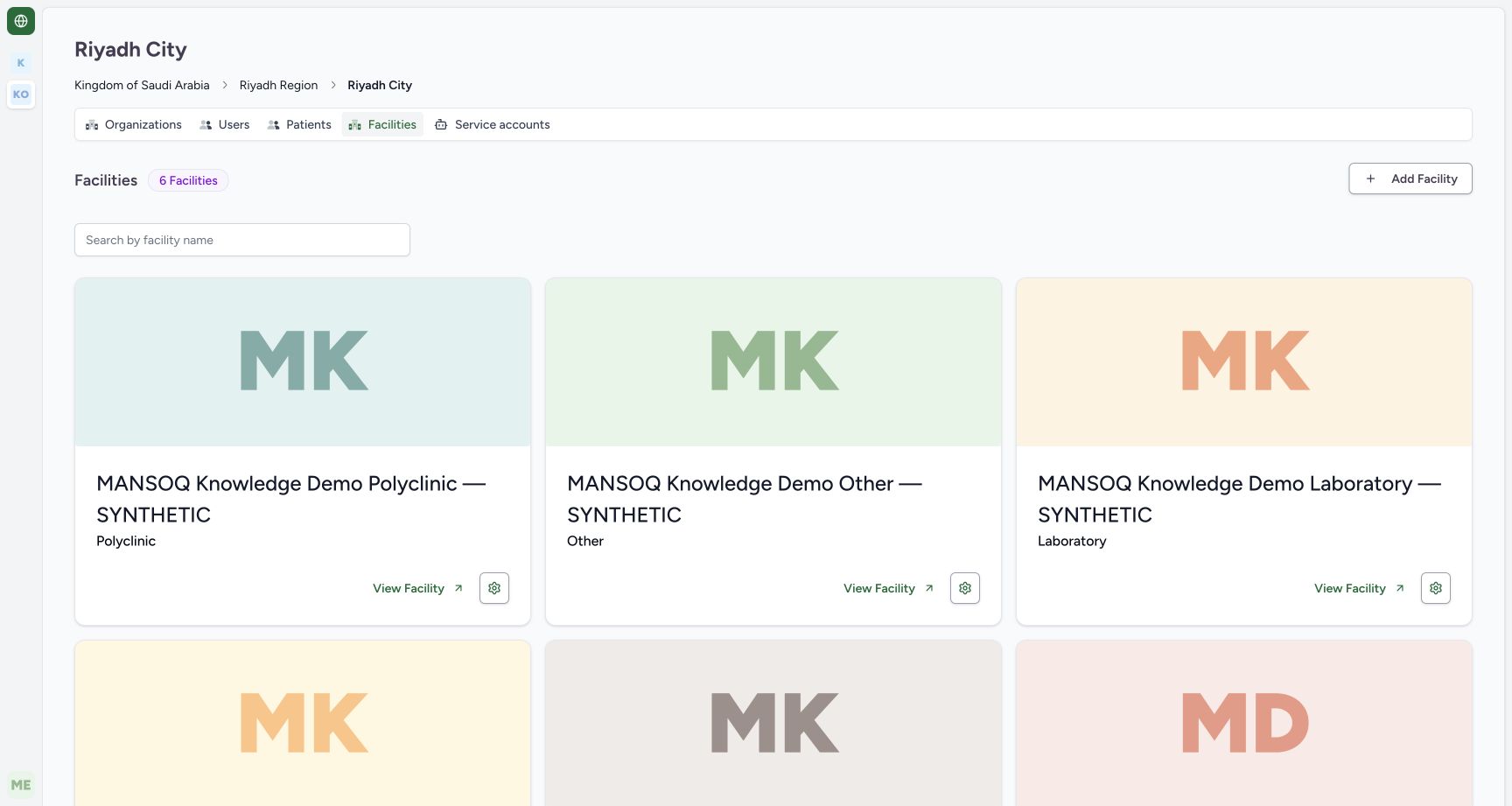
Check the breadcrumb, select Facilities and choose Add Facility. The displayed list belongs to that geographic organization. Existing geographic configuration was reused; this walkthrough does not demonstrate creating a country, region or city.
3. Complete identity and resolve required fields
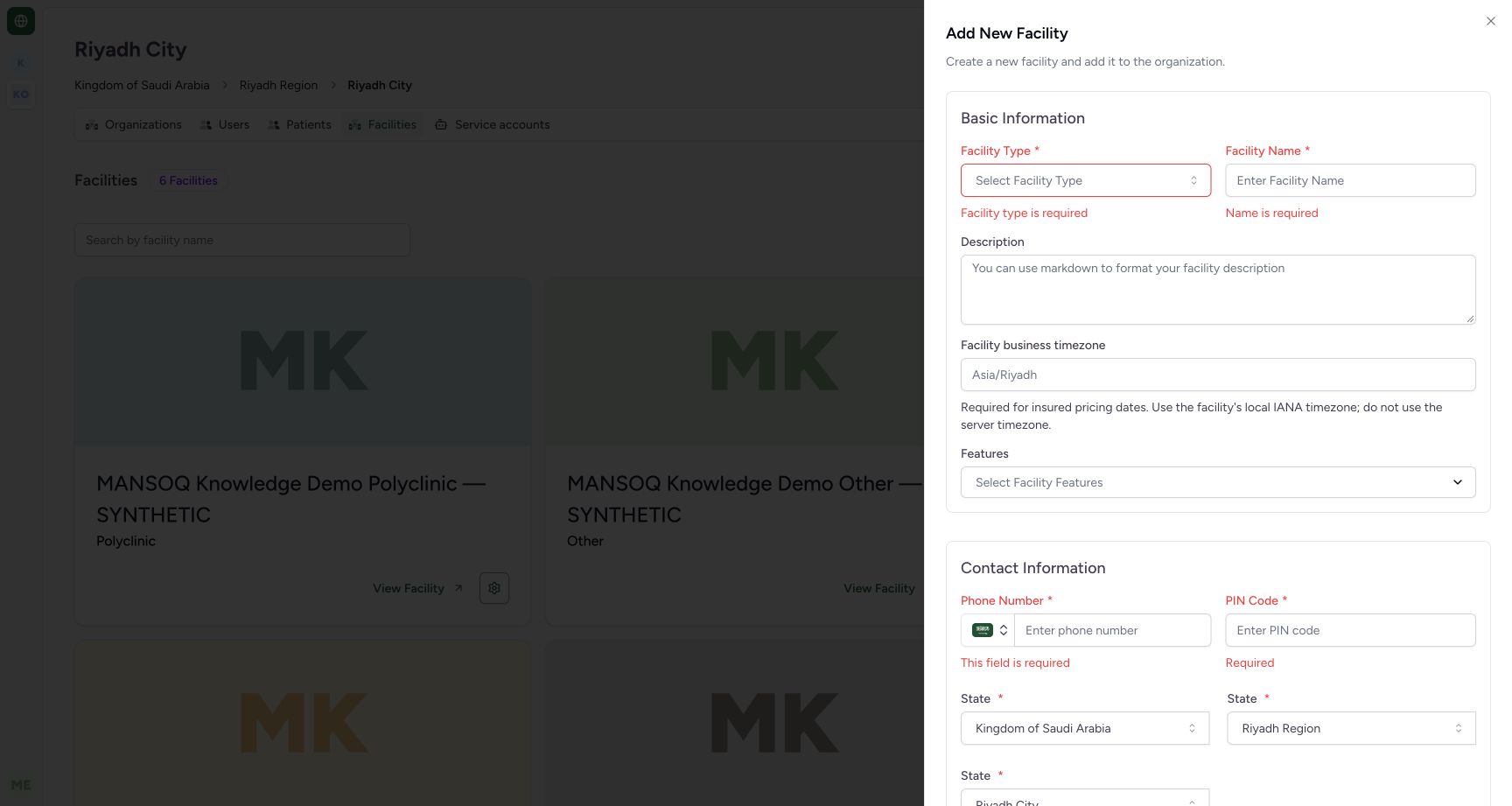
Enter the approved facility type, name and description. Required-field feedback appears when an empty form is submitted. This demonstration selected Clinic and a clearly synthetic name. The five canonical current setup types are Hospital, Clinic, Polyclinic, Laboratory and Other; changing the label does not provision clinical modules.
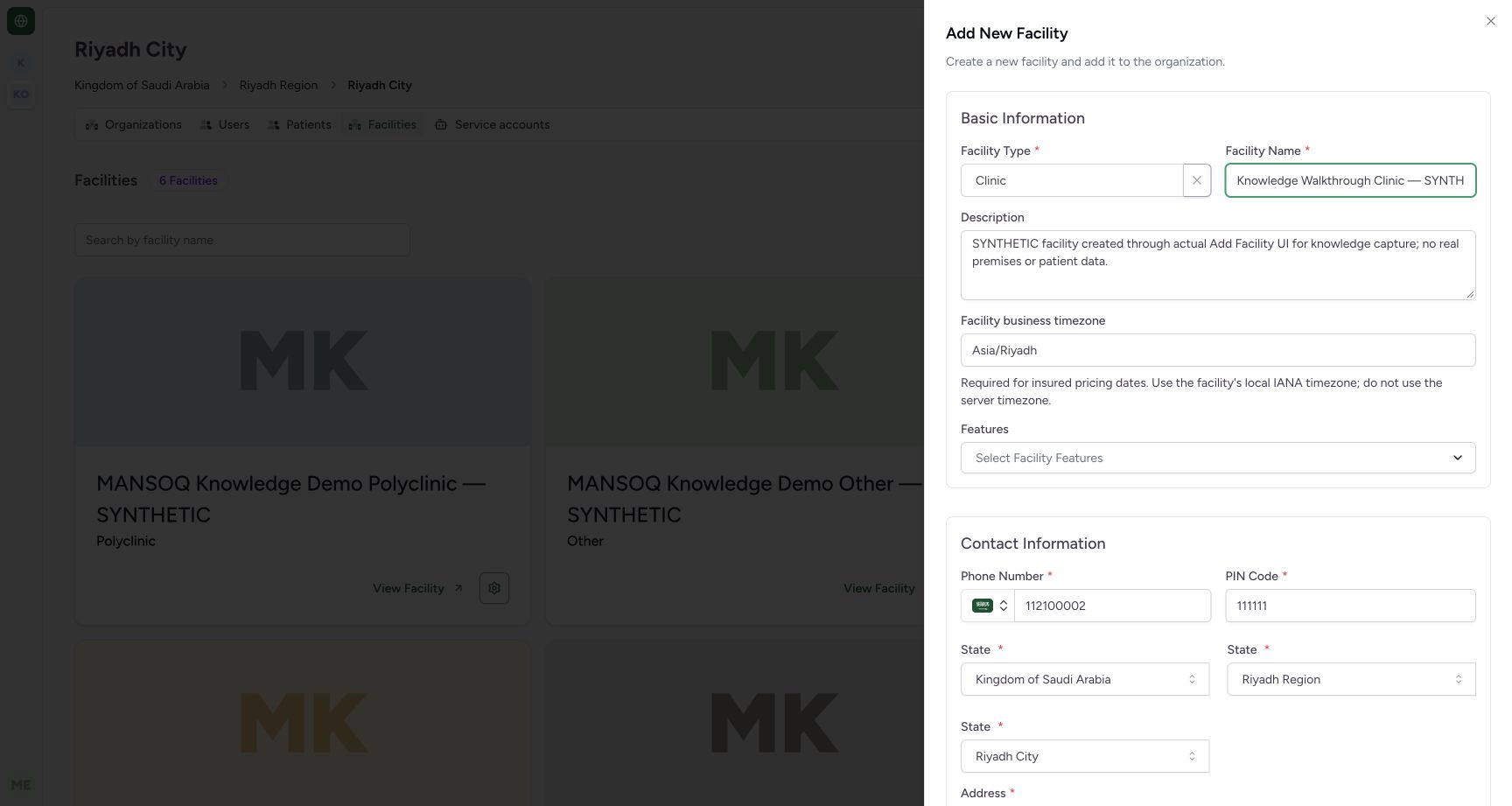
4. Choose the business timezone and approved contact/address
Set the facility’s IANA business timezone explicitly; the example uses Asia/Riyadh. Review the country prefix on the phone field and the selected geographic names. The captured local form repeats State labels for hierarchical selectors and enforces a six-digit PIN Code. Have deployment localization resolved for the actual address; do not copy 111111 or the synthetic contact/address. Map lookup was restricted and was not tested.

5. Review directory visibility and create
Scroll to Visibility Settings. Inspect Make this facility public explicitly: in this actual new-facility form it was checked by default. The demonstration unchecked it before selecting Create Facility. This is platform facility-directory discoverability, separate from knowledge-site access.

6. Find and verify the created facility
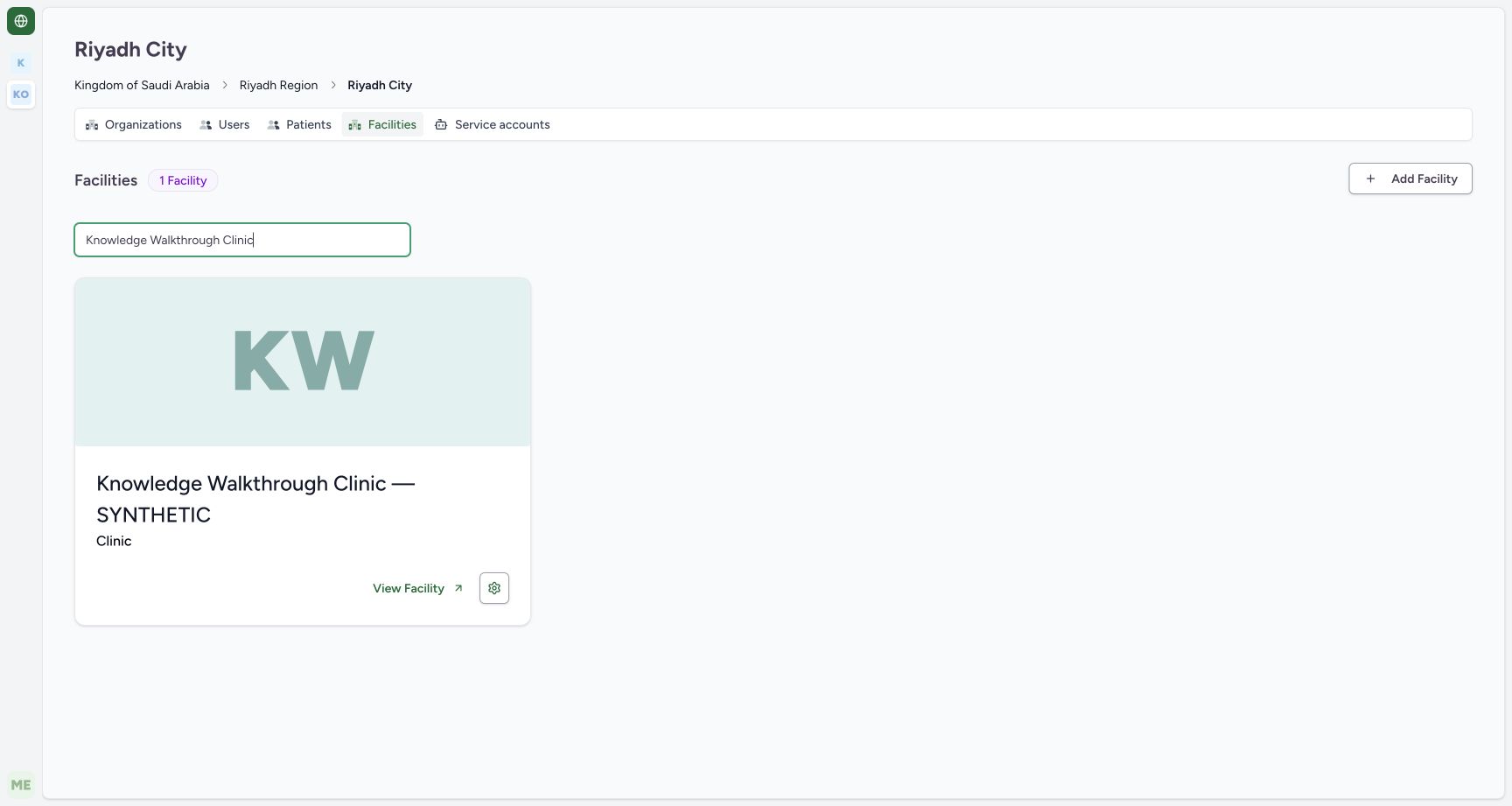
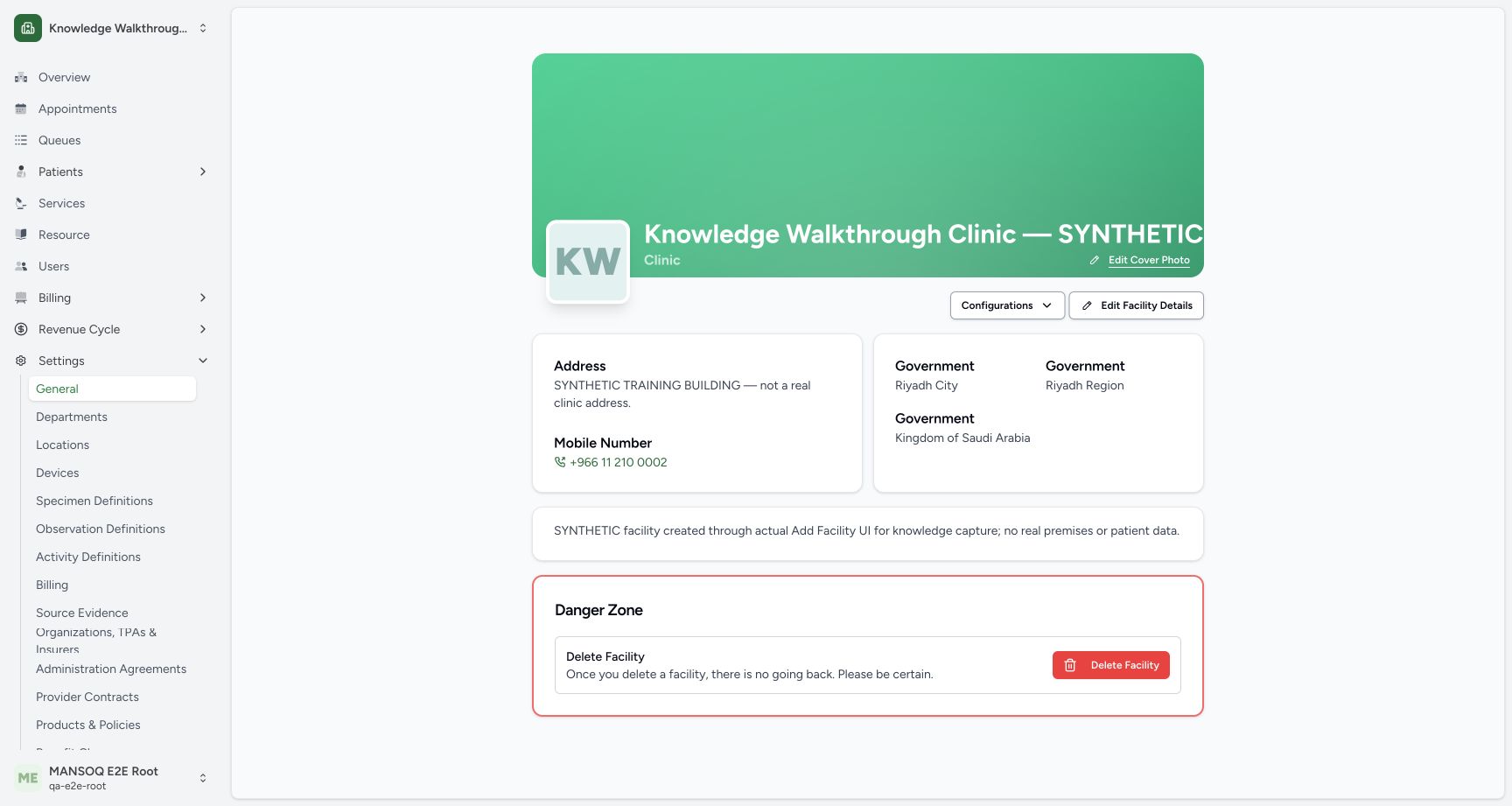
After the sheet closes, filter the facility list by the chosen name and confirm the Clinic badge. View Facility opens the saved facility. An independent normal facility GET returned 200 and confirmed its exact name, Clinic classification, Asia/Riyadh, private visibility, geographic leaf, empty features and generated Administration root. The synthetic fixture contains no patients.
Qualification stops at setup
The captured UI operation created one synthetic Clinic. Hospital, Polyclinic, Laboratory and Other have separate setup examples, but this exact creation UI was not exercised under every type or administrator boundary. Appointments, clinical catalogues, beds, RCM, finance, integrations and operational responsibilities need their own configuration and end-to-end verification.
Troubleshooting
Required fields are red or creation fails
Read each message, correct the actual invalid field and check the approved geographic leaf. Do not bypass product validation or substitute fictional production values.
The real postcode does not fit the form
The observed form currently requires six digits. Ask the deployment owner to resolve localization before production setup; the synthetic fixture value is not a valid-address recommendation.
Source evidence
References are pinned to the private MANSOQ source repository. Repository access is required to open these links.
- repositories/platform/mansoq-web/src/pages/Organization/OrganizationFacilities.tsx:73 · f6e9f05f
- repositories/platform/mansoq-web/src/pages/Organization/components/AddFacilitySheet.tsx:1 · f6e9f05f
- repositories/platform/mansoq-web/src/components/Facility/FacilityForm.tsx:61 · f6e9f05f
- repositories/platform/mansoq-web/src/components/Facility/FacilityForm.tsx:96 · f6e9f05f
- repositories/platform/mansoq-web/src/components/Facility/FacilityForm.tsx:467 · f6e9f05f
- repositories/platform/mansoq-core/mansoq/facility/setup_types.py:5 · f6e9f05f