 MANSOQ
 Nursing
Correct an administration and retain its history
Change status or notes, mark an erroneous entry without deleting it, and record a separate corrected replacement when needed.
Current source · source reviewed · 5 min read
Before you begin
- Staff recorded the dose on the encounter. See Administer a dose.
- The encounter is open. You cannot change a record when the encounter status is Completed, Cancelled, Discontinued, or Entered in Error.
- You have the permission listed below.
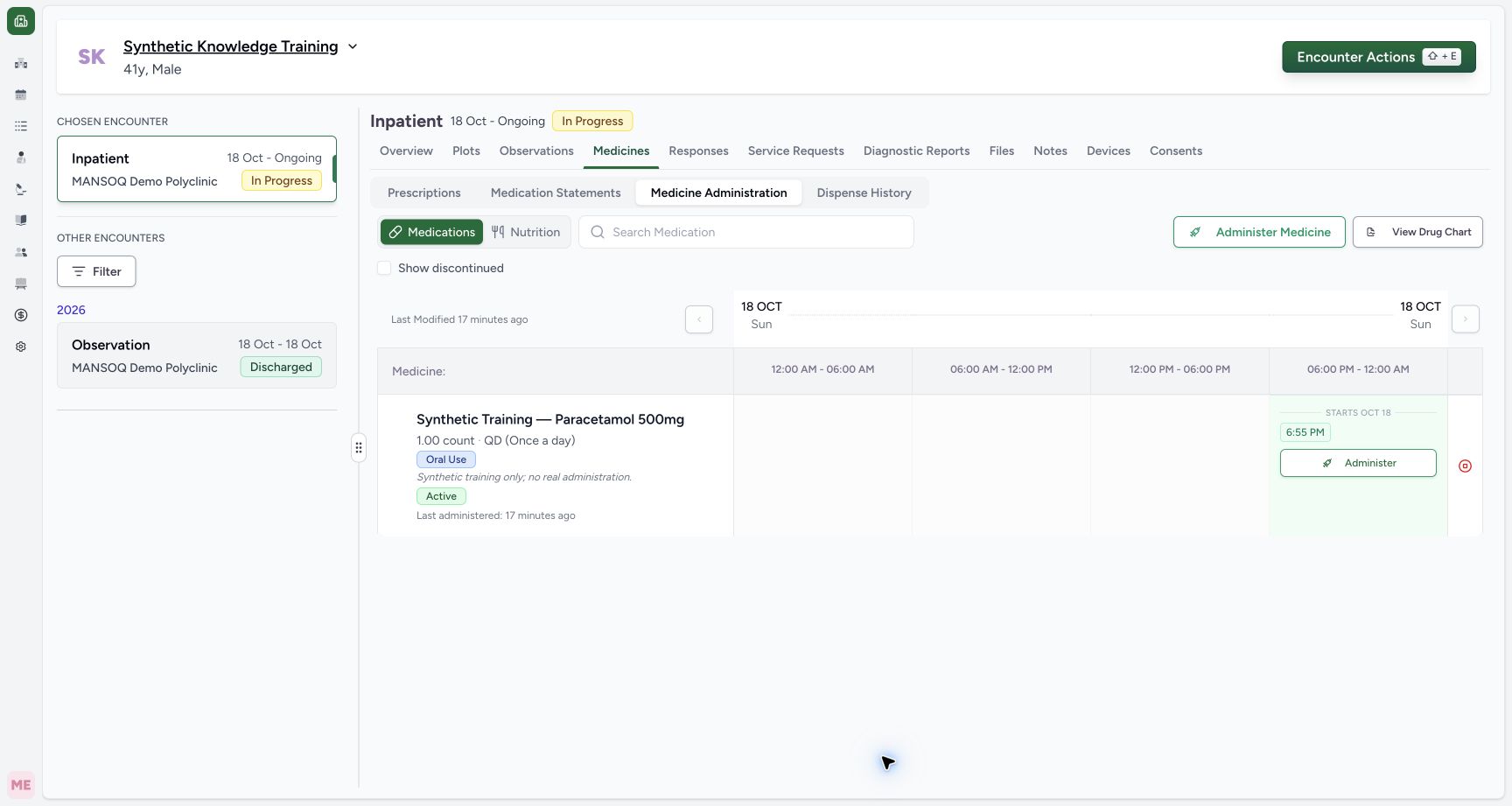
1. Open the saved occurrence chip
Open Medicines → Medicine Administration and select the time chip for the correct medicine. The synthetic example opens the6:55PM original entry.
2. Review the editable fields
The Edit Administration dialog permits Status and Administration Notes. Its saved medicine/dose/occurrence times are not editable in this path. Verify the record before changing it.
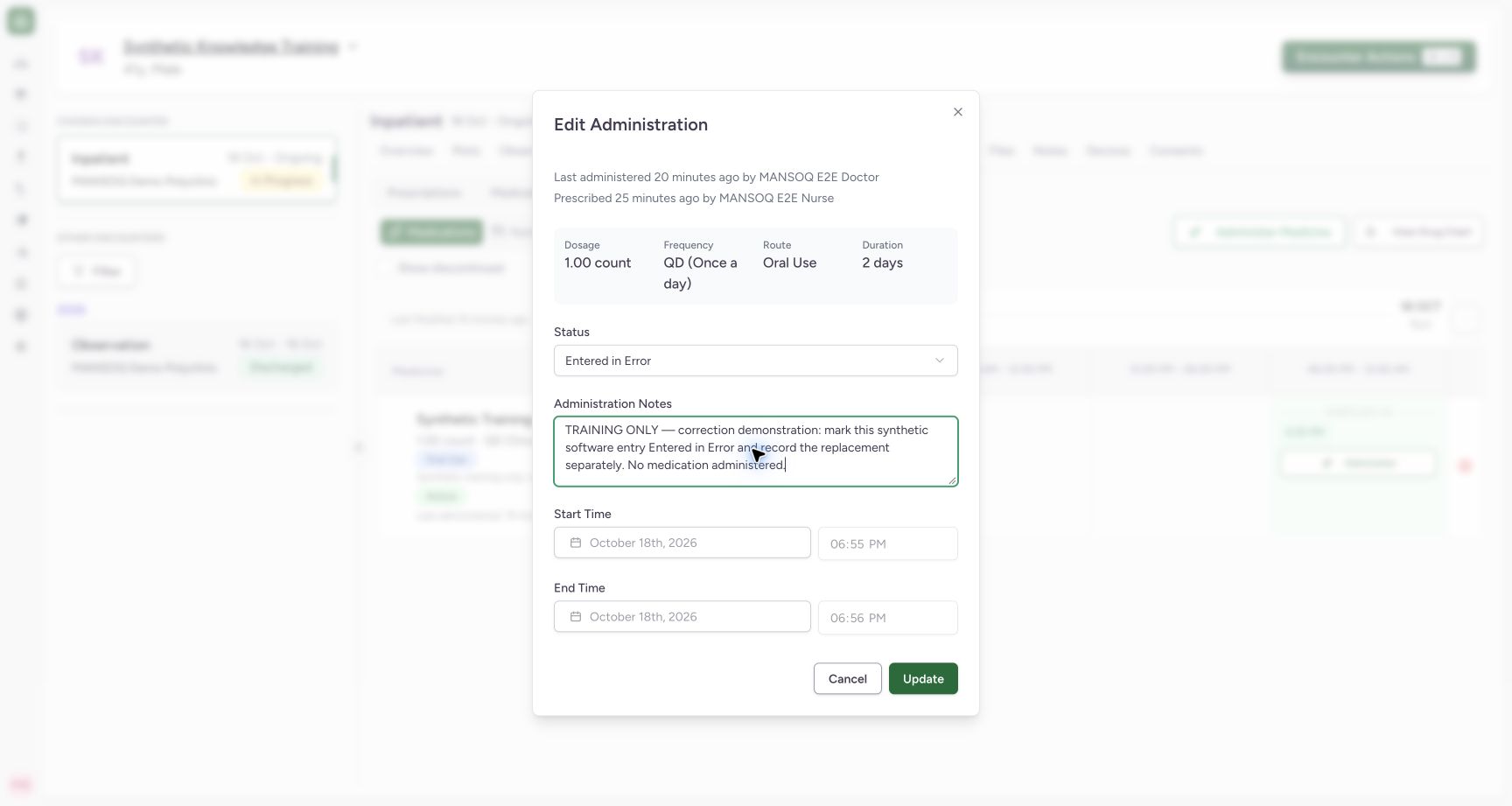
3. Mark an erroneous entry
Choose Entered in Error when that is the correct disposition and explain why in Administration Notes. Follow the facility’s correction policy. The example is a labelled software correction exercise.
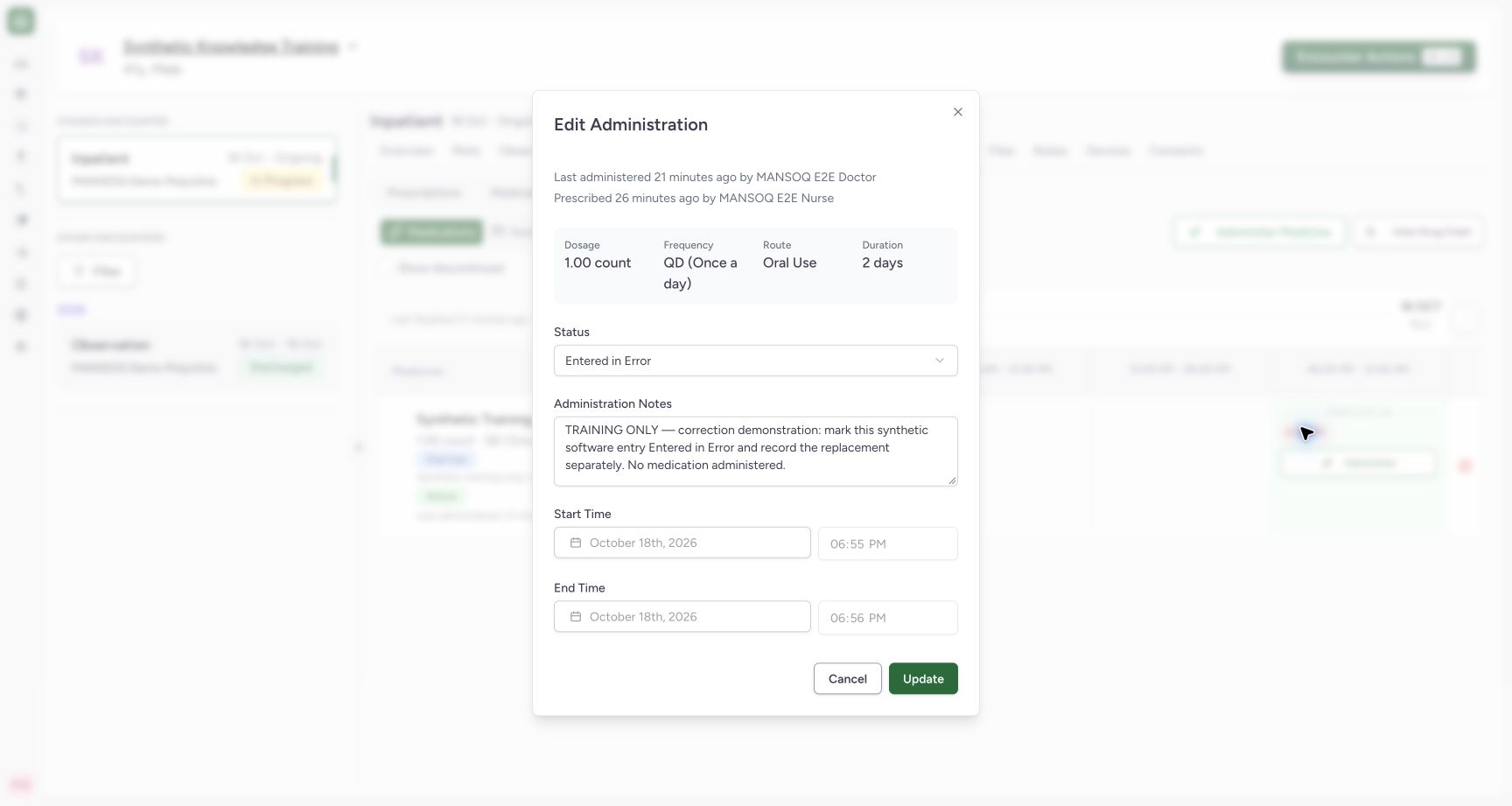
4. Save and reopen the original
Select Update. Reopen the same time chip and confirm Entered in Error, the explanation and retained original times. Independent readback verifies the status update and original record ID.
5. Create a separate replacement if required
Return to the grid, select Administer, review the intended status and actual occurrence time, and explain the relationship to the earlier erroneous record. Save the corrected entry separately; changing a note does not replace the original event.
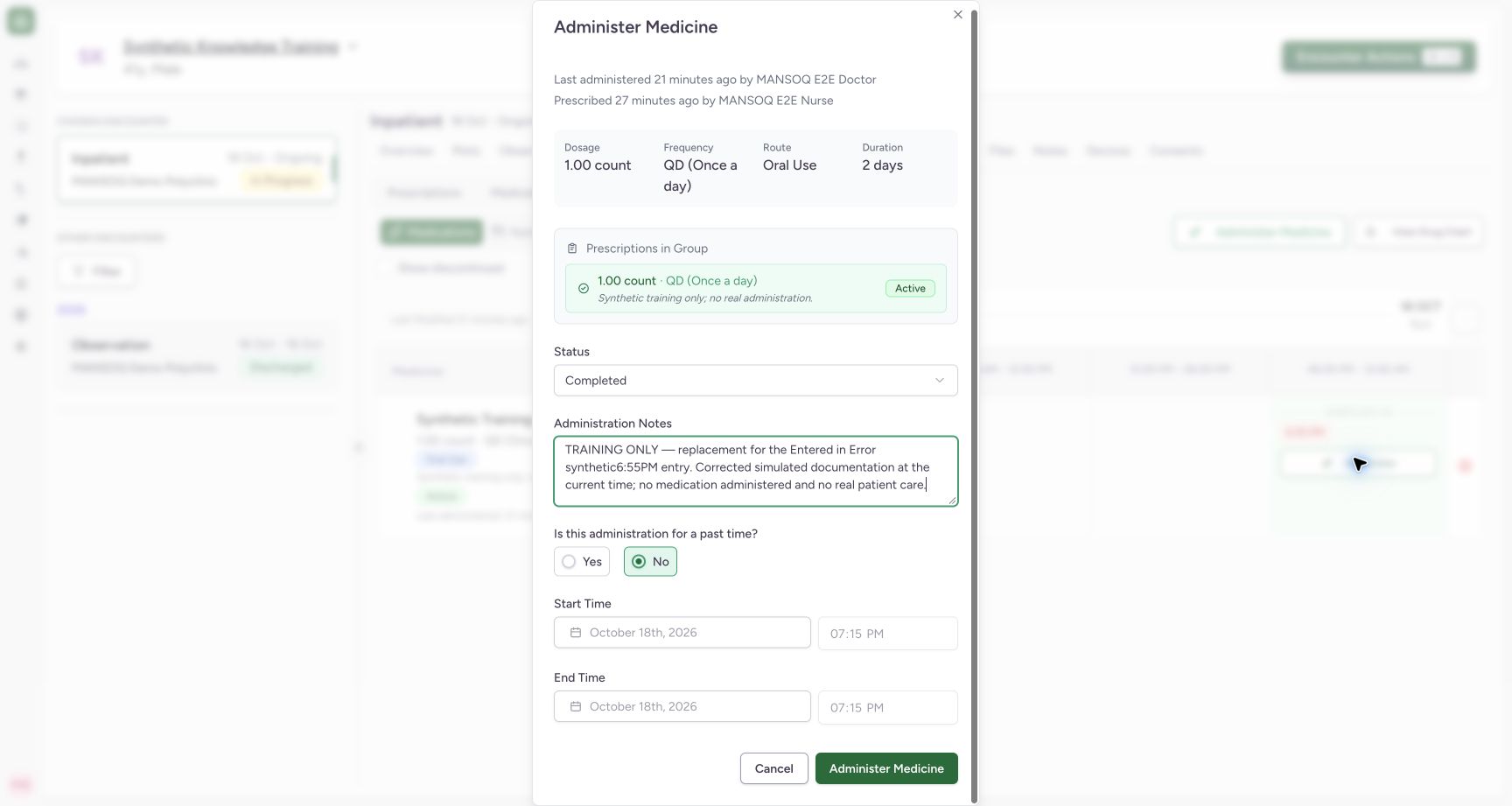
6. Verify both records remain
Confirm the original error chip and completed replacement chip. The training example retains6:55PM as entered in error and adds7:15PM as a distinct completed Nurse-created record. Independent readback verifies two IDs and explicit training notes.
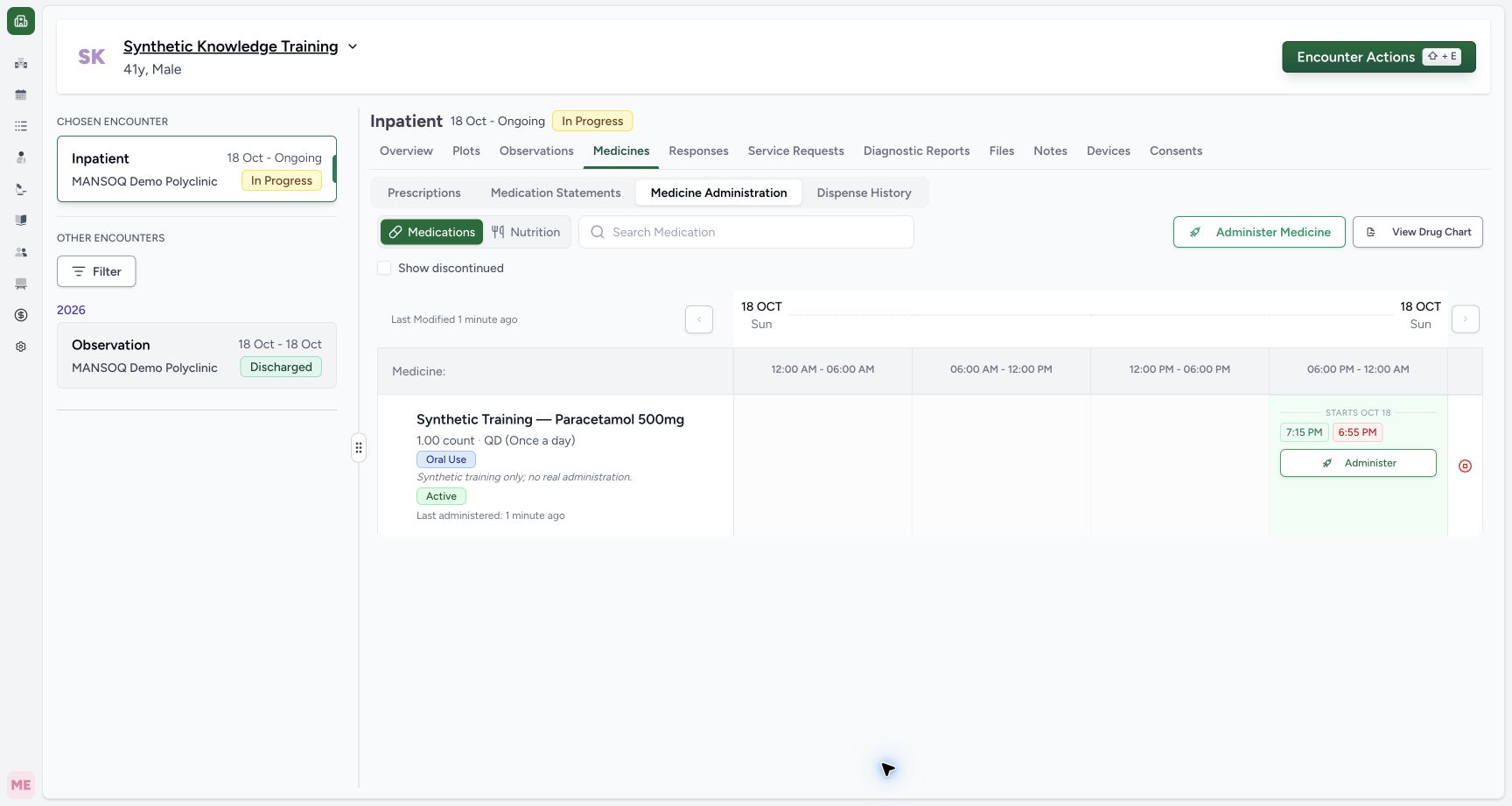
Current authorship caption limitation
The audited dialog swaps “Last administered … by” and “Prescribed … by” author values. Independent records verify that Doctor prescribed and Nurse recorded the administration. This caption defect is preserved in the screenshot and is not a change of record authorship.
Verified result
The original completed state was independently read back before correction. Its entered-in-error state and the separate completed replacement were then independently read back. The old record is retained; no real medicine was administered.
Troubleshooting
The saved dose time or medicine is not editable
The documented edit dialog permits status and notes. Correct a mistaken record using the facility approved entered-in-error process; do not assume changing a note changes the original dose.
Source evidence
References are pinned to the private MANSOQ source repository. Repository access is required to open these links.
- repositories/platform/mansoq-documentation/versioned_docs/version-3.1/flows/medications/medication-administration/update-administration-record.mdx:5 · f6e9f05f
- repositories/platform/mansoq-web/src/components/Medicine/MedicationAdministration/MedicineAdminDialog.tsx:99 · f6e9f05f
- repositories/platform/mansoq-documentation/versioned_docs/version-3.1/flows/medications/medication-administration/update-administration-record.mdx:23 · f6e9f05f
- repositories/platform/mansoq-documentation/versioned_docs/version-3.1/flows/medications/medication-administration/update-administration-record.mdx:17 · f6e9f05f
- repositories/platform/mansoq-web/src/components/Medicine/MedicationAdministration/MedicineAdminForm.tsx:590 · f6e9f05f