 MANSOQ
 Billing
View an account
Read account details, financial totals, billing lifecycle and transaction tabs for the selected patient.
Current source · source reviewed · 3 min read
Before you begin
- Someone created the account for the patient at the facility.
- You are a member of the facility that holds the account.
- You have the permissions listed below.
1. Open the account list
Use one of these entry points:
- Open the patient profile. Select the Accounts tab. This tab lists all the accounts of the patient.
- Open the facility. Select Billing. Select Accounts.
Note: On the patient profile, you can filter the accounts by status, billing status, created date, and tags.
2. Open the account
Click the account that you want to see. MANSOQ opens the account page.
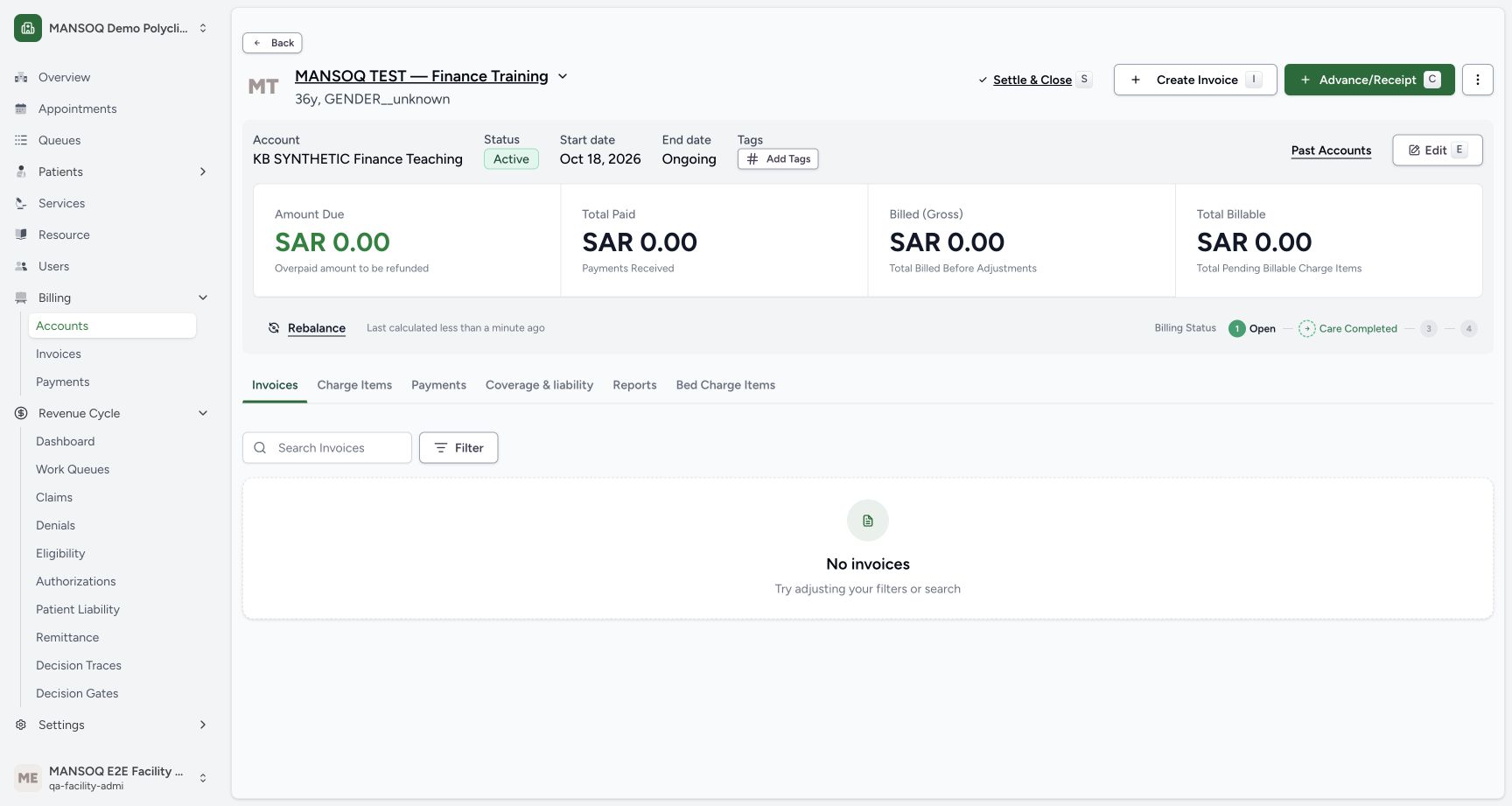
3. Read the account details
The top of the page shows this information:
| Component | What it shows |
|---|---|
| Patient name | The patient that owns the account. |
| Status badge | The current status of the account. |
| Service period | The start date and the end date of the service period. |
| Tags | The tags on the account. |
4. Read the financial summary
The Financial Summary shows these amounts:
| Component | What it shows |
|---|---|
| Amount Due | The amount that the patient must still pay. |
| Total Paid | The amount that the patient paid. |
| Billed (Gross) | The gross amount that MANSOQ billed. |
| Total Billable | The amount that MANSOQ can bill. |
MANSOQ calculates these amounts automatically.
Note: If the amounts look out of date, click Rebalance. MANSOQ recalculates the Financial Summary from the charge items and the payments of the account.
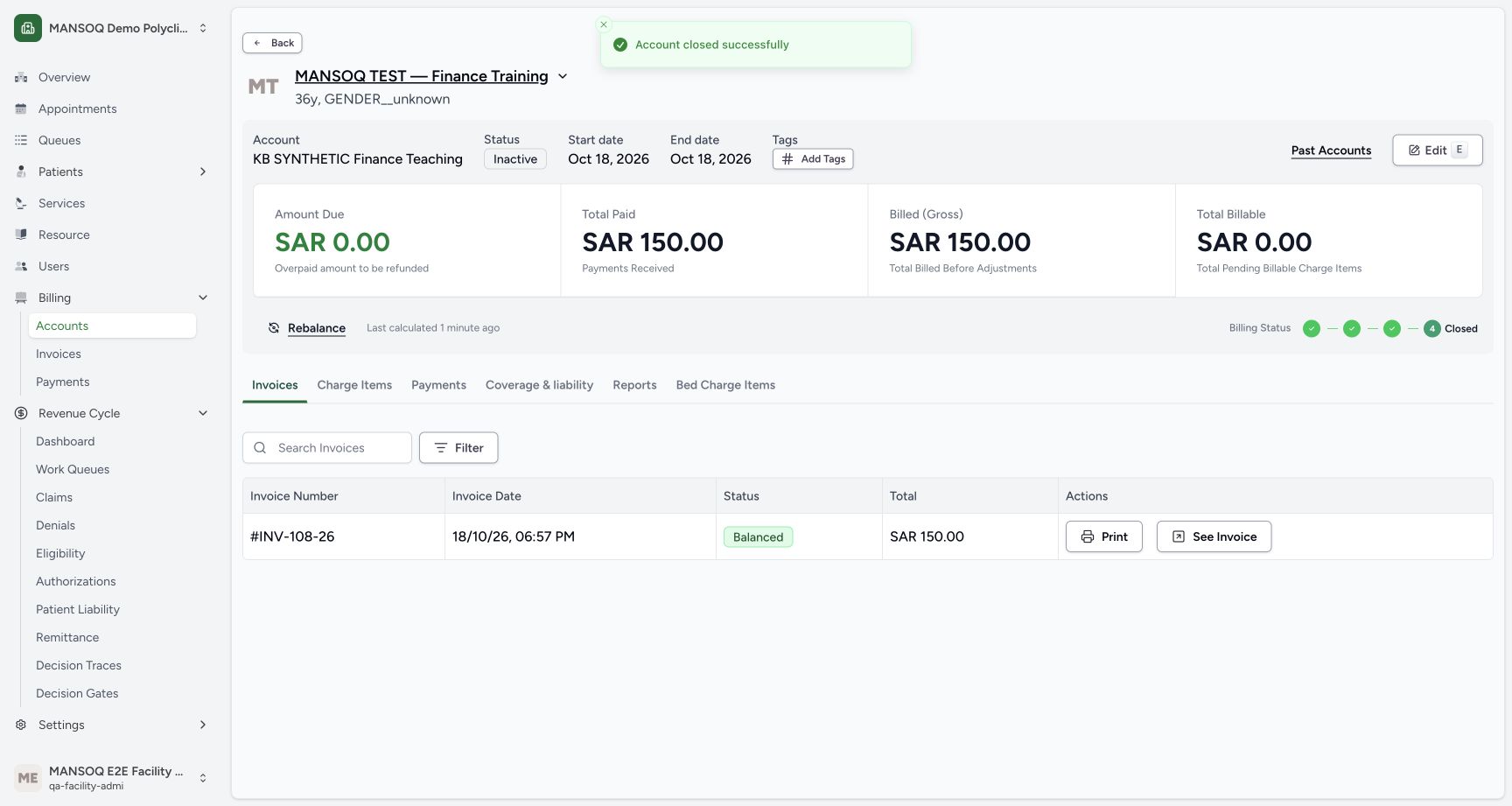
5. Read the billing lifecycle stepper
The Billing Lifecycle Stepper shows the progress of the account through these stages:
- Open
- Care Completed
- Billing
- Closed
6. Open a tab
The account page has these tabs:
| Tab | Keyboard shortcut |
|---|---|
| Invoices | Shift+1 |
| Charge Items | Shift+2 |
| Payments | Shift+3 |
| Reports | Shift+4 |
| Bed Charge Items | Shift+5 |
Click a tab, or press its keyboard shortcut.
Permissions
| Permission | Access |
|---|---|
| Can Read Account | Lets you open an account and see its details. Facility Admin, Administrator, Admin, Staff, Doctor, Nurse, Volunteer, and Pharmacist have this permission. |
Expected Outcome
- MANSOQ shows the account page with the patient name, the status, the service period, and the tags.
- MANSOQ shows the Financial Summary and the Billing Lifecycle Stepper.
- You can open the Invoices, Charge Items, Payments, Reports, and Bed Charge Items tabs.
Version and facility configuration
This procedure is grounded in the repository’s version 3.1 user guide and the audited source revision. Available encounter types, required demographics, terminology, permissions and enabled services depend on your facility configuration. Use the labels and access controls on your own instance; the source references below identify the documented implementation.
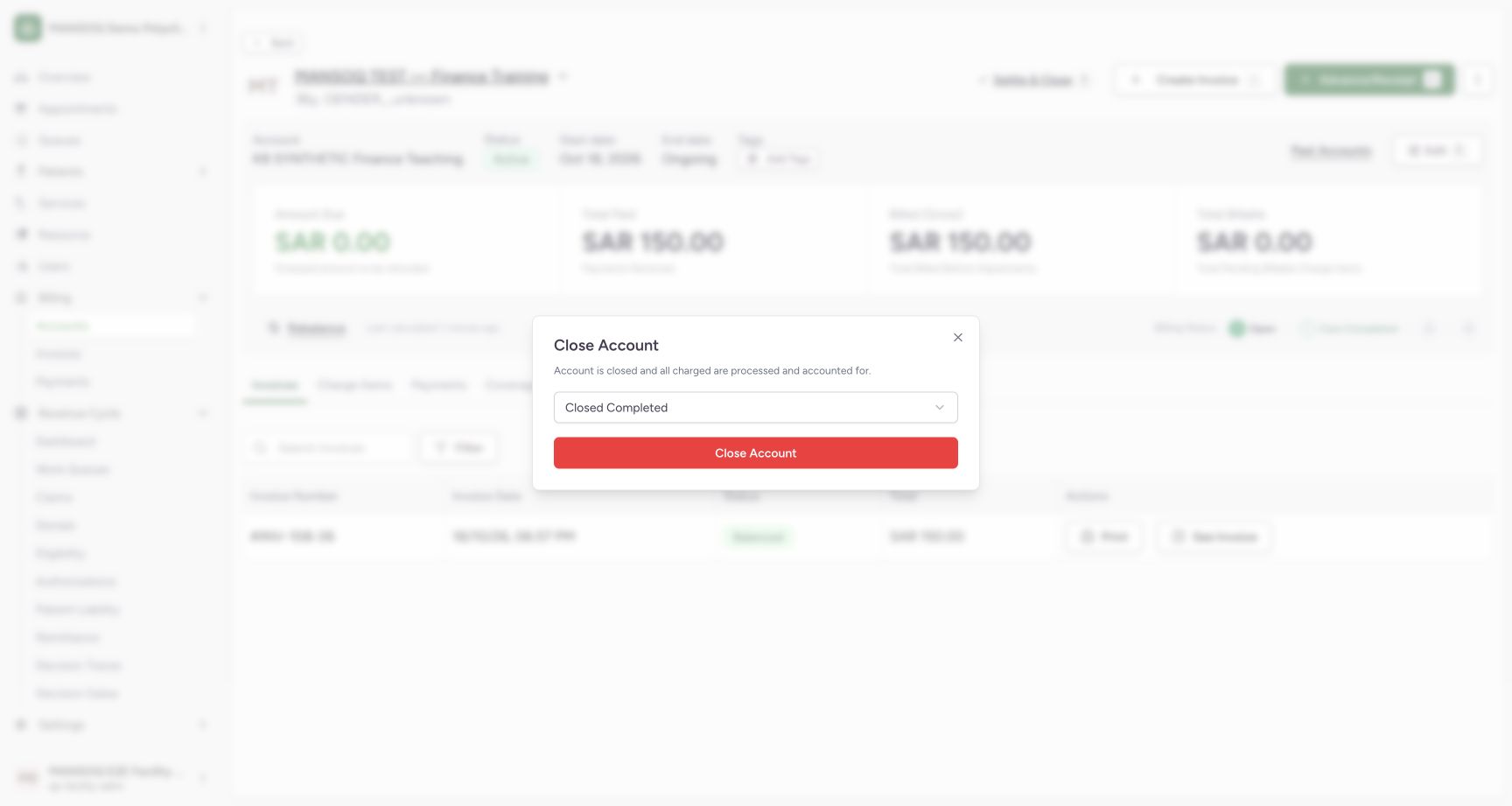
Choose the account closure disposition deliberately
Settle & Close opens a disposition selector. Its initial default in the audited UI is Closed Bad Debt; do not accept that default for a fully settled account. The tested self-pay account used Closed Completed, then persisted inactive status, an end date, 150 SAR paid/billed and zero balance. The invoice had first been balanced through a separately documented API continuation because the UI balance action failed.
Source evidence
References are pinned to the private MANSOQ source repository. Repository access is required to open these links.
- repositories/platform/mansoq-documentation/versioned_docs/version-3.1/flows/billing/account/view-account.mdx:5 · f6e9f05f
- repositories/platform/mansoq-web/src/pages/Facility/billing/account/AccountShow.tsx:87 · f6e9f05f
- repositories/platform/mansoq-documentation/versioned_docs/version-3.1/flows/billing/account/view-account.mdx:23 · f6e9f05f
- repositories/platform/mansoq-documentation/versioned_docs/version-3.1/flows/billing/account/view-account.mdx:17 · f6e9f05f
- repositories/platform/mansoq-web/src/pages/Facility/billing/account/AccountShow.tsx:139 · f6e9f05f
- repositories/platform/mansoq-core/mansoq/emr/api/viewsets/account.py:113 · f6e9f05f