 MANSOQ
 Billing
Record an account advance and return it in separate credit entries
Follow the actual saved 100 SAR advance, 30 SAR partial return, remaining 70 SAR return, printable receipt and completed account closure.
Current source · source reviewed · 10 min read
Before you begin
- Use fictional data in an isolated training environment for this example; no real cash, bank, insurer or tax transaction occurs.
- Use an existing role with payment-reconciliation write/read permission and an authorized active collection location. Billing Officer is not included in the audited permission catalogue.
- The account is active and this example has no charge or invoice. Its initial creation was authenticated API fixture setup; account creation UI was not tested.
- Account advance/credit records and a printable billing refund receipt do not establish a canonical fiscal correction document.
1. Start an advance on the intended account
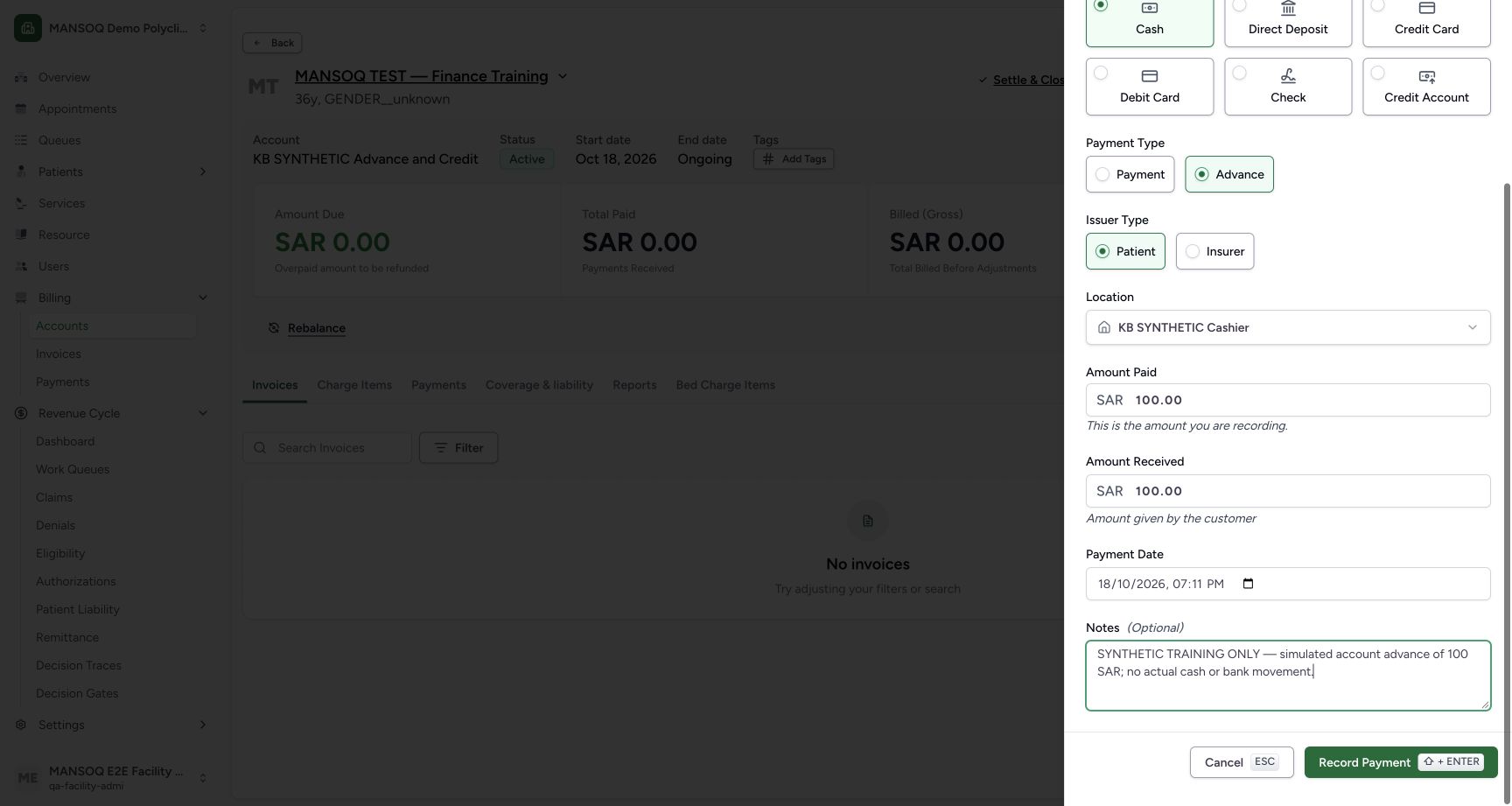
Open the active account and select Advance/Receipt. Select Cash, Advance and Patient, confirm the configured collection location, and enter 100 SAR as Amount Paid and Amount Received. Record a clear teaching-only note. The actual UI saved the advance without an invoice link.
2. Verify the saved advance and account position
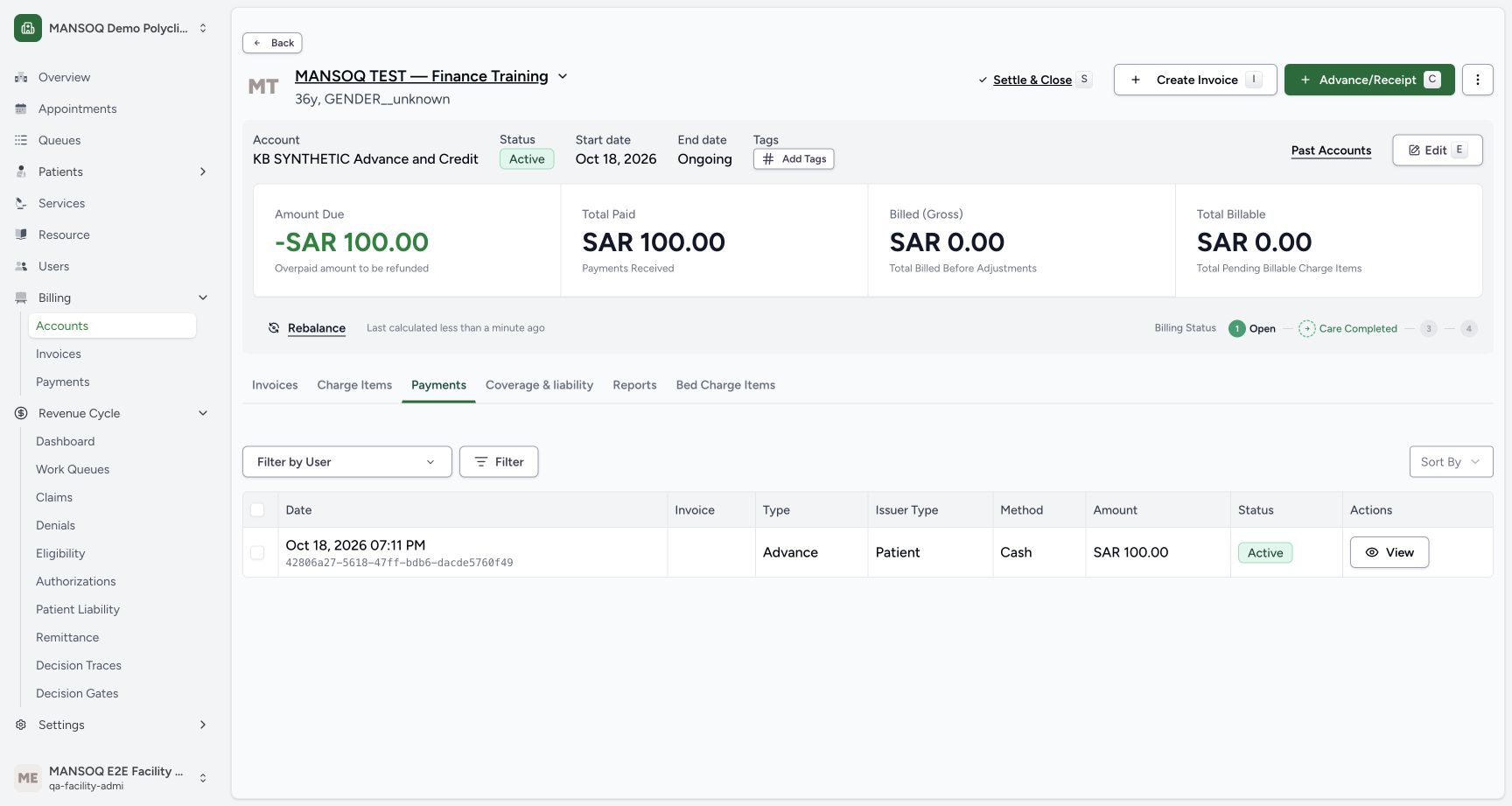
Open the Payments tab. The account displays the original 100 SAR advance, Total Paid 100 SAR, Billed zero and Amount Due -100 SAR. In this unbilled teaching account, the negative amount represents recorded overpayment; it is not an unpaid invoice or evidence of bank credit.
3. Record a separate partial return
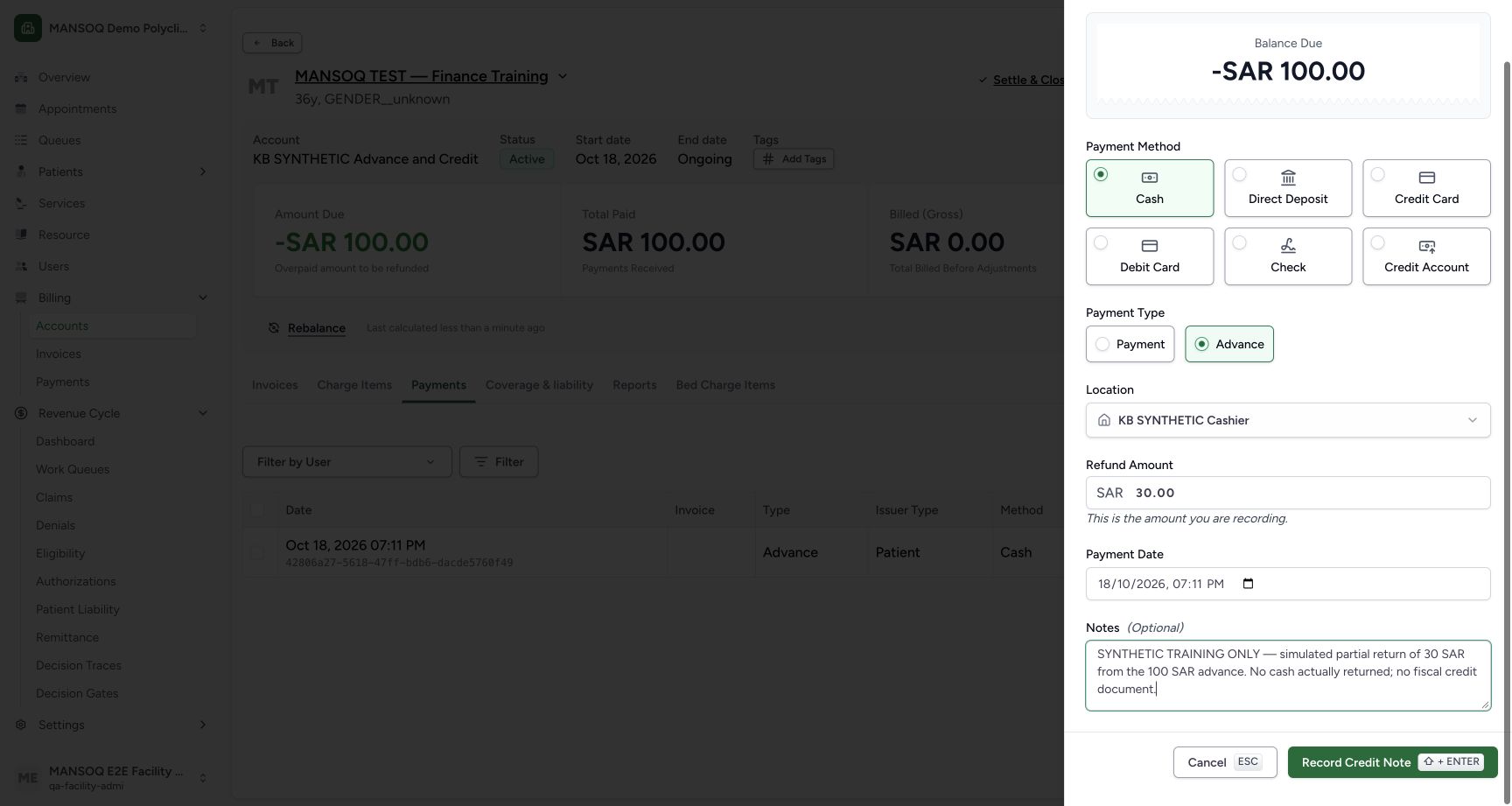
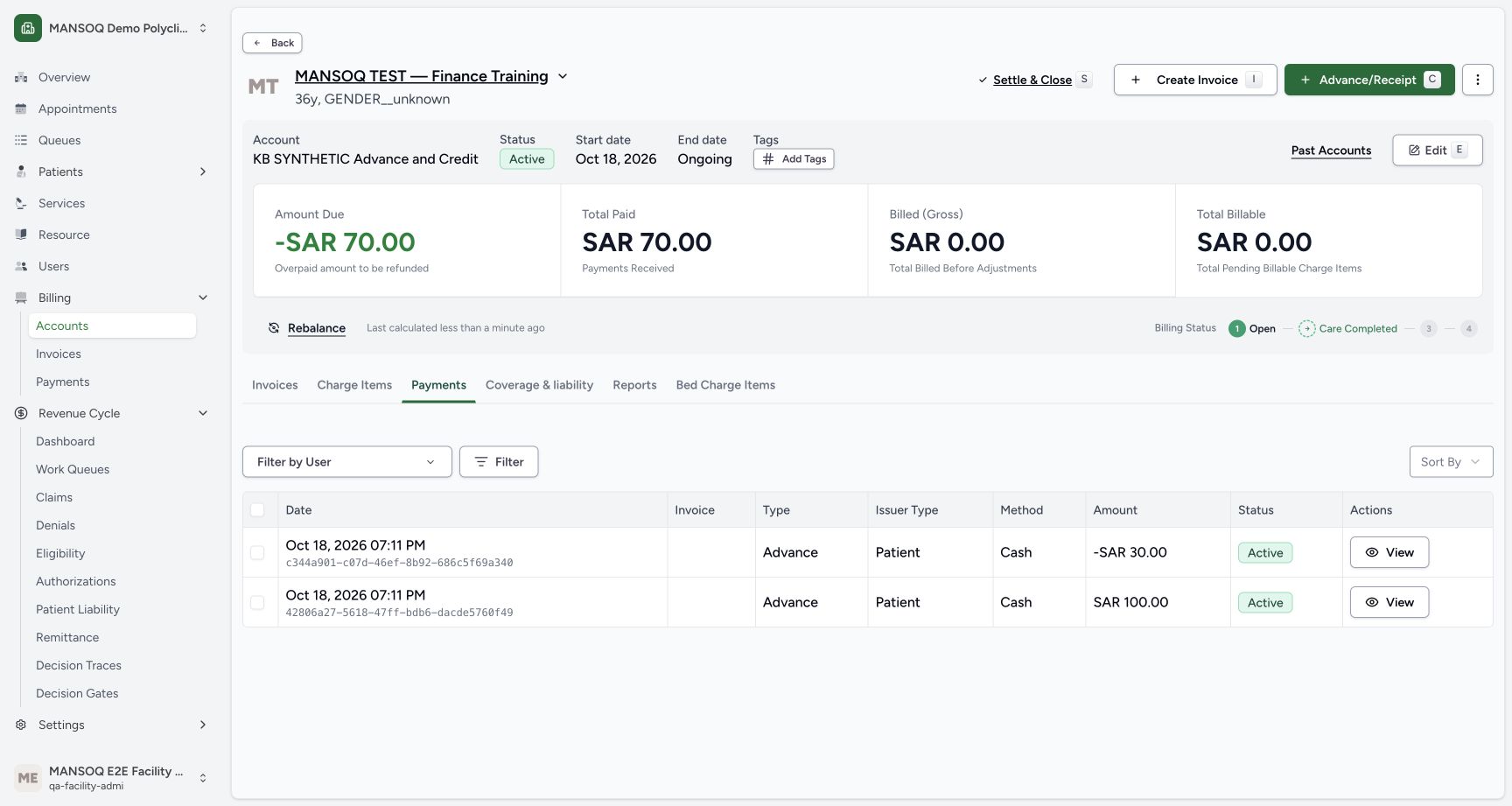
From the account menu select Record Credit Note. Select Cash and Advance, enter Refund Amount 30 SAR, retain the collection location and describe the partial return. The actual UI saved a separate record. Its stored amount is positive 30 with is_credit_note=true; the ledger displays -30 SAR. The original advance remains intact.
4. Inspect the refund record and printable receipt
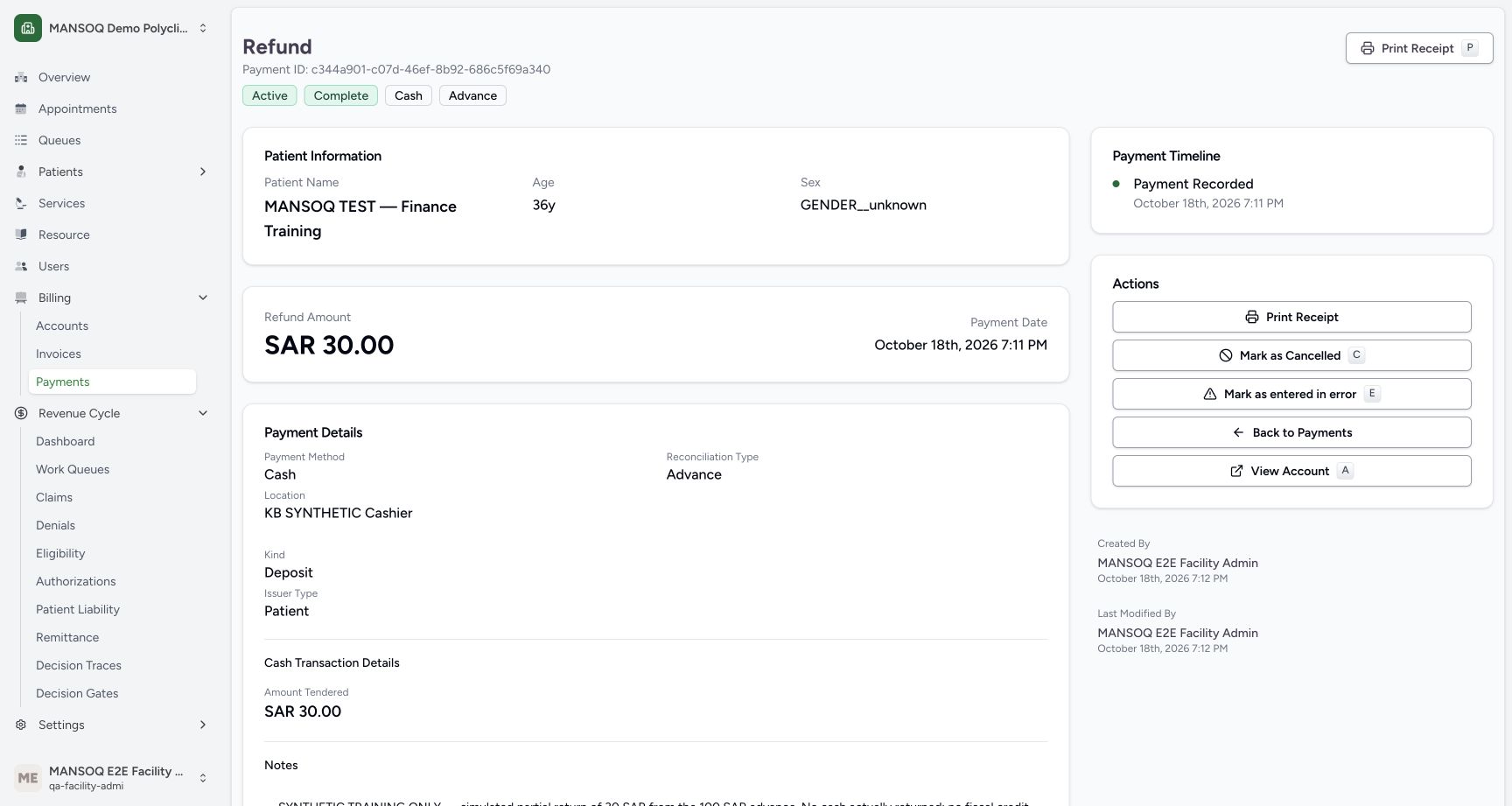
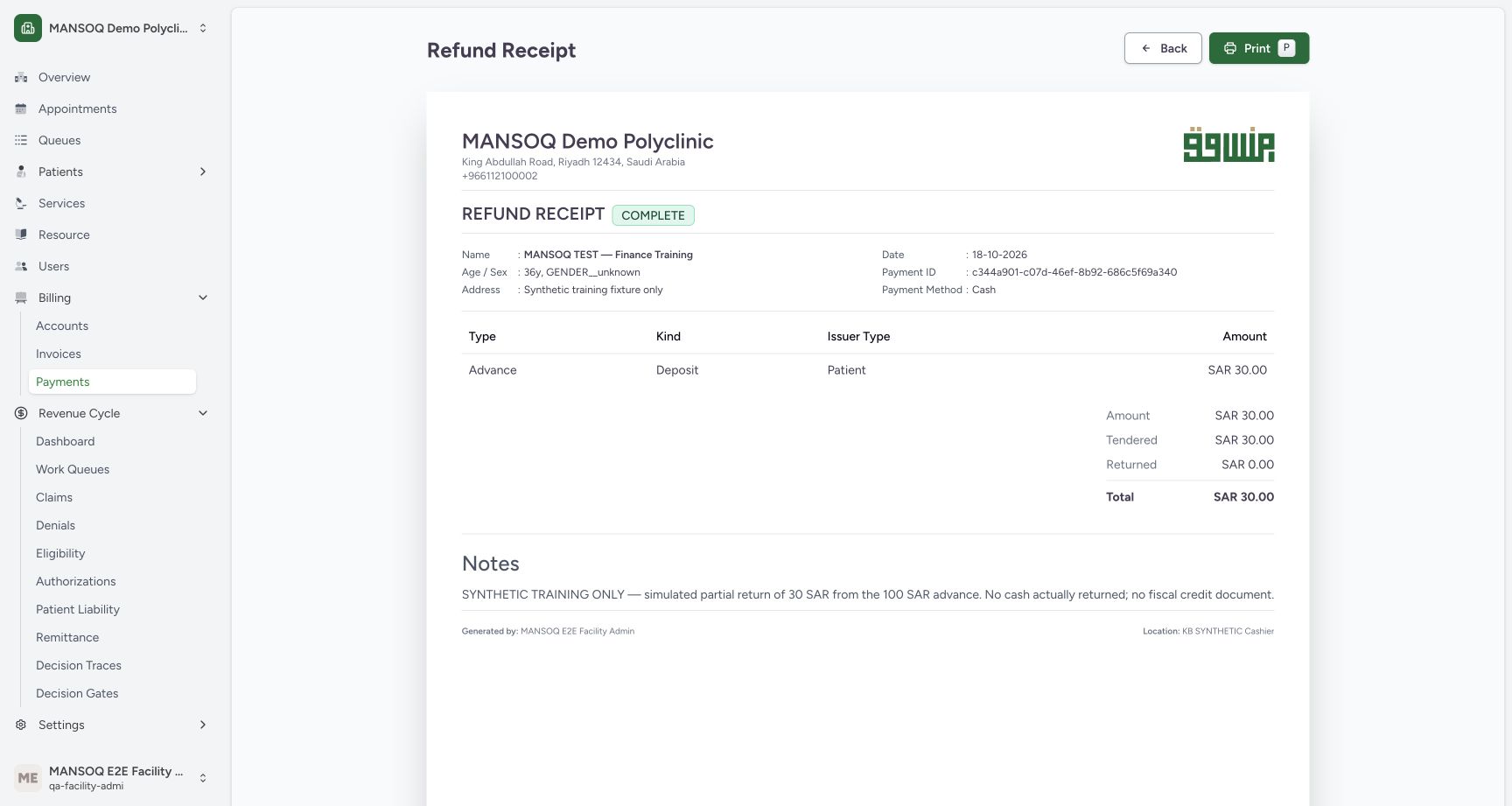
Open the credit entry to verify amount, method, collection location, author and note. The current implementation retains generic Kind=Deposit even on this refund; read the credit-note flag, refund heading and signed ledger together. Print Receipt opens the current HTML preview with payment ID, generator and location. Only this preview was observed; no printer or external delivery was tested.
5. Return the remaining amount as its own record
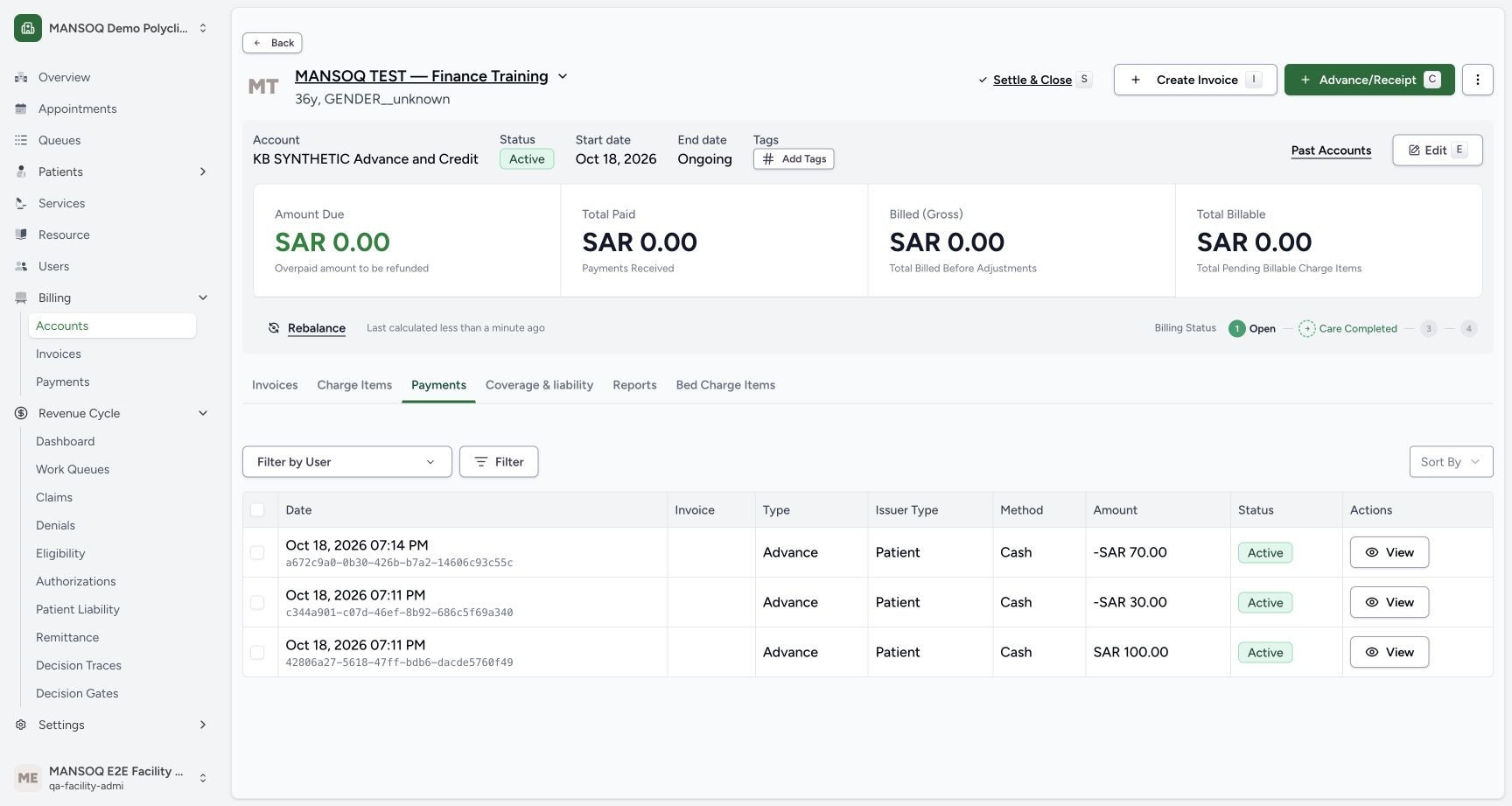
After the partial return, independent readback confirms 70 SAR remains recorded. The example then uses Record Credit Note again for the remaining 70 SAR, with a separate note. The resulting ledger retains all three records: +100, -30 and -70 SAR. Net recorded funds and amount due become zero; no invoice was created.
6. Close only with the correct disposition
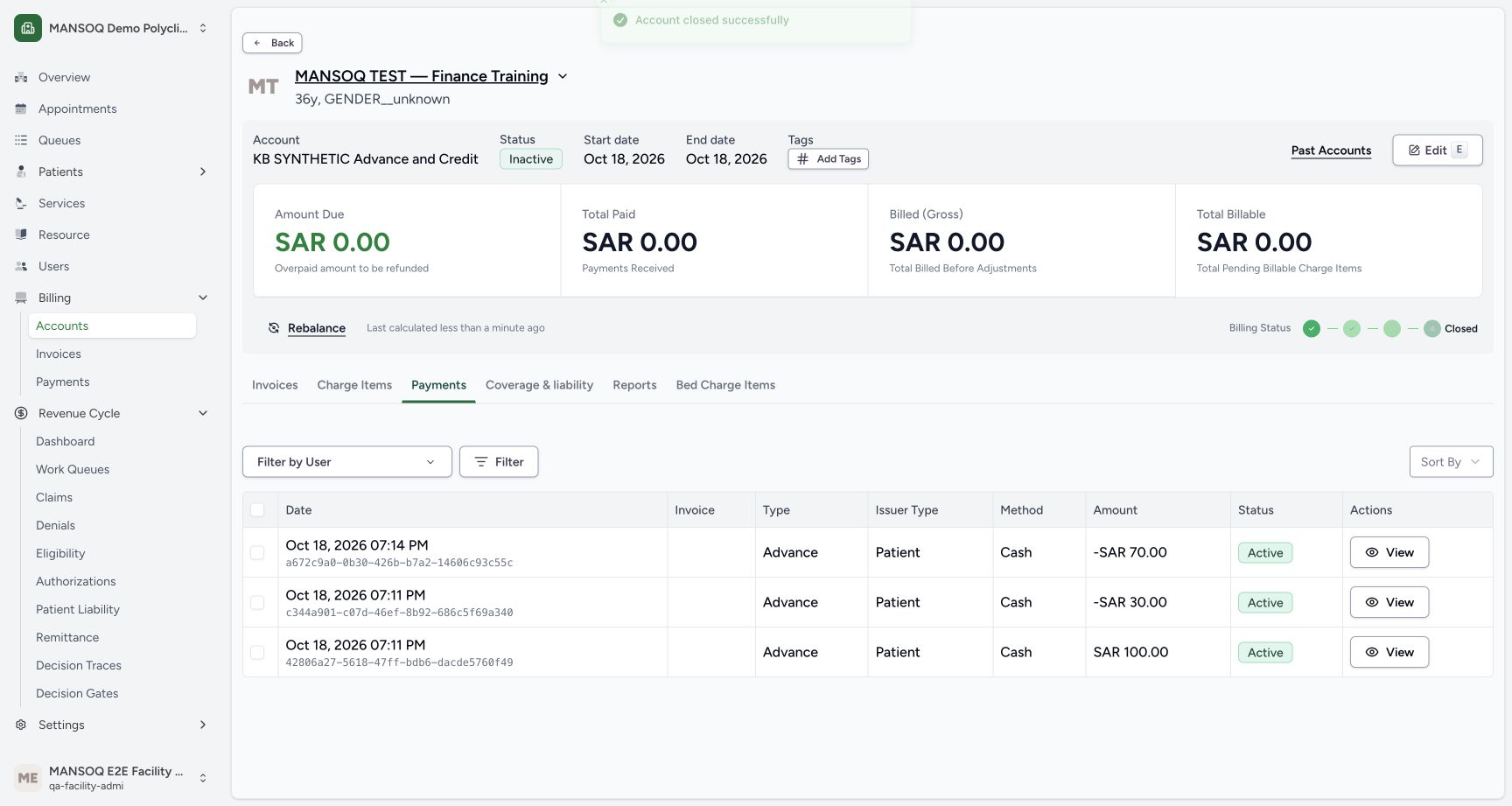
For the now fully returned teaching account, select Settle & Close and deliberately choose Closed Completed. The dialog initially defaults to Closed Bad Debt. Actual UI closure saved inactive status and an end date while preserving the original advance and both credit entries. Independent database readback confirms zero net totals and closed_completed state.
Use canonical finance for RCM insurer receipts
The audited backend refuses insurer receipts through the legacy payment route when the account is RCM-managed or has a canonical insurance invoice. Such receipts belong to the canonical advice, confirmed bank receipt, settlement and payment-notice workflow. Do not relabel the issuer as Patient to evade that refusal. This example uses explicitly synthetic patient/cashier entries only.
What this example leaves open
This is one current Polyclinic Facility Admin observation. Other roles, partial allocations, real payment methods, transfers, cancelled receipts, linked reversals, canonical refunds and fiscal correction documents need their own evidence. No real cash movement, bank credit, payer adjudication or tax filing was verified.
Troubleshooting
The ledger shows a negative credit but the database amount is positive
Direction is represented by is_credit_note; account synchronization subtracts valid credit-note amounts and the UI applies the sign. Do not change stored amounts to negative to mimic the display.
A credit entry is being mistaken for a fiscal credit note
Identify the actual resource and original fiscal document. This example has only account-level payment-reconciliation records and a refund receipt; no invoice or electronic correction document exists.
Source evidence
References are pinned to the private MANSOQ source repository. Repository access is required to open these links.
- repositories/platform/mansoq-web/src/pages/Facility/billing/PaymentReconciliationSheet.tsx:146 · f6e9f05f
- repositories/platform/mansoq-core/mansoq/emr/models/payment_reconciliation.py:27 · f6e9f05f
- repositories/platform/mansoq-core/mansoq/emr/resources/account/sync_items.py:92 · f6e9f05f
- repositories/platform/mansoq-web/src/pages/Facility/billing/paymentReconciliation/PaymentsData.tsx:469 · f6e9f05f
- repositories/platform/mansoq-web/src/pages/Facility/billing/paymentReconciliation/PrintPaymentReconciliation.tsx:107 · f6e9f05f
- repositories/platform/mansoq-core/mansoq/emr/api/viewsets/payment_reconciliation.py:97 · f6e9f05f
- repositories/platform/mansoq-web/src/pages/Facility/billing/account/AccountShow.tsx:139 · f6e9f05f
- repositories/platform/mansoq-core/mansoq/security/permissions/payment_reconciliation.py:17 · f6e9f05f