 MANSOQ
 Billing
Resolve a fully paid invoice that refuses UI balancing
Recognize the audited finalized-invoice payload mismatch and the separately tested, authorized status-only API continuation.
Current source · source reviewed · 7 min read
Before you begin
- Invoice is already Issued, its valid recorded payments cover the total, and you have independently confirmed that the receipt was saved once.
- You have the existing authorized invoice-update permission in the same facility.
- An integration operator should use the normal API and approved authentication process; never bypass permissions or finalized-invoice protection.
1. Identify the specific refusal
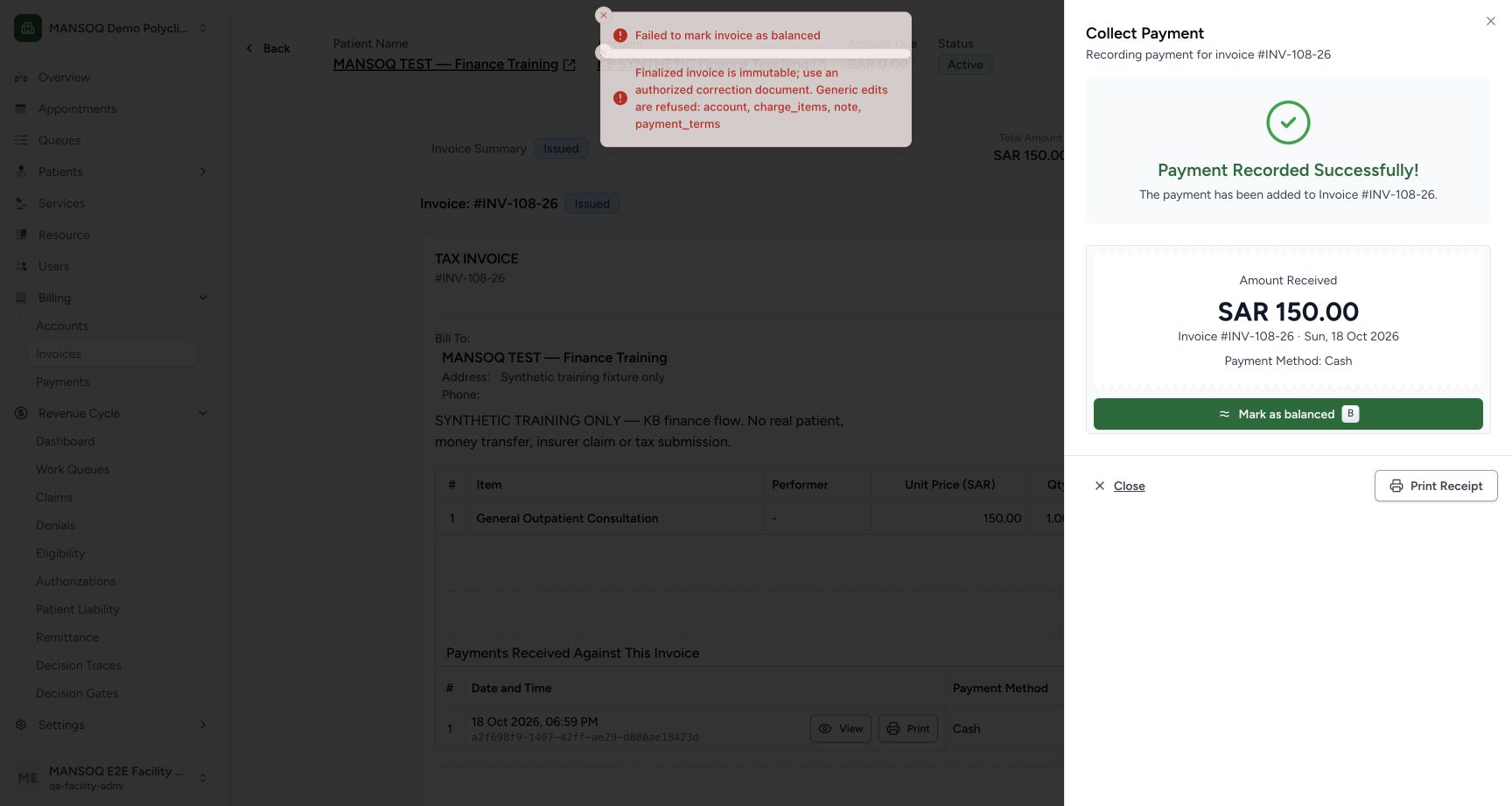
After Record Payment, Mark as balanced can fail with “Finalized invoice is immutable; use an authorized correction document.” The current payment sheet sends account, charge_items, note and payment_terms as well as status. The backend refuses those generic finalized-invoice edits. The synthetic test returned this refusal while preserving the receipt.
2. Verify payment and invoice facts first
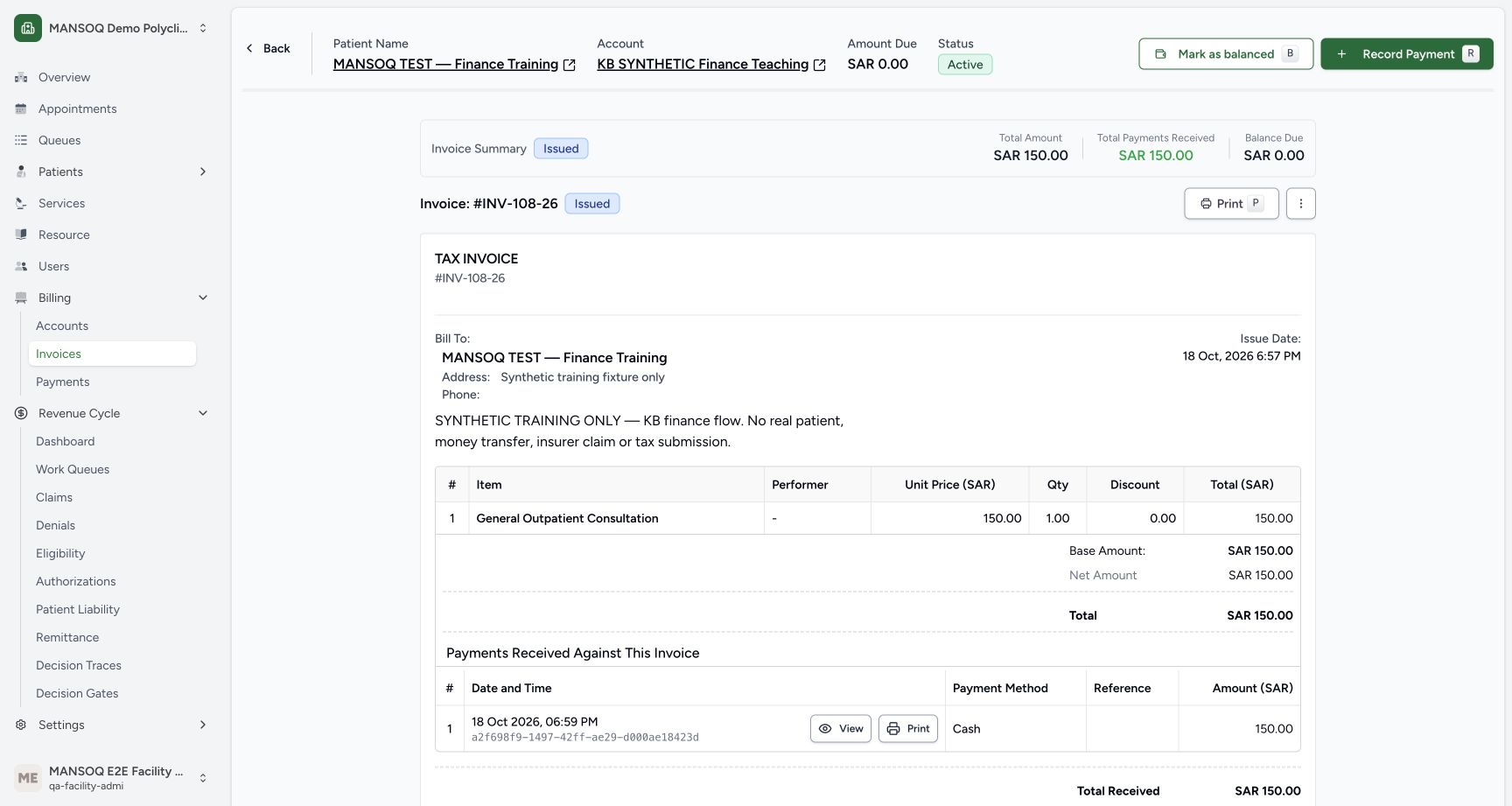
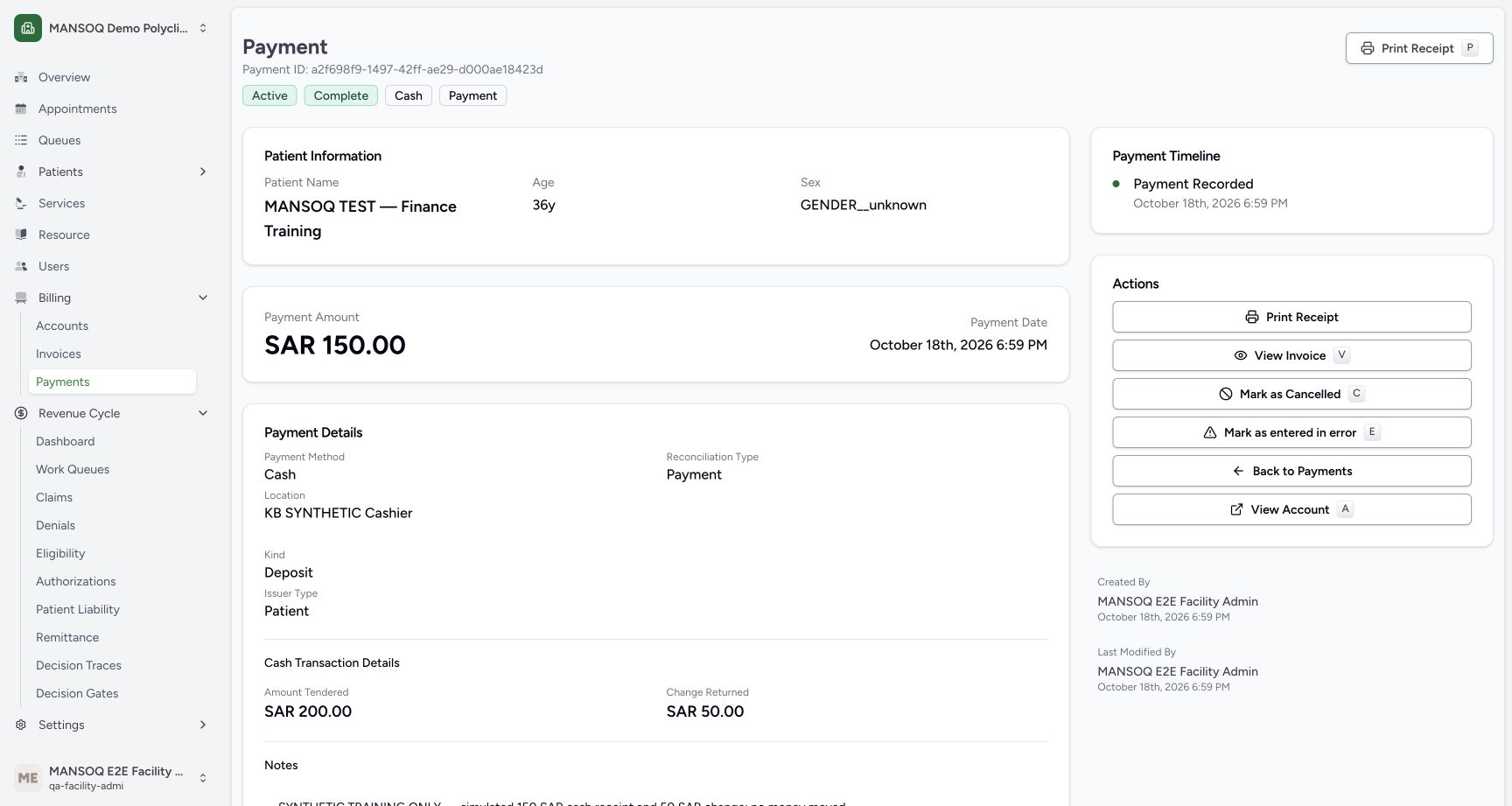
Open the invoice and its receipt. The observed case retained Issued status with total 150 SAR, payments 150 SAR and balance zero. Independent database readback confirmed one receipt, so no duplicate payment was needed. If amounts, currency, reversals or payment validity disagree, resolve those facts before any status transition.
3. Use the narrow supported update only through an authorized operator
The audited contract is PUT /api/v1/facility/{facilityId}/invoice/{invoiceId}/ with JSON body {"status":"balanced"}. The backend update schema is BaseInvoiceSpec and finalized-invoice logic explicitly separates status from generic fields. In the isolated fully paid teaching case, the existing Facility Admin authentication performed this exact normal API request and received 200. No permission or validator was bypassed. This is an integration continuation, not evidence that the UI action succeeded.
4. Read the result independently
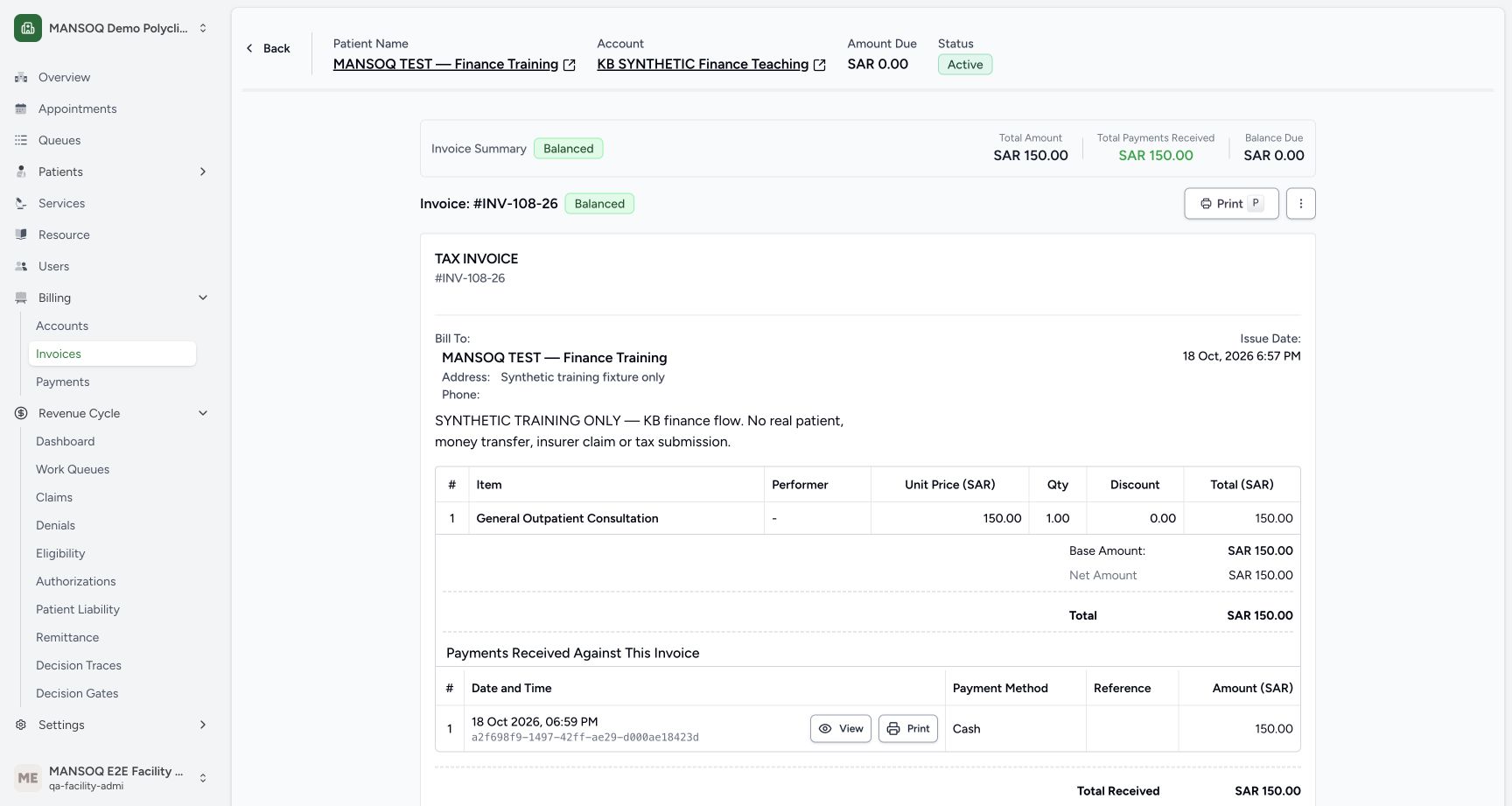
A separate authenticated GET returned balanced, then a refreshed invoice displayed Balanced with unchanged total/payment facts. Database readback later confirmed the linked charge became paid and the account subsequently closed through the UI. If your request is refused, preserve its response and escalate with the invoice reference; do not add generic fields, mutate stored records, or force lifecycle values.
Version boundary
This defect and continuation were observed at the pinned source revision on an isolated synthetic self-pay invoice. Other deployed revisions may differ. Canonical insured invoices, fiscal documents, allocations and reversals retain their own prerequisites.
Troubleshooting
The UI error appears after a payment success message
The receipt save and invoice-status update are separate operations. Confirm the saved receipt and avoid recording it twice.
The status-only request is still refused
Check current state, the facility permission, invoice/payment validity and the exact server response through your approved support process. Do not bypass the refusal.
Source evidence
References are pinned to the private MANSOQ source repository. Repository access is required to open these links.
- repositories/platform/mansoq-web/src/pages/Facility/billing/PaymentReconciliationSheet.tsx:844 · f6e9f05f
- repositories/platform/mansoq-web/src/pages/Facility/billing/invoice/InvoiceShow.tsx:268 · f6e9f05f
- repositories/platform/mansoq-core/mansoq/emr/api/viewsets/invoice.py:584 · f6e9f05f
- repositories/platform/mansoq-core/mansoq/emr/api/viewsets/invoice.py:110 · f6e9f05f
- repositories/platform/mansoq-core/mansoq/emr/api/viewsets/invoice.py:661 · f6e9f05f
- repositories/platform/mansoq-web/src/types/billing/invoice/invoiceApi.ts:30 · f6e9f05f