 MANSOQ
 Billing
Follow a complete synthetic self-pay billing example
Walk through a real saved charge, draft, issue, receipt, status-only API continuation and completed account closure, with the current UI defect made explicit.
Current source · source reviewed · 15 min read
Before you begin
- Use an isolated training environment with fictional patient/account data, configured charge definitions and no external payer, bank or tax transactions.
- Use an existing role with invoice/account and payment-reconciliation permission. Billing Officer is not included in the audited payment-reconciliation read/write role catalogue.
- The payment collection location must be active and directly linked to an organization the user already belongs to.
- This is a billing-only self-pay teaching example, not proof of delivered clinical care, insurance financial clearance, an electronic fiscal document or production qualification.
1. Identify the separate teaching account
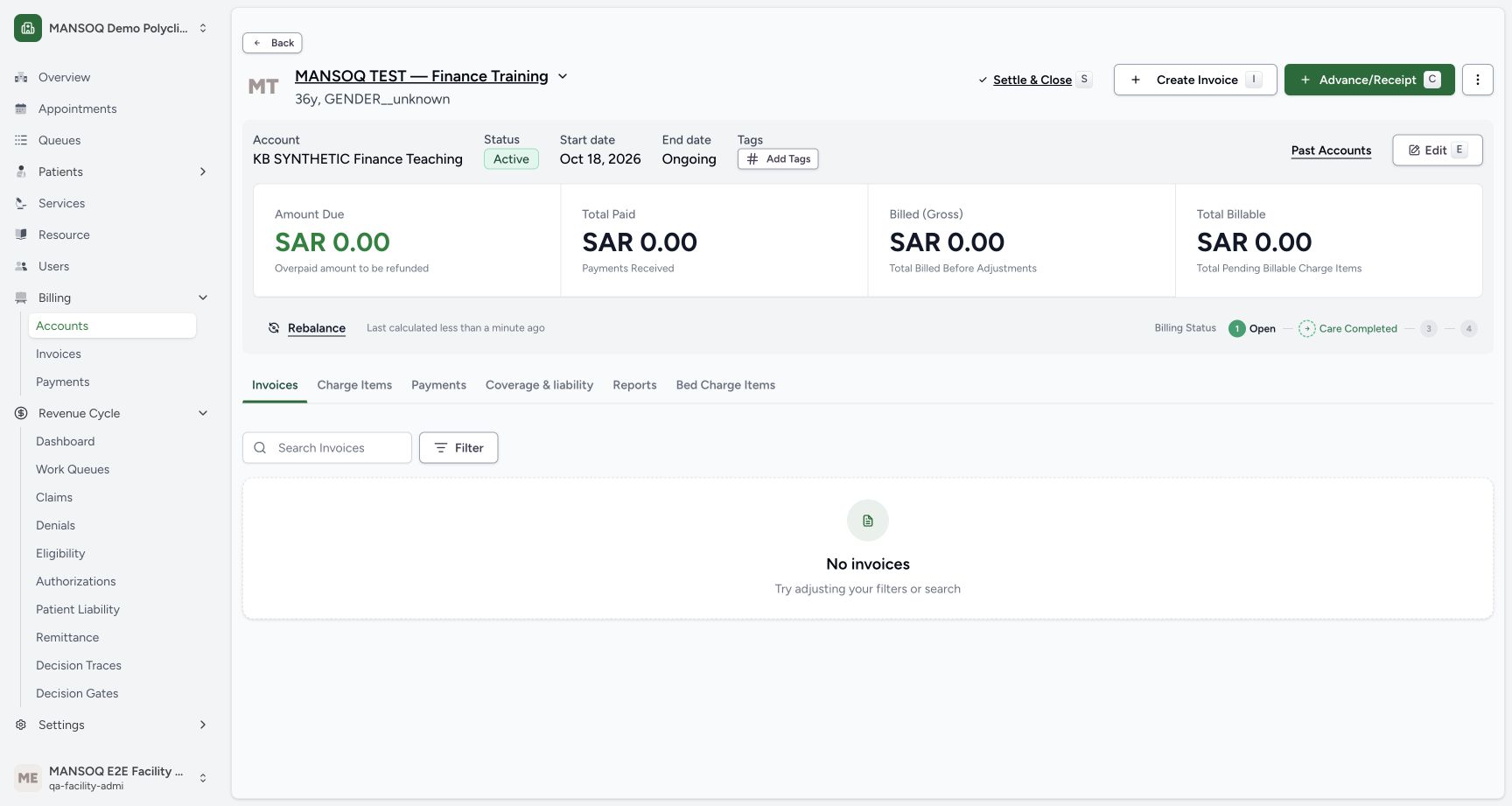
The dedicated MANSOQ TEST — Finance Training account starts with no charge or invoice. Confirm the patient/account identity, status and calculated totals before starting. Initial patient/account creation was fixture setup; it is not represented as a UI registration test.
2. Choose the configured charge and quantity
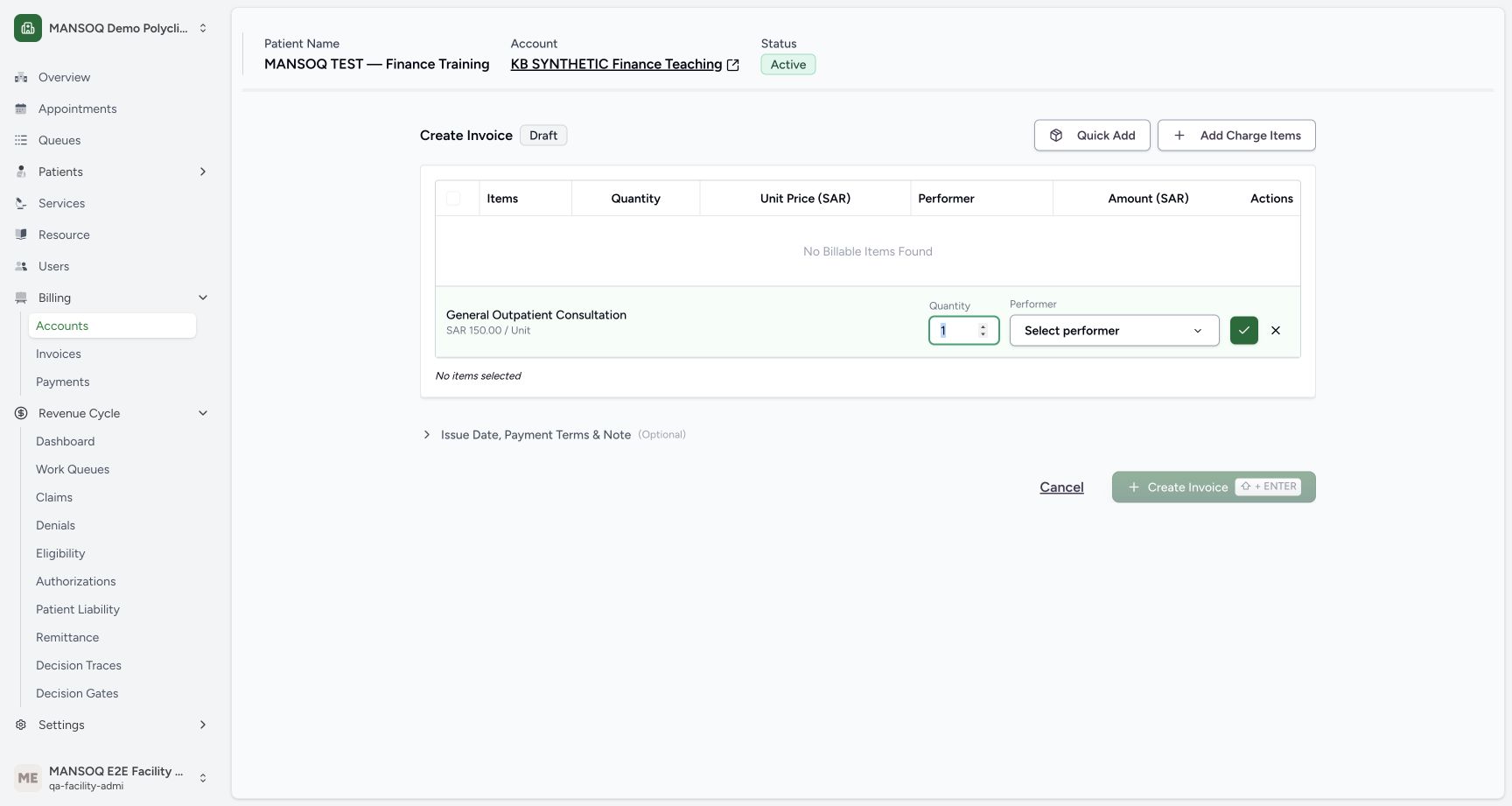
Select Create Invoice, then the configured General Outpatient Consultation definition. The example uses quantity 1 at 150 SAR per unit. Confirm the charge. The form creates the charge item before the draft invoice. No actual clinical performance or performer is attested by this billing-only example.
3. Review and create the draft
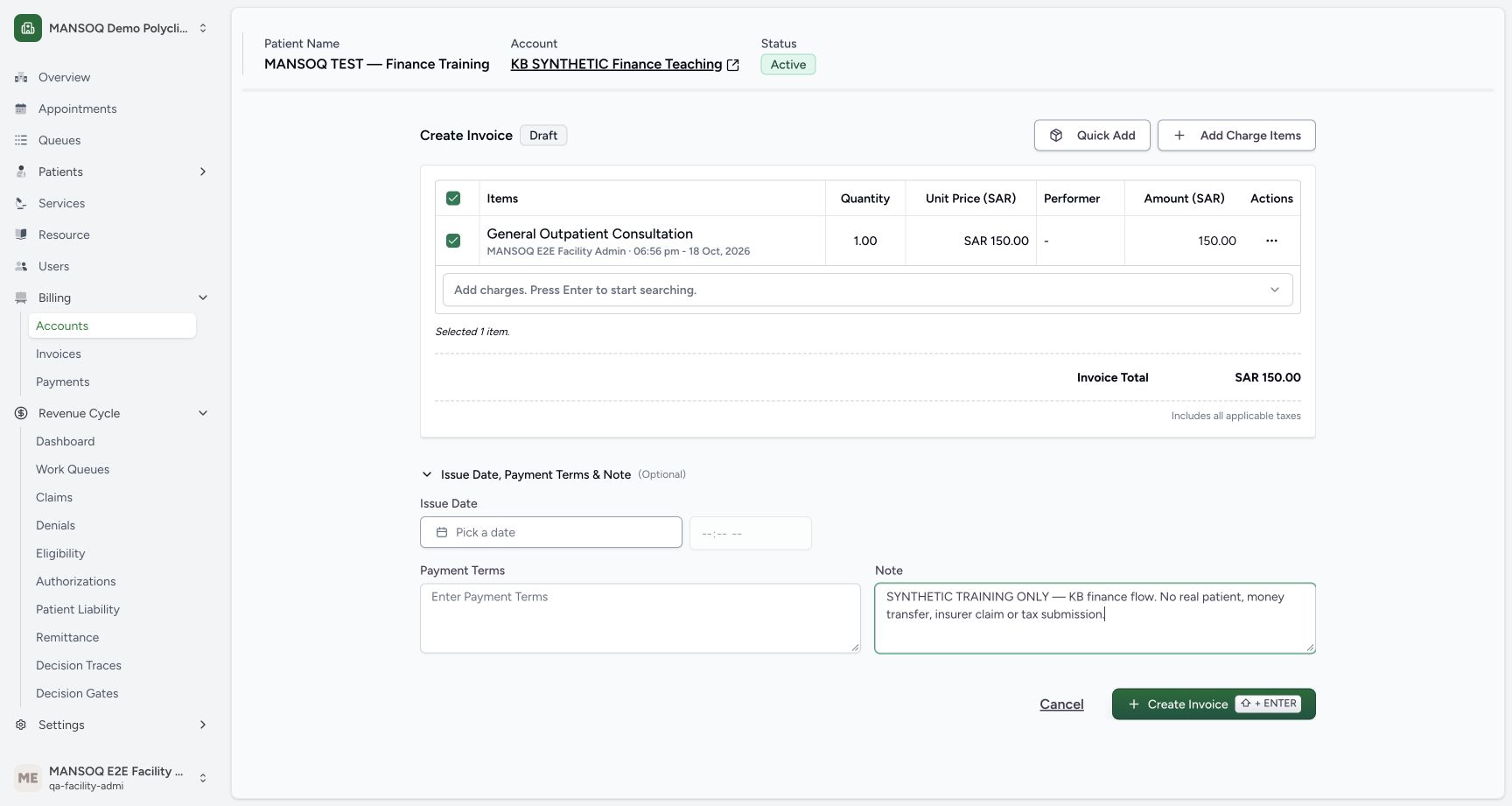
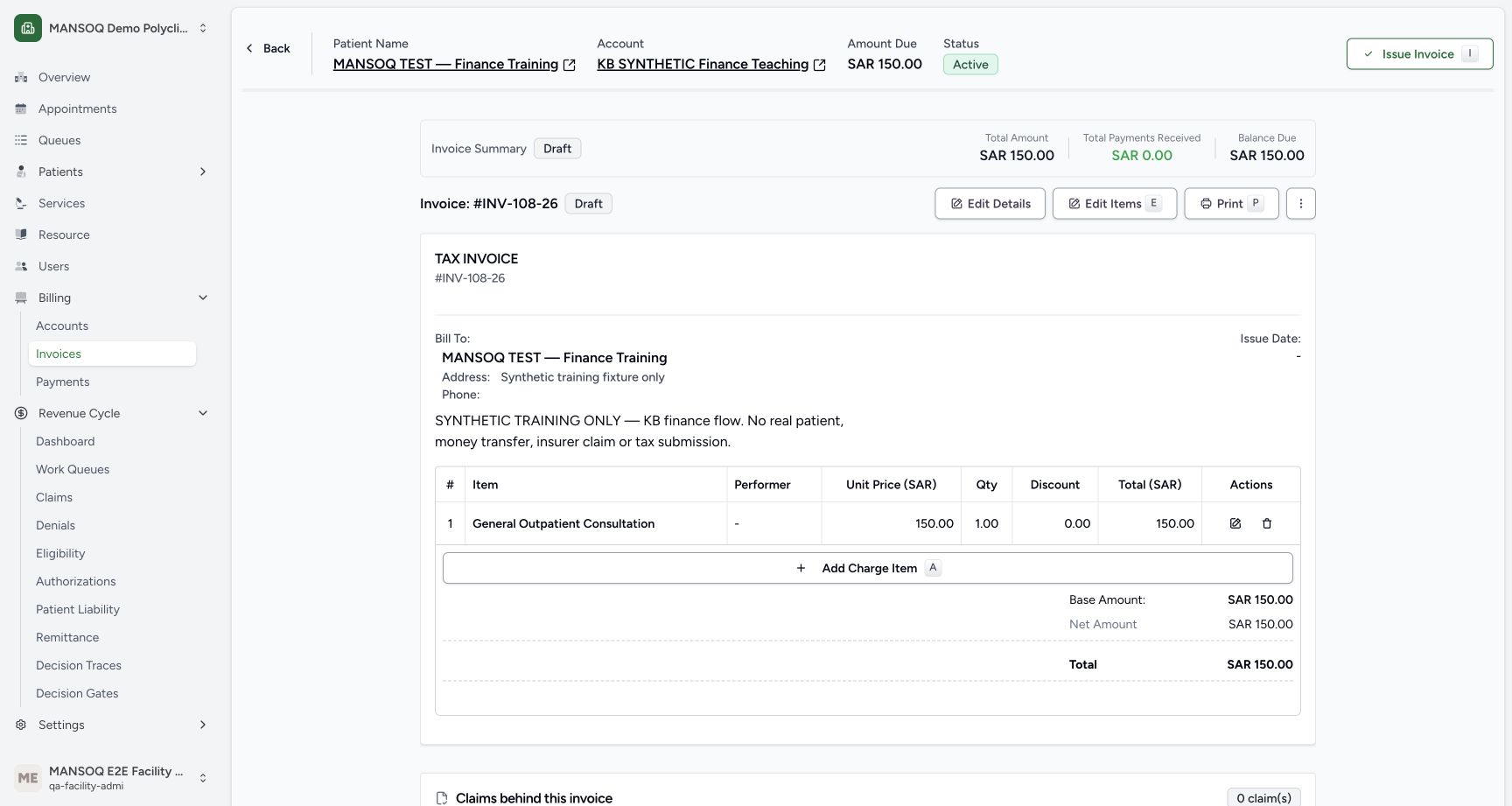
Select the intended charge, compare the 150 SAR invoice total and add a clear synthetic-only note. Create Invoice saves INV-108-26 as Draft. Independent database readback confirms the invoice, account and single charge.
4. Issue the local self-pay invoice
Select Issue Invoice. The actual UI transition saved Issued and opened Collect Payment. Applicable pricing, reservation, canonical insurance and tax prerequisites still apply on real configured workflows. This example has no canonical insurance commitment or electronic tax document; its ordinary issued status must not be described as a qualified tax filing.
5. Record one simulated cash receipt
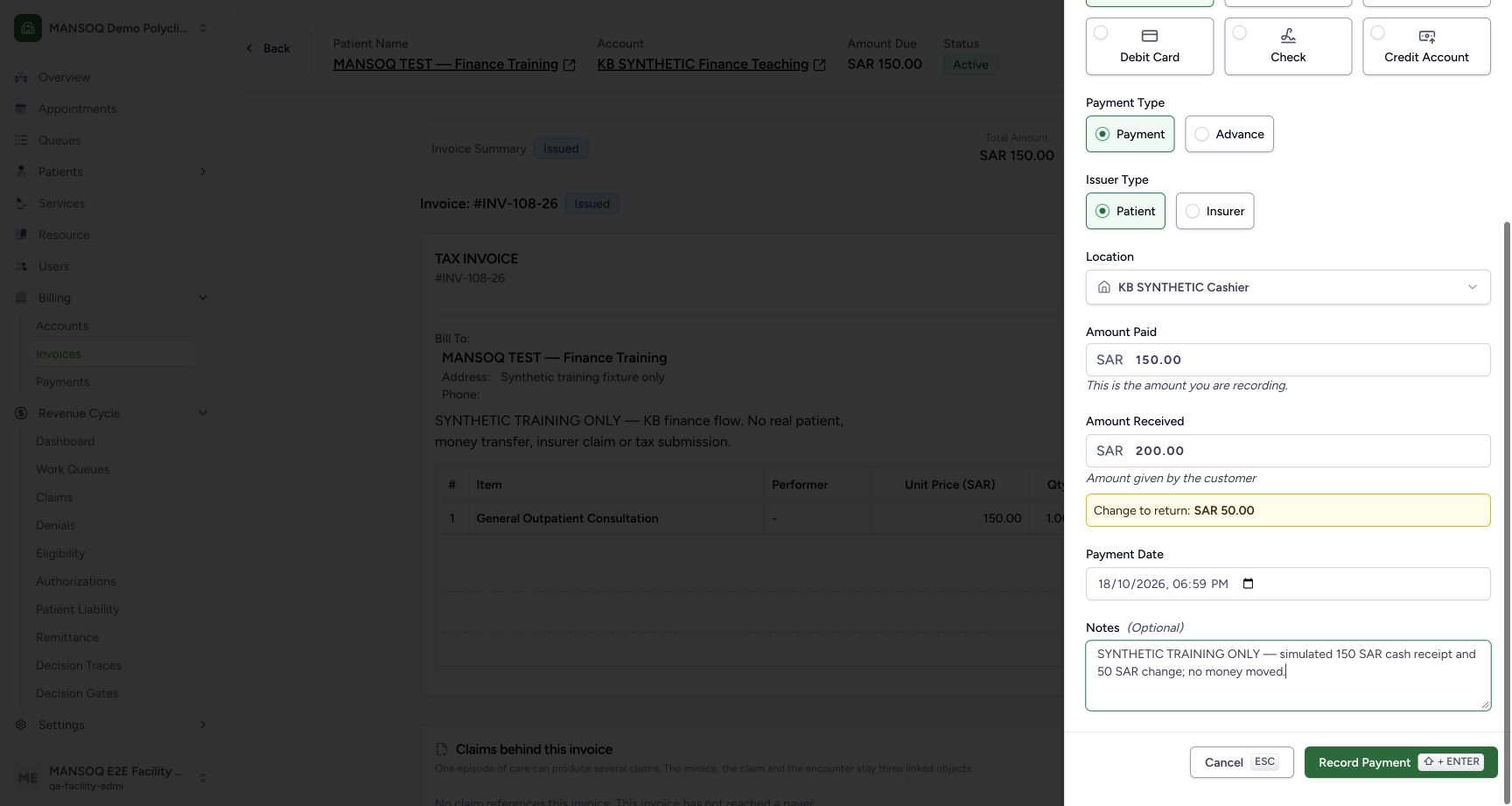
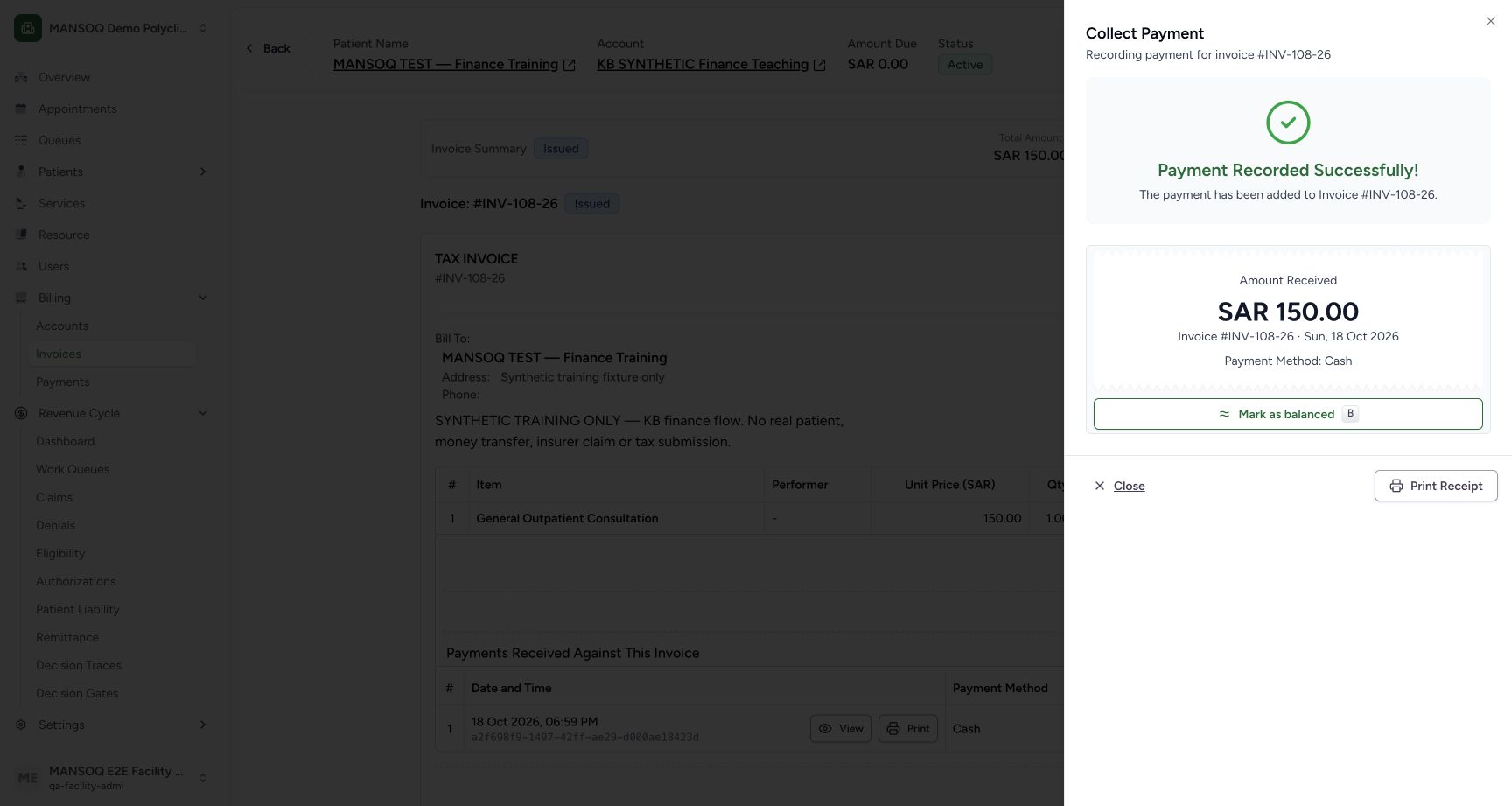
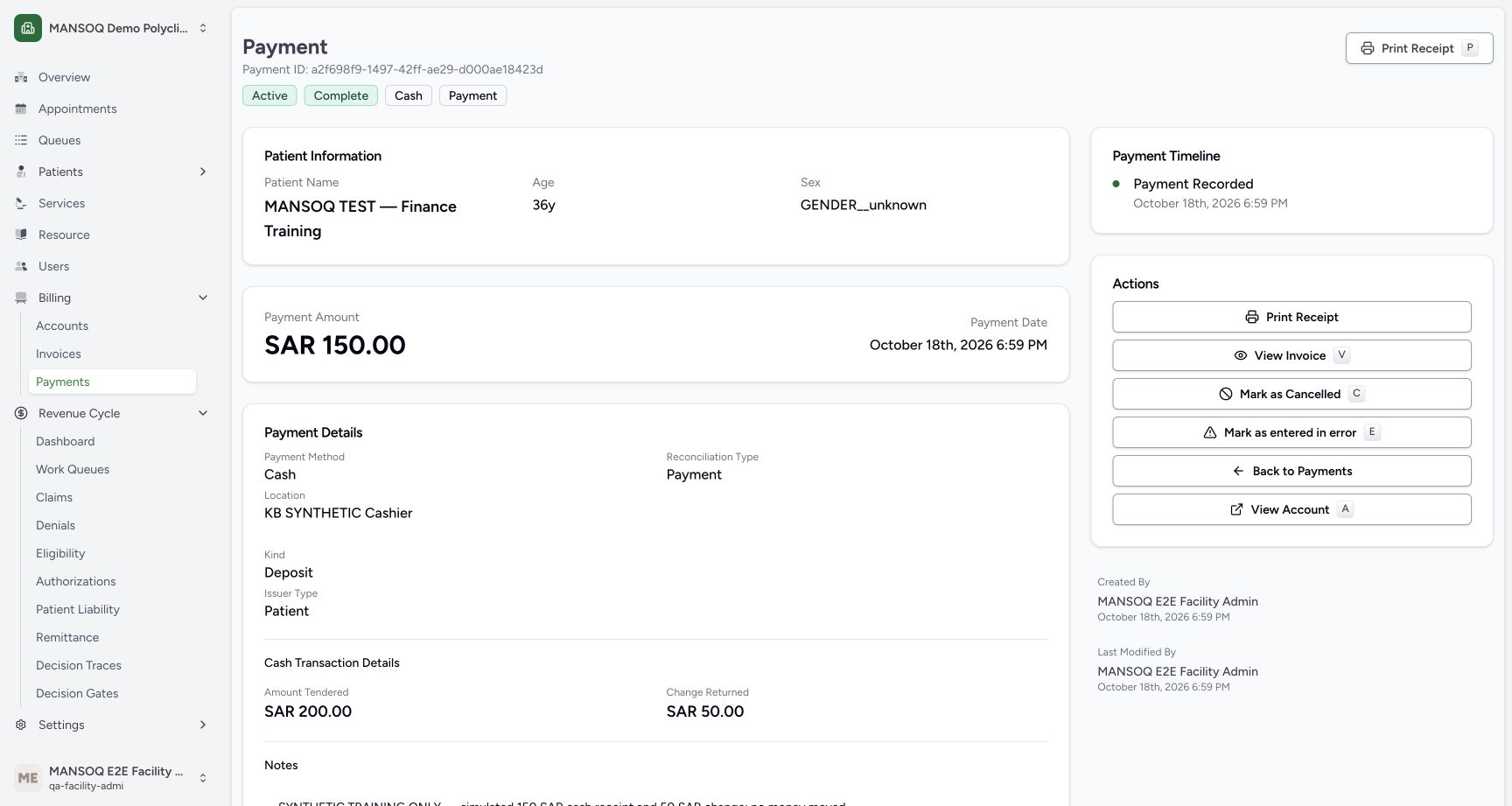
Select Cash, Payment, Patient and the active KB SYNTHETIC Cashier location. Enter 150 SAR as Amount Paid and 200 SAR as Amount Received. The form calculates 50 SAR change. Save once with a synthetic-only note. The separate receipt view and independent database readback confirm exactly one 150 SAR receipt, 200 SAR tendered and 50 SAR returned. No money moved.
6. Recognize the balancing refusal without duplicating payment
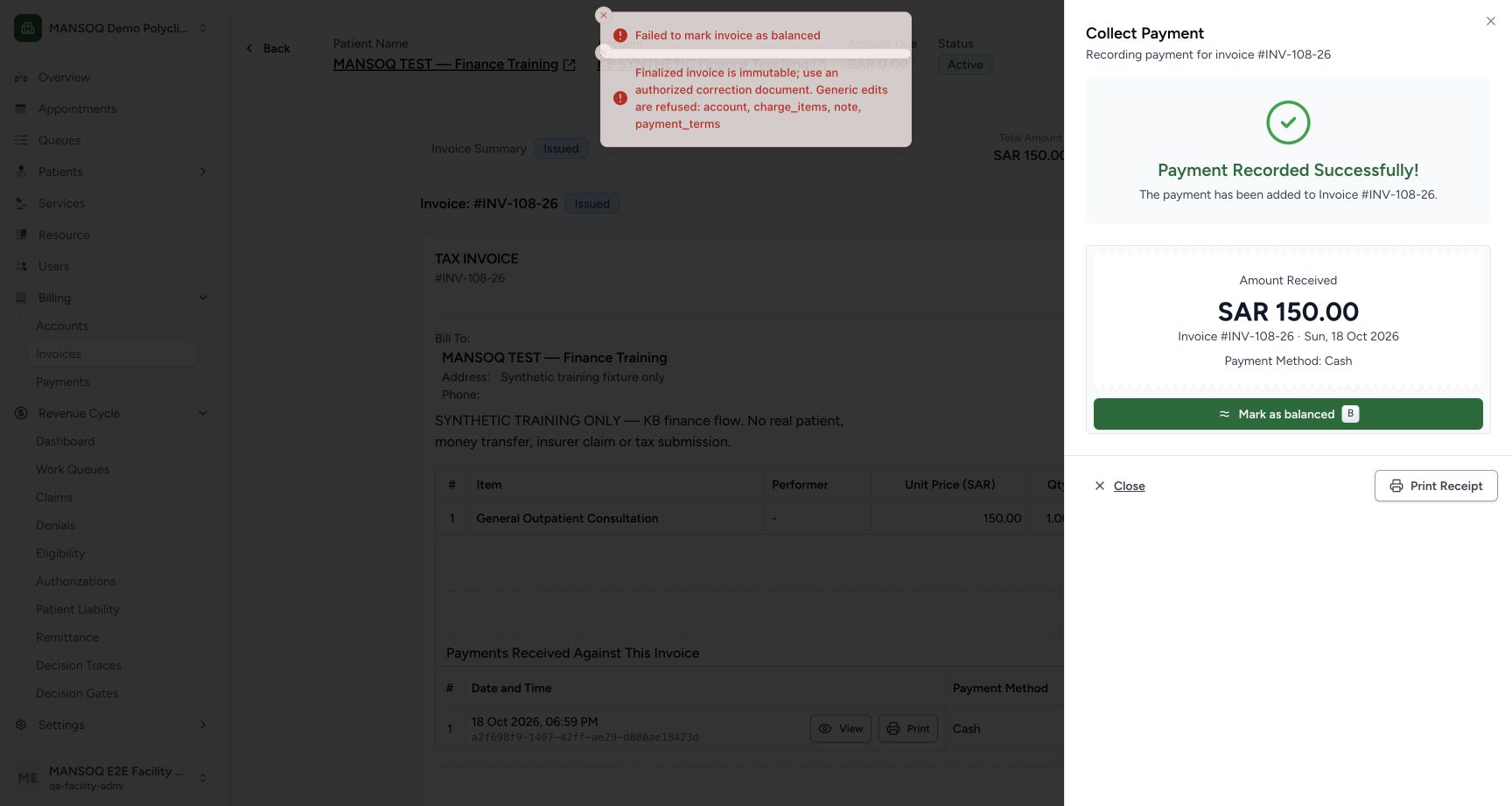
Mark as balanced was attempted through the actual UI. It failed because the frontend sends account, charge_items, note and payment_terms while the backend allows only the status change on a finalized invoice. The invoice remained Issued, fully paid and zero balance; the existing receipt remained saved. Do not record another payment to solve this status update failure.
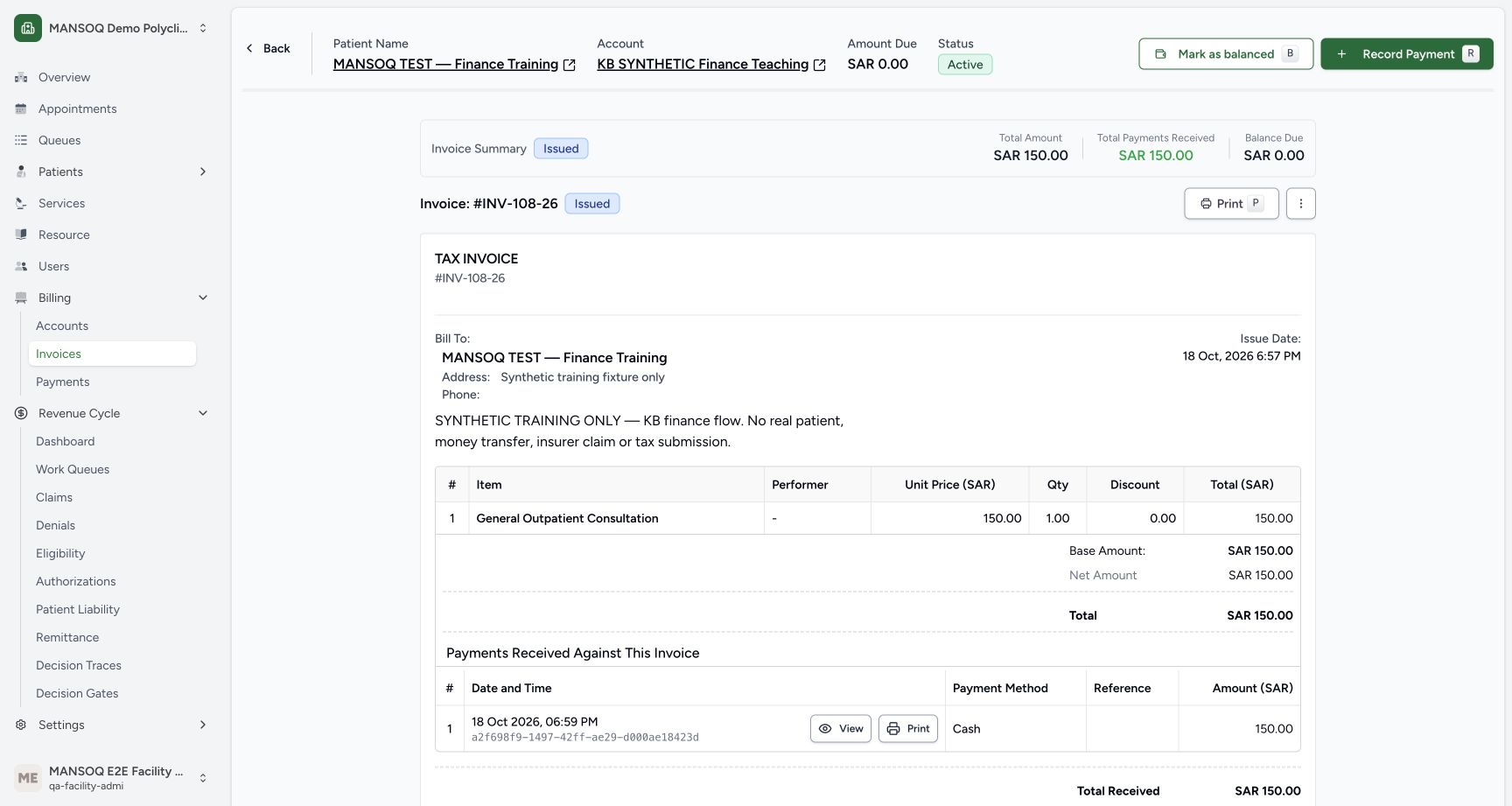
7. Distinguish the tested API continuation
An authorized integration operator separately used the normal invoice update API with a body containing only status=balanced. The request returned 200; an independent GET and refreshed UI showed Balanced. This is a tested API continuation and does not establish that the current UI balancing button works. See the dedicated troubleshooting reference for the exact contract and prerequisites.
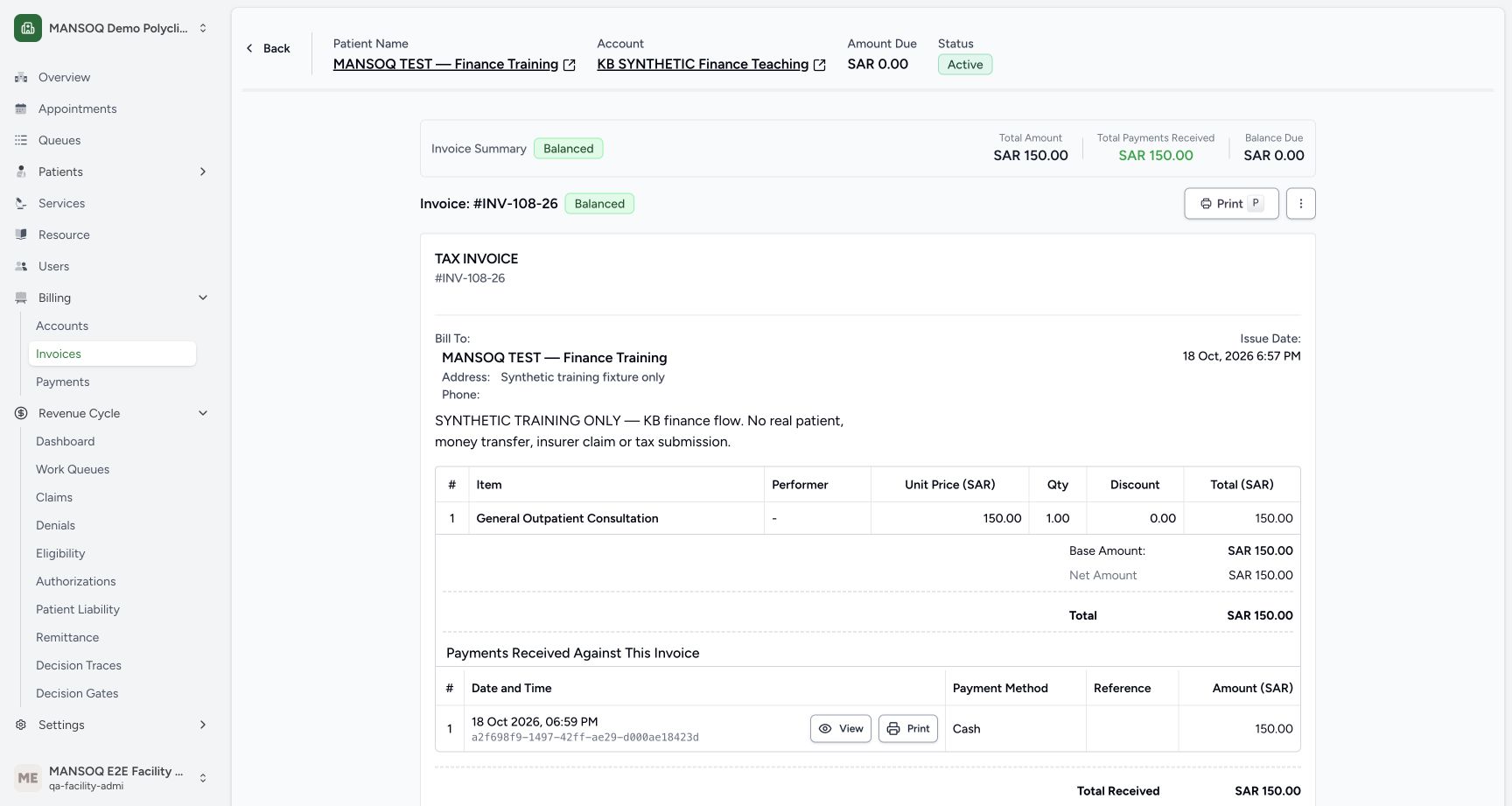
8. Close using the correct disposition
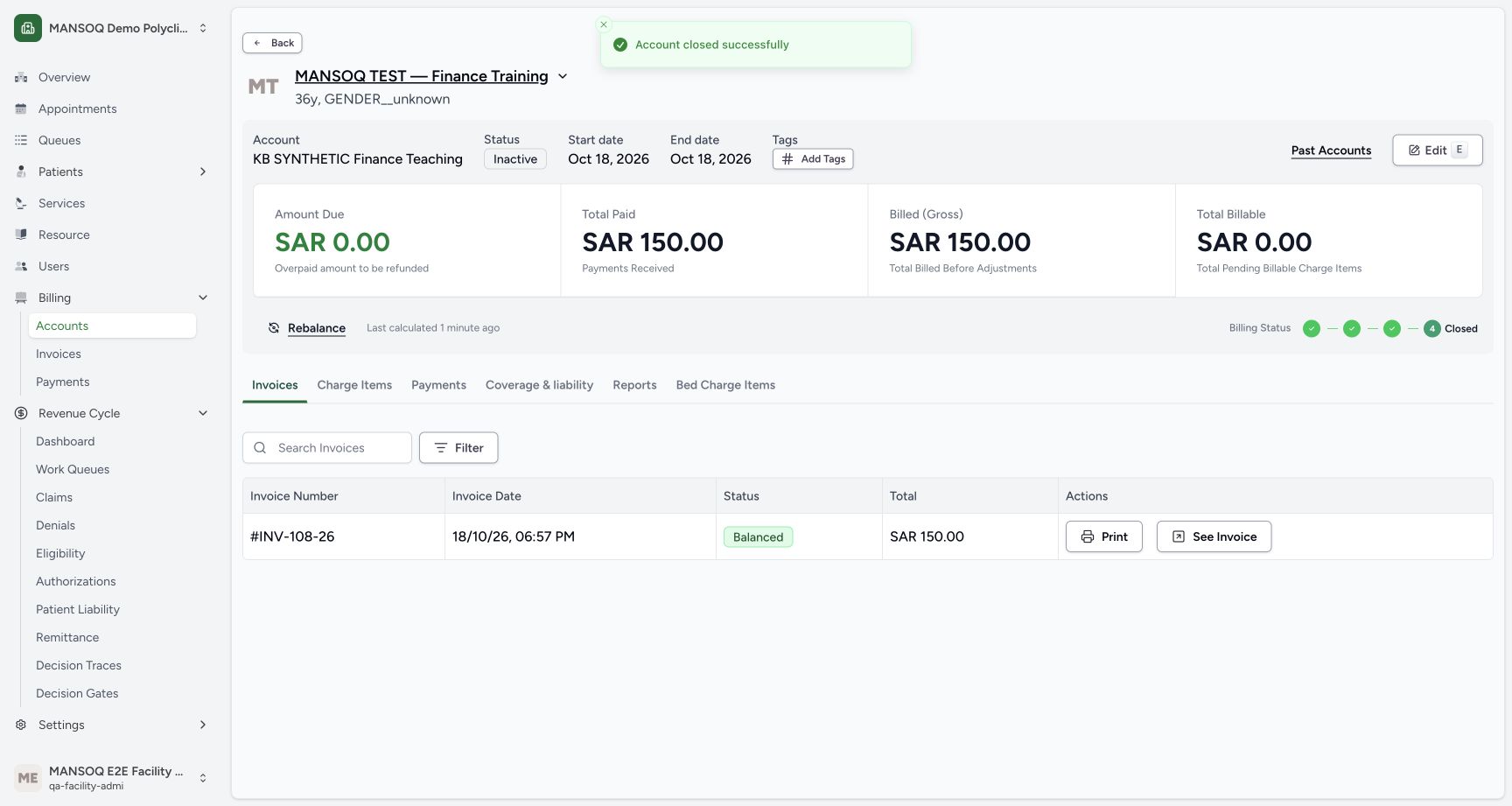
Return to the account, select Settle & Close, and deliberately choose Closed Completed for this fully settled teaching account. The initial dialog default is Closed Bad Debt, so check the choice. Close Account saved inactive status, an end date and the completed billing lifecycle.
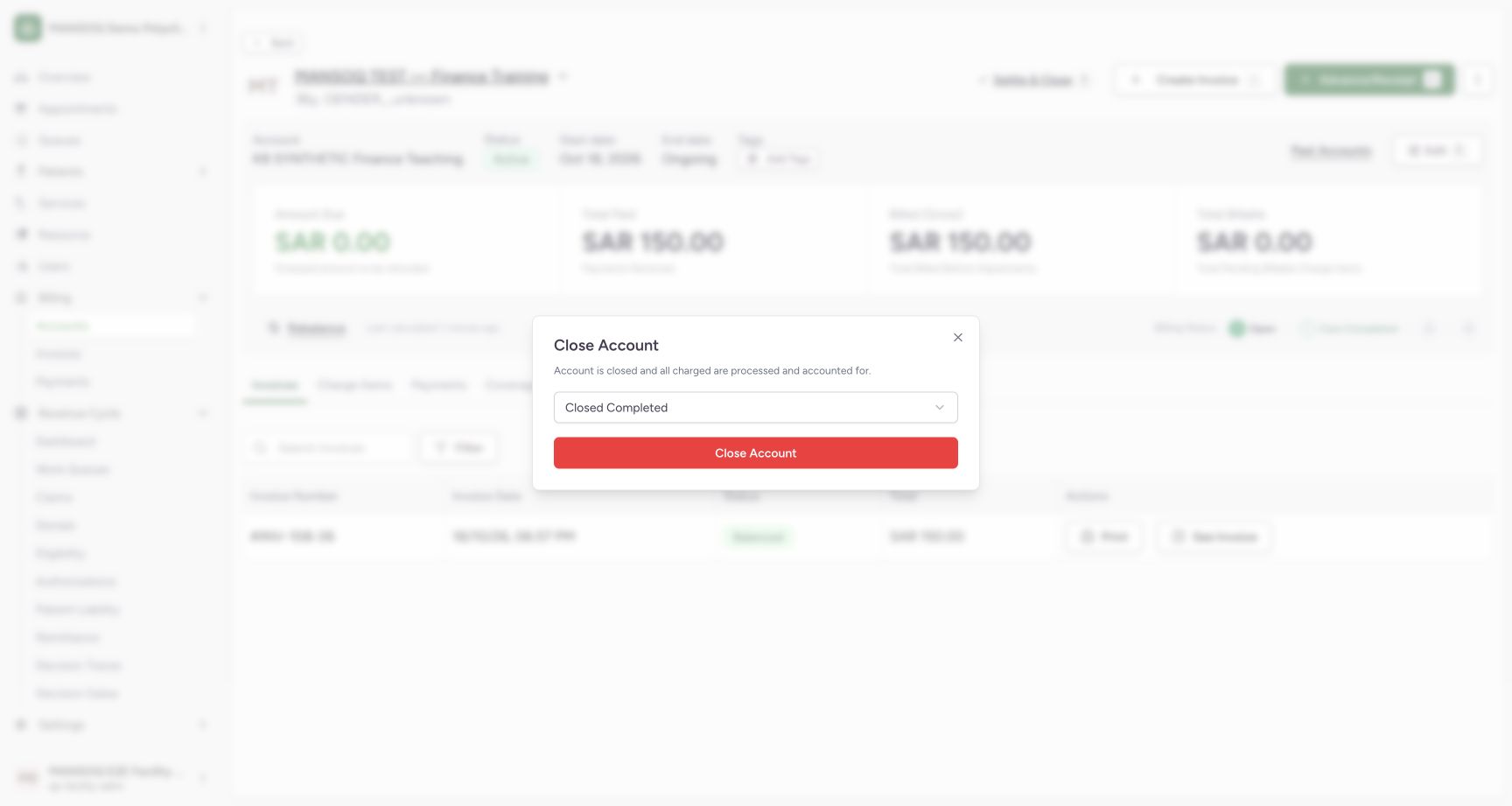
9. Read the final facts independently
Database readback confirms inactive/closed_completed account, a balanced 150 SAR invoice, one paid charge, one 150 SAR receipt, 200 SAR tendered, 50 SAR change and zero account balance. The charge, invoice and receipt were actual UI actions; balancing used the explicitly separate authenticated API continuation; closure was an actual UI action. No bank credit, insurer response or tax filing is inferred.
Scope of this verified example
Observed roles are Facility Admin and, for separate RCM screens, Billing Officer. The facility is a Polyclinic. Other roles, facility types, payment methods, partial/advance/refund paths, cancellations, credit notes, canonical tax documents and production exchanges require their own evidence. This narrow completed example does not close the whole billing workflow matrix.
Troubleshooting
The location list is empty
Verify direct organization/location links and active location status through your authorized facility setup process. The tested initial picker queried mine=true; existing general facility locations alone did not appear.
Fully paid still shows Issued
Payment balance and invoice lifecycle are separate. The current balancing UI defect is documented; retain the saved receipt and use your approved integration/support process.
Source evidence
References are pinned to the private MANSOQ source repository. Repository access is required to open these links.
- repositories/platform/mansoq-web/src/pages/Facility/billing/account/CreateInvoice.tsx:130 · f6e9f05f
- repositories/platform/mansoq-web/src/pages/Facility/billing/invoice/InvoiceShow.tsx:268 · f6e9f05f
- repositories/platform/mansoq-web/src/pages/Facility/billing/PaymentReconciliationSheet.tsx:844 · f6e9f05f
- repositories/platform/mansoq-web/src/components/Location/LocationPicker.tsx:81 · f6e9f05f
- repositories/platform/mansoq-core/mansoq/emr/api/viewsets/location.py:170 · f6e9f05f
- repositories/platform/mansoq-core/mansoq/emr/api/viewsets/invoice.py:584 · f6e9f05f
- repositories/platform/mansoq-core/mansoq/emr/api/viewsets/invoice.py:110 · f6e9f05f
- repositories/platform/mansoq-core/mansoq/emr/api/viewsets/invoice.py:661 · f6e9f05f
- repositories/platform/mansoq-web/src/types/billing/invoice/invoiceApi.ts:30 · f6e9f05f
- repositories/platform/mansoq-core/mansoq/security/permissions/payment_reconciliation.py:30 · f6e9f05f
- repositories/platform/mansoq-core/mansoq/emr/api/viewsets/payment_reconciliation.py:90 · f6e9f05f
- repositories/platform/mansoq-web/src/pages/Facility/billing/account/AccountShow.tsx:139 · f6e9f05f
- repositories/platform/mansoq-core/mansoq/emr/api/viewsets/account.py:113 · f6e9f05f
- repositories/platform/mansoq-core/mansoq/emr/api/viewsets/charge_item.py:90 · f6e9f05f