 MANSOQ
 Executive analytics
Read the Revenue Cycle dashboard without confusing revenue and cash
Use financial totals, readiness and the episode worklist to direct operational attention.
Current source · source reviewed · 6 min read
Before you begin
- Facility access to Revenue Cycle.
- An agreed reporting period and understanding of the installed workflow.
1. Start with the displayed measures
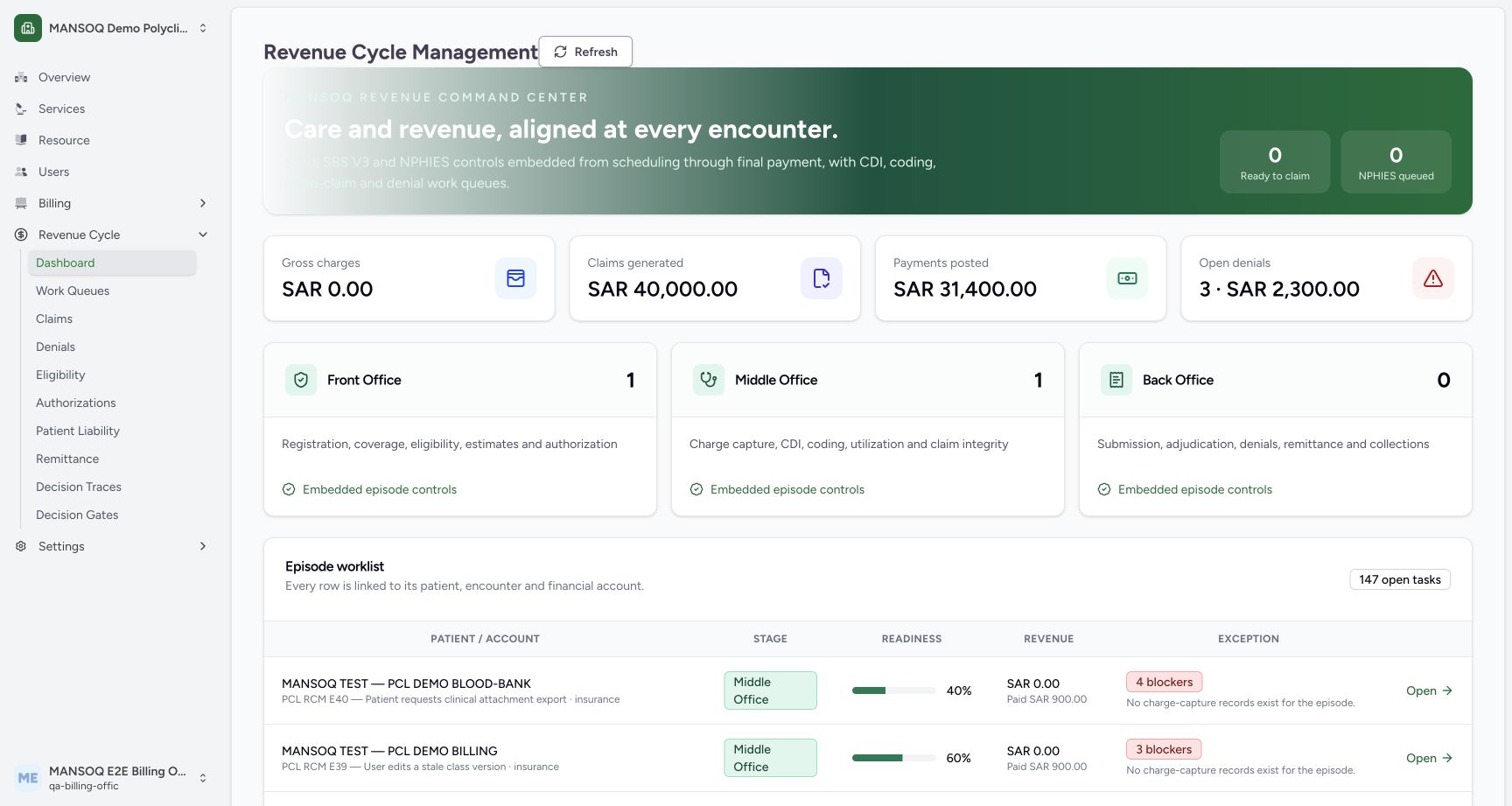
Review Gross charges, Claims generated, Payments posted and Open denials. These describe different stages of financial work; do not treat them as interchangeable revenue or bank totals.
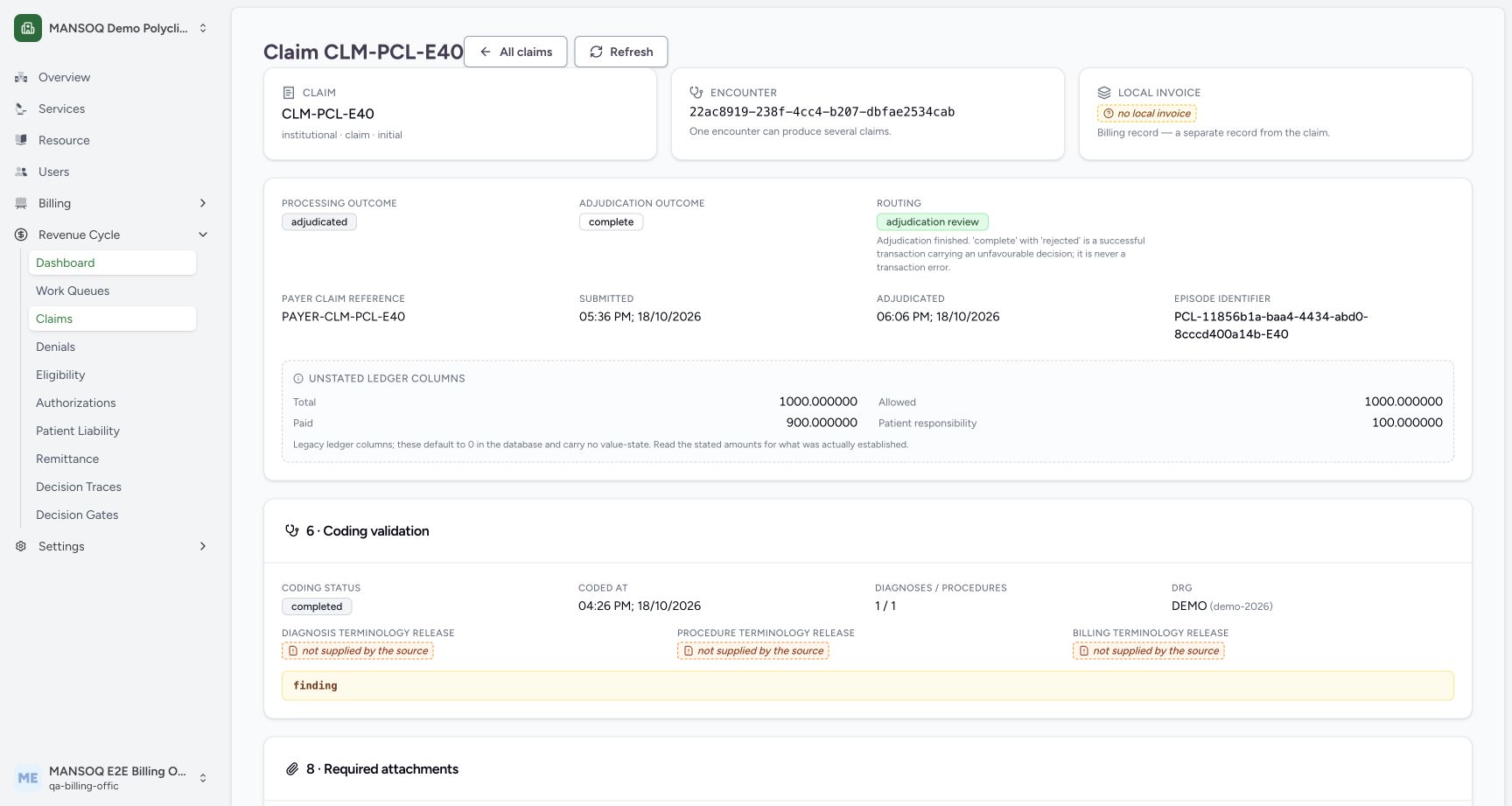
The illustrated figures are seeded operational examples. Payments posted does not itself prove bank credit; use the advice and cash ledgers for that distinction.
2. Inspect throughput and queue counts
Read Ready to claim, NPHIES queued and the Front/Middle/Back Office stage cards. A growing queue calls for an owner and drill-down into its cause.
3. Open the Episode worklist
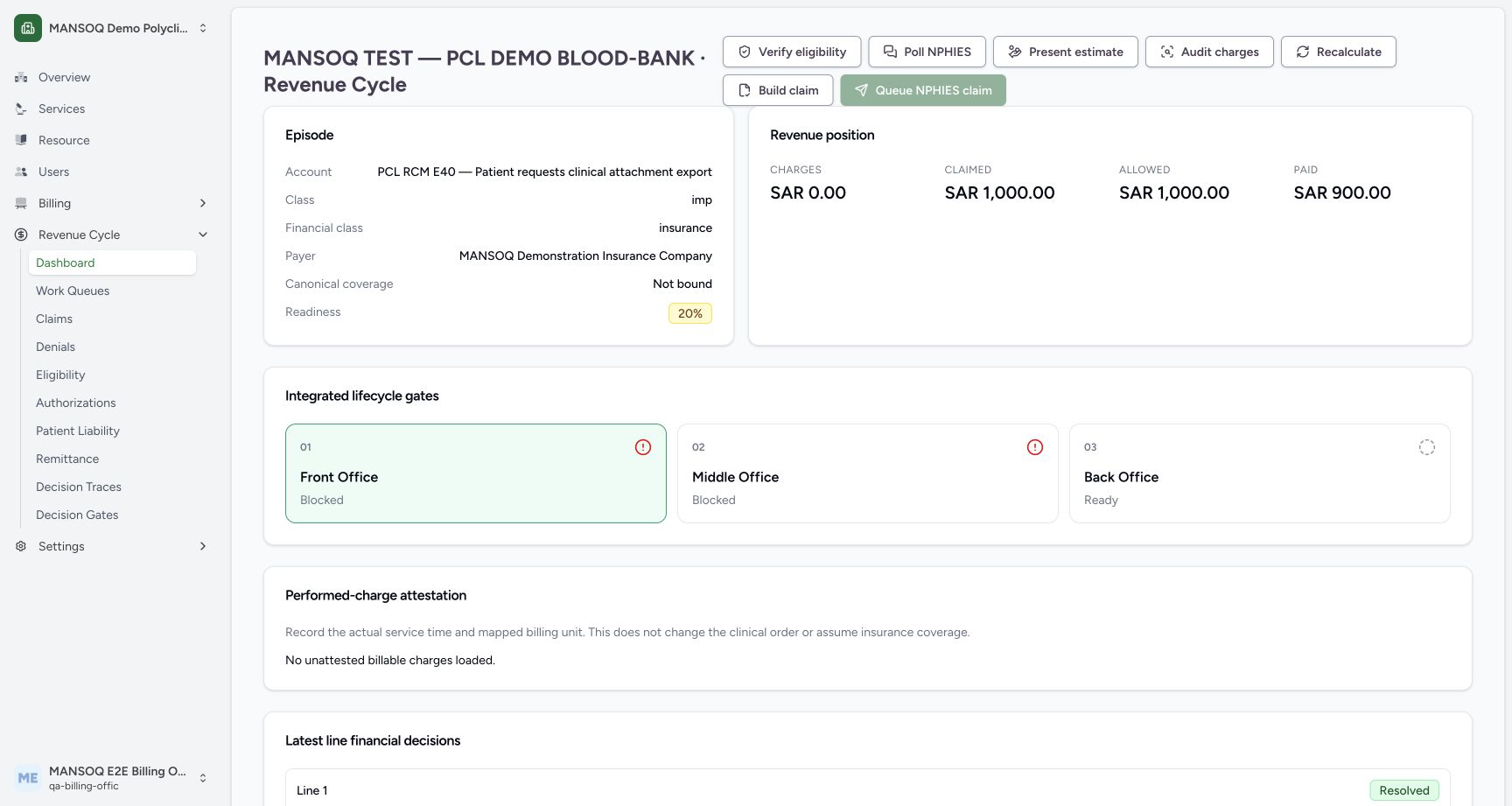
Inspect patient/account, stage, readiness, revenue and exception columns. Select an episode to read the actual blockers and financial evidence behind a summarized readiness percentage.
4. Separate decisions from recovery
Use denial aging, suspense, certificate expiry and external acceptance indicators alongside totals. Prioritize unresolved operational conditions rather than assuming a higher claim total means more cash.
Drill-down is essential
The dashboard source renders default zeros when data has not loaded. Confirm data availability and period before interpreting a zero as verified business performance.
Targets need a basis
The reporting engine does not hard-code a national clean-claim, first-pass or cost-to-collect benchmark. Use a recorded local target with its cohort, denominator and sample limits.
What the current screenshots demonstrate
These are current captures from an isolated Polyclinic training environment, using explicitly fictional insurance, response, authorization, remittance and policy fixtures. They demonstrate the displayed controls and scoped observations only. They do not establish live payer connectivity, a genuine insurer approval, regulatory qualification, production tax filing, a complete role/facility matrix or a cleared financial estimate.
Troubleshooting
The headline and an episode appear inconsistent
Compare facility scope, refresh state, period, stage and source records. Verify actual cash through the canonical settlement ledger before escalating a payment discrepancy.
Source evidence
References are pinned to the private MANSOQ source repository. Repository access is required to open these links.
- repositories/platform/mansoq-web/src/pages/Facility/revenueCycle/RevenueCycleDashboard.tsx:109 · f6e9f05f
- repositories/platform/mansoq-web/src/pages/Facility/revenueCycle/RevenueCycleDashboard.tsx:126 · f6e9f05f
- repositories/platform/mansoq-web/src/pages/Facility/revenueCycle/RevenueCycleDashboard.tsx:205 · f6e9f05f
- repositories/platform/mansoq-core/mansoq/emr/rcm/services/reporting.py:36 · f6e9f05f