 MANSOQ
 Finance & ZATCA
Import, confirm and allocate a bank receipt
Establish actual bank cash before settlement changes claim paid balances.
Current source · source reviewed · 7 min read
Before you begin
- Bank statement line, reference, value/posting dates, currency and amount.
- Cash-management permission; bank-confirmation permission for treasury attestation.
1. Import the bank credit
Use the canonical cash-receipt operation to record the statement and bank references, dates, amount, currency and optional facility bank account. This creates a bank transaction distinct from advice.
2. Confirm the exact statement line
An authorized treasury user confirms the imported statement reference through confirm-bank-receipt. Unknown return status blocks a payment notice.
3. Allocate supported amounts
Settle the transaction across matched advices and claims. Keep fees, deductions and their reasons explicit and place unallocated cash in cash suspense.
4. Read the result
Check allocated total, suspense, fee and deduction totals plus exceptions. Review independent cash conservation before downstream notification or accounting export.
Advice and cash can arrive in either order
Cash without advice remains in suspense. Advice without cash remains a reported payer position. Neither is proof of the other ledger.
Permission separation
Can Manage RCM Bank Cash and Can Confirm RCM Bank Receipt are explicit facility-scoped rights. Being allowed to read configuration does not itself grant either right.
Receipt, advice and bank evidence in the current screen
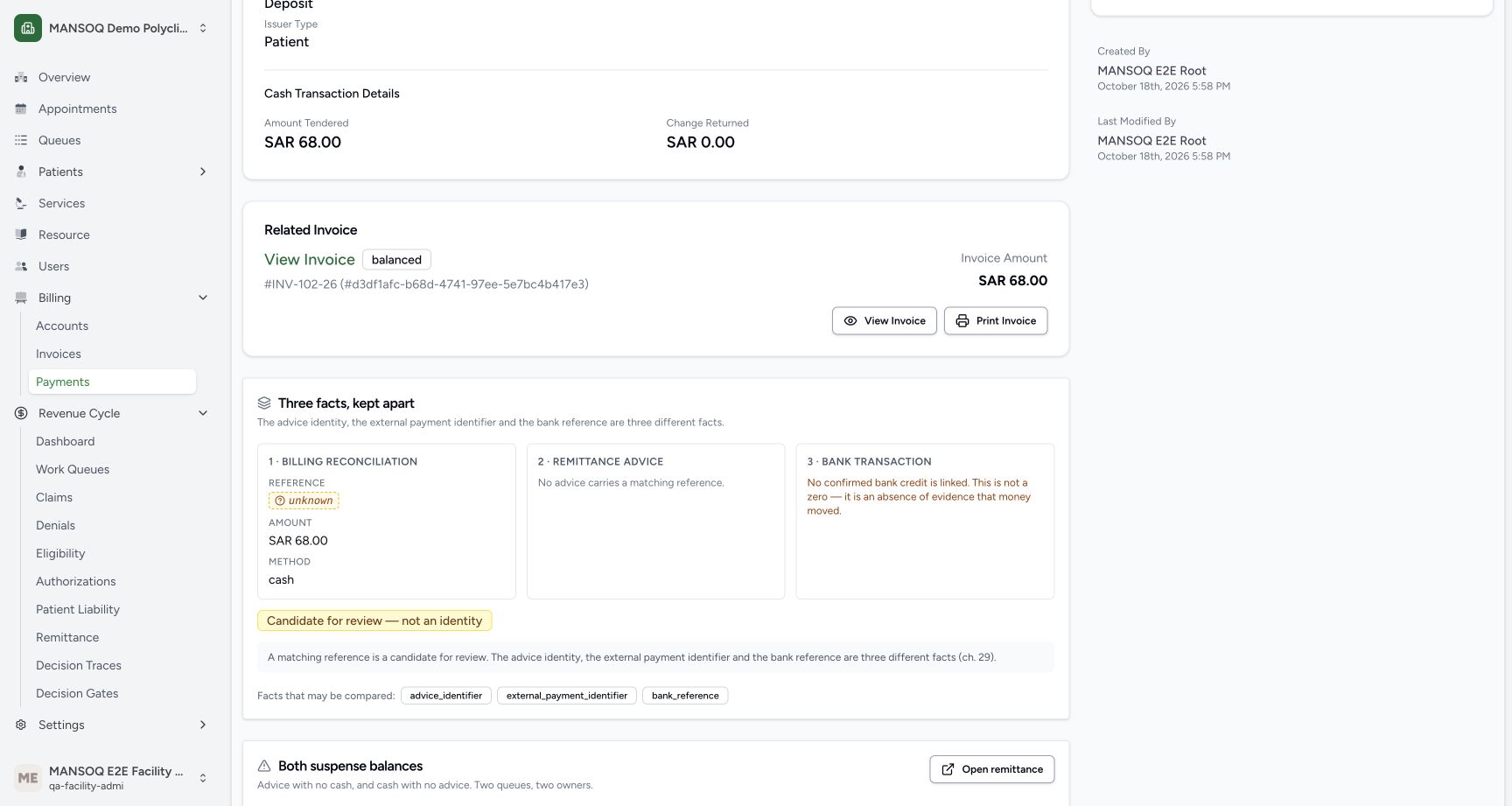
A billing receipt, a remittance advice identity and a bank reference are three different facts. The receipt example has no matching advice or confirmed bank credit. A future matching string is a candidate for review and must not be promoted into identity without evidence.
Troubleshooting
Payment notice is blocked after importing cash
Check treasury confirmation and return status against the exact statement line, then validate linked advice and settled amount.
Source evidence
References are pinned to the private MANSOQ source repository. Repository access is required to open these links.
- repositories/platform/mansoq-core/mansoq/emr/api/viewsets/rcm/finance.py:291 · f6e9f05f
- repositories/platform/mansoq-core/mansoq/emr/api/viewsets/rcm/finance.py:320 · f6e9f05f
- repositories/platform/mansoq-core/mansoq/emr/api/viewsets/rcm/finance.py:345 · f6e9f05f
- repositories/platform/mansoq-core/mansoq/security/permissions/rcm.py:42 · f6e9f05f