 MANSOQ
 Inventory
Create a consumable product definition
Configure a consumable identity, valid slug and base unit, then verify the saved definition before creating physical stock.
Current source · Source reviewed; scoped synthetic workflow observed · 10 min read
Before you begin
- Use an authorized role at the intended facility. The observed write path used Facility Admin; other role access requires its own verification.
- Use an isolated synthetic environment for practice. Product, terminology, supplier, pricing and location prerequisites must be configured.
1. Open the correct product knowledge category
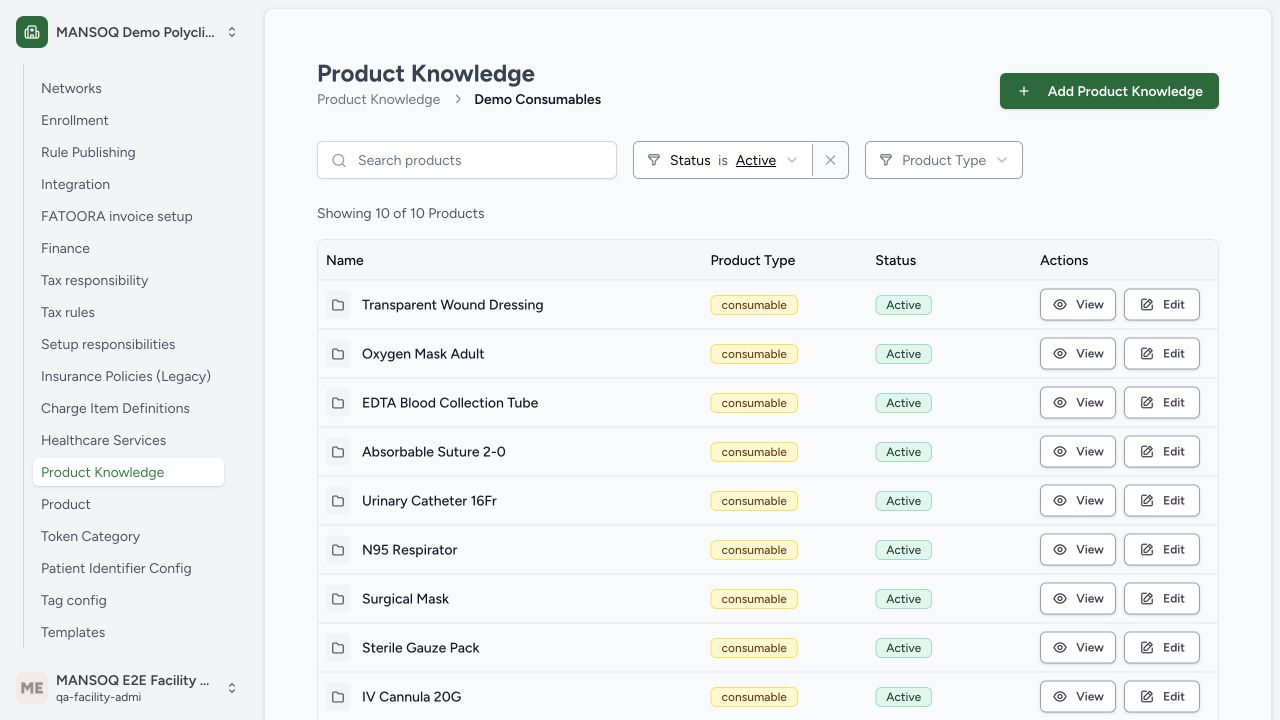
Open Settings → Product Knowledge, choose the intended category and select Add Product Knowledge. The example uses the synthetic Demo Consumables category. A category, reusable definition and physical batch are different objects.
2. Enter the identity and valid slug
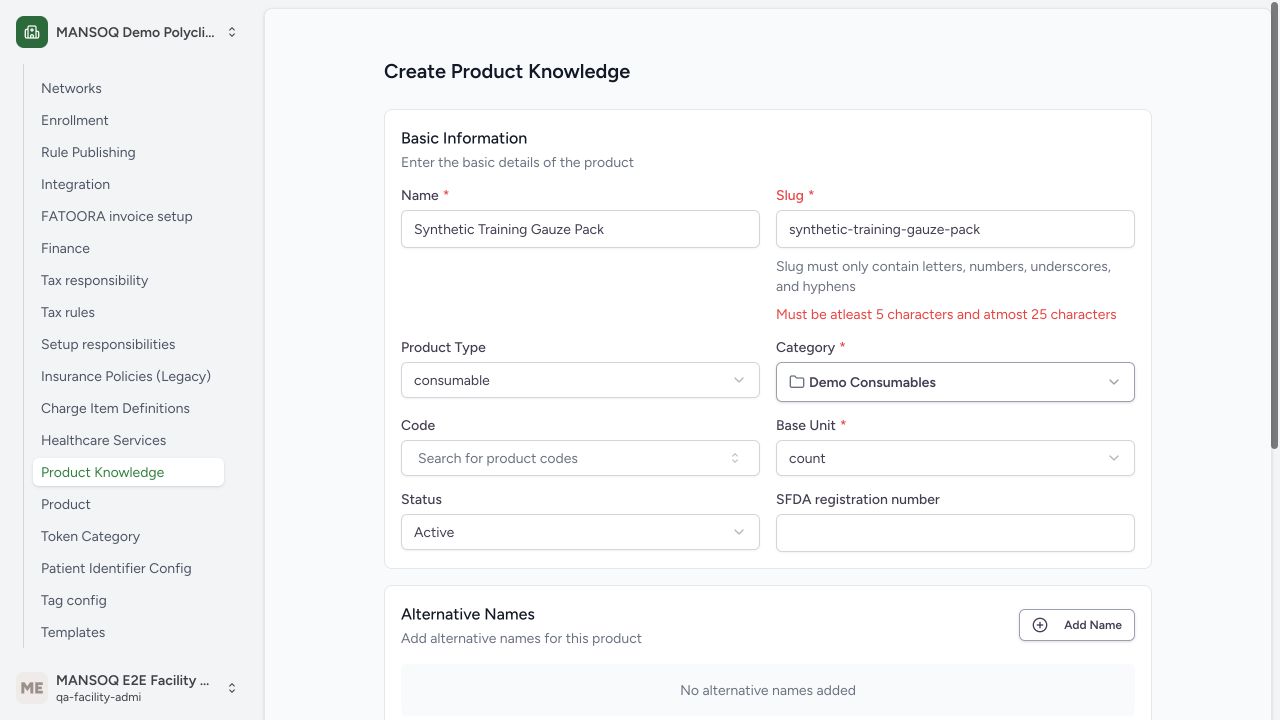
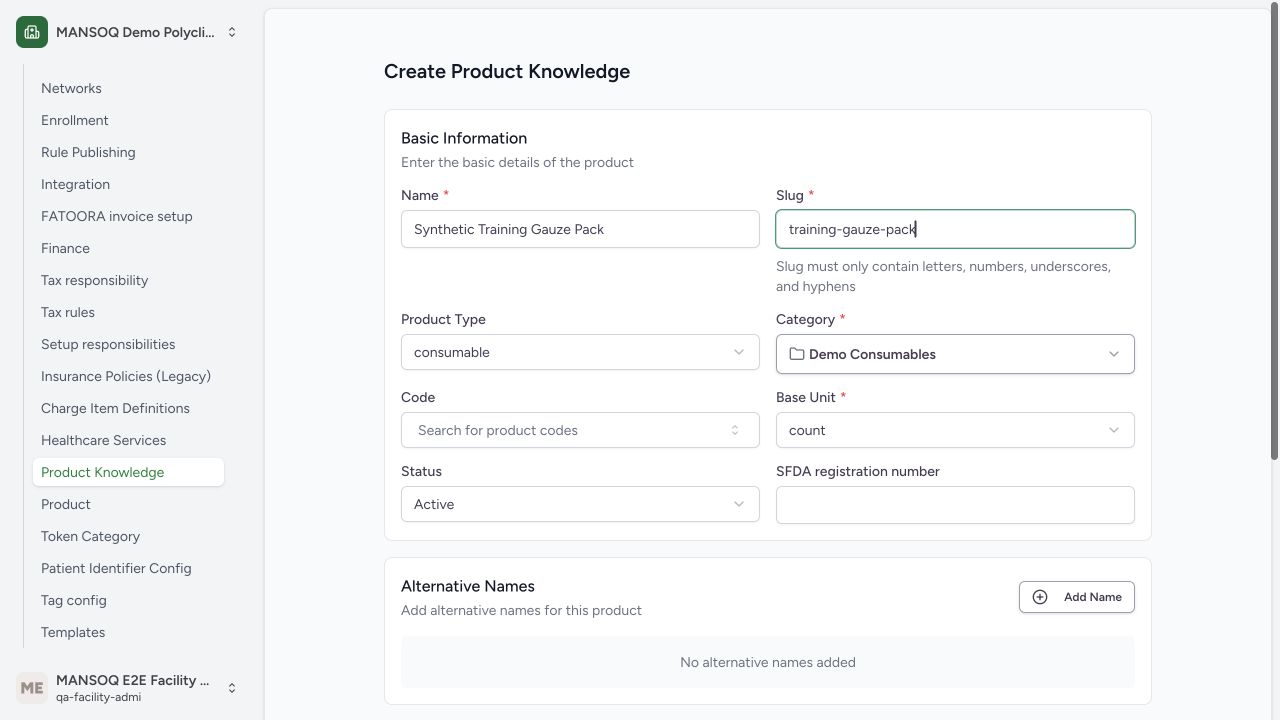
Enter the approved product name and an identifying slug. The slug must contain 5–25 lowercase letters, digits, hyphens or underscores. The initial longer synthetic slug was rejected; the saved example is training-gauze-pack. Correct validation rather than repeatedly resubmitting the invalid value.
3. Configure type, status and base unit
Select Consumable, review Active status, and choose the intended coded Base Unit. The example uses UCUM {count}. Unit validation requires an installed terminology concept; the training terminology fragment was configured through the normal service. A missing concept must be resolved through terminology setup.
4. Review optional definition details
A consumable can omit medication-specific Product Definition details. Remove that optional block for this non-medication example. Medication definitions require their own dosage-form/route/catalogue review. Do not assign a drug code merely to satisfy a consumable form.
5. Save and find the definition
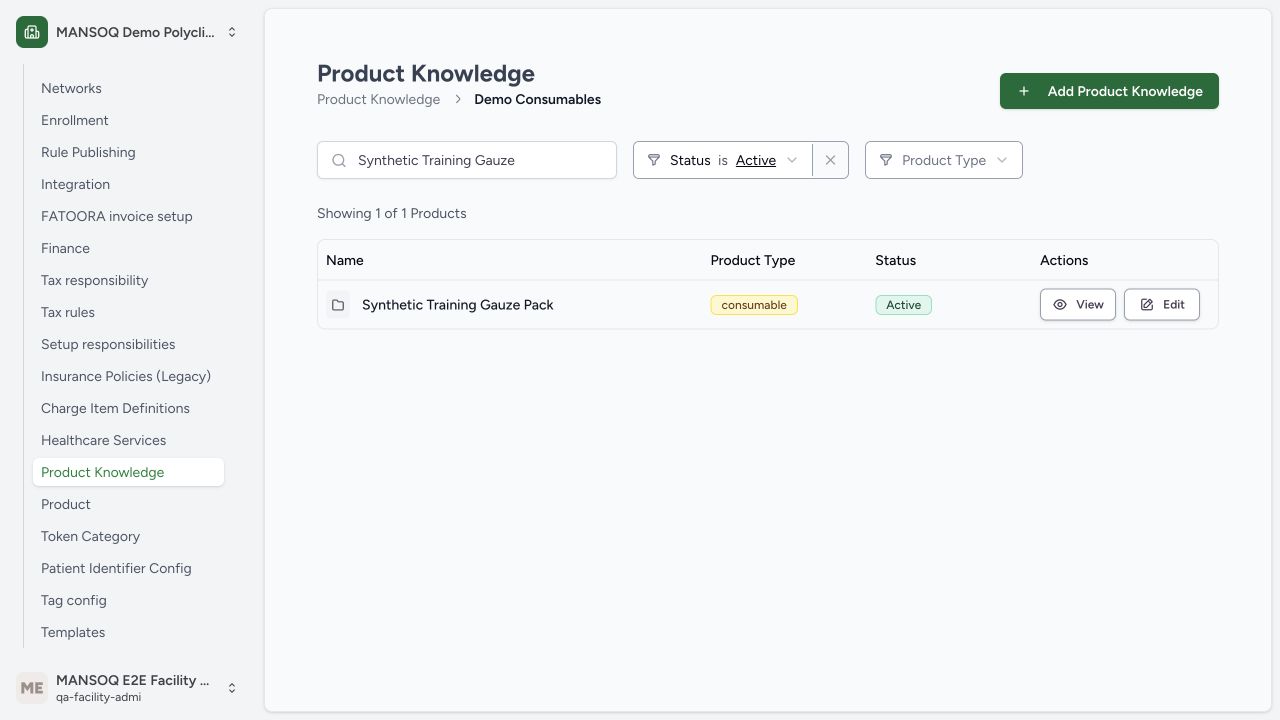
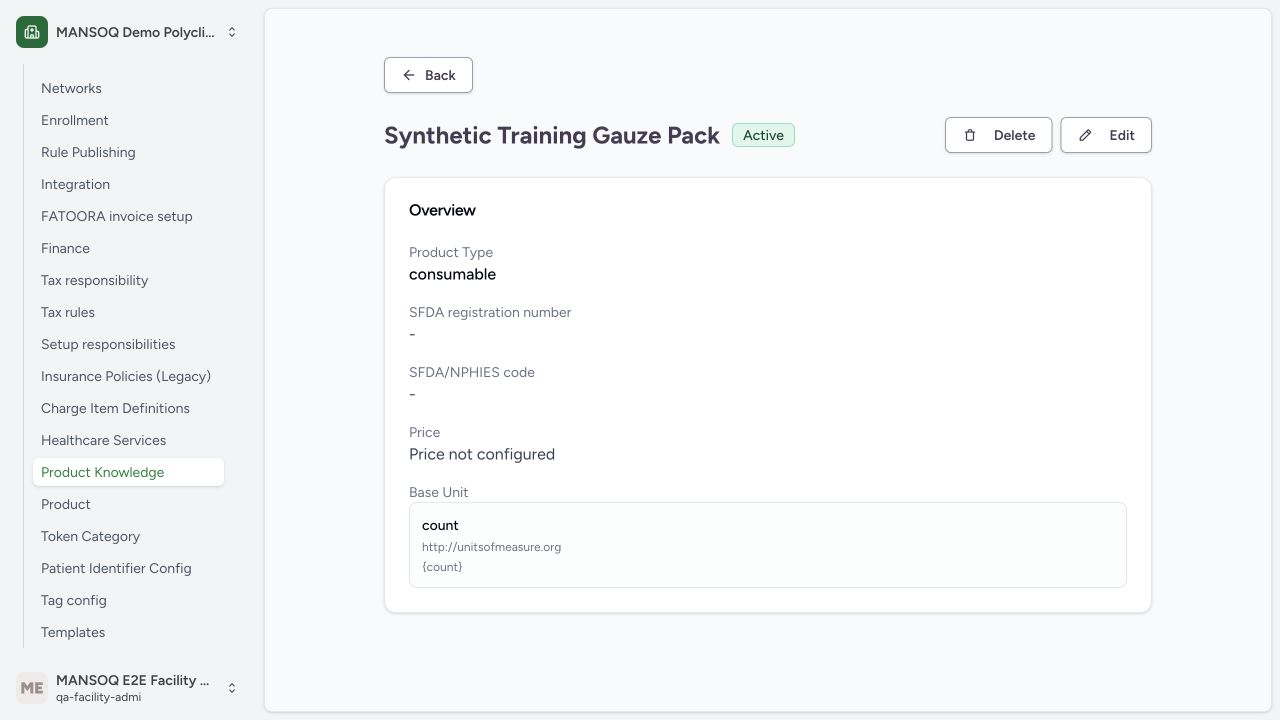
Save the definition once, return to the category list and search by the exact product name. The actual UI saved Synthetic Training Gauze Pack and displayed it as Active. A definition does not create a physical batch, location quantity or sale price.
6. Open the persisted definition
Open the saved result and check the consumable type and count base unit. Independent database readback confirmed the exact saved slug, active state and UCUM unit. Continue to the first stock-receipt guide when the physical goods are ready.
Scope and saved evidence
These screenshots show actual production-build application controls with fictional training data. A separate read-only database transaction verified the saved records. This demonstrates one configured Polyclinic Facility Admin path; it does not establish other roles, all facility types, live purchasing, fiscal compliance or every inventory branch.
Source evidence
References are pinned to the private MANSOQ source repository. Repository access is required to open these links.
- repositories/platform/mansoq-web/src/pages/Facility/settings/productKnowledge/ProductKnowledgeForm.tsx:54 · f6e9f05f
- repositories/platform/mansoq-web/src/pages/Facility/settings/productKnowledge/ProductKnowledgeForm.tsx:497 · f6e9f05f
- repositories/platform/mansoq-web/src/pages/Facility/settings/productKnowledge/ProductKnowledgeForm.tsx:870 · f6e9f05f
- repositories/platform/mansoq-web/src/pages/Facility/settings/productKnowledge/ProductKnowledgeView.tsx:136 · f6e9f05f