 MANSOQ
 Inventory
Receive the first batch of a configured product
Create a delivery draft, add a priced batch, receive its items, complete the delivery and independently verify the resulting location stock.
Current source · Source reviewed; scoped synthetic workflow observed · 10 min read
Before you begin
- Use an authorized role at the intended facility. The observed write path used Facility Admin; other role access requires its own verification.
- Use an isolated synthetic environment for practice. Product, terminology, supplier, pricing and location prerequisites must be configured.
1. Open the receiving location
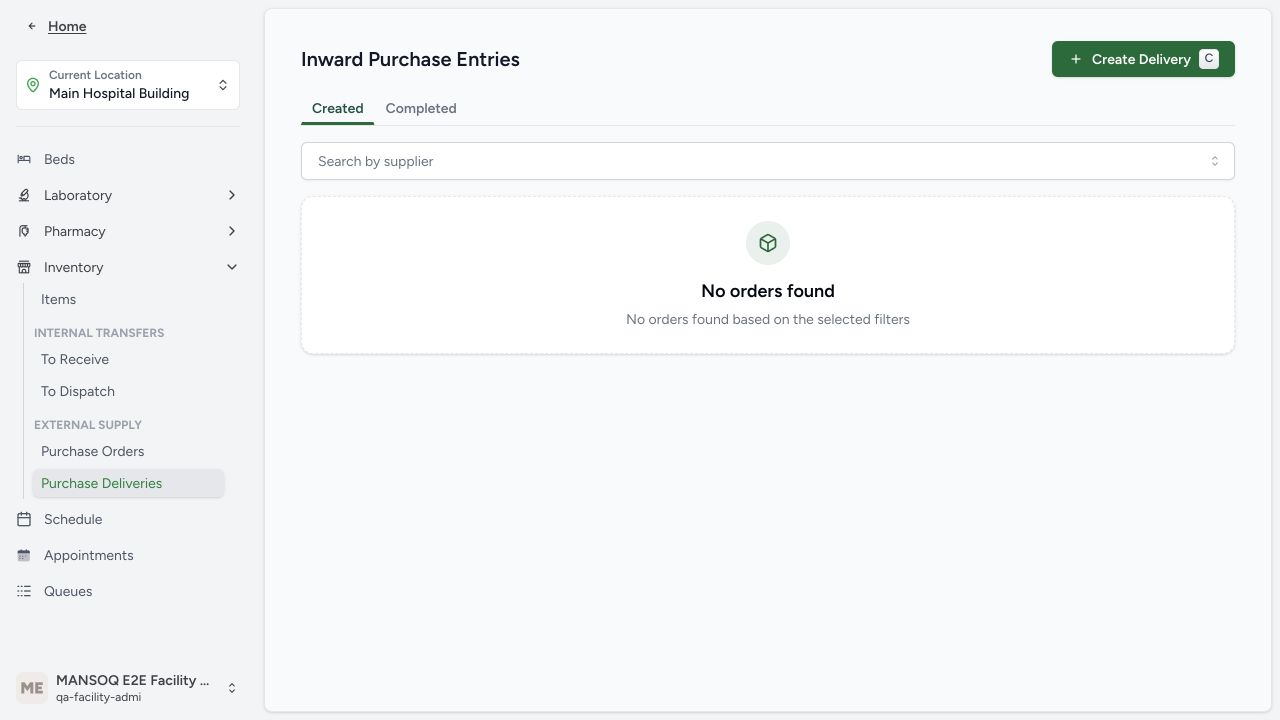
Open the configured location workspace, expand Inventory, then Purchase Deliveries. Confirm the current location before selecting Create Delivery. The observed location is Main Hospital Building in the synthetic Polyclinic; the building name does not change the facility classification.
2. Create the delivery header
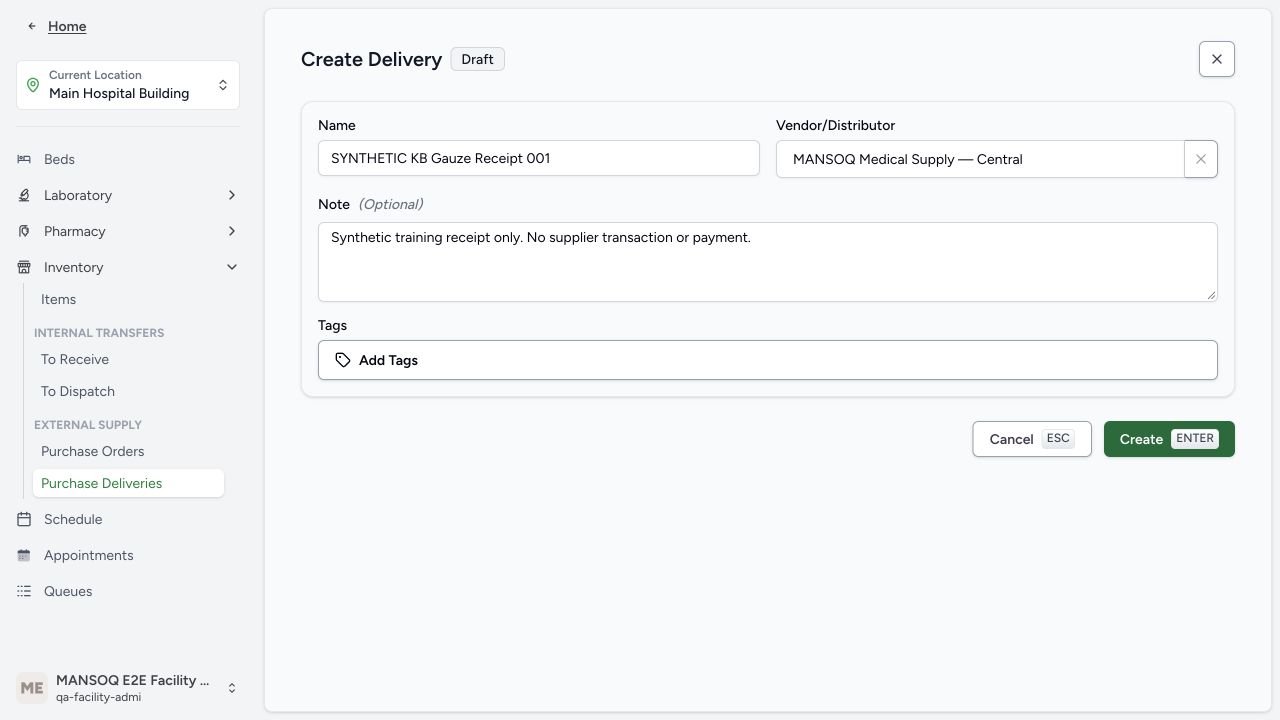
Enter a distinct name, select the intended Vendor/Distributor, and add an explanatory note. Create saves only the draft header. The example is SYNTHETIC KB Gauze Receipt 001, supplied by a fictional local supplier. The current app redirects this inward draft to an outgoing detail URL; verify the displayed supplier and destination, rather than inferring direction from that segment.
3. Choose the reusable product
Select Add Item, search the configured product knowledge and choose the exact Synthetic Training Gauze Pack. This selects a definition; the batch and quantity are still entered separately.
4. Enter batch, expiry, category and pack quantities
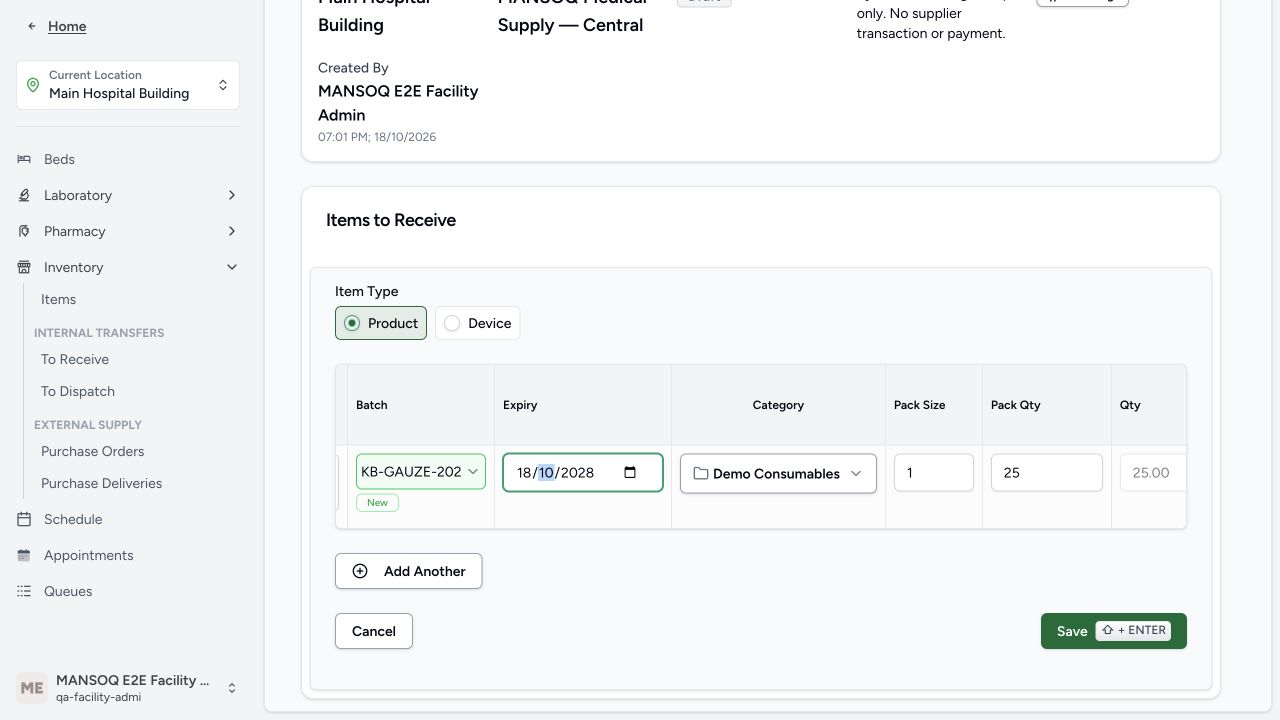
Enter or select the batch, confirm a genuinely new batch when needed, set the physical expiry and choose a charge-item category. Review Pack Size, Pack Qty and calculated Qty. The example uses pack size 1 and pack quantity 25. This draft image was taken before the final expiry correction; the saved batch expiry is 19 October 2028, shown in the result.
5. Review sale and purchase amounts
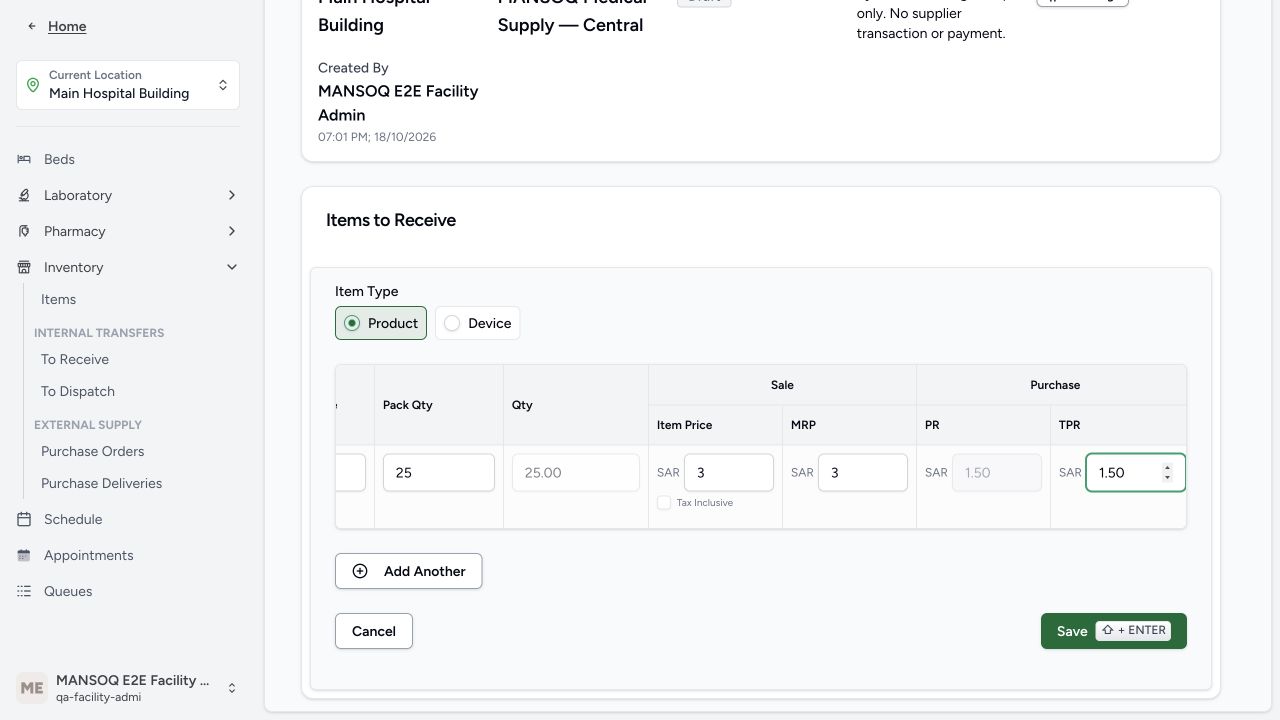
Scroll the item table horizontally if needed. Item Price, MRP, PR and TPR are separate fields. In this current implementation PR is calculated as TPR divided by pack size; do not assume it divides by the full line quantity. The example uses Item Price 3.00 SAR, MRP 3.00 SAR, pack size 1, TPR 1.50 SAR and PR 1.50 SAR. Review tax-inclusive status, tax and discounts according to the configured policy. This synthetic no-tax example is not tax advice.
6. Save and review the draft item
Select Save once. Verify the intended saved batch and 25-unit line before approval. The new physical product and supply-delivery line persist; the location stock is updated by the later receiving action.
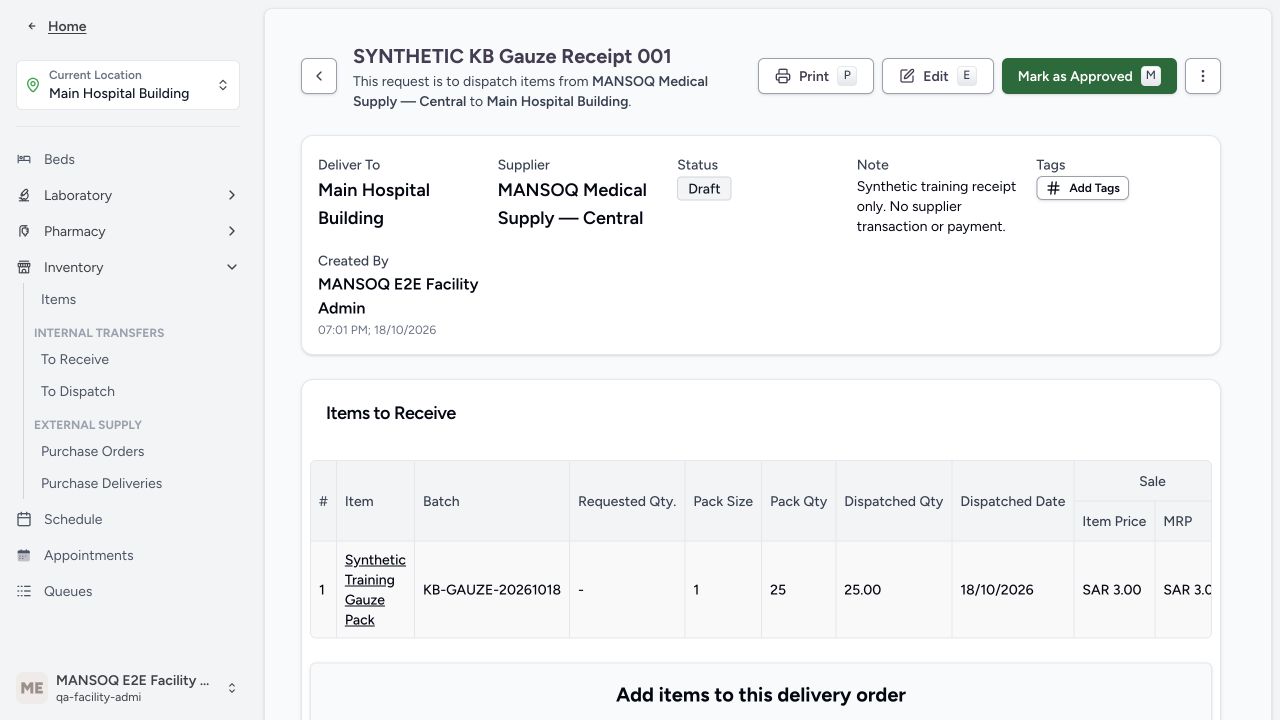
7. Approve the prepared delivery
Check the supplier, destination, batch and quantity, then select Mark as Approved. The header changes from Draft to Pending. Approval is separate from receiving stock.
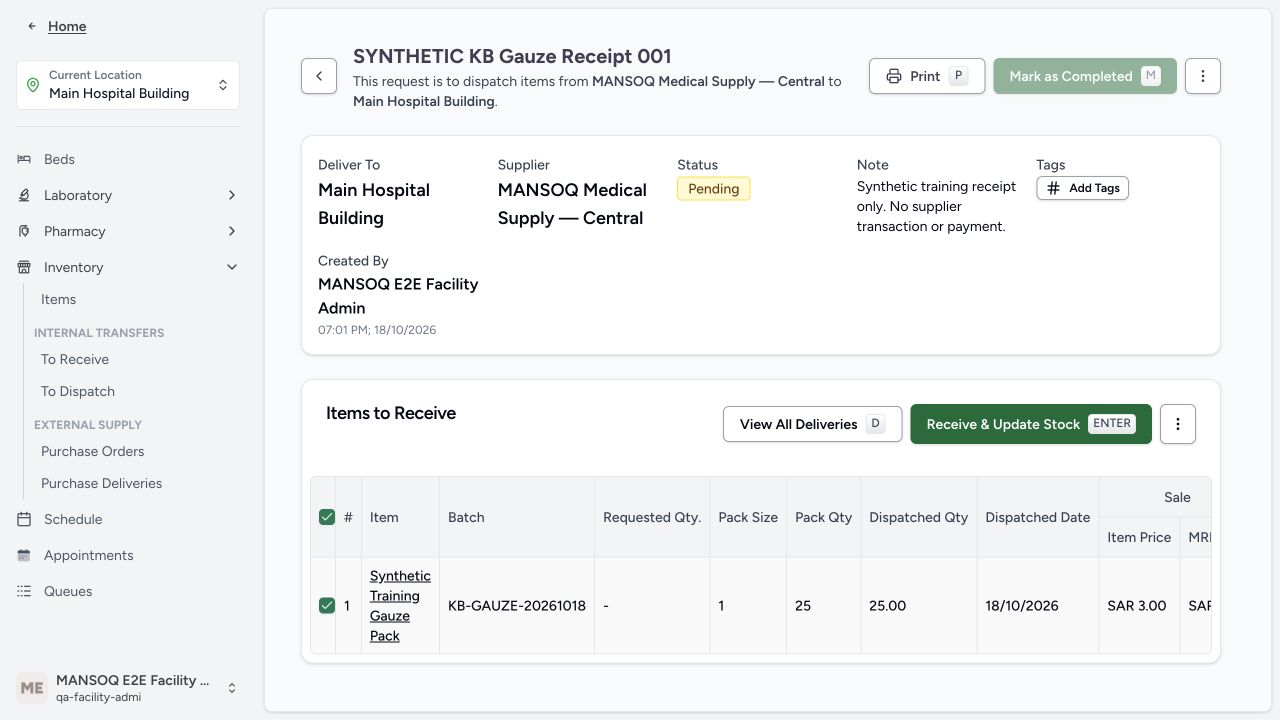
8. Select items and start the stock update
Select the intended rows and choose Receive & Update Stock. Review the exact selected batch and destination. The action requires a selected eligible line.
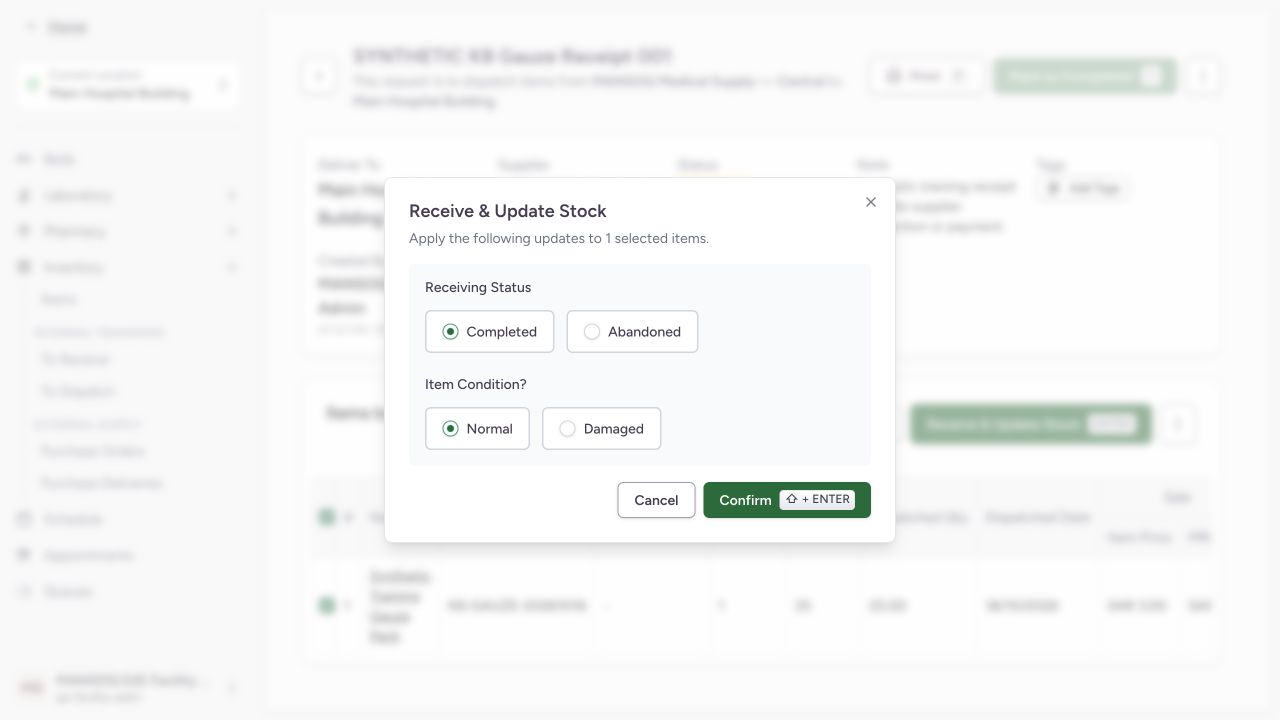
9. Confirm receipt status and condition
Review Completed versus Abandoned receiving status and Normal versus Damaged condition. The actual training receipt used Completed and Normal. Confirm once. Other branches need their own operational procedure and evidence.
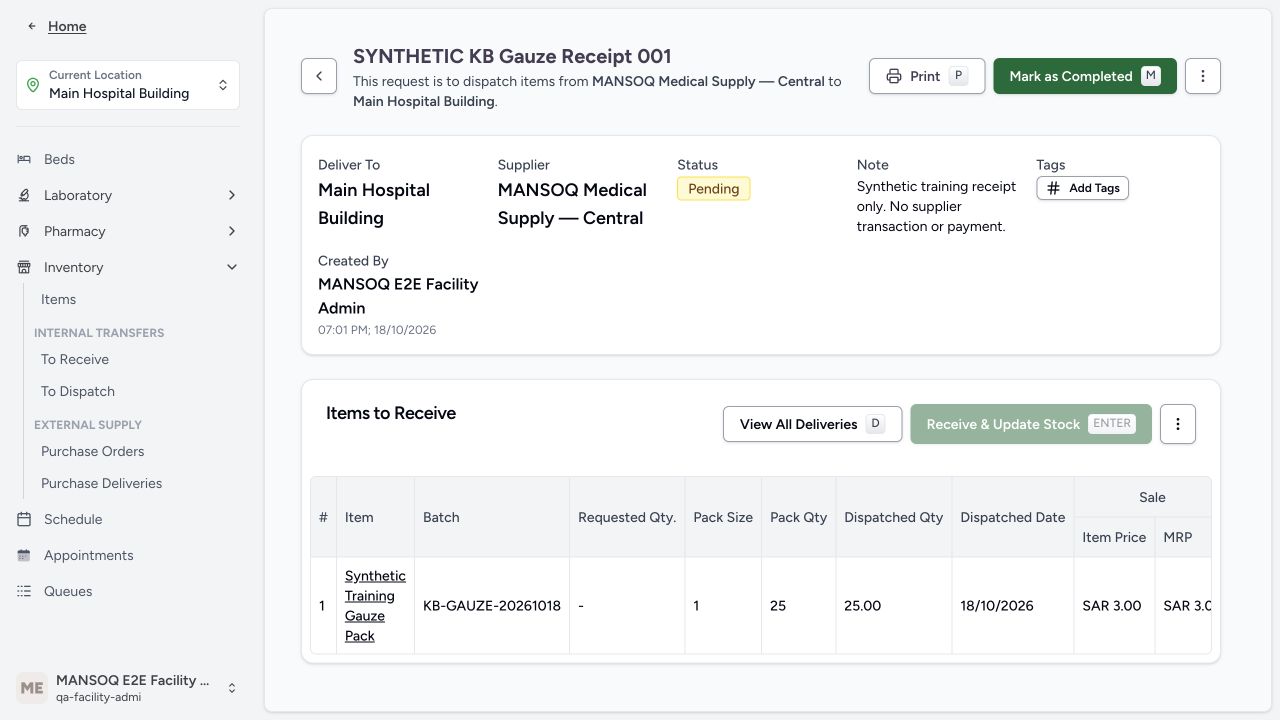
10. Complete the separate delivery header
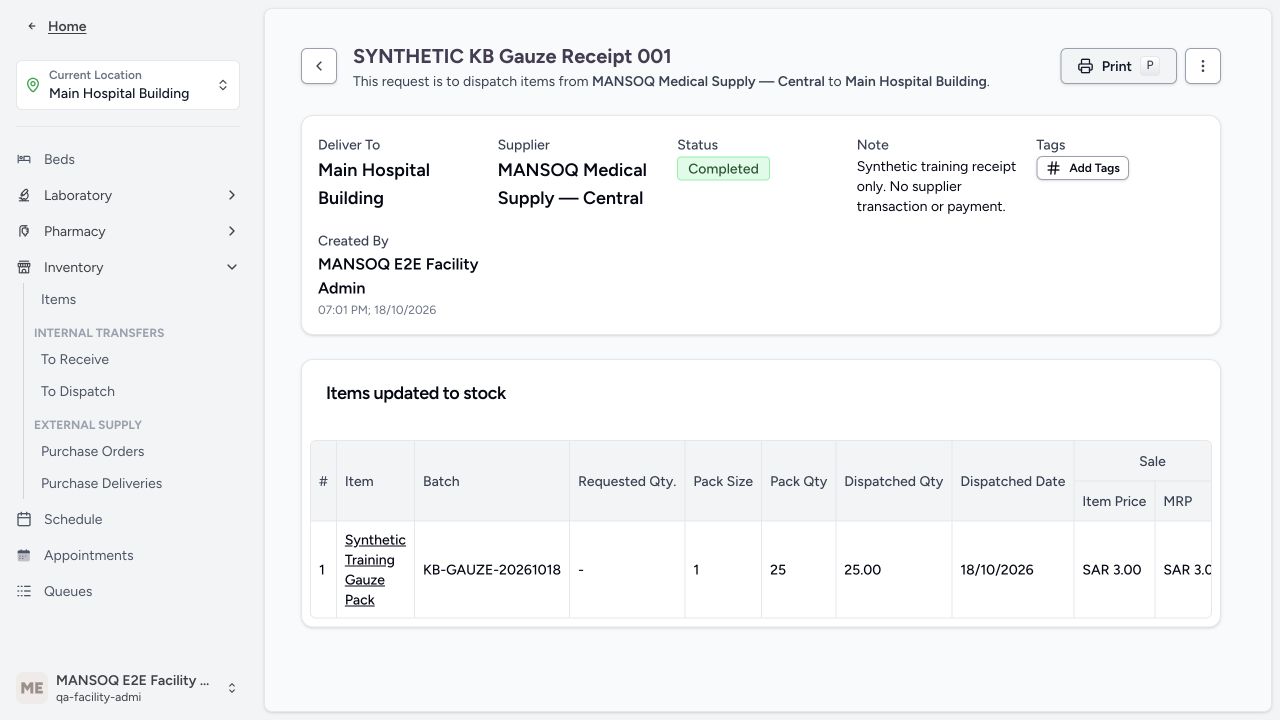
After the item status is completed, review Mark as Completed. The current completion gate requires every line to be completed, abandoned or entered in error. Complete the header; the resulting screen shows Items updated to stock.
11. Verify location inventory and saved records
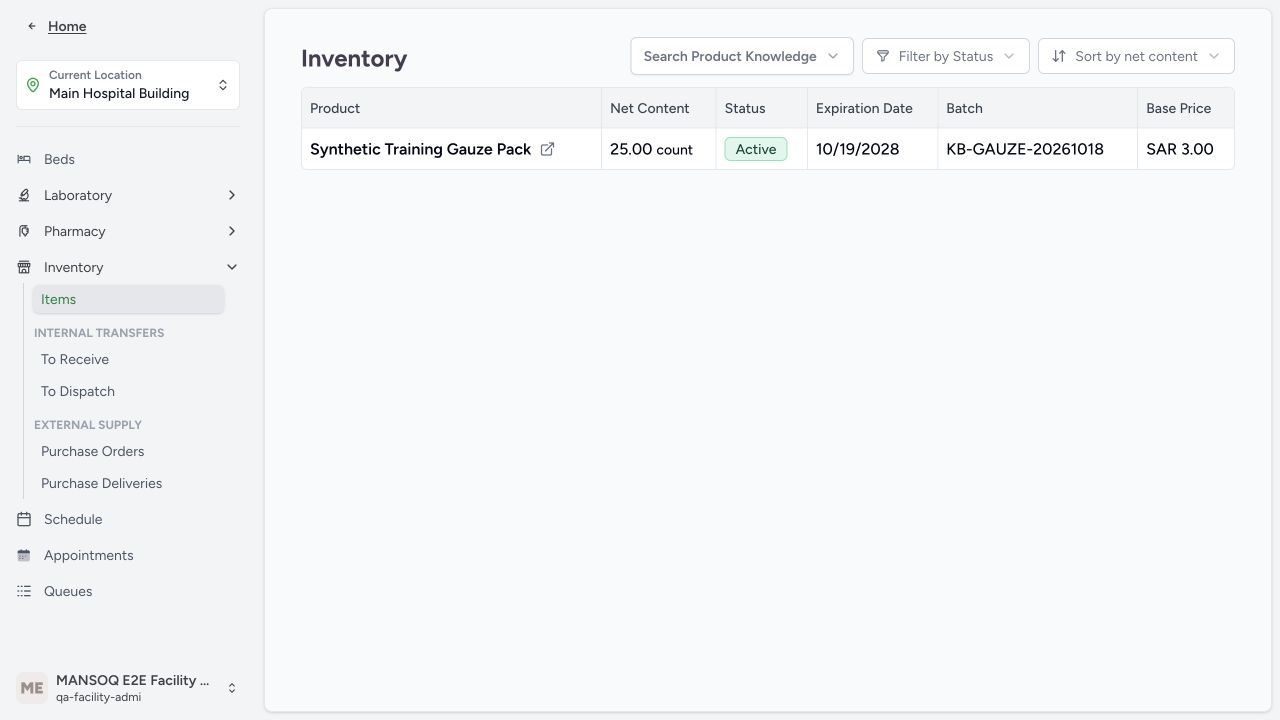
Open Inventory → Items. Confirm the product, active state, quantity 25 count, batch KB-GAUZE-20261018, saved expiry 19 October 2028 and base price 3.00 SAR. A separate read-only database transaction confirmed completed delivery, completed normal 25-unit line, exact product/batch and active stock 25. No external supplier, bank or payment transaction occurred.
Scope and saved evidence
These screenshots show actual production-build application controls with fictional training data. A separate read-only database transaction verified the saved records. This demonstrates one configured Polyclinic Facility Admin path; it does not establish other roles, all facility types, live purchasing, fiscal compliance or every inventory branch.
Troubleshooting
The form refuses a new batch
Check required product, batch, expiry, charge-item category and unit price. Resolve the actual field or terminology error; do not bypass validation.
The item was received but the header remains Pending
Receipt updates the line and stock. Completing the separate delivery header is a subsequent action after all lines reach an allowed terminal state.
Source evidence
References are pinned to the private MANSOQ source repository. Repository access is required to open these links.
- repositories/platform/mansoq-web/src/pages/Facility/services/inventory/externalSupply/deliveryOrder/DeliveryOrderForm.tsx:1 · f6e9f05f
- repositories/platform/mansoq-web/src/pages/Facility/services/inventory/externalSupply/deliveryOrder/AddSupplyDeliveryForm.tsx:380 · f6e9f05f
- repositories/platform/mansoq-web/src/pages/Facility/services/inventory/externalSupply/deliveryOrder/SmartExternalDeliveryRow.tsx:150 · f6e9f05f
- repositories/platform/mansoq-web/src/pages/Facility/services/inventory/externalSupply/deliveryOrder/useDeliveryRowItem.ts:316 · f6e9f05f
- repositories/platform/mansoq-web/src/pages/Facility/services/inventory/externalSupply/deliveryOrder/DeliveryOrderShow.tsx:465 · f6e9f05f
- repositories/platform/mansoq-web/src/pages/Facility/services/inventory/InventoryList.tsx:1 · f6e9f05f