 MANSOQ
 Nursing
Administer a dose
Record an administered dose, verify prescription instructions, and document actual administration time and status.
Current source · source reviewed · 6 min read
Before you begin
- The patient is registered in MANSOQ, and you record the dose for that patient.
- The medicine is prescribed on the encounter. See Prescribe a medication.
- The medicine is active. MANSOQ does not let you administer a discontinued medicine.
- The encounter is open. You cannot record a dose when the encounter status is Completed, Cancelled, Discontinued, or Entered in Error.
- You have the permission listed below.
1. Open Medicine Administration
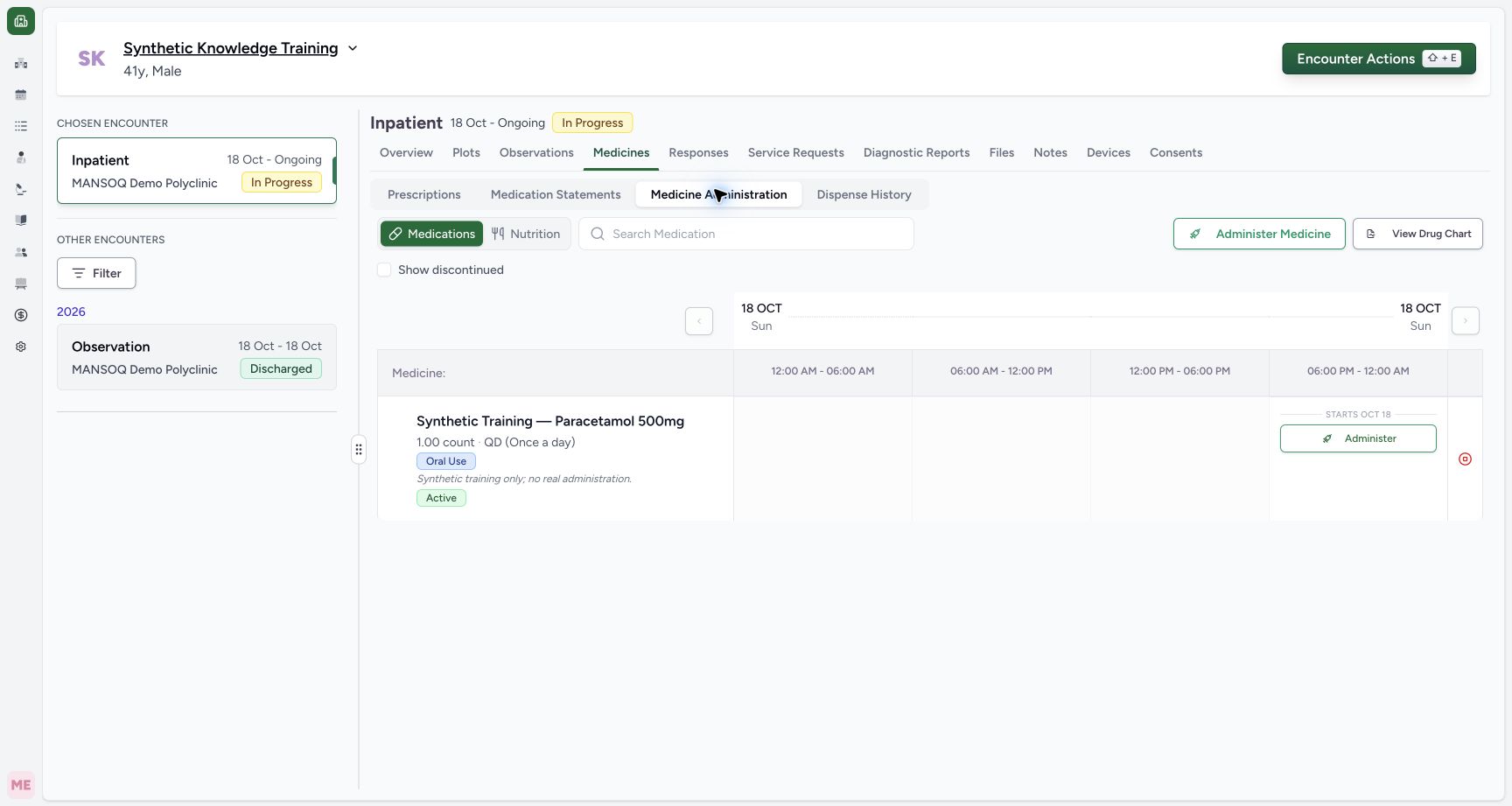
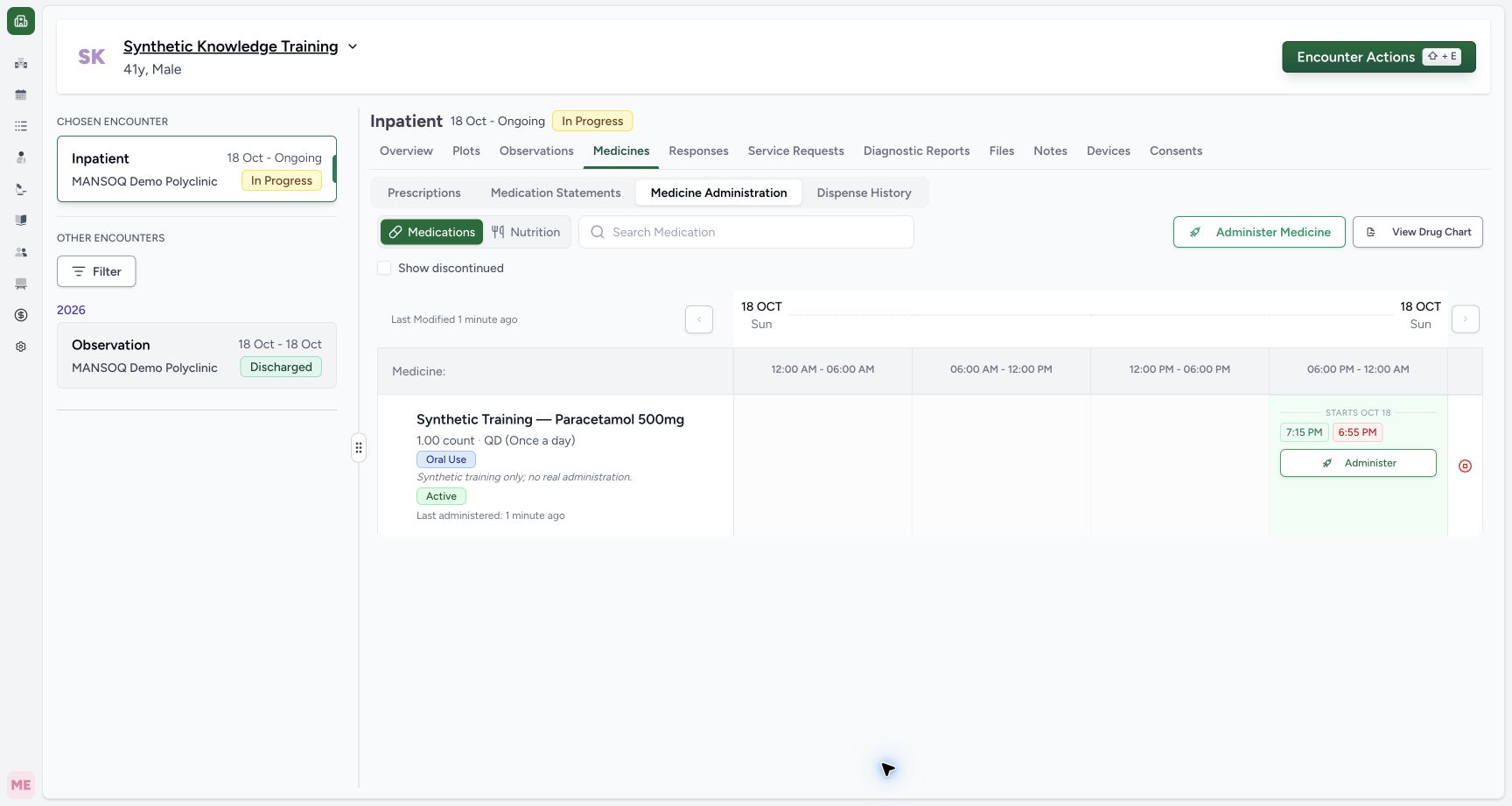
Confirm patient and chosen encounter, then select Medicines → Medicine Administration → Medications. The active synthetic Inpatient example shows the prescribed product, dose, frequency and oral route.
2. Check the medicine and current slot
Find the exact product and active prescription. The grid is divided into six-hour slots. Use Search Medication when needed, then Administer on the current slot. A separate Administer Medicine control supports multiple medicines; that bulk path is not established by this single-item walkthrough.
3. Review prescription and status
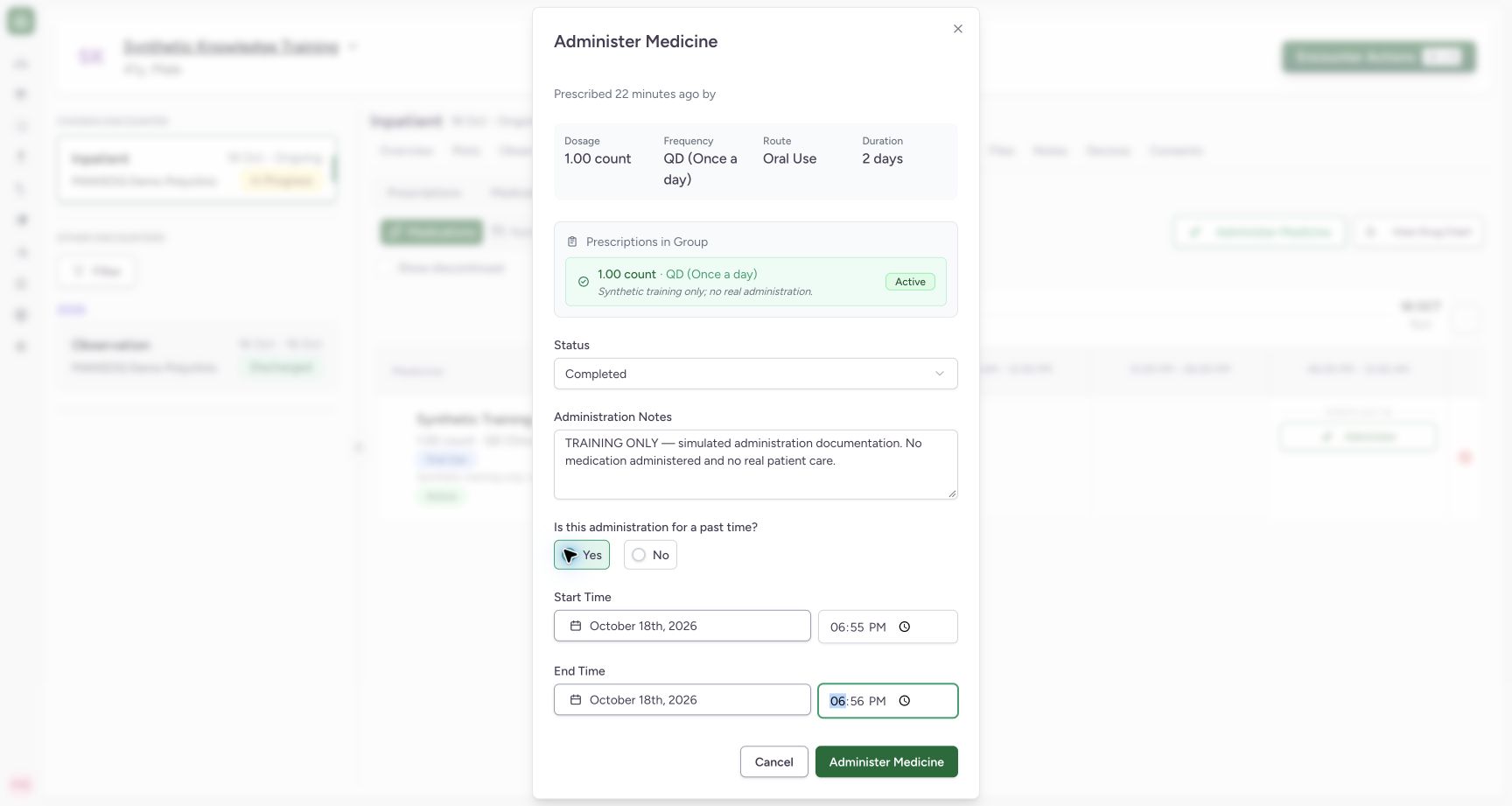
The dialog displays prescribed dose, frequency, route and duration. Select the status that matches the actual event; the training example uses Completed only as a software simulation.
4. Choose current or past occurrence time
For current administration choose No to the past-time question; time fields use the current time. For a prior occurrence choose Yes and enter its actual start and end. Dates/times must pass the form checks. The synthetic example demonstrates the past-time controls.
5. Resolve time-order validation
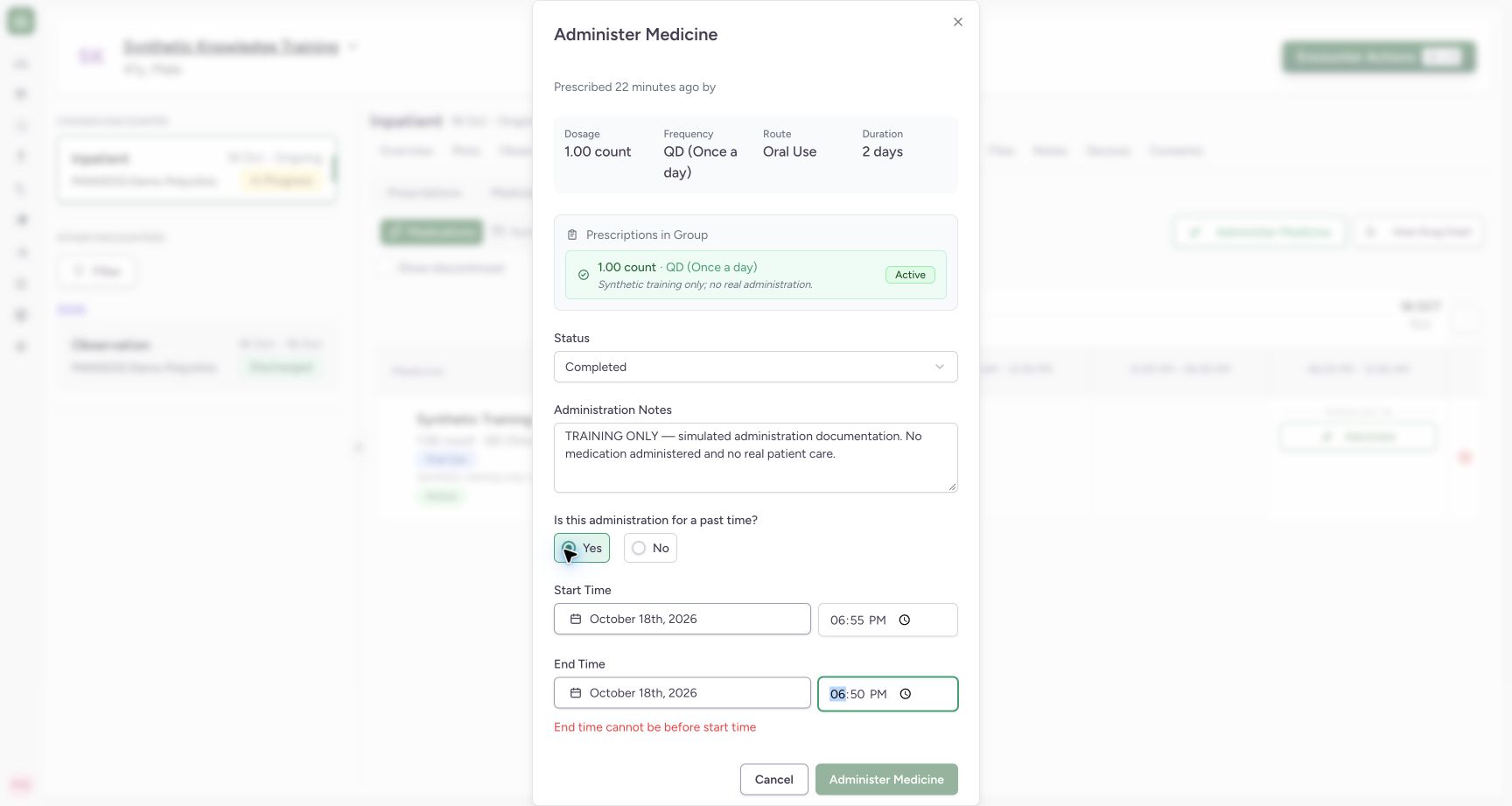
An end time before the start displays End time cannot be before start time and disables Administer Medicine. Correct the occurrence times before saving. Do not change actual times simply to clear a warning.
6. Document the administration note
Use Administration Notes for relevant factual detail. All screenshots explicitly say TRAINING ONLY and that no medication was administered.
7. Save and verify
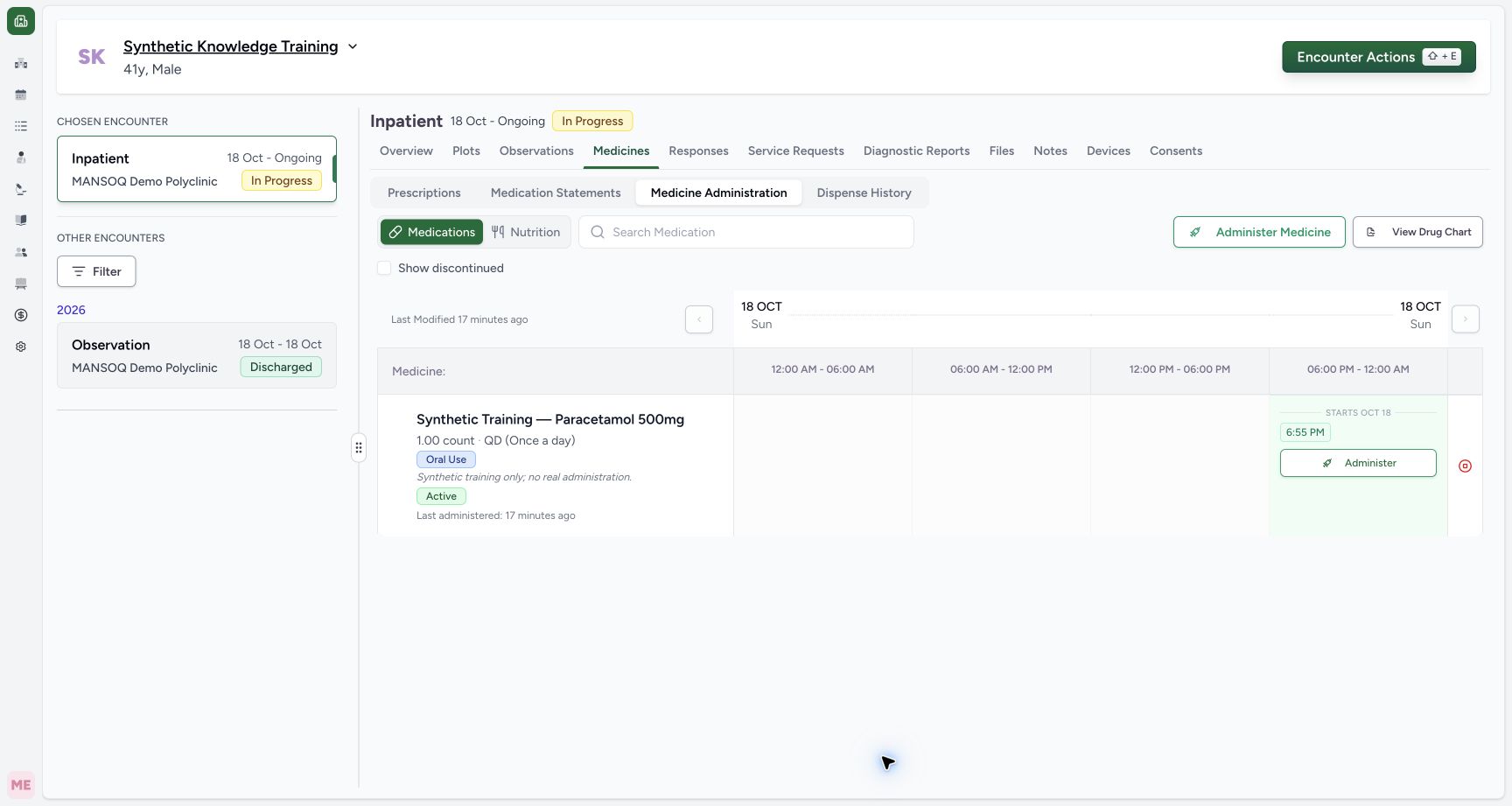
Select Administer Medicine, wait for saving to finish and confirm the occurrence-time chip in the correct slot. Open it to inspect the saved record. In the example a6:55PM chip was independently verified as completed before the separate correction demonstration.
Verified scope
This guide demonstrates a single prescribed product on an active Inpatient encounter under Nurse authorship. It verifies save, time-order validation, and independent record persistence. It is not a clinical dosing protocol or proof of every Nutrition/bulk/status variant.
Current dialog author-label defect
In this audited build the edit dialog swaps the prescriber and last-administration author labels. The prescription/independent records verify Doctor prescribing and Nurse administration; do not use those two dialog header captions as an authoritative authorship audit.
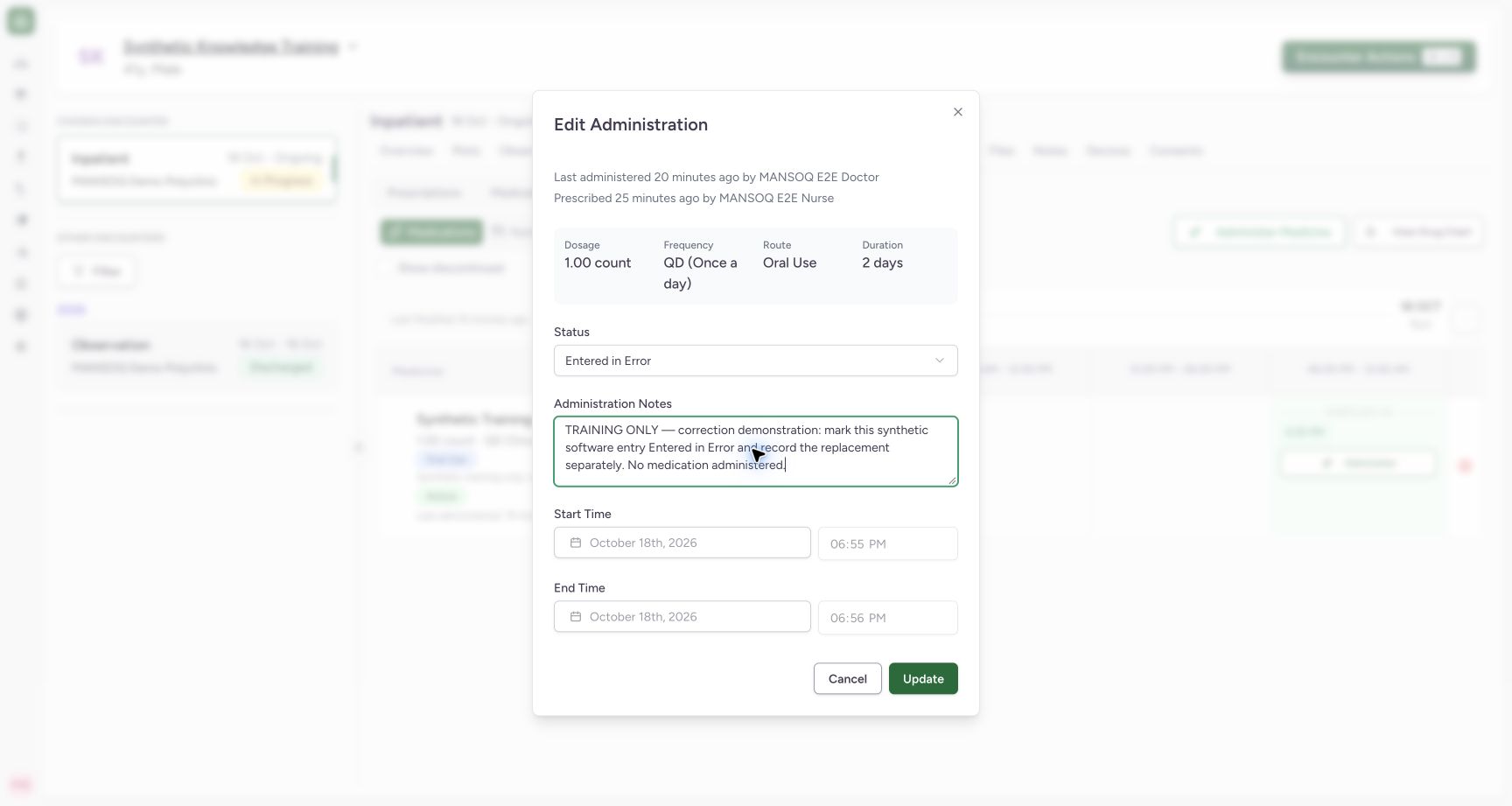
Correction retains the original
See Update an administration record for Entered in Error and a separately saved replacement. Prescription, stock dispensing and administration are separate records.
Troubleshooting
End time cannot be before start time
Verify the actual occurrence, correct its ordering, and save only when the error is resolved.
Administer is missing
Check chosen encounter access/state, active prescription, current time slot and schedule window. A completed/closed encounter is not a substitute for a new active episode.
The prescriber and last-administered names appear reversed
This is a source-confirmed label defect in the audited dialog. Check the saved prescription and authorized audit/administration records; do not alter the real author to match a caption.
Source evidence
References are pinned to the private MANSOQ source repository. Repository access is required to open these links.
- repositories/platform/mansoq-documentation/versioned_docs/version-3.1/flows/medications/medication-administration/administer-dose.mdx:5 · f6e9f05f
- repositories/platform/mansoq-web/src/components/Medicine/MedicationAdministration/MedicineAdminForm.tsx:725 · f6e9f05f
- repositories/platform/mansoq-documentation/versioned_docs/version-3.1/flows/medications/medication-administration/administer-dose.mdx:25 · f6e9f05f
- repositories/platform/mansoq-documentation/versioned_docs/version-3.1/flows/medications/medication-administration/administer-dose.mdx:19 · f6e9f05f
- repositories/platform/mansoq-web/src/components/Medicine/MedicationAdministration/MedicineAdminForm.tsx:590 · f6e9f05f