 MANSOQ
 Pharmacy
Dispense a medication
Find a prescription in the pharmacy queue, review stock lots and quantities, generate and settle its invoice, then complete and verify the dispense.
Current source · source reviewed · 10 min read
Before you begin
- Use the dispensing service and location configured for the facility. The observed route is **Services → Main Pharmacy → View Prescriptions**.
- The patient has a saved prescription and an active billing account. Have medication-dispense permission for the dispensing location.
- A valid, unexpired batch must be stocked at the selected location. The example begins with100 synthetic units received through normal inventory APIs.
- For cash collection, the user needs a direct department/organization link to an eligible location. The location picker uses direct membership; a general facility role alone may yield an empty list.
1. Open the prescription queue
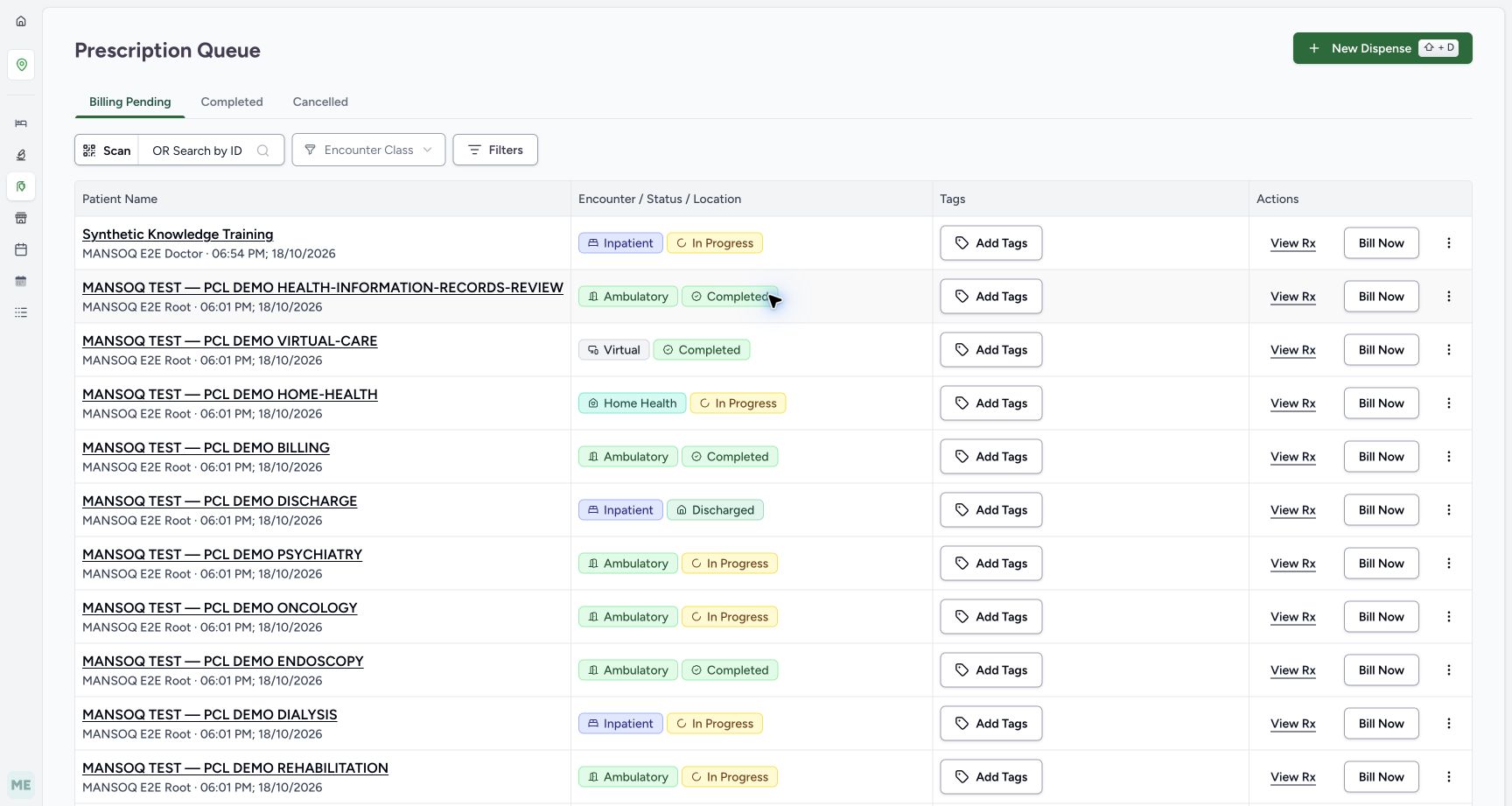
Open the Pharmacy service and its dispensing location, then View Prescriptions. In Prescription Queue → Billing Pending, identify the correct patient and encounter. Use View Rx to inspect the prescription before billing.
2. Open Bill Now
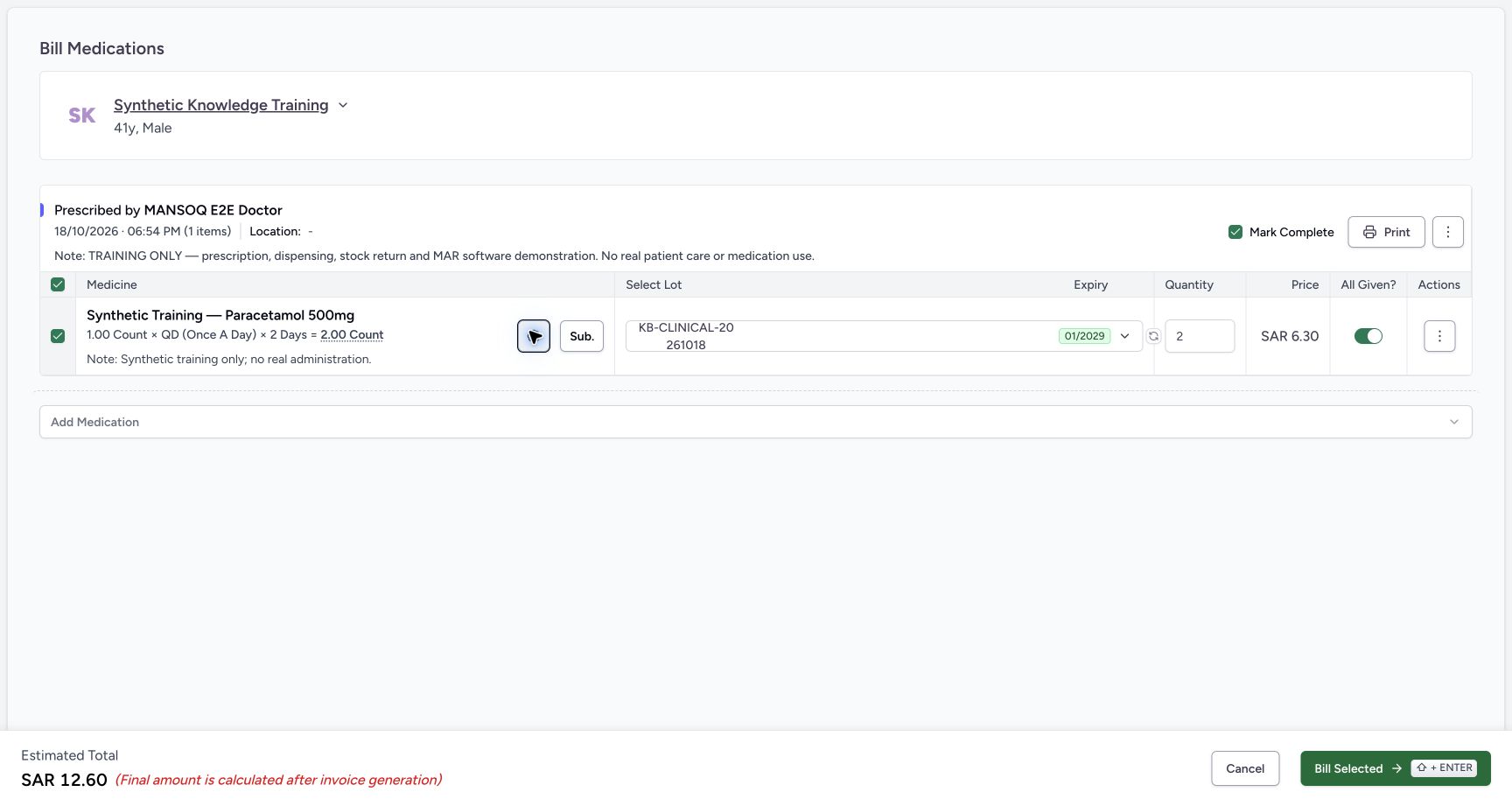
Choose Bill Now on that prescription. The observed Bill Medications screen shows product, original dose/frequency/duration, lot, expiry, quantity, price, All Given? and Mark Complete. Check the selected prescription and its note.
3. Review lot and quantity
Select the appropriate stock lot and verify expiry. Automatic quantity calculation is a starting point: the training schedule produces2 units. Enter the intended dispense quantity and review the estimated price; the final invoice can include rounding.
4. Resolve stock validation
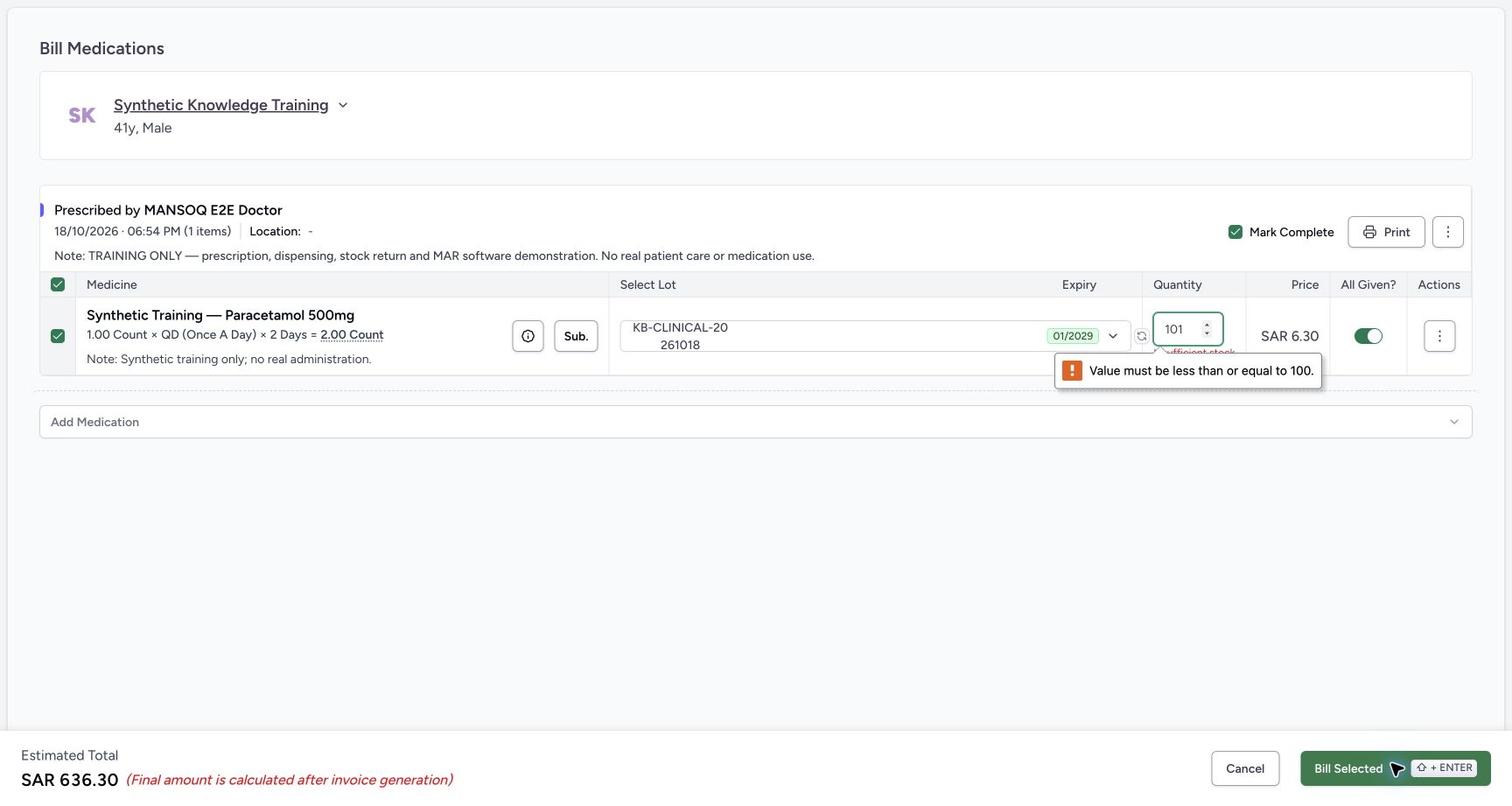
A quantity above the lot’s stock displays Insufficient stock, and the numeric maximum blocks submission. In the example101 exceeds100; returning to2 clears the error. Select another suitable lot or resolve stock with inventory rather than forcing submission.
5. Bill the selected items
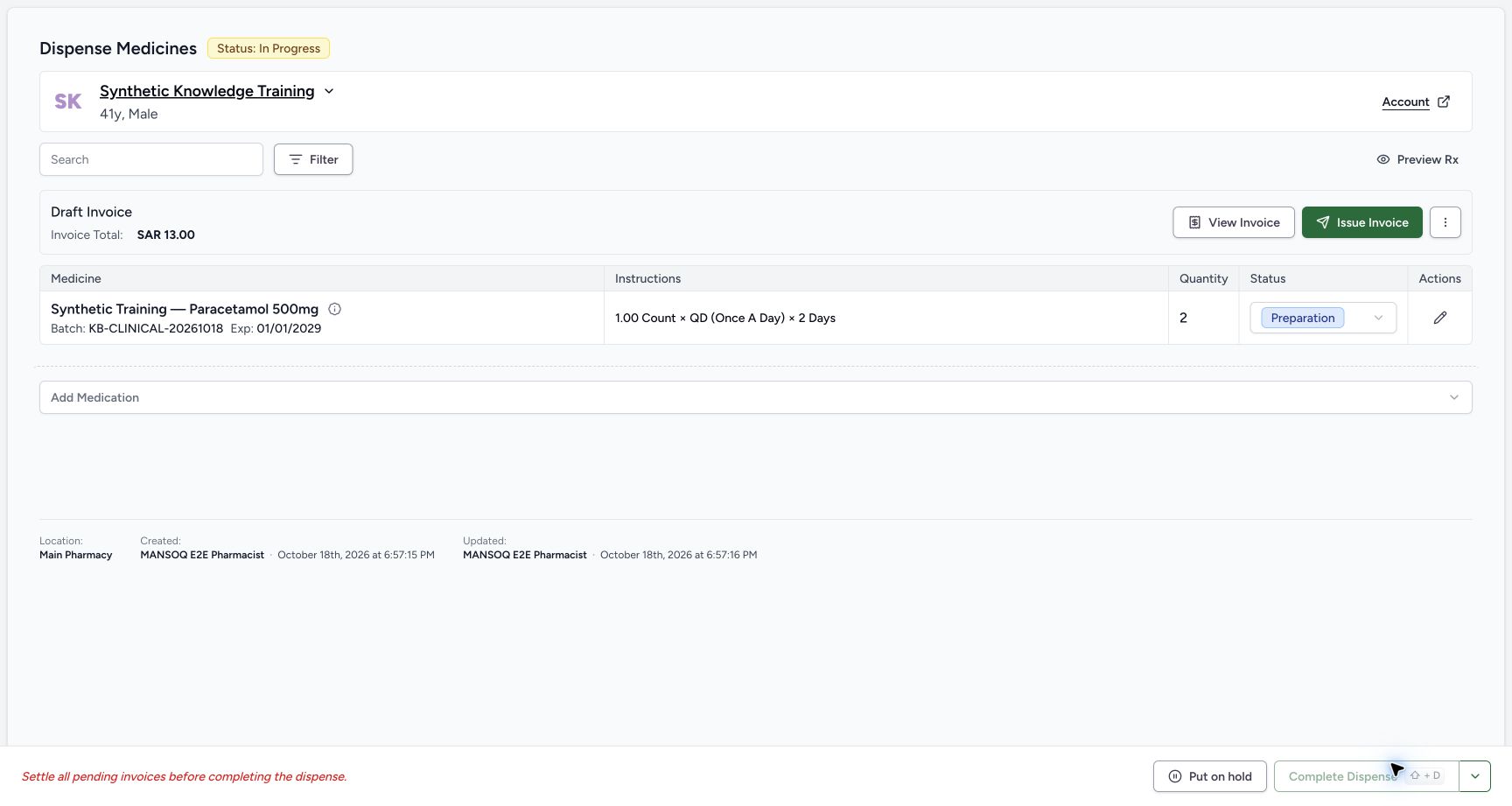
Select Bill Selected (Shift+Enter). In this current workflow, MANSOQ creates a preparation dispense and a Draft Invoice. Review the invoice’s final total. This differs from older documentation that described an immediate Confirm Dispense with no invoice.
6. Issue and record the payment
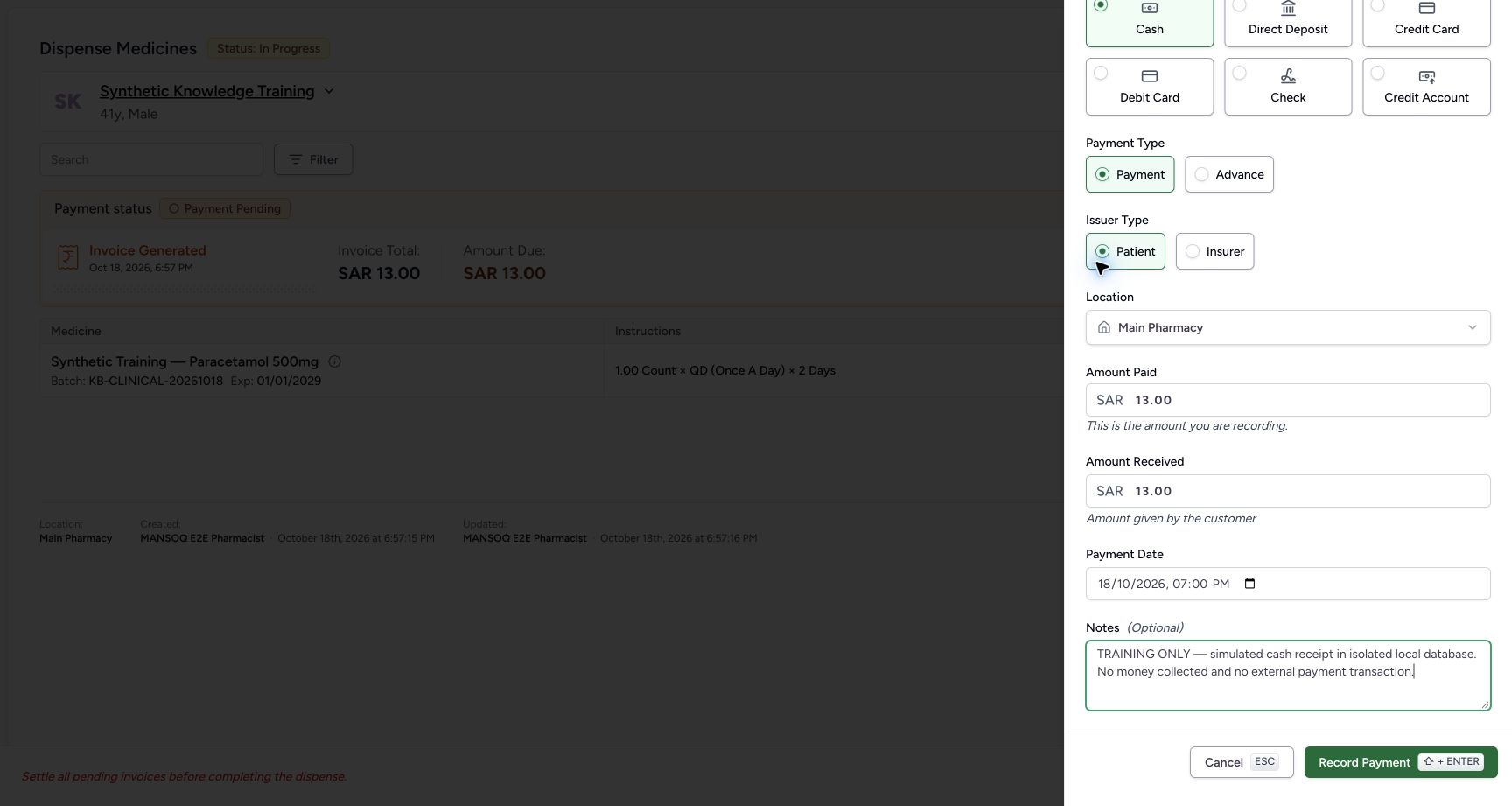
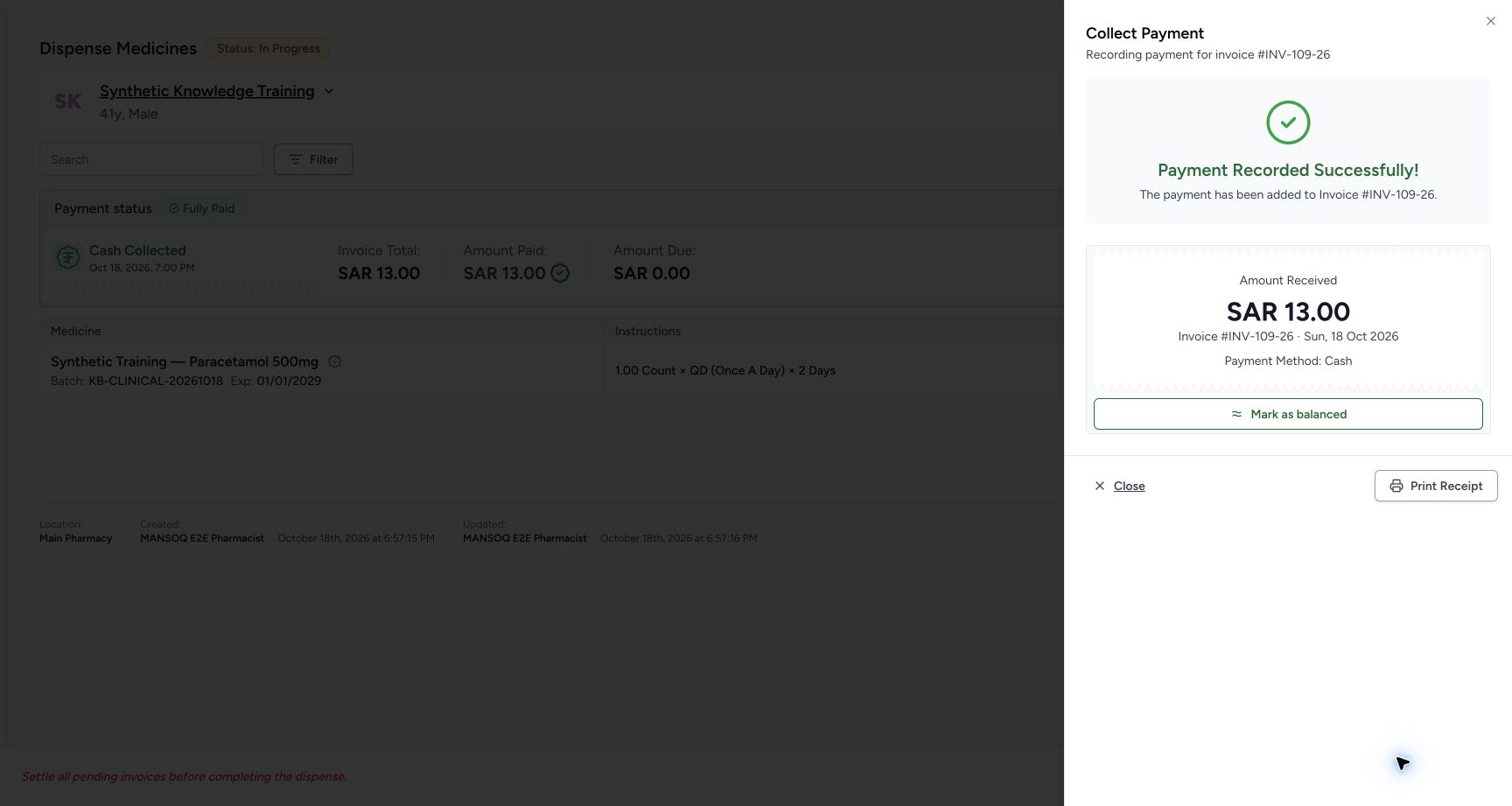
Select Issue Invoice, then Collect Payment when appropriate. Choose the actual method, issuer, authorized Location and amount; for cash, check amount received/change. In screenshots the cash receipt is explicitly simulated in a local database: no money was collected.
7. Verify the invoice settlement prerequisite
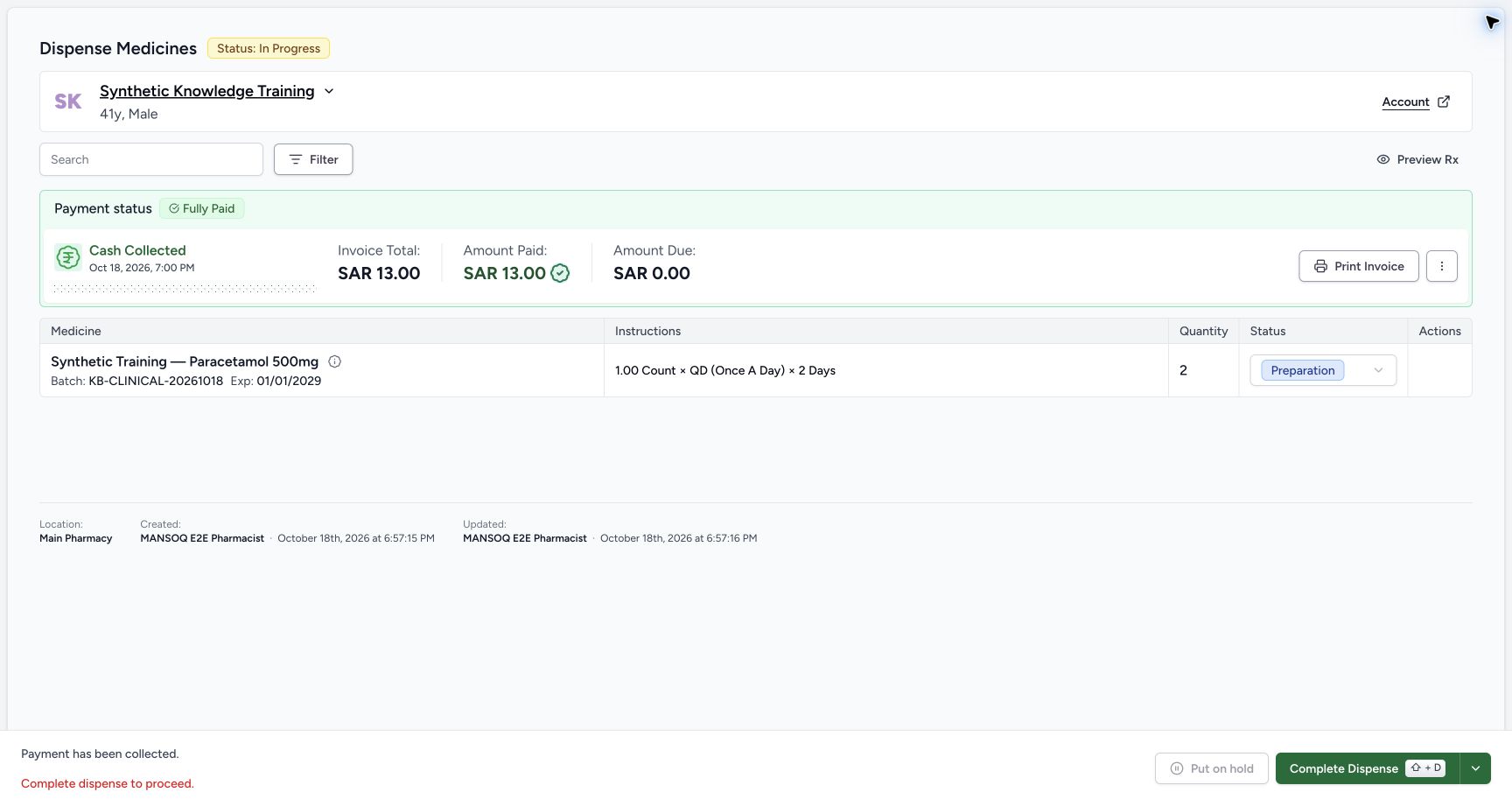
A saved receipt can show Fully Paid and zero amount due while Complete Dispense remains disabled until the invoice is balanced. The audited UI’s Mark as balanced sends immutable invoice fields and is refused. In this training exercise, a separate normal API status-only update succeeded after independent verification that the full simulated payment equalled the invoice total. This is an API-supported continuation, not a successful UI balance action.
8. Complete the dispense
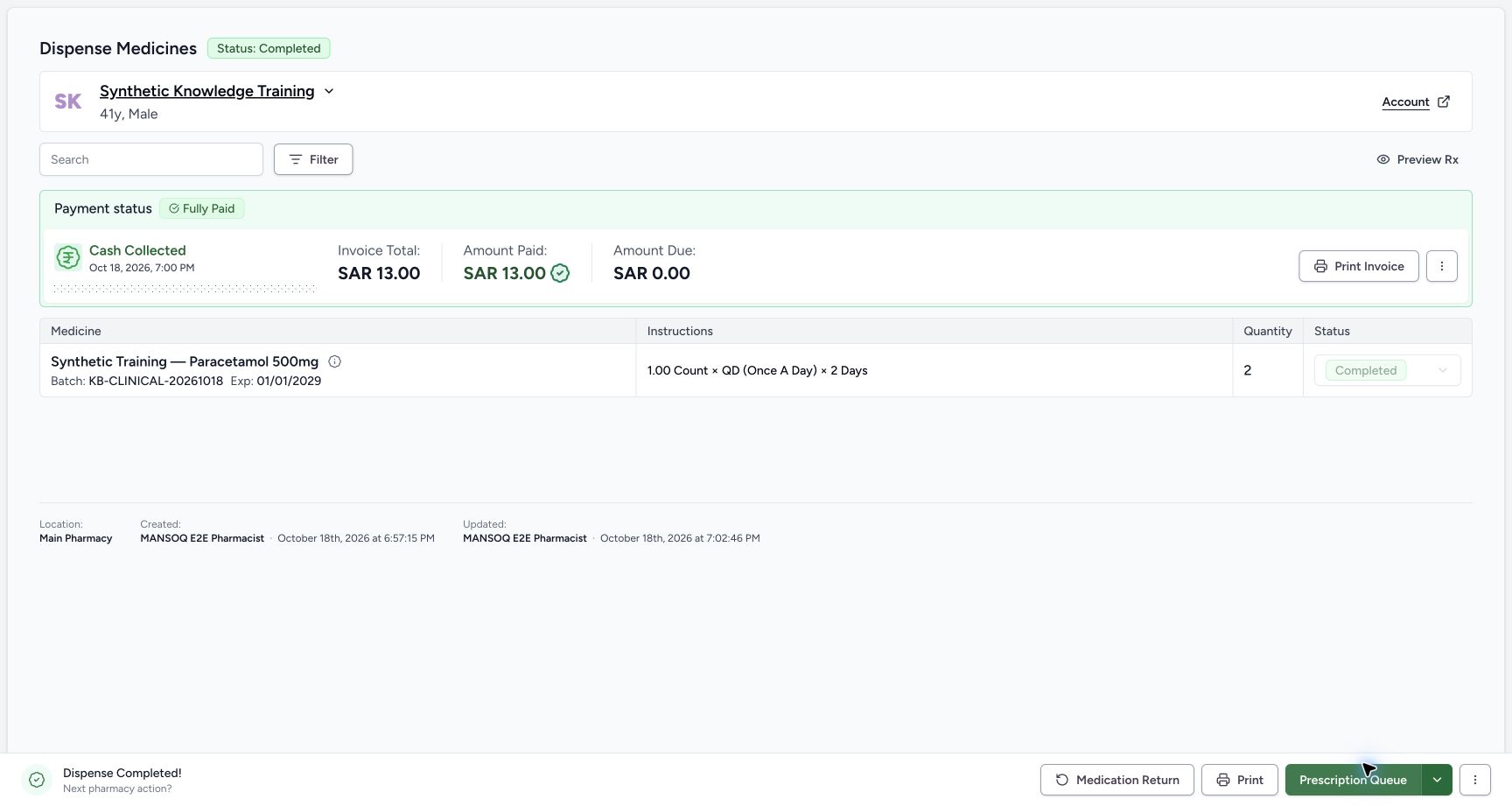
When the invoice prerequisite is satisfied, select Complete Dispense (Shift+D). Wait for Status: Completed, item Completed, and Dispense Completed!. The training flow completes through this actual UI action.
9. Read back the result
Confirm the dispense order/item, authorizing request, inventory movement and invoice/payment records. The example’s independent readback shows2 units dispensed and stock100→98 before the subsequent return. A dispensing record is separate from the Nurse’s administration record.
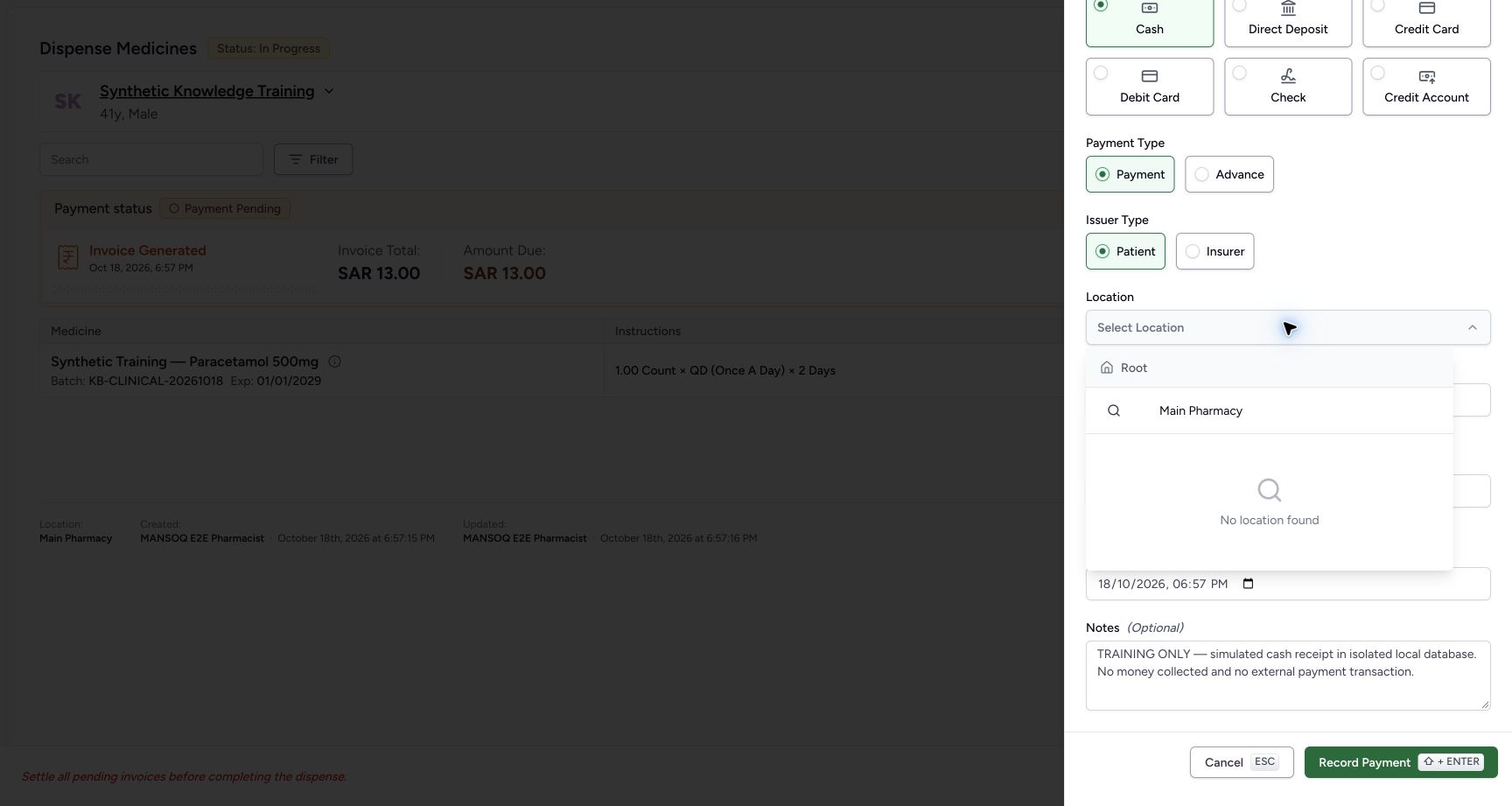
An empty cashier Location picker
The observed payment picker initially returned No location found. Adding the correct direct Pharmacy organization membership and linking that organization to Main Pharmacy through normal configuration made the location selectable. Verify organizational ownership rather than choosing an unrelated location.
Current invoice balance limitation
The finalized invoice API refuses generic edits other than a status-only transition. The current payment success UI sends account/charge-items/note/payment-terms when marking balanced and is rejected. Preserve the saved receipt and use the authorized support/API procedure or a corrected application release. Do not collect payment twice.
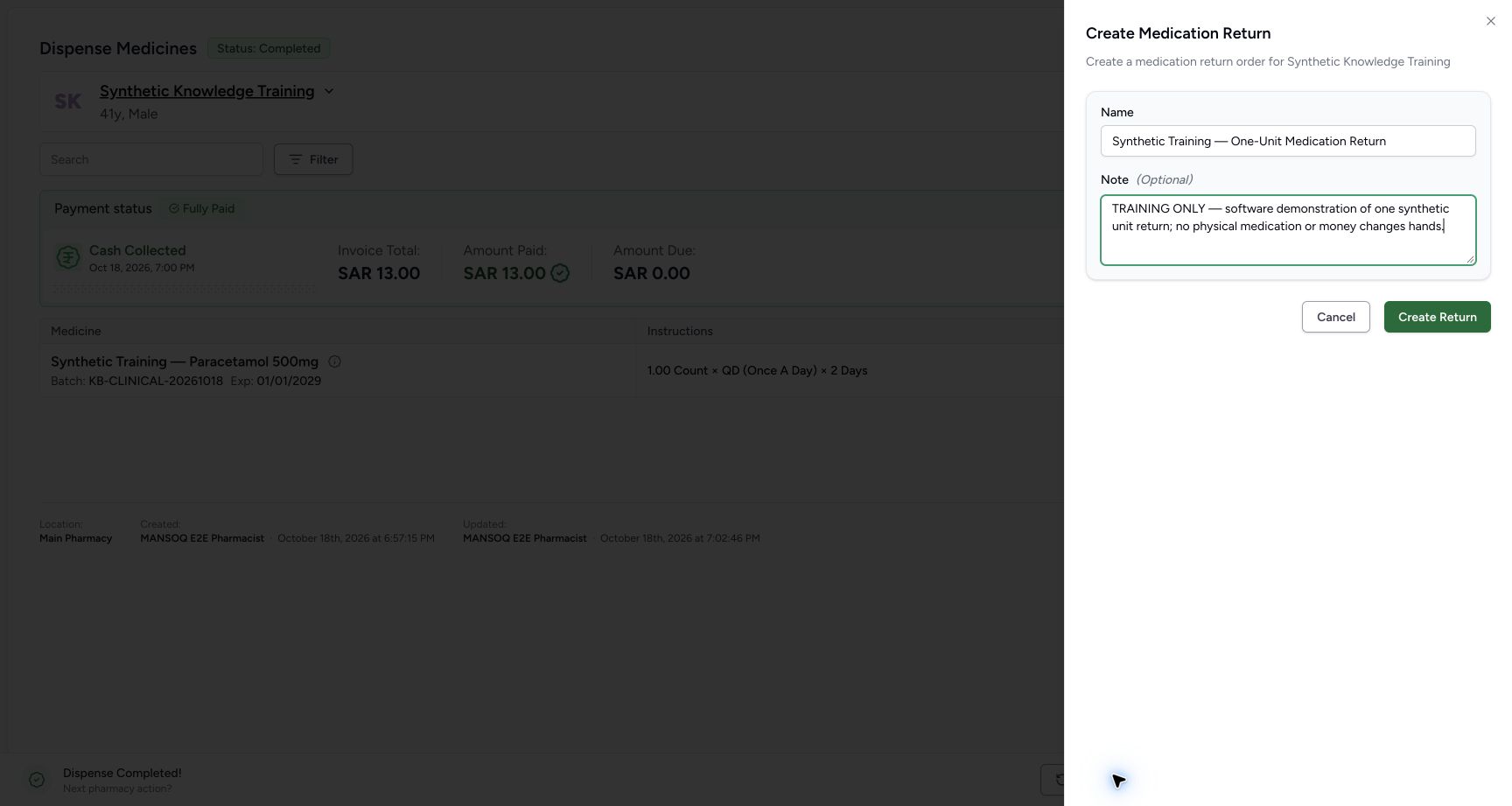
Medication returns need separate inventory permission
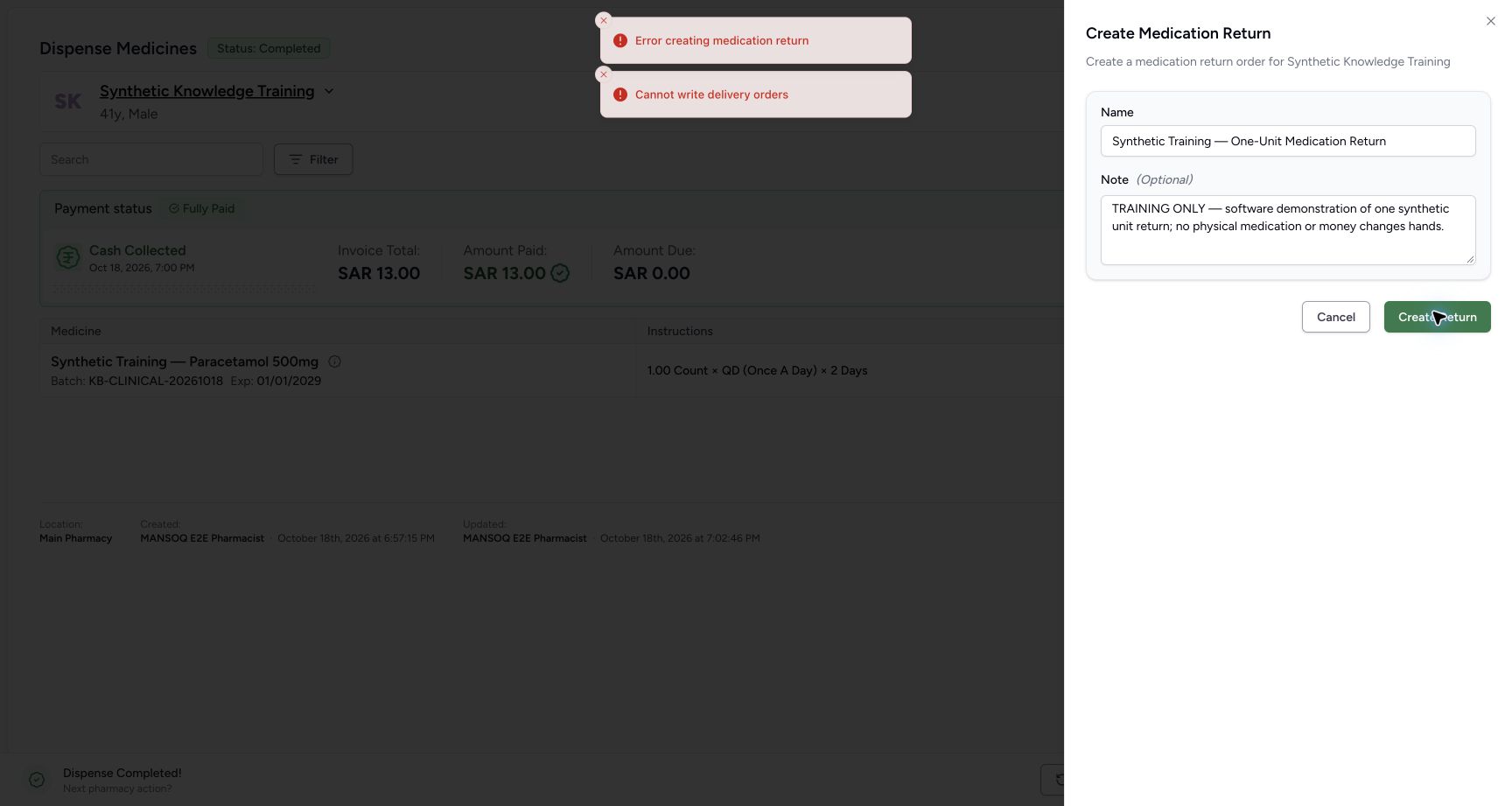
The default Pharmacist can complete the dispense but Create Return is exposed even though delivery-order creation is refused with Cannot write delivery orders. Default external supply-delivery write permission belongs to Facility Admin/Admin. Hand off to the authorized inventory role.
Troubleshooting
Insufficient stock or browser maximum warning
Reduce the quantity or choose another appropriate stocked lot. Recheck the prescription and expiry.
Fully Paid but Complete Dispense is disabled
Check invoice balance status. A receipt alone does not satisfy this UI gate. If Mark as balanced is refused by finalized invoice immutability, preserve the payment and use the authorized status-only API support path; never repeat payment to clear the gate.
Cannot write delivery orders when returning medicine
The default Pharmacist role lacks external supply-delivery write permission. An authorized Facility Admin/Admin must process the return.
Source evidence
References are pinned to the private MANSOQ source repository. Repository access is required to open these links.
- repositories/platform/mansoq-web/src/pages/Facility/services/pharmacy/PrescriptionQueue.tsx:164 · f6e9f05f
- repositories/platform/mansoq-web/src/pages/Facility/services/pharmacy/billMedications/BillMedicationsPrescriptionCard.tsx:748 · f6e9f05f
- repositories/platform/mansoq-web/src/pages/Facility/services/pharmacy/billMedications/BillMedicationsFooter.tsx:95 · f6e9f05f
- repositories/platform/mansoq-web/src/pages/Facility/services/pharmacy/components/DispenseOrderViewFooter.tsx:115 · f6e9f05f
- repositories/platform/mansoq-web/src/pages/Facility/billing/PaymentReconciliationSheet.tsx:830 · f6e9f05f
- repositories/platform/mansoq-core/mansoq/emr/api/viewsets/invoice.py:570 · f6e9f05f
- repositories/platform/mansoq-core/mansoq/emr/api/viewsets/location.py:170 · f6e9f05f
- repositories/platform/mansoq-core/mansoq/security/permissions/supply_delivery.py:38 · f6e9f05f