 MANSOQ
 Pharmacy
Return unused medication to pharmacy stock
Use the authorized inventory role to prepare, approve, receive and complete a medication return, then verify stock and the generated refund invoice.
Current source · source reviewed · 9 min read
Before you begin
- Identify the correct patient, original dispense, product/batch, unused quantity and return condition according to facility policy.
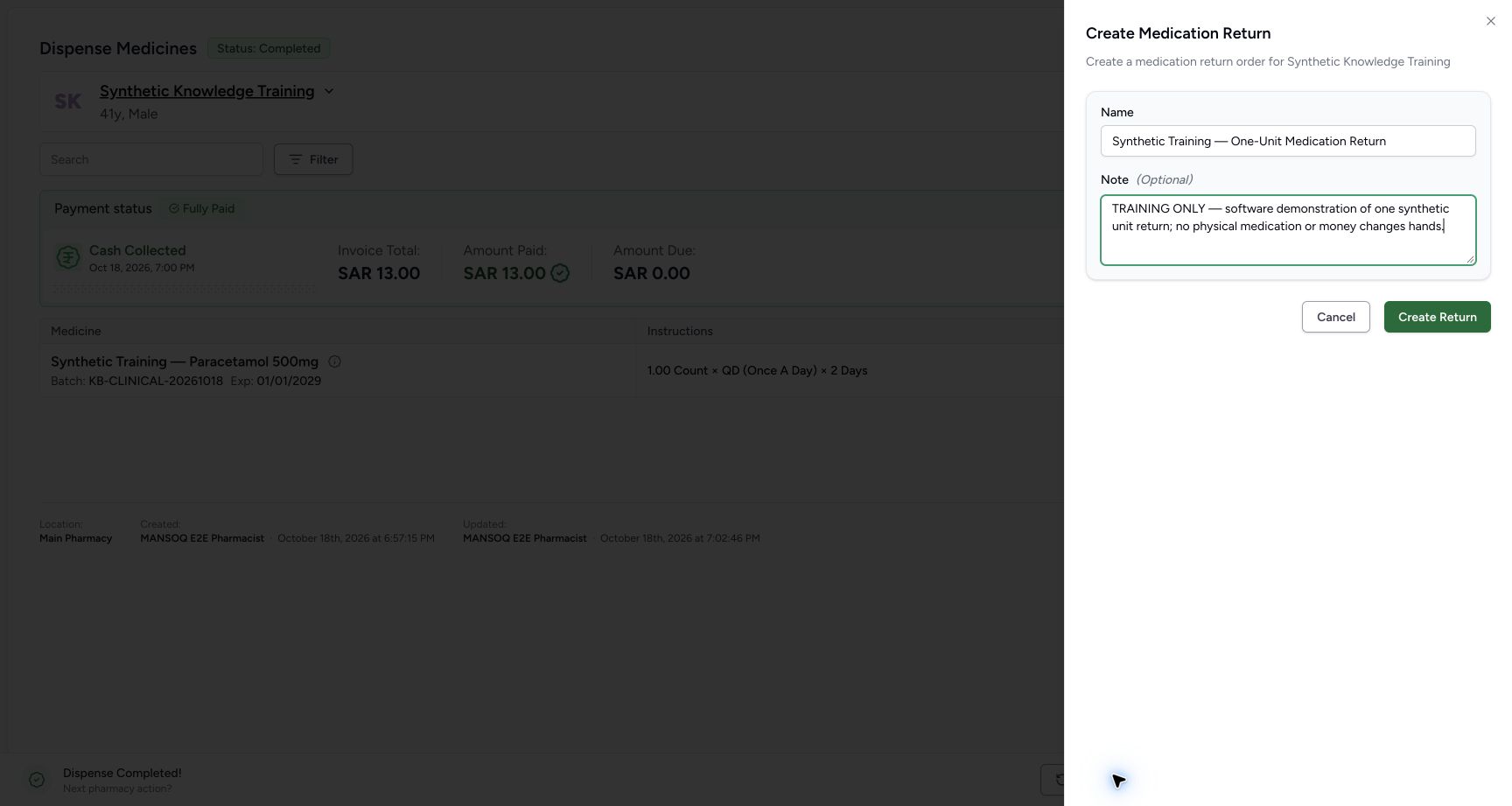
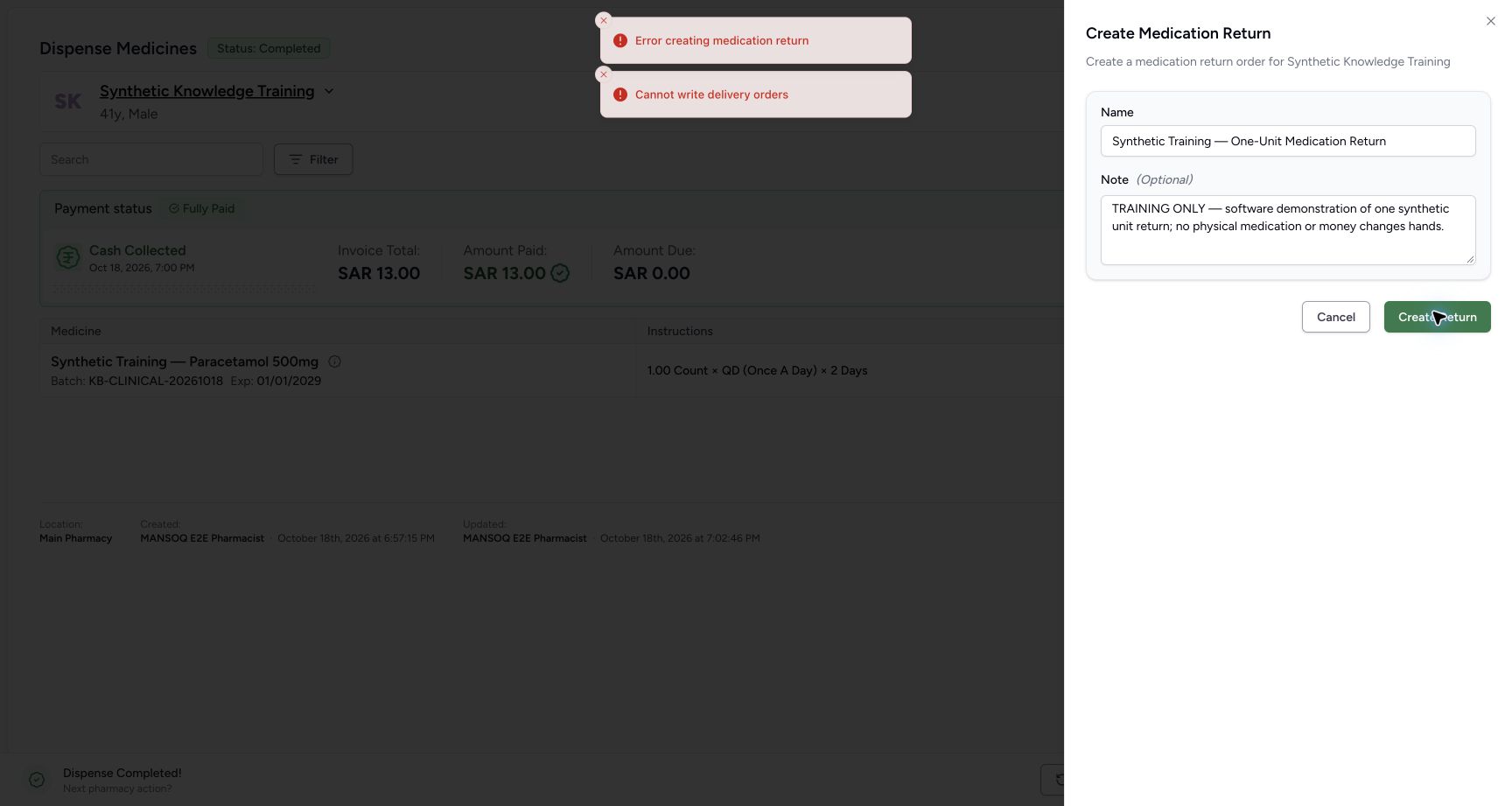
- Have external supply-delivery write permission. Default Pharmacist exposes the return button but is refused by the backend; this guide continues with Facility Admin.
- Training screenshots demonstrate software only: no physical medicine was returned and no real refund was made.
1. Create or open the patient return draft
From a completed dispense choose Medication Return, enter a clear name and note, then Create Return. The default Pharmacist attempt in the captured flow is refused. For the subsequent walkthrough an authorized Facility Admin draft was provisioned through the normal API; draft creation itself is not claimed as a verified Facility Admin UI success.
2. Load the original dispense
Open the return worklist and draft. In the original-dispense context, use Load from order, select the dispensed item and choose Done. Verify the original batch and quantity before reducing it to the unused quantity.
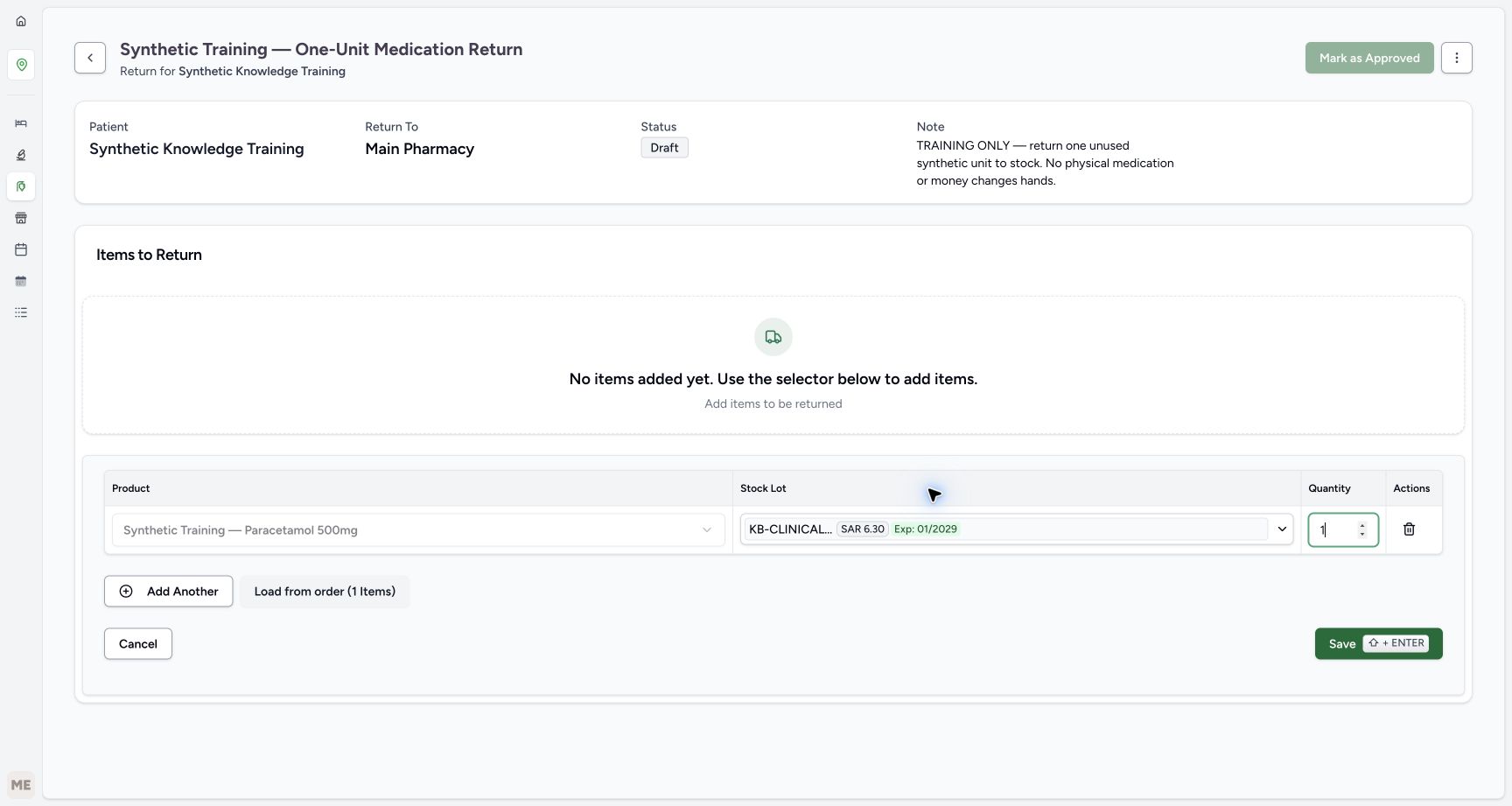
3. Save the return item
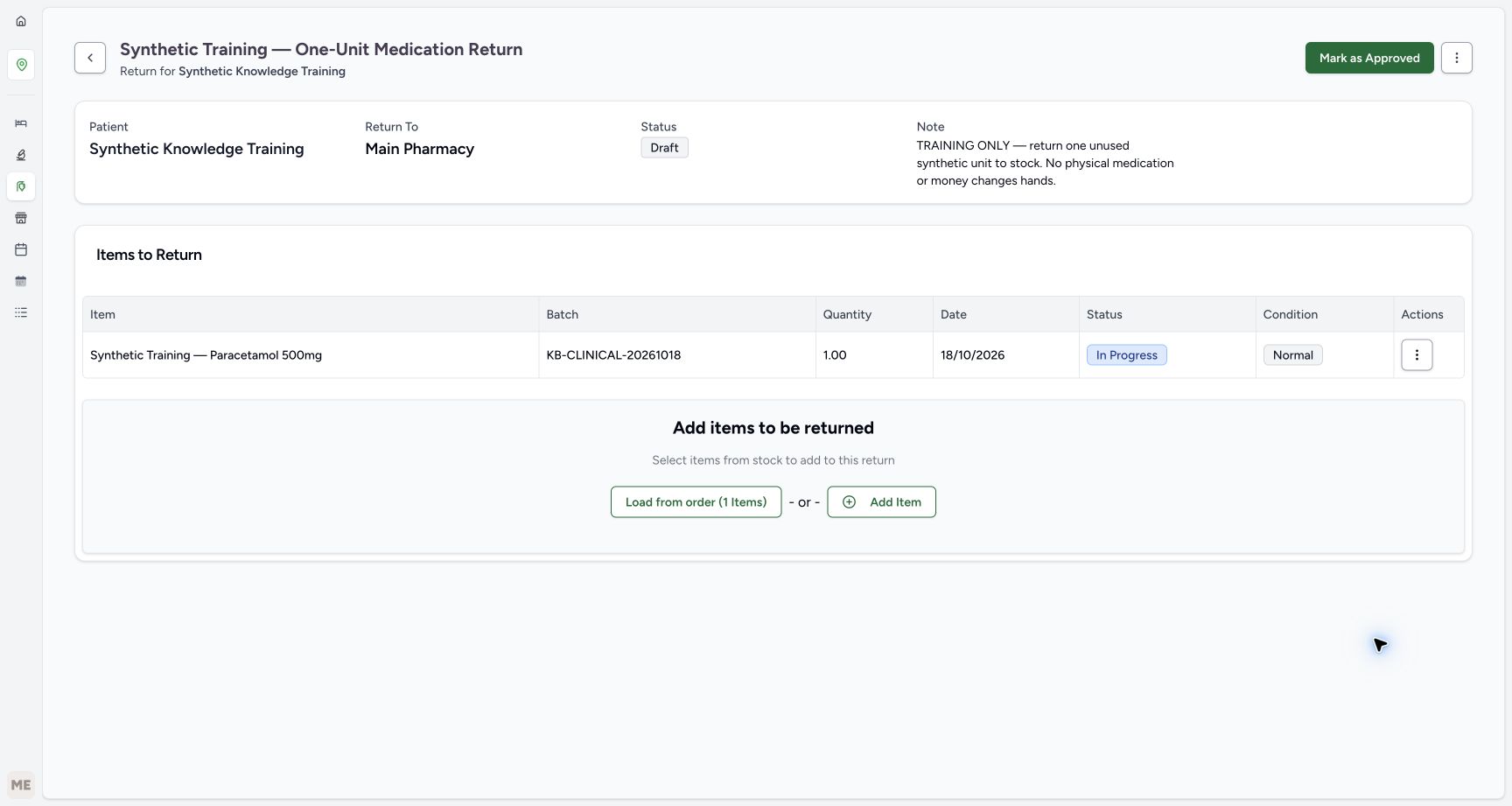
Enter the unused quantity and select Save (Shift+Enter). The synthetic example returns1 of the2 units dispensed. Saving adds an In Progress/Normal return item; it does not yet restore stock.
4. Approve the return order
Review product, lot, quantity and note, then select Mark as Approved. The order moves from Draft to Pending.
5. Receive and update stock
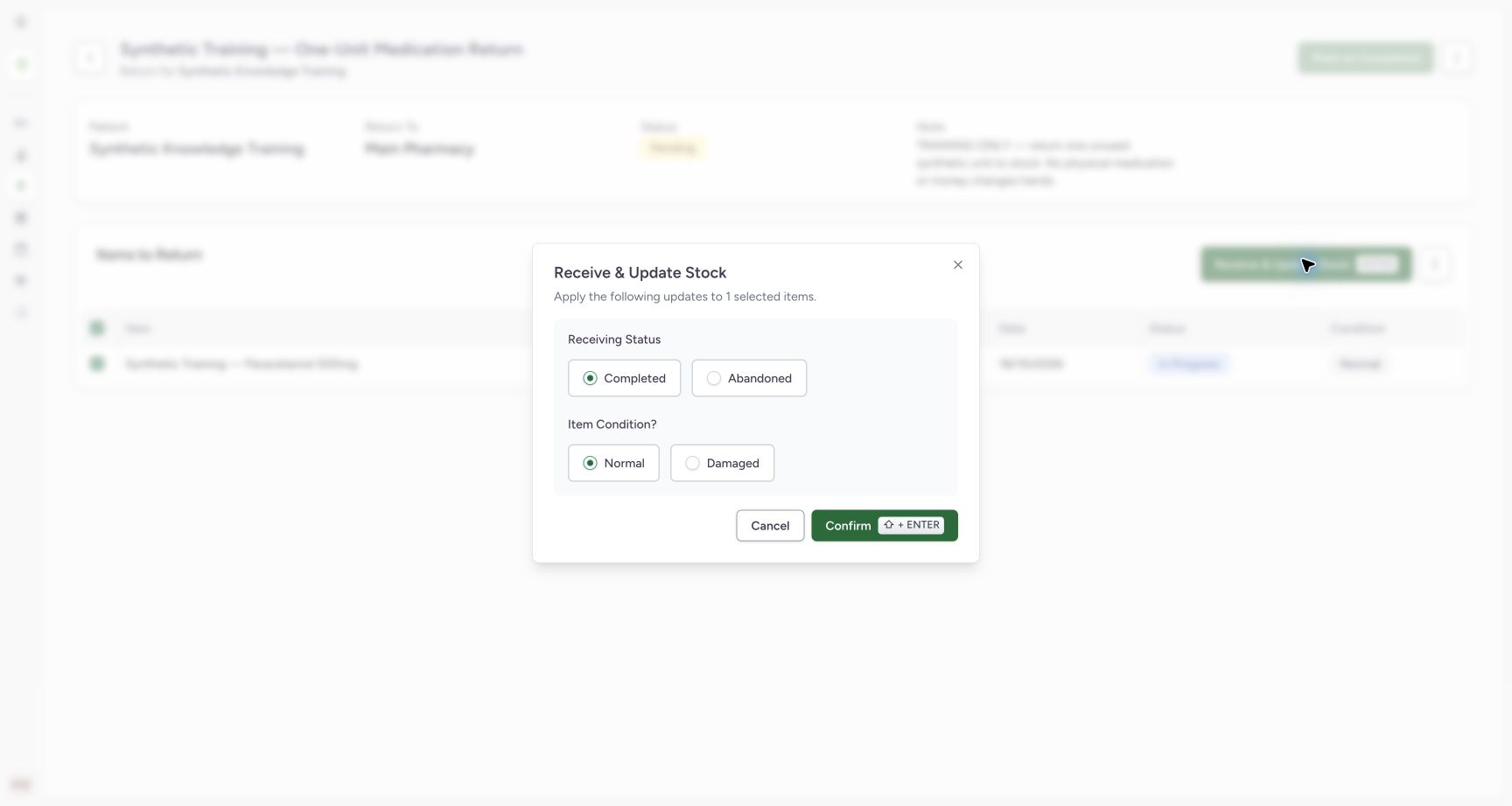
Select the item and Receive & Update Stock. Review Receiving Status and Item Condition?. The synthetic unused unit is received as Completed / Normal. Select Confirm. Do not choose Normal for an actual damaged item; follow the facility policy.
6. Verify item receipt
Confirm that the item row is Completed with the intended condition. Mark as Completed becomes available only after the receipt stage in the observed UI. The example stock readback changes98→99.
7. Complete the return order
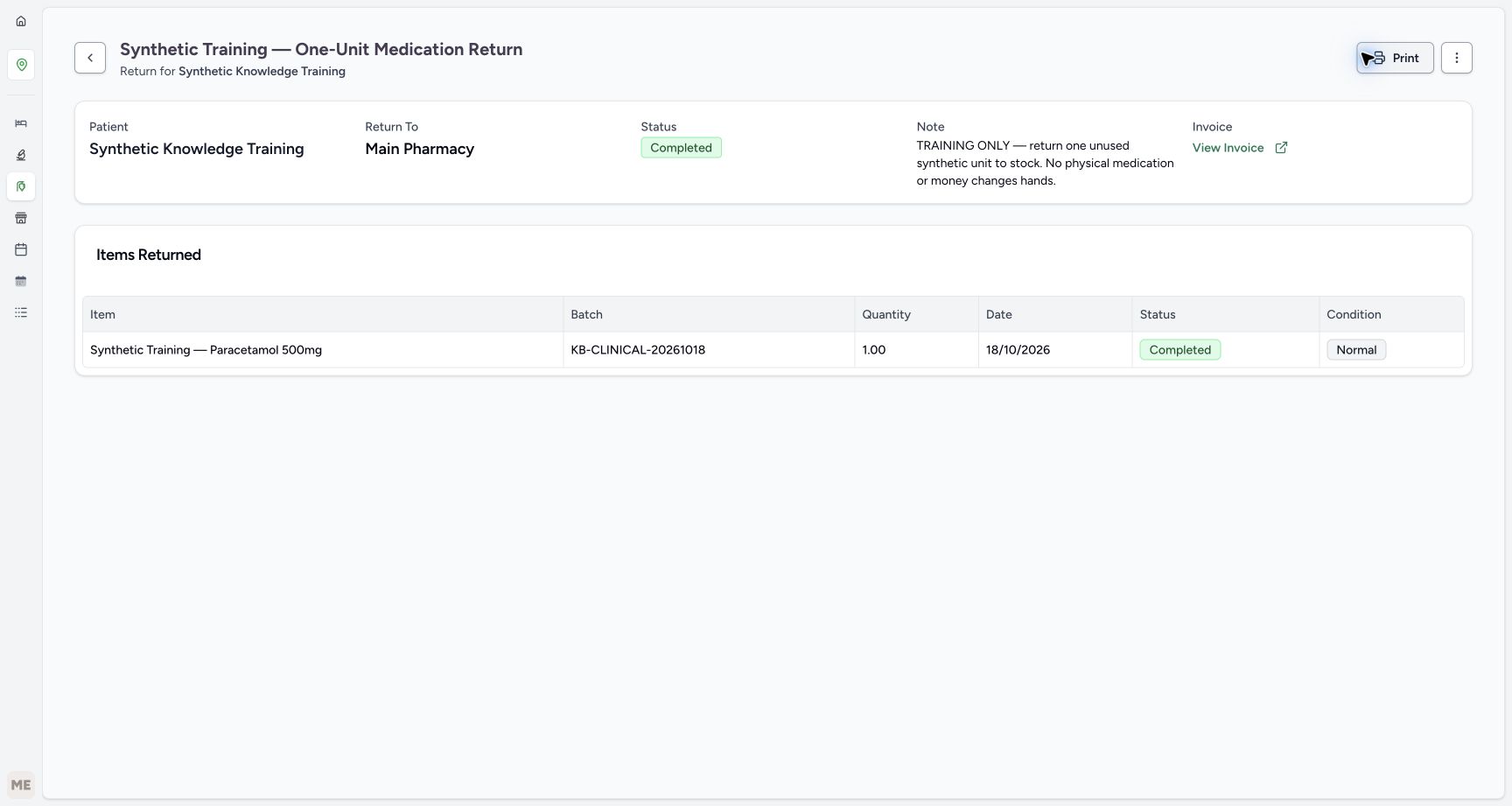
Select Mark as Completed. Wait for overall Completed, Items Returned, and the invoice link. The completed order generates a synthetic refund invoice; this is distinct from paying a refund.
8. Reconcile the result
Read back the return order, receipt, stock and refund invoice. In the example100 received minus2 dispensed plus1 returned equals99 stock. The generated refund invoice remains issued, and no refund payment was recorded. Preserve these stages when reconciling the original dispense.
Default role boundary
External supply-delivery creation is assigned to Facility Admin/Admin by the audited permission registry. Do not expand Pharmacist permissions simply to make an example succeed.
Verified training outcome
Actual UI steps saved the item, approved the order, received stock and completed the return. The independent readback verifies a completed return/receipt, stock99, and an issued refund invoice. Initial draft setup used a normal validated API fixture.
Troubleshooting
Cannot write delivery orders
Use the authorized inventory role and correct organization/location context. The default Pharmacist role does not have this write permission.
Mark as Approved is disabled
Save at least one valid return item first.
Mark as Completed is disabled
Finish receiving or otherwise resolving the return items; inspect each item’s status before completing the order.
Source evidence
References are pinned to the private MANSOQ source repository. Repository access is required to open these links.
- repositories/platform/mansoq-web/src/pages/Facility/services/pharmacy/MedicationReturnSheet.tsx:111 · f6e9f05f
- repositories/platform/mansoq-web/src/pages/Facility/services/pharmacy/MedicationReturnShow.tsx:359 · f6e9f05f
- repositories/platform/mansoq-web/src/pages/Facility/services/pharmacy/MedicationReturnShow.tsx:519 · f6e9f05f
- repositories/platform/mansoq-web/src/pages/Facility/services/pharmacy/MedicationReturnShow.tsx:660 · f6e9f05f
- repositories/platform/mansoq-web/src/pages/Facility/services/pharmacy/components/AddMedicationReturnItemForm.tsx:172 · f6e9f05f
- repositories/platform/mansoq-core/mansoq/emr/api/viewsets/inventory/delivery_order.py:140 · f6e9f05f
- repositories/platform/mansoq-core/mansoq/security/permissions/supply_delivery.py:38 · f6e9f05f