 MANSOQ
 Nursing
Coordinate handover with encounter notes and care teams
Use the verified Clinical Notes and care-team features for a documented handover while following your facility’s approved nursing process.
Current source · source reviewed · 3 min read
Before you begin
- The patient and correct active encounter are open.
- You have permission to update encounter clinical data for discussion notes.
- Your facility has defined the required handover information and responsible receiving staff.
1. Confirm the encounter and receiving team
Check the patient, care episode, current location and care-team members. Care-team membership can grant encounter access; add only staff involved in the patient’s care, using the authorized care-team workflow.
2. Choose the discussion context
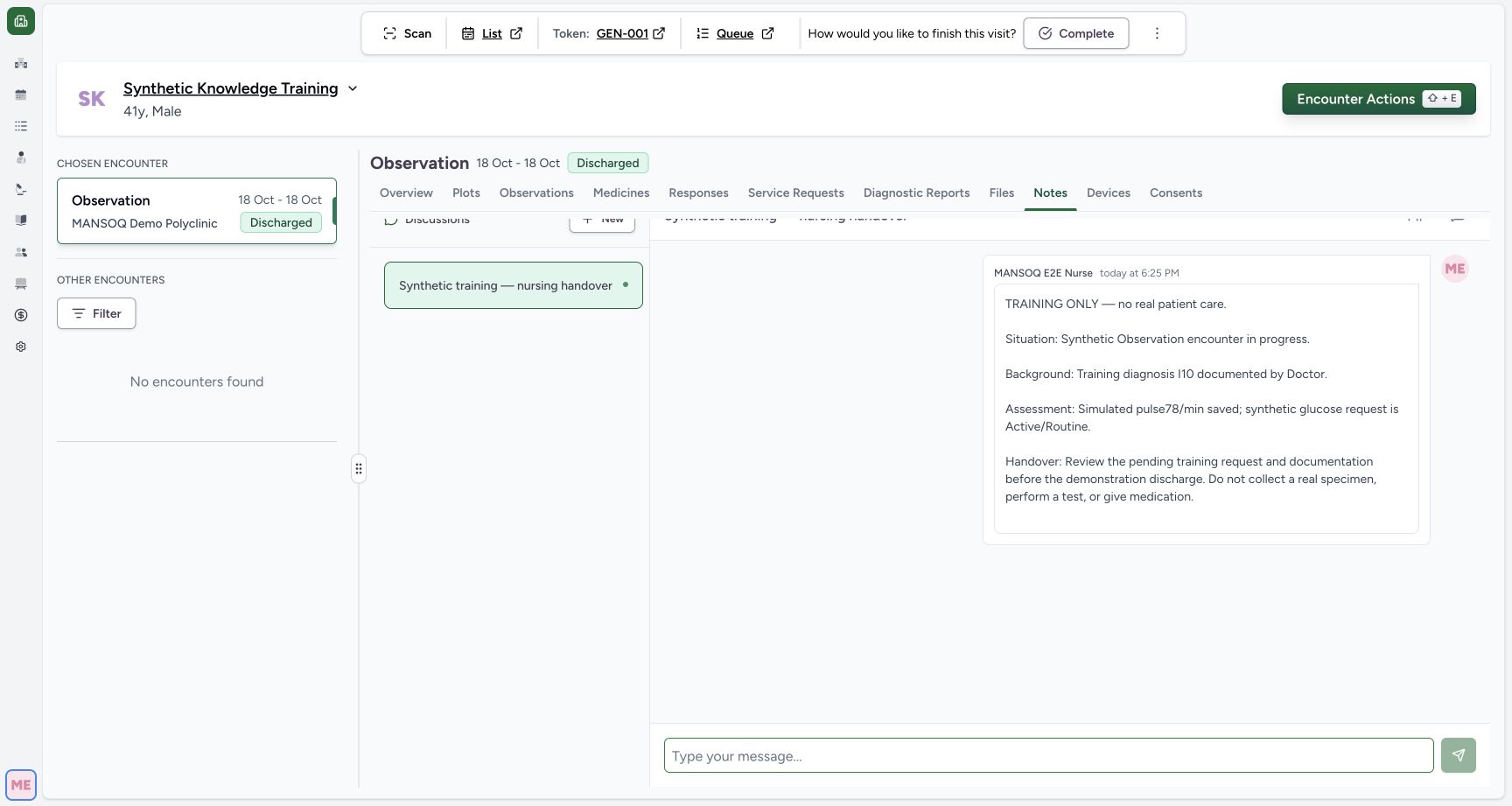
Open the encounter Notes tab for a handover specific to that care episode. A discussion on the patient profile belongs to the patient and is separate from encounter discussions; the two lists do not overlap.
3. Open or create the appropriate discussion
Use an existing discussion when it already covers the topic. To create one, select New, New Thread on a small screen, or Start New Discussion in an empty list. The documented suggested titles include Care Coordination, Treatment Plan, Medication Notes and General Notes.
4. Give the thread a clear title
Choose a suggested title or enter a custom one, then select Create. A thread title must be unique within its context and is limited to 255 characters.
5. Post the handover information
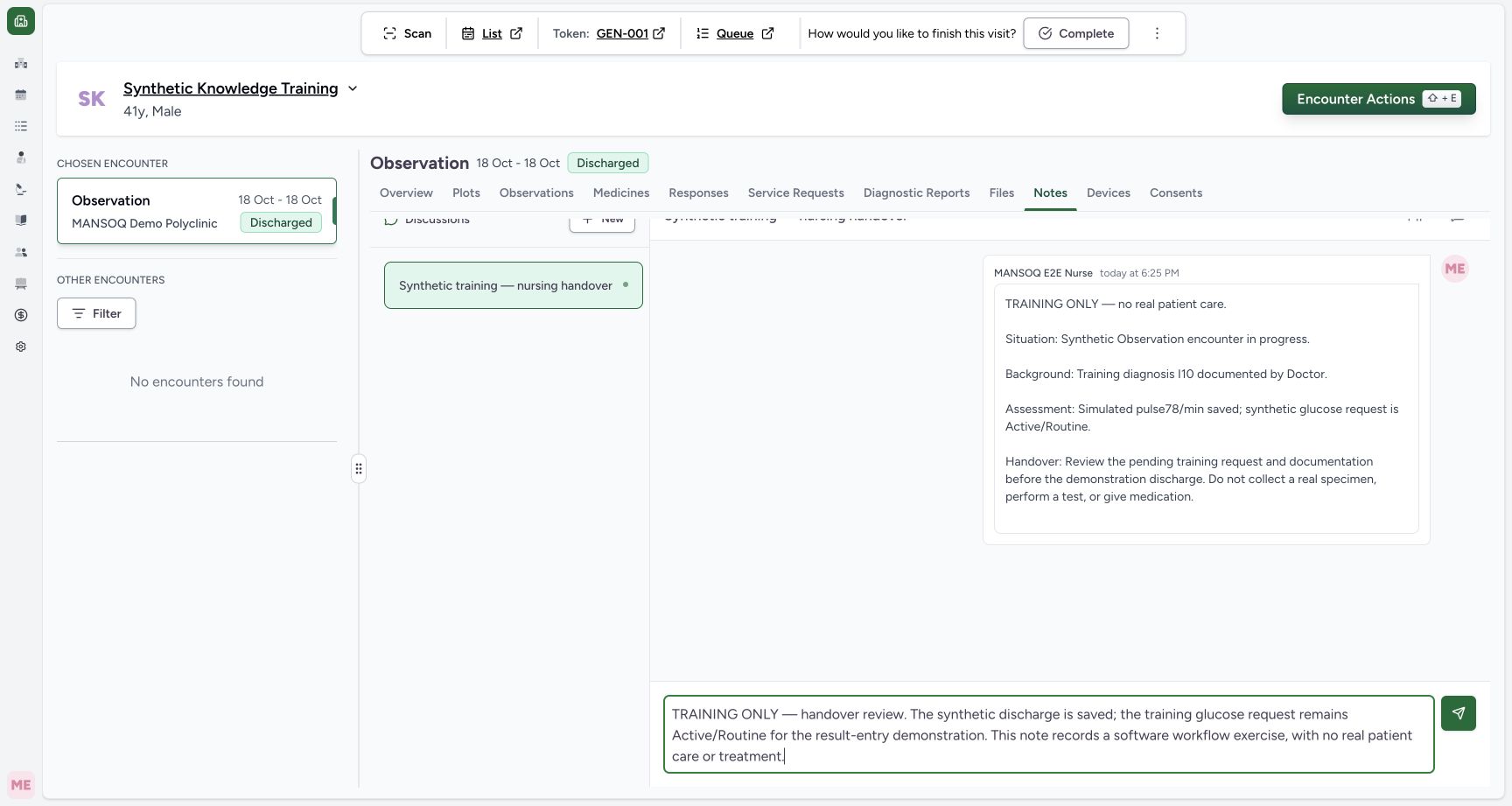
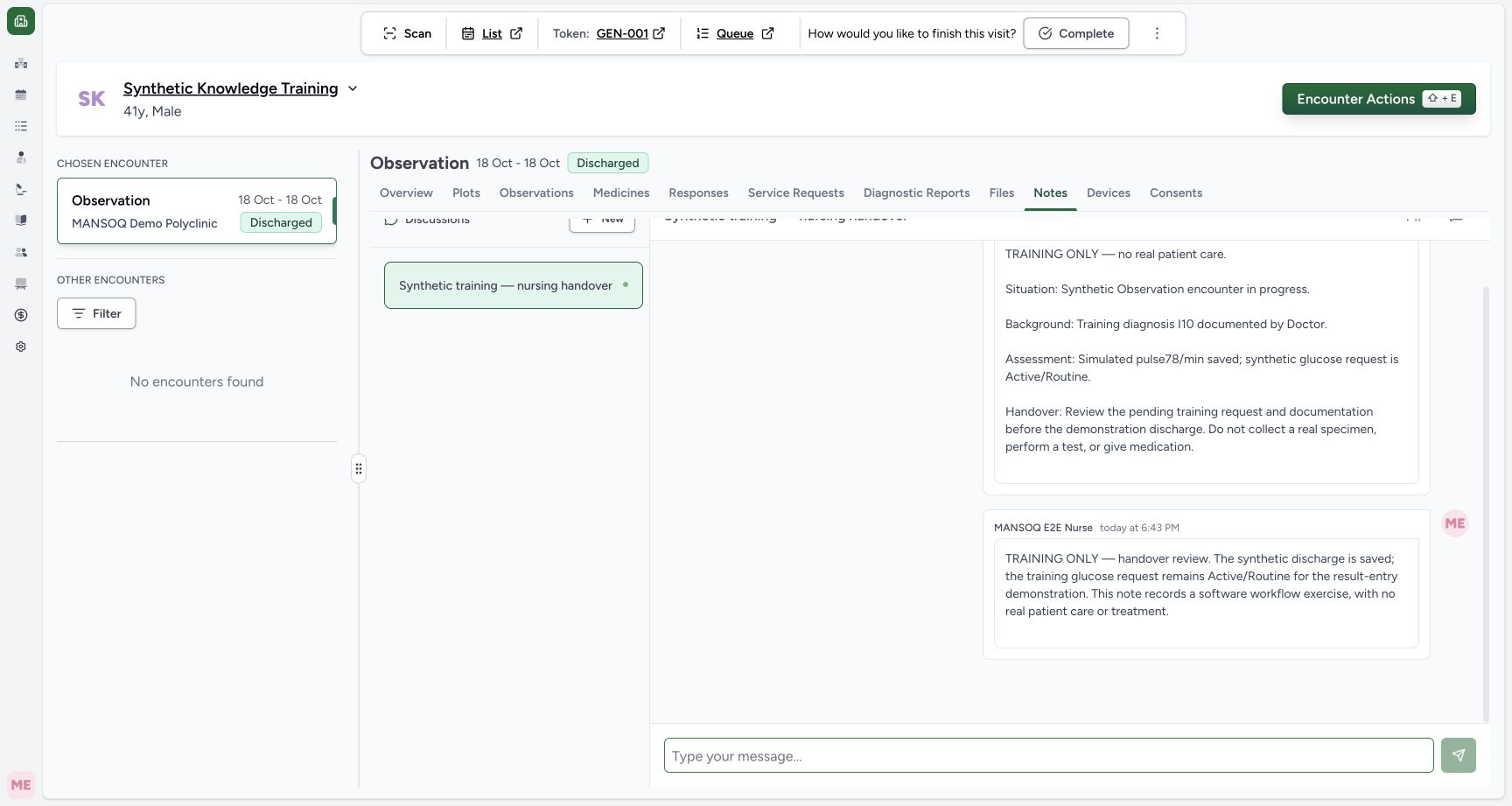
Select the discussion and type in Type your message.... Select the send button, or press Shift+Enter on a computer, then confirm the message appears. The documented discussion composer supports Markdown, but no attachments or user mentions. Review the current medication administration record, pending service requests, results and care-team assignments in their respective structured screens. Use your facility’s required handover content and keep the structured records up to date.
Known scope
The audited source verifies discussion-based coordination, forms, care teams, locations and medication administration. A dedicated structured nursing care-plan builder, shift-handover checklist, acknowledgement workflow or escalation timer was not established by this audit. Those capabilities require separate product and facility validation.
Discussion lifecycle
The documented Notes workflow offers no way to delete a discussion or message after creation. The encounter Notes component supplies read and write permissions to the discussion manager. The versioned guide reports that sending failures may not display an error, so verify the posted message is visible. Follow local correction and record-retention policy.
Verified synthetic training example
In a separate Nurse session, the Nurse opened encounter Notes, selected Start New Discussion, created Synthetic training — nursing handover, and saved explicitly synthetic handover text. The posted message displayed the Nurse author and time. The Doctor independently opened the same encounter Notes and saw the saved message. A separate database readback confirmed the thread and Nurse-authored message. This verifies discussion-based coordination; it does not establish a structured handover acknowledgement or dedicated care-plan module.
Troubleshooting
The patient-profile thread is absent from encounter Notes
The two lists are separate by design. Open the context in which the discussion was created.
A new thread cannot use the intended title
A discussion with that title already exists in this context. Open it, or choose a distinct custom title.
Source evidence
References are pinned to the private MANSOQ source repository. Repository access is required to open these links.
- repositories/platform/mansoq-documentation/versioned_docs/version-3.1/flows/clinical/notes/start-a-discussion.mdx:13 · f6e9f05f
- repositories/platform/mansoq-documentation/versioned_docs/version-3.1/flows/clinical/notes/start-a-discussion.mdx:32 · f6e9f05f
- repositories/platform/mansoq-documentation/versioned_docs/version-3.1/flows/clinical/notes/post-a-message.mdx:30 · f6e9f05f
- repositories/platform/mansoq-web/src/pages/Encounters/tabs/notes.tsx:16 · f6e9f05f
- repositories/platform/mansoq-documentation/versioned_docs/version-3.1/flows/clinical/encounter/manage-encounter-care-team.mdx:65 · f6e9f05f