 MANSOQ
 Patient administration
Register a patient
Register a new patient after searching existing records, complete demographics, and check facility identifiers.
Current source · source reviewed · 3 min read
Before you begin
- You are signed in to MANSOQ.
- You searched for the patient first, and MANSOQ found no existing record. See Search for a patient.
- You have the patient's personal details, contact number, and identity documents.
- You have the permissions listed below.
1. Open the registration form
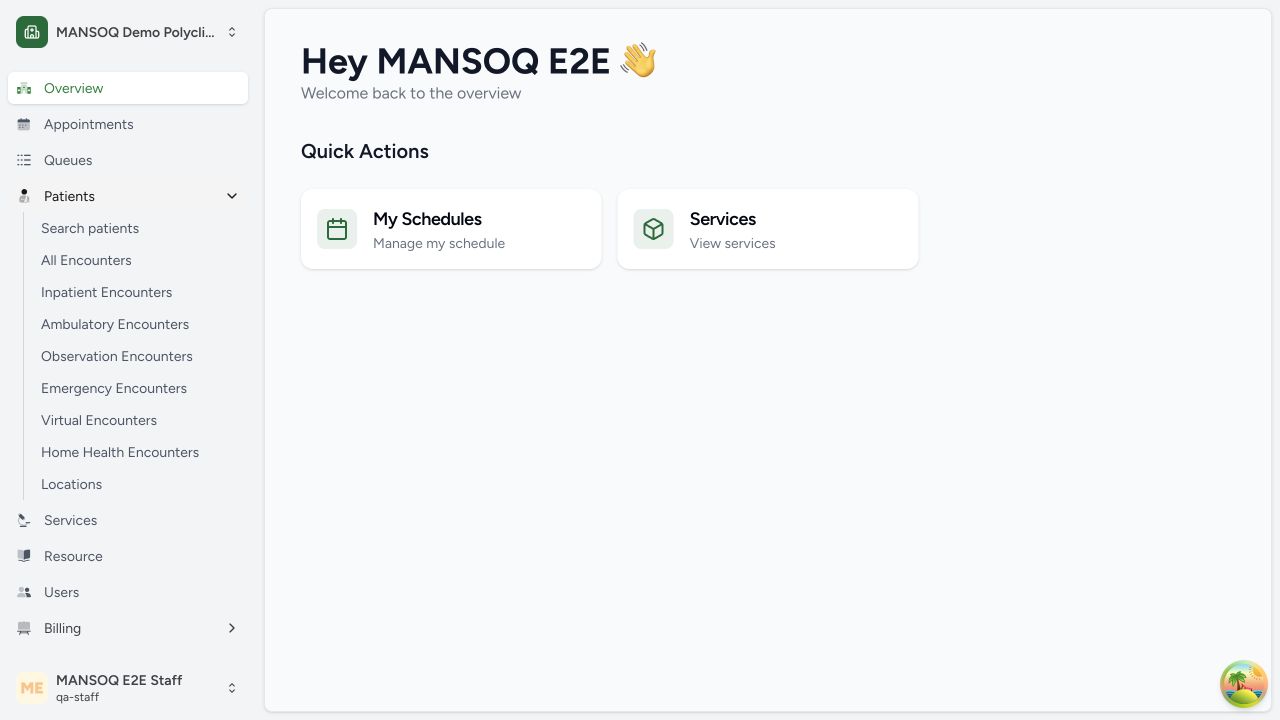
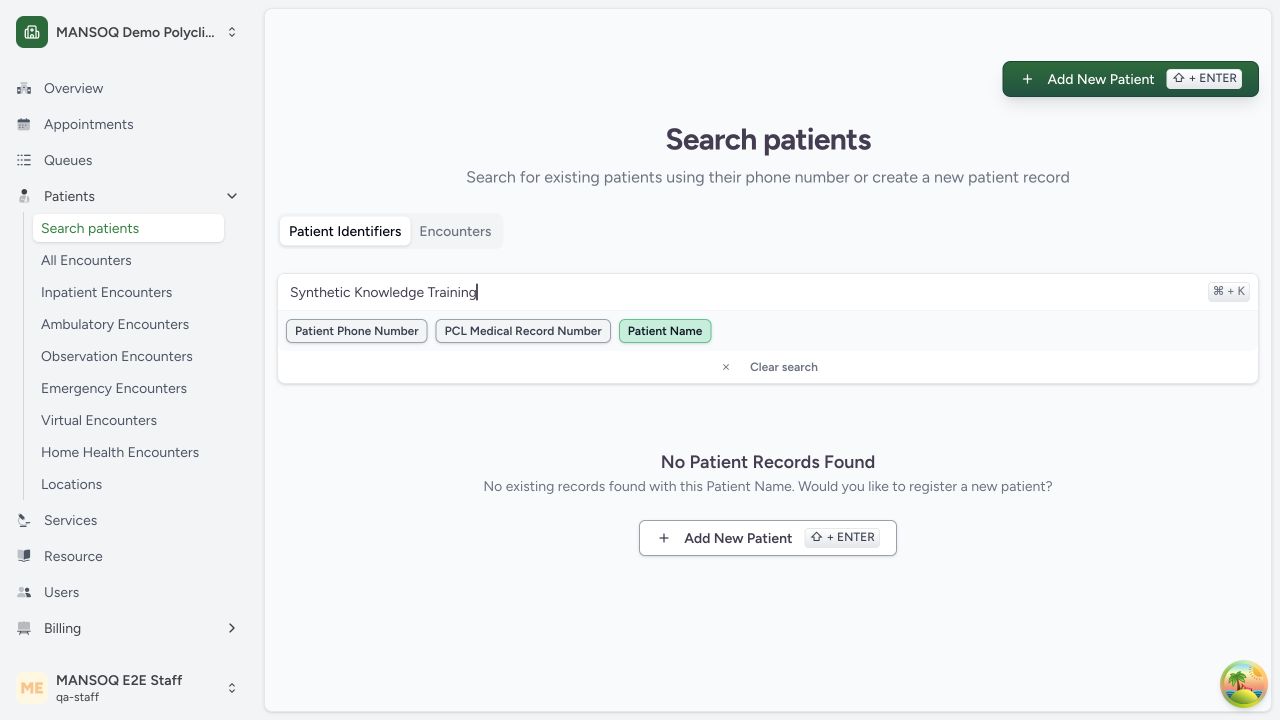
Open Patients → Search patients. Search existing records using the available identifiers, such as name, phone or the configured medical record number. If no match is found, check alternate identifiers before choosing Add New Patient. The captured example uses an explicitly synthetic identity.
2. Enter the personal details
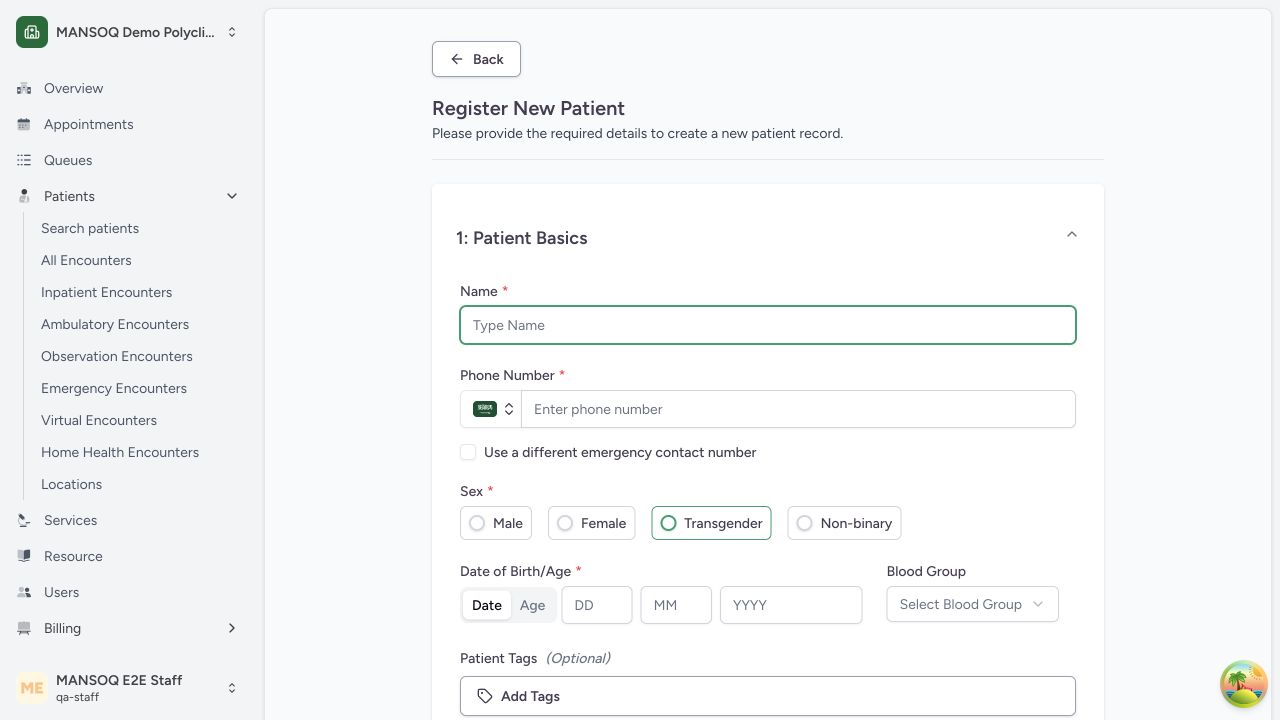
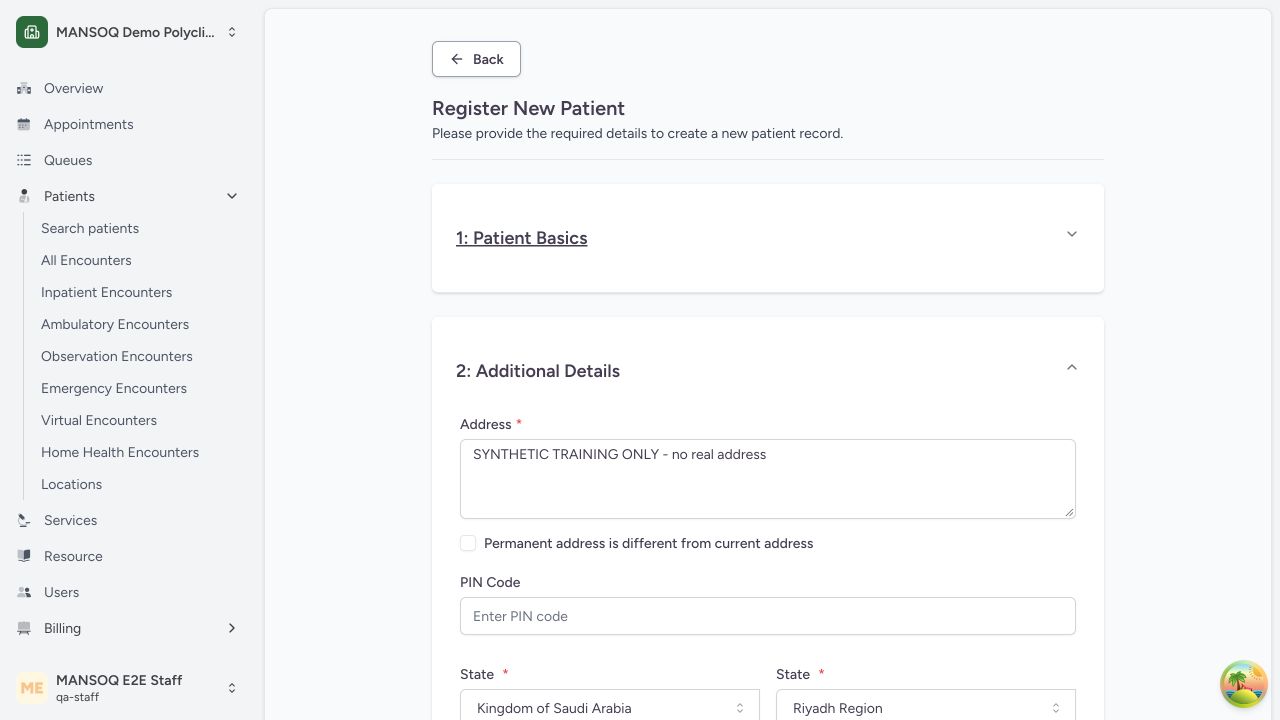
Complete Patient Basics: Name, Phone Number with the correct country selection, Sex, and Date of Birth or Age. Use a different emergency contact number only when needed. Blood Group and Patient Tags are optional unless local configuration requires them.
Complete Additional Details: Address and the configured geography hierarchy. Expand a different permanent address only when it differs. The current form retains PIN Code and State labels; country selection, installed geography and postal validation must be checked for your deployment. The training instance contains Kingdom of Saudi Arabia → Riyadh Region → Riyadh City.
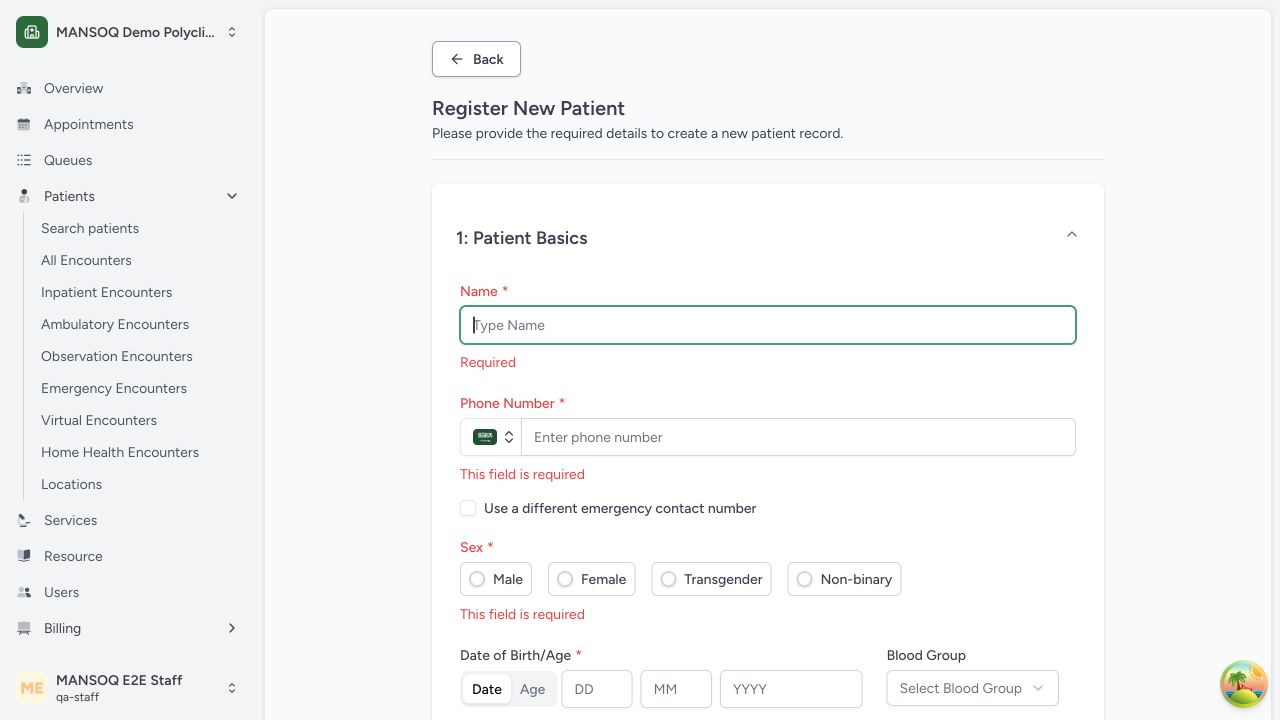
Submitting an incomplete form reports required fields without registering a patient. Correct every message before retrying. Mark deceased only when the patient has actually died and the facility procedure requires that status.
3. Enter the patient identifiers
Complete any patient identifiers required by your facility configuration. Automatically generated identifiers are assigned according to the configured identifier rules. The captured training form had no additional identifier fields; do not assume that configuration applies to other facilities.
4. Save the patient
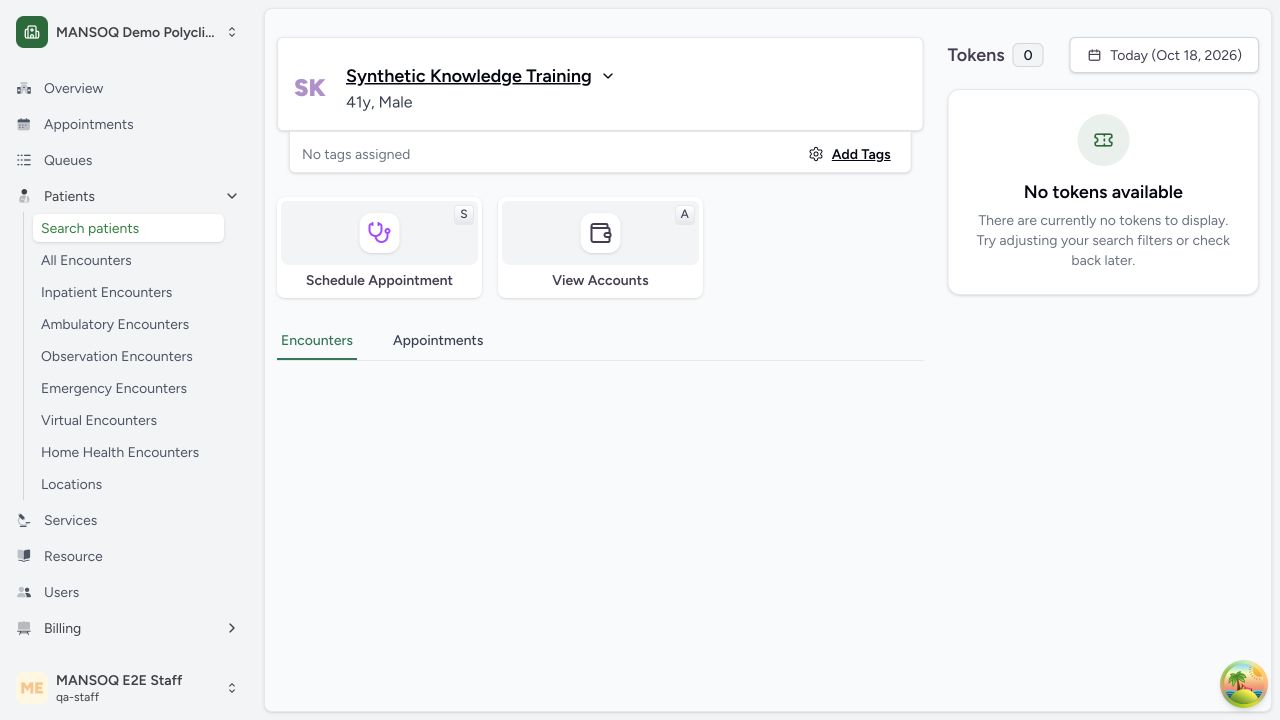
Select Register Patient. Confirm Patient Registered Successfully and verify the identity in the resulting patient workspace. In this training run, registration opened the patient home workspace with Schedule Appointment and View Accounts.
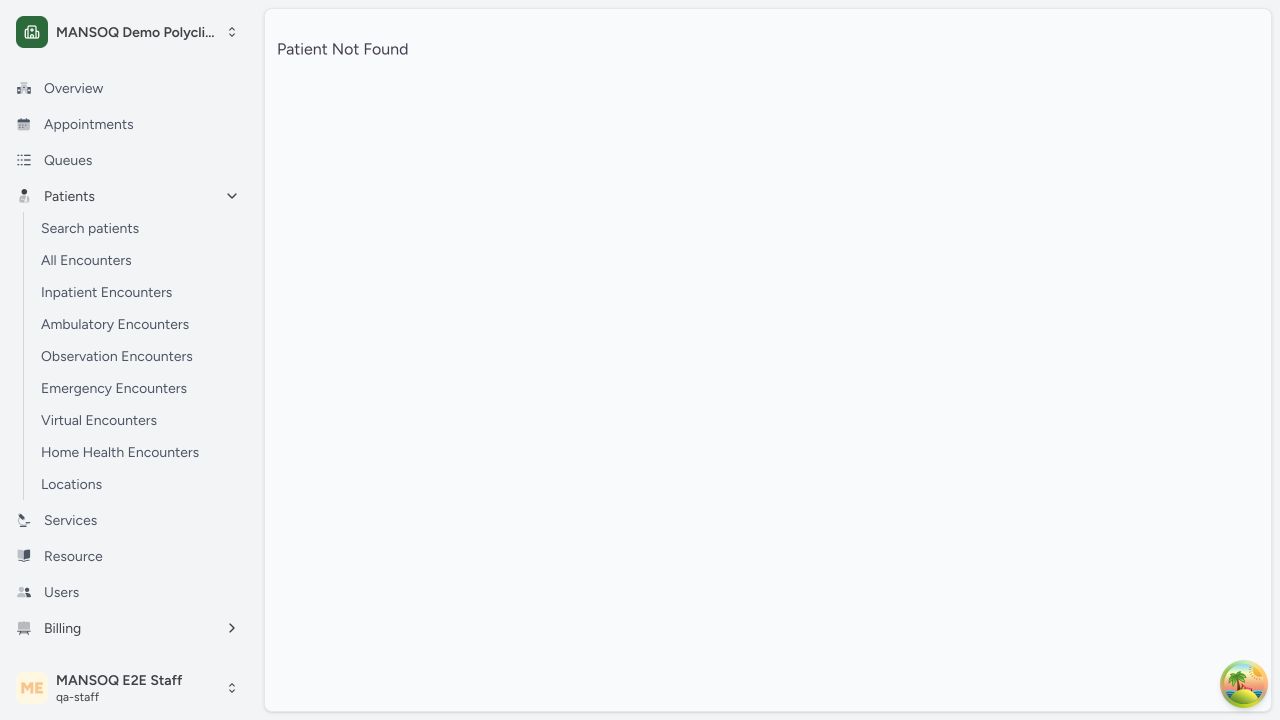
The full clinical profile is a separate access-controlled view. A new patient can return Patient Not Found from View Profile before the required encounter, organization or direct patient association exists. Continue the authorized booking/encounter process; do not create another patient record to resolve this access state.
Permissions
| Permission | Access |
|---|---|
| Can Create Patient | Lets you register a new patient in MANSOQ. |
Expected Outcome
The new record persists and can be found using the permitted patient search. The immediate destination can be the patient home workspace; clinical profile access depends on the user’s patient associations and permissions.
Version and facility configuration
This procedure is grounded in the repository’s version 3.1 user guide and the audited source revision. Available encounter types, required demographics, terminology, permissions and enabled services depend on your facility configuration. Use the labels and access controls on your own instance; the source references below identify the documented implementation.
Troubleshooting
Newly registered patient profile says Patient Not Found
Verify the correct facility and patient identifiers. Clinical access is derived from active encounter department/location associations, organization membership, or direct patient membership. Ask an authorized clinician or administrator to establish the appropriate association; do not duplicate registration.
Source evidence
References are pinned to the private MANSOQ source repository. Repository access is required to open these links.
- repositories/platform/mansoq-documentation/versioned_docs/version-3.1/flows/clinical/patient/register-patient.mdx:5 · f6e9f05f
- repositories/platform/mansoq-web/src/components/Patient/PatientRegistration.tsx:88 · f6e9f05f
- repositories/platform/mansoq-documentation/versioned_docs/version-3.1/flows/clinical/patient/register-patient.mdx:24 · f6e9f05f
- repositories/platform/mansoq-documentation/versioned_docs/version-3.1/flows/clinical/patient/register-patient.mdx:18 · f6e9f05f
- repositories/platform/mansoq-core/mansoq/security/authorization/patient.py:17 · f6e9f05f
- repositories/platform/mansoq-core/mansoq/emr/api/viewsets/patient.py:93 · f6e9f05f