 MANSOQ
 Pharmacy
Prescribe a medication
Create an encounter medication request with a catalogued product, dose, frequency, scheduling bounds and optional route, then verify the saved prescription.
Current source · source reviewed · 7 min read
Before you begin
- Confirm the patient and chosen encounter. Use an active encounter appropriate to the work; completed/cancelled/discontinued/entered-in-error encounters reject clinical writes.
- Have permission to update the encounter’s clinical data. The requester must also have permission on that encounter.
- Configure the facility medication catalogue and valid terminology for units and optional route/form codes. A catalogue listing is not proof of local stock.
1. Open medication entry
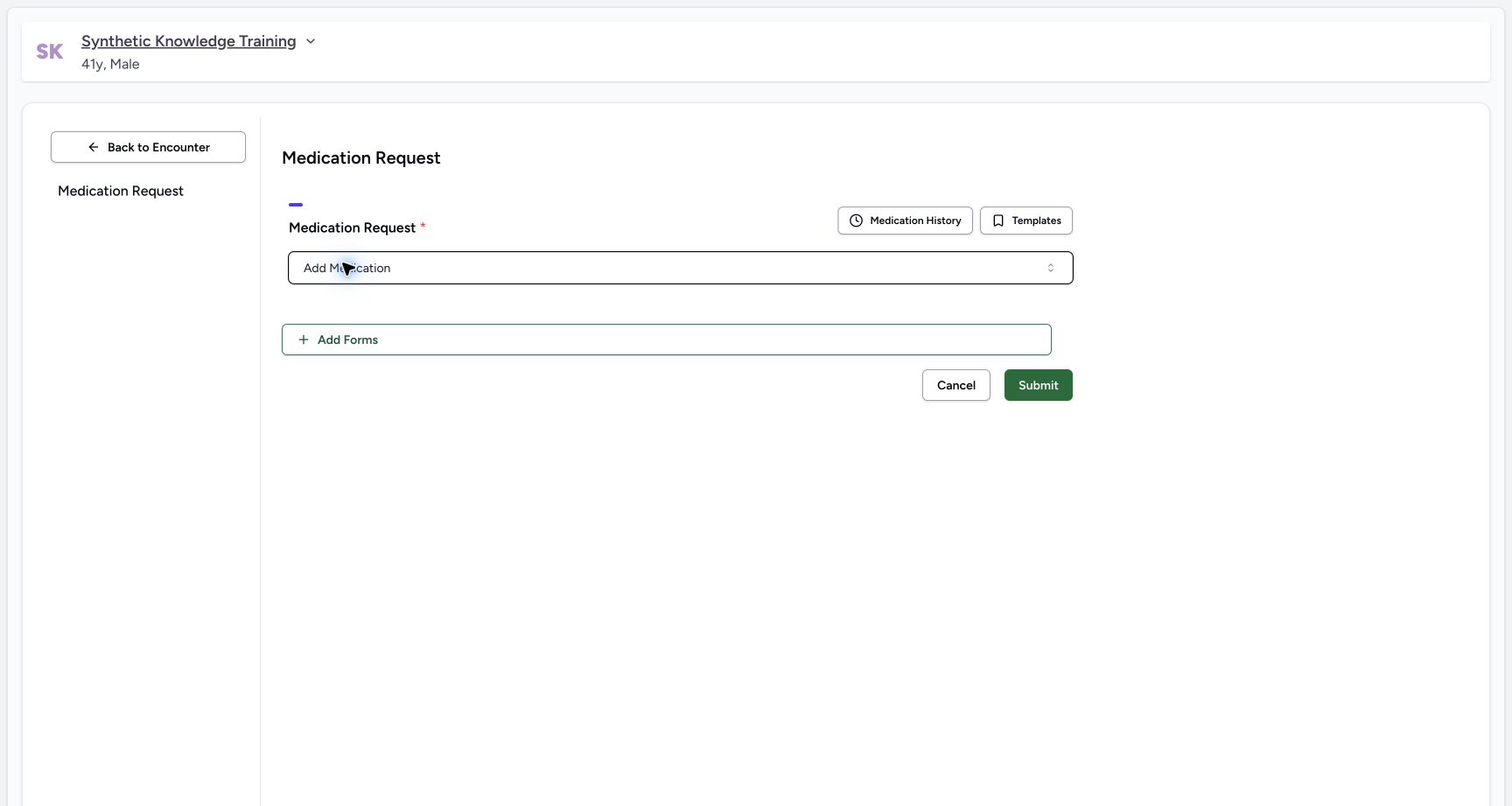
From the encounter Overview select Add Medication, or use Medicines → Prescriptions → Create. The encounter shortcut k opens the medication request questionnaire.
2. Select the facility product
Search the medication picker and choose the intended clinical drug or facility product. Verify the exact strength, dosage form and product identity. The isolated example uses the separately named Synthetic Training — Paracetamol 500mg; it is software training, not a treatment recommendation.
3. Set dose and frequency
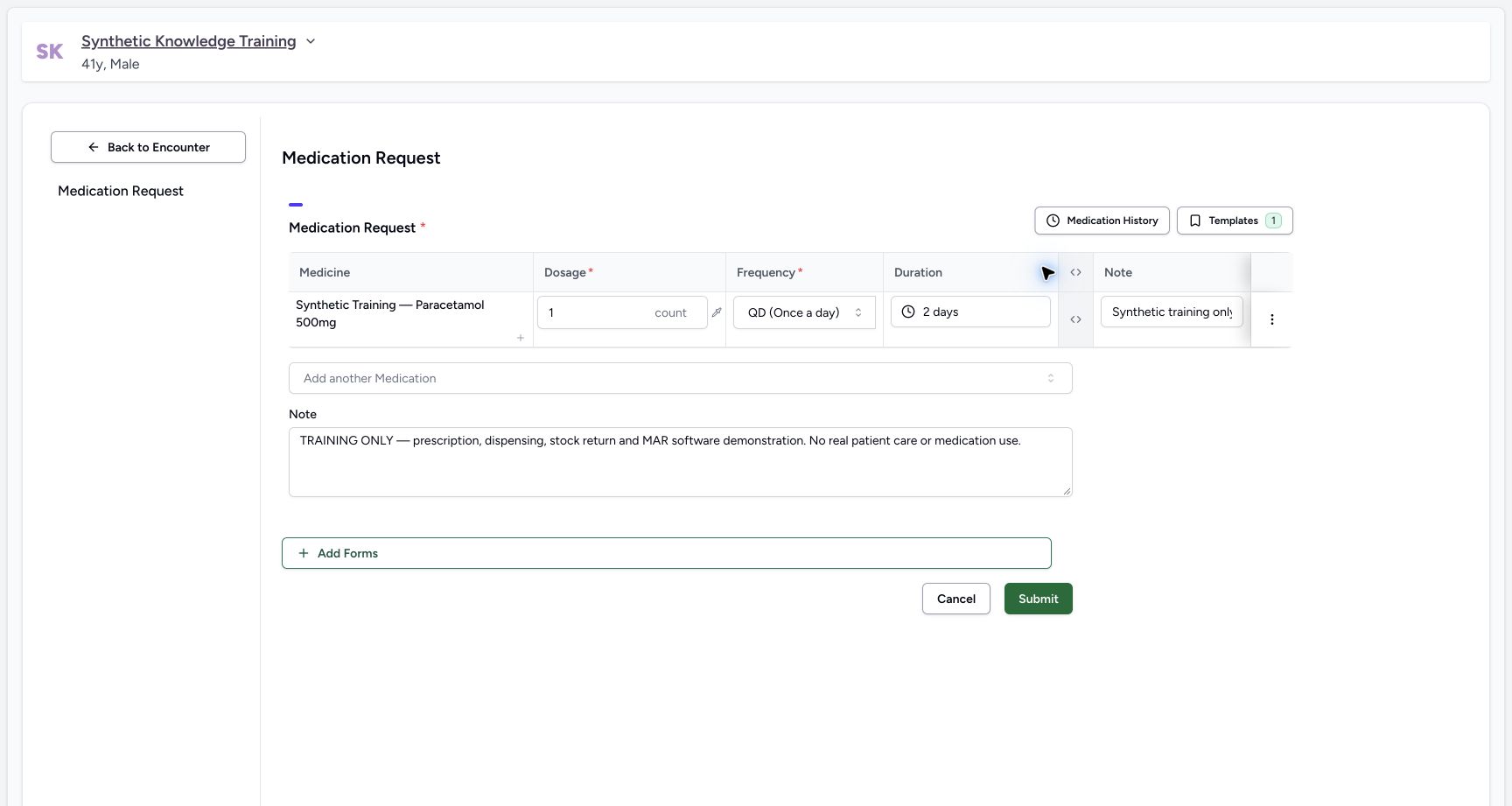
Review Dosage and its unit, then choose Frequency. The training example saves 1 count and QD (Once a day). These example values describe the synthetic record only.
4. Commit the scheduling bounds
Type a duration and select its matching suggestion to commit it. Typing 2 days and then leaving the field without selecting the suggestion can restore the previous value. The picker also offers a range of days and fixed start/end dates. Review the final displayed value before submission.
5. Review optional advanced fields
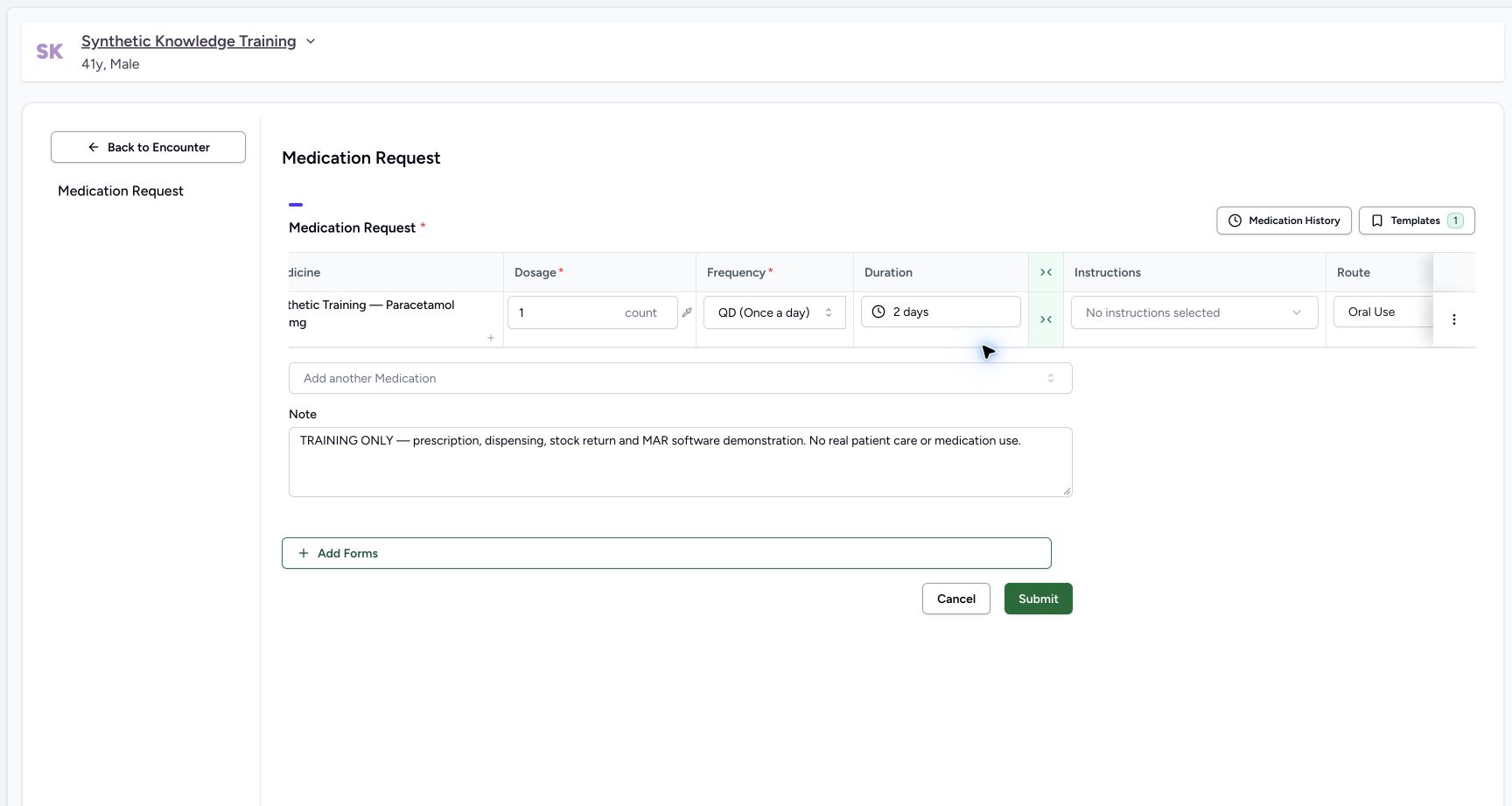
Use the narrow Show Advanced Fields control in the medicine row to expose Instructions, Route, Site, Method, Intent, Authored On and Requester. The training catalogue supplies Oral Use; select the configured route rather than assuming it is copied from the product. Only populate fields supported by the facility’s terminology.
6. Add medicine and prescription notes
The row note describes one medicine. The Note below the medicine list applies to the prescription. The current observed form creates a prescription group when submitted; it did not require a separate prescription-name step in this path.
7. Submit the medication request
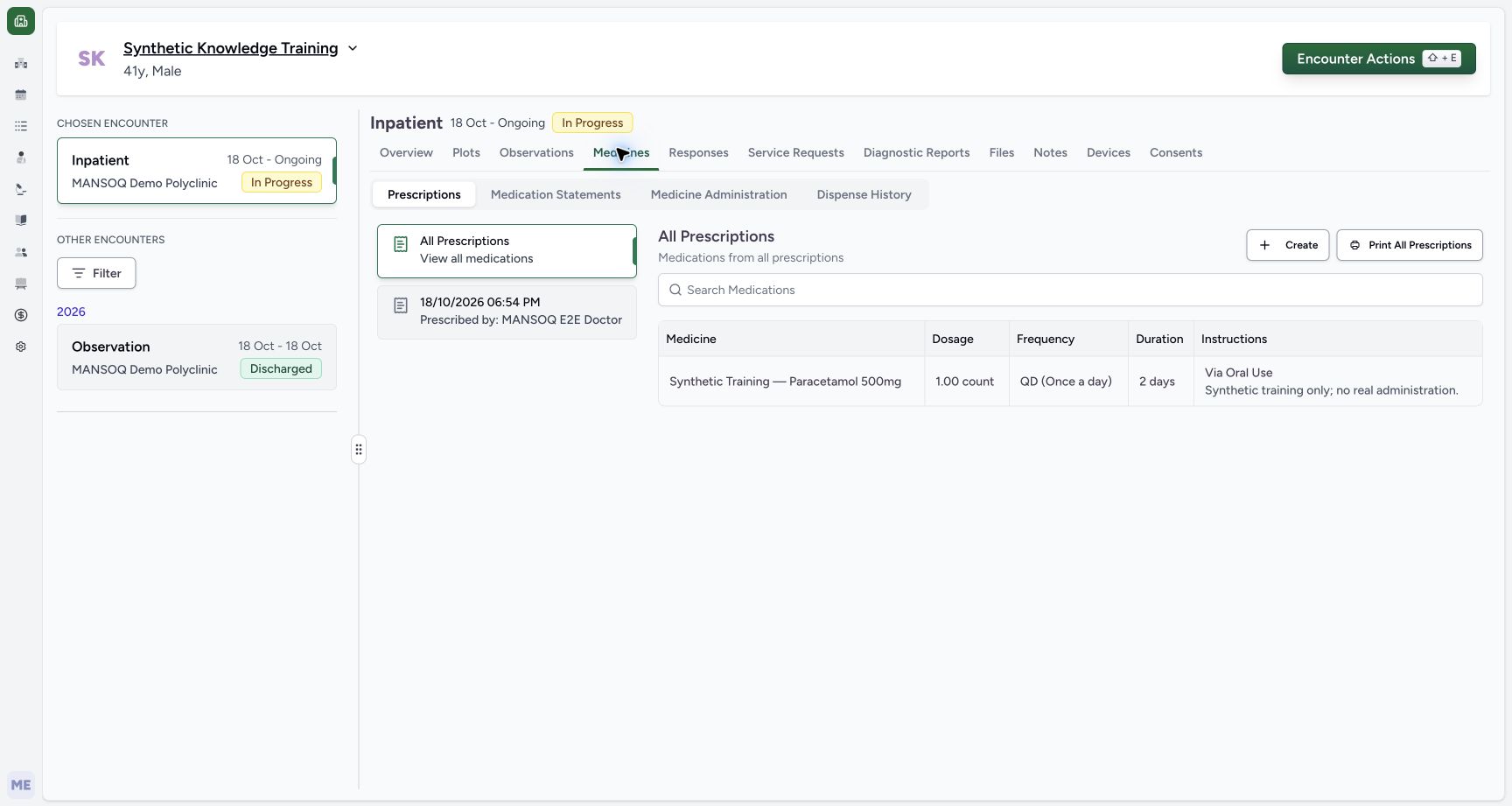
Select Submit after reviewing each row. Wait for navigation back to the encounter and inspect Medicines → Prescriptions; a disabled button while saving is not the final confirmation.
8. Read the saved prescription
Confirm product, dose, frequency, duration, route and author in the saved prescription. The observed example appears as 1.00 count, QD (Once a day), 2 days, and Via Oral Use. Independent local readback verified the request and prescription records.
Clinical responsibility and training scope
Screenshots use an isolated synthetic patient and a training product. Example dose, route, schedule and duration demonstrate software controls and do not define a clinical protocol.
Current verified outcome
The request is saved as Active/Order/Routine on the chosen Inpatient encounter and is visible in the Pharmacist prescription queue. Saving a prescription neither dispenses stock nor records administration.
Access and terminology
The medication request authorizer checks the selected requester’s ability to update the encounter. Catalogue and terminology availability depend on local configuration; the training instance used native Saudi product/route/form catalogues and finite source-backed UCUM units.
Troubleshooting
Duration returns to its old value
Select the typed duration from the suggestion list before leaving the input. Recheck the committed label.
A route or unit is refused
Ask the administrator to install the correct terminology/catalogue and valueset composition. Do not bypass coding validation.
Source evidence
References are pinned to the private MANSOQ source repository. Repository access is required to open these links.
- repositories/platform/mansoq-documentation/versioned_docs/version-3.1/flows/medications/medication-request/prescribe-medication.mdx:5 · f6e9f05f
- repositories/platform/mansoq-web/src/components/Questionnaire/QuestionTypes/MedicationRequestQuestion.tsx:132 · f6e9f05f
- repositories/platform/mansoq-documentation/versioned_docs/version-3.1/flows/medications/medication-request/prescribe-medication.mdx:24 · f6e9f05f
- repositories/platform/mansoq-documentation/versioned_docs/version-3.1/flows/medications/medication-request/prescribe-medication.mdx:18 · f6e9f05f
- repositories/platform/mansoq-web/src/components/Questionnaire/QuestionTypes/MedicationRequestQuestion.tsx:613 · f6e9f05f
- repositories/platform/mansoq-web/src/components/Questionnaire/QuestionTypes/MedicationRequestQuestion.tsx:1110 · f6e9f05f
- repositories/platform/mansoq-web/src/components/Medicine/DurationInput.tsx:188 · f6e9f05f
- repositories/platform/mansoq-core/mansoq/emr/api/viewsets/medication_request.py:98 · f6e9f05f