 MANSOQ
 Inventory
Receive and complete a purchase delivery
Approve a purchase delivery, receive goods and complete the delivery to update stock.
Current source · source reviewed · 3 min read
Before you begin
- You created the purchase delivery, and you added the delivered items to it. See Add delivered items to a purchase delivery.
- The purchase delivery is in the Draft status.
- You have the permission listed below.
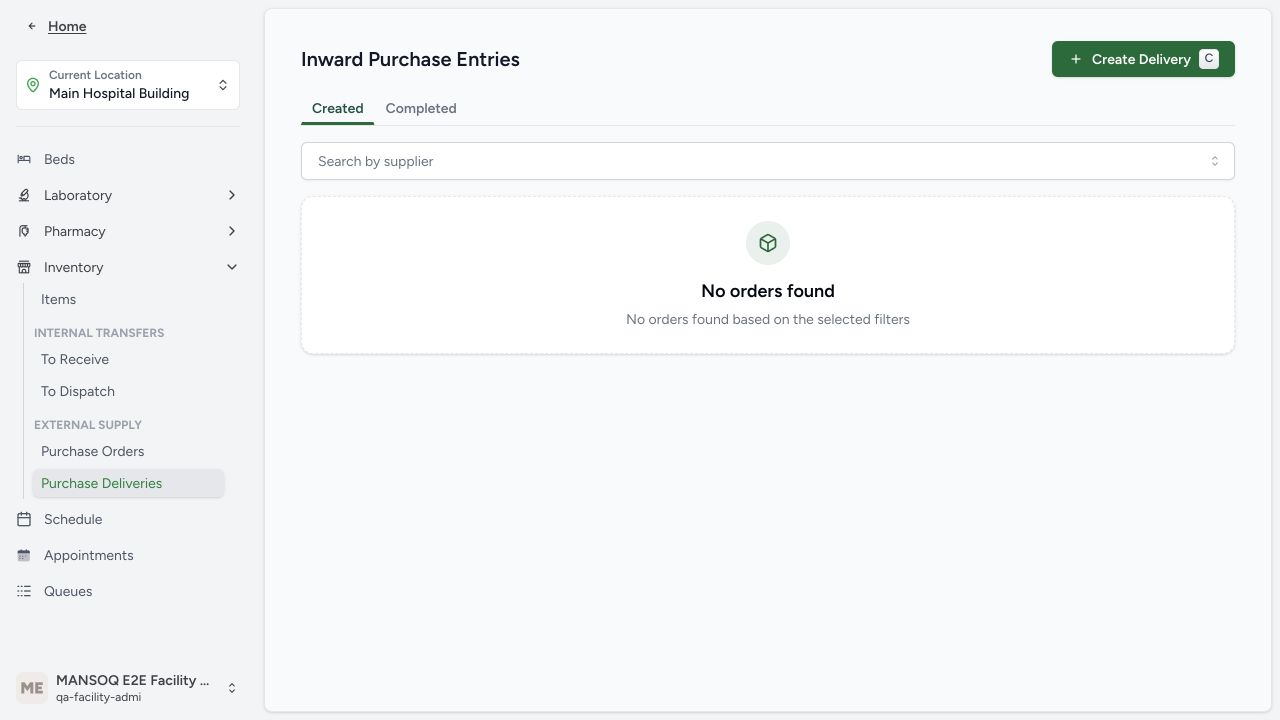
1. Open the purchase delivery
Open the purchase delivery that you want to receive.
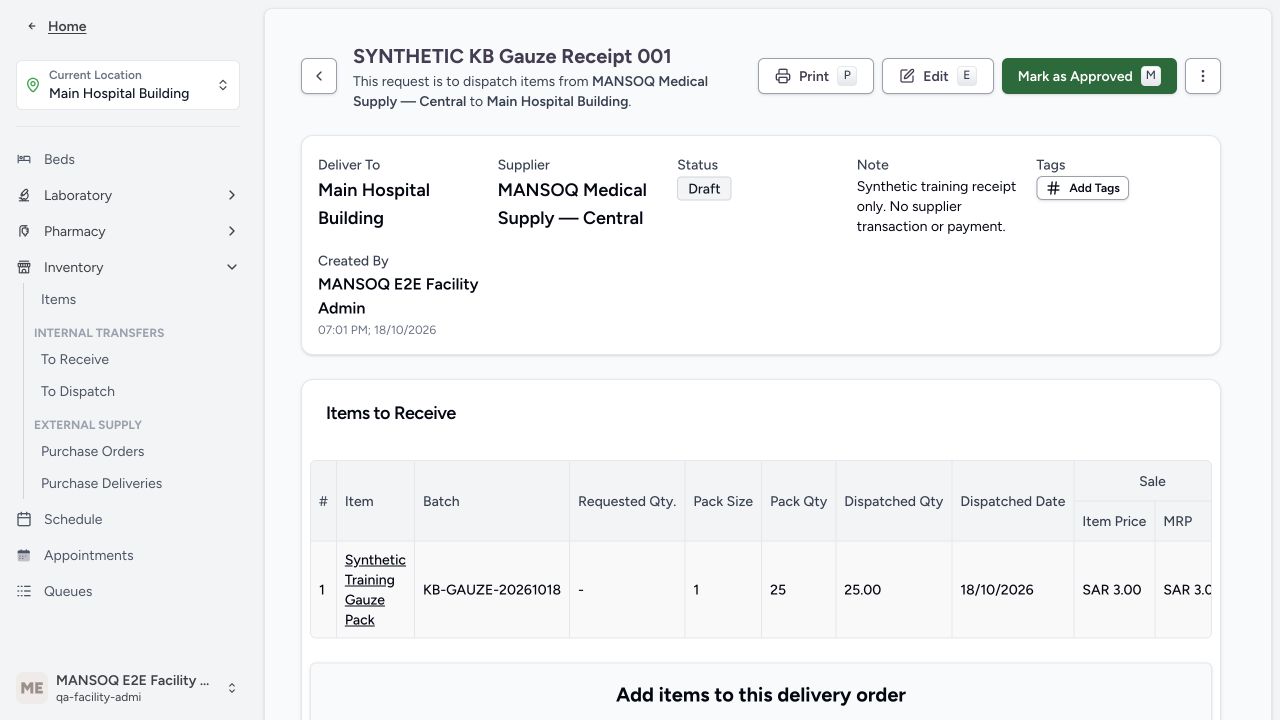
2. Approve the delivery
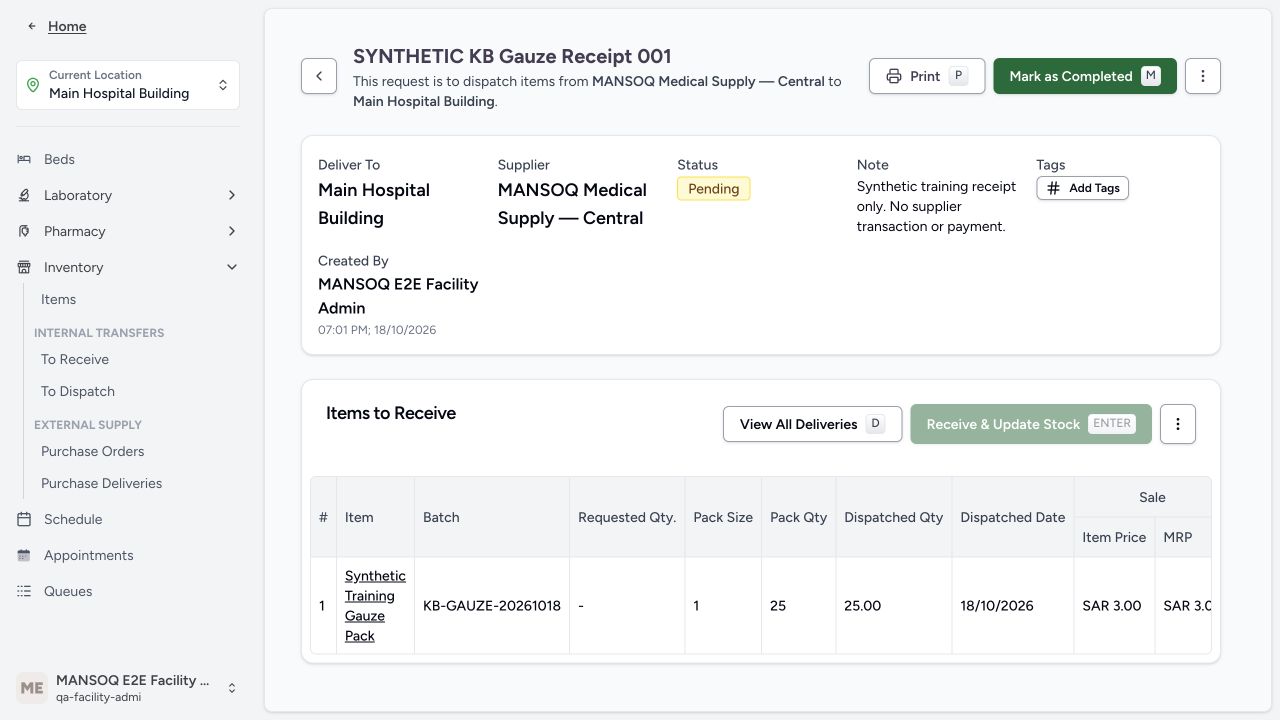
Click Mark as Approved. MANSOQ moves the delivery from Draft to Pending.
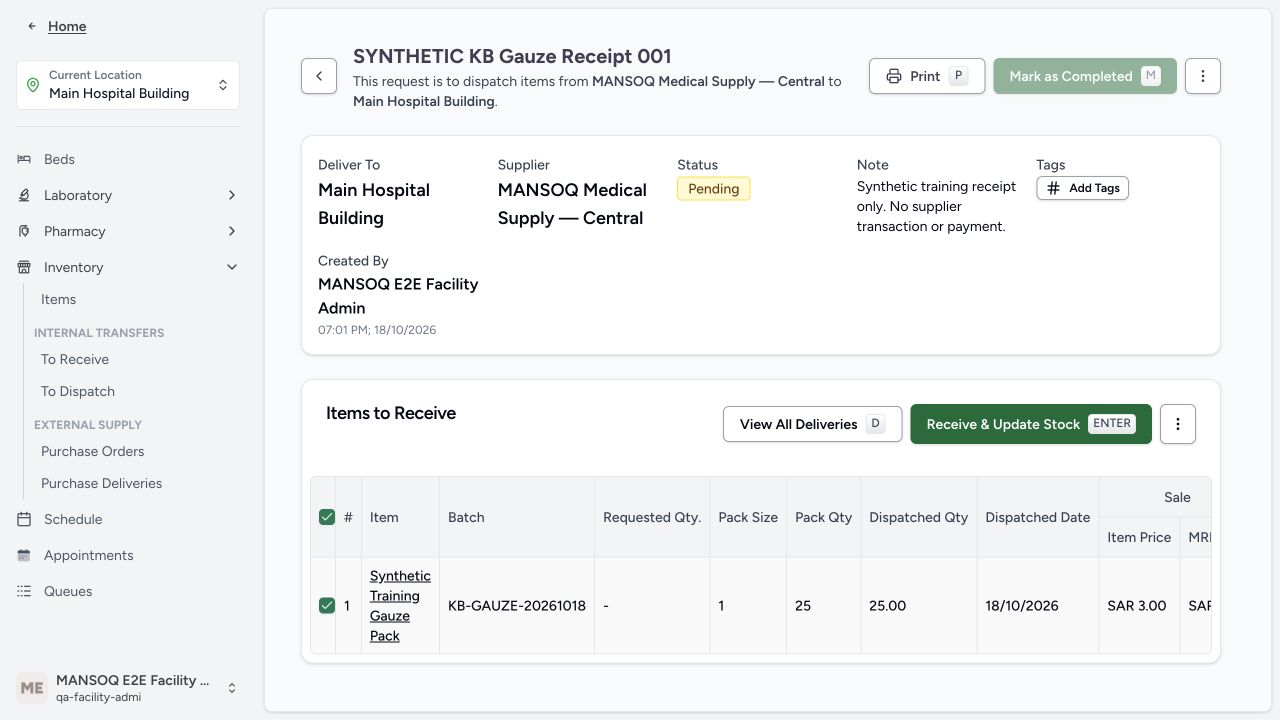
3. Record the goods you receive
Wait until the goods arrive at the destination location. Mark the delivery as received. Confirm the condition of each item. Select Normal or Damaged for each item.
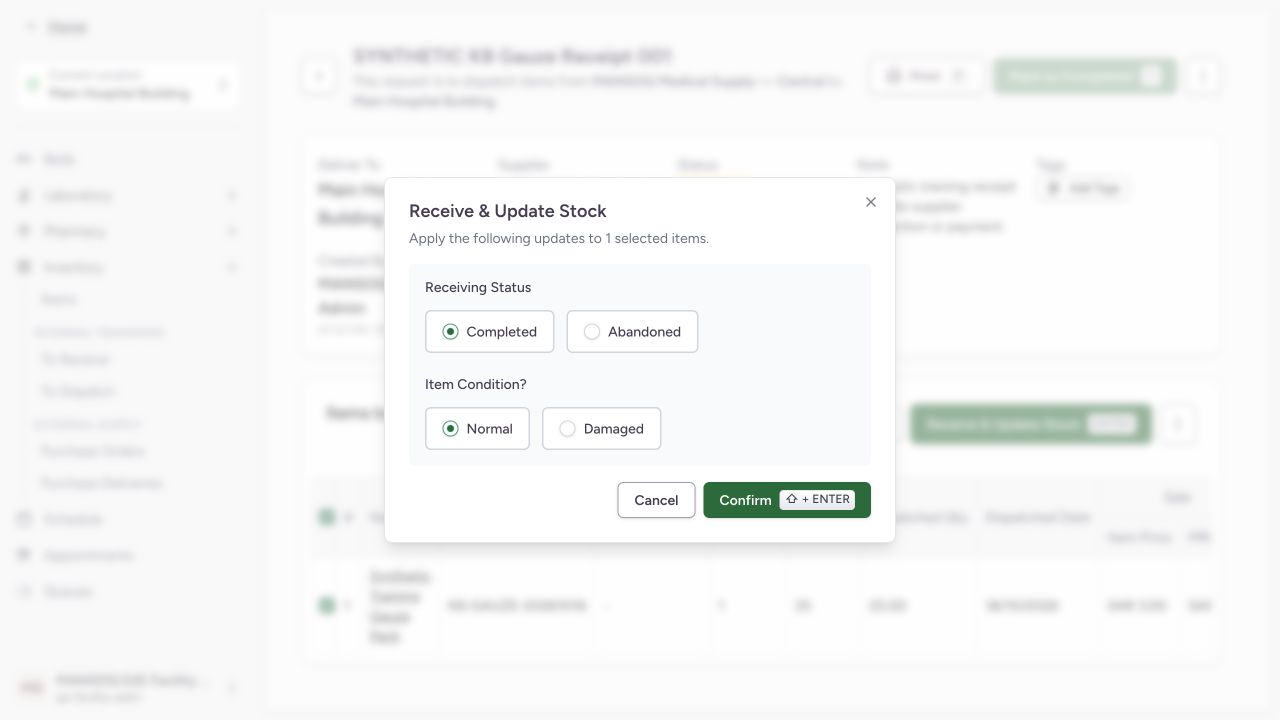
4. Complete the delivery
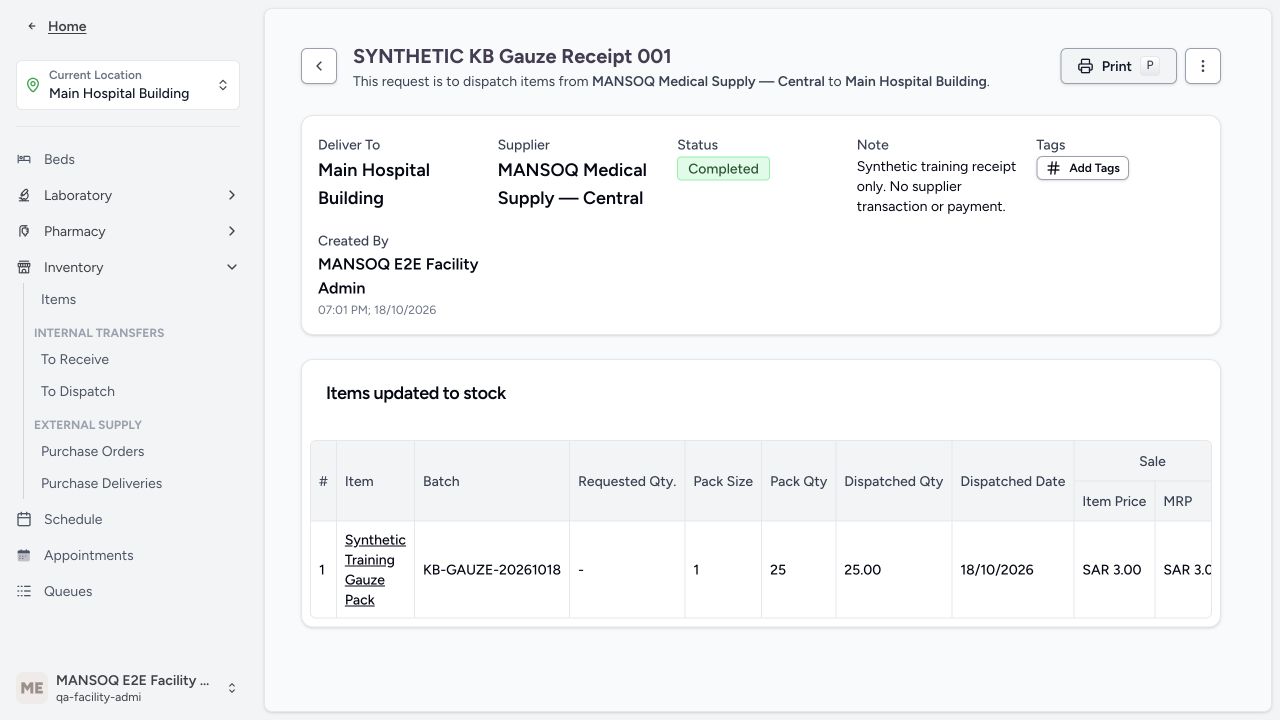
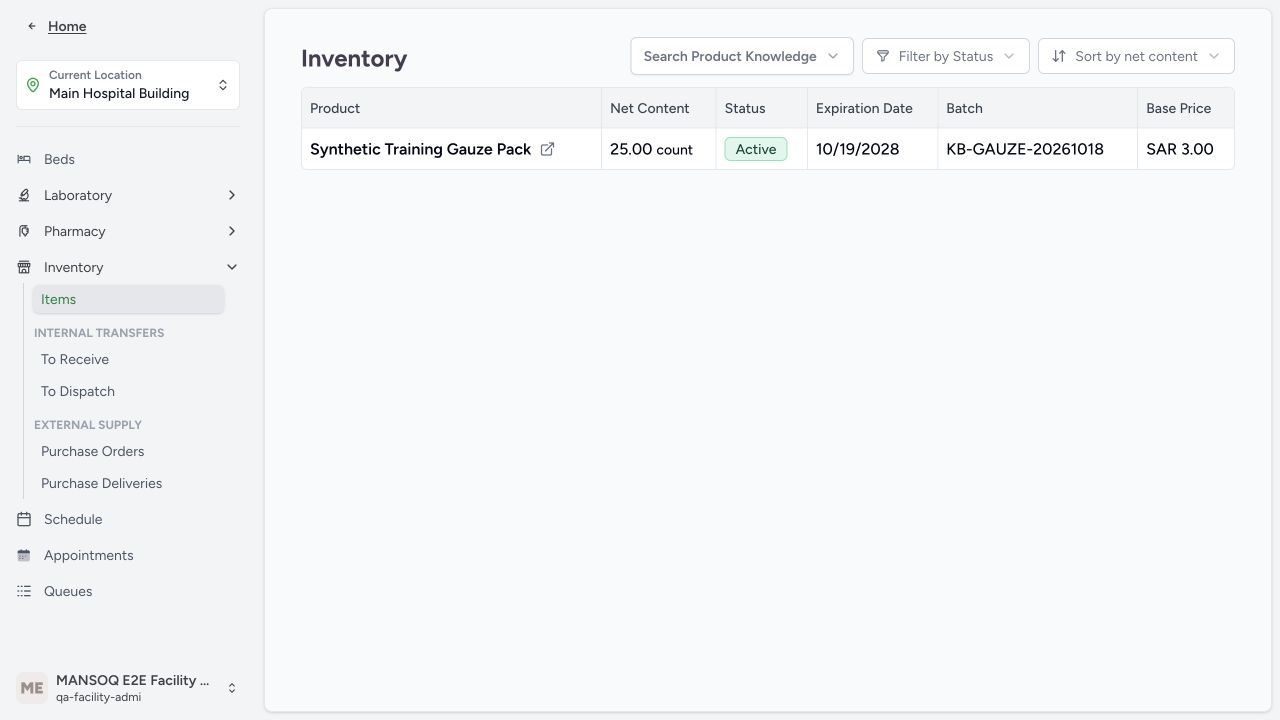
Click Mark as Completed. MANSOQ updates the stock counts of the inventory items at the destination location.
Note: If the delivery is linked to a patient, the delivery is a medication return. MANSOQ then creates a refund invoice and reversed charge items on the billing account of that patient.
Permissions
| Permission | Access |
|---|---|
| Can Create External Supply Delivery on Facility | Lets you approve, receive, and complete a purchase delivery at the facility. Facility Admin and Admin have this permission. |
Expected Outcome
- The purchase delivery is in the Completed status.
- The stock counts of the inventory items at the destination location show the goods you receive.
- Each delivered item shows the condition that you confirm: Normal or Damaged.
- For a delivery that is linked to a patient, the billing account of that patient shows a refund invoice and reversed charge items.
Version and facility configuration
This procedure is grounded in the repository’s version 3.1 user guide and the audited source revision. Available encounter types, required demographics, terminology, permissions and enabled services depend on your facility configuration. Use the labels and access controls on your own instance; the source references below identify the documented implementation.
Source evidence
References are pinned to the private MANSOQ source repository. Repository access is required to open these links.
- repositories/platform/mansoq-documentation/versioned_docs/version-3.1/flows/supply/purchase-delivery/receive-purchase-delivery.mdx:5 · f6e9f05f
- repositories/platform/mansoq-web/src/pages/Facility/services/inventory/externalSupply/deliveryOrder/DeliveryOrderShow.tsx:215 · f6e9f05f
- repositories/platform/mansoq-documentation/versioned_docs/version-3.1/flows/supply/purchase-delivery/receive-purchase-delivery.mdx:23 · f6e9f05f
- repositories/platform/mansoq-documentation/versioned_docs/version-3.1/flows/supply/purchase-delivery/receive-purchase-delivery.mdx:17 · f6e9f05f