 MANSOQ
 Appointments & queues
Manage a token queue
Open a resource queue, follow token progress, serve the next patient and manage service points.
Current source · source reviewed · 3 min read
Before you begin
- A token queue holds at least one token.
- You have the permissions listed below.
1. Open the queues
Open the facility and select Queues. The page lists the token queues of the facility. The primary queue of a resource shows the Primary marker.
2. Open a queue
Select the queue that you want to work through.
3. Read the tabs
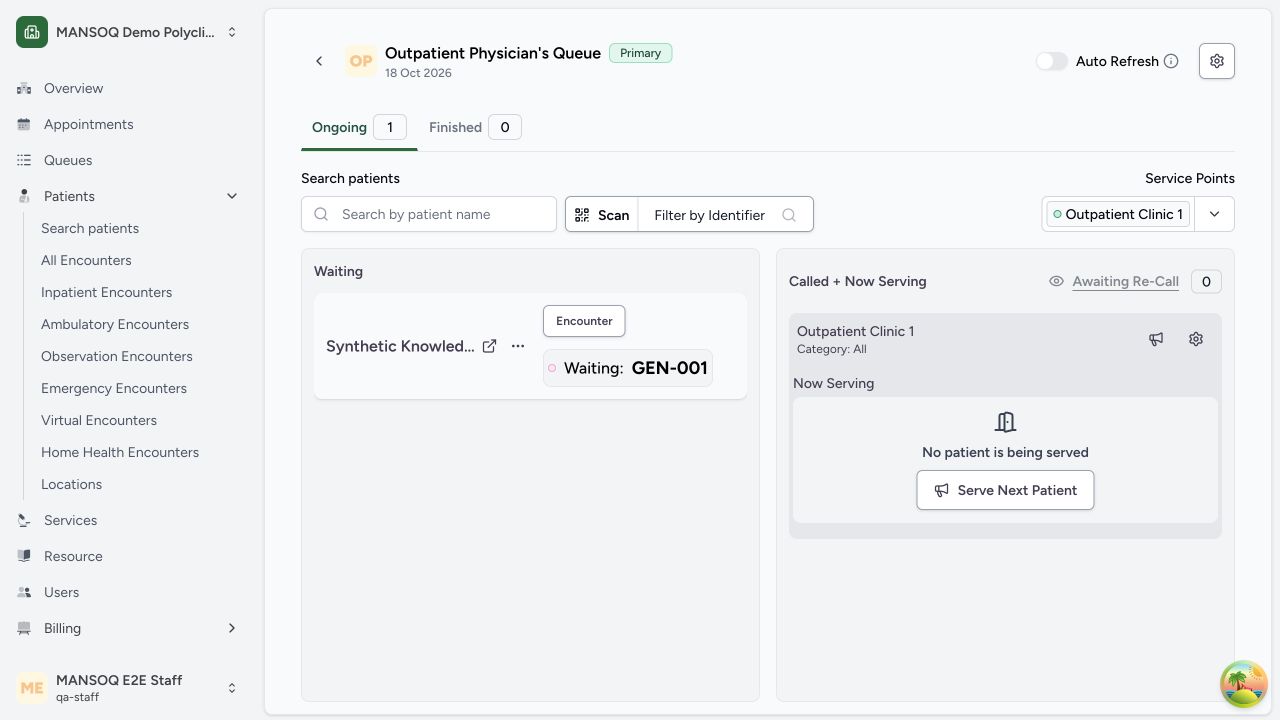
The queue holds two tabs:
| Tab | What it shows |
|---|---|
| Ongoing | The tokens that wait, and the tokens that staff serve now. |
| Finished | The tokens that staff finished. The table shows Token Number, Patient Name, Encounter, Service Points and Status. |
Turn on Auto Refresh to update the queue without a reload.
4. Serve the next patient
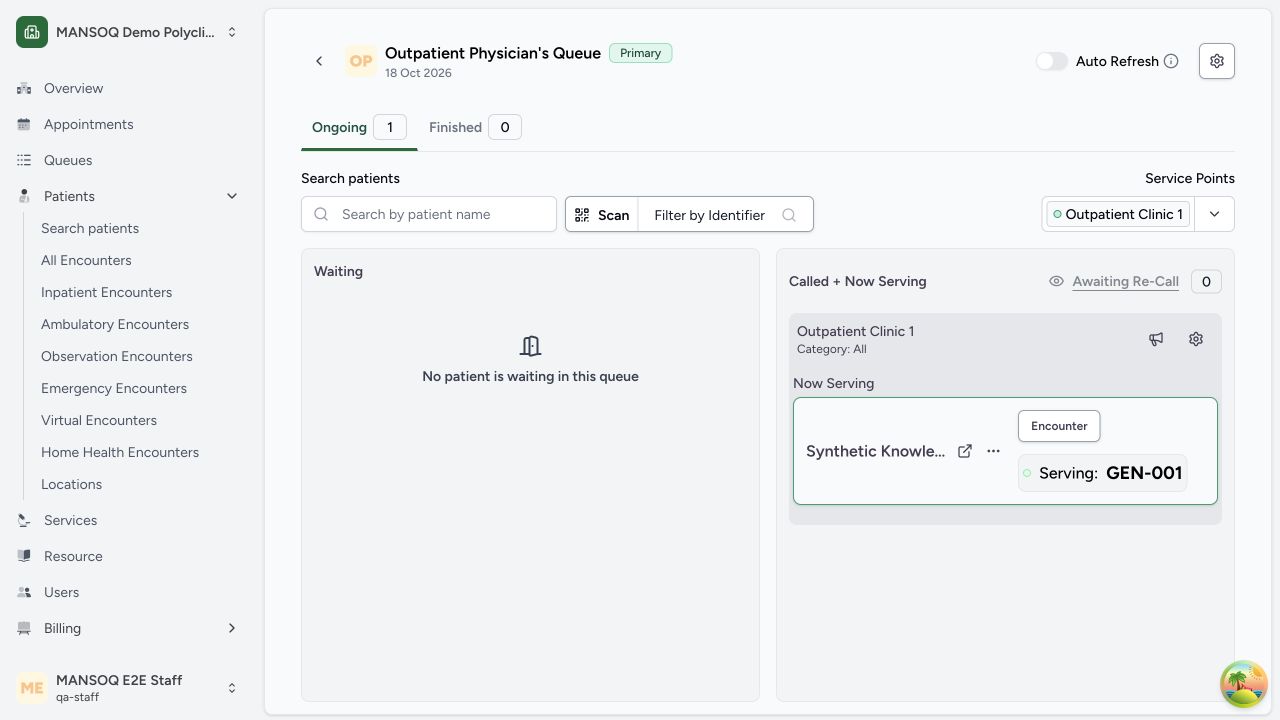
Select Serve Next Patient. MANSOQ moves the next token to In Progress and shows it as the current token.
If the queue has no waiting token, the tab shows that no patient waits.
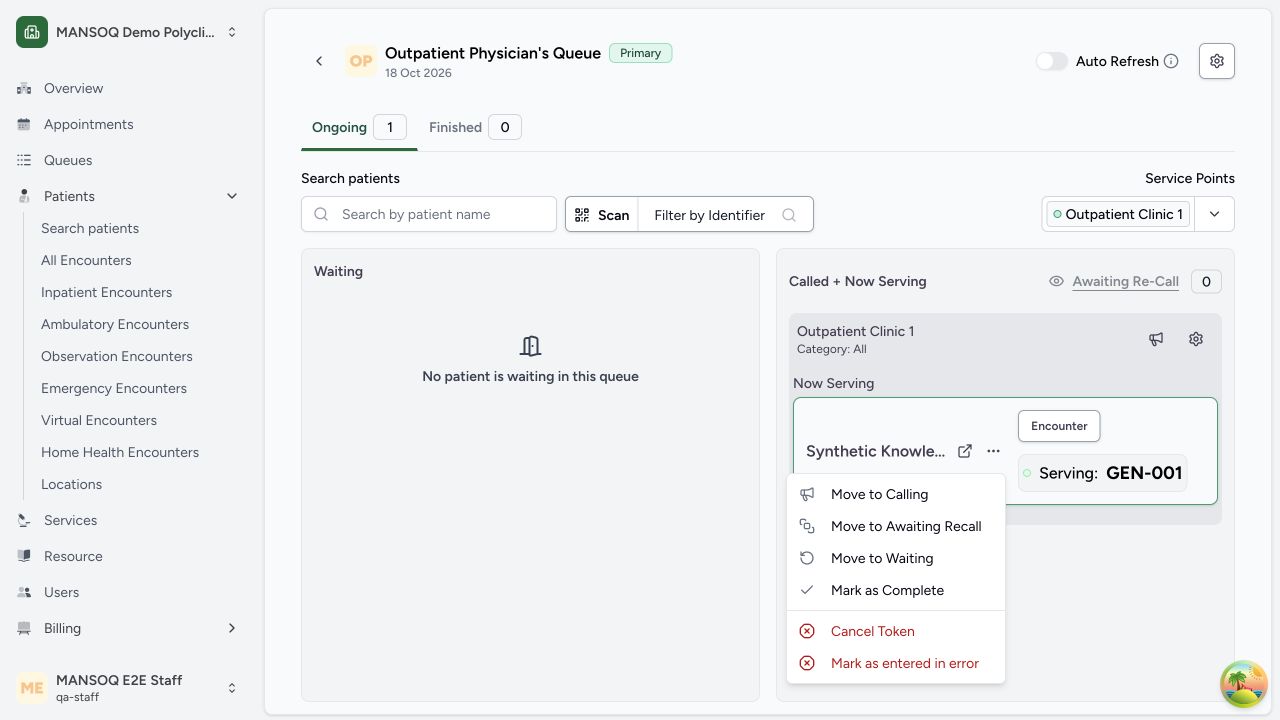
Verify that the waiting token moves to Called + Now Serving with Serving status at the selected service point. Open its Actions menu for Move to Calling, Move to Awaiting Recall, Move to Waiting, Mark as Complete, Cancel Token, or Mark as entered in error as appropriate. Complete only the queue work that has actually finished; completing a token does not substitute for clinical encounter completion or discharge.
5. Manage the service points
To split the queue between more than one place, select Manage Service Points. Each service point serves the queue and records the token that it serves now.
Permissions
| Permission | Access |
|---|---|
| Can list token on Object | Lets you see the queue and its tokens. |
| Can Create on Token | Lets you change the status of a token. |
Expected Outcome
- Staff serve the patients in the order of their token numbers.
- Finished tokens move to the Finished tab.
Version and facility configuration
This procedure is grounded in the repository’s version 3.1 user guide and the audited source revision. Available encounter types, required demographics, terminology, permissions and enabled services depend on your facility configuration. Use the labels and access controls on your own instance; the source references below identify the documented implementation.
Source evidence
References are pinned to the private MANSOQ source repository. Repository access is required to open these links.
- repositories/platform/mansoq-documentation/versioned_docs/version-3.1/flows/scheduling/token/manage-token-queue.mdx:5 · f6e9f05f
- repositories/platform/mansoq-web/src/pages/Facility/queues/ManageQueue.tsx:61 · f6e9f05f
- repositories/platform/mansoq-documentation/versioned_docs/version-3.1/flows/scheduling/token/manage-token-queue.mdx:23 · f6e9f05f
- repositories/platform/mansoq-documentation/versioned_docs/version-3.1/flows/scheduling/token/manage-token-queue.mdx:16 · f6e9f05f