 MANSOQ
 RCM & insurance
Assess authorization timing and deemed approval evidence
Use configured turnaround rules and a complete evidence pack when a response is late.
Current source · source reviewed · 6 min read
Before you begin
- A submitted authorization with a running clock and applicable TAT rule.
- Submission, acknowledgement and polling evidence.
1. Open the authorization clock
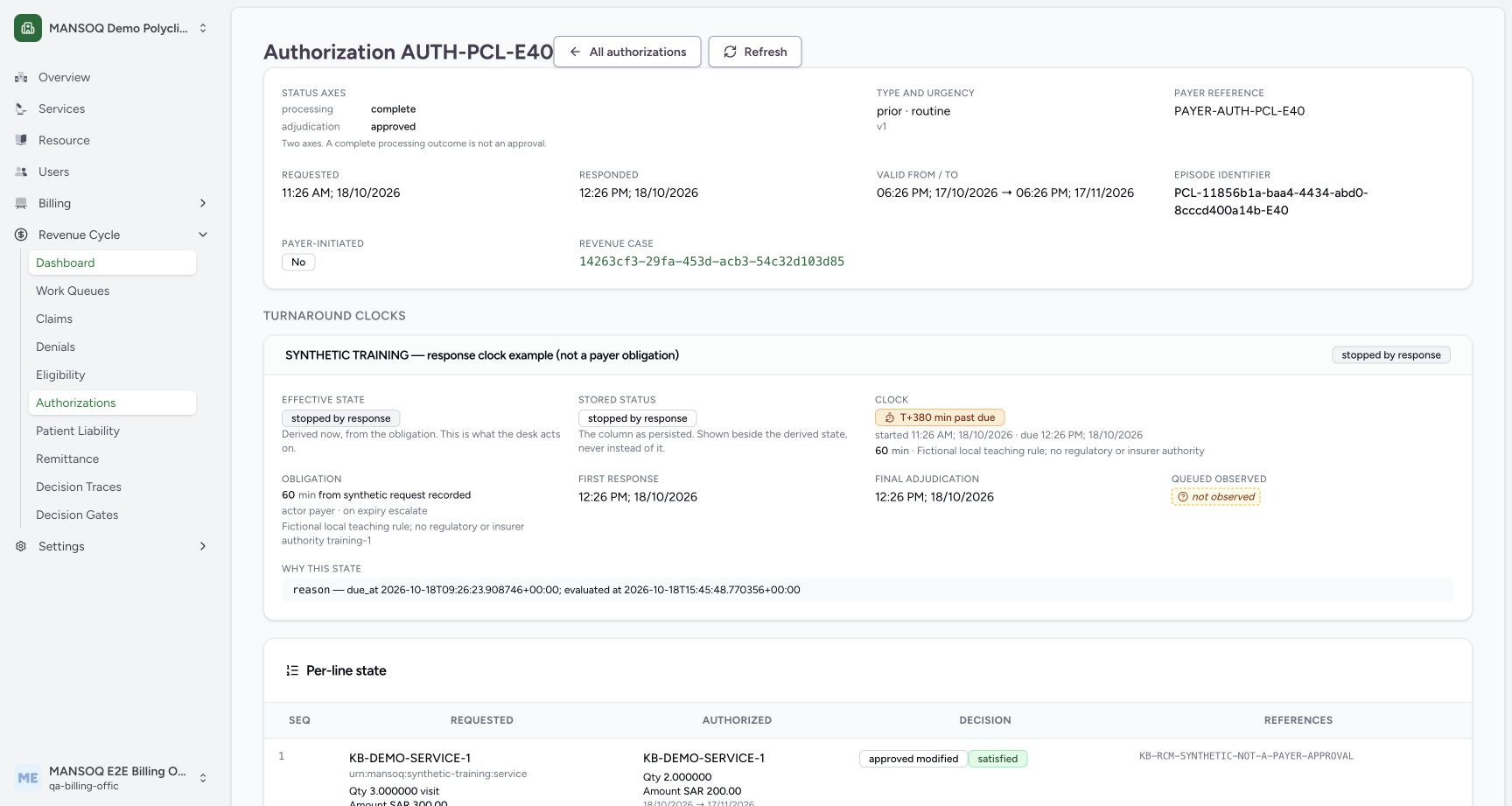
Inspect the selected turnaround rule, instrument version, sent time and subsequent observations. Read the clock’s contested or late-adjudication state.
2. Record response observations
Use the authorized observation workflow to associate received processing outcomes with the clock. A queued response does not automatically stop it or establish approval.
3. Review the evidence pack
For any deemed-approval assessment, retain request message identity, payload digest, validated submission, transport acknowledgement, poll attempts and responses received, including any payer business error.
4. Read all refusals before acting
The deem assessment returns permitted, verdict, refusals, evidence_gaps, contested state and reason trace. Correct missing evidence under the responsible owner; a timed-out screen alone cannot establish permission.
No universal time threshold
The applicable duration is configuration with an instrument, version and effective date. Do not teach a single number as a universal approval rule for every program and payer.
Expected record
When an assessment is permitted, the system persists DeemedApprovalEvidence referencing the authorization, clock, rule, package and evidence. That record is the traceable outcome.
What the current screenshots demonstrate
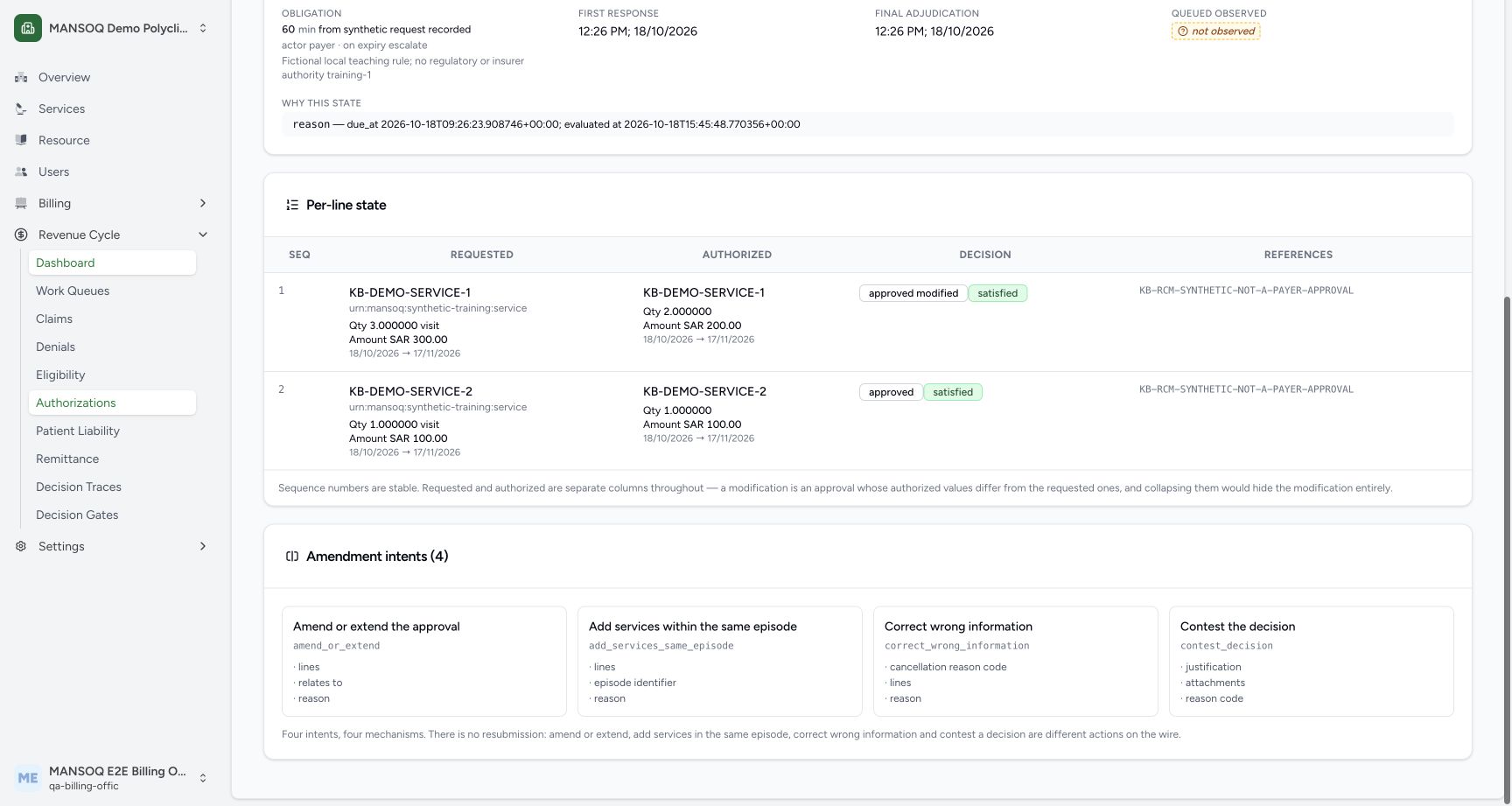
These are current captures from an isolated Polyclinic training environment, using explicitly fictional insurance, response, authorization, remittance and policy fixtures. They demonstrate the displayed controls and scoped observations only. They do not establish live payer connectivity, a genuine insurer approval, regulatory qualification, production tax filing, a complete role/facility matrix or a cleared financial estimate.
Troubleshooting
Time has elapsed but deeming is refused
Inspect evidence_gaps and refusals, particularly whether submission was validated, a business error arrived, or polling proof is missing.
Source evidence
References are pinned to the private MANSOQ source repository. Repository access is required to open these links.