 MANSOQ
 RCM & insurance
Submit and follow a prior authorization
Follow the request, validity, line sufficiency and response without treating a queued status as approval.
Current source · source reviewed · 7 min read
Before you begin
- Correct clinical episode, coverage and requested services.
- Required clinical information and a configured authorization route.
1. Review the draft request
Open the episode or Authorization workbench. Confirm requested services, urgency, requested amount and clinical information against the actual care plan.
2. Submit the draft
Use Submit pre-authorization when the case shows an eligible draft. The transaction is sent through the configured NPHIES workflow; inspect the exchange result after queuing.
3. Track status and clocks
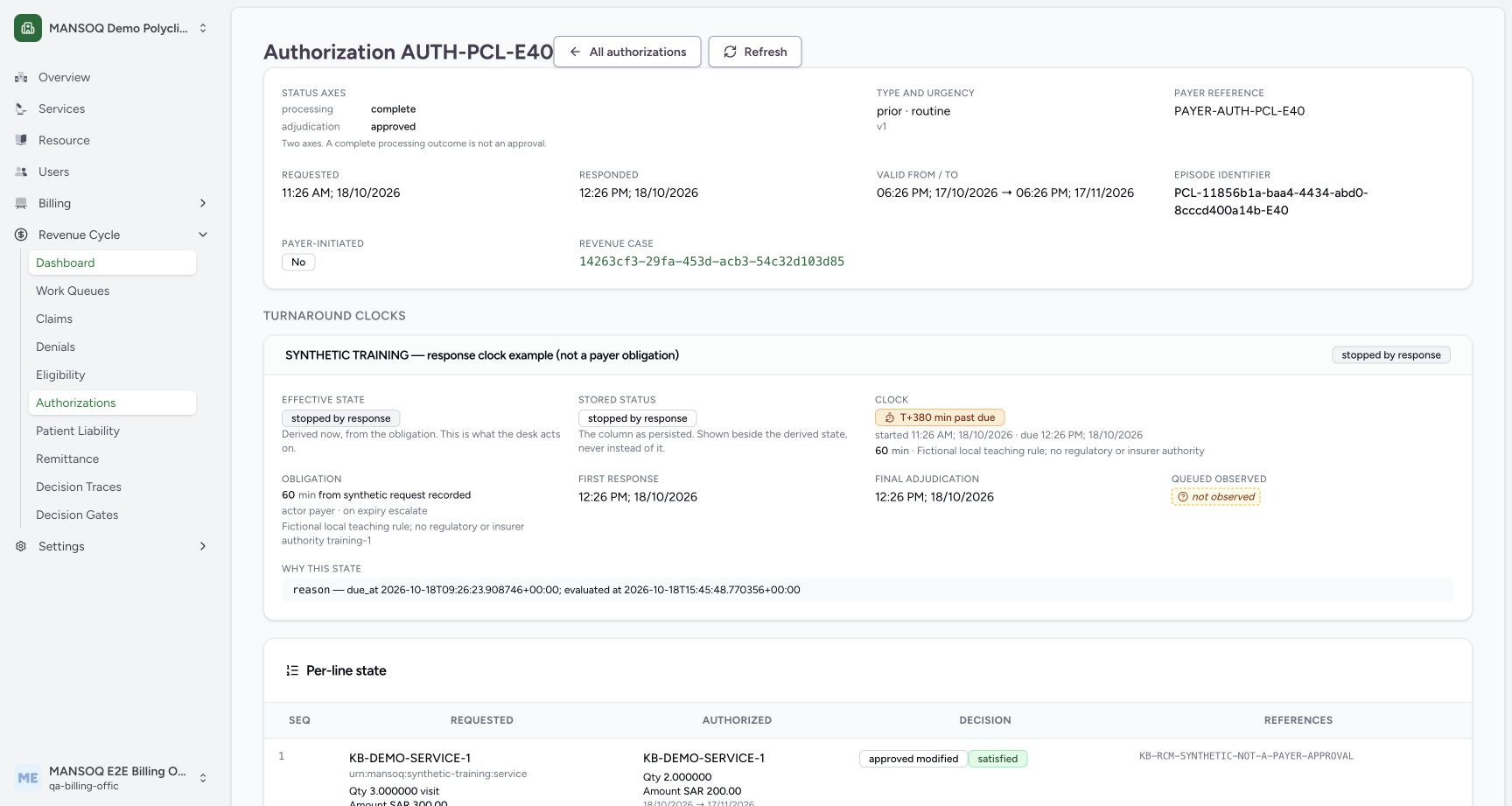
Read processing outcome separately from adjudication. The authorization workbench exposes clocks, line details, exemptions and applicable turnaround rules.
The displayed 60-minute clock is a fictional teaching rule with no insurer or regulatory authority. Read stopped-by-response state separately from the elapsed-time badge.
4. Check line sufficiency
Match the authorization to the performed service and inspect quantity, amount, validity and matching evidence. A header approval does not prove every line has sufficient authorized quantity or value.
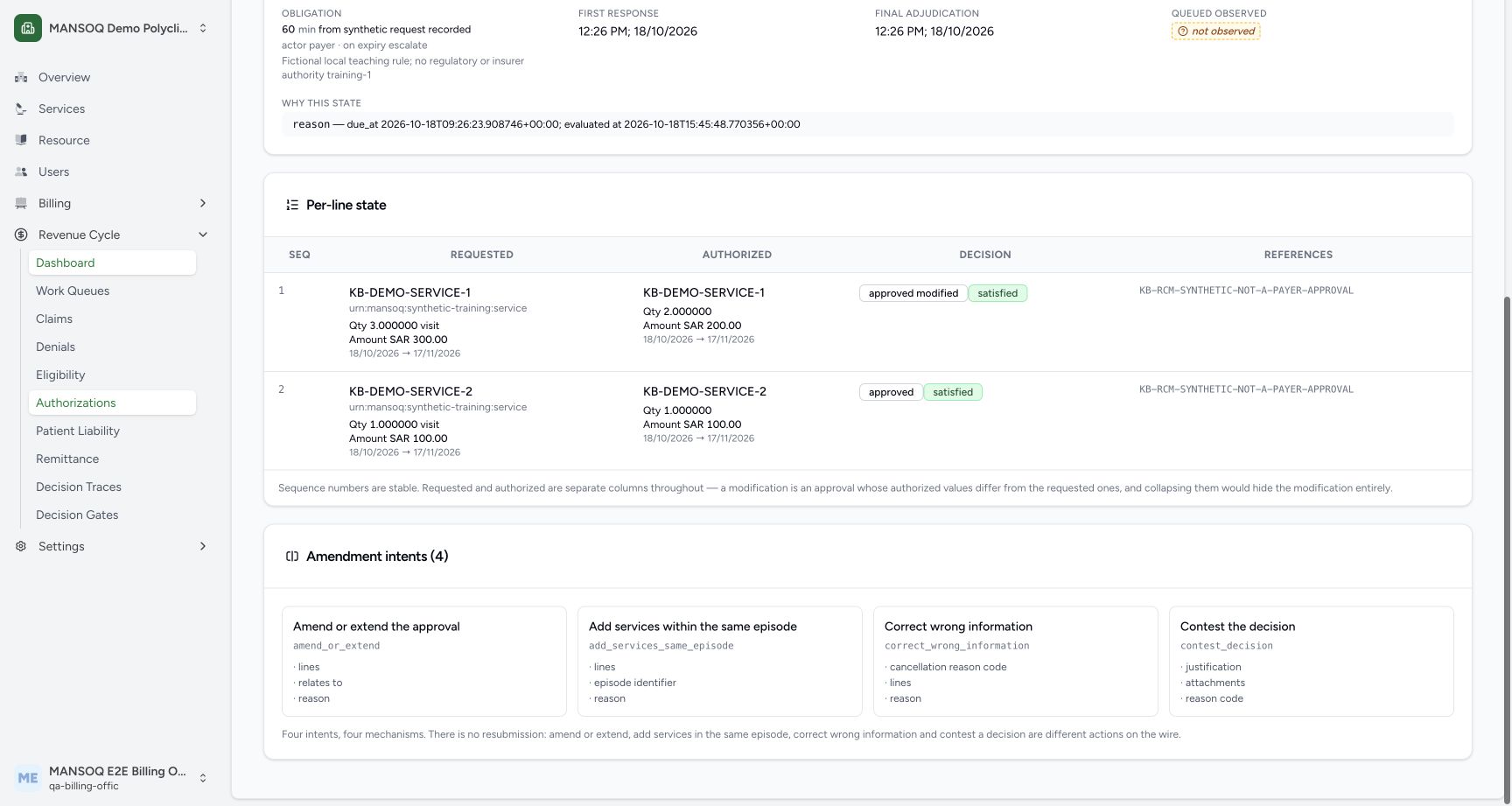
The example preserves three requested visits/300 SAR and two authorized visits/200 SAR on one line. Its reference explicitly says NOT-A-PAYER-APPROVAL.
5. Amend or cancel explicitly
Use the amendment or cancellation workflow with the original reference. Preserve the initial request and its history instead of editing an already submitted request in place.
Queued is unresolved
The observe path does not silently stop a running clock when processing is queued. Contested timing is surfaced with its gate and work items.
Clinical versus financial responsibility
Clinicians supply clinical facts. Financial permissions for claim management and responsibility decisions are separate from clinical rights.
What the current screenshots demonstrate
These are current captures from an isolated Polyclinic training environment, using explicitly fictional insurance, response, authorization, remittance and policy fixtures. They demonstrate the displayed controls and scoped observations only. They do not establish live payer connectivity, a genuine insurer approval, regulatory qualification, production tax filing, a complete role/facility matrix or a cleared financial estimate.
Troubleshooting
The authorization looks approved but a claim line is blocked
Review the line match, dates, quantity and amount. Request an evidenced amendment or authorized review for the unmatched requirement.
Source evidence
References are pinned to the private MANSOQ source repository. Repository access is required to open these links.