 MANSOQ
 RCM & insurance
Verify eligibility and interpret the response
Understand coverage verification, site outcomes, freshness and remaining denial risks.
Current source · source reviewed · 7 min read
Before you begin
- Patient coverage linked to the correct insurer and policy context.
- Configured NPHIES or evidenced offline verification path.
1. Open the patient’s revenue episode
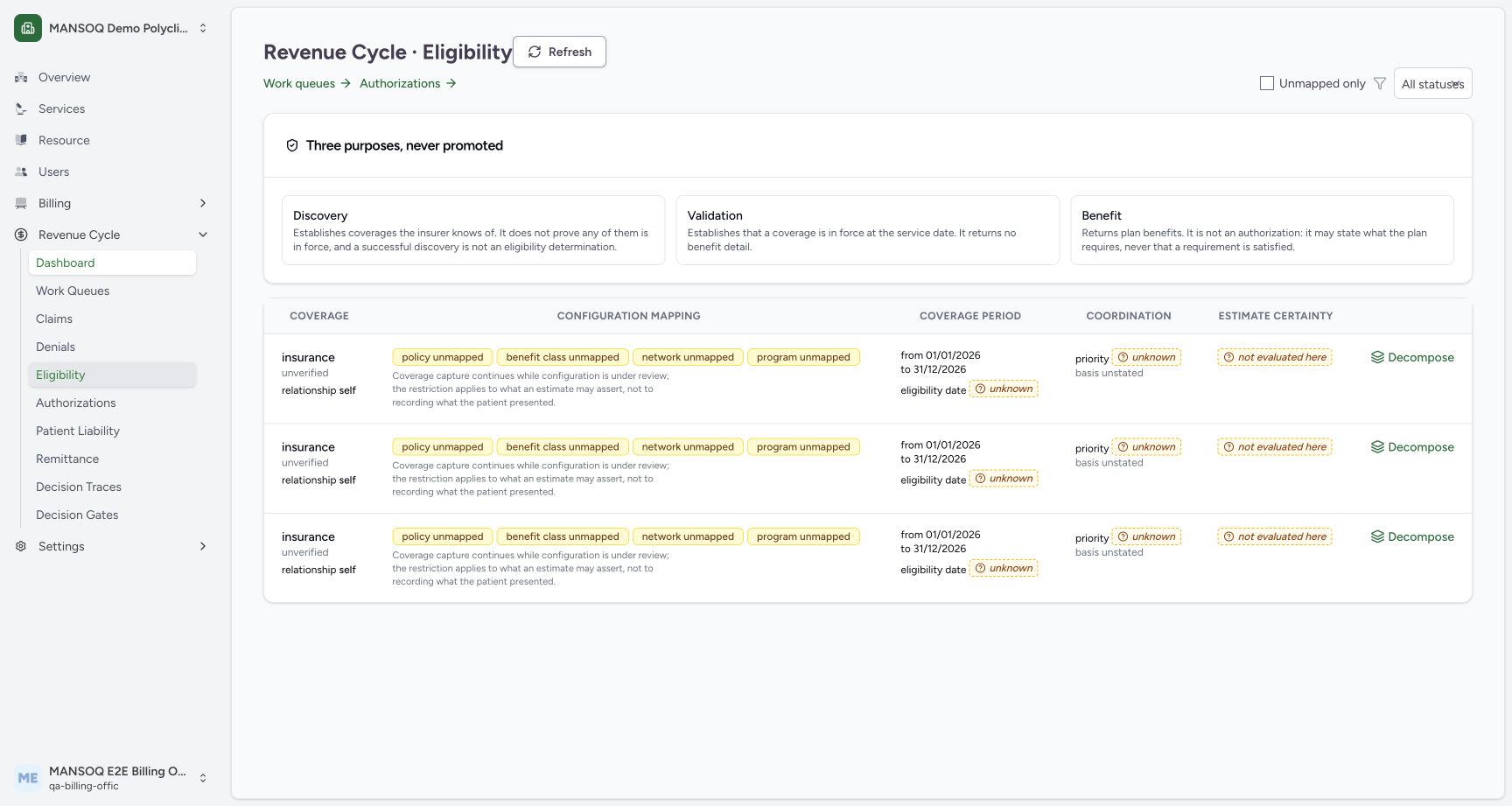
Confirm the selected facility and coverage, then use Verify eligibility. On the Eligibility workbench, open the appropriate verification details rather than treating a card as an eligibility answer.
2. Inspect the decomposed result
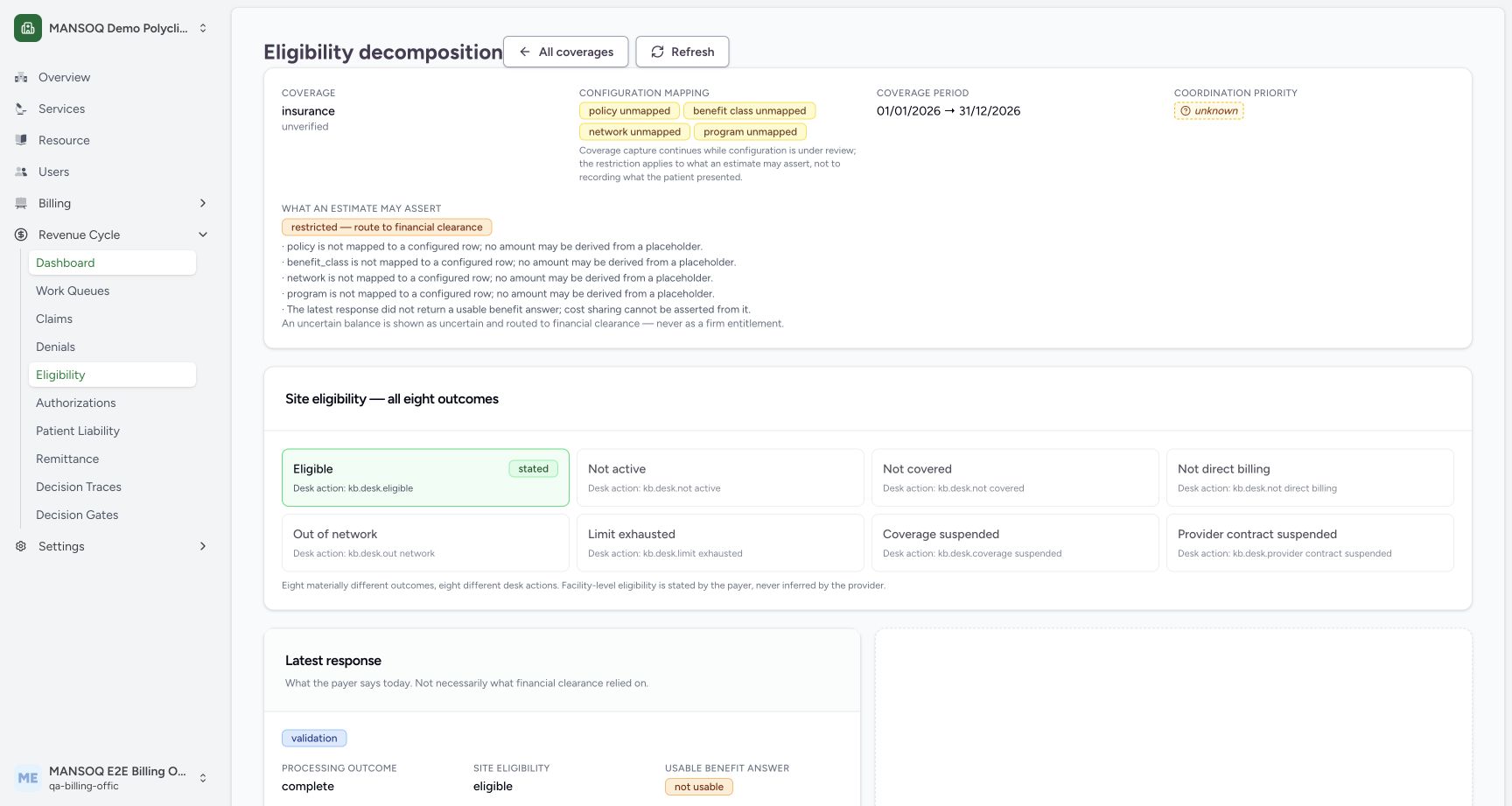
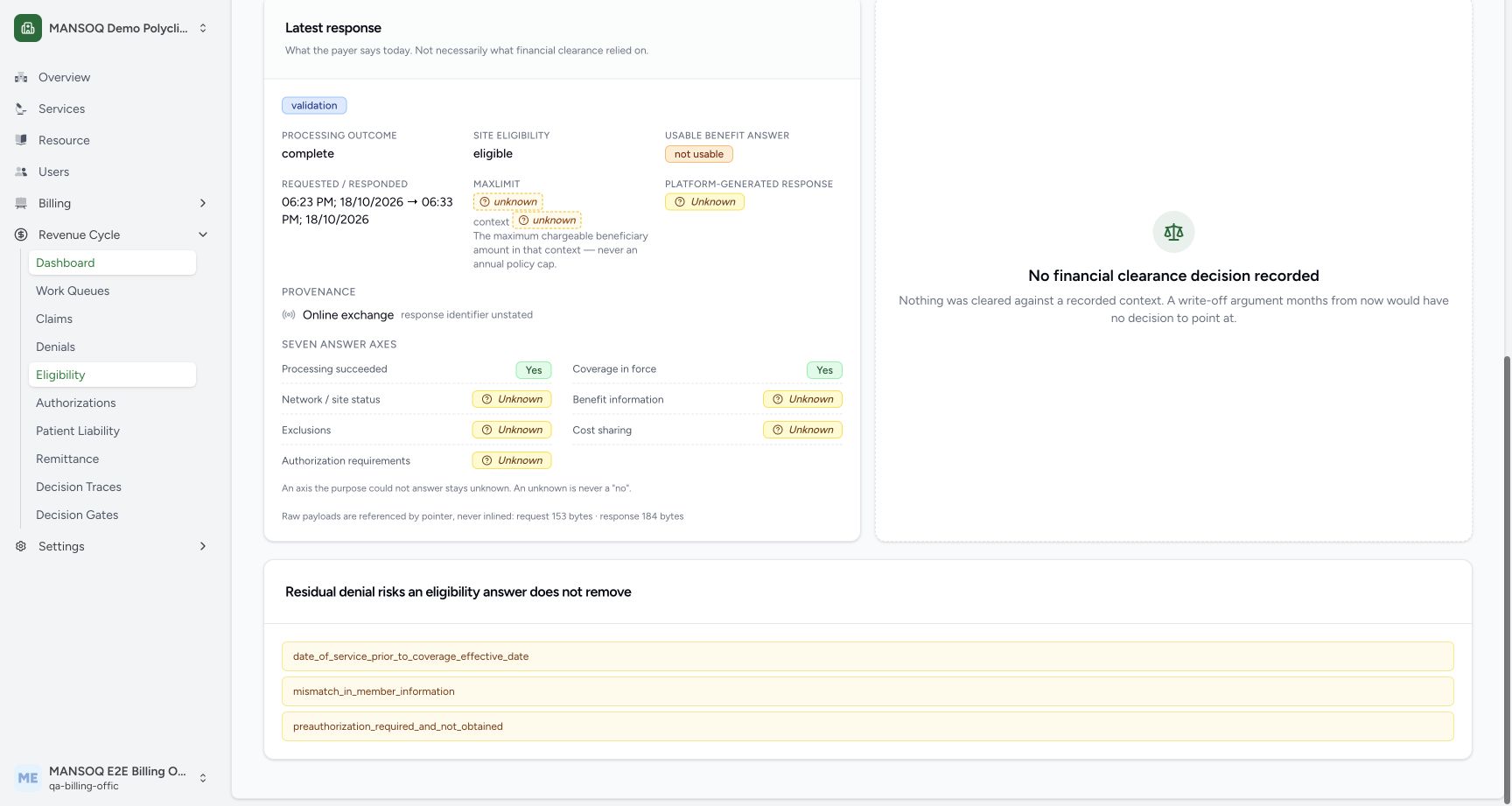
Read the response outcome, patient-specific coverage period, benefit information and site statement. Check per-coverage site statements where several coverages were returned.
In the synthetic example, validation processing succeeds and coverage is in force, while network/site, benefit, exclusions, cost sharing and authorization requirements remain unknown. No clearance decision was created. An eligible site result alone cannot establish usable benefit information.
3. Check freshness and divergence
Review the configured freshness policy for the service context. If the payer response conflicts with the local policy/class, use the resolution workflow and record evidence rather than overwriting the disagreement.
4. Work unresolved findings
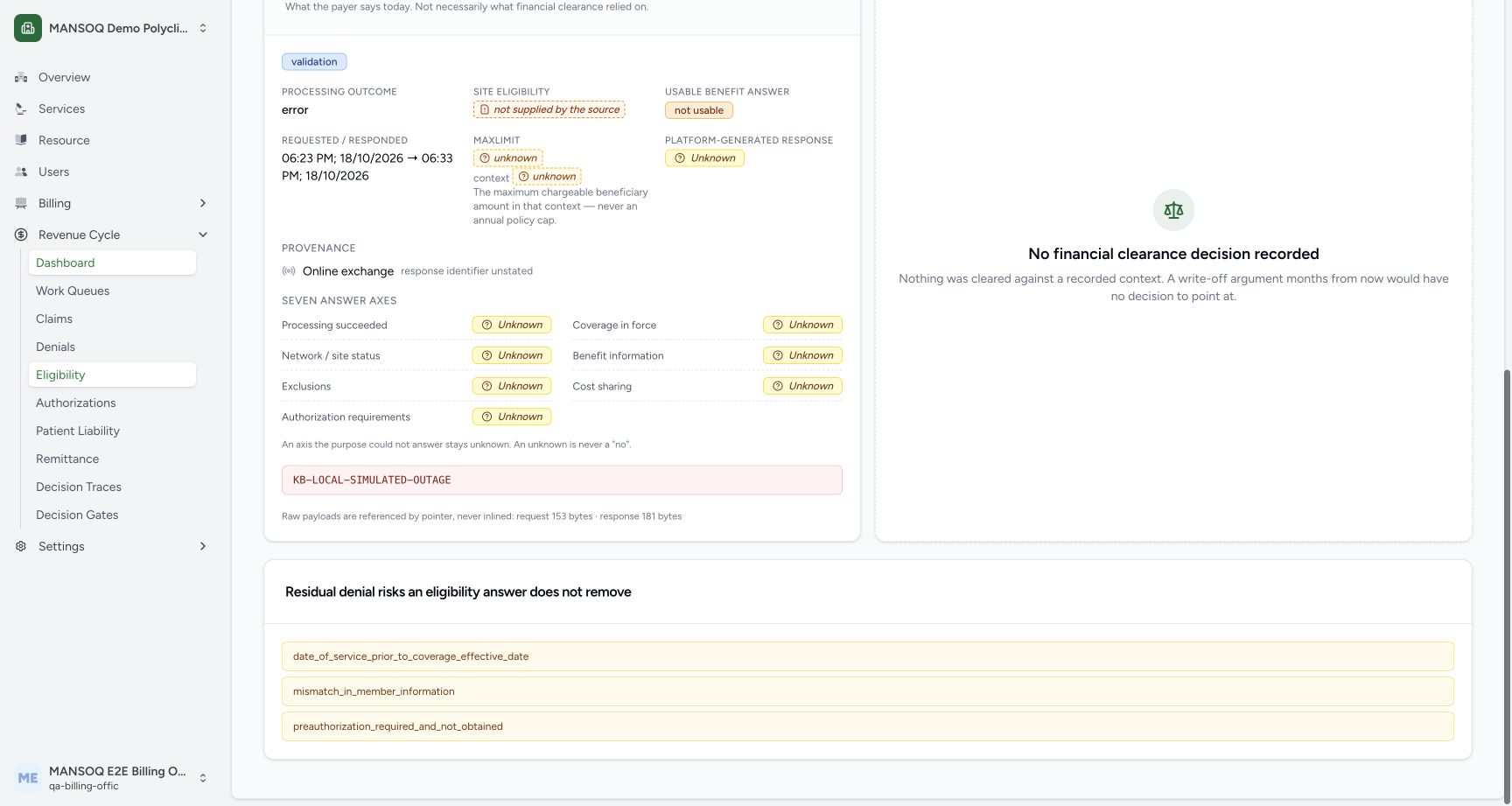
Follow the named queues and blocking gates. An offline verification must retain its provenance and the person who obtained it; it is not interchangeable with a live payer response.
The error example is KB-LOCAL-SIMULATED-OUTAGE, deliberately seeded locally. It is a processing error, not a coverage denial.
Eligibility is not a payment guarantee
The API explicitly returns guarantees_payment and residual_denial_risks. Authorization, clinical justification, coding and other claim conditions can remain unresolved even after positive eligibility.
Discovery ladder
Configured discovery channels have an ordered hierarchy. A missing rung is surfaced rather than silently promoting a weaker source; inspect the configured ladder when discovery results disagree.
What the current screenshots demonstrate
These are current captures from an isolated Polyclinic training environment, using explicitly fictional insurance, response, authorization, remittance and policy fixtures. They demonstrate the displayed controls and scoped observations only. They do not establish live payer connectivity, a genuine insurer approval, regulatory qualification, production tax filing, a complete role/facility matrix or a cleared financial estimate.
Troubleshooting
The button is unavailable
Ensure the episode has coverage and your role can perform the action. If setup is incomplete, have the coverage and integration owners correct the named prerequisite.
Source evidence
References are pinned to the private MANSOQ source repository. Repository access is required to open these links.