 MANSOQ
 Facility administration
Configure and verify facility print layouts, logo and watermark
Save an actual synthetic Default configuration with explicit paper, millimetre margins, local logo and training watermark, then reopen and independently verify its values.
Current source · Actual isolated synthetic UI operation with successful writes independently read through normal product APIs. No complete role/facility, authorization, report or printer-output qualification. · 6 min read
Before you begin
- Use an administrator authorized to update the intended facility. This capture used a local synthetic superuser in the isolated Clinic.
- Approve the actual document layout, branding assets and watermark. The local favicon URL and SYNTHETIC TRAINING ONLY text are demonstration values; do not copy a loopback URL into production.
1. Open Print Templates on the intended facility
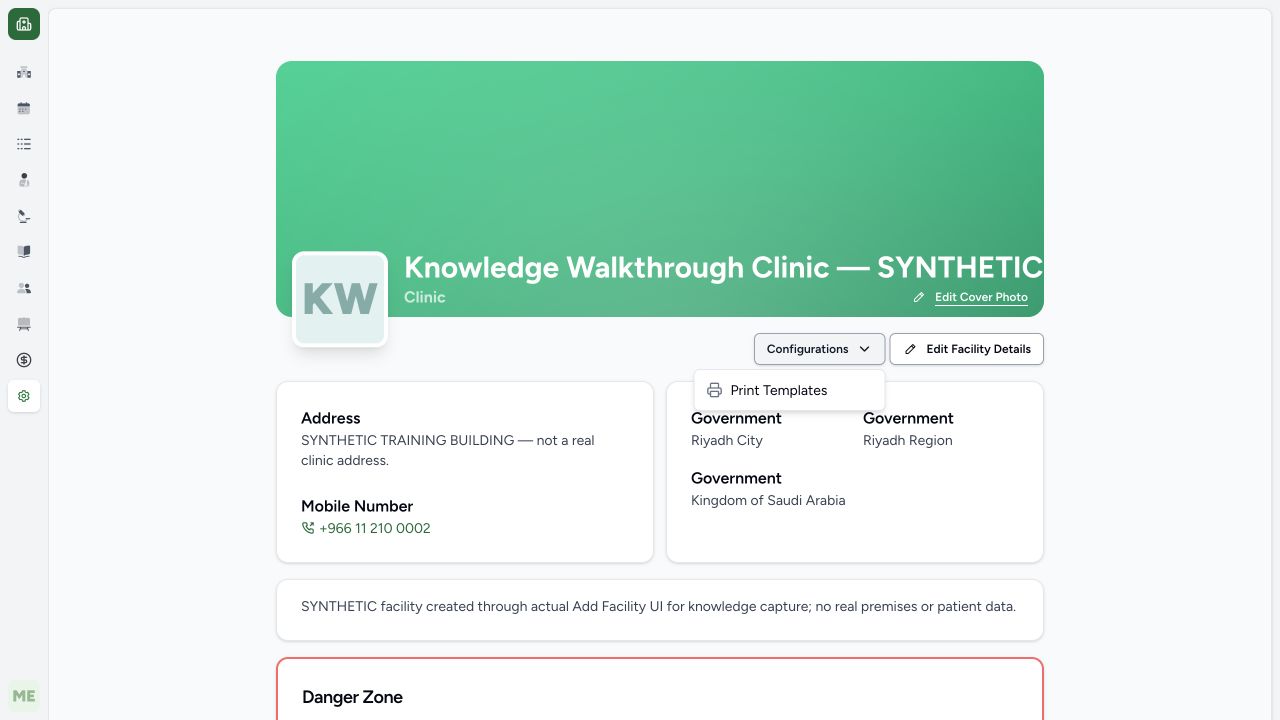
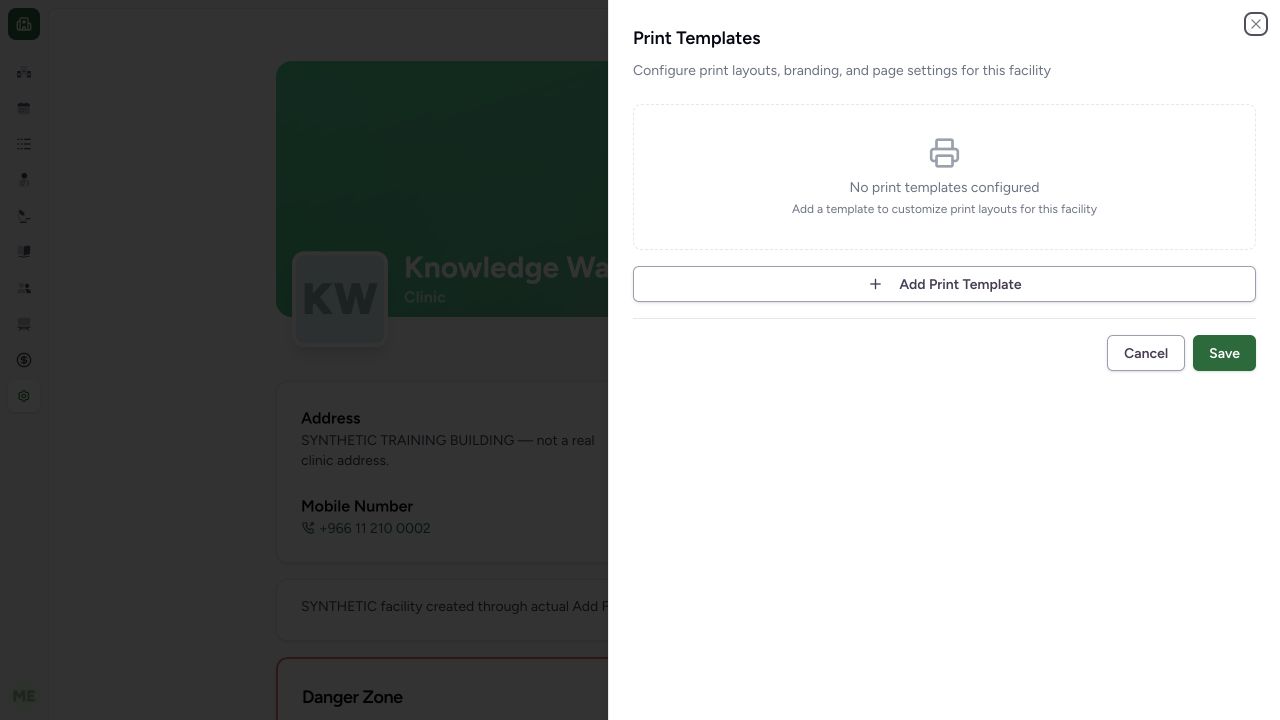
In Settings → General, verify the facility heading. Open Configurations → Print Templates. The initial synthetic Clinic shows no print templates configured. Choose Add Print Template to create an unsaved configuration row.
 123
123- Configurations: Open this menu on the intended facility.
- Print Templates: Select the facility print layout settings.
- Facility identity: Confirm the intended synthetic Clinic context.
 123
123- Empty configuration: This fixture initially has no custom print templates.
- Add Print Template: Add a layout configuration row.
- Save separately: Adding a row is not persistence.
2. Choose an actual supported document identifier
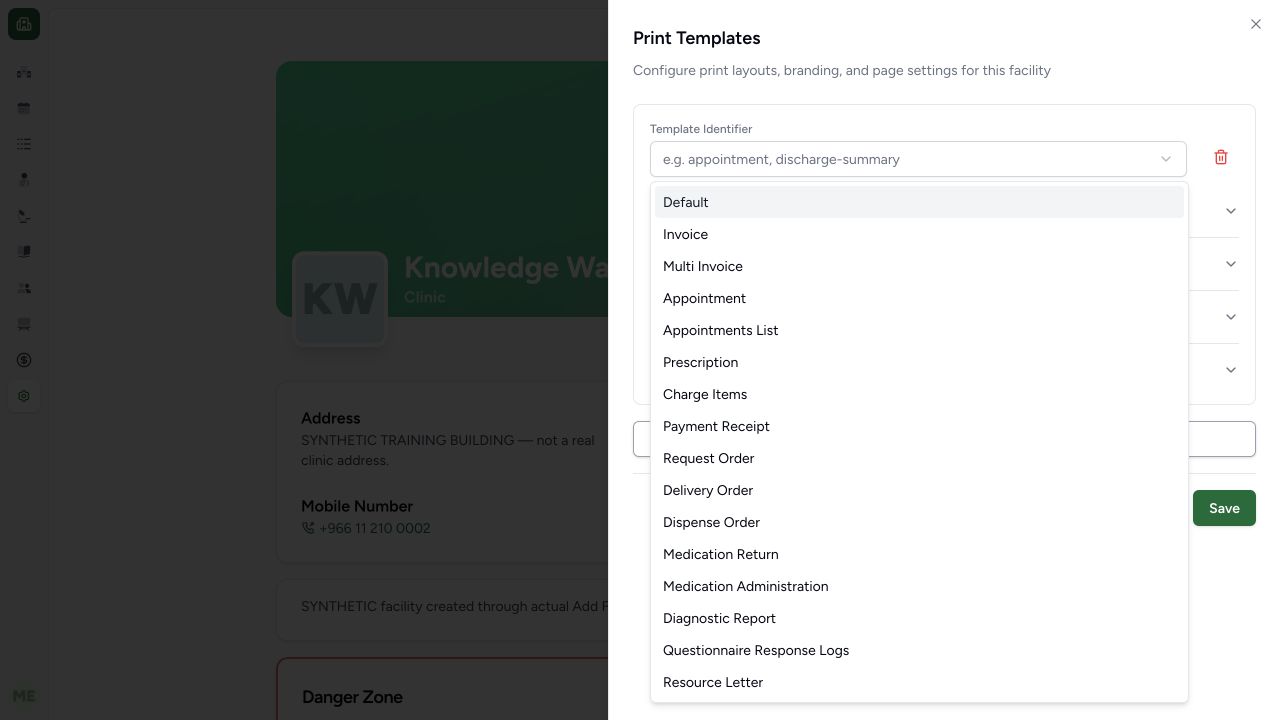
Open Template Identifier and choose the intended document type or Default. The example selects Default. The actual source resolver uses a matching document-specific row first and Default only when no matching row exists; it does not merge every section from both rows. Use the actual selector choices rather than inventing the placeholder example discharge-summary as an implemented identifier.
 123
123- Template identifier: Choose from actual supported identifiers.
- Default: Default is the source-defined fallback when a document-specific match is absent.
- Diagnostic Report: Document-specific overrides are separate from Default.
3. Set paper, orientation and margins separately
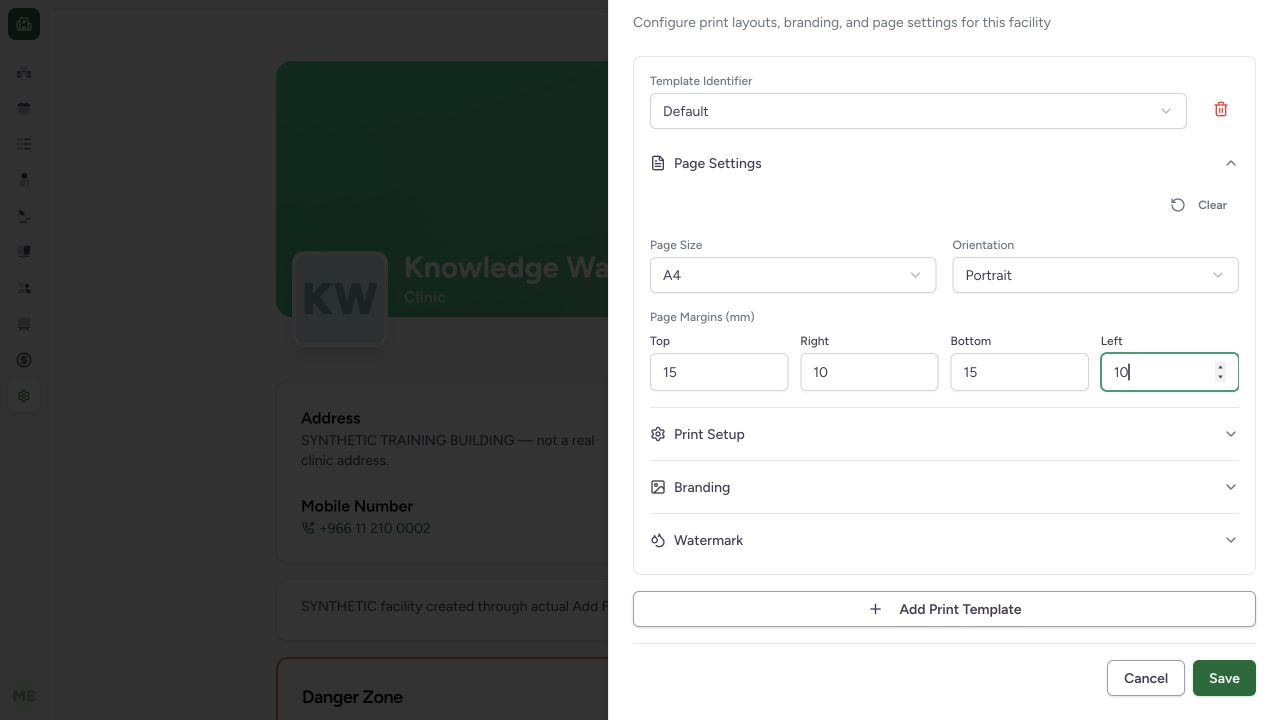
Expand Page Settings. The synthetic example chooses A4, Portrait, Top 15, Right 10, Bottom 15 and Left 10. Margins are millimetres; logo/image sizes use pixels elsewhere. Clear removes the page configuration section from the draft. The actual A4/Portrait and all four margin fields are pictured.
 1234
1234- Page size: A4 is selected.
- Orientation: Portrait is selected separately.
- Millimetre margins: Top/bottom15 and right/left10 are separate fields.
- Save: Save persists this facility layout configuration.
4. Review whether Auto Print should open the dialog
Expand Print Setup and inspect Auto Print. It is off in this example. The description says it automatically opens a print dialog when the document loads; the source waits for images and requires the document not to be disabled. This setting does not prove that a page was printed or a printer received it.
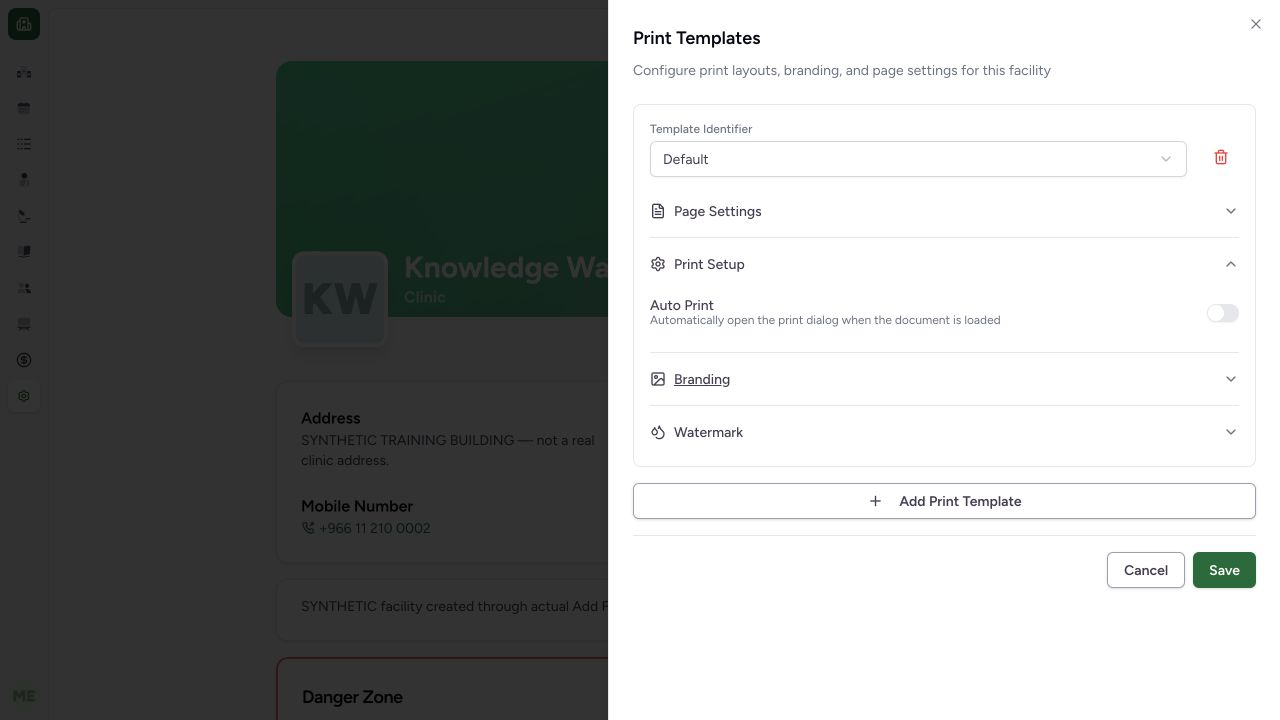 12
12- Auto Print off: This switch opens a dialog when enabled; it does not establish physical printing.
- Dialog behavior: Read the actual load-trigger behavior separately from Save.
5. Configure logo and inspect separate header/footer fields
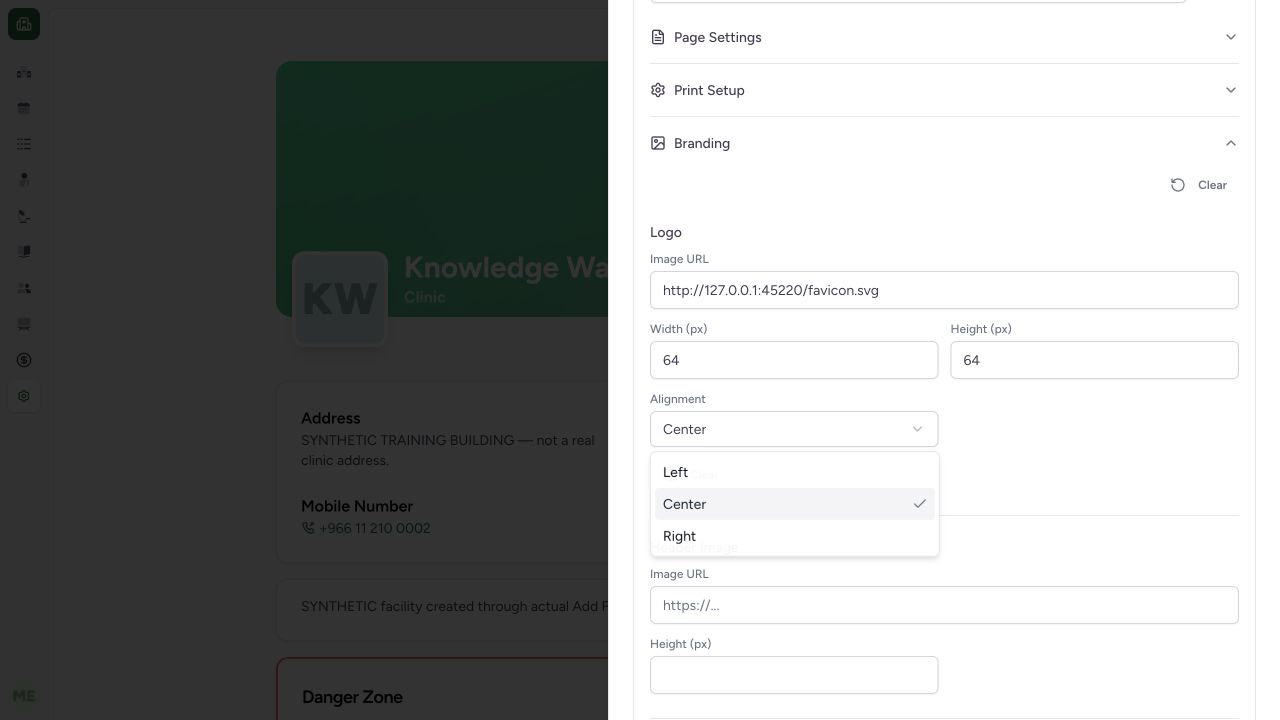
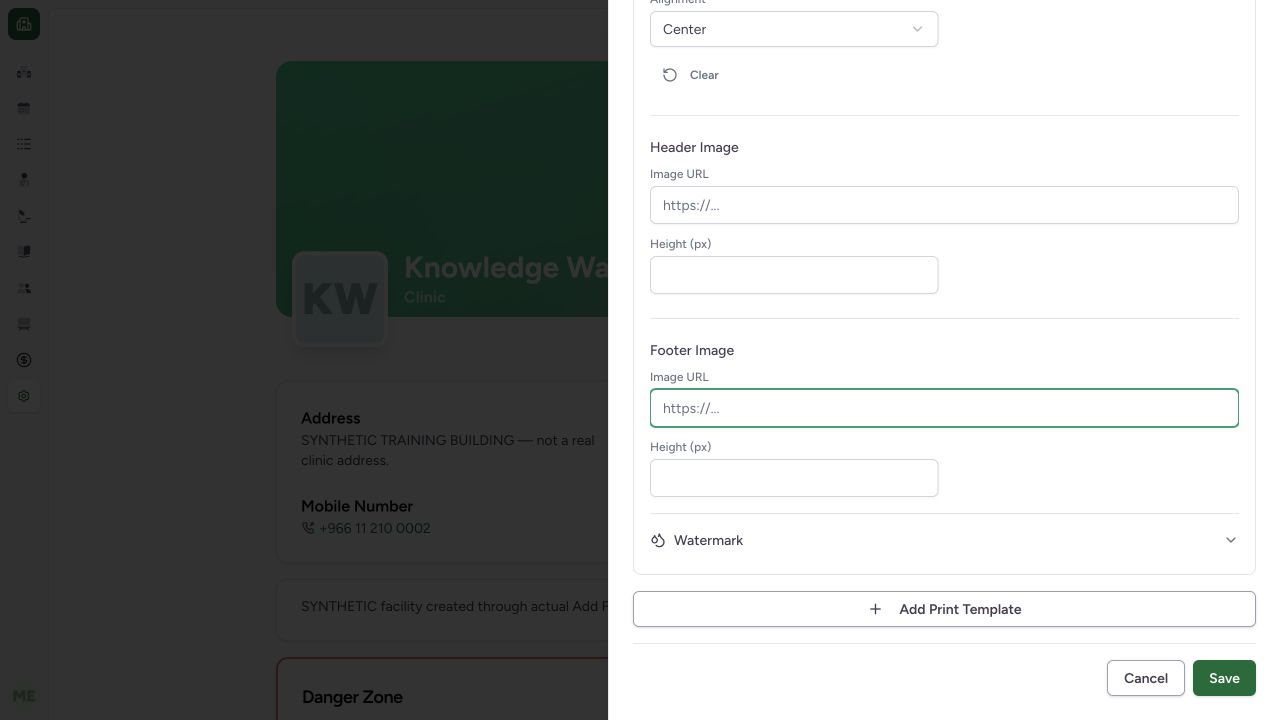
Expand Branding. The example enters the existing loopback favicon URL, Width 64, Height 64 pixels and Center alignment for the logo. This local-only asset demonstrates the controls. Header Image and Footer Image have separate URL and pixel-height fields and remain blank. Use approved reachable production assets and verify actual document rendering separately.
 1234
1234- Logo URL: The loopback favicon is a local-only demonstration asset.
- Logo width: 64 pixels is explicitly entered.
- Logo height: Height is separately 64 pixels.
- Center alignment: The actual alignment selector shows Center selected.
 1234
1234- Header image URL: Header uses its own image URL.
- Header height: Header height is measured in pixels.
- Footer image URL: Footer is a separate URL; it remains empty.
- Footer height: Footer height is independent of header/logo sizing.
6. Review watermark values and save the facility configuration
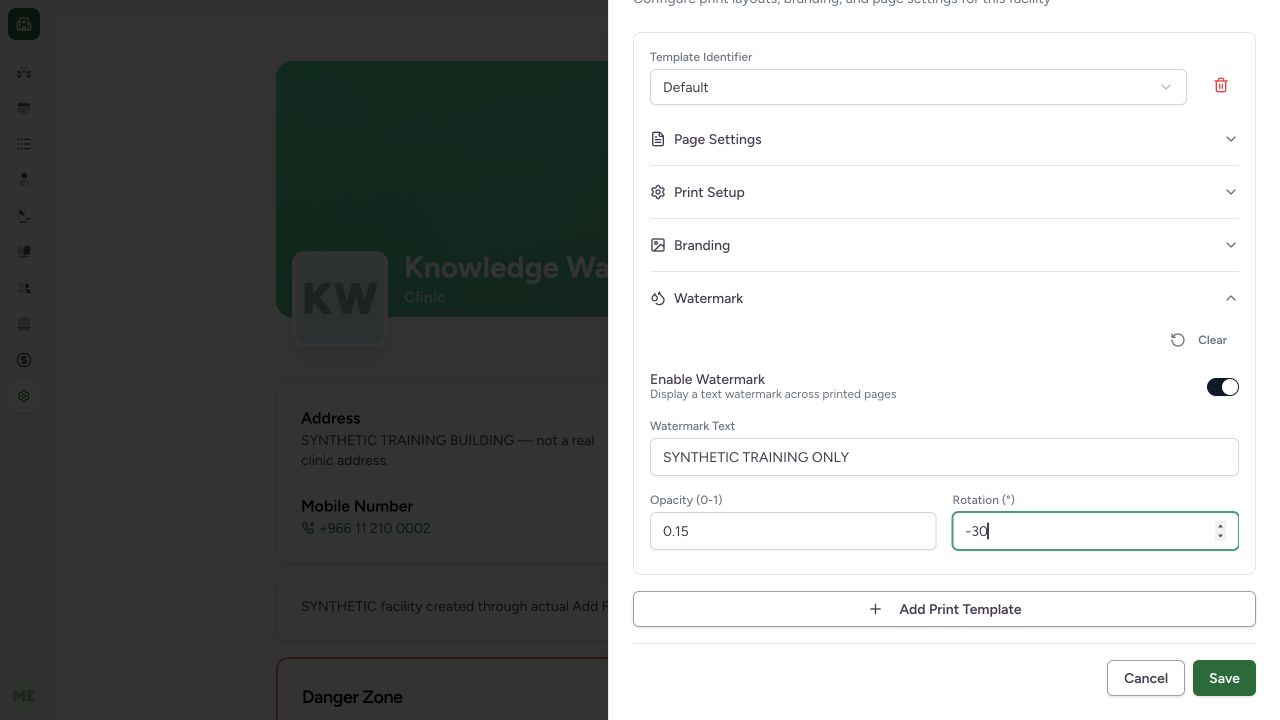
Expand Watermark, enable it and enter the approved text. This fixture uses SYNTHETIC TRAINING ONLY, Opacity 0.15 and Rotation −30°. Choose Save at the bottom. The normal UI updated facility print configuration; it did not produce a clinical report or send a physical print job.
 12345
12345- Enable watermark: The synthetic watermark is enabled.
- Training-only text: Use the approved watermark text.
- Opacity: 0.15 is within the displayed 0–1 range.
- Rotation: −30 degrees is separate from opacity.
- Save configuration: Persist settings without printing a patient record.
7. Reopen and verify persisted values
Reopen Print Templates after saving. Check the saved Default row, A4/Portrait, all four margins and watermark text, enabled state, opacity and rotation. Independent normal facility GET returned 200 and matched the full saved layout, local centered 64×64 logo and watermark. The facility business timezone remained Asia/Riyadh. Cancel after inspection leaves the saved values unchanged.
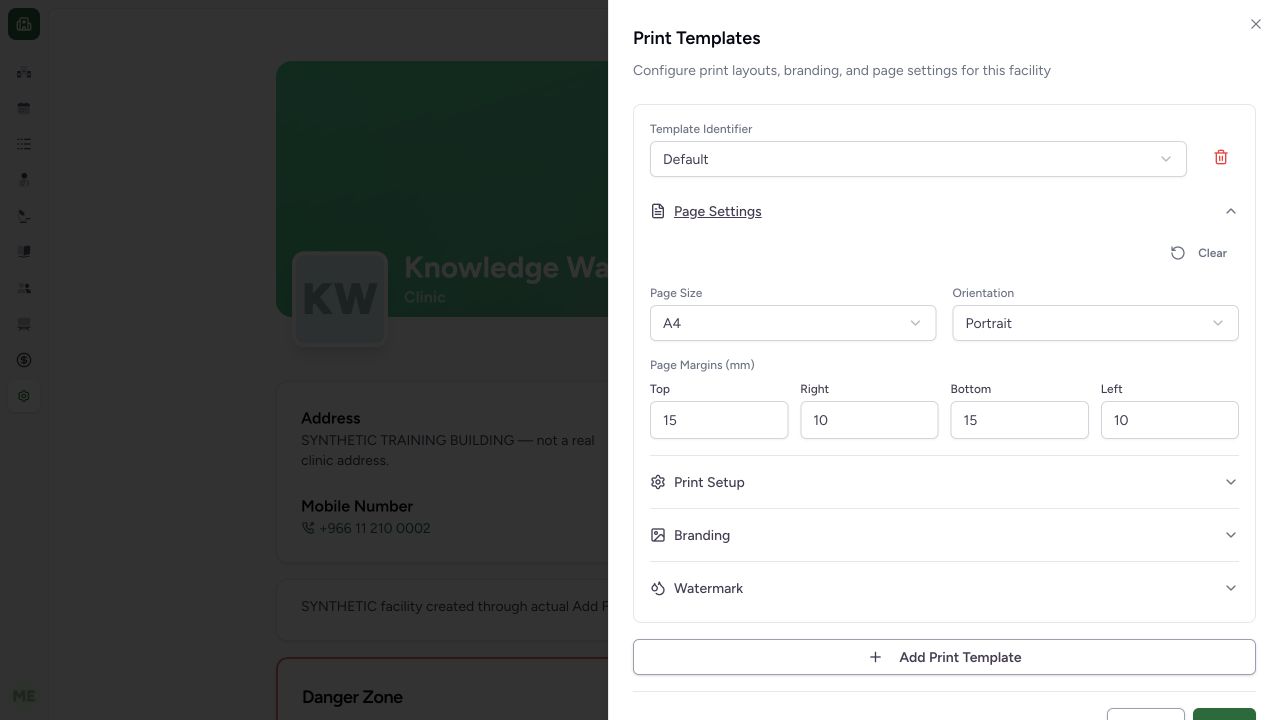 1234
1234- Saved Default row: This row was reopened after a successful normal Save.
- Persisted A4: Paper size survived reopening.
- Persisted Portrait: Orientation survived reopening.
- Persisted margins: Independent normal facility GET also confirmed all four margins.
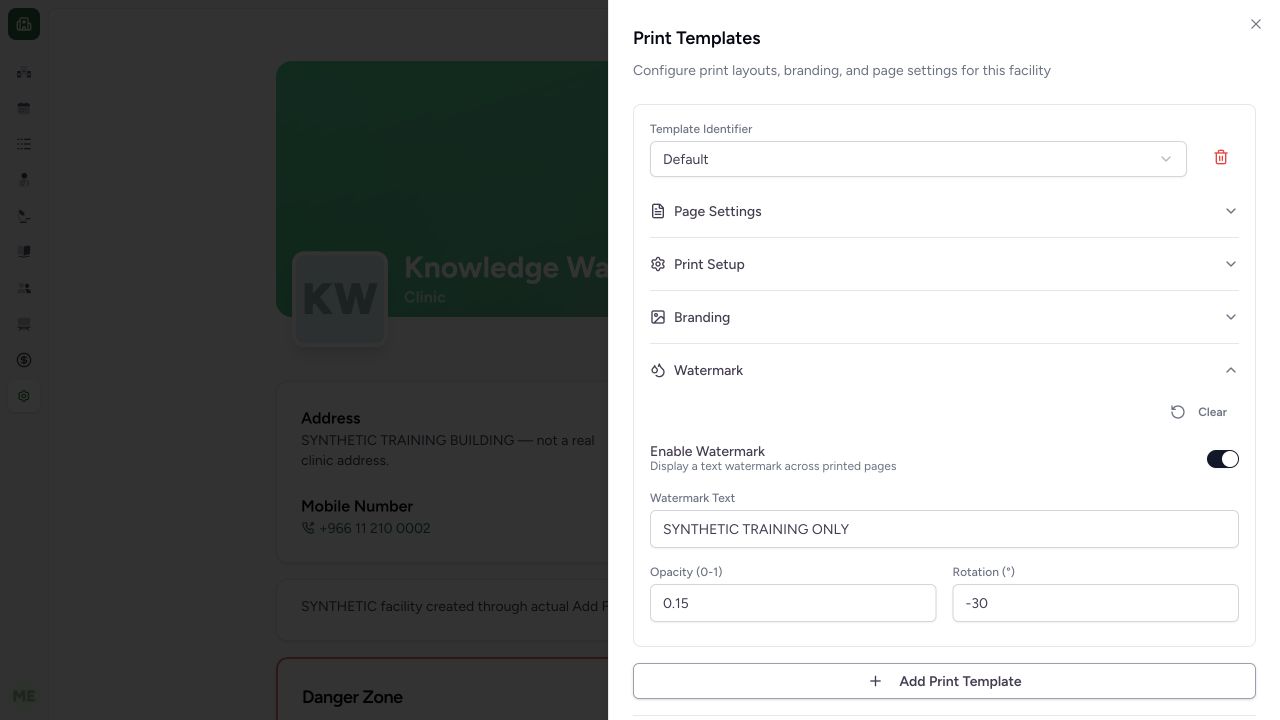 1234
1234- Saved enabled state: Watermark remains enabled after reopening.
- Saved text: SYNTHETIC TRAINING ONLY persisted.
- Saved opacity: 0.15 persisted.
- Saved rotation: −30 degrees persisted.
Configuration differs from report content
These settings style supported print views. They do not replace the separate HTML report template builder or validate clinical/financial content, official fiscal documents, generated PDFs or printer output. The demonstrated operation qualifies configuration persistence only.
Reset, remove and fallback behavior
Section Clear removes that section from the draft. The row Remove control removes a draft row, while Save persists the resulting list; rows with blank identifiers are filtered out before submission. The audited resolver selects the first matching document-specific configuration or the first Default fallback. Removal, duplicate identifiers, missing/unreachable images and every print-document type need separate observed branch tests.
Troubleshooting
A document does not use the expected default layout
Check for a document-specific identifier that takes precedence, confirm the intended facility and inspect the current saved configuration. Verify the specific print view and actual rendered output; a saved settings toast alone is insufficient.
Source evidence
References are pinned to the private MANSOQ source repository. Repository access is required to open these links.
- repositories/platform/mansoq-web/src/components/Facility/FacilityHome.tsx:231 · f6e9f05f
- repositories/platform/mansoq-web/src/components/Facility/PrintTemplateSheet.tsx:66 · f6e9f05f
- repositories/platform/mansoq-web/src/components/Facility/PrintTemplateSheet.tsx:88 · f6e9f05f
- repositories/platform/mansoq-web/src/components/Facility/PrintTemplateSheet.tsx:287 · f6e9f05f
- repositories/platform/mansoq-web/src/components/Facility/PrintTemplateSheet.tsx:772 · f6e9f05f
- repositories/platform/mansoq-web/src/types/facility/printTemplate.ts:67 · f6e9f05f
- repositories/platform/mansoq-web/src/MansoqUI/misc/PrintPreview.tsx:49 · f6e9f05f
- repositories/platform/mansoq-web/src/MansoqUI/misc/PrintPreview.tsx:234 · f6e9f05f