 MANSOQ
 Inventory
Abandon an unfulfilled internal stock request
Close an intentionally unfulfilled request using its lifecycle action and verify that this did not create a delivery or change stock.
Current source · Source reviewed; scoped synthetic workflow independently verified · 9 min read
Before you begin
- Work at the intended location with an authorized role. The observed path used Facility Admin in a synthetic Polyclinic; role names alone do not prove access.
- Configure the product definition, coded base unit, physical batch and source stock before dispatch. The example begins with25 synthetic count units and uses no real supplies.
1. Check that fulfillment has not occurred
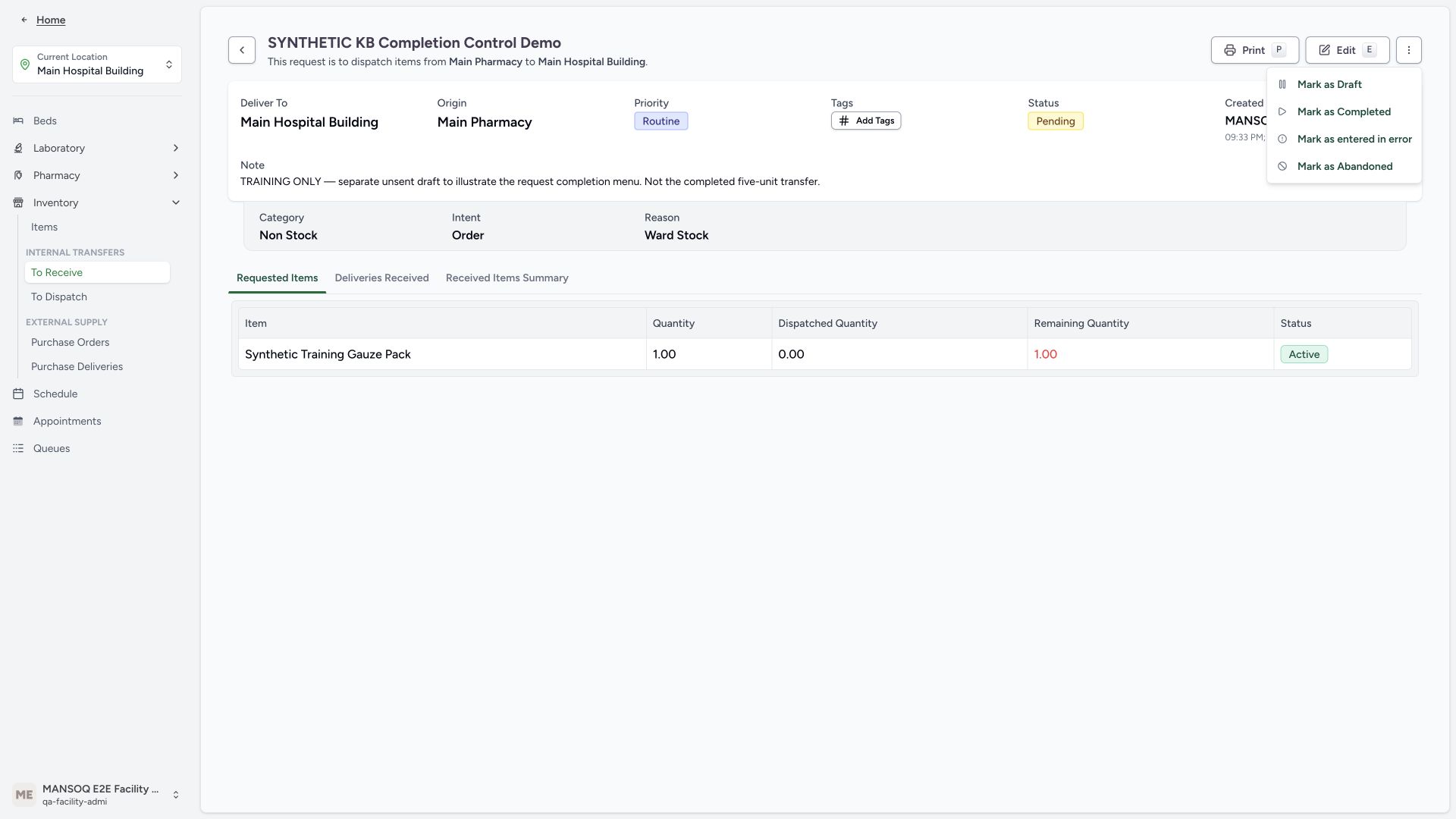
Review the actual request and its quantities before choosing a lifecycle action. The clearly labeled SYNTHETIC KB Completion Control Demo requested 1 unit, dispatched 0 and had no linked delivery. It is separate from the completed five-unit transfer. The menu image locates available actions; it does not establish fulfillment.
 1
1- Separate request completion: After checking fulfilled quantities on your actual request, use Mark as Completed. This separate one-unit menu example was not fulfilled or completed.
2. Choose the approved abandonment action
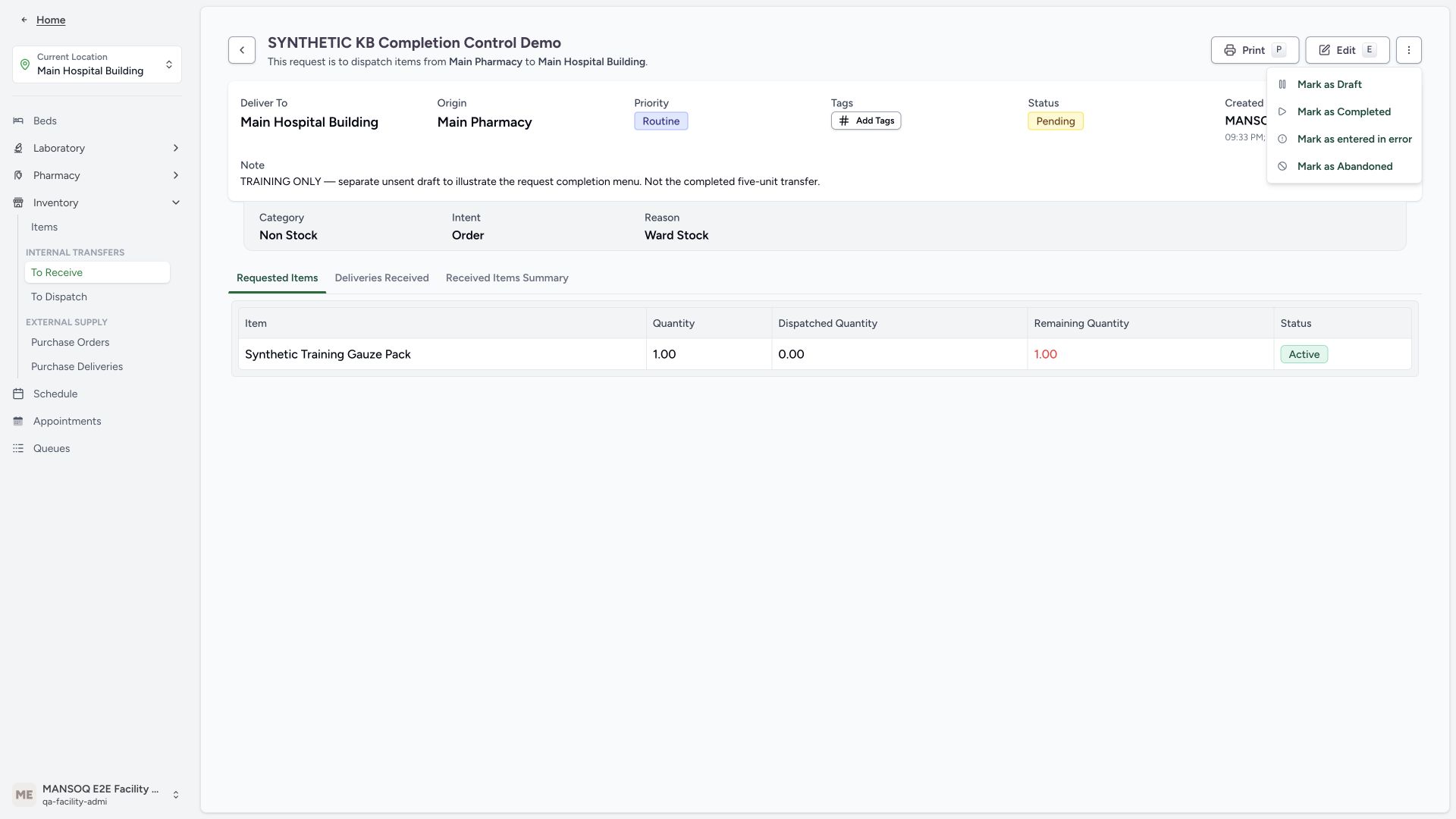
Open the request actions menu and choose Mark as Abandoned when your approved process requires abandoning the request. Do not label an unfulfilled request Completed to mimic a successful supply movement.
 1
1- Abandon an unfulfilled request: Use the approved lifecycle action when the request will not be fulfilled. Abandonment does not receive or dispatch stock.
3. Verify the abandoned header and unchanged stock
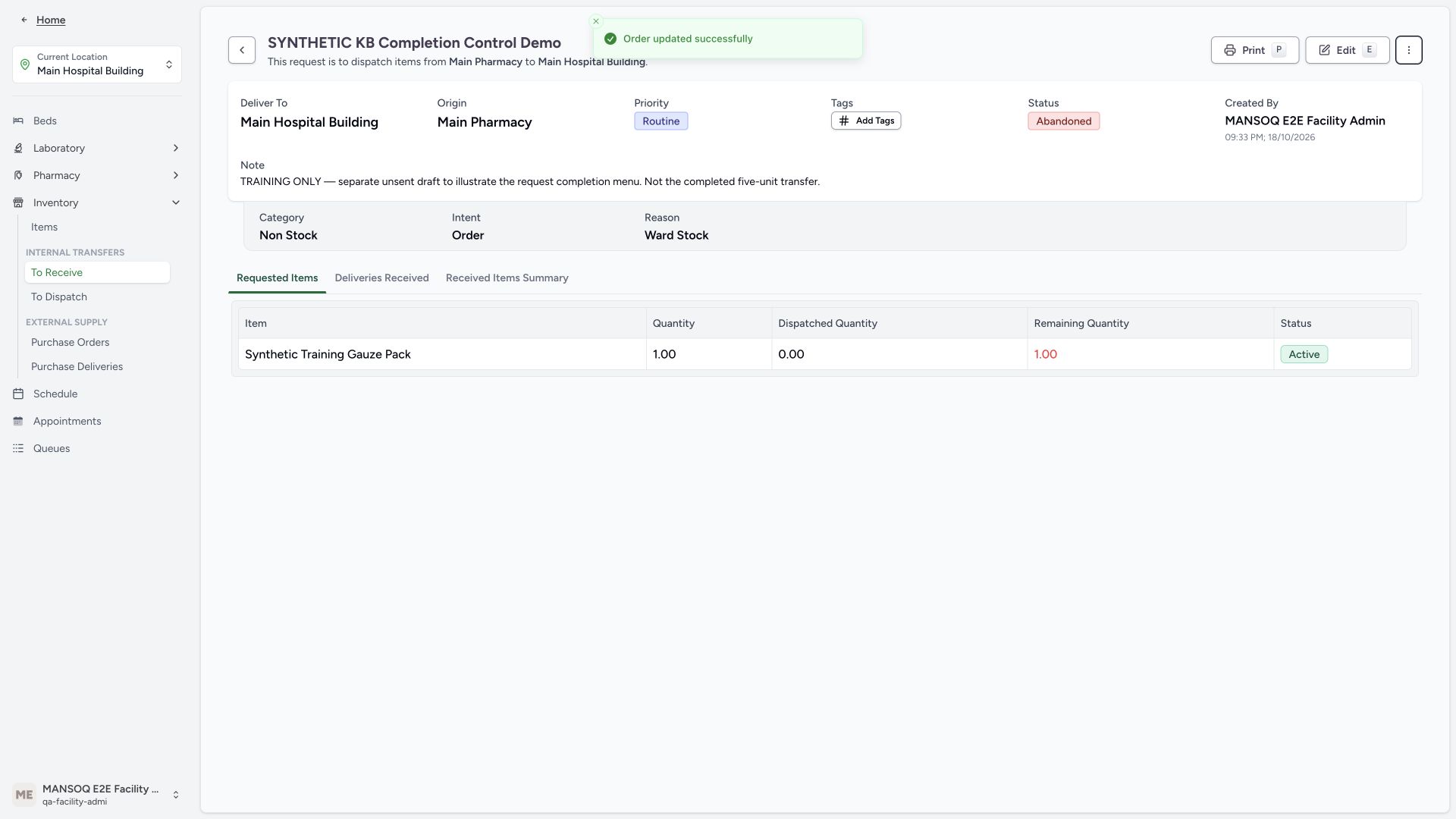
The request header shows Abandoned while its item row remains Active with 1 remaining and 0 dispatched. Independent read-only verification confirmed Abandoned, requested quantity1, zero linked supply-delivery lines and unchanged source 20/destination 5 stock. This observation covers this one unsent synthetic request; it does not establish reversal of an already-dispatched delivery.
 123
123- Abandoned request header: The separate demonstration request was intentionally abandoned without dispatch.
- Nothing dispatched: The one-unit request has zero dispatched units; its remaining quantity stays one.
- Separate item row status: The requested-item row still displays Active; read it separately from the header lifecycle.
Source evidence
References are pinned to the private MANSOQ source repository. Repository access is required to open these links.