 MANSOQ
 Inventory
Receive internal stock, complete the records and verify both stores
Receive the exact physical batch, complete the separate delivery and request, and verify that source plus destination stock balances.
Current source · Source reviewed; scoped synthetic workflow independently verified · 9 min read
Before you begin
- Work at the intended location with an authorized role. The observed path used Facility Admin in a synthetic Polyclinic; role names alone do not prove access.
- Configure the product definition, coded base unit, physical batch and source stock before dispatch. The example begins with25 synthetic count units and uses no real supplies.
1. Review the incoming delivery at its destination
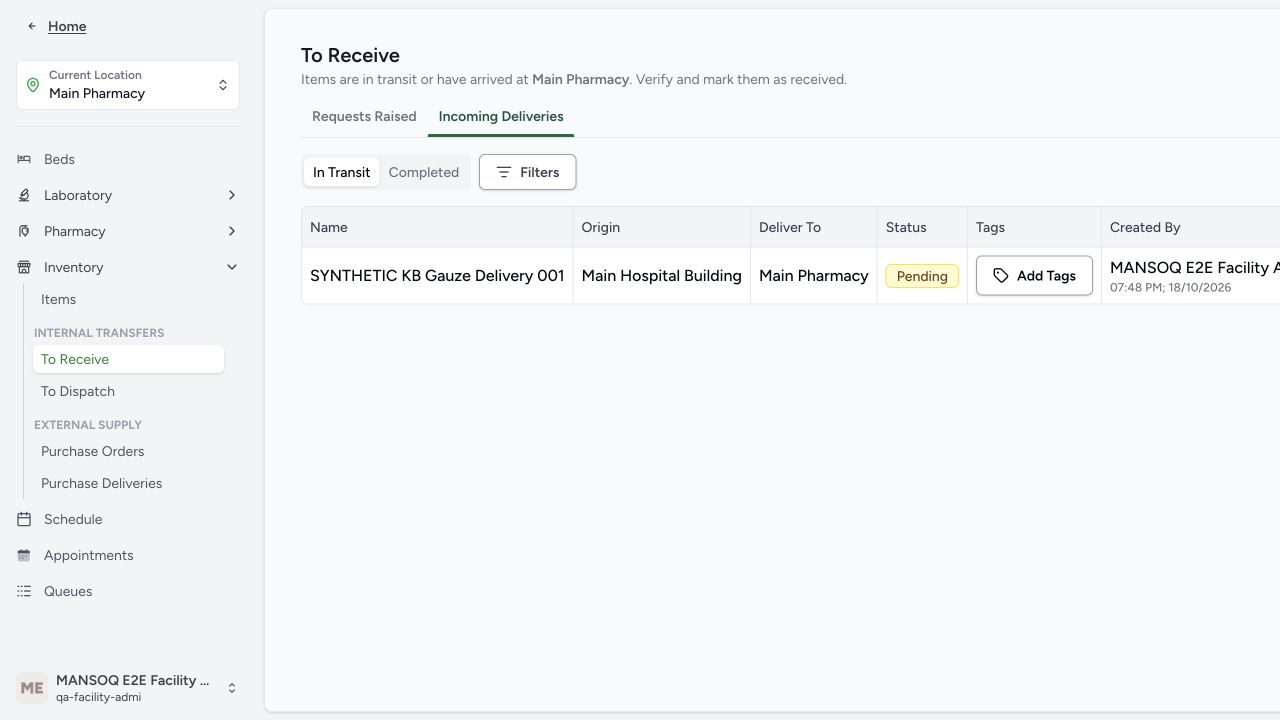
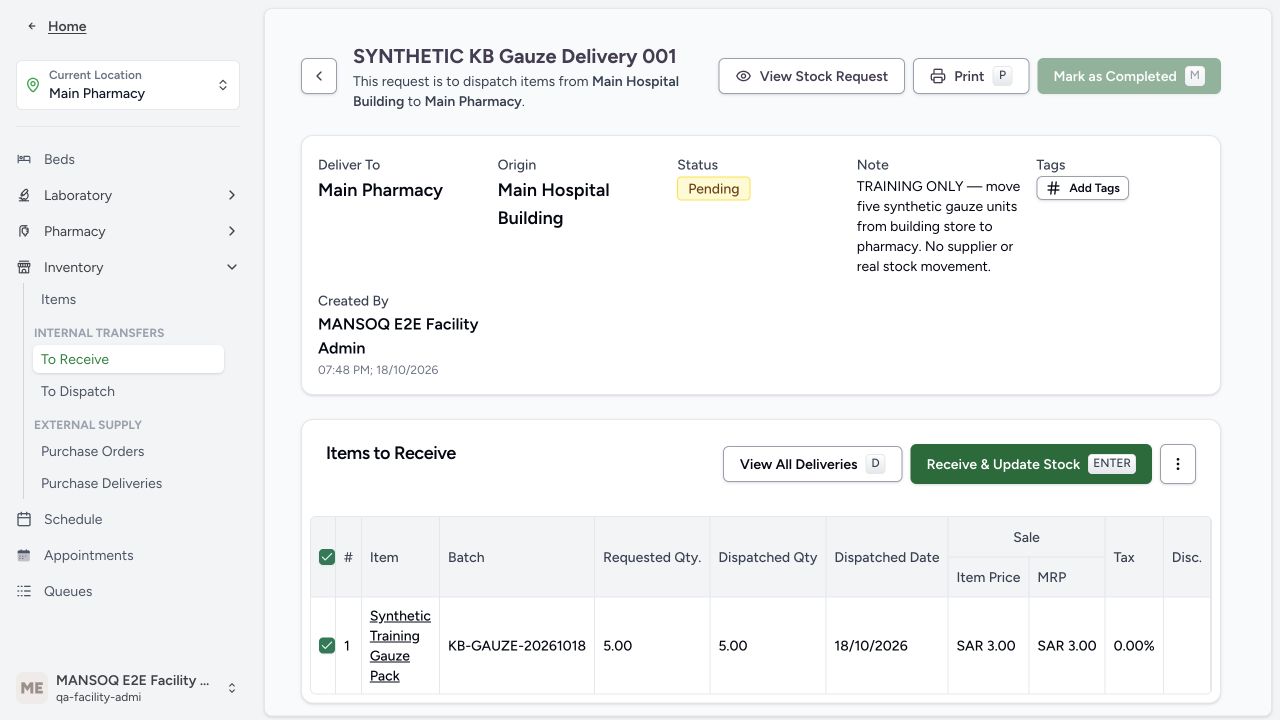
Open the matching incoming delivery at Main Pharmacy. Confirm the source, destination, batch and 5 dispatched units before selecting the rows to receive.
 1
1- Match the pending delivery: Match the delivery reference, source and destination. The Actions column lies off the right edge in this older desktop frame; scroll the table horizontally to reach View Details.
 12
12- Receive the selected batch: Review the selected five-unit batch before updating the receiving pharmacy stock.
- Header completion is still blocked: The delivery header cannot be completed while its batch line remains In Progress.
2. Confirm the received status and condition
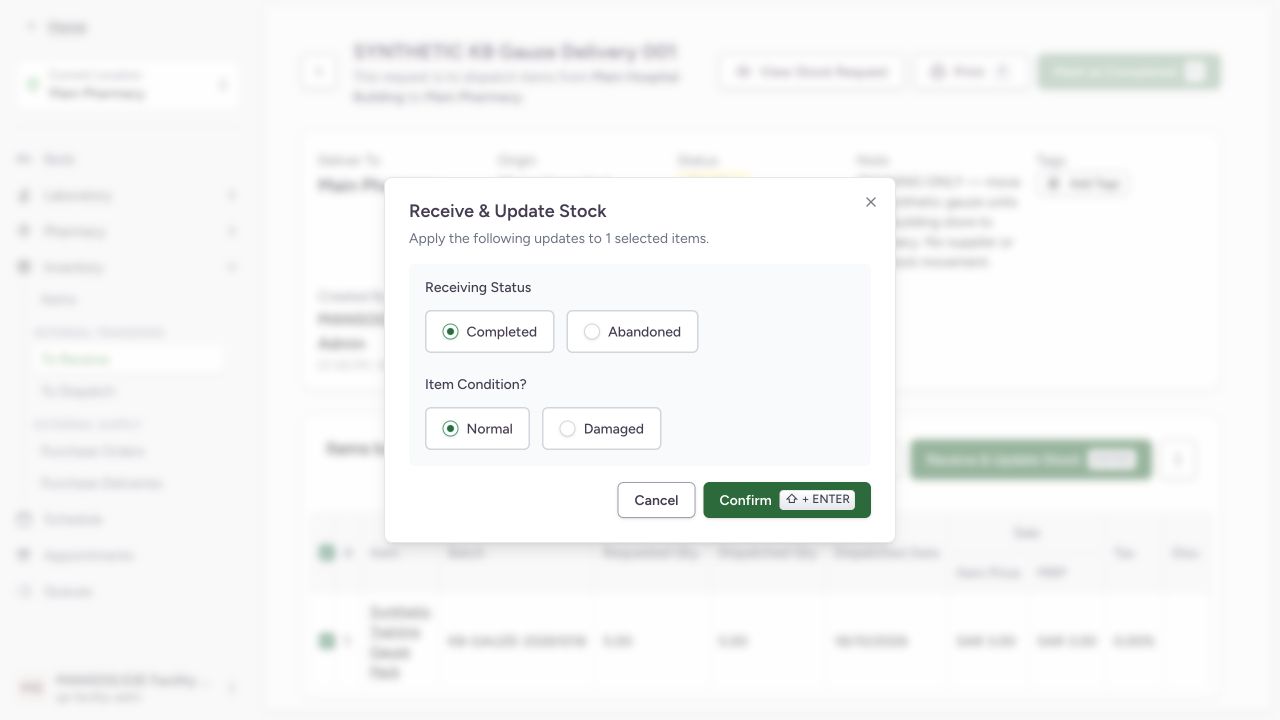
Choose Receive & Update Stock, review the selected rows, then confirm the intended receiving Status and Condition. The observed receipt uses Completed and Normal. Damaged, Abandoned and entered-in-error paths require their own approved handling.
 123
123- Completed receipt status: The synthetic example receives the selected five units; Abandoned is a separate branch.
- Normal item condition: Review condition against the actual received batch. This example uses synthetic Normal stock.
- Confirm receipt once: The normal operation updates the line and receiving inventory; verify the saved outcome afterward.
3. Check the received line before closing its header
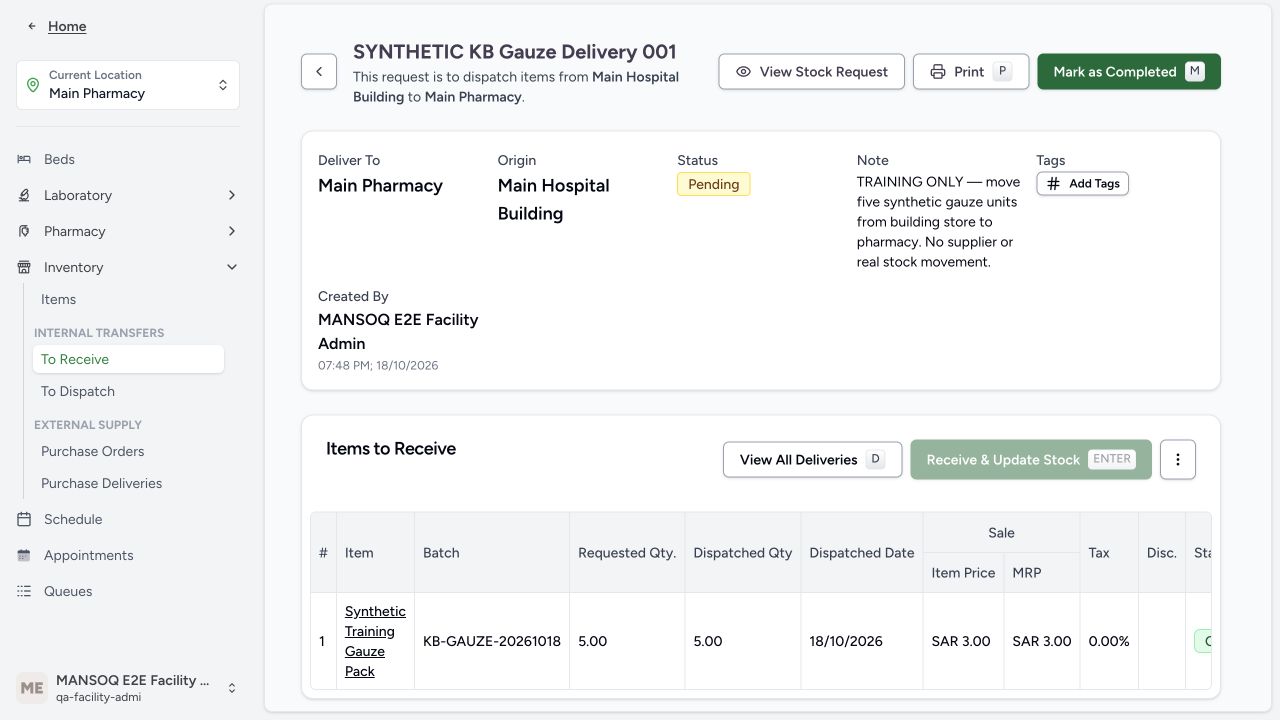
The saved line now shows Completed and Normal. A separate database readback verified the exact five-unit line. The delivery header can still be Pending because line receipt and header completion are separate.
 12
12- Complete the delivery header separately: The normal five-unit line is Completed and destination stock is now five. The independent delivery header remains Pending until this action.
- Completed received line: The batch receipt succeeded. This line status is separate from the header status above.
4. Complete the separate delivery header
After all delivery lines are in an allowed terminal state, use the delivery completion action. The result shows the delivery header Completed and Items updated to stock. This result image shows the completed five-unit delivery; the completion action itself was witnessed before host recovery.
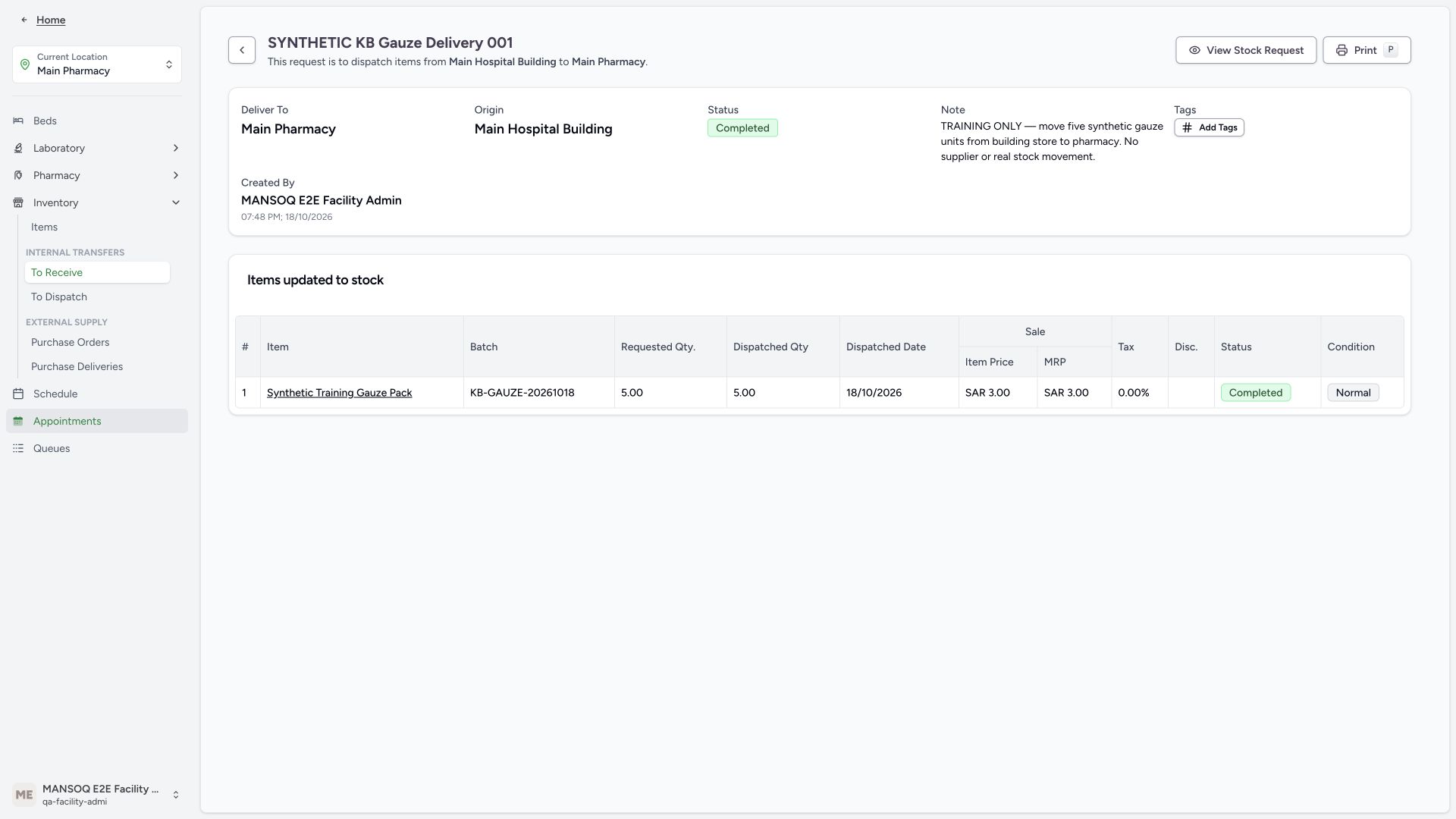 123
123- Stock receipt confirmed: The separate receipt operation updated the destination stock.
- Normal stock condition: The five-unit completed line was received in Normal condition.
- Return to the stock request: Open the related request to review its separately managed status.
5. Complete the fulfilled stock request separately
Use View Stock Request to return to the actual five-unit request. Check requested 5, dispatched 5 and remaining 0, then open its actions menu and choose Mark as Completed. The wide menu image is a separate one-unit teaching example used only to locate this control; that example was unfulfilled and later Abandoned. It does not prove fulfillment. The separate five-unit result shows its actual Completed request header while the requested-item row still displays Active.
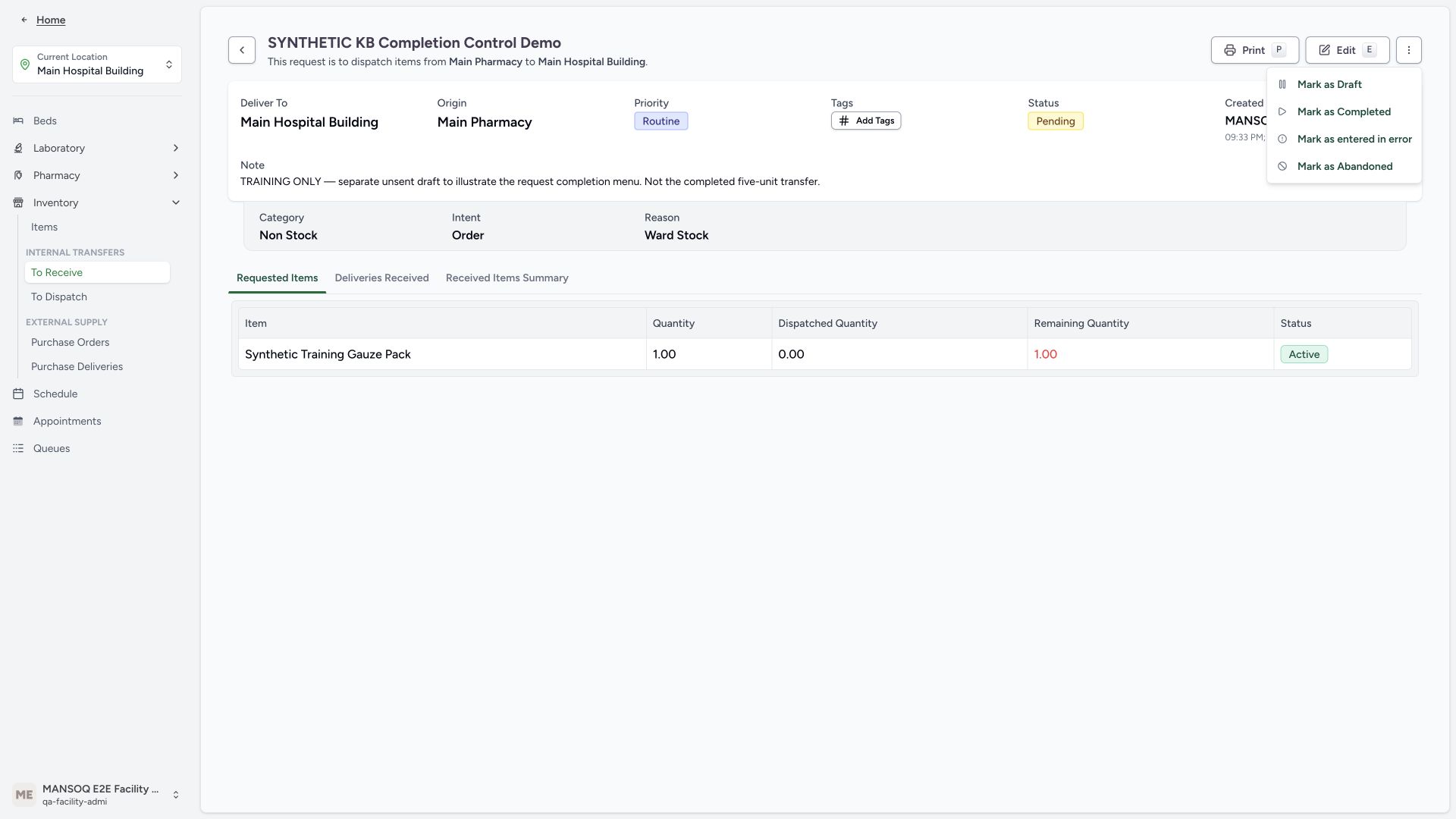 1
1- Separate request completion: After checking fulfilled quantities on your actual request, use Mark as Completed. This separate one-unit menu example was not fulfilled or completed.
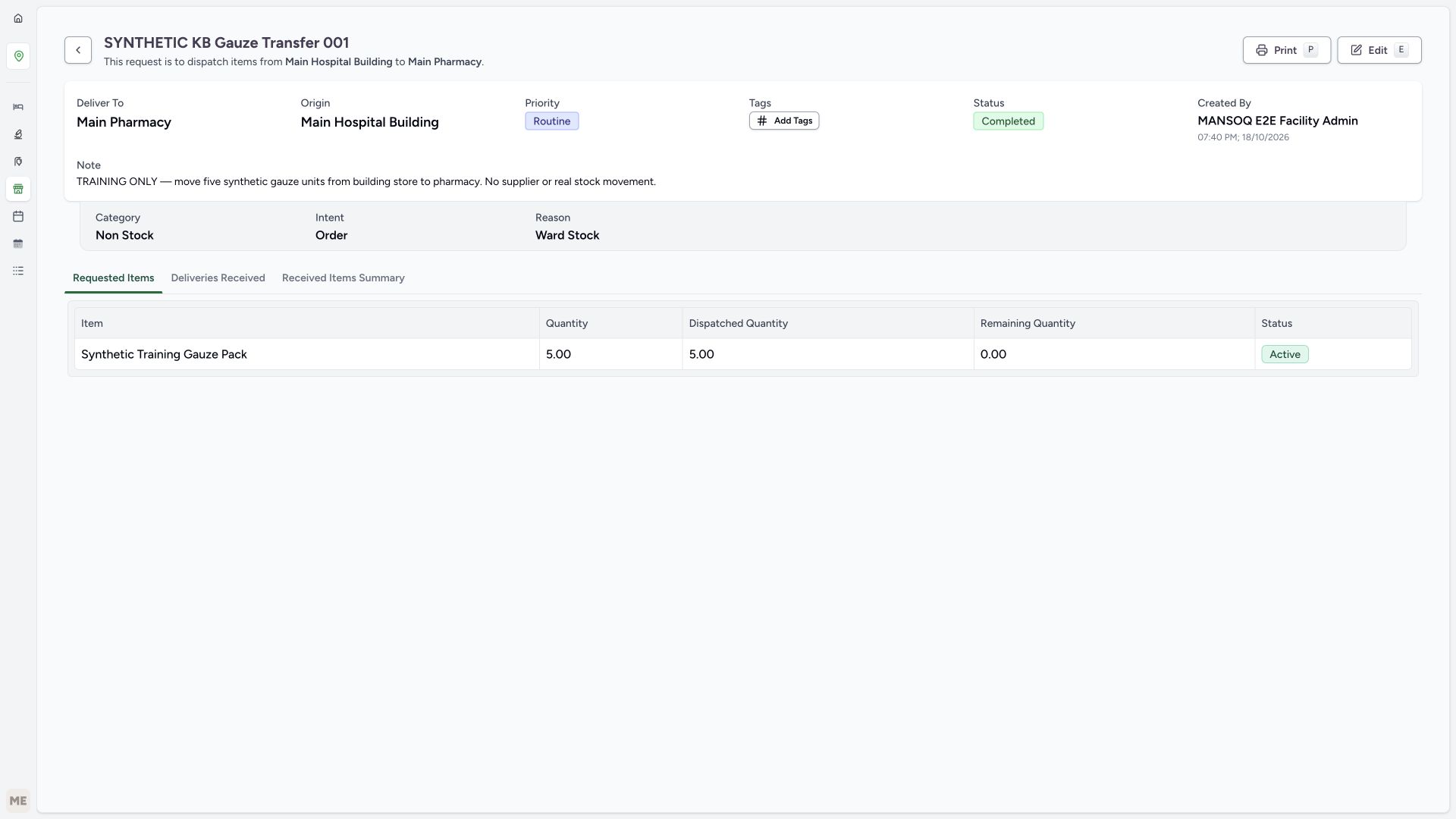 123
123- Completed request: The request header is Completed, separately from its delivery and stock line.
- No remaining requested quantity: Five requested units were dispatched, leaving zero remaining.
- Separate requested-item state: The requested-item row still displays Active; this is not the request header status.
6. Verify the destination inventory
Open Inventory → Items at Main Pharmacy. Match the product, KB-GAUZE-20261018 batch, saved expiry 19 October 2028 and 5 count units. Independent read-only verification confirmed the destination record.
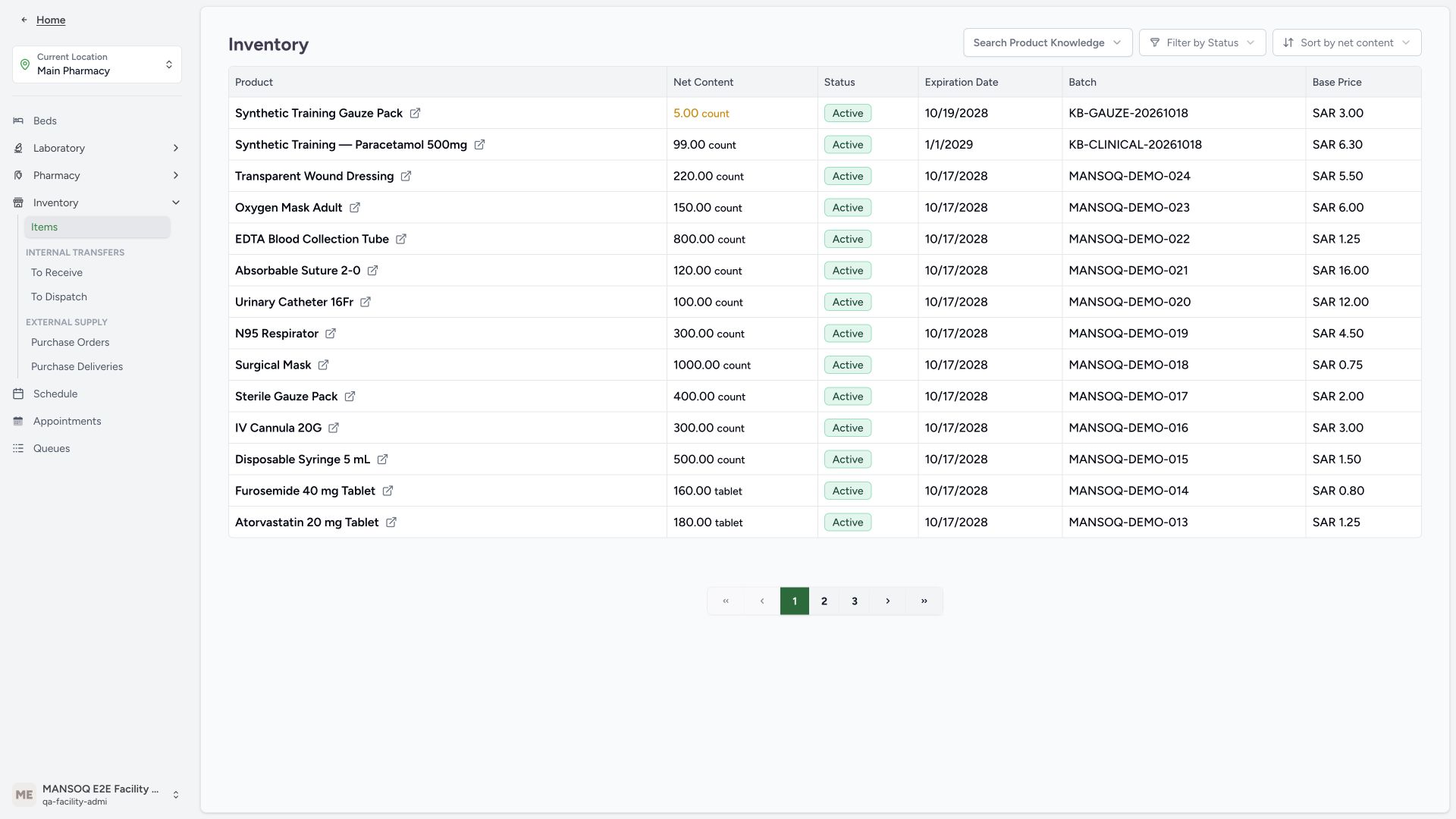 123
123- Receiving location: Verify the location before reading quantities.
- Five units received: The destination stock now contains five count units of the synthetic gauze batch.
- Exact transferred batch: Match the product and batch with the request and delivery.
7. Verify the source and conservation of quantity
Switch to Main Hospital Building and read the same batch: 20 count remain. The independent readback confirmed source 20 + destination 5 = original 25, with completed request, delivery and Normal line. A location label or successful toast alone does not establish stock conservation.
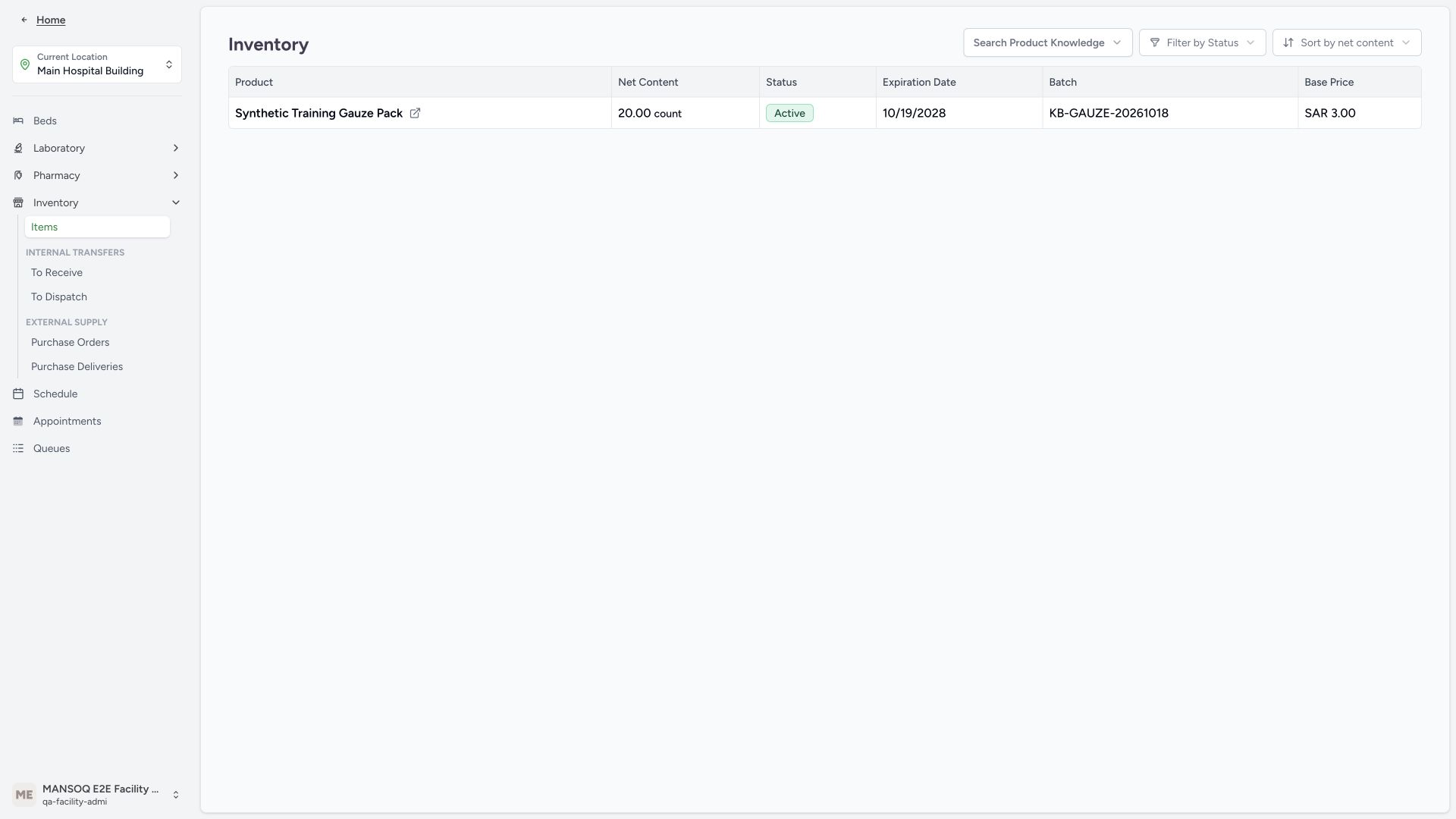 123
123- Sending location: Read the stock in the original sending location.
- Twenty units remain: Five units left the original25-unit batch;20 remain at the source.
- Same tracked batch: Source20 plus destination5 preserves the original25 units.
Source evidence
References are pinned to the private MANSOQ source repository. Repository access is required to open these links.
- repositories/platform/mansoq-web/src/pages/Facility/services/inventory/externalSupply/deliveryOrder/DeliveryOrderShow.tsx:1 · f6e9f05f
- repositories/platform/mansoq-web/src/pages/Facility/services/inventory/externalSupply/requestOrder/RequestOrderShow.tsx:1 · f6e9f05f
- repositories/platform/mansoq-web/src/pages/Facility/services/inventory/InventoryList.tsx:1 · f6e9f05f
- repositories/platform/mansoq-core/mansoq/emr/resources/inventory/inventory_item/sync_inventory_item.py:21 · f6e9f05f