 MANSOQ
 Laboratory & radiology
Review, finalize and complete a laboratory request
Approve a saved preliminary result, verify finalization, complete the request with a note, and open its generated report.
Current source · Source reviewed; scoped synthetic Nurse and Doctor laboratory workflow observed · 7 min read
Before you begin
- The correct patient and request have a saved preliminary report and required results.
- You are authorized to approve the report under facility policy. The default permission model does not itself prove mandatory independent dual review.
- Check billing and downstream obligations separately; clinical completion is not billing settlement.
1. Review the result and conclusion
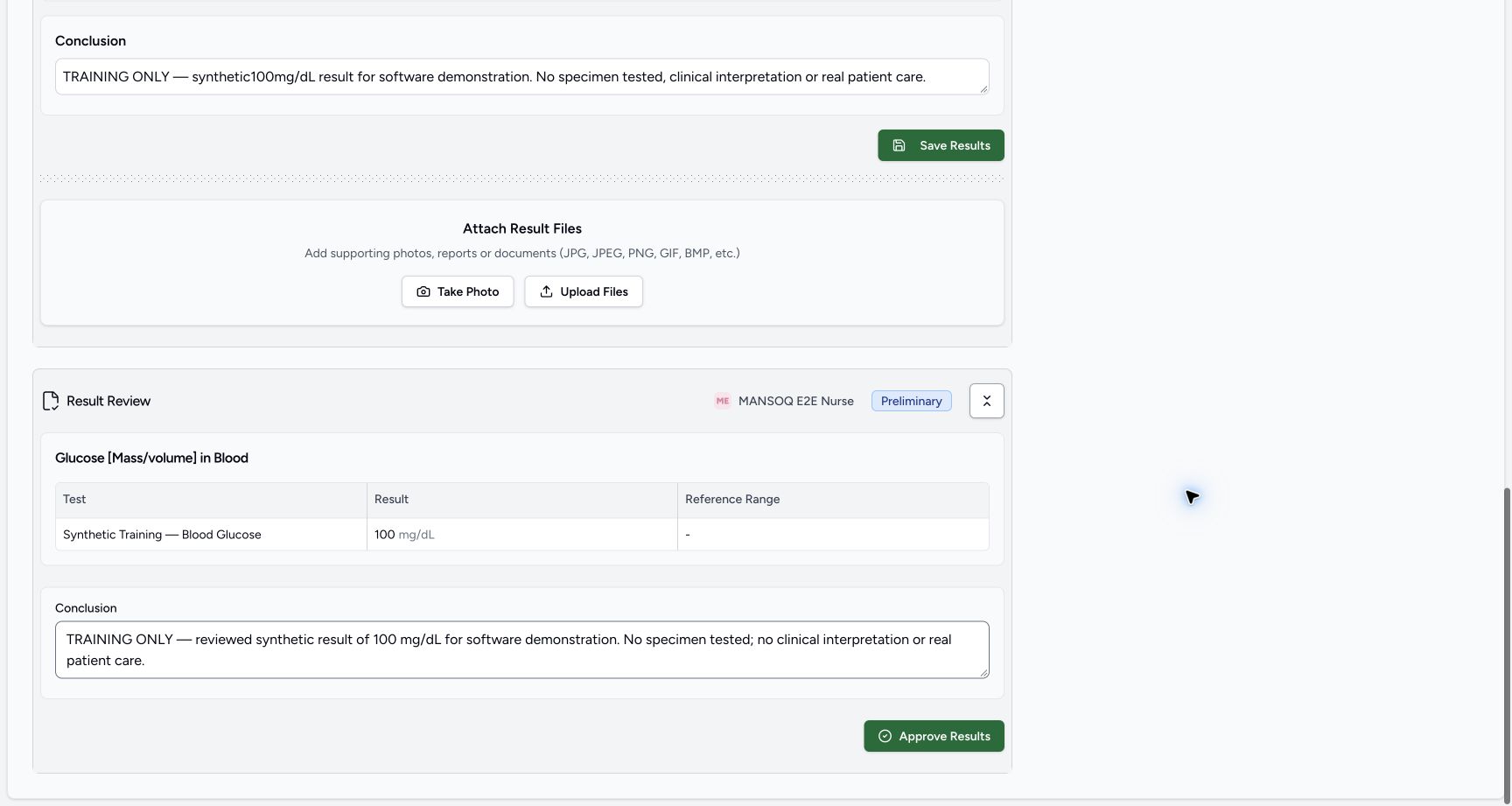
Open Result Review. Check the report code, observation value, unit, configured reference range and conclusion against the correct patient/request. The Doctor training example reviews synthetic 100 mg/dL with no configured range.
 1
1- Approve Results: finalize this reviewed synthetic report: Approve Results: finalize this reviewed synthetic report
2. Approve and confirm
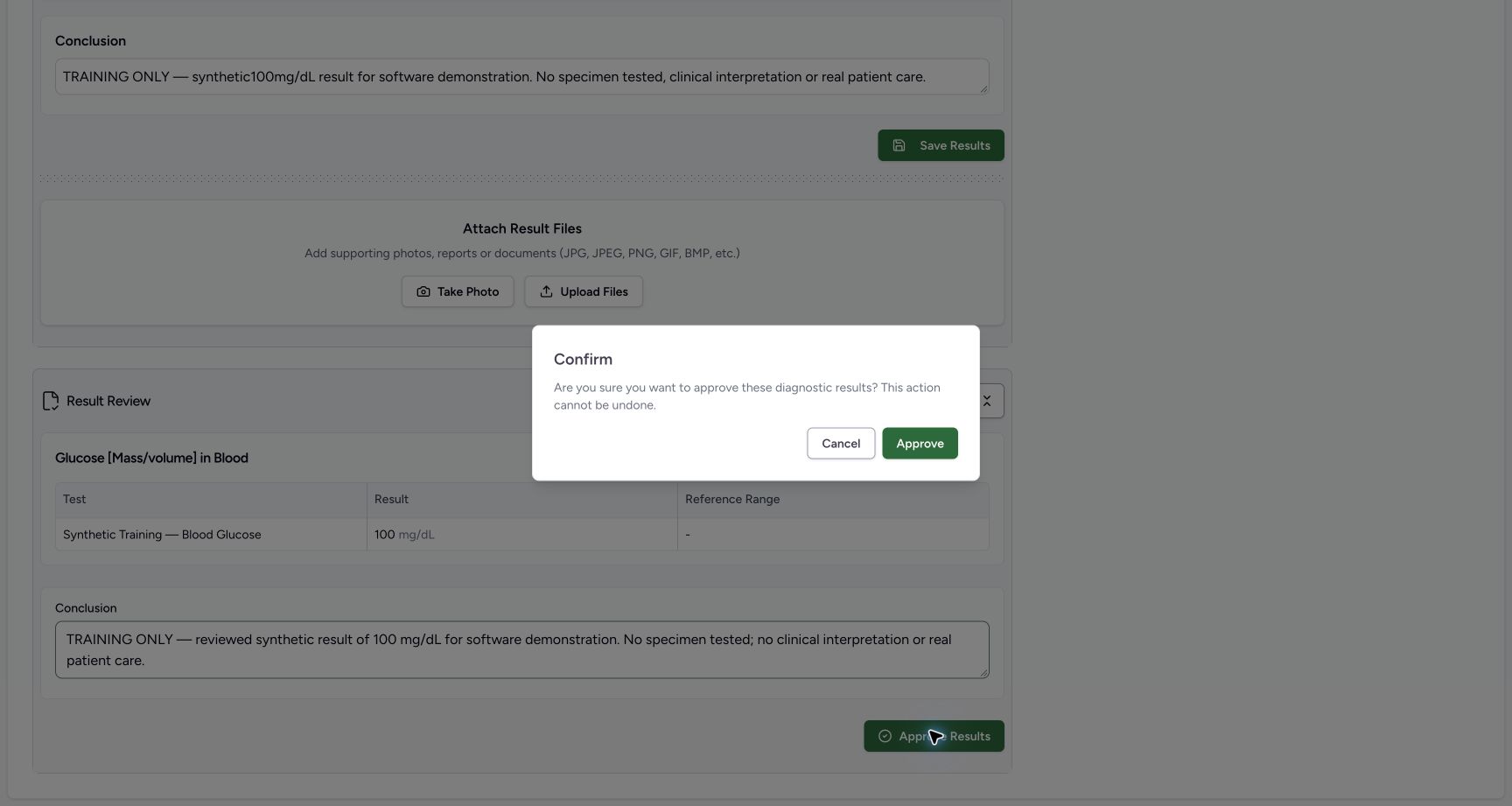
Select Approve Results. Read the confirmation that approval cannot be undone, then select Approve only after the required review. The example approves an explicitly synthetic demonstration.
1- Approve Results: finalize this reviewed synthetic report: Approve Results: finalize this reviewed synthetic report
 1
1- Approve: confirm finalization of the synthetic diagnostic results: Approve: confirm finalization of the synthetic diagnostic results
3. Verify the final state
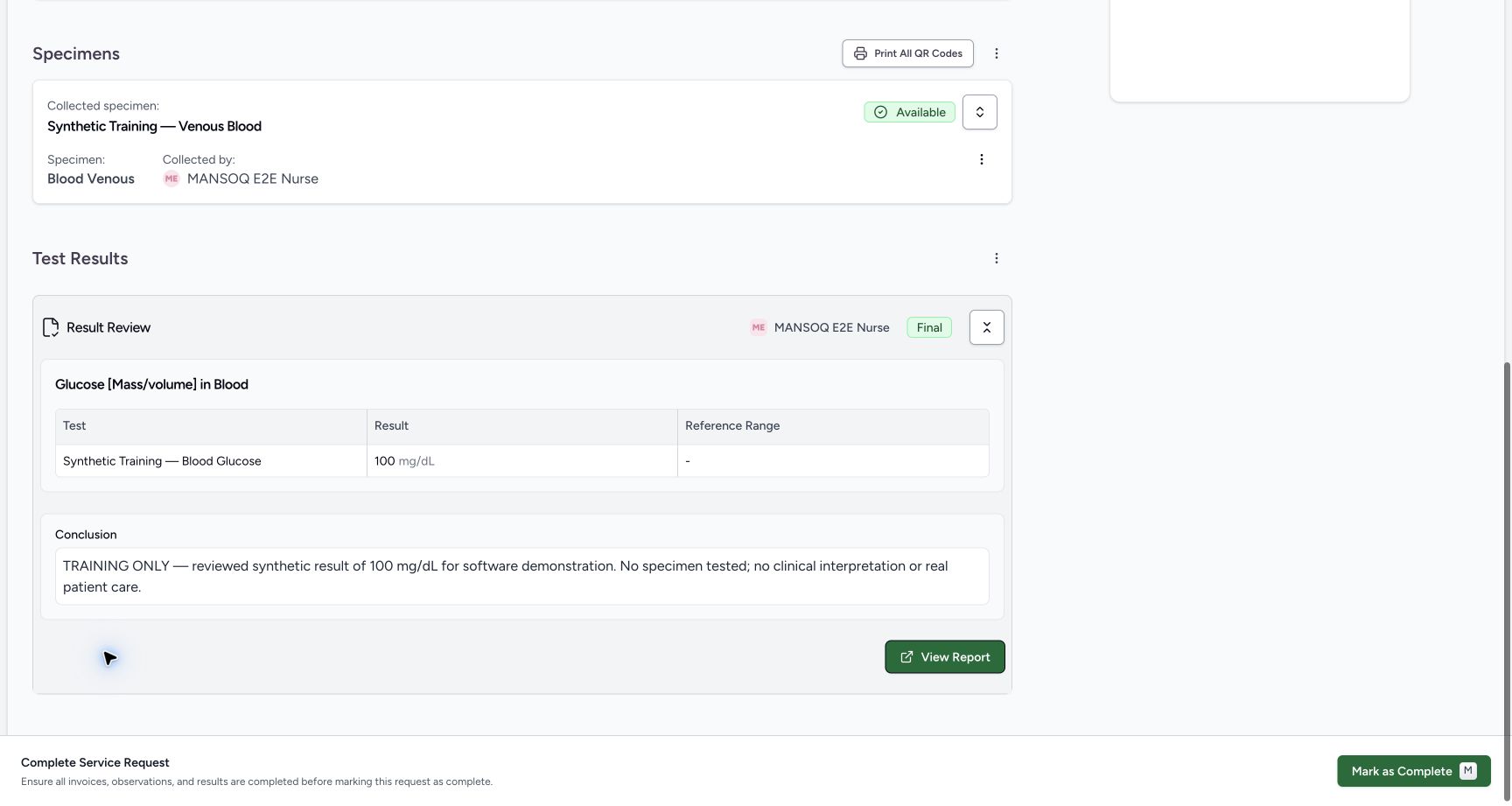
Confirm Final and the persisted result/conclusion. The current UI removes the result-entry and approval controls for the final report. An independent readback verifies Doctor as last report updater and Nurse as original report/result author.
 1
1- Final: approved result with the reviewed conclusion; result entry is no longer shown: Final: approved result with the reviewed conclusion; result entry is no longer shown
4. Review outstanding request work
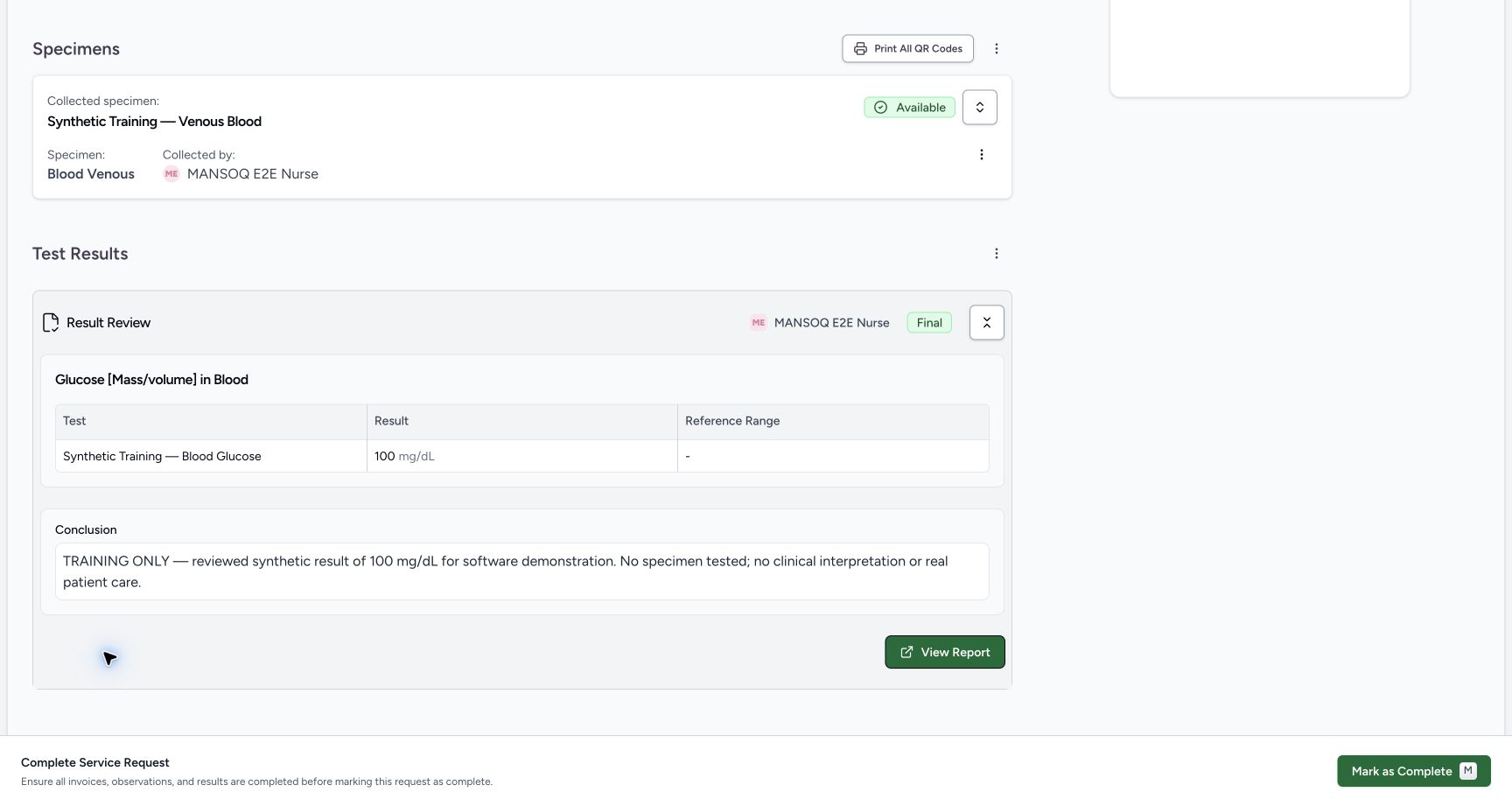
Review the request before Mark as Complete. For this configured laboratory path, a final report enables the control. The displayed billable charge remains Unpaid; completing the service does not collect payment.
 1
1- Mark as Complete: finish the service request after reviewing its required work: Mark as Complete: finish the service request after reviewing its required work
5. Add the completion note
Select Mark as Complete, enter a factual Completion Note, then Save & Complete. This updates the request note and status. The training note explicitly states no real specimen testing, care, payment or payer submission occurred.
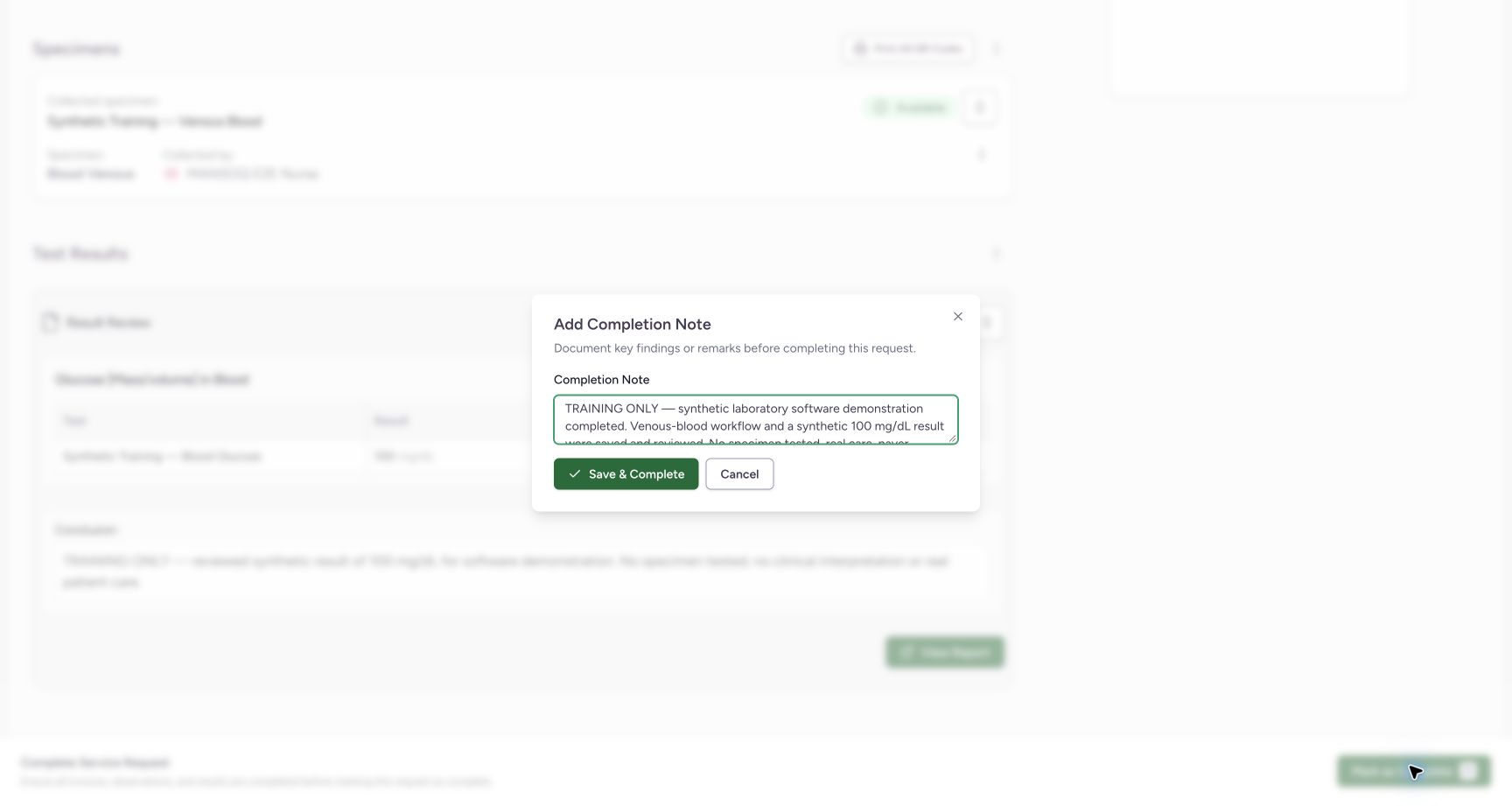 1
1- Save & Complete: save the completion note and finish this request: Save & Complete: save the completion note and finish this request
6. Confirm Completed
Verify request status Completed and the intended completion note. Independent readback confirms the same request ID is completed. Treat remaining finance work as separate.
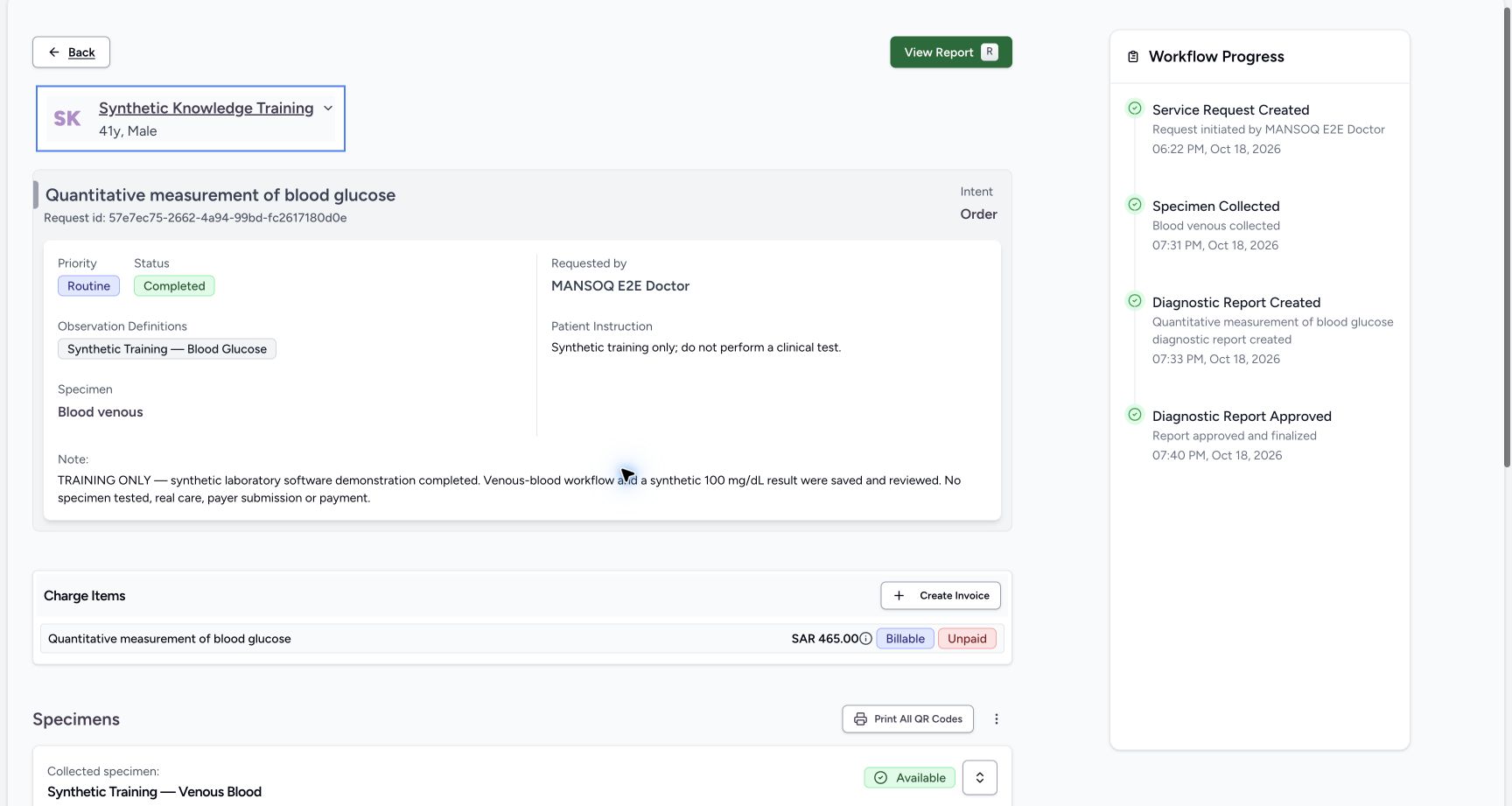 1
1- Completed: the service request is finished; this is separate from billing settlement: Completed: the service request is finished; this is separate from billing settlement
7. Open the saved report
Select View Report. Confirm Laboratory, Final, report date, requested-by user, result, unit and conclusion. This is the persisted report, not an unsaved form.
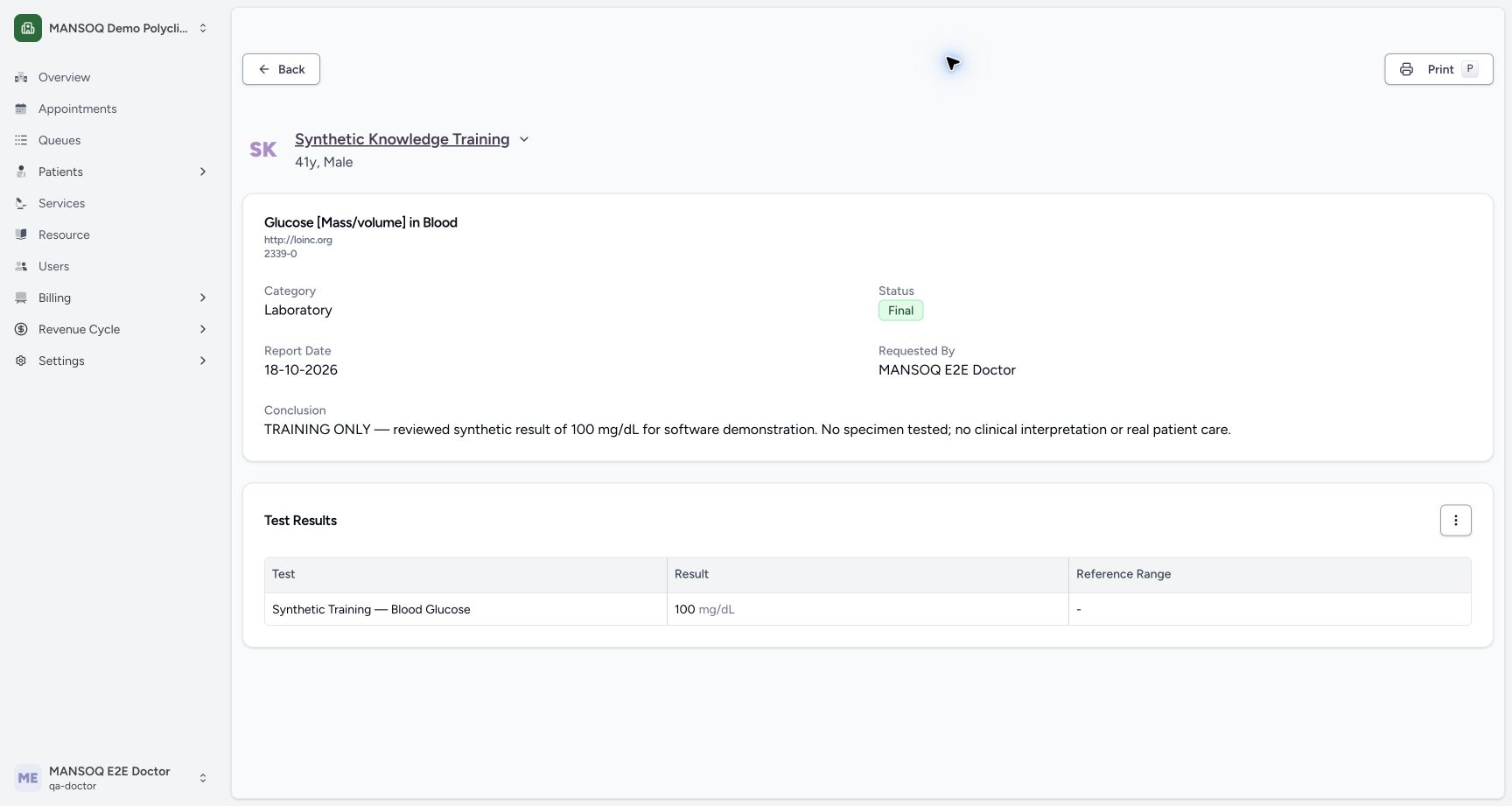 1
1- Print: open the report print view after checking the Final result and patient: Print: open the report print view after checking the Final result and patient
8. Open the print view
Select Print. Check the generated report page, synthetic patient context, results, conclusion, Printed by and generation time before using its Print control. The example verifies the print view, not a physical printout or saved PDF.
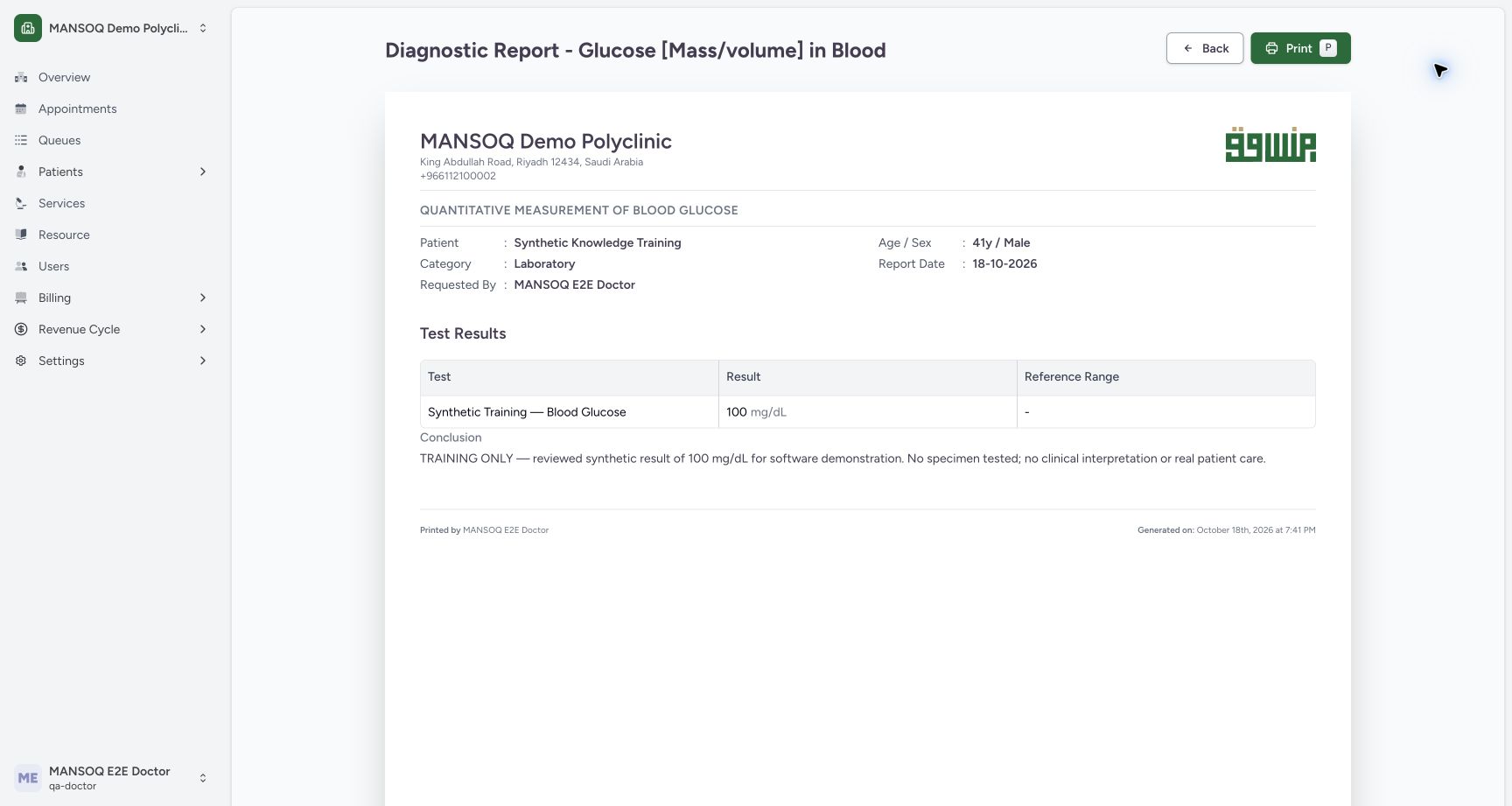 1
1- Print: launch the browser print dialog from this generated report page: Print: launch the browser print dialog from this generated report page
What the final-result lock verifies
A normal authorized API attempt to update the existing final observation returned 400: “Cannot update observations for a final diagnostic report.” Independent before/after checks confirmed the same observation ID, value and count. This establishes that endpoint restriction; it does not prove every metadata field is immutable or establish a complete report-amendment workflow.
1- Final: approved result with the reviewed conclusion; result entry is no longer shown: Final: approved result with the reviewed conclusion; result entry is no longer shown
Correction and amendment limits
Do not treat a finalized report as a draft or change its status merely to make editing available. Follow the facility-approved correction process and implementation support. This audit found no complete enforced metadata state machine proving every amendment path. Observation Amended status alone is not proof of a governed report amendment lifecycle.
Verified scope
This walkthrough covers one configured laboratory quantity and an example Nurse-to-Doctor handoff in the synthetic Polyclinic. Other assays, reference ranges, specialist preparation, analyser interfaces, external laboratories, attachments and every role/facility combination remain separate verification work.
Troubleshooting
Result-entry controls disappear after approval
This is expected for Final in the illustrated UI. Confirm the saved report and follow approved correction policy rather than resubmitting a draft result.
Mark as Complete is absent
Check the required final report, request category/state and permissions. Do not complete through a lower-level API to bypass unfinished clinical work.
The request is completed but the charge is unpaid
Clinical completion and financial settlement are separate. Follow the authorized billing workflow and verify its invoice/payment state.
Source evidence
References are pinned to the private MANSOQ source repository. Repository access is required to open these links.
- repositories/platform/mansoq-web/src/pages/Facility/services/serviceRequests/components/DiagnosticReportReview.tsx:128 · f6e9f05f
- repositories/platform/mansoq-web/src/pages/Facility/services/serviceRequests/components/DiagnosticReportReview.tsx:293 · f6e9f05f
- repositories/platform/mansoq-web/src/pages/Facility/services/serviceRequests/ServiceRequestShow.tsx:326 · f6e9f05f
- repositories/platform/mansoq-web/src/pages/Facility/services/serviceRequests/ServiceRequestShow.tsx:633 · f6e9f05f
- repositories/platform/mansoq-web/src/pages/Facility/services/diagnosticReports/DiagnosticReportPrint.tsx:210 · f6e9f05f
- repositories/platform/mansoq-core/mansoq/emr/api/viewsets/diagnostic_report.py:164 · f6e9f05f