 MANSOQ
 Getting started
Sign in to patient appointment self-service
Choose patient login, verify the correct phone and end the session safely.
Current source · source reviewed · 5 min read
Before you begin
- Your organization has enabled patient login on its own MANSOQ address.
- Use a phone number you are authorized to verify and that is linked to the intended patient record.
1. Choose patient access
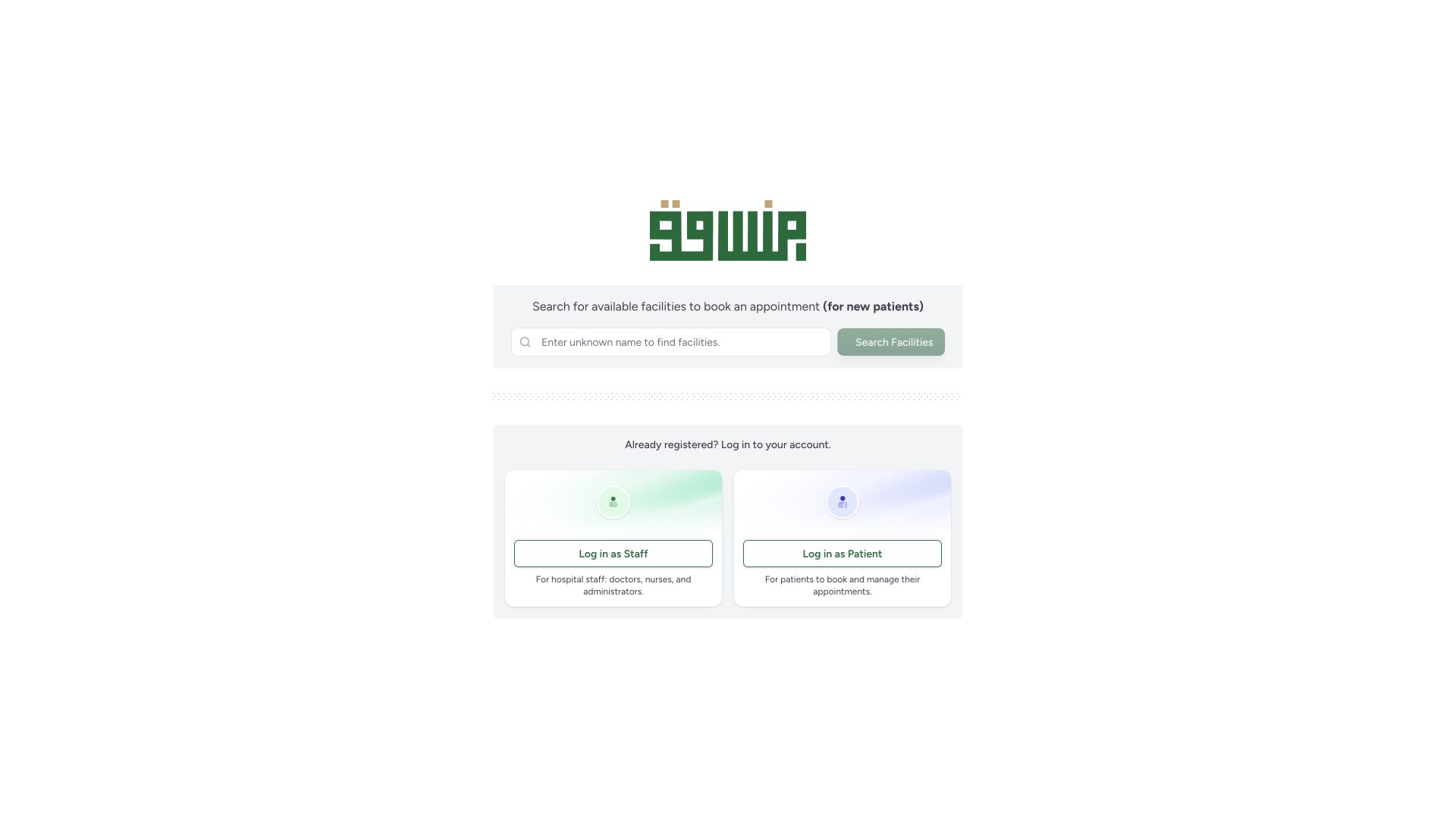
Open your organization’s MANSOQ address and select Log in as Patient. On the login page, choose the patient tab. Log in as Staff is a separate account flow.
 1
1- Log in as Patient: use phone OTP for patient appointment self-service: Log in as Patient: use phone OTP for patient appointment self-service
 1
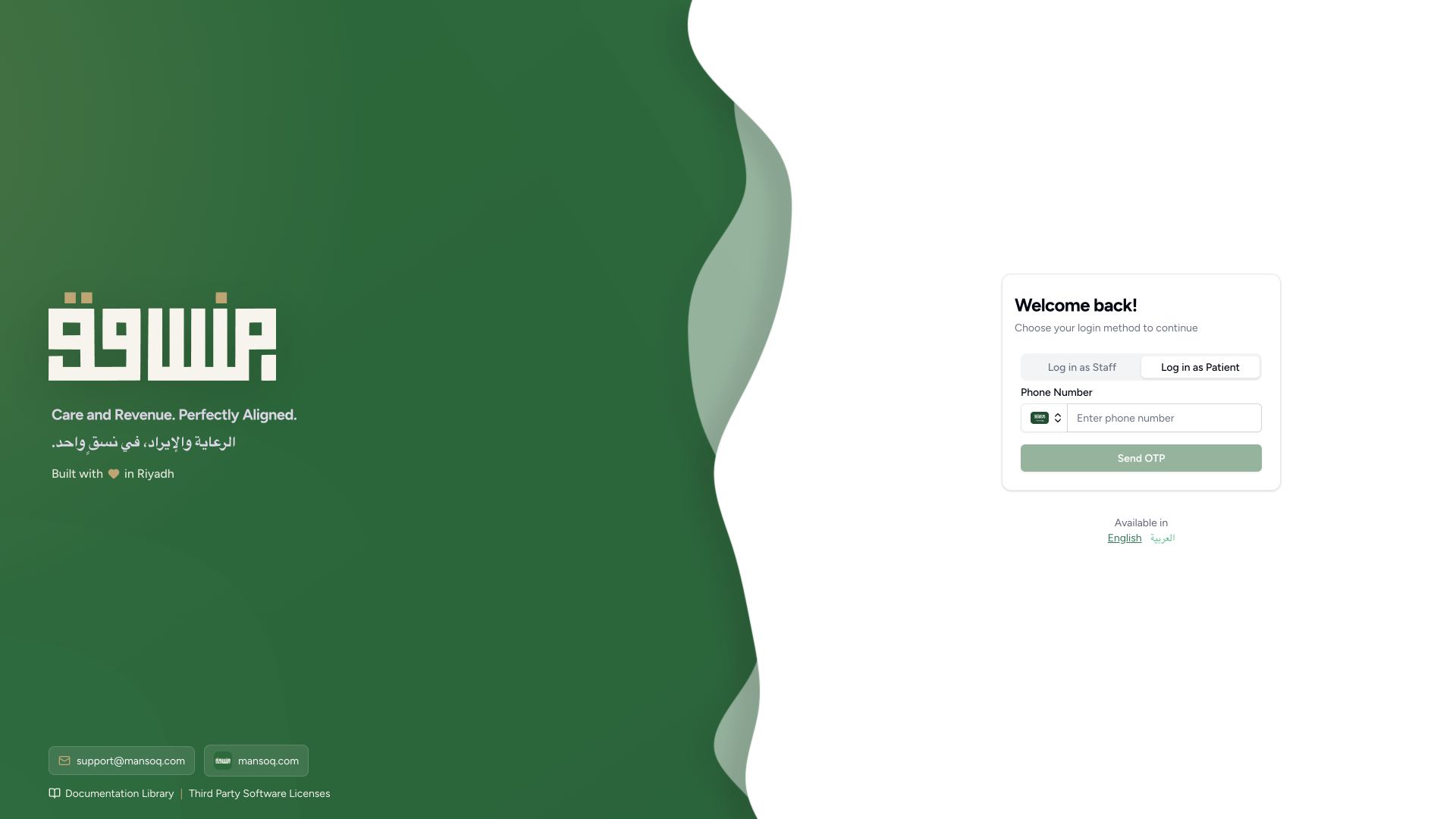
1- Enter the phone number linked to the patient record under the correct country code: Enter the phone number linked to the patient record under the correct country code
2. Enter the correct phone
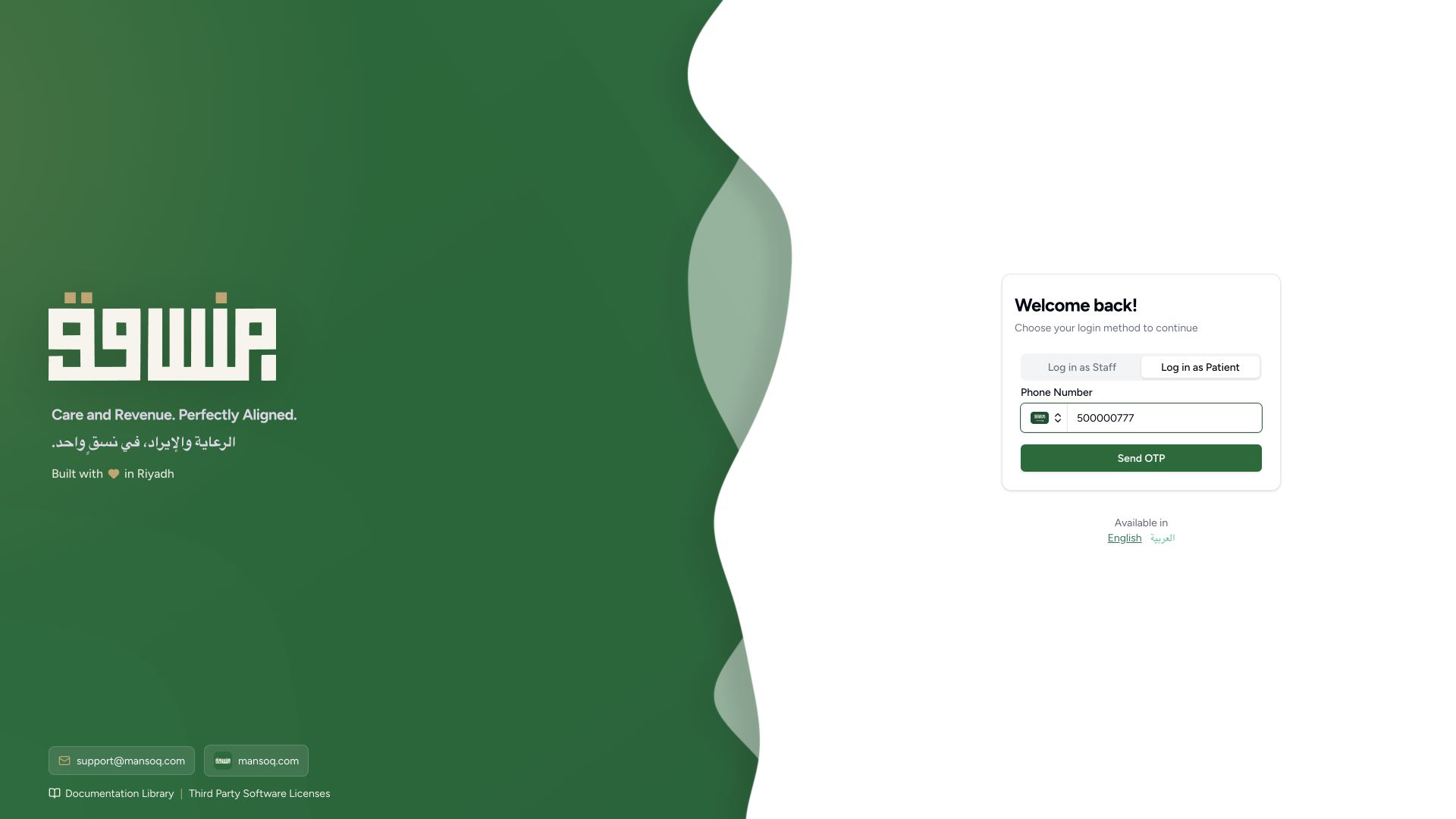
Check the country code and enter the phone linked to the patient record. Send OTP becomes available for a valid phone. Check the number before requesting the code.
1- Enter the phone number linked to the patient record under the correct country code: Enter the phone number linked to the patient record under the correct country code
 1
1- Send OTP: request verification for this phone and use the latest code delivered by your own deployment: Send OTP: request verification for this phone and use the latest code delivered by your own deployment
3. Verify the phone
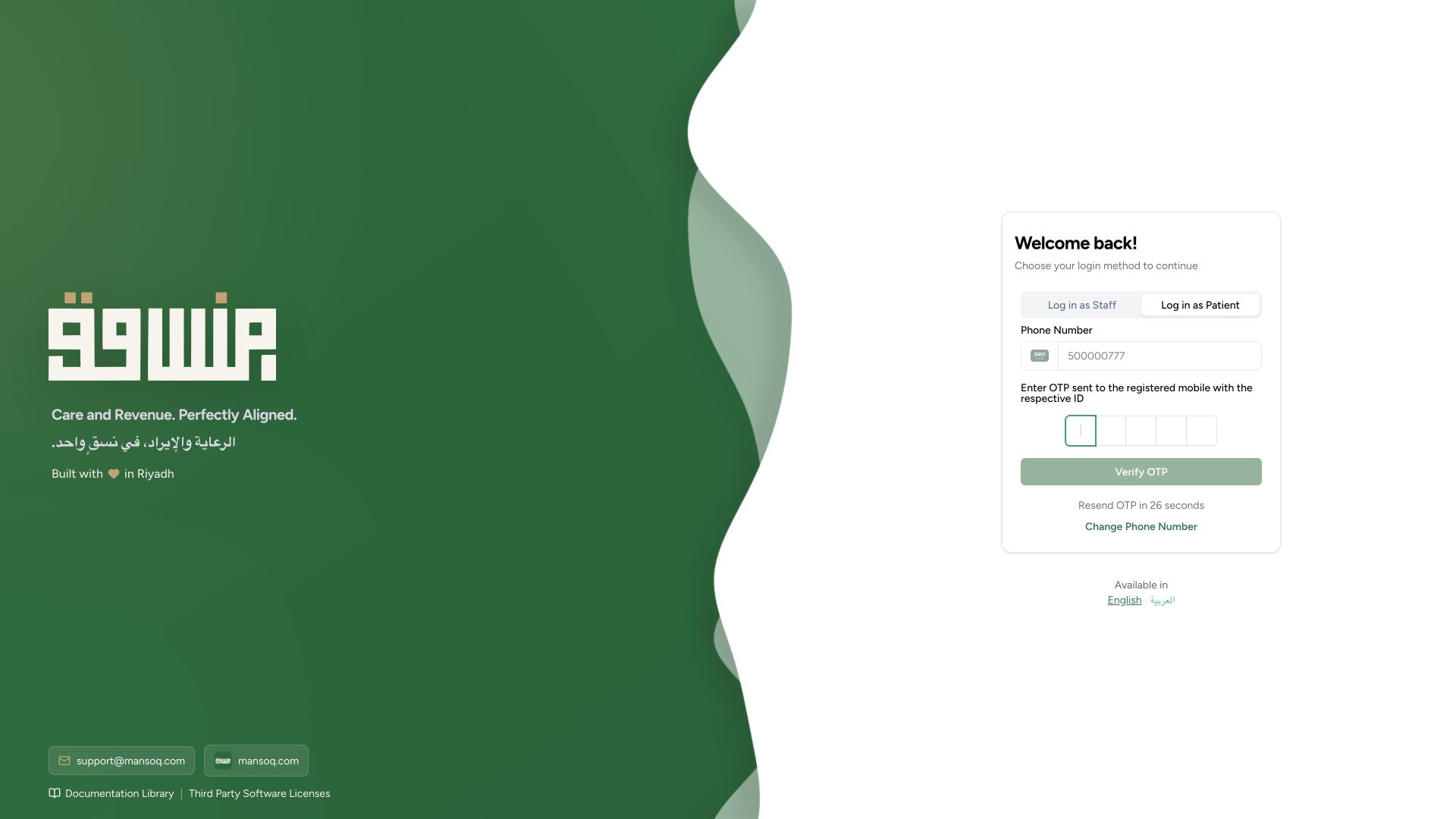
Enter the latest verification code delivered by your own deployment and select Verify OTP. The phone is locked during verification. Change Phone Number returns to phone entry. Wait for the displayed resend countdown before requesting another code.
 1
1- Change Phone Number: correct a wrong number before requesting a new verification code: Change Phone Number: correct a wrong number before requesting a new verification code
4. Correct an invalid code
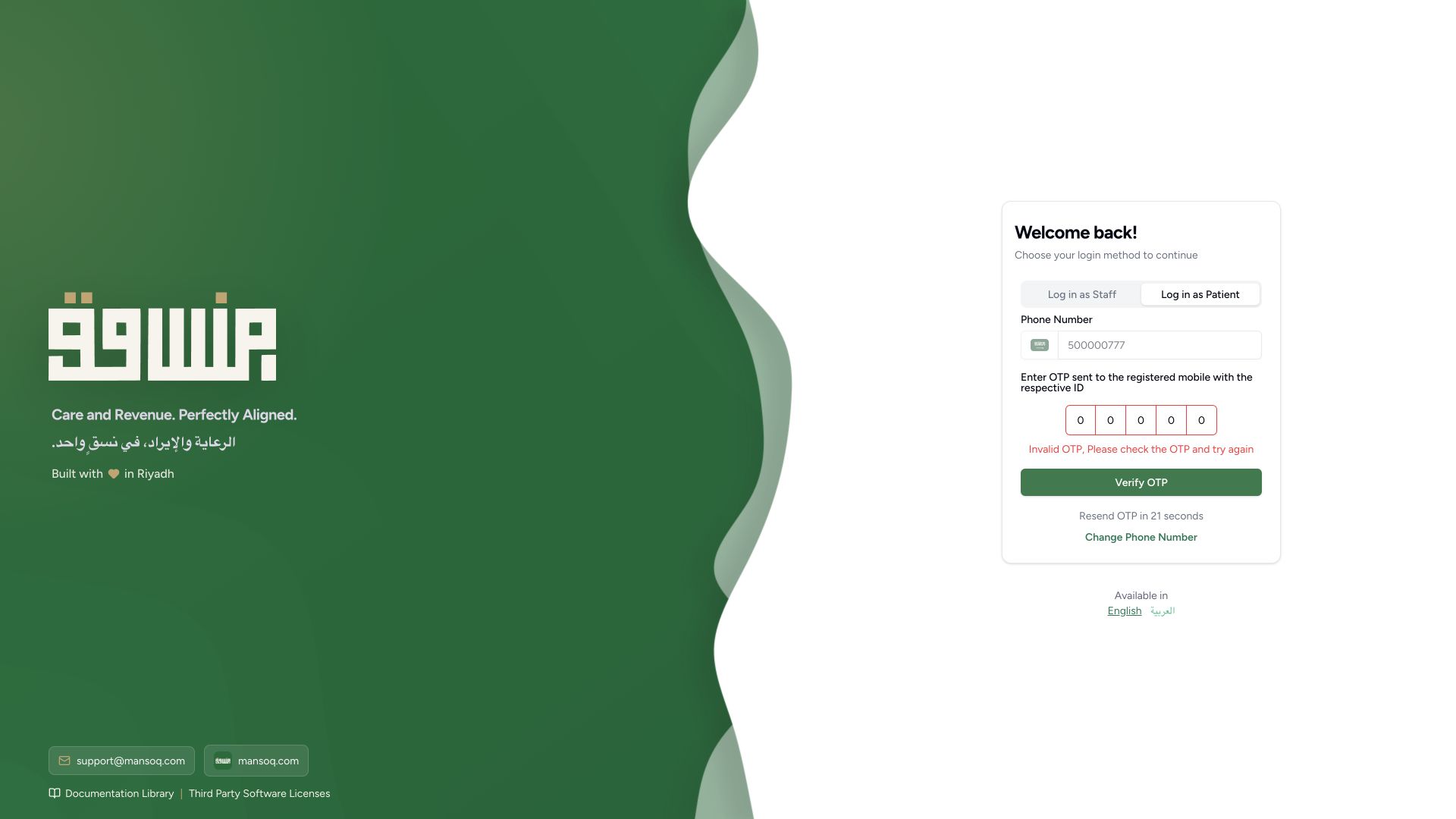
An incorrect code produces Invalid OTP, Please check the OTP and try again. Recheck the phone and latest delivered code. Repeated failures are limited by the server; do not keep guessing. The pictured invalid code is an intentional test, not a usable login code.
 1
1- Invalid OTP: enter the latest code for the same phone; repeated errors are rate limited: Invalid OTP: enter the latest code for the same phone; repeated errors are rate limited
5. Check the selected person
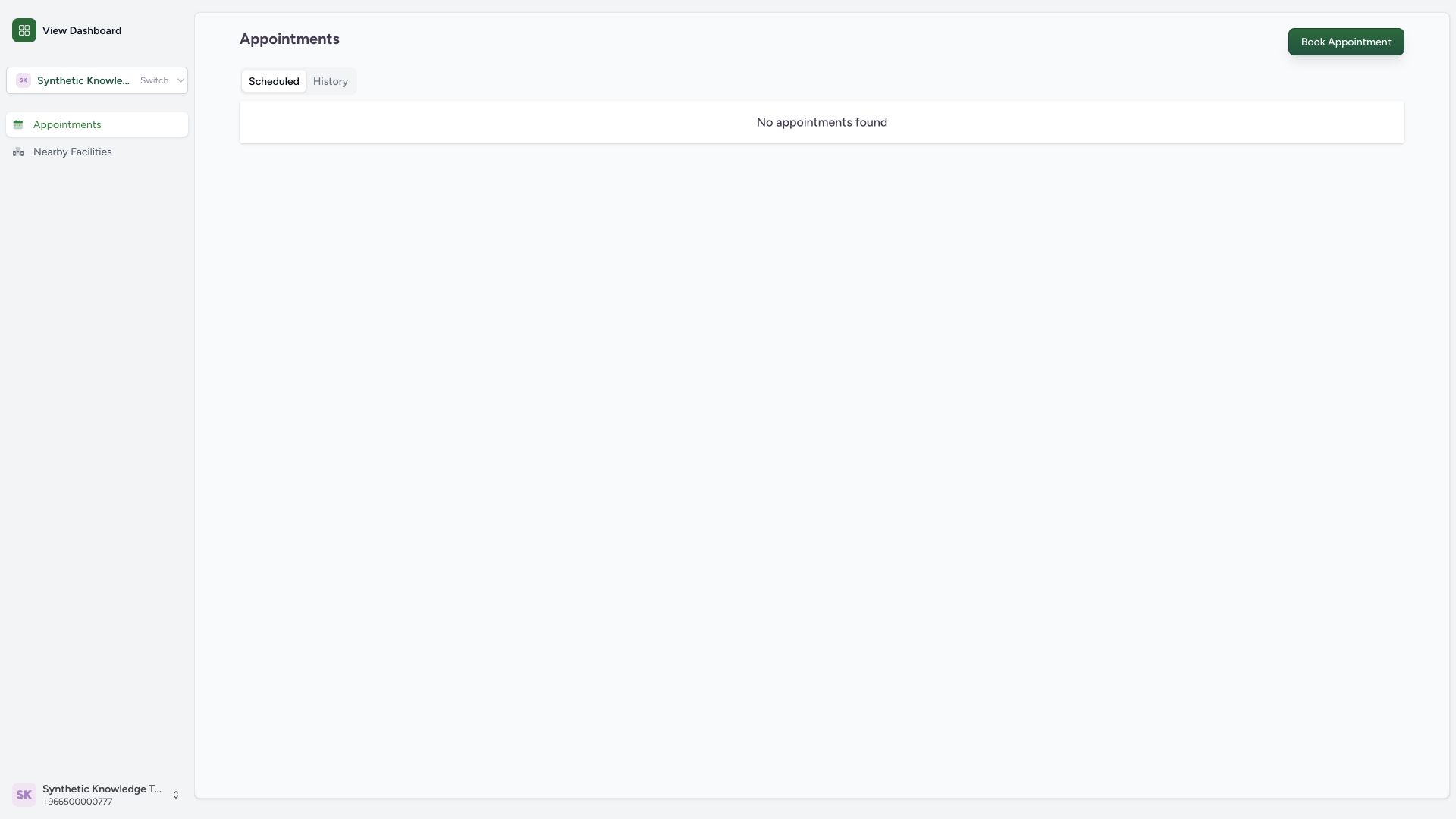
After successful verification, Patient Home shows the selected person and appointment navigation. Read the person’s name before booking or changing an appointment. A patient session does not give access to the staff clinical workspace.
 1
1- Book Appointment: browse a facility and available practitioner before selecting a slot: Book Appointment: browse a facility and available practitioner before selecting a slot
6. Sign out when finished
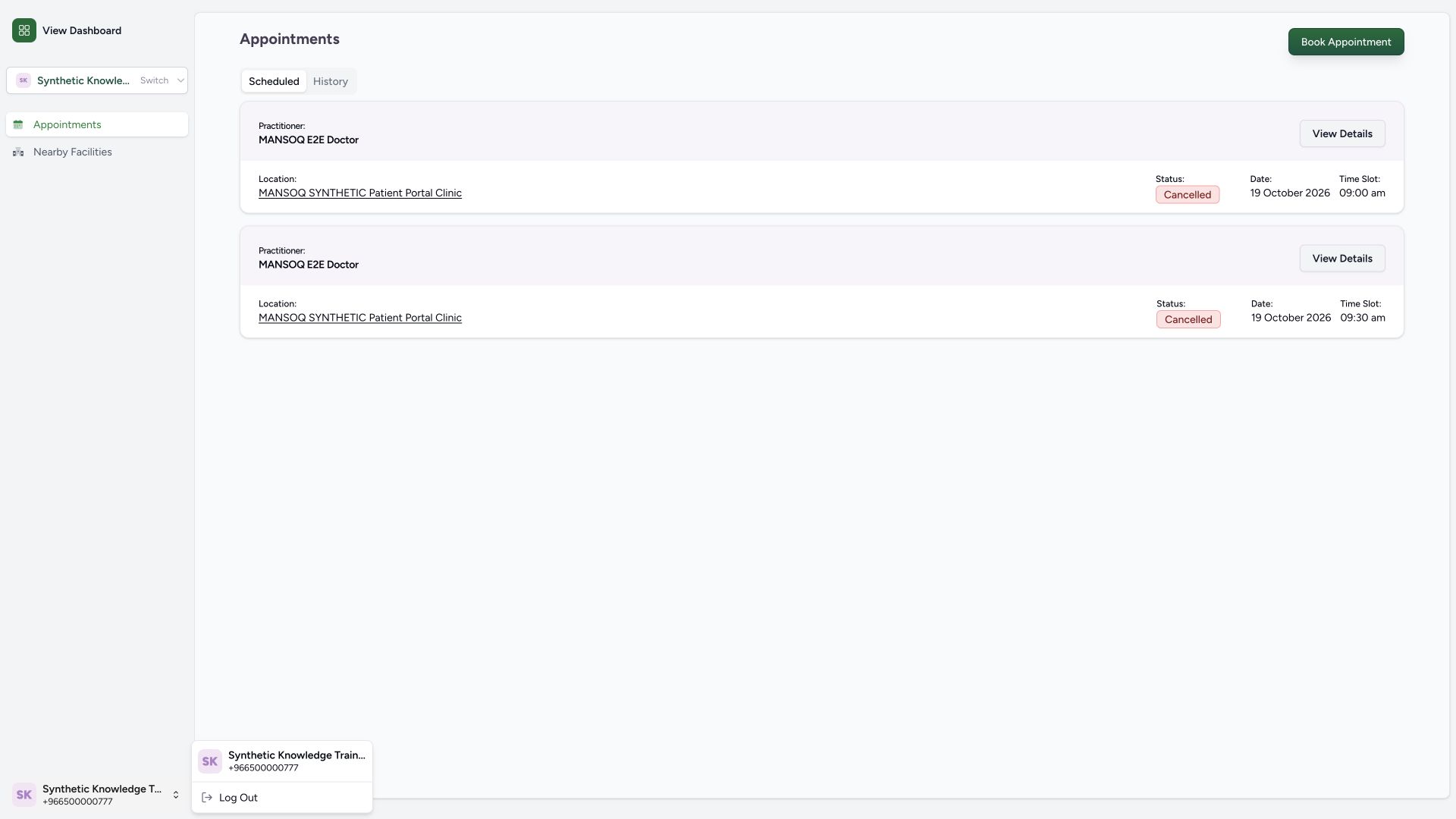
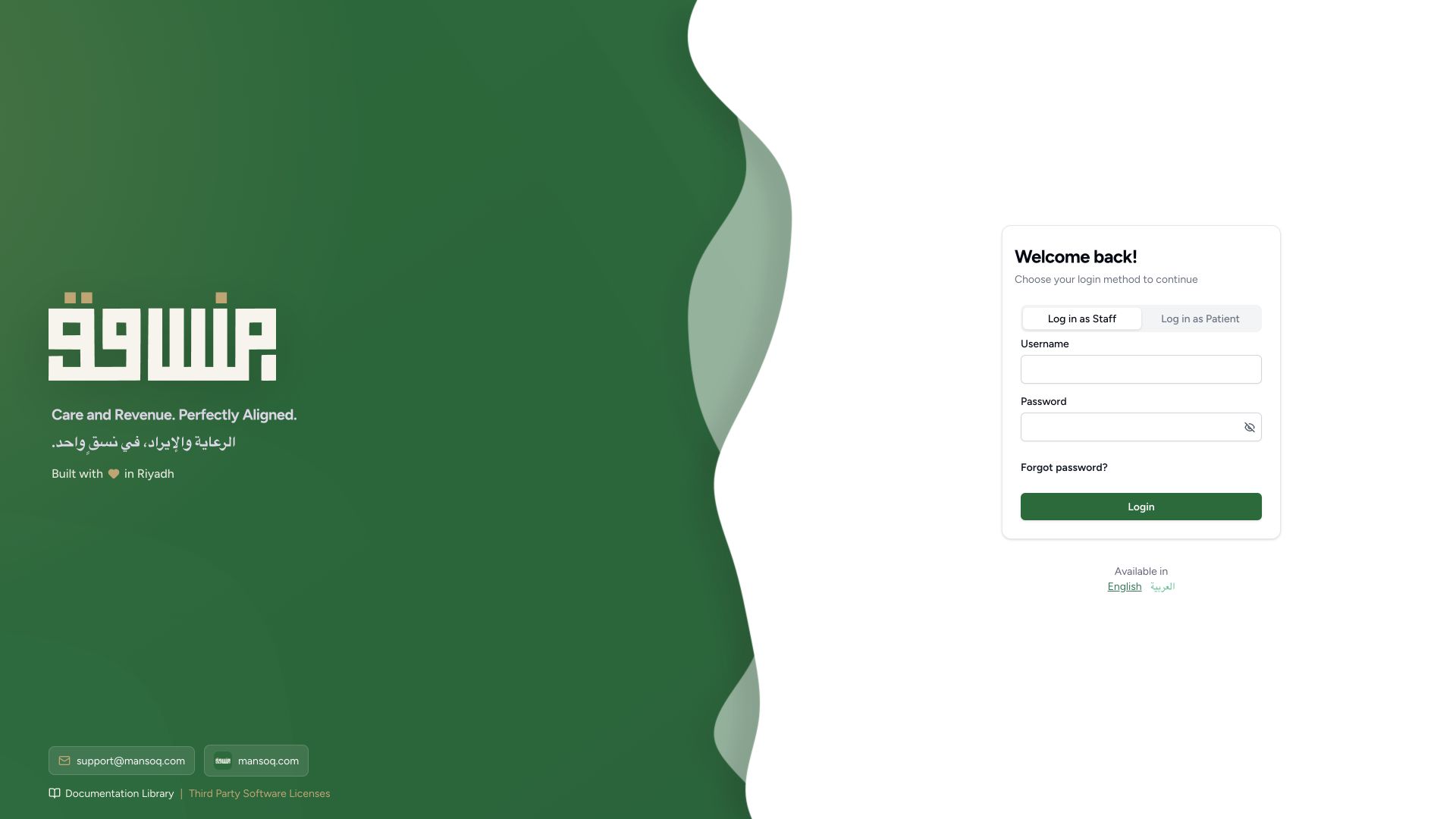
Open the profile menu at the bottom of the sidebar, then Log Out. Confirm that the unauthenticated login screen returns, especially on a shared computer.
 1
1- Log Out: end the patient session when finished, especially on a shared computer: Log Out: end the patient session when finished, especially on a shared computer
 1
1- Signed out: patient self-service requires a fresh authorized phone verification session: Signed out: patient self-service requires a fresh authorized phone verification session
Availability and training scope
These wide screenshots show a source-clean production build with patient login enabled only in isolated training. The original staff preview disables patient login. Your own deployment must enable this service and publish the relevant facility, practitioner and schedule. All names, phone numbers, addresses and appointments pictured are fictional. No SMS or external care occurred.
1- Log in as Patient: use phone OTP for patient appointment self-service: Log in as Patient: use phone OTP for patient appointment self-service
1- Signed out: patient self-service requires a fresh authorized phone verification session: Signed out: patient self-service requires a fresh authorized phone verification session
Phone association and caregiver authority
The verified phone identifies which patient records this portal lists. A phone-linked list and Switch control are not evidence of formal caregiver delegation or consent. Use your facility’s authorized process for another person. Independent scoped API checks refused another phone’s cancellation and refused a patient token’s clinician encounter access.
1- Book Appointment: browse a facility and available practitioner before selecting a slot: Book Appointment: browse a facility and available practitioner before selecting a slot
Troubleshooting
There is no patient tab or public landing page
Patient login can be disabled by deployment configuration. Ask the organization whether its patient appointment portal is enabled; the staff login page is not the patient self-service journey.
1- Signed out: patient self-service requires a fresh authorized phone verification session: Signed out: patient self-service requires a fresh authorized phone verification session
The code is rejected or has not arrived
Check the phone, use the latest delivered code, follow the resend countdown and change the phone if incorrect. Contact the organization if its delivery service or account linkage needs help.
1- Change Phone Number: correct a wrong number before requesting a new verification code: Change Phone Number: correct a wrong number before requesting a new verification code
1- Invalid OTP: enter the latest code for the same phone; repeated errors are rate limited: Invalid OTP: enter the latest code for the same phone; repeated errors are rate limited
Source evidence
References are pinned to the private MANSOQ source repository. Repository access is required to open these links.
- repositories/platform/mansoq-web/src/Routers/PublicRouter.tsx:17 · f6e9f05f
- repositories/platform/mansoq-web/src/pages/PublicAppointments/auth/PatientLogin.tsx:76 · f6e9f05f
- repositories/platform/mansoq-web/src/pages/PublicAppointments/auth/PatientLogin.tsx:166 · f6e9f05f
- repositories/platform/mansoq-web/src/Providers/AuthUserProvider.tsx:1 · f6e9f05f
- repositories/platform/mansoq-core/mansoq/emr/api/otp_viewsets/patient.py:15 · f6e9f05f