 MANSOQ
 Clinical care · VERSION 3dfb7c9f
Practise every Respiratory Status choice and its separate note
Exercise all twelve literal options, clear selections and inspect the four choice-note controls.
Nurse
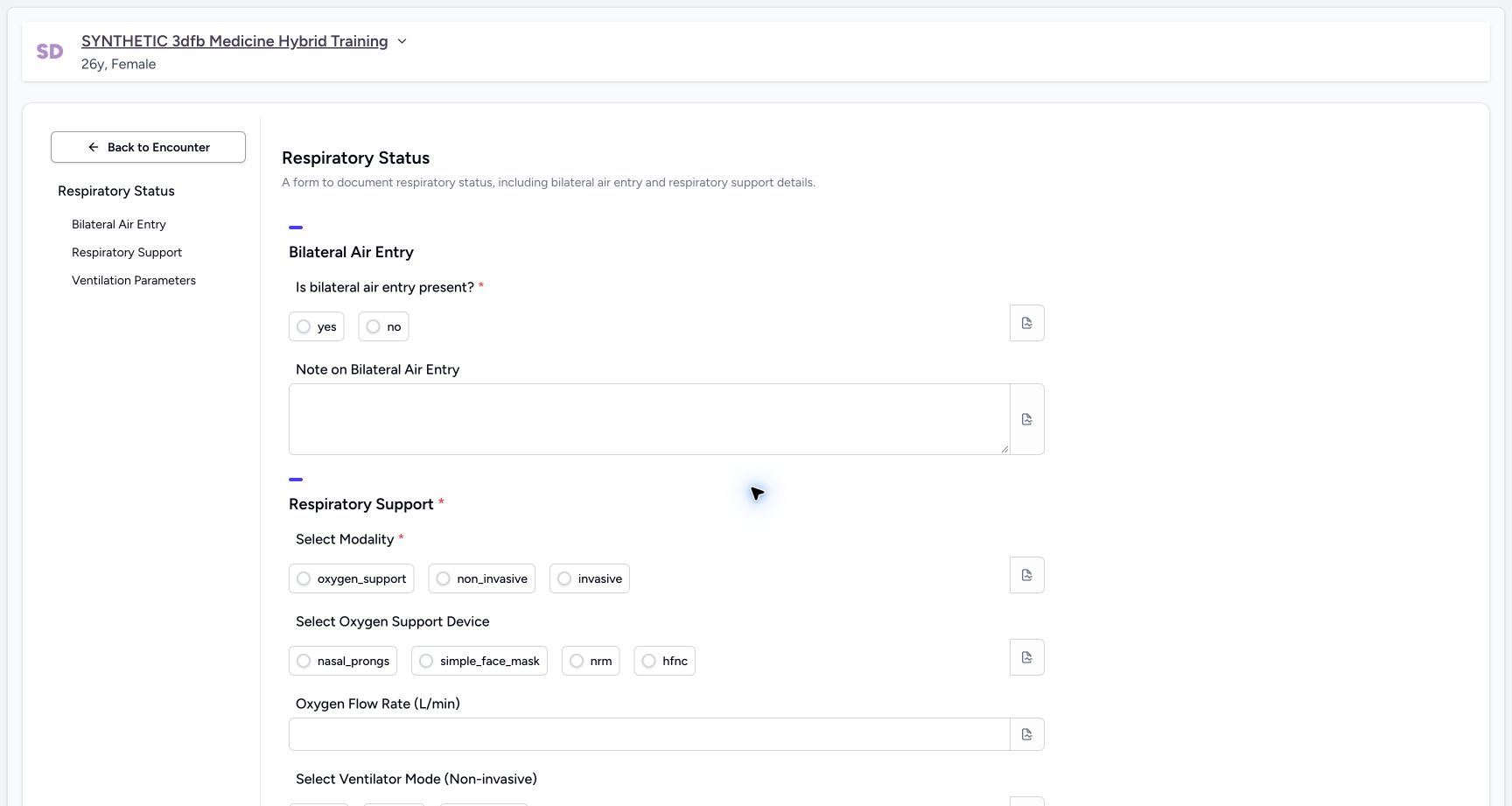 1234
1234Review the blank form and required choices
Capture details
Observed committed 3dfb source on 19 October 2026. Fictional software inputs are not respiratory measurements, treatment advice or ventilator settings.
Image SHA-256 18d3d9f93e582a03983980ac97644c18c19a62c7967bbc6a6571942059472f11
- Return to the encounter: Back to Encounter is separate from the bottom Cancel button.
- Read the required air-entry question: The asterisk marks this input as required.
- Read the required modality: Select Modality is the second required input.
- Use section navigation: The left labels identify the three form sections.
13 of 13 content blocks have reviewed image alignment. Missing overview or prerequisite images remain open.
Before you begin
- Use an authorized Nurse session on the assigned active synthetic training encounter.1234
Recorded release 3dfb7c9f · 2026-10-19T20:11:58.271Z · 1728 × 921 Review the blank form and required choices
Capture details
Observed committed 3dfb source on 19 October 2026. Fictional software inputs are not respiratory measurements, treatment advice or ventilator settings.
Image SHA-256
18d3d9f93e582a03983980ac97644c18c19a62c7967bbc6a6571942059472f11- Return to the encounter: Back to Encounter is separate from the bottom Cancel button.
- Read the required air-entry question: The asterisk marks this input as required.
- Read the required modality: Select Modality is the second required input.
- Use section navigation: The left labels identify the three form sections.
- Use only fictional software examples in this exercise. These samples are not clinical observations, treatment advice or ventilator settings.1234
Recorded release 3dfb7c9f · 2026-10-19T20:11:58.271Z · 1728 × 921 Review the blank form and required choices
Capture details
Observed committed 3dfb source on 19 October 2026. Fictional software inputs are not respiratory measurements, treatment advice or ventilator settings.
Image SHA-256
18d3d9f93e582a03983980ac97644c18c19a62c7967bbc6a6571942059472f11- Return to the encounter: Back to Encounter is separate from the bottom Cancel button.
- Read the required air-entry question: The asterisk marks this input as required.
- Read the required modality: Select Modality is the second required input.
- Use section navigation: The left labels identify the three form sections.
1. Exercise both air-entry options
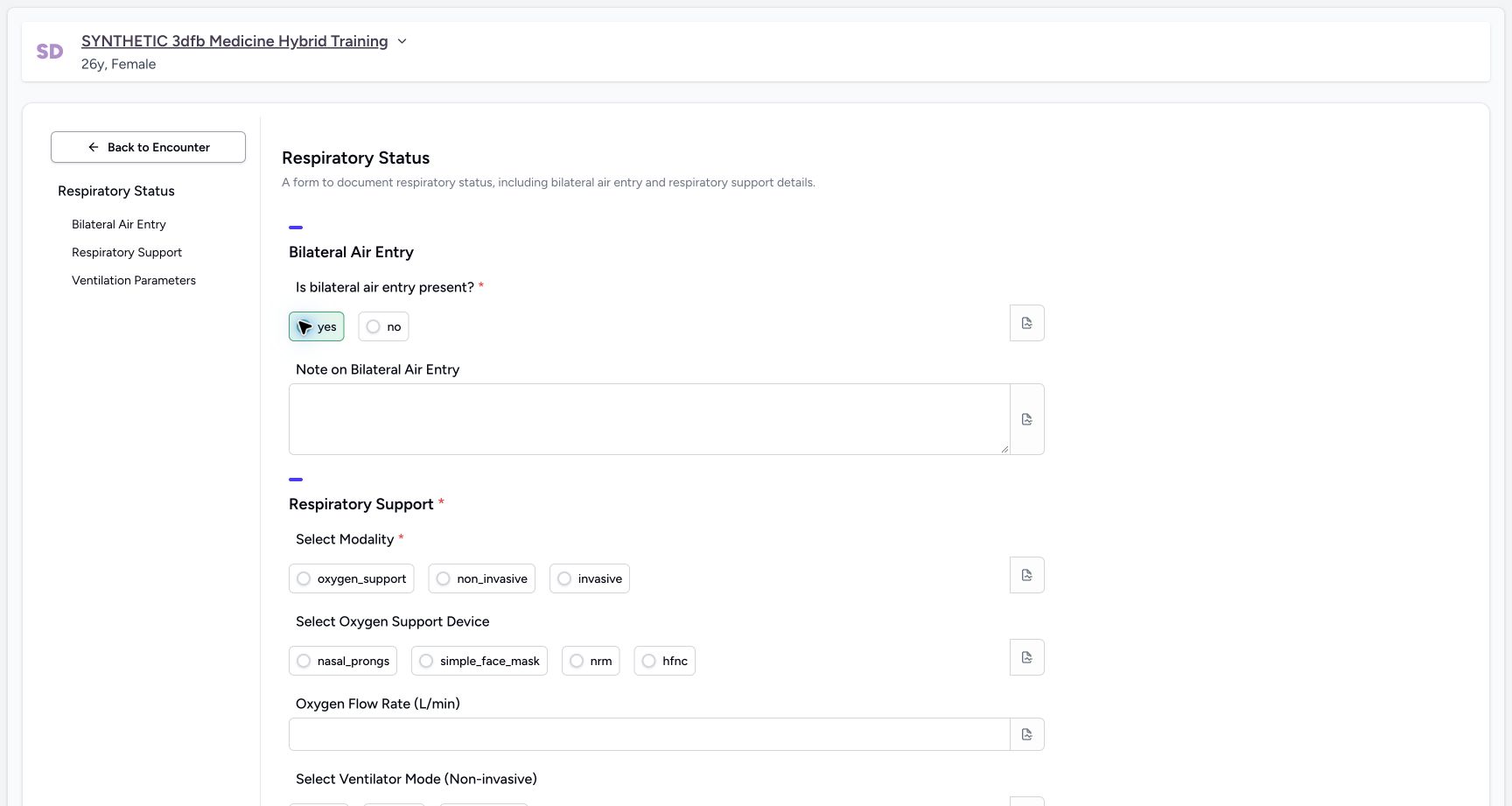
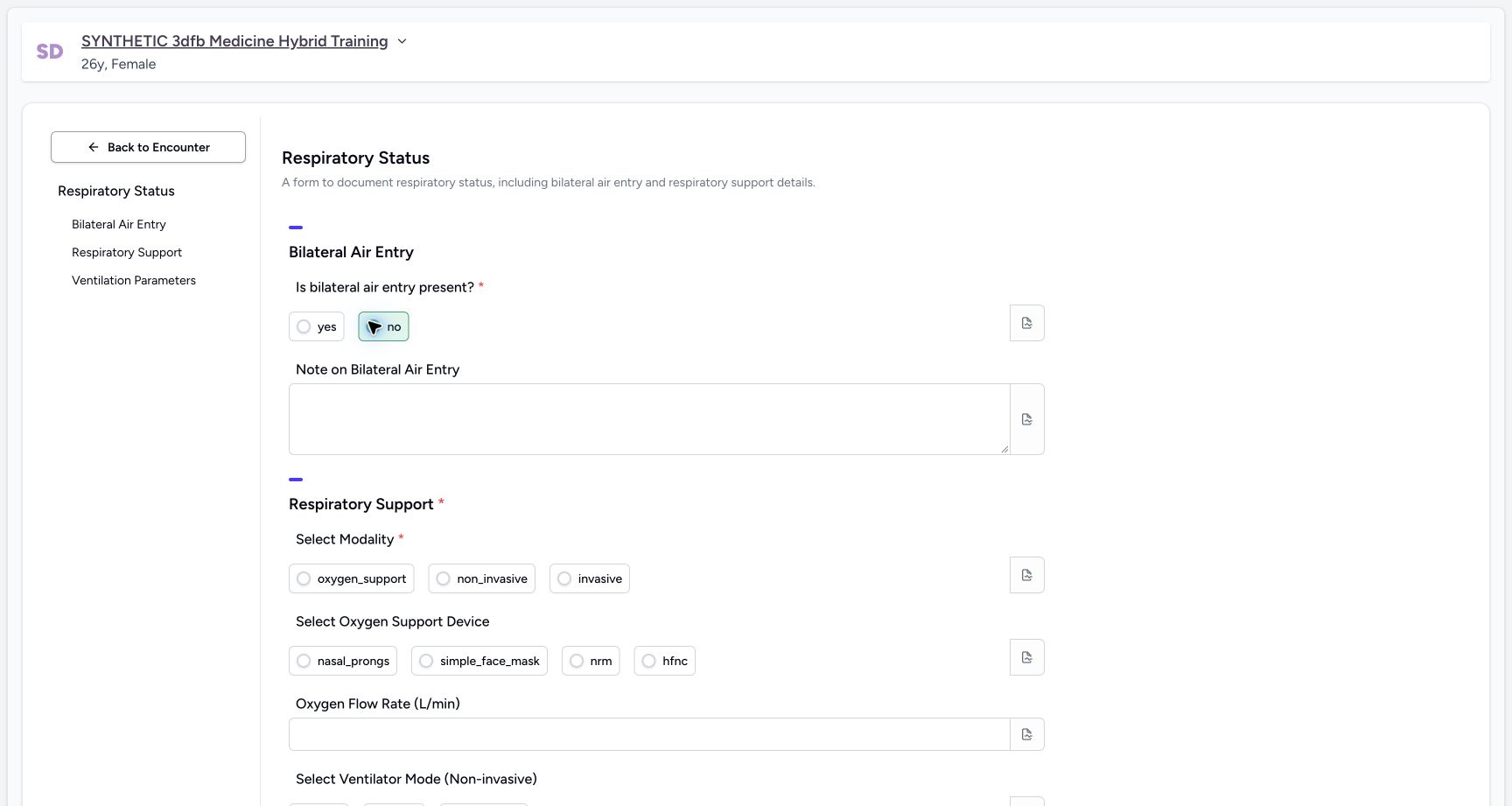
In the unsaved training form, select yes, then select no. Each literal option is demonstrated separately.
 1
1Exercise the air-entry yes option
Capture details
Observed committed 3dfb source on 19 October 2026. Fictional software inputs are not respiratory measurements, treatment advice or ventilator settings.
Image SHA-256 99896b5605f6da54cc6ad9d53f86ca19f872ed871c08aaffda04e60cbb1f32e3
- Select yes: This is a temporary fictional software choice, not a clinical finding.
 1
1Exercise the air-entry no option
Capture details
Observed committed 3dfb source on 19 October 2026. Fictional software inputs are not respiratory measurements, treatment advice or ventilator settings.
Image SHA-256 01b8300dca10c21f019d5aed09cad1e8e055be01208457ffb855991b204dcc8a
- Select no: This is a temporary fictional software choice, not a clinical finding.
2. Clear and restore the required air-entry answer
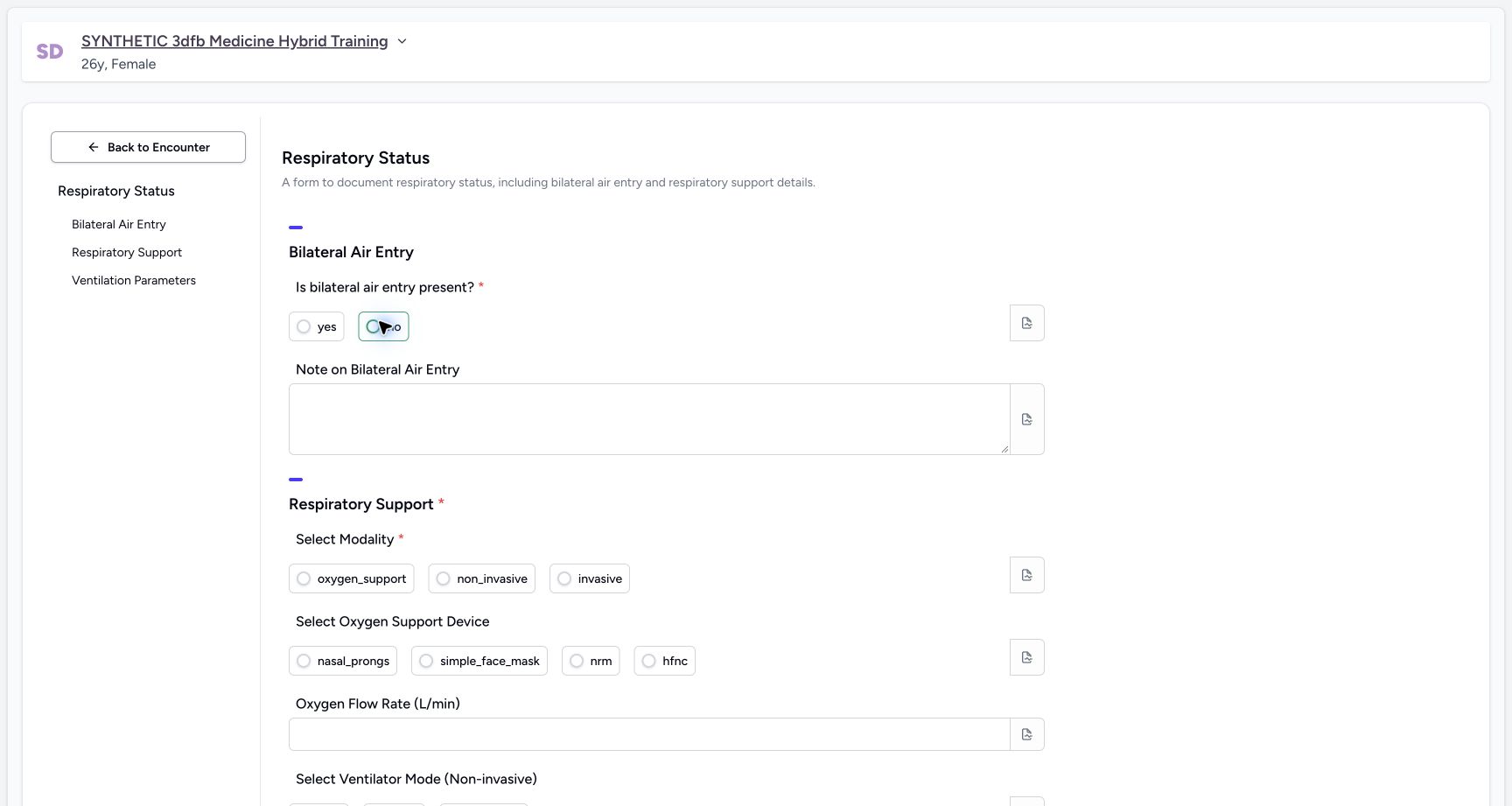
Select the selected option container again to clear it. The hollow radio shows the clear state even if a focus outline remains. Restore no for the final fictional example.
 1
1Clear the selected air-entry choice
Capture details
Observed committed 3dfb source on 19 October 2026. Fictional software inputs are not respiratory measurements, treatment advice or ventilator settings.
Image SHA-256 5976b8f385c8e44dcbf9b61e501be3ee8dcdc4f3fa23b04b4fa77e677a0f9754
- Clear the selected choice: Select the selected option container again; the radio circle is empty even while the container keeps its focus outline.
 123
123Restore no and inspect its separate note control
Capture details
Observed committed 3dfb source on 19 October 2026. Fictional software inputs are not respiratory measurements, treatment advice or ventilator settings.
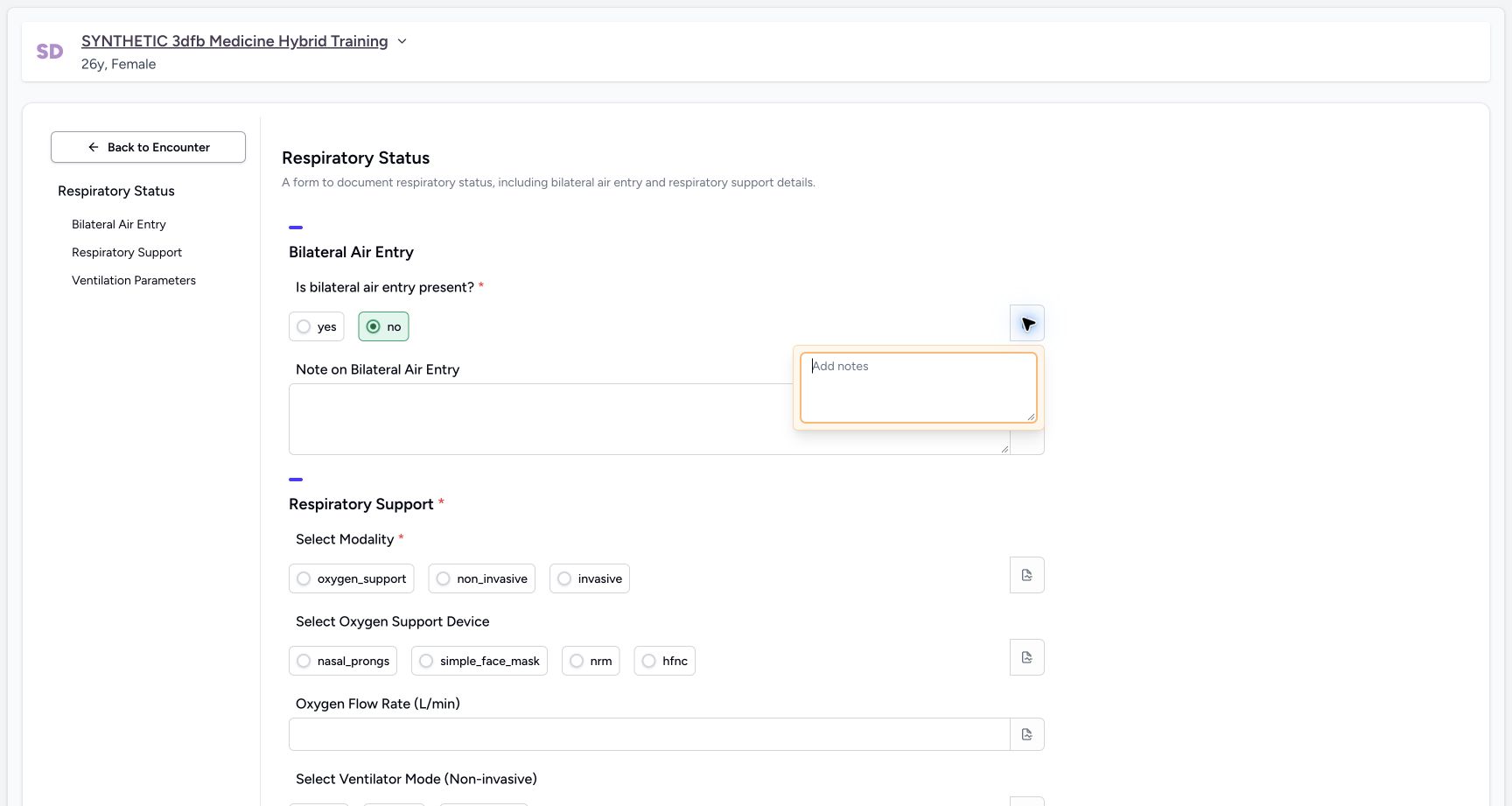
Image SHA-256 371add5d7764e97979ea2cac897ef7f978fc02b09495e20ea72b4cd9aa729f41
- Restore no for the final example: The filled circle shows the restored fictional answer.
- Open the air-entry note: The separate note icon is already open in this image.
- Read the empty note: Leave this choice note empty and close its popover.
3. Inspect the air-entry note icon
Open the separate note icon beside the air-entry choices, read the empty editor and close the popover. This choice note is left empty.
123Restore no and inspect its separate note control
Capture details
Observed committed 3dfb source on 19 October 2026. Fictional software inputs are not respiratory measurements, treatment advice or ventilator settings.
Image SHA-256 371add5d7764e97979ea2cac897ef7f978fc02b09495e20ea72b4cd9aa729f41
- Restore no for the final example: The filled circle shows the restored fictional answer.
- Open the air-entry note: The separate note icon is already open in this image.
- Read the empty note: Leave this choice note empty and close its popover.
4. Exercise all three modality options
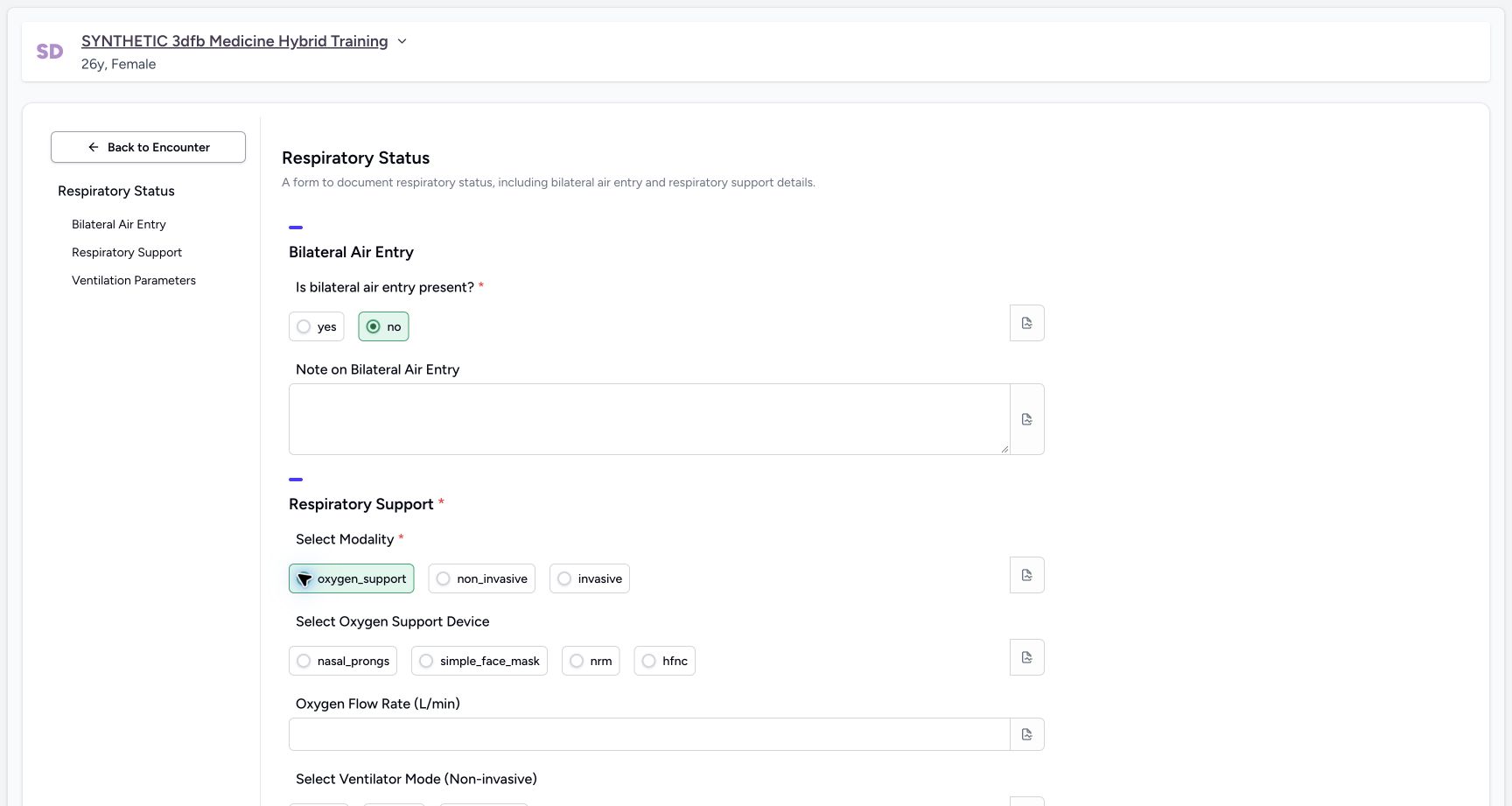
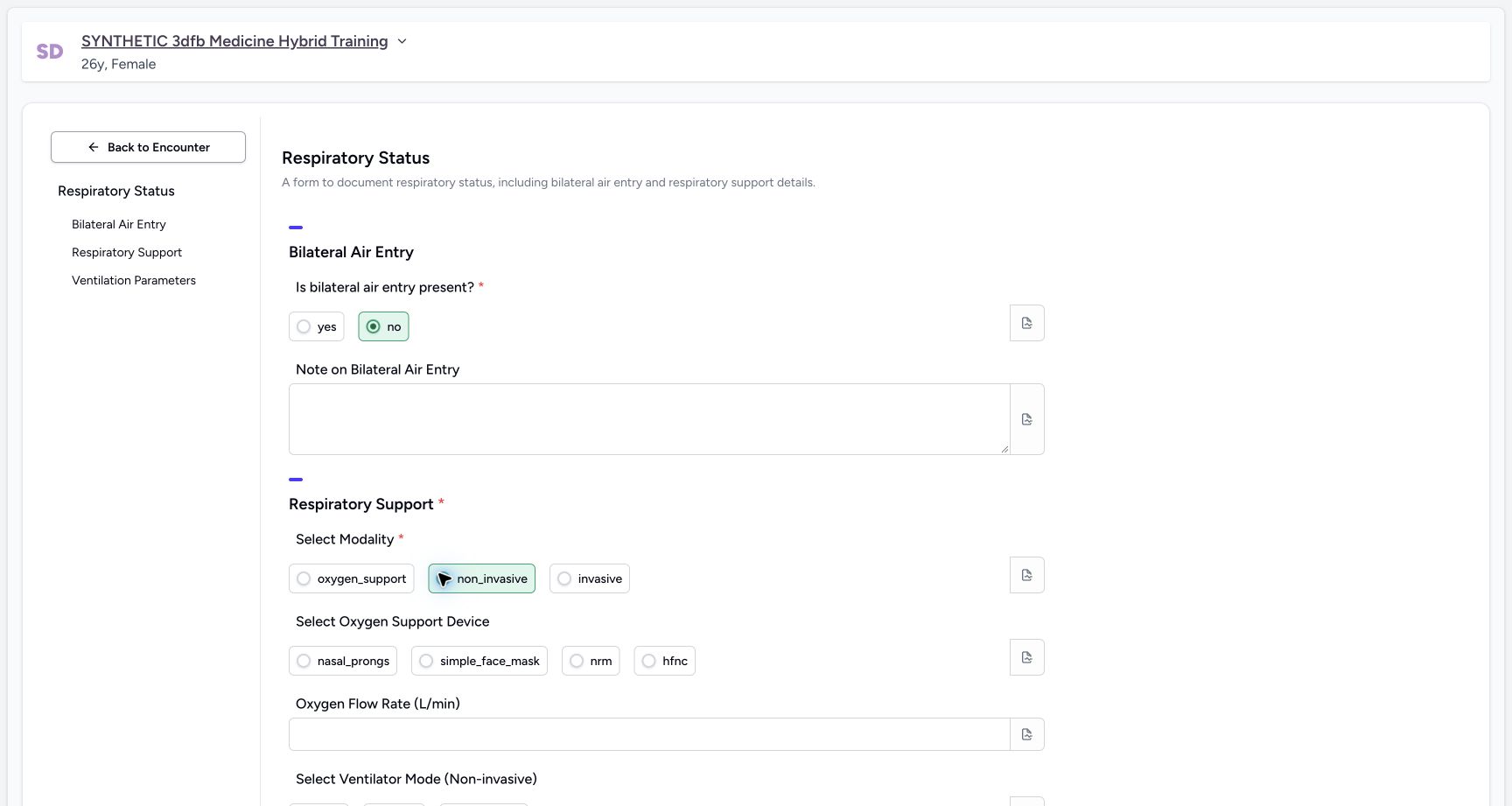
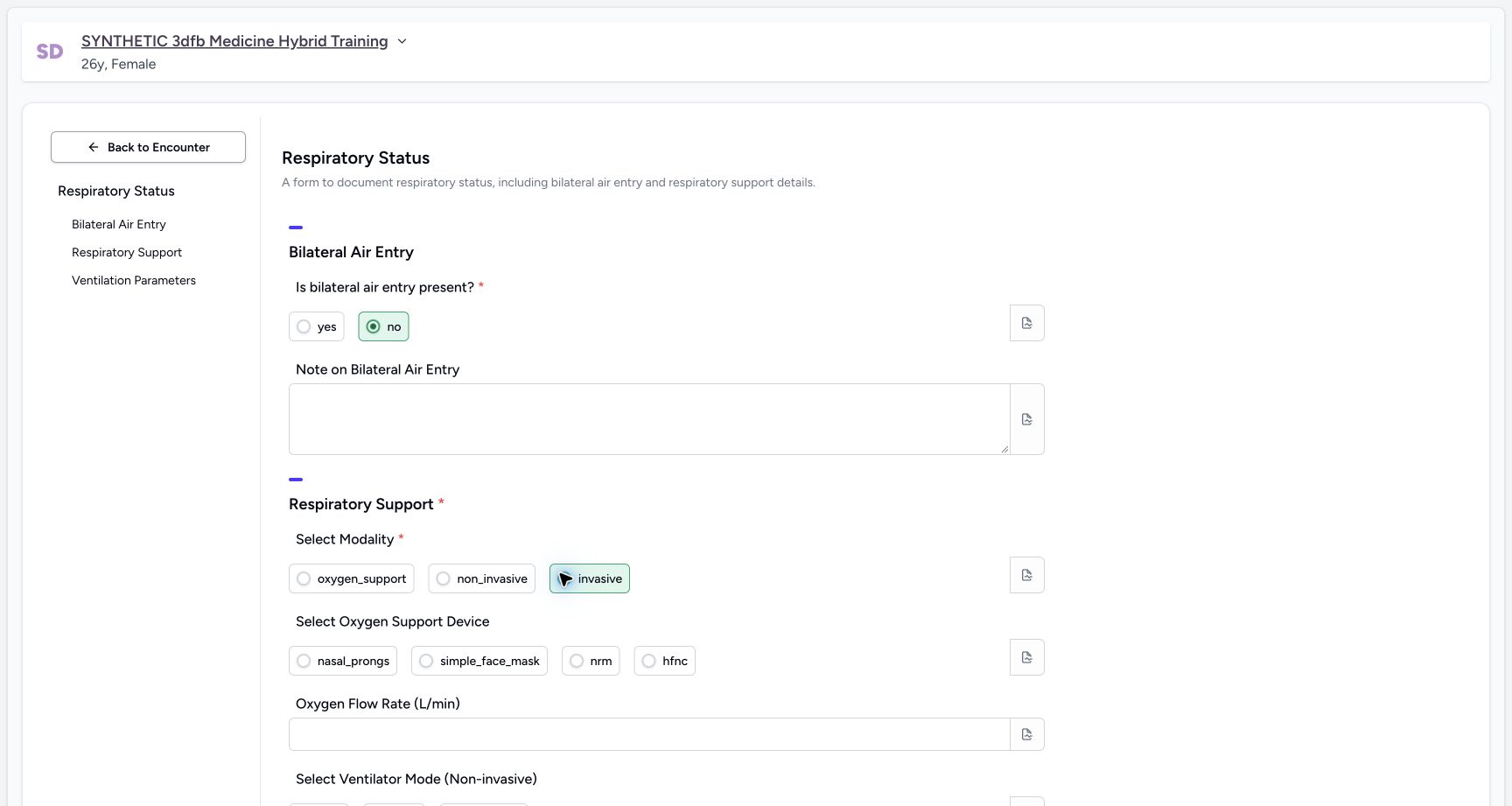
Select oxygen_support, non_invasive and invasive in turn. These are literal configured labels; selecting them here is a temporary software exercise.
 1
1Exercise modality oxygen_support
Capture details
Observed committed 3dfb source on 19 October 2026. Fictional software inputs are not respiratory measurements, treatment advice or ventilator settings.
Image SHA-256 c5007ed3abc4361f3931aaf236f9eba6ede516f6b2b88aabe36fad9474b0ca28
- Select oxygen_support: Inspect this literal configured option in the unsaved software exercise.
 1
1Exercise modality non_invasive
Capture details
Observed committed 3dfb source on 19 October 2026. Fictional software inputs are not respiratory measurements, treatment advice or ventilator settings.
Image SHA-256 82f2676dbca54fe6d626ae1e7e2e7386eb6c090d63faf26f4f122b0296b84229
- Select non_invasive: Inspect this literal configured option in the unsaved software exercise.
 1
1Exercise modality invasive
Capture details
Observed committed 3dfb source on 19 October 2026. Fictional software inputs are not respiratory measurements, treatment advice or ventilator settings.
Image SHA-256 265c4805c6197fdb4c3603031f230ac9c774c08f9a35ff9725e59a9a00ffef2c
- Select invasive: Inspect this literal configured option in the unsaved software exercise.
5. Clear, restore and inspect the modality note
Clear the selected modality container, then restore oxygen_support. Open its separate note icon, inspect the empty editor and close it.
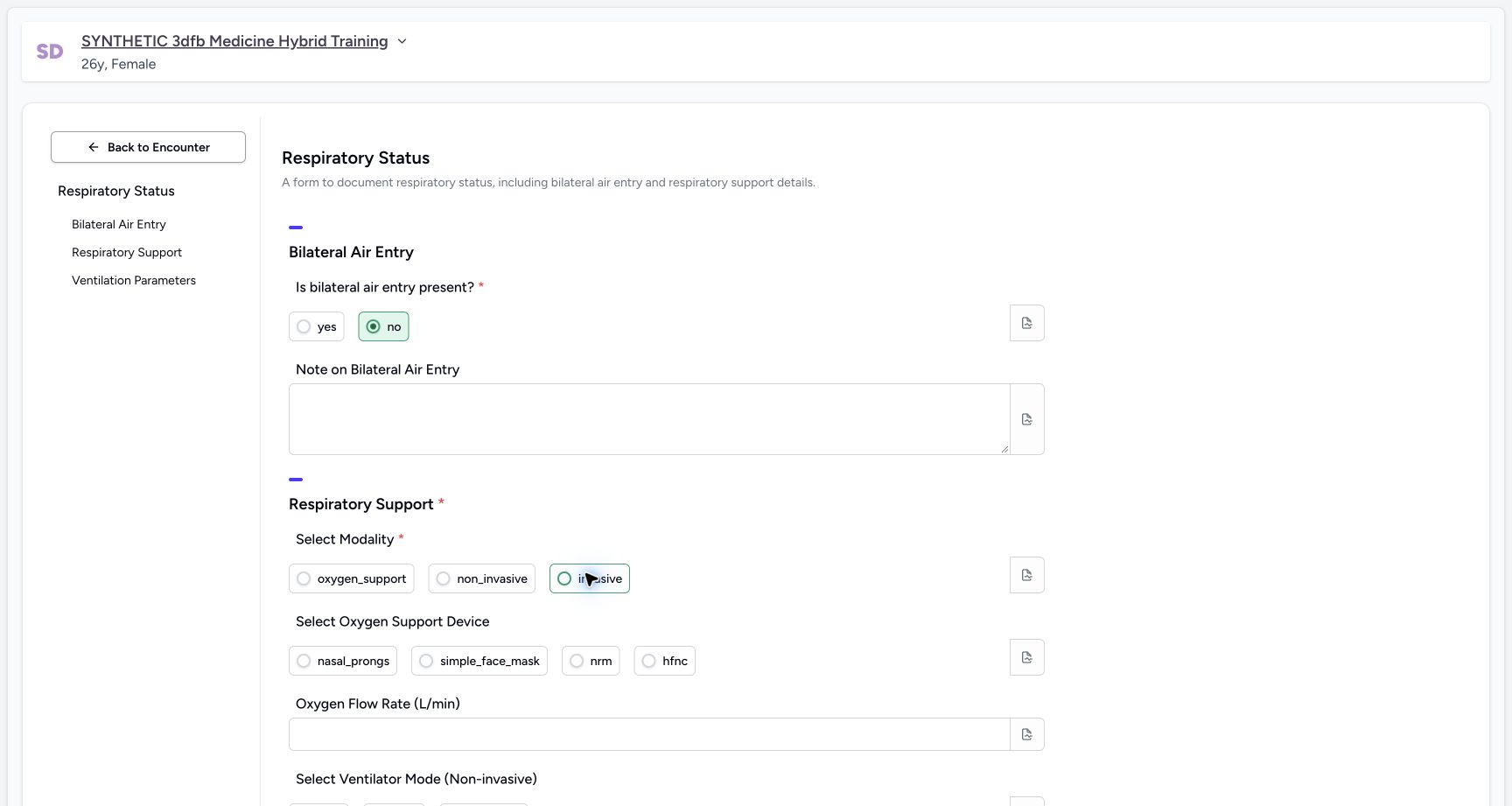 1
1Clear the selected modality
Capture details
Observed committed 3dfb source on 19 October 2026. Fictional software inputs are not respiratory measurements, treatment advice or ventilator settings.
Image SHA-256 11d784ed2c71b20e4d46eda185a3abd055a7fde89ae315d734c05a5980ecb715
- Clear the selected option: All three radio circles are empty; the outline on invasive is focus, not a saved selection.
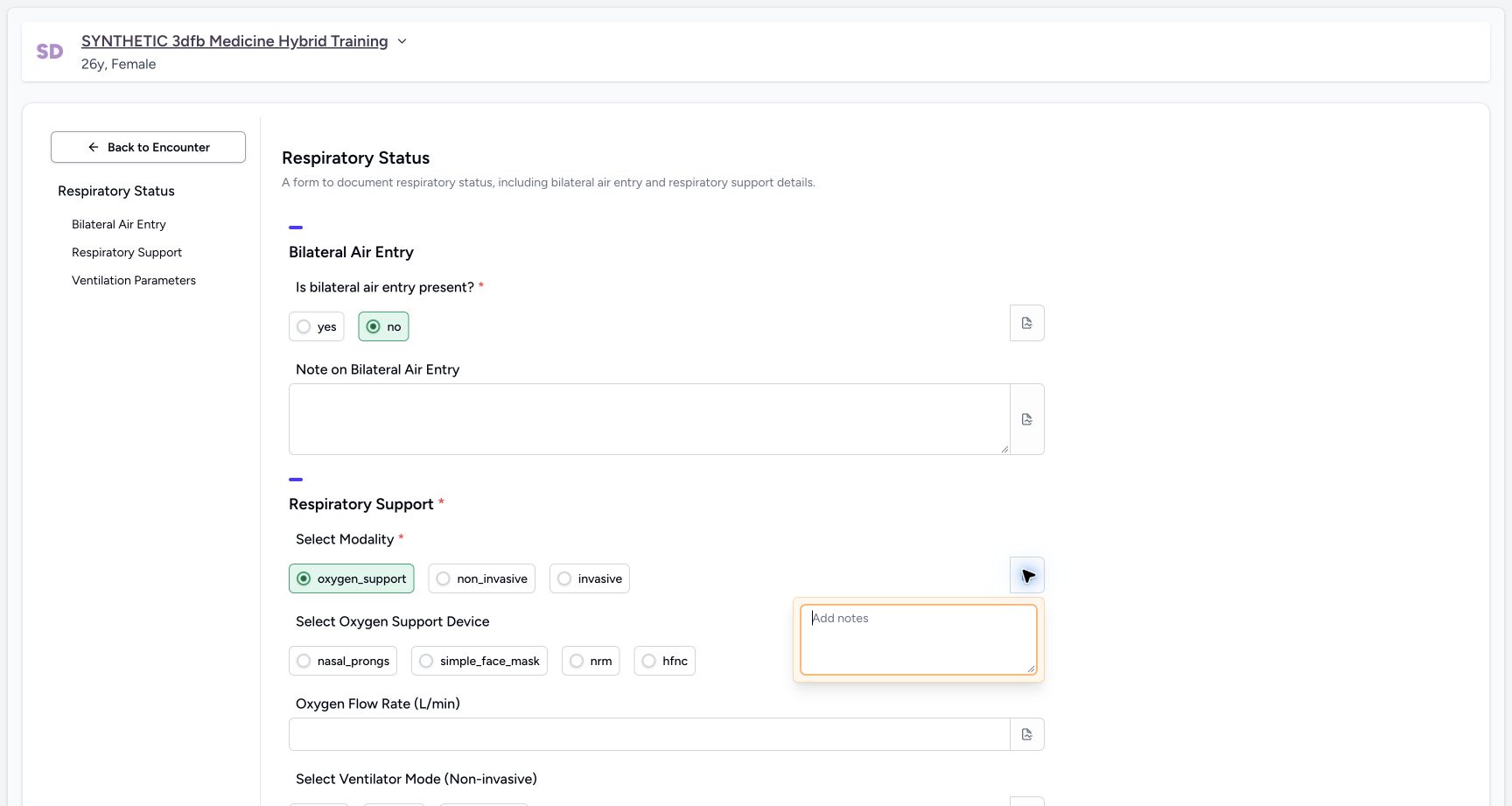 123
123Restore oxygen_support and open its note
Capture details
Observed committed 3dfb source on 19 October 2026. Fictional software inputs are not respiratory measurements, treatment advice or ventilator settings.
Image SHA-256 bd5612bc56aba9c9653654acce0ca76c7be1dc77942dd112257264488fd60b27
- Restore oxygen_support: This is the final fictional modality answer.
- Inspect the modality note icon: The note popover is open.
- Leave this note empty: Review the empty editor, then close it.
6. Exercise every optional oxygen-device option
Select nasal_prongs, simple_face_mask, nrm and hfnc in turn. These temporary choices are not part of the final saved response.
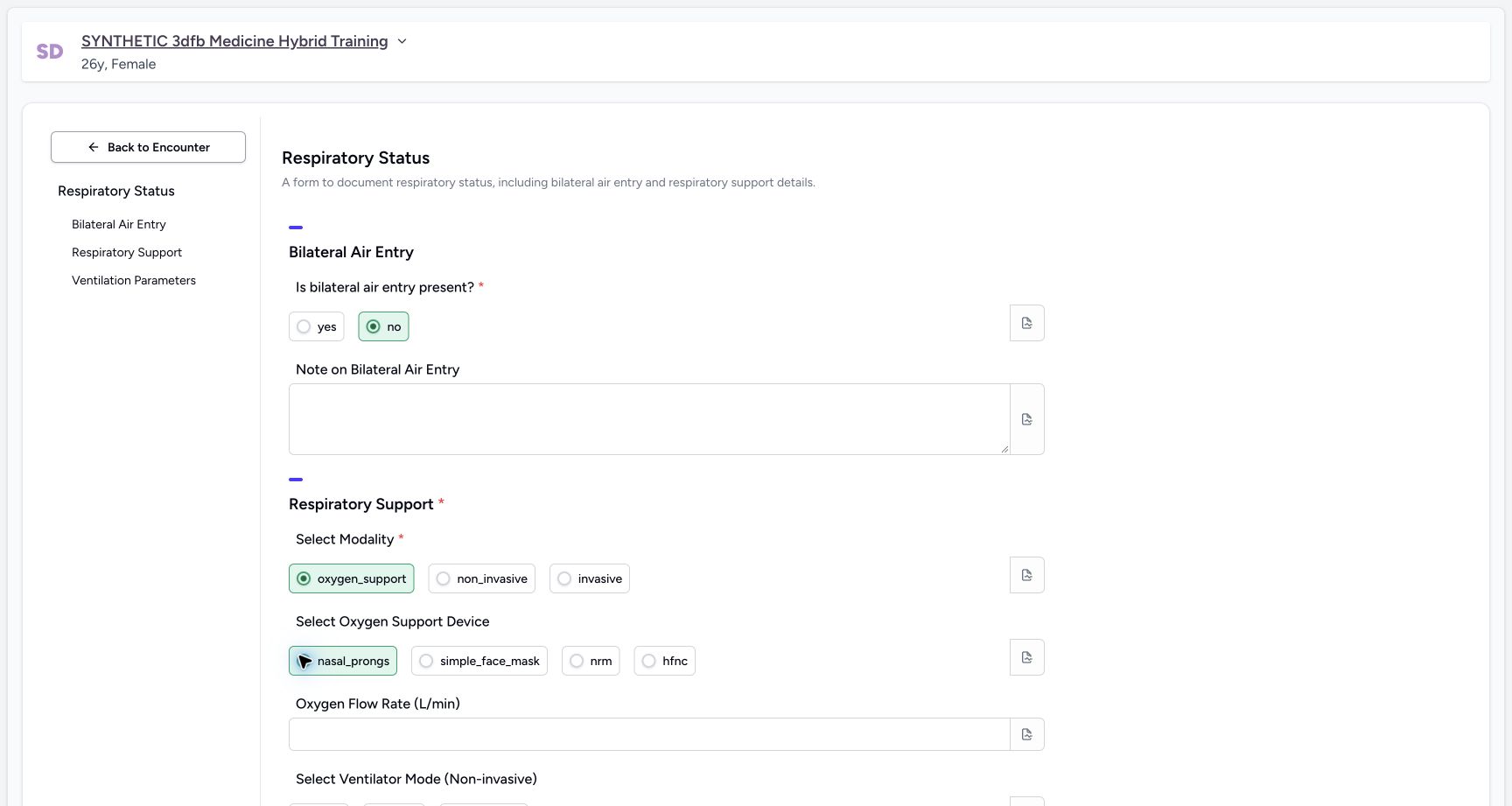 1
1Exercise oxygen device nasal_prongs
Capture details
Observed committed 3dfb source on 19 October 2026. Fictional software inputs are not respiratory measurements, treatment advice or ventilator settings.
Image SHA-256 f3560e438837af78ae841be4df1491e40b0c7faaa2b29d5fdc2577c17b10fd93
- Select nasal_prongs: Inspect this optional literal option without saving it.
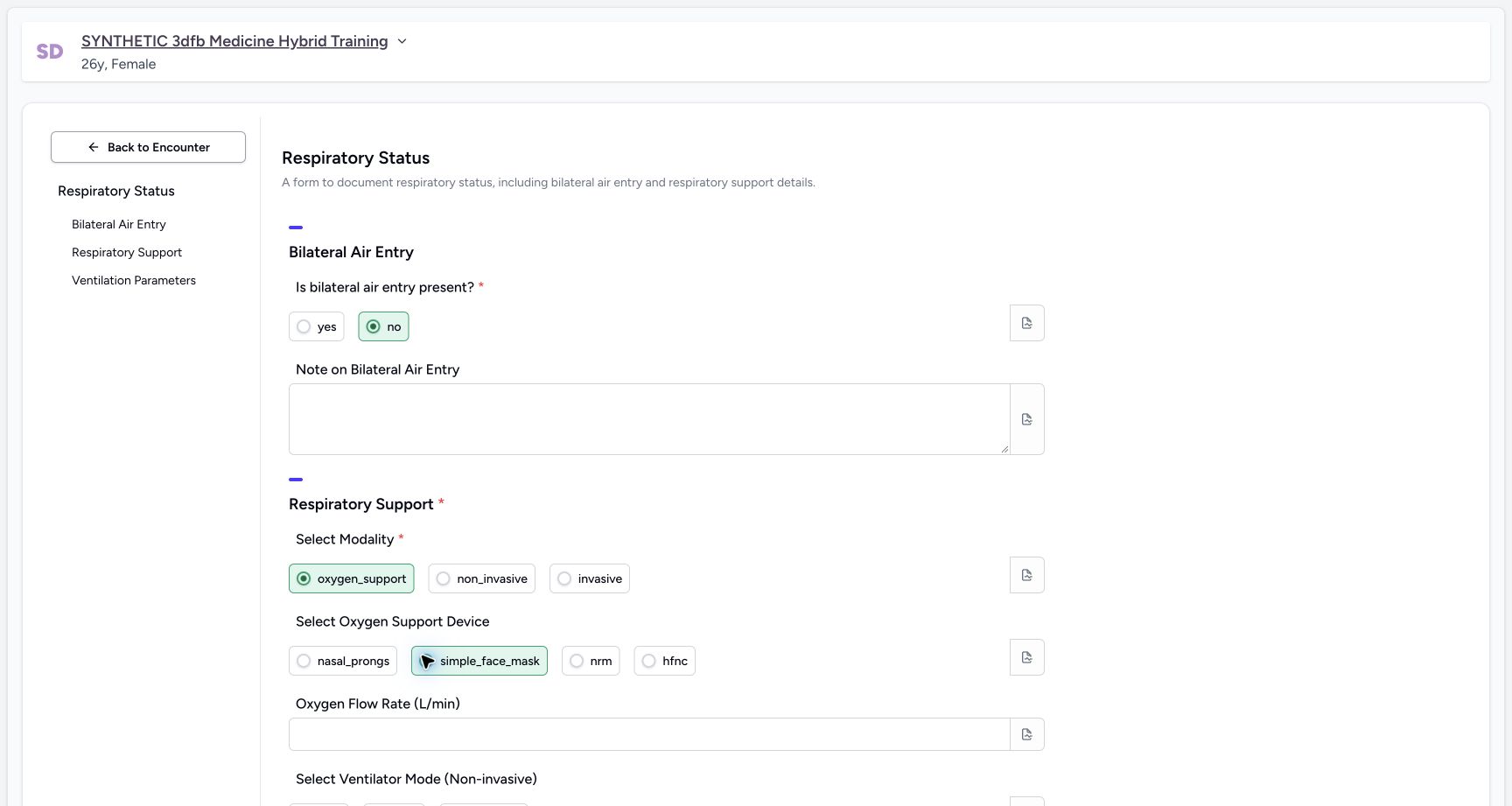 1
1Exercise oxygen device simple_face_mask
Capture details
Observed committed 3dfb source on 19 October 2026. Fictional software inputs are not respiratory measurements, treatment advice or ventilator settings.
Image SHA-256 c7f835fb695cc0d8a552e0ddf18d19b9d655f500eb0fe7ea343283bddaf56990
- Select simple_face_mask: Inspect this optional literal option without saving it.
 1
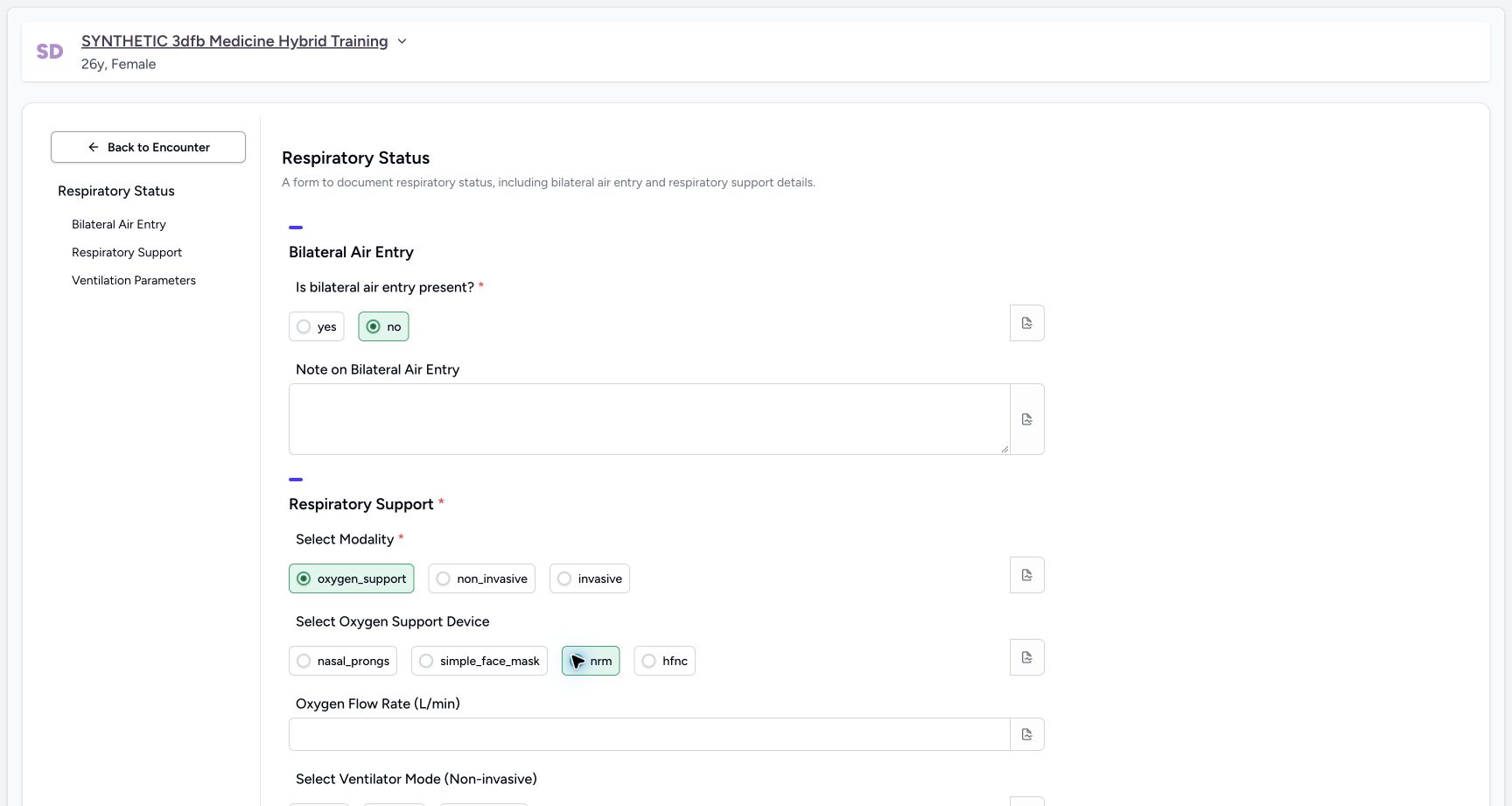
1Exercise oxygen device nrm
Capture details
Observed committed 3dfb source on 19 October 2026. Fictional software inputs are not respiratory measurements, treatment advice or ventilator settings.
Image SHA-256 7394661f8ad342cf573a1ad424db634d596b4284041d13cc9e19a7e24118e975
- Select nrm: Inspect this optional literal option without saving it.
 1
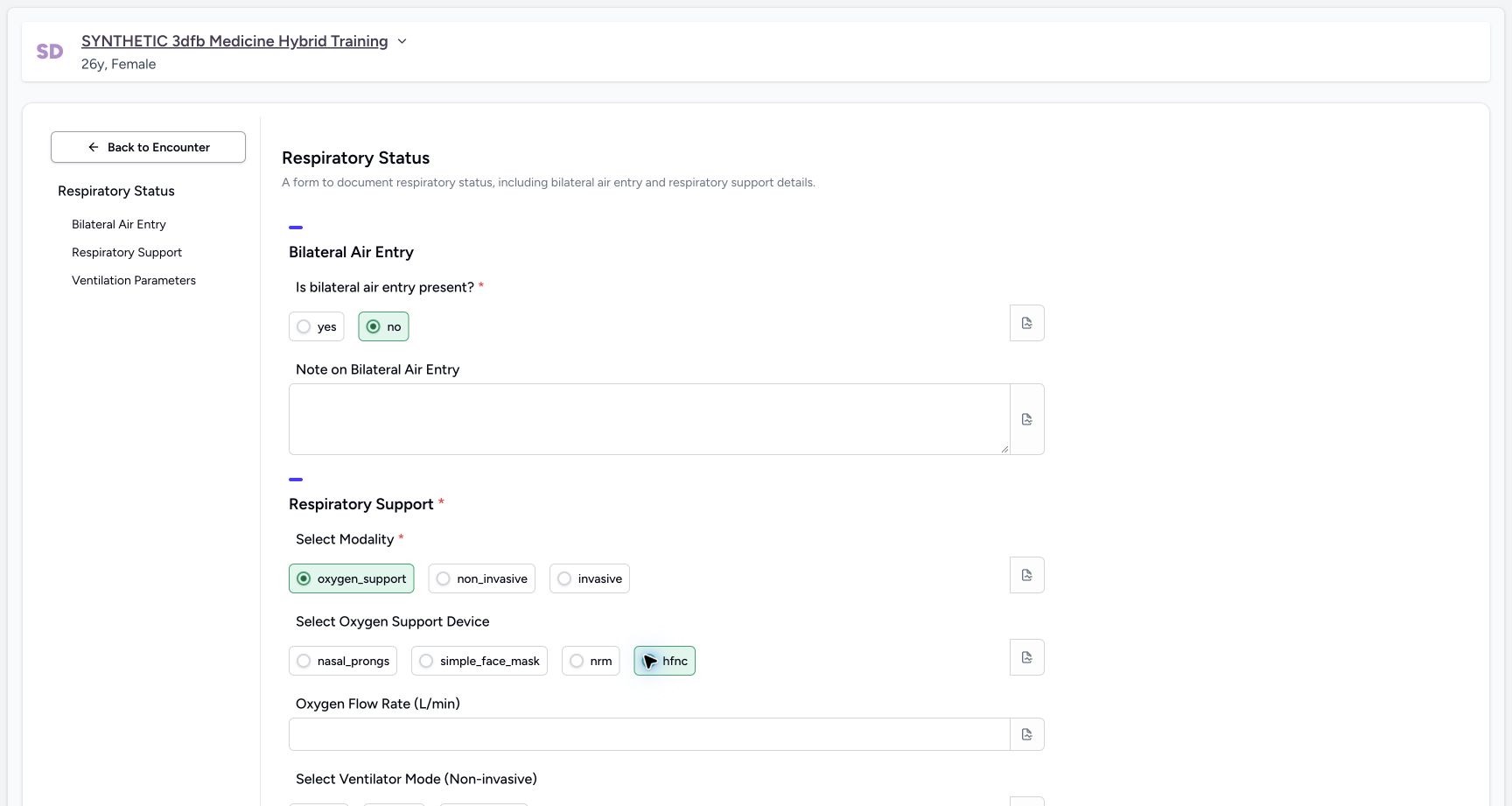
1Exercise oxygen device hfnc
Capture details
Observed committed 3dfb source on 19 October 2026. Fictional software inputs are not respiratory measurements, treatment advice or ventilator settings.
Image SHA-256 1ff9f9094df27a4e9516ce74e3394ef3cc3d0f4a74f64fd360673450430f2381
- Select hfnc: Inspect this optional literal option without saving it.
7. Clear the device and inspect its note
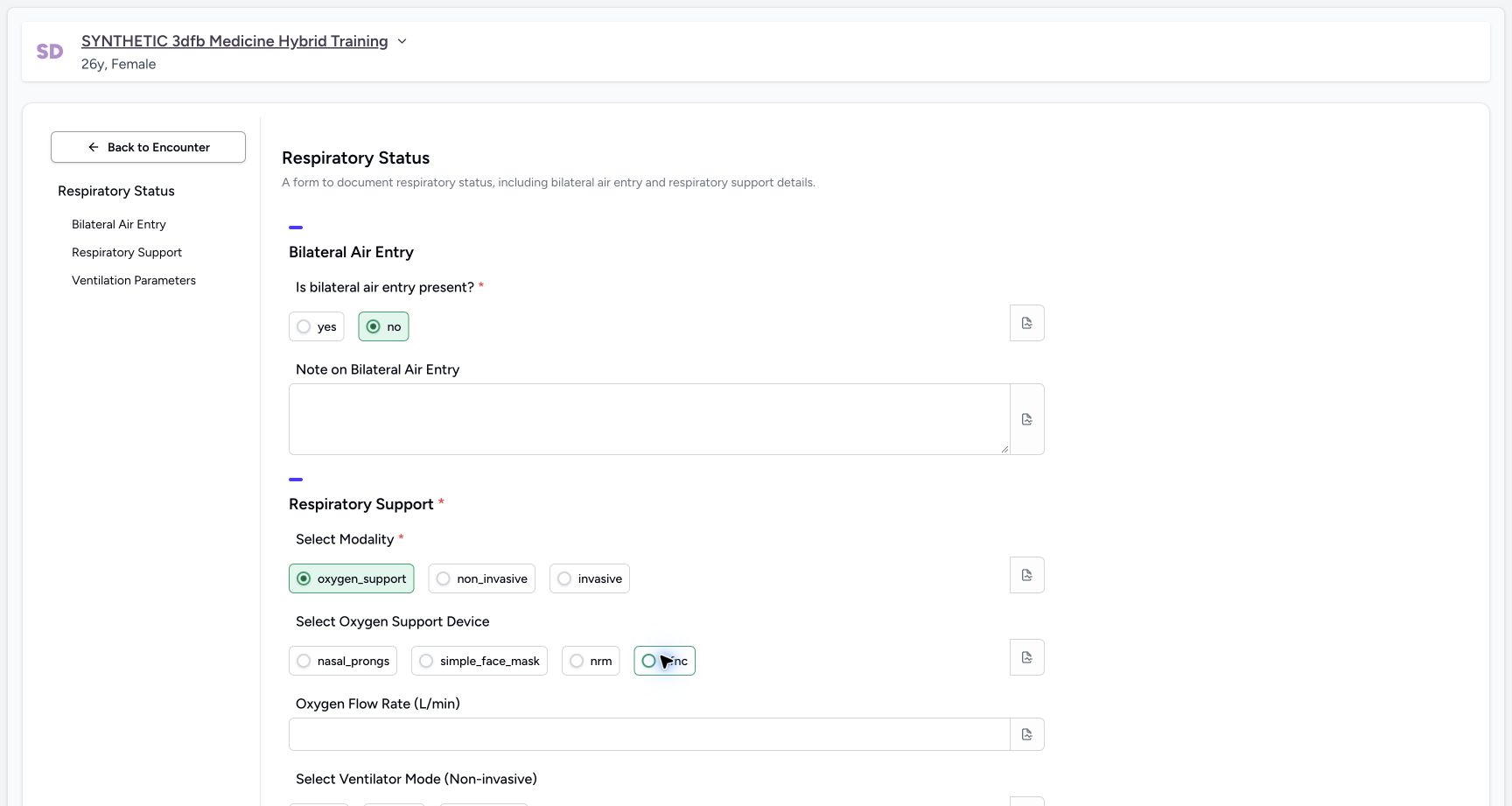
Clear the selected device container. Confirm all device radio circles are empty. Open its note icon, leave the note empty and close it.
 1
1Leave the optional device choice clear
Capture details
Observed committed 3dfb source on 19 October 2026. Fictional software inputs are not respiratory measurements, treatment advice or ventilator settings.
Image SHA-256 e5447849f26952d44e8c182a5f969c419022ef72f19ce76191038ac6b65a06e5
- Clear the selected device: The hfnc radio is now hollow; no device remains selected.
 12
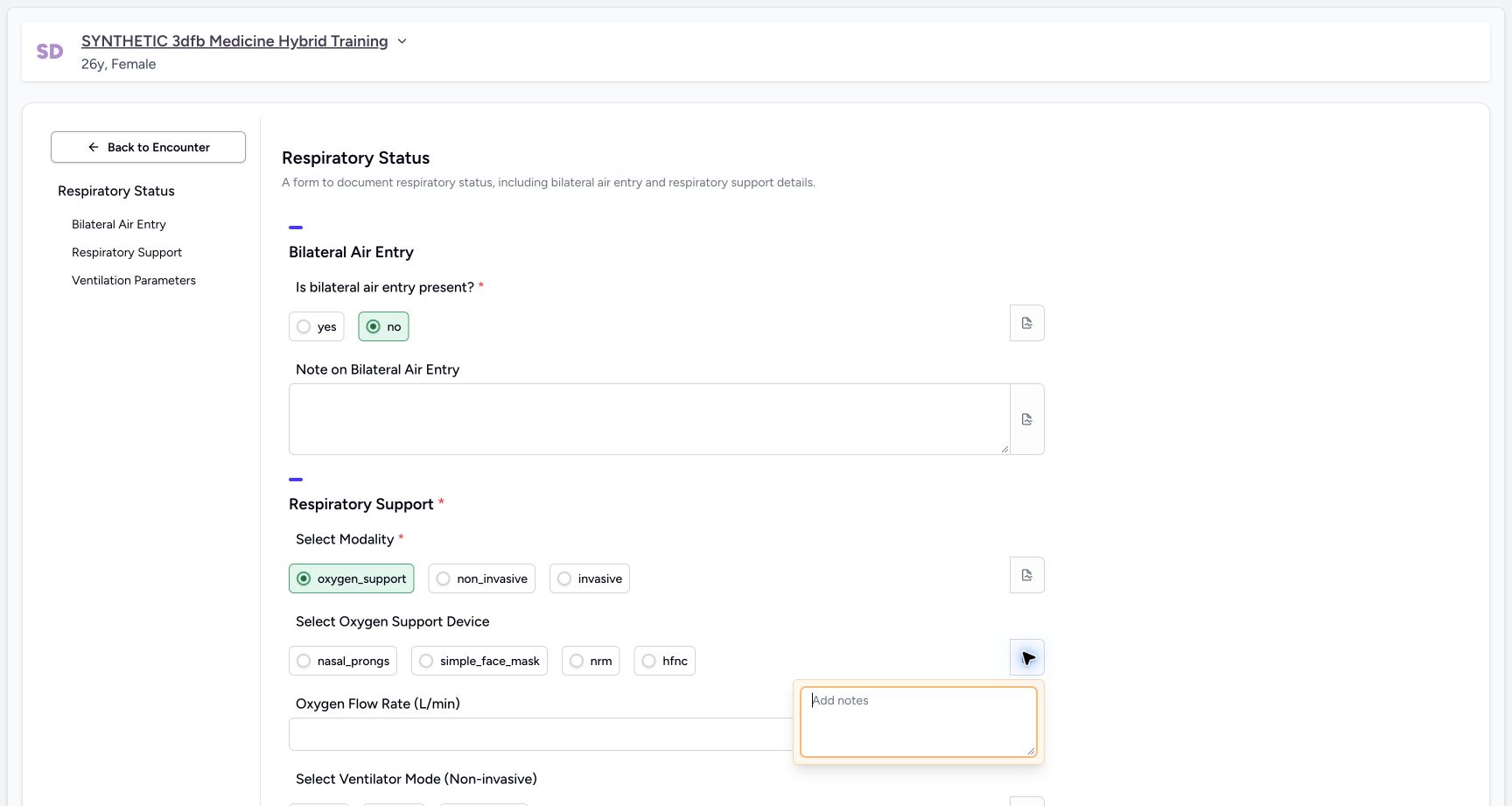
12Inspect the separate oxygen-device note
Capture details
Observed committed 3dfb source on 19 October 2026. Fictional software inputs are not respiratory measurements, treatment advice or ventilator settings.
Image SHA-256 c882ce5347b6b4539cba10c71a6121e6102721ace0b27ce3d662342493a7c53d
- Open the device note: The separate device note icon is already open.
- Keep the device note empty: Leave the optional note empty and close it.
8. Exercise every non-invasive mode option
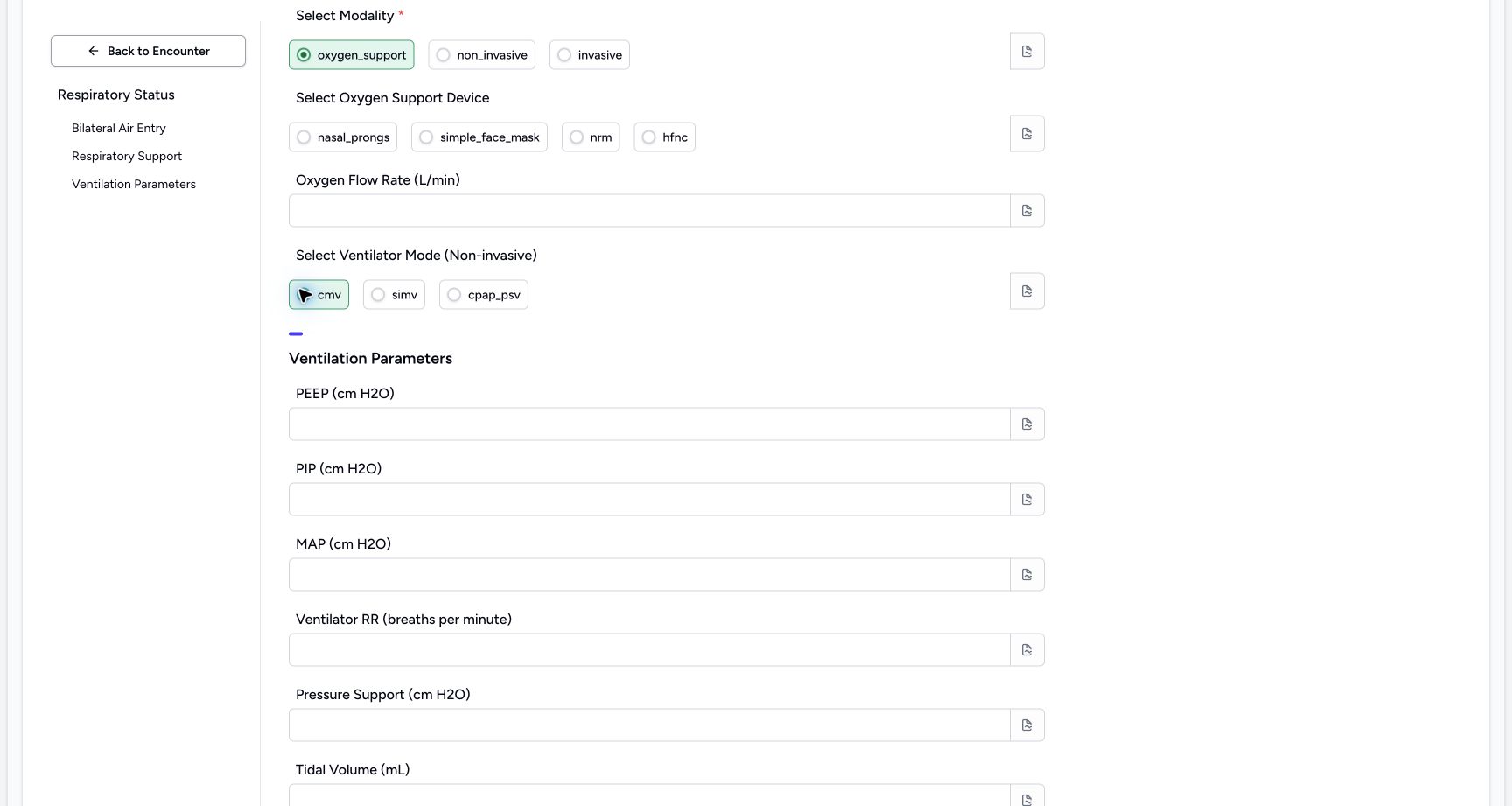
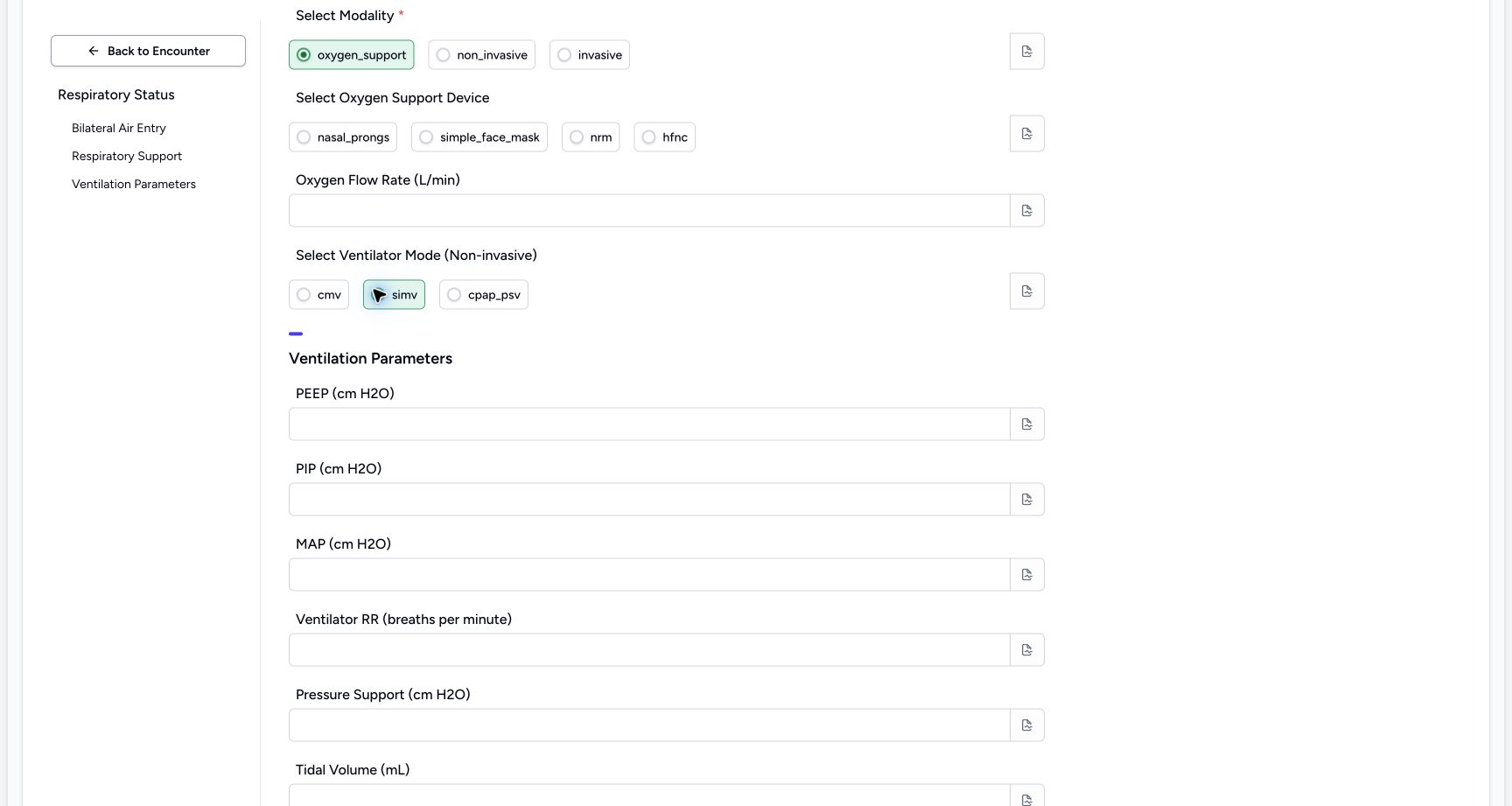
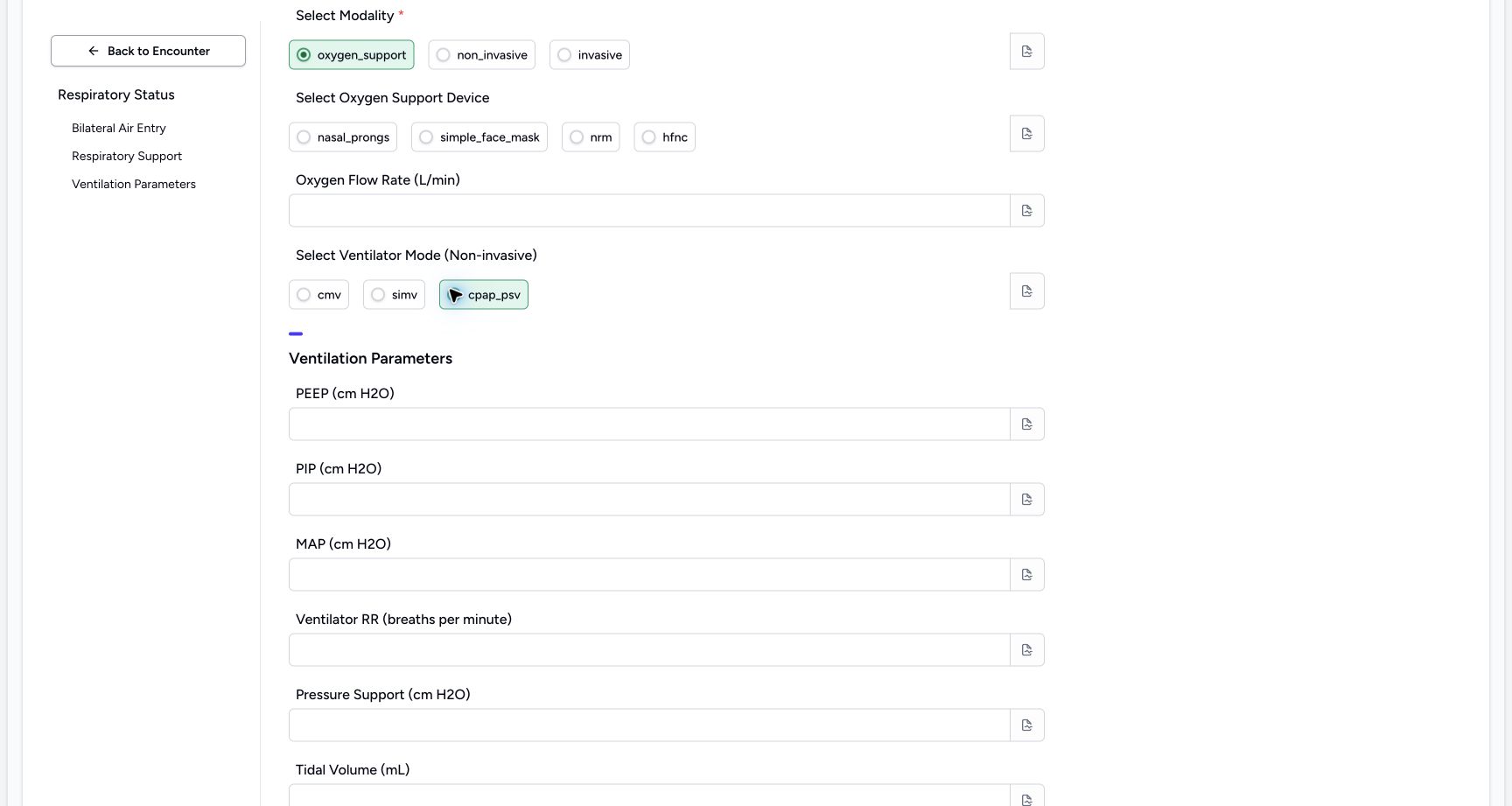
Select cmv, simv and cpap_psv in turn. Do not treat the labels as recommended modes.
 1
1Exercise non-invasive mode cmv
Capture details
Observed committed 3dfb source on 19 October 2026. Fictional software inputs are not respiratory measurements, treatment advice or ventilator settings.
Image SHA-256 51b1a246b7e9254271c2bcb1e5415f538761e210ffc6f16de5704d1fc13808b9
- Select cmv: Inspect this optional configured choice in the unsaved exercise.
 1
1Exercise non-invasive mode simv
Capture details
Observed committed 3dfb source on 19 October 2026. Fictional software inputs are not respiratory measurements, treatment advice or ventilator settings.
Image SHA-256 7f1dea585e0ad8d7b8f0bfceb75c6697c43e465714d16eb19cad69bbda71fccd
- Select simv: Inspect this optional configured choice in the unsaved exercise.
 1
1Exercise non-invasive mode cpap_psv
Capture details
Observed committed 3dfb source on 19 October 2026. Fictional software inputs are not respiratory measurements, treatment advice or ventilator settings.
Image SHA-256 63d8963d7b6f3bd22d813d57e787be12a280d0e6328a98199c2be8e51d0db064
- Select cpap_psv: Inspect this optional configured choice in the unsaved exercise.
9. Clear the mode and inspect its note
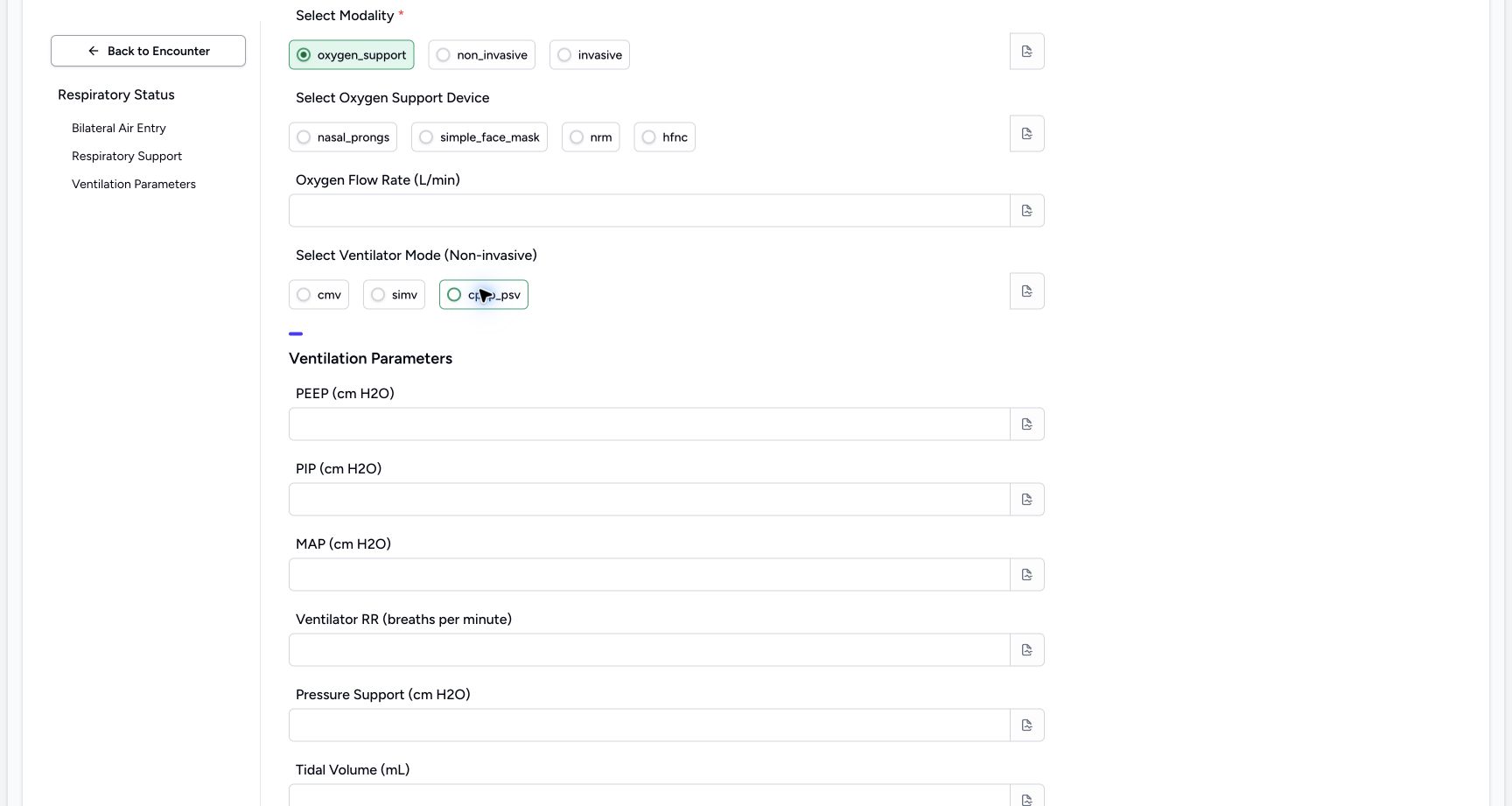
Clear the selected mode container so every mode radio is hollow. Open its separate note icon, inspect the empty editor and close it.
 1
1Clear the optional mode choice
Capture details
Observed committed 3dfb source on 19 October 2026. Fictional software inputs are not respiratory measurements, treatment advice or ventilator settings.
Image SHA-256 73a4f21241eb410e3f547a10a48234e27b1f216dc18c03414fb4a0cdf0658dec
- Clear the selected mode: All three mode radio circles are empty.
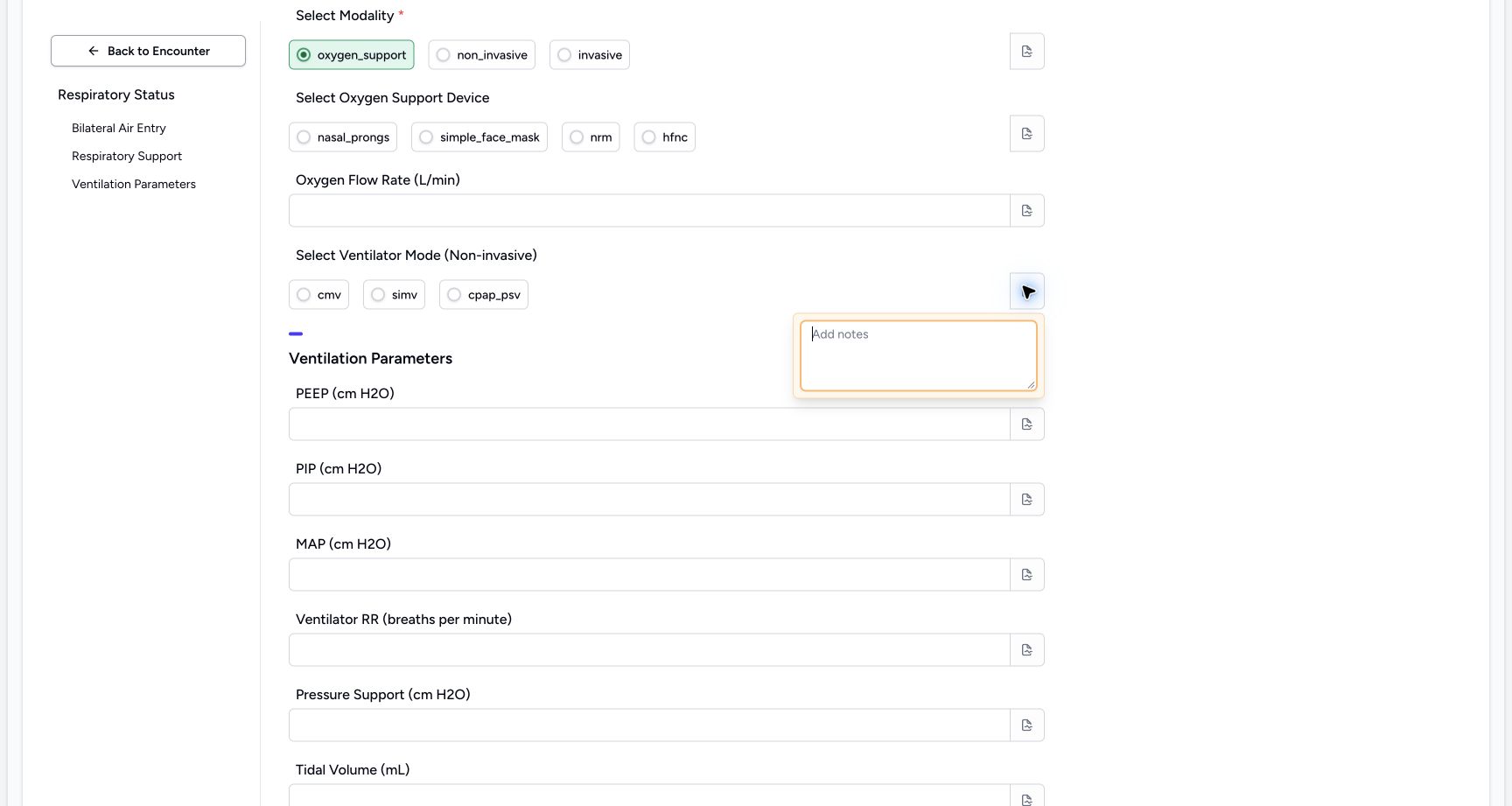 12
12Inspect the separate mode note
Capture details
Observed committed 3dfb source on 19 October 2026. Fictional software inputs are not respiratory measurements, treatment advice or ventilator settings.
Image SHA-256 dbfbe50f7ba130abed80b7b3f4fc8a7e8d17177c484cf56a639d345c17a698be
- Open the mode note: The mode note is already open.
- Keep the mode note empty: Review the blank editor and close it.
Temporary choices versus the saved example
The screenshots show unsaved control exercises. The final example keeps only no and oxygen_support from these choice fields. Device and non-invasive mode remain empty. All thirteen configured inputs remain available in this form; these examples do not demonstrate conditional treatment logic.
123Restore no and inspect its separate note control
Capture details
Observed committed 3dfb source on 19 October 2026. Fictional software inputs are not respiratory measurements, treatment advice or ventilator settings.
Image SHA-256 371add5d7764e97979ea2cac897ef7f978fc02b09495e20ea72b4cd9aa729f41
- Restore no for the final example: The filled circle shows the restored fictional answer.
- Open the air-entry note: The separate note icon is already open in this image.
- Read the empty note: Leave this choice note empty and close its popover.
123Restore oxygen_support and open its note
Capture details
Observed committed 3dfb source on 19 October 2026. Fictional software inputs are not respiratory measurements, treatment advice or ventilator settings.
Image SHA-256 bd5612bc56aba9c9653654acce0ca76c7be1dc77942dd112257264488fd60b27
- Restore oxygen_support: This is the final fictional modality answer.
- Inspect the modality note icon: The note popover is open.
- Leave this note empty: Review the empty editor, then close it.
1Leave the optional device choice clear
Capture details
Observed committed 3dfb source on 19 October 2026. Fictional software inputs are not respiratory measurements, treatment advice or ventilator settings.
Image SHA-256 e5447849f26952d44e8c182a5f969c419022ef72f19ce76191038ac6b65a06e5
- Clear the selected device: The hfnc radio is now hollow; no device remains selected.
1Clear the optional mode choice
Capture details
Observed committed 3dfb source on 19 October 2026. Fictional software inputs are not respiratory measurements, treatment advice or ventilator settings.
Image SHA-256 73a4f21241eb410e3f547a10a48234e27b1f216dc18c03414fb4a0cdf0658dec
- Clear the selected mode: All three mode radio circles are empty.
Source evidence
Every citation uses this exact committed version. The private source repository requires access.
- repositories/platform/mansoq-web/src/components/Questionnaire/QuestionnaireForm.tsx:744 ·
3dfb7c9f519fb5b4cd4452439f3c12346bf58319Source file checksum
ee6c2195f13e48f0896a2d3da566c2f2a67910adad08894df6b77862f9cfdeec - repositories/platform/mansoq-web/src/components/Questionnaire/QuestionTypes/NumberQuestion.tsx:29 ·
3dfb7c9f519fb5b4cd4452439f3c12346bf58319Source file checksum
fd8183d93ed6c65e651dfc6b790c5ebc740fceef5cf6d0d5dc3d107f465b8dab - repositories/platform/mansoq-web/src/components/Questionnaire/QuestionTypes/ChoiceQuestion.tsx:45 ·
3dfb7c9f519fb5b4cd4452439f3c12346bf58319Source file checksum
0f6a5813b88385121e4d44682fb82fa0c3d65a57faf21b59ddda8e19995e446e - repositories/platform/mansoq-web/src/components/Questionnaire/QuestionTypes/QuestionInput.tsx:59 ·
3dfb7c9f519fb5b4cd4452439f3c12346bf58319Source file checksum
16bebfb11603d50cb219f5db55d93cd0bc2935630af0fc60a6d5732f04a33163 - repositories/platform/mansoq-web/src/components/Questionnaire/QuestionTypes/QuestionGroup.tsx:37 ·
3dfb7c9f519fb5b4cd4452439f3c12346bf58319Source file checksum
ea2f931a1329973d4b23ffee6f4581df62fc7d7092449142d03b73f61553bccc - repositories/platform/mansoq-web/src/components/Facility/ConsultationDetails/PrintQuestionnaireResponse.tsx:18 ·
3dfb7c9f519fb5b4cd4452439f3c12346bf58319Source file checksum
626d6b496a09058d94929bbec29bd34a3c91a95111466342a278e6bca0f2202e - repositories/platform/mansoq-web/src/components/Facility/ConsultationDetails/PrintAllQuestionnaireResponses.tsx:316 ·
3dfb7c9f519fb5b4cd4452439f3c12346bf58319Source file checksum
e7314df6d693bbd49e54e5f007521488cbc82b164dba4fc0ba2e317049b5cc1a - repositories/platform/mansoq-web/src/components/Facility/ConsultationDetails/QuestionnaireResponsesList.tsx:350 ·
3dfb7c9f519fb5b4cd4452439f3c12346bf58319Source file checksum
abcf7ab477238782e128a28bbd0b83562f900a41dcd1665a3df68e33fad1deac - repositories/platform/mansoq-core/mansoq/emr/api/viewsets/questionnaire.py:116 ·
3dfb7c9f519fb5b4cd4452439f3c12346bf58319Source file checksum
ccc0fe021d193e5d6de9540c256413da356895ceed0c71c5fdcba75ca6915d4e - repositories/platform/mansoq-core/mansoq/emr/api/viewsets/questionnaire_response.py:42 ·
3dfb7c9f519fb5b4cd4452439f3c12346bf58319Source file checksum
3a1e4e355e2f2ec25e82f5adc12ca9250c201b521098af8d1211bee95489fa2b - repositories/platform/mansoq-core/mansoq/emr/resources/questionnaire/utils.py:447 ·
3dfb7c9f519fb5b4cd4452439f3c12346bf58319Source file checksum
8425858d2179a66f482f38a3fd7f0fc0dcb70a4bcd85450fe7ce748b3081826c - repositories/platform/mansoq-core/mansoq/security/authorization/encounter.py:69 ·
3dfb7c9f519fb5b4cd4452439f3c12346bf58319Source file checksum
0e7ff8afcfb57b2371201e16ee6fac26125d6e686af66ed7edd95e49bc07de78 - repositories/platform/mansoq-web/src/components/ui/RadioInput.tsx:34 ·
3dfb7c9f519fb5b4cd4452439f3c12346bf58319Source file checksum
17b849d60a4f860fdb9f2384625fe43b2bc99fc1179019728c57511fce74813d - repositories/platform/mansoq-web/src/components/Questionnaire/QuestionTypes/TextQuestion.tsx:50 ·
3dfb7c9f519fb5b4cd4452439f3c12346bf58319Source file checksum
1ce4eb85780e351a42f155fc8a092fa921e6f4853f1efc91902365498b834aab