 MANSOQ
 Clinical care · VERSION 3dfb7c9f
Practise the narrative and both field-note behaviours
Edit and clear the narrative, then author, reopen, clear and restore the narrative and Integer notes.
Nurse
 1
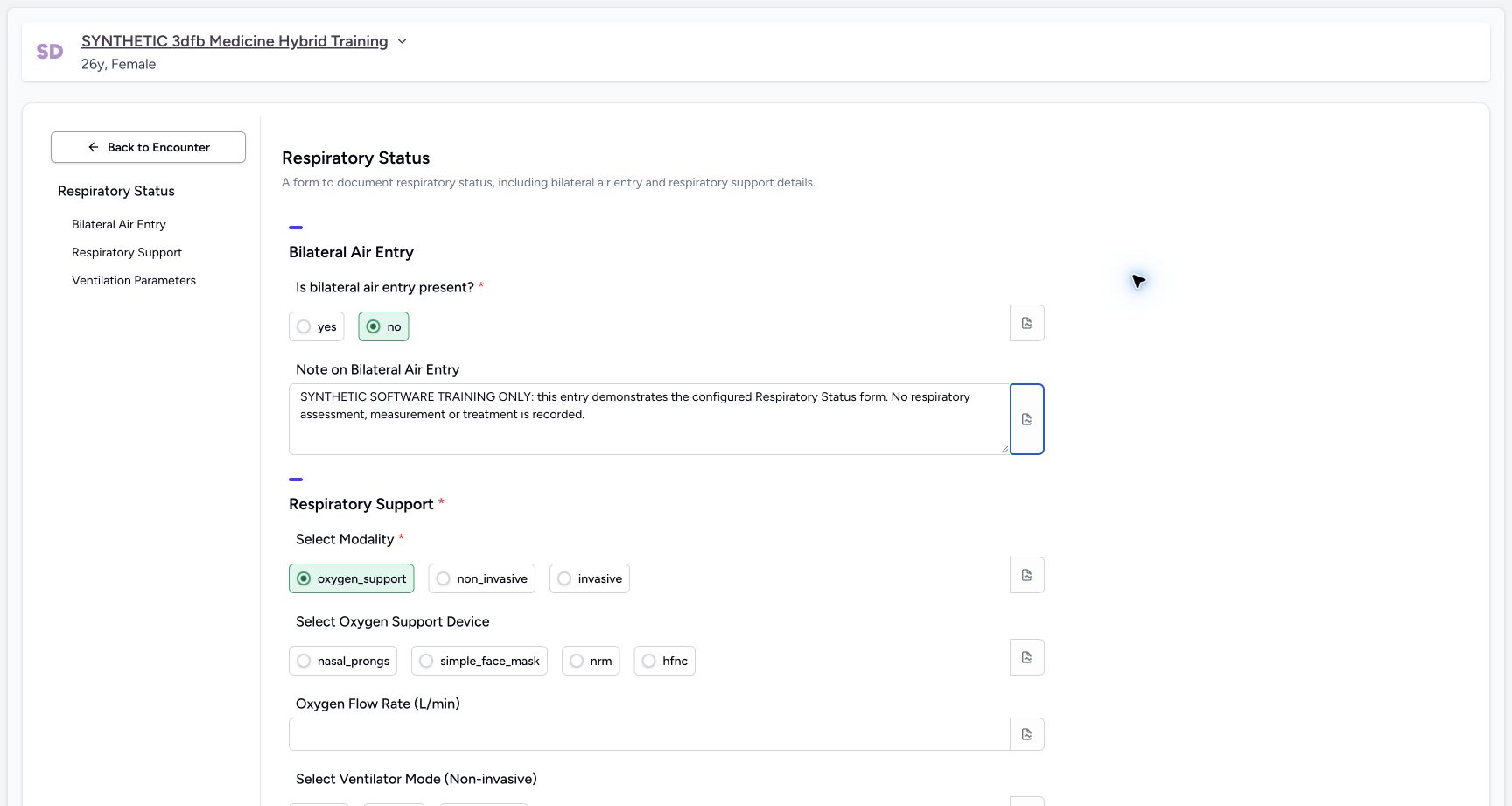
1Enter the final fictional narrative
Capture details
Observed committed 3dfb source on 19 October 2026. Fictional software inputs are not respiratory measurements, treatment advice or ventilator settings.
Image SHA-256 85b6b25f914dce41ca427dd5f794291d5f06d7d3114d31e60cc15526e7f5fca7
- Edit the narrative field: This multiline answer is distinct from its separate note popover; leave the field to check the retained value.
14 of 14 content blocks have reviewed image alignment. Missing overview or prerequisite images remain open.
Before you begin
- Use an authorized Nurse session on the assigned active synthetic training encounter.1
Recorded release 3dfb7c9f · 2026-10-19T20:17:28.842Z · 1728 × 921 Enter the final fictional narrative
Capture details
Observed committed 3dfb source on 19 October 2026. Fictional software inputs are not respiratory measurements, treatment advice or ventilator settings.
Image SHA-256
85b6b25f914dce41ca427dd5f794291d5f06d7d3114d31e60cc15526e7f5fca7- Edit the narrative field: This multiline answer is distinct from its separate note popover; leave the field to check the retained value.
- Use only fictional software examples in this exercise. These samples are not clinical observations, treatment advice or ventilator settings.1
Recorded release 3dfb7c9f · 2026-10-19T20:17:28.842Z · 1728 × 921 Enter the final fictional narrative
Capture details
Observed committed 3dfb source on 19 October 2026. Fictional software inputs are not respiratory measurements, treatment advice or ventilator settings.
Image SHA-256
85b6b25f914dce41ca427dd5f794291d5f06d7d3114d31e60cc15526e7f5fca7- Edit the narrative field: This multiline answer is distinct from its separate note popover; leave the field to check the retained value.
1. Enter and edit temporary narrative text
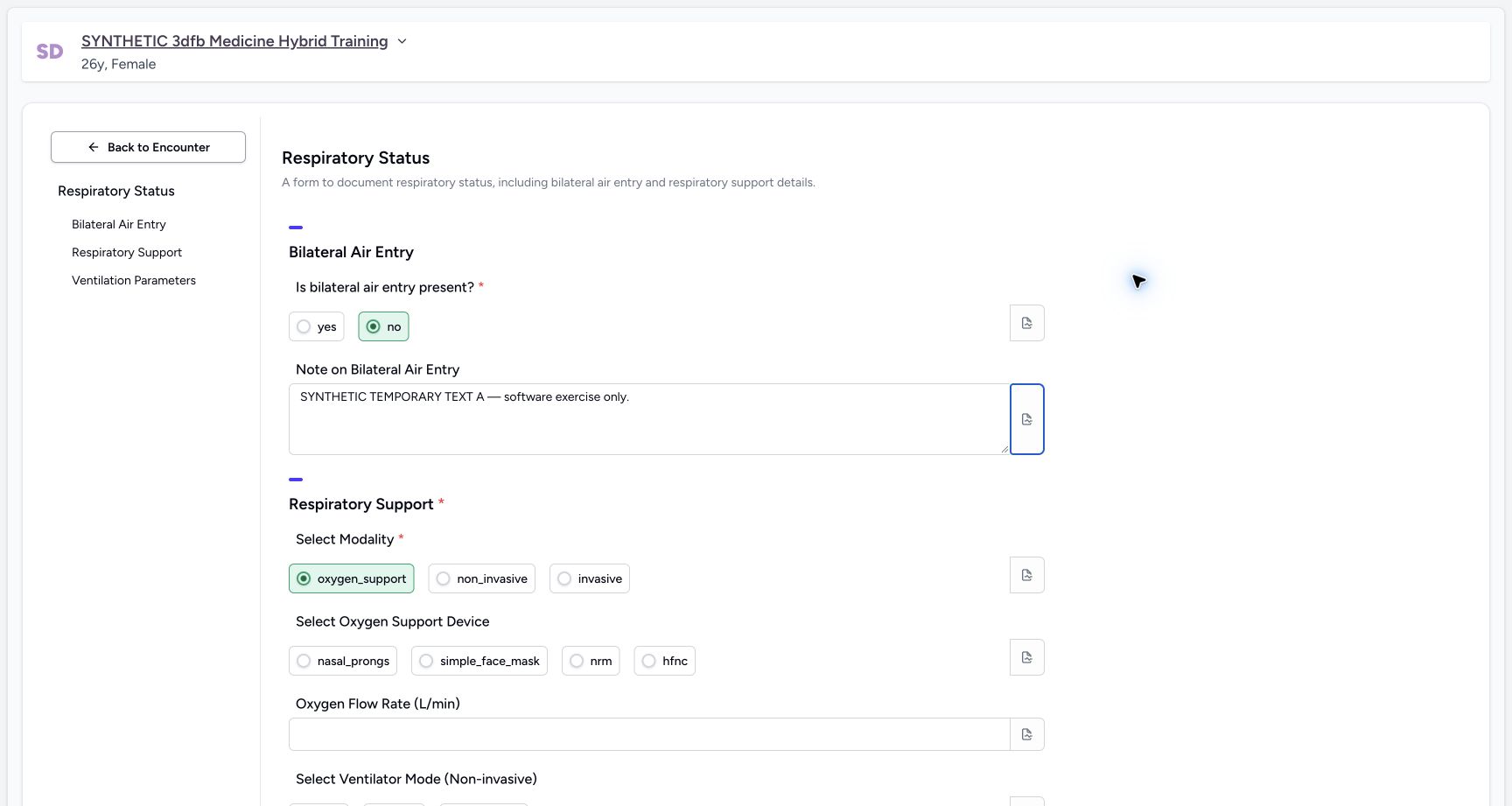
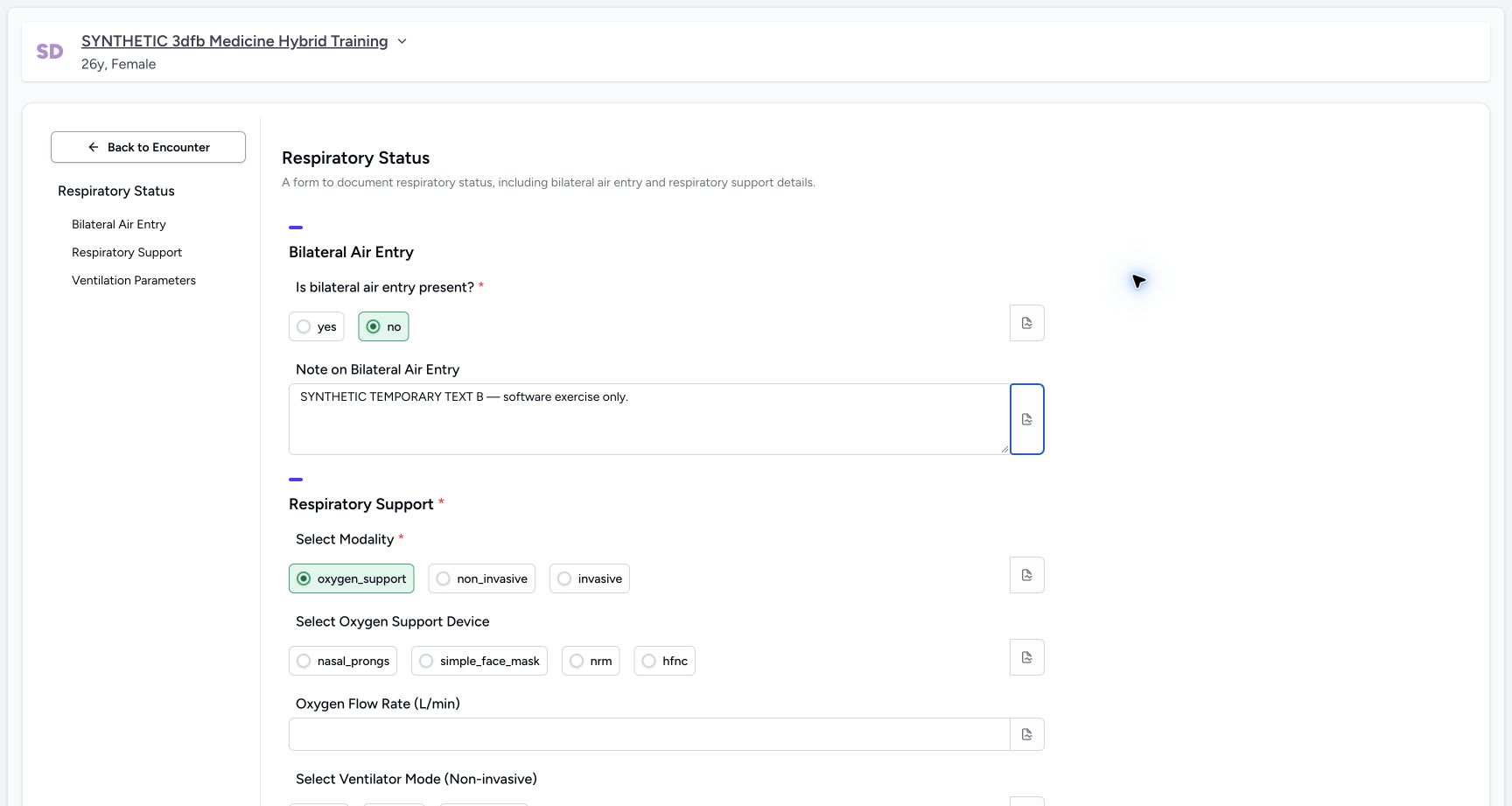
Enter SYNTHETIC TEMPORARY TEXT A — software exercise only. Leave the field, then change A to B and leave it again. Read the retained text after each edit.
 1
1Enter temporary narrative A
Capture details
Observed committed 3dfb source on 19 October 2026. Fictional software inputs are not respiratory measurements, treatment advice or ventilator settings.
Image SHA-256 77409ff912007d9ce72f36daaab4a6517629e5de8c53dfd962cb6fb8d51e4de5
- Edit the narrative field: This multiline answer is distinct from its separate note popover; leave the field to check the retained value.
 1
1Edit the narrative to temporary B
Capture details
Observed committed 3dfb source on 19 October 2026. Fictional software inputs are not respiratory measurements, treatment advice or ventilator settings.
Image SHA-256 b0f63ea5875730a164d28c1d17b8b0f5a93744e37ccd9a9d2efa81e7acb398d4
- Edit the narrative field: This multiline answer is distinct from its separate note popover; leave the field to check the retained value.
2. Clear the narrative and check the empty field
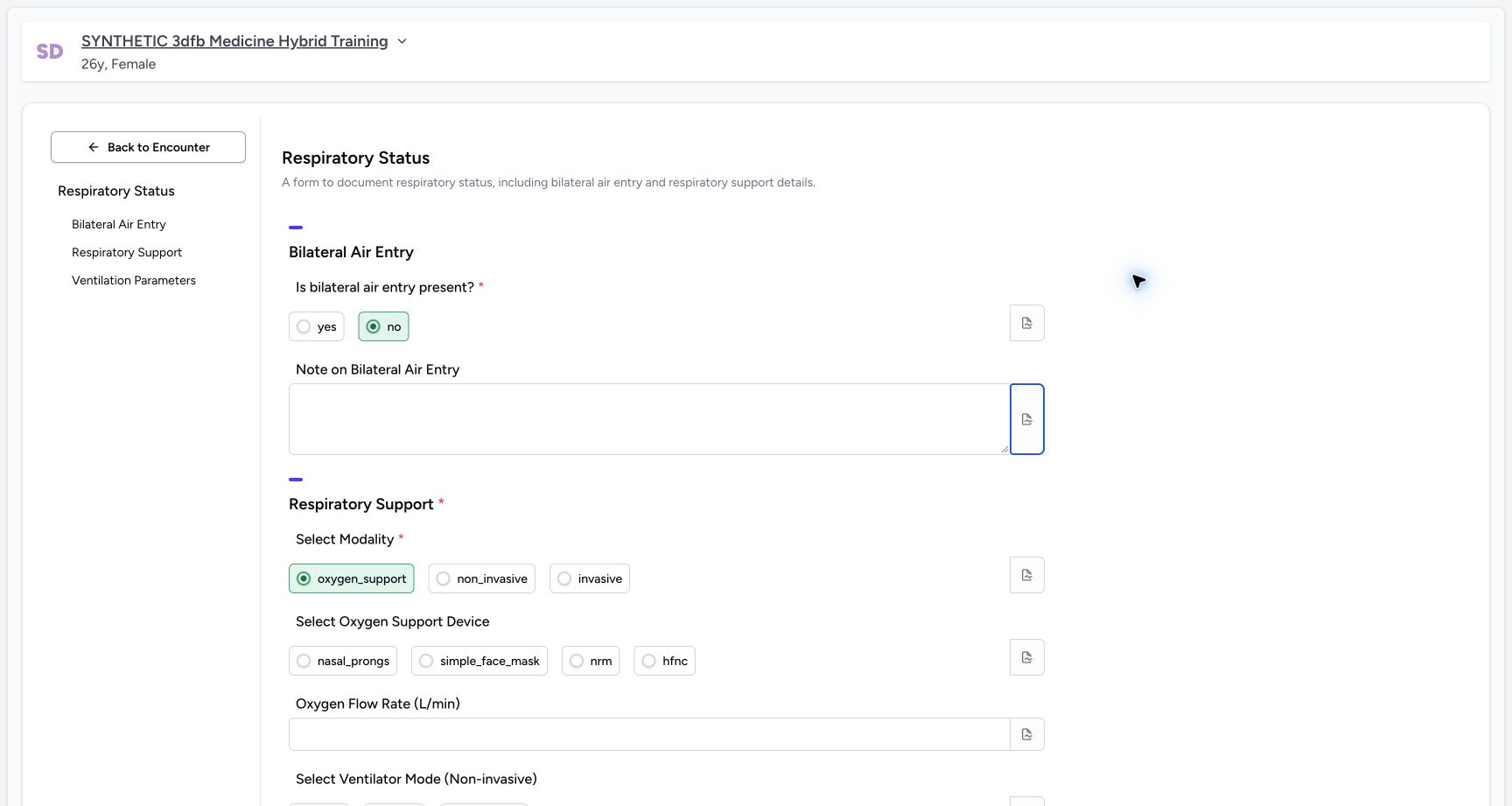
Select the narrative text, delete it and leave the field. Check that the original main-exercise narrative field is empty after blur.
 1
1Check the narrative is empty after clearing
Capture details
Observed committed 3dfb source on 19 October 2026. Fictional software inputs are not respiratory measurements, treatment advice or ventilator settings.
Image SHA-256 4e1fe42daea0447633d0a8ce391a28131a2e88fbb35d42ec936585b5eee60e72
- Check the empty narrative: The original main-exercise field is visibly empty after deleting its temporary text and leaving the input.
3. Use the final fictional narrative in the main exercise
For the main exercise, enter the final narrative: SYNTHETIC SOFTWARE TRAINING ONLY: this entry demonstrates the configured Respiratory Status form. No respiratory assessment, measurement or treatment is recorded. Leave the field and read it back.
1Enter the final fictional narrative
Capture details
Observed committed 3dfb source on 19 October 2026. Fictional software inputs are not respiratory measurements, treatment advice or ventilator settings.
Image SHA-256 85b6b25f914dce41ca427dd5f794291d5f06d7d3114d31e60cc15526e7f5fca7
- Edit the narrative field: This multiline answer is distinct from its separate note popover; leave the field to check the retained value.
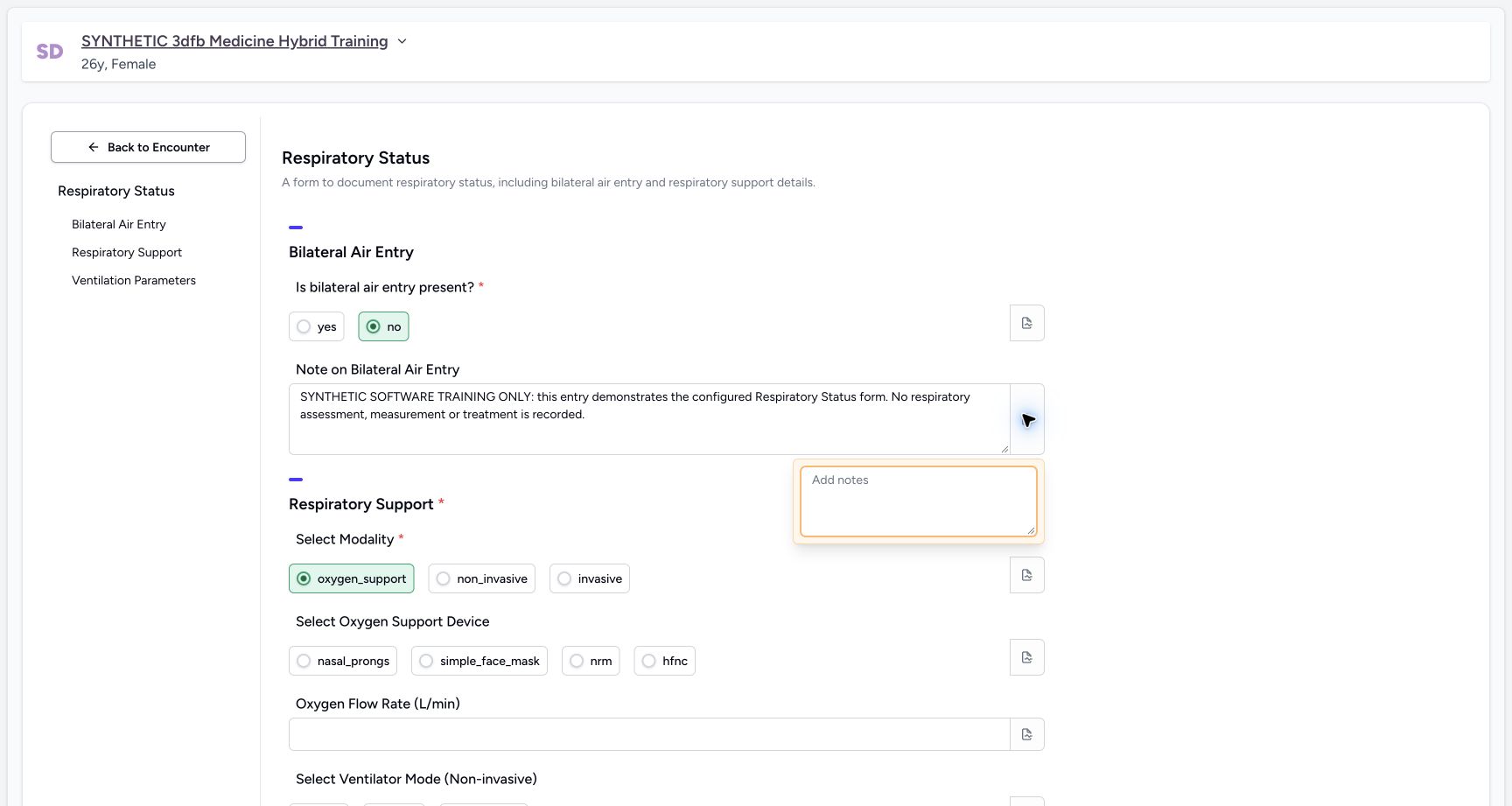
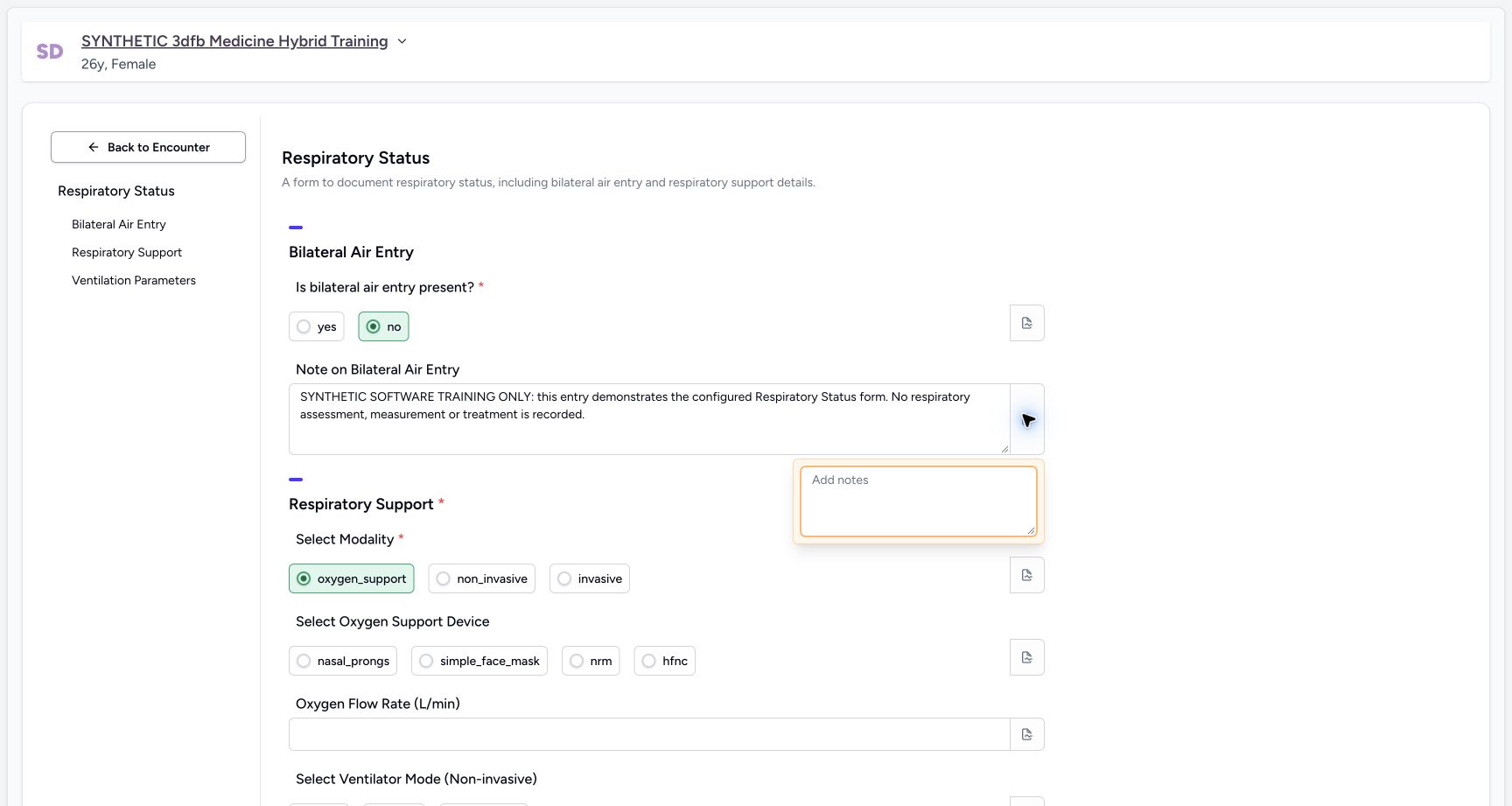
4. Open the narrative’s separate field note
Use the note icon at the right of the narrative input. The main narrative text and this note editor are separate controls.
 12
12Open the narrative field note
Capture details
Observed committed 3dfb source on 19 October 2026. Fictional software inputs are not respiratory measurements, treatment advice or ventilator settings.
Image SHA-256 e0c64f5979fde153e5fd220ae1f3dc058303ee7566087e66c2b9b3d1279117db
- Use the narrative note icon: The separate note popover is already open.
- Read the blank editor: The main narrative answer stays separate from this note.
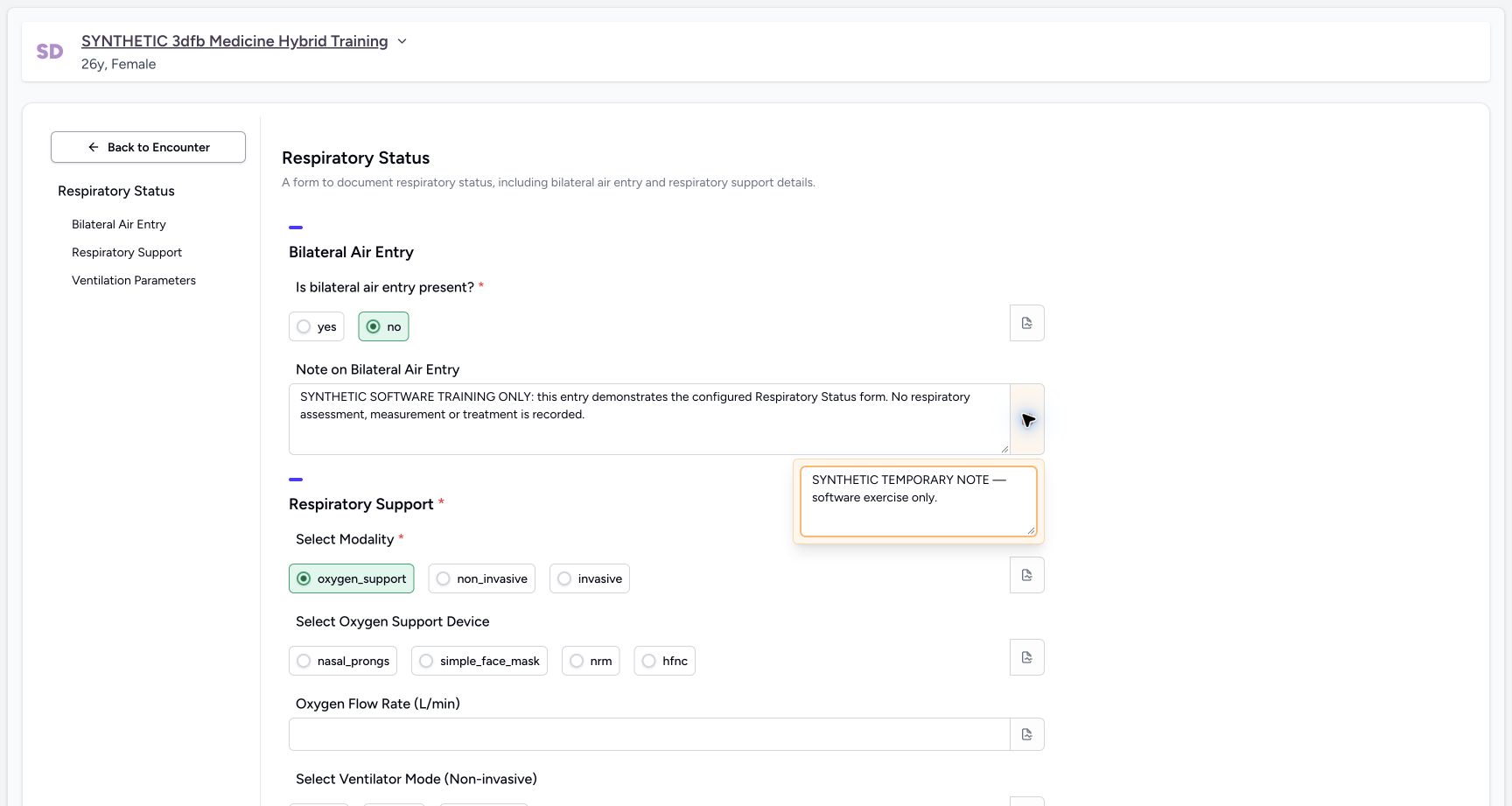
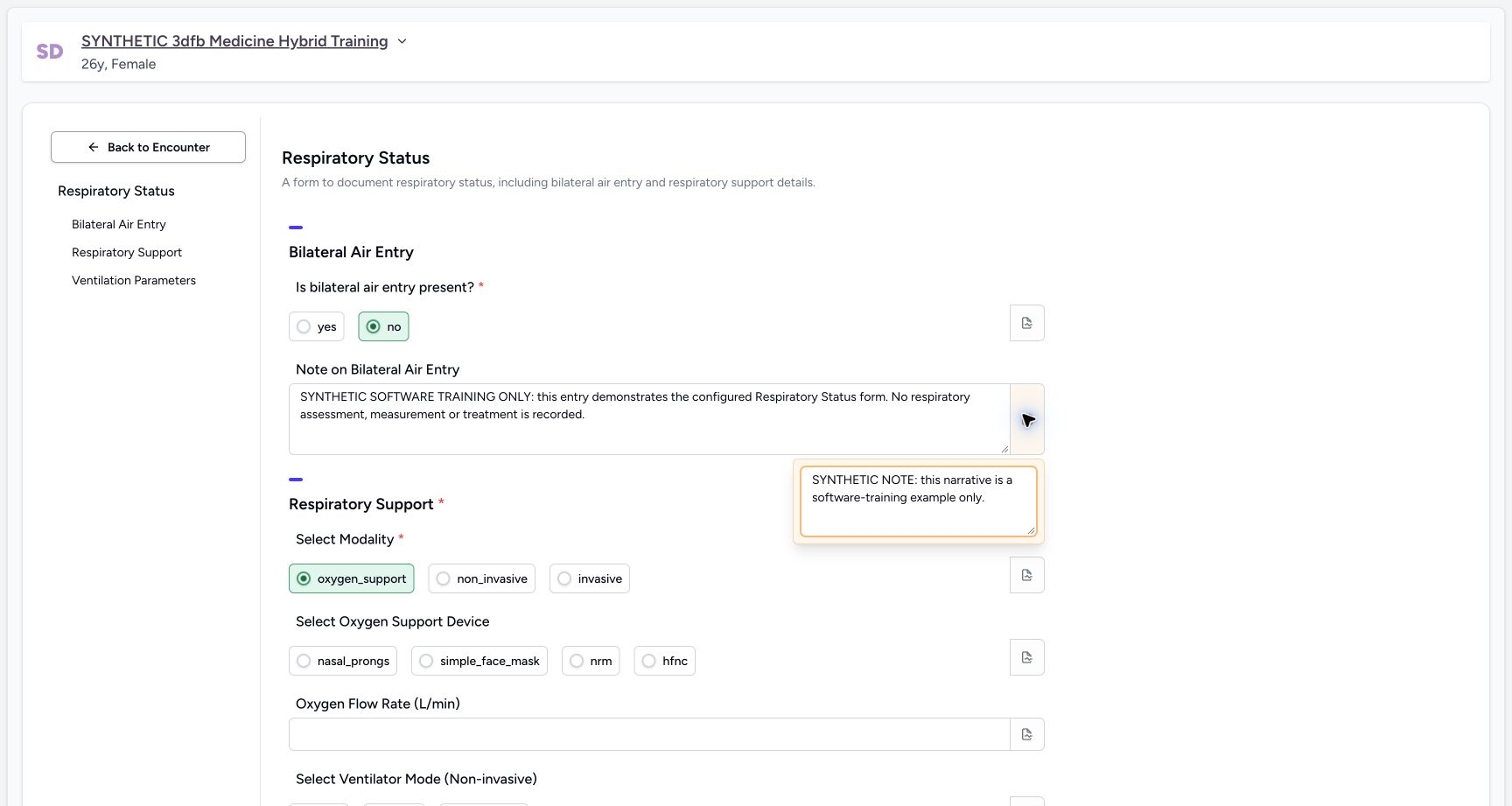
5. Enter and edit the narrative field note
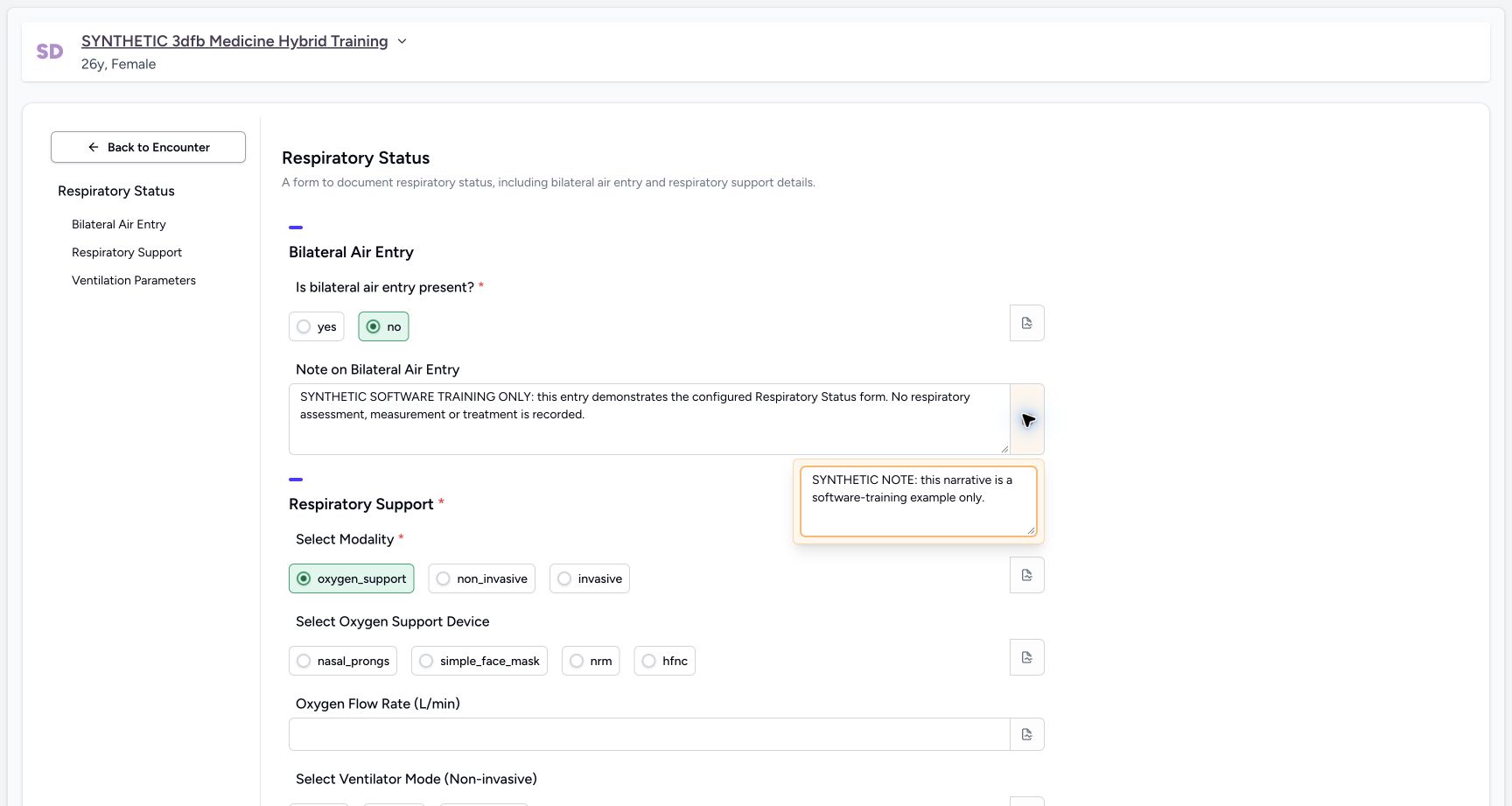
Enter SYNTHETIC TEMPORARY NOTE — software exercise only. Then replace it with: SYNTHETIC NOTE: this narrative is a software-training example only.
 12
12Enter a temporary narrative field note
Capture details
Observed committed 3dfb source on 19 October 2026. Fictional software inputs are not respiratory measurements, treatment advice or ventilator settings.
Image SHA-256 10216c7a1846dbdb932004f8792de61410040fefa64561f637662607f282de0e
- Use the narrative note icon: The separate note popover is already open.
- Read the note text: The main narrative answer stays separate from this note.
 12
12Edit the narrative field note
Capture details
Observed committed 3dfb source on 19 October 2026. Fictional software inputs are not respiratory measurements, treatment advice or ventilator settings.
Image SHA-256 e78e3a5720e71e348659fe5b6ae0d994fbeea6b6b0cbc6c7b33596920d92dd13
- Use the narrative note icon: The separate note popover is already open.
- Read the note text: The main narrative answer stays separate from this note.
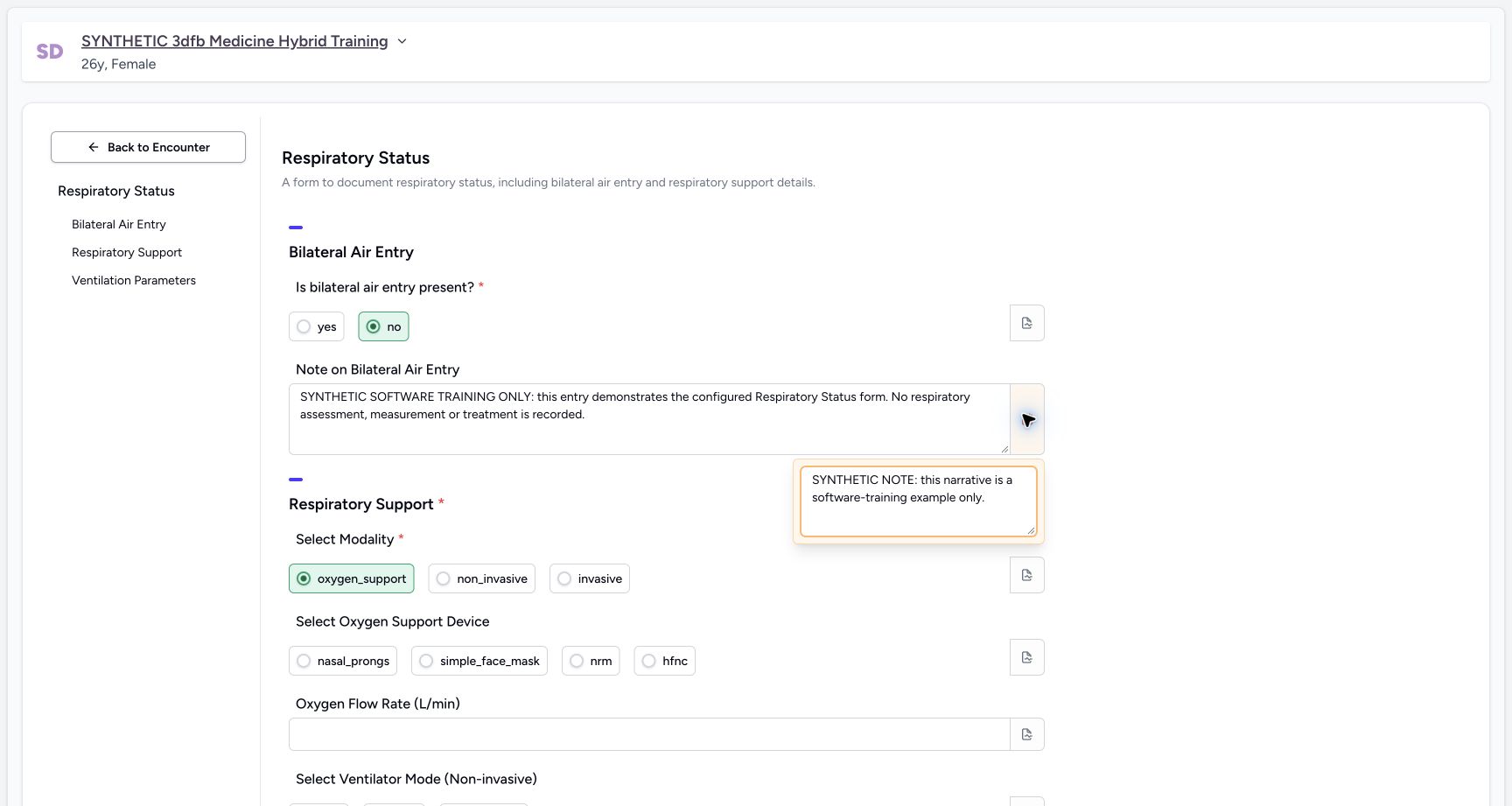
6. Reopen, clear and restore the narrative note
Close and reopen the note to read it. Delete its text, close and reopen to confirm the blank editor, then restore SYNTHETIC NOTE: this narrative is a software-training example only. Close and reopen once more to read the restored note.
 12
12Read the narrative note after reopening
Capture details
Observed committed 3dfb source on 19 October 2026. Fictional software inputs are not respiratory measurements, treatment advice or ventilator settings.
Image SHA-256 e78e3a5720e71e348659fe5b6ae0d994fbeea6b6b0cbc6c7b33596920d92dd13
- Use the narrative note icon: The separate note popover is already open.
- Read the note text: The main narrative answer stays separate from this note.
 12
12Reopen the cleared narrative note
Capture details
Observed committed 3dfb source on 19 October 2026. Fictional software inputs are not respiratory measurements, treatment advice or ventilator settings.
Image SHA-256 e0c64f5979fde153e5fd220ae1f3dc058303ee7566087e66c2b9b3d1279117db
- Use the narrative note icon: The separate note popover is already open.
- Read the blank editor: The main narrative answer stays separate from this note.
 12
12Restore and reopen the final narrative note
Capture details
Observed committed 3dfb source on 19 October 2026. Fictional software inputs are not respiratory measurements, treatment advice or ventilator settings.
Image SHA-256 e78e3a5720e71e348659fe5b6ae0d994fbeea6b6b0cbc6c7b33596920d92dd13
- Use the narrative note icon: The separate note popover is already open.
- Read the note text: The main narrative answer stays separate from this note.
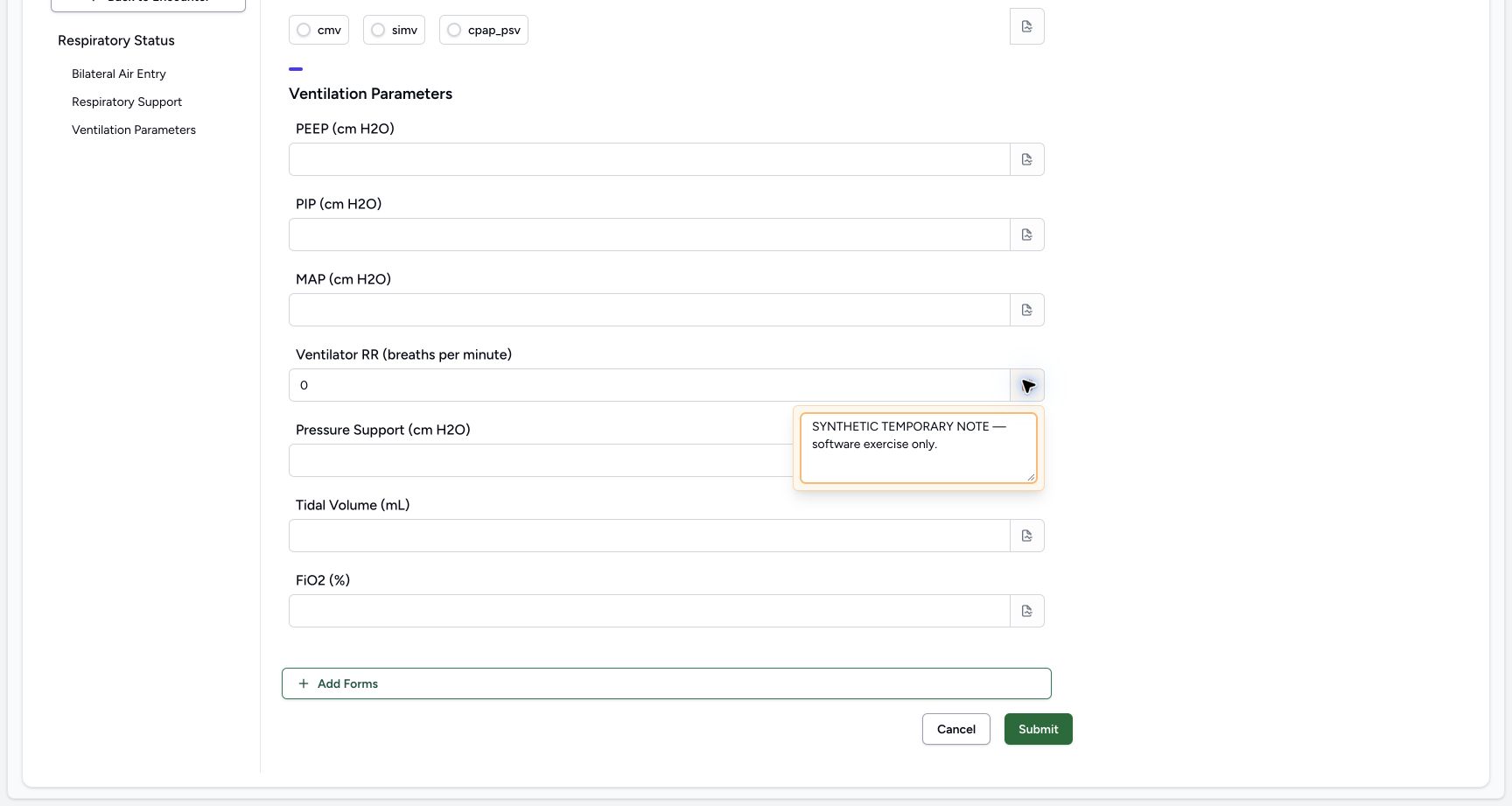
7. Enter a temporary RR field note
With the fictional Integer value 0 retained, open its note icon and enter SYNTHETIC TEMPORARY NOTE — software exercise only.
 12
12Enter a temporary RR field note
Capture details
Observed committed 3dfb source on 19 October 2026. Fictional software inputs are not respiratory measurements, treatment advice or ventilator settings.
Image SHA-256 feccd9dc630be3faf0a638db29bf22dcfe4af26210d2954f2b4a79503ac4871d
- Use the RR note icon: The RR-specific note popover is open in this image.
- Read the note text: The Integer value 0 remains separate from this field note.
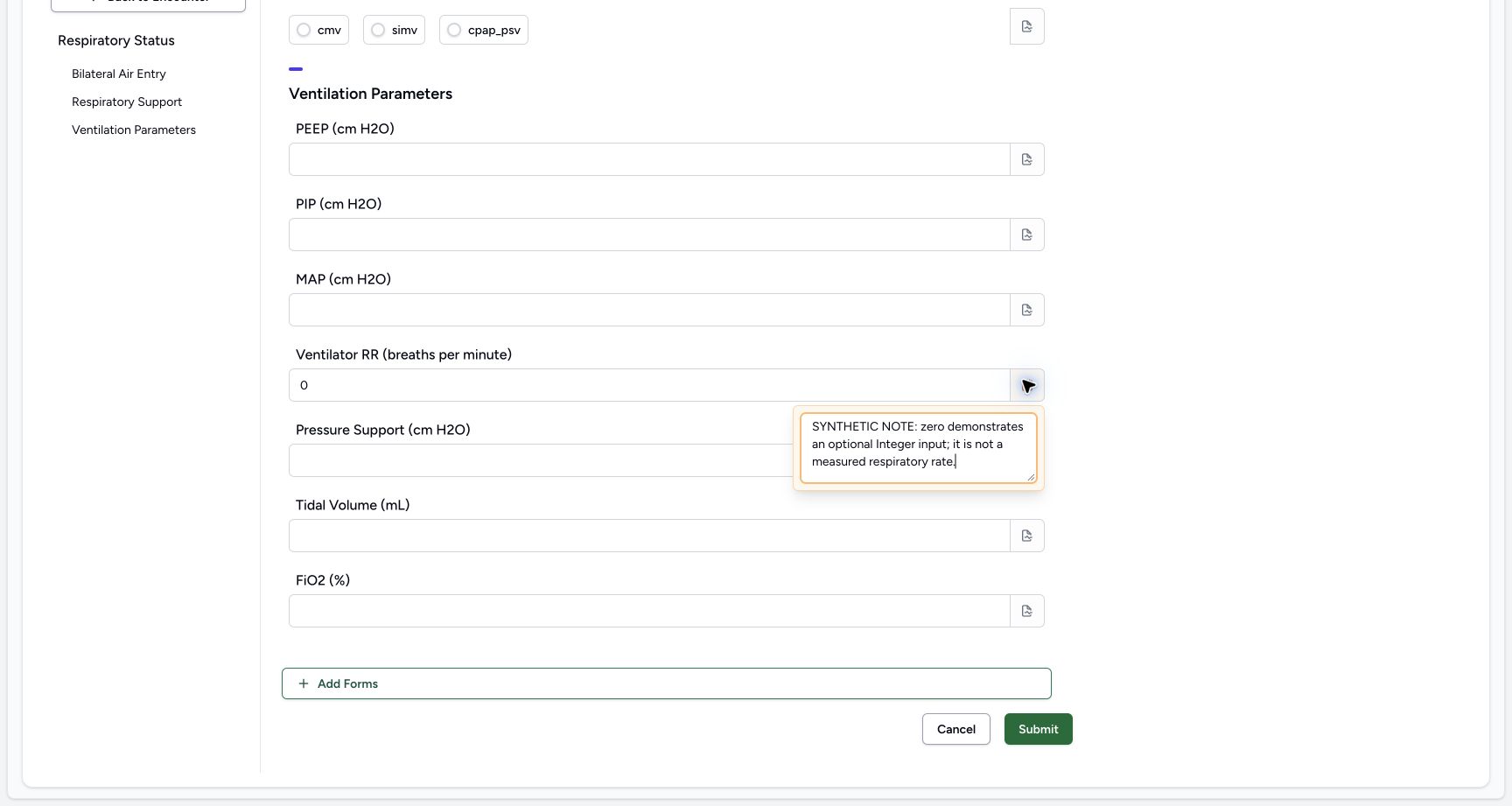
8. Edit and reopen the RR note
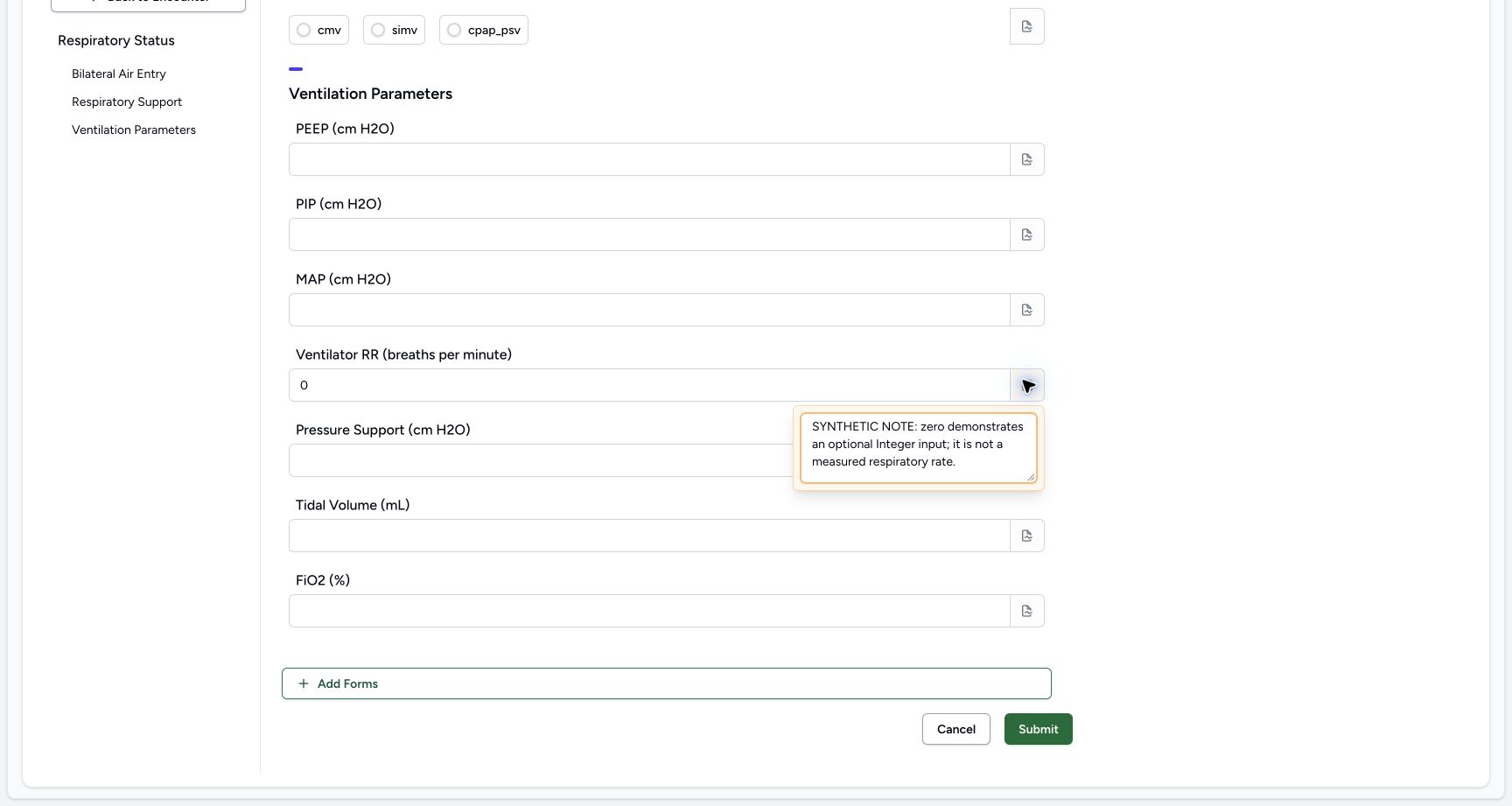
Replace the temporary note with: SYNTHETIC NOTE: zero demonstrates an optional Integer input; it is not a measured respiratory rate. Close and reopen the popover to check the retained explanation.
 12
12Edit the RR note to the final explanation
Capture details
Observed committed 3dfb source on 19 October 2026. Fictional software inputs are not respiratory measurements, treatment advice or ventilator settings.
Image SHA-256 720f7d708fd230662d8abc8a5732a83f2211f81e833236a3259934f0a432df45
- Use the RR note icon: The RR-specific note popover is open in this image.
- Read the note text: The Integer value 0 remains separate from this field note.
 12
12Read the RR note after reopening
Capture details
Observed committed 3dfb source on 19 October 2026. Fictional software inputs are not respiratory measurements, treatment advice or ventilator settings.
Image SHA-256 6cc293eb4332008bcf74b9d5baa9de333d598dacaf4abd89c55e03143fe7d8c1
- Use the RR note icon: The RR-specific note popover is open in this image.
- Read the note text: The Integer value 0 remains separate from this field note.
9. Clear, reopen and restore the RR note
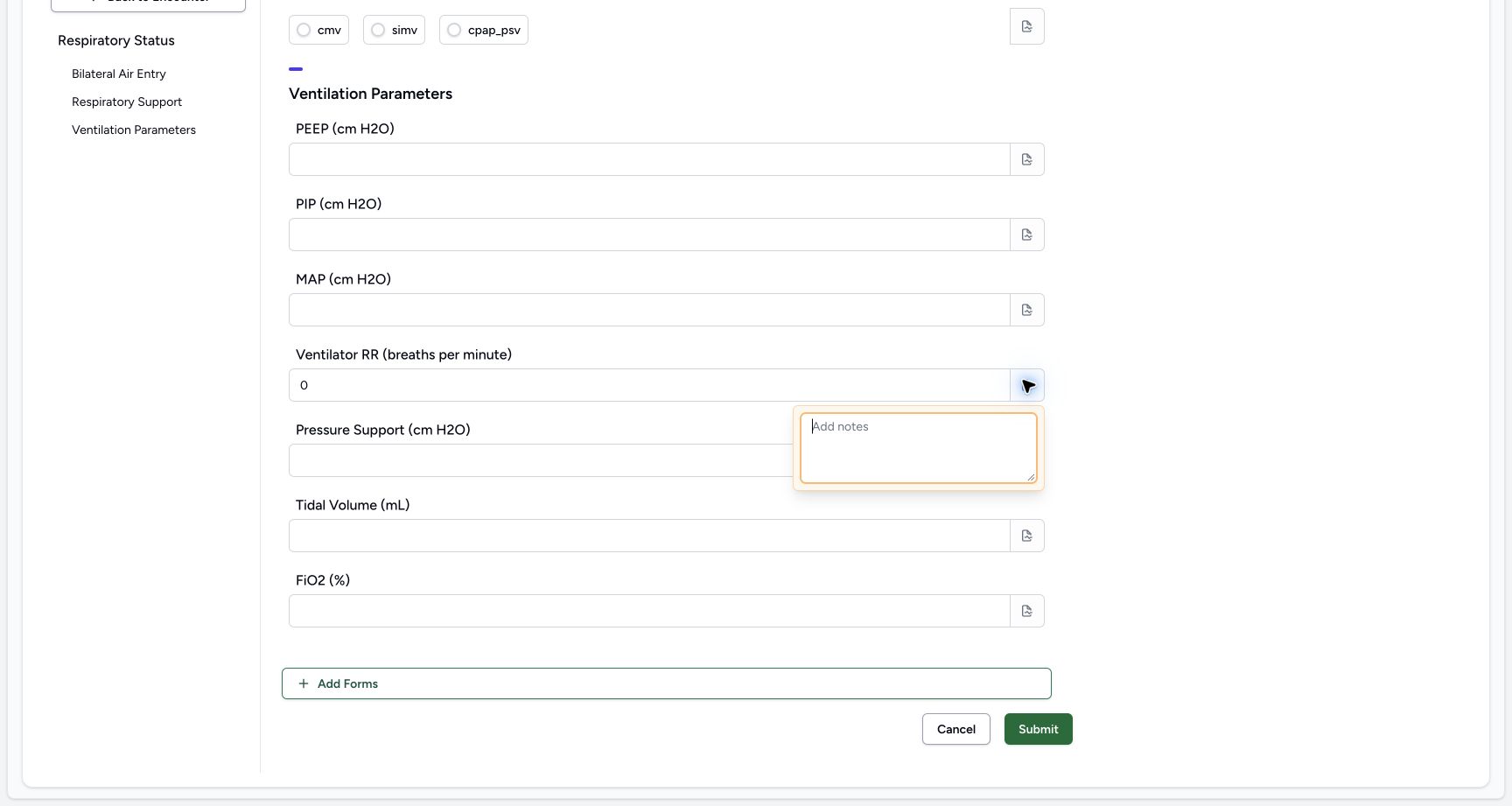
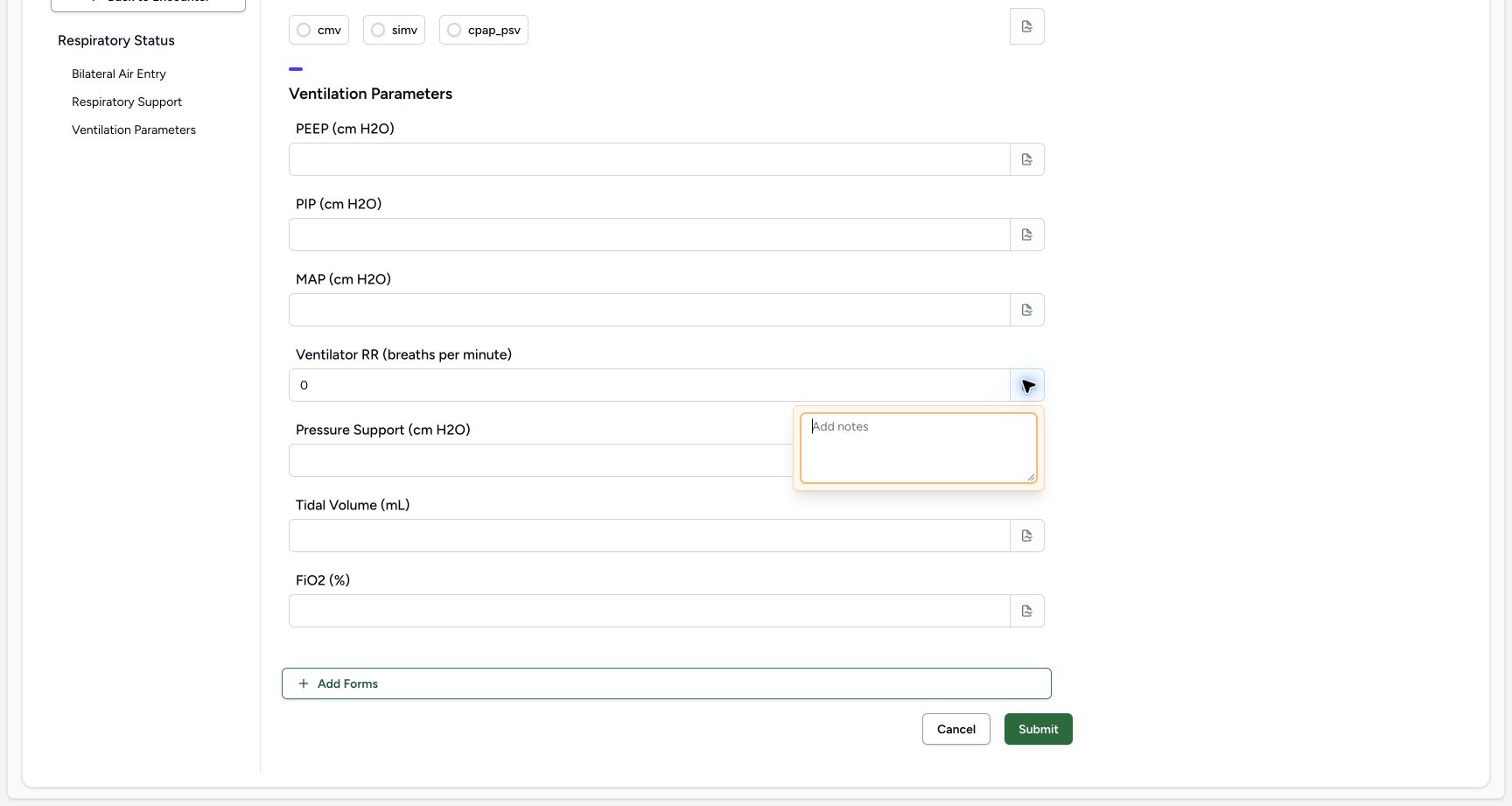
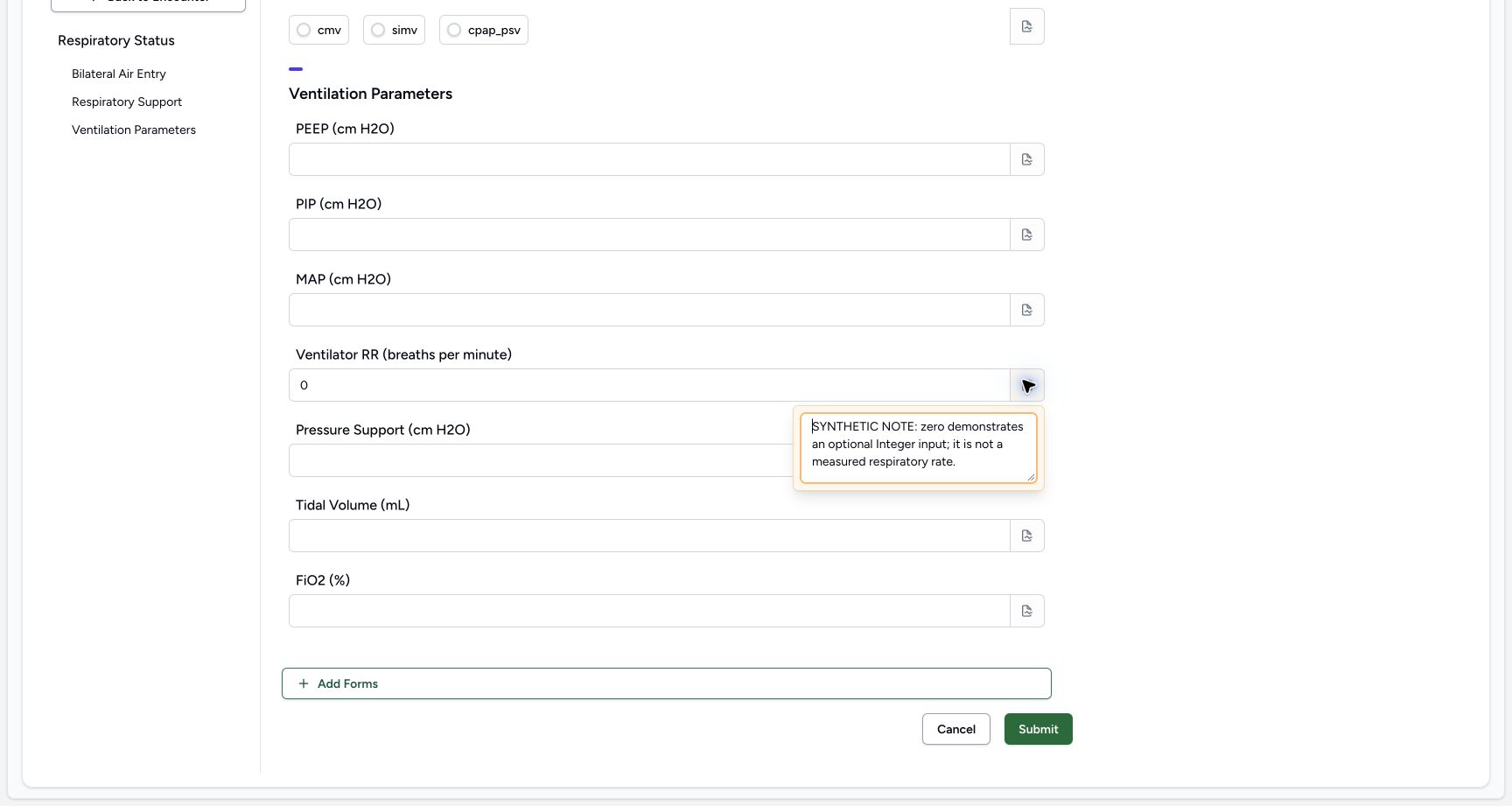
Delete the RR note, then close and reopen to confirm an empty editor. Restore SYNTHETIC NOTE: zero demonstrates an optional Integer input; it is not a measured respiratory rate. Close and reopen again to confirm the final note. The Integer answer stays 0.
 12
12Clear the RR note
Capture details
Observed committed 3dfb source on 19 October 2026. Fictional software inputs are not respiratory measurements, treatment advice or ventilator settings.
Image SHA-256 9b4ee92e256f69bafb693c3ca55d8440dddc1a63c5fd1920b0c928d6f913a9f5
- Use the RR note icon: The RR-specific note popover is open in this image.
- Read the blank note editor: The Integer value 0 remains separate from this field note.
 12
12Reopen the RR note and check it is empty
Capture details
Observed committed 3dfb source on 19 October 2026. Fictional software inputs are not respiratory measurements, treatment advice or ventilator settings.
Image SHA-256 9b4ee92e256f69bafb693c3ca55d8440dddc1a63c5fd1920b0c928d6f913a9f5
- Use the RR note icon: The RR-specific note popover is open in this image.
- Read the blank note editor: The Integer value 0 remains separate from this field note.
 12
12Restore and reopen the final RR note
Capture details
Observed committed 3dfb source on 19 October 2026. Fictional software inputs are not respiratory measurements, treatment advice or ventilator settings.
Image SHA-256 767901c0794fd7f50ac424138c7bffb0d76e9c49fbaee9492acefee0e2c57a60
- Use the RR note icon: The RR-specific note popover is open in this image.
- Read the note text: The Integer value 0 remains separate from this field note.
Each field has its own note
All thirteen note controls were opened and inspected. The choice and numeric note icons leave their own answer values separate from the note. The multiline narrative also has its own note popover. Only the narrative and RR notes contain text in the final saved example.
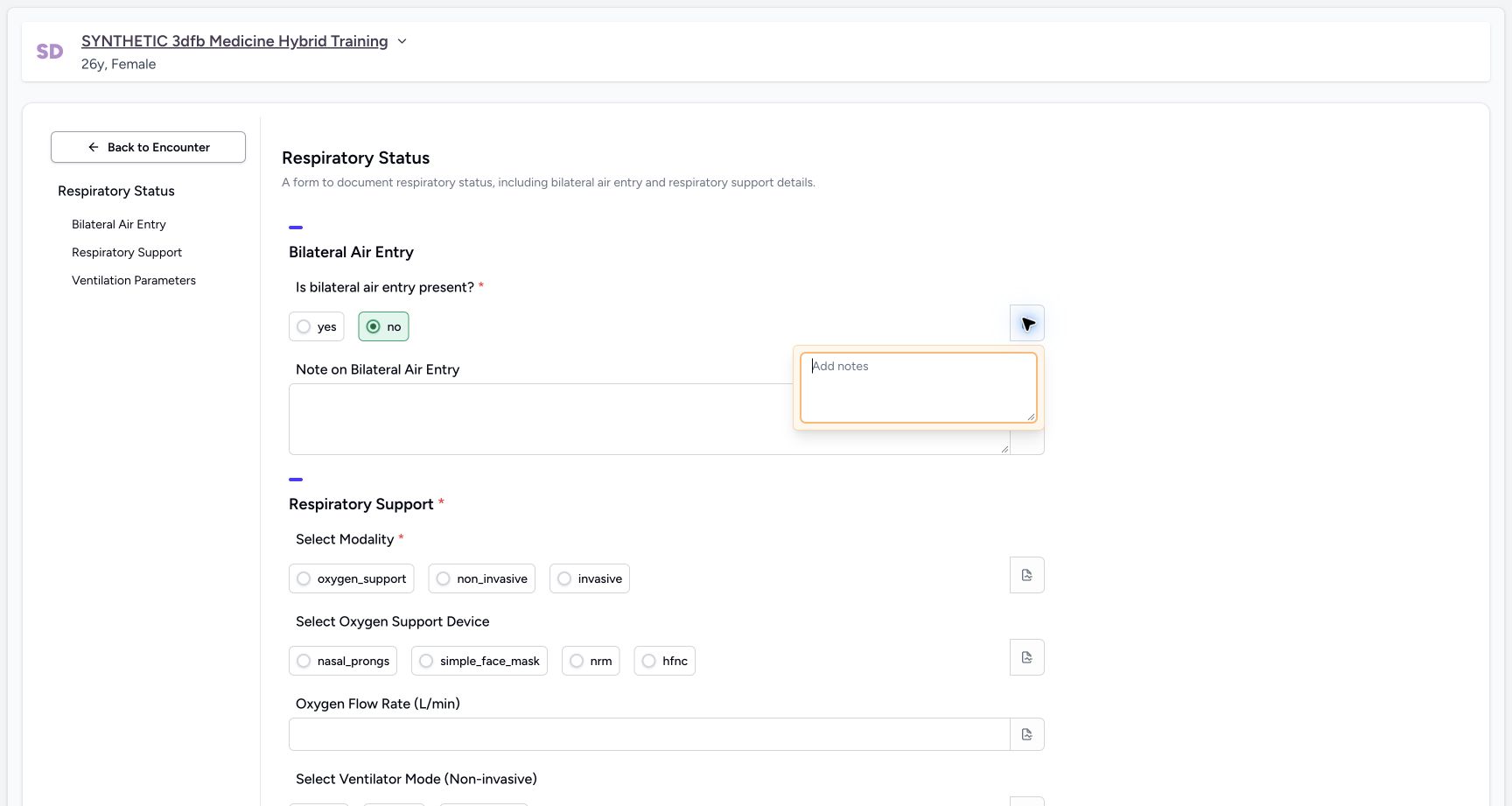 123
123Restore no and inspect its separate note control
Capture details
Observed committed 3dfb source on 19 October 2026. Fictional software inputs are not respiratory measurements, treatment advice or ventilator settings.
Image SHA-256 371add5d7764e97979ea2cac897ef7f978fc02b09495e20ea72b4cd9aa729f41
- Restore no for the final example: The filled circle shows the restored fictional answer.
- Open the air-entry note: The separate note icon is already open in this image.
- Read the empty note: Leave this choice note empty and close its popover.
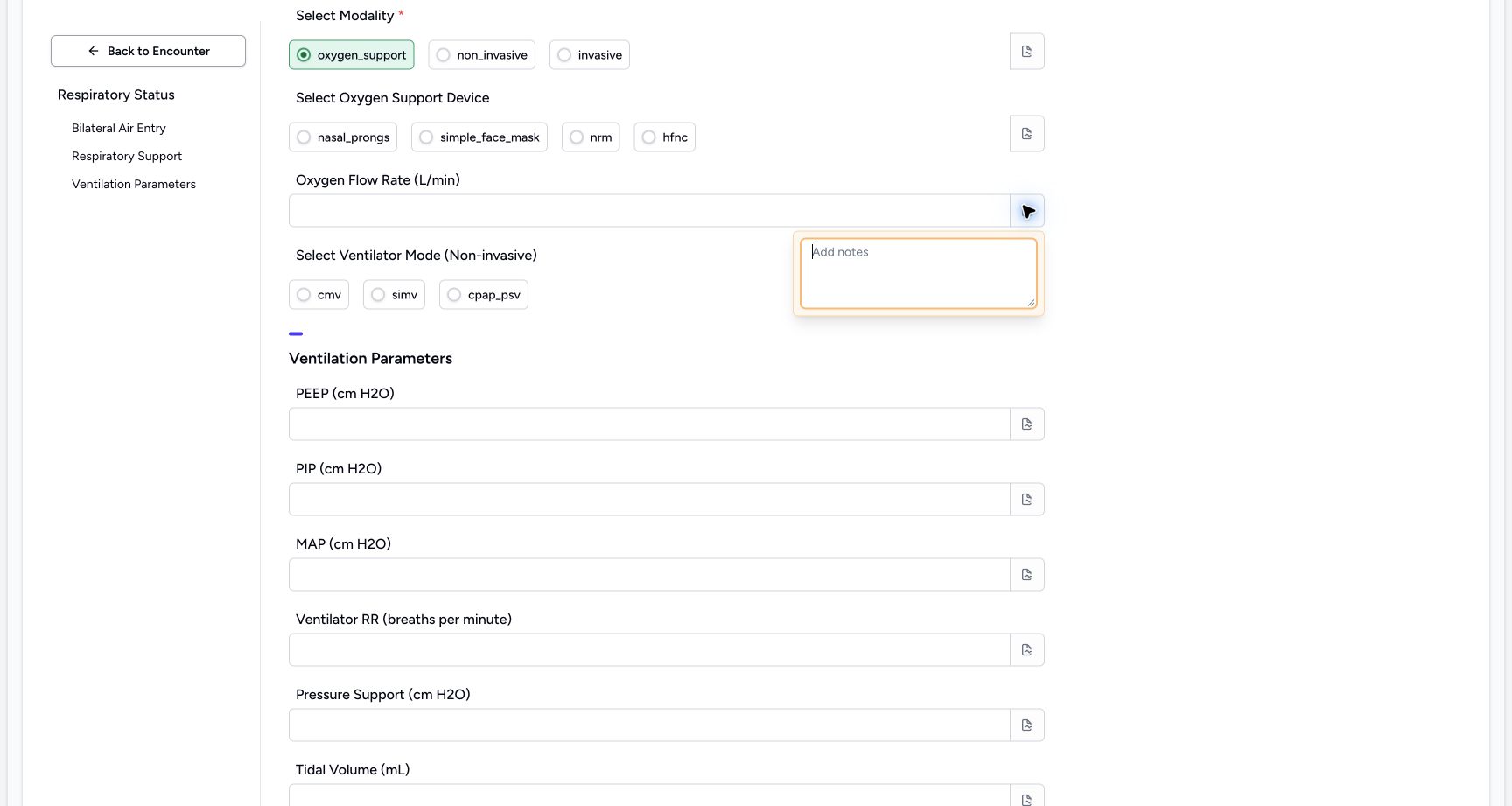 12
12Inspect the Oxygen Flow Rate (L/min) note control
Capture details
Observed committed 3dfb source on 19 October 2026. Fictional software inputs are not respiratory measurements, treatment advice or ventilator settings.
Image SHA-256 7010772daa18d06dce9f4d46514fe8790143d5a0bc3971c80b0643bccbb0621f
- Open the separate Oxygen Flow Rate (L/min) note: This field has its own note icon; the empty popover is already open.
- Inspect the empty editor: Review the blank note, then close the popover.
12Open the narrative field note
Capture details
Observed committed 3dfb source on 19 October 2026. Fictional software inputs are not respiratory measurements, treatment advice or ventilator settings.
Image SHA-256 e0c64f5979fde153e5fd220ae1f3dc058303ee7566087e66c2b9b3d1279117db
- Use the narrative note icon: The separate note popover is already open.
- Read the blank editor: The main narrative answer stays separate from this note.
12Restore and reopen the final RR note
Capture details
Observed committed 3dfb source on 19 October 2026. Fictional software inputs are not respiratory measurements, treatment advice or ventilator settings.
Image SHA-256 767901c0794fd7f50ac424138c7bffb0d76e9c49fbaee9492acefee0e2c57a60
- Use the RR note icon: The RR-specific note popover is open in this image.
- Read the note text: The Integer value 0 remains separate from this field note.
Optional comparison after the main exercise
These separate later images show temporary Text B, an empty narrative after deleting the text and leaving the field, and Cancel returning to the already corrected response. They illustrate the same clear operation in a fresh unsaved form; they are not a continuation of the main note-editing sequence or another saved response. No Submit was used for this optional illustration.
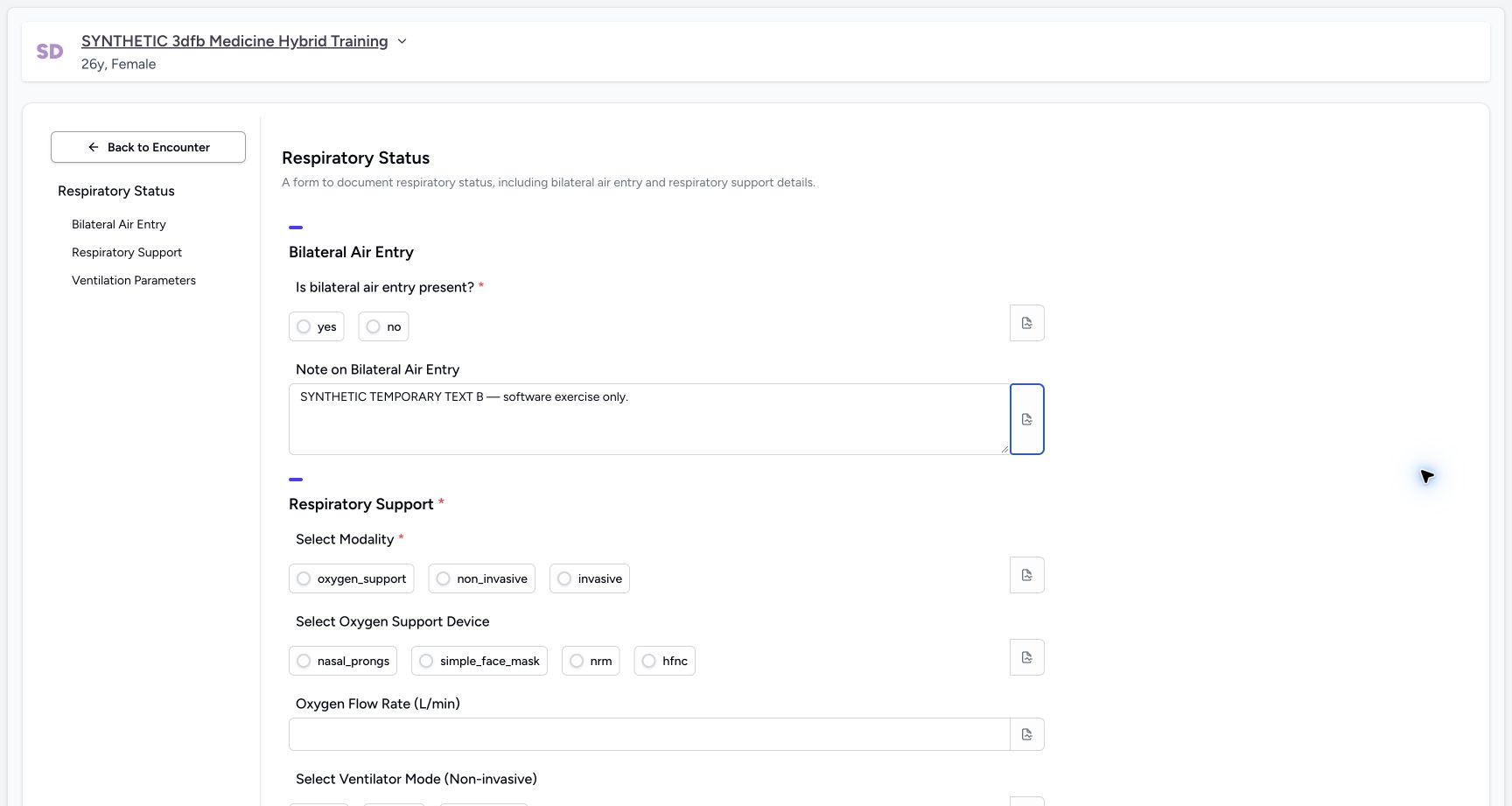 1
1Later unsaved demonstration: narrative before clearing
Capture details
Observed committed 3dfb source on 19 October 2026. Fictional software inputs are not respiratory measurements, treatment advice or ventilator settings.
Image SHA-256 f53e20d07fadc4ec8d34eaa8af82007caf9f9e2458f7c2c6f5bb422cba8f157e
- Select the temporary narrative: This separate later demonstration does not change the previously saved response.
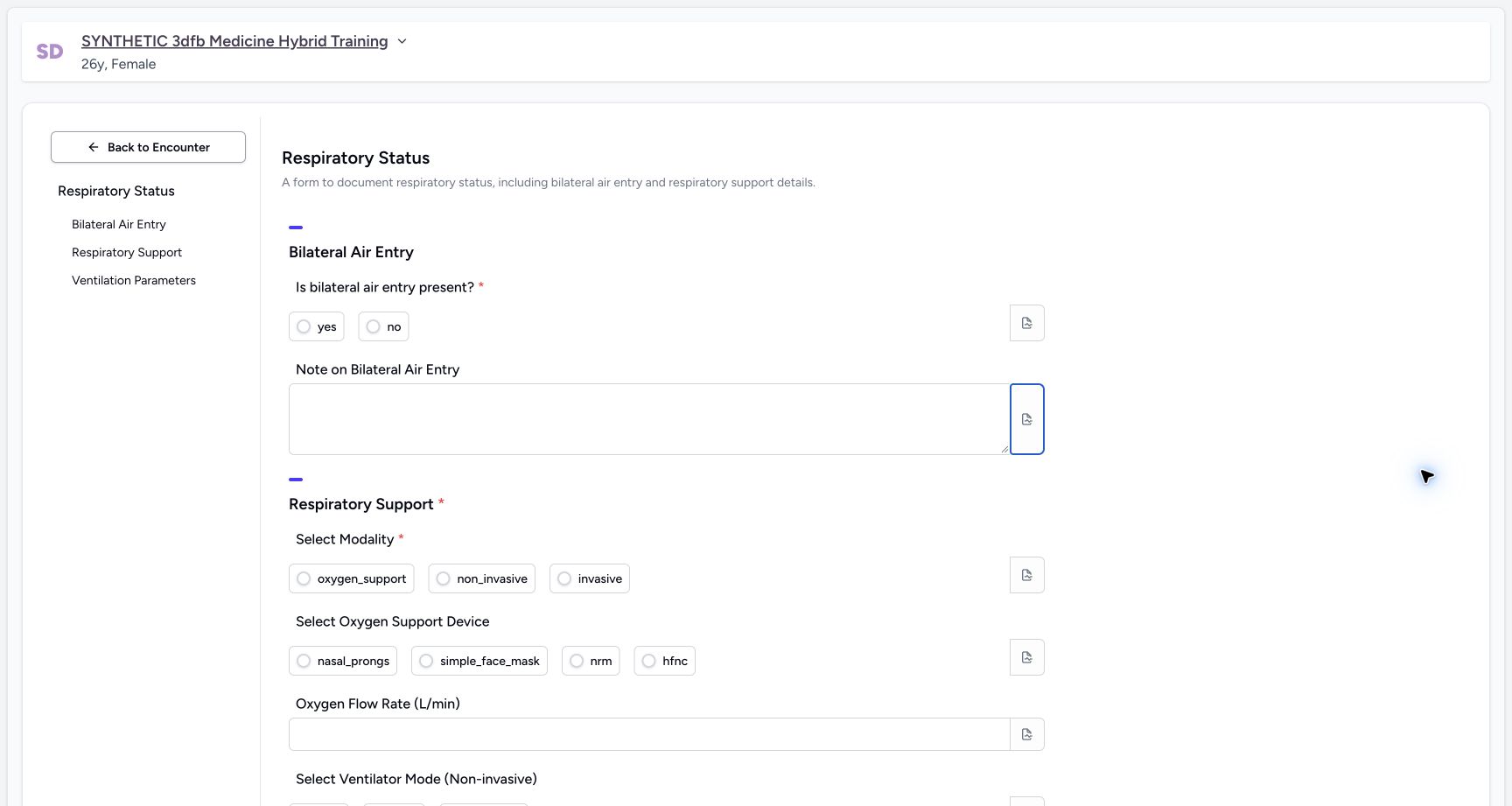 1
1Later unsaved demonstration: narrative empty after clear and blur
Capture details
Observed committed 3dfb source on 19 October 2026. Fictional software inputs are not respiratory measurements, treatment advice or ventilator settings.
Image SHA-256 a9f420945ff0cd922da06f9df4294f7ed7e295085aeb78ecedca18848b7873a4
- Check the empty narrative field: The text is deleted and the field is empty after blur in this later unsaved demonstration.
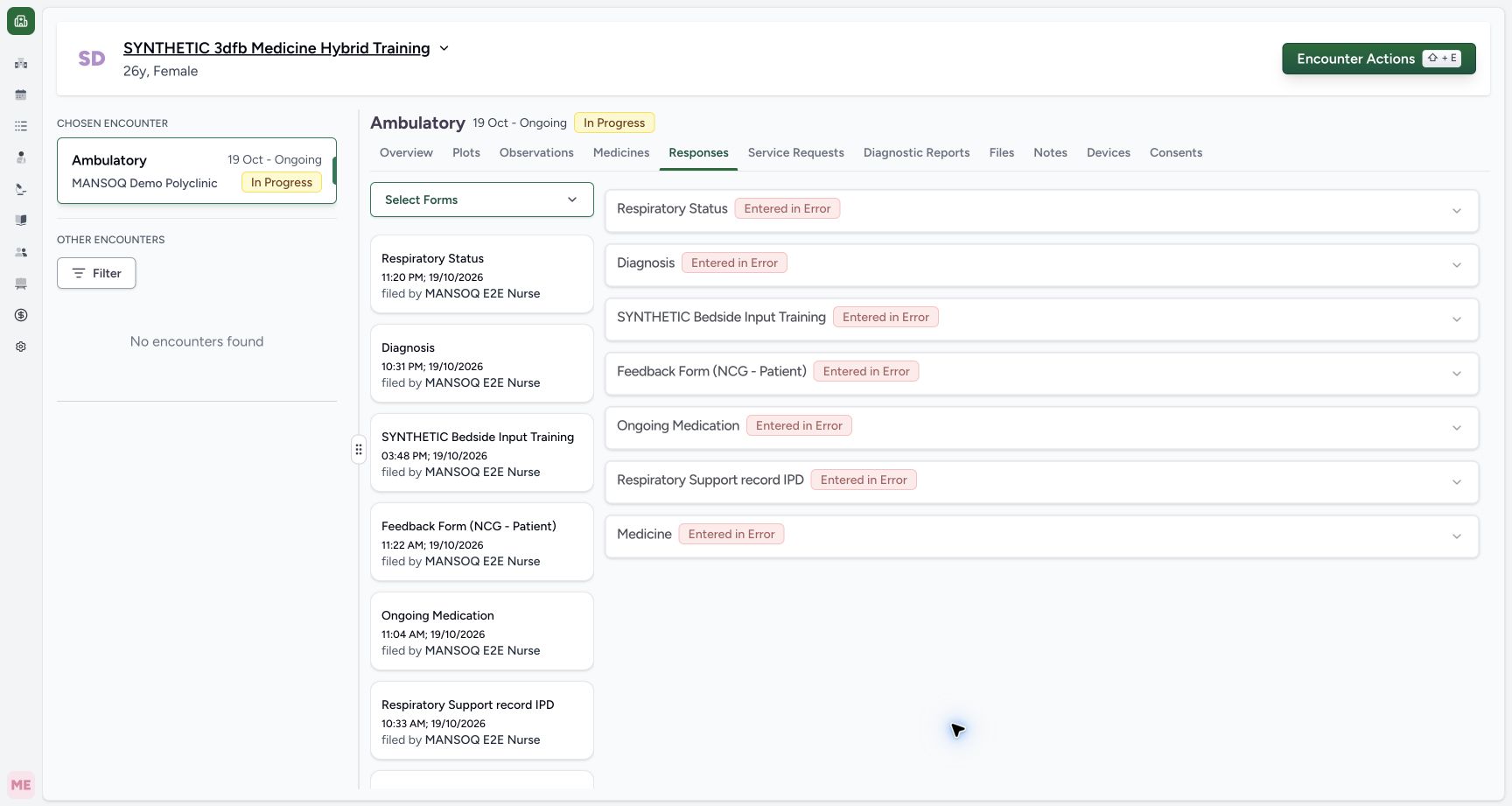 1
1Later demonstration cancelled without saving
Capture details
Observed committed 3dfb source on 19 October 2026. Fictional software inputs are not respiratory measurements, treatment advice or ventilator settings.
Image SHA-256 f7467cb862b8ff27a93a559537a976f9309fdfbb5a1a17b3c6ea8fe722576138
- Check the return to Responses: The later unsaved Text-clear demonstration was cancelled; no additional response was submitted.
Source evidence
Every citation uses this exact committed version. The private source repository requires access.
- repositories/platform/mansoq-web/src/components/Questionnaire/QuestionnaireForm.tsx:744 ·
3dfb7c9f519fb5b4cd4452439f3c12346bf58319Source file checksum
ee6c2195f13e48f0896a2d3da566c2f2a67910adad08894df6b77862f9cfdeec - repositories/platform/mansoq-web/src/components/Questionnaire/QuestionTypes/NumberQuestion.tsx:29 ·
3dfb7c9f519fb5b4cd4452439f3c12346bf58319Source file checksum
fd8183d93ed6c65e651dfc6b790c5ebc740fceef5cf6d0d5dc3d107f465b8dab - repositories/platform/mansoq-web/src/components/Questionnaire/QuestionTypes/ChoiceQuestion.tsx:45 ·
3dfb7c9f519fb5b4cd4452439f3c12346bf58319Source file checksum
0f6a5813b88385121e4d44682fb82fa0c3d65a57faf21b59ddda8e19995e446e - repositories/platform/mansoq-web/src/components/Questionnaire/QuestionTypes/QuestionInput.tsx:59 ·
3dfb7c9f519fb5b4cd4452439f3c12346bf58319Source file checksum
16bebfb11603d50cb219f5db55d93cd0bc2935630af0fc60a6d5732f04a33163 - repositories/platform/mansoq-web/src/components/Questionnaire/QuestionTypes/QuestionGroup.tsx:37 ·
3dfb7c9f519fb5b4cd4452439f3c12346bf58319Source file checksum
ea2f931a1329973d4b23ffee6f4581df62fc7d7092449142d03b73f61553bccc - repositories/platform/mansoq-web/src/components/Facility/ConsultationDetails/PrintQuestionnaireResponse.tsx:18 ·
3dfb7c9f519fb5b4cd4452439f3c12346bf58319Source file checksum
626d6b496a09058d94929bbec29bd34a3c91a95111466342a278e6bca0f2202e - repositories/platform/mansoq-web/src/components/Facility/ConsultationDetails/PrintAllQuestionnaireResponses.tsx:316 ·
3dfb7c9f519fb5b4cd4452439f3c12346bf58319Source file checksum
e7314df6d693bbd49e54e5f007521488cbc82b164dba4fc0ba2e317049b5cc1a - repositories/platform/mansoq-web/src/components/Facility/ConsultationDetails/QuestionnaireResponsesList.tsx:350 ·
3dfb7c9f519fb5b4cd4452439f3c12346bf58319Source file checksum
abcf7ab477238782e128a28bbd0b83562f900a41dcd1665a3df68e33fad1deac - repositories/platform/mansoq-core/mansoq/emr/api/viewsets/questionnaire.py:116 ·
3dfb7c9f519fb5b4cd4452439f3c12346bf58319Source file checksum
ccc0fe021d193e5d6de9540c256413da356895ceed0c71c5fdcba75ca6915d4e - repositories/platform/mansoq-core/mansoq/emr/api/viewsets/questionnaire_response.py:42 ·
3dfb7c9f519fb5b4cd4452439f3c12346bf58319Source file checksum
3a1e4e355e2f2ec25e82f5adc12ca9250c201b521098af8d1211bee95489fa2b - repositories/platform/mansoq-core/mansoq/emr/resources/questionnaire/utils.py:447 ·
3dfb7c9f519fb5b4cd4452439f3c12346bf58319Source file checksum
8425858d2179a66f482f38a3fd7f0fc0dcb70a4bcd85450fe7ce748b3081826c - repositories/platform/mansoq-core/mansoq/security/authorization/encounter.py:69 ·
3dfb7c9f519fb5b4cd4452439f3c12346bf58319Source file checksum
0e7ff8afcfb57b2371201e16ee6fac26125d6e686af66ed7edd95e49bc07de78 - repositories/platform/mansoq-web/src/components/ui/RadioInput.tsx:34 ·
3dfb7c9f519fb5b4cd4452439f3c12346bf58319Source file checksum
17b849d60a4f860fdb9f2384625fe43b2bc99fc1179019728c57511fce74813d - repositories/platform/mansoq-web/src/components/Questionnaire/QuestionTypes/TextQuestion.tsx:50 ·
3dfb7c9f519fb5b4cd4452439f3c12346bf58319Source file checksum
1ce4eb85780e351a42f155fc8a092fa921e6f4853f1efc91902365498b834aab