 MANSOQ
 Clinical care · VERSION 3dfb7c9f
Practise all eight Respiratory Status number inputs
Enter, edit, blur and clear six Decimal and two Integer controls, and inspect each note icon.
Nurse
 123
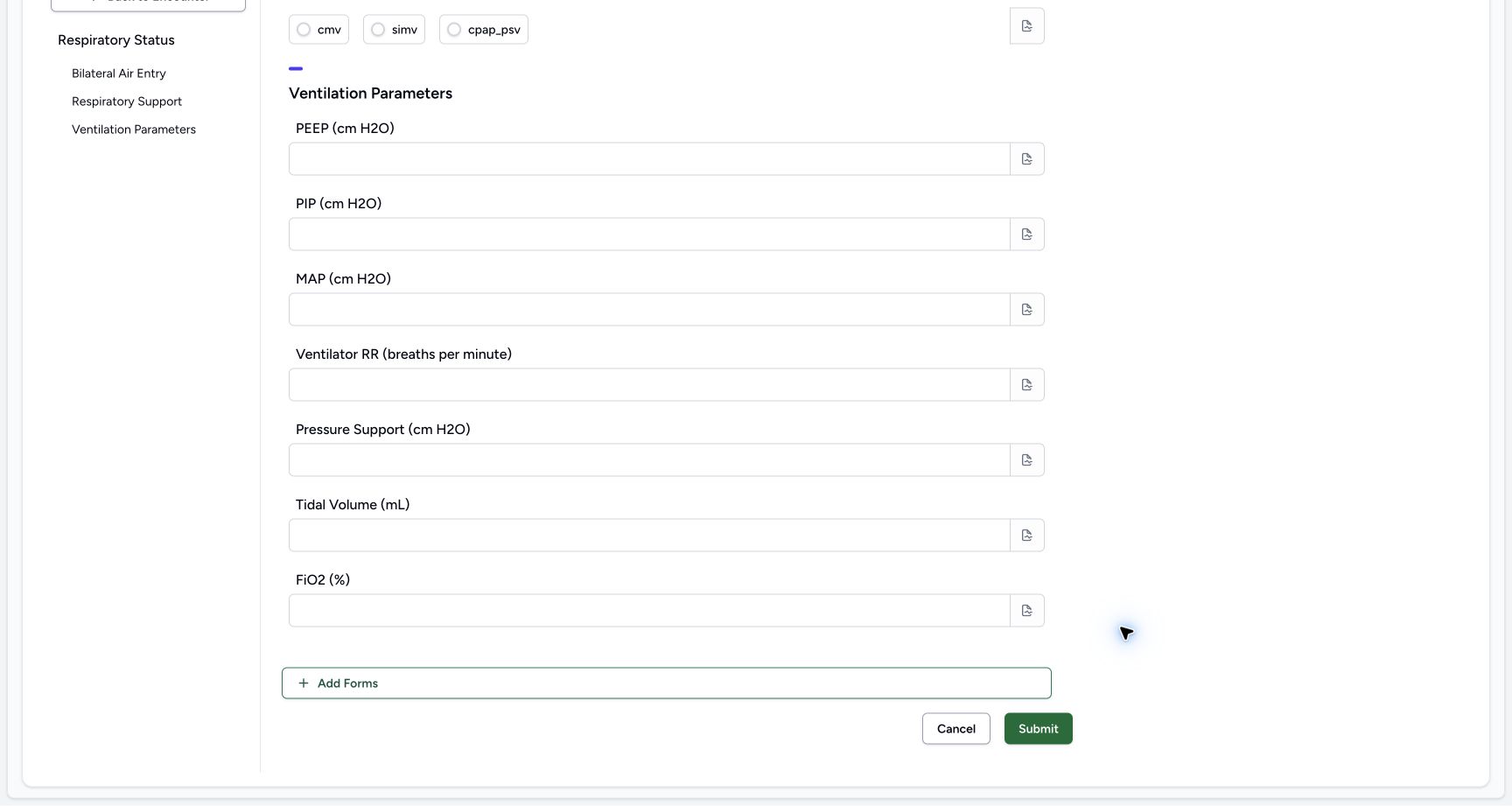
123Read the optional parameters and Cancel
Capture details
Observed committed 3dfb source on 19 October 2026. Fictional software inputs are not respiratory measurements, treatment advice or ventilator settings.
Image SHA-256 5bf3fa08065e041990564ea2302af06c78b5c419db7a705ad1cd1aa60a0379f0
- Review Ventilation Parameters: These configured number inputs are optional.
- Cancel without changes: Select Cancel to leave the untouched form.
- Keep the form set unchanged: Add Forms is visible; adding another form is not part of this exercise.
13 of 13 content blocks have reviewed image alignment. Missing overview or prerequisite images remain open.
Before you begin
- Use an authorized Nurse session on the assigned active synthetic training encounter.123
Recorded release 3dfb7c9f · 2026-10-19T20:12:03.335Z · 1728 × 921 Read the optional parameters and Cancel
Capture details
Observed committed 3dfb source on 19 October 2026. Fictional software inputs are not respiratory measurements, treatment advice or ventilator settings.
Image SHA-256
5bf3fa08065e041990564ea2302af06c78b5c419db7a705ad1cd1aa60a0379f0- Review Ventilation Parameters: These configured number inputs are optional.
- Cancel without changes: Select Cancel to leave the untouched form.
- Keep the form set unchanged: Add Forms is visible; adding another form is not part of this exercise.
- Use only fictional software examples in this exercise. These samples are not clinical observations, treatment advice or ventilator settings.123
Recorded release 3dfb7c9f · 2026-10-19T20:12:03.335Z · 1728 × 921 Read the optional parameters and Cancel
Capture details
Observed committed 3dfb source on 19 October 2026. Fictional software inputs are not respiratory measurements, treatment advice or ventilator settings.
Image SHA-256
5bf3fa08065e041990564ea2302af06c78b5c419db7a705ad1cd1aa60a0379f0- Review Ventilation Parameters: These configured number inputs are optional.
- Cancel without changes: Select Cancel to leave the untouched form.
- Keep the form set unchanged: Add Forms is visible; adding another form is not part of this exercise.
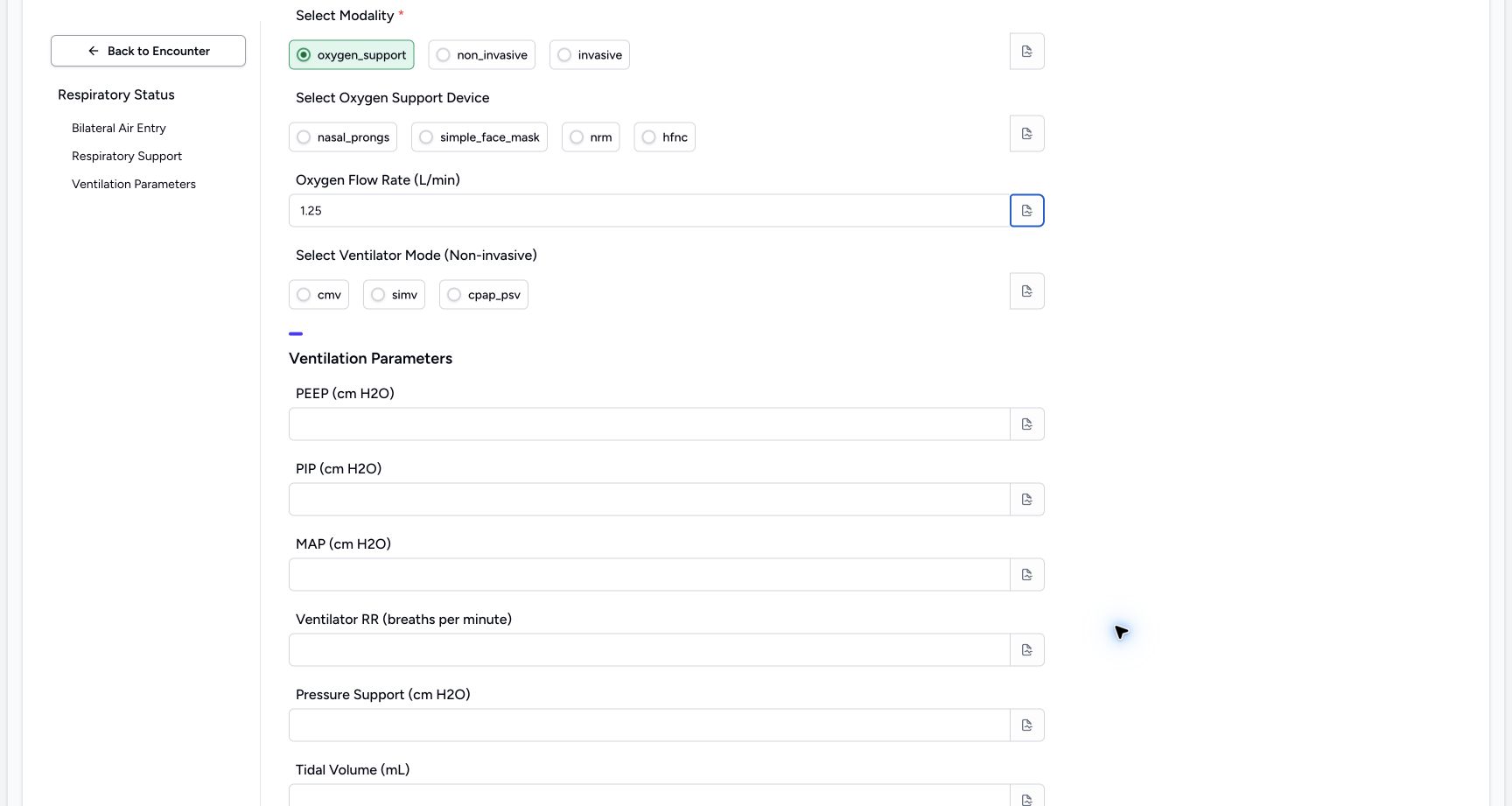
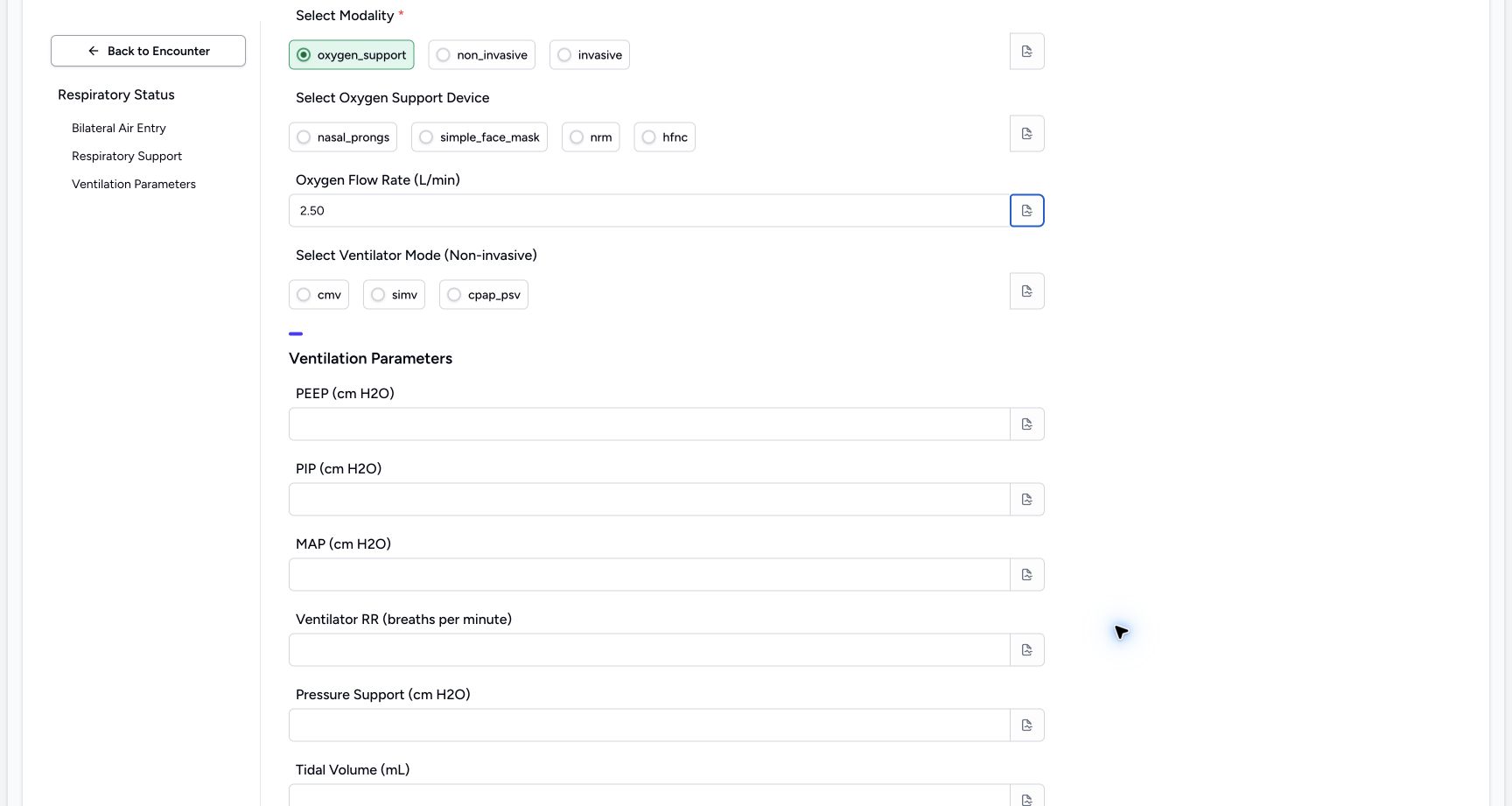
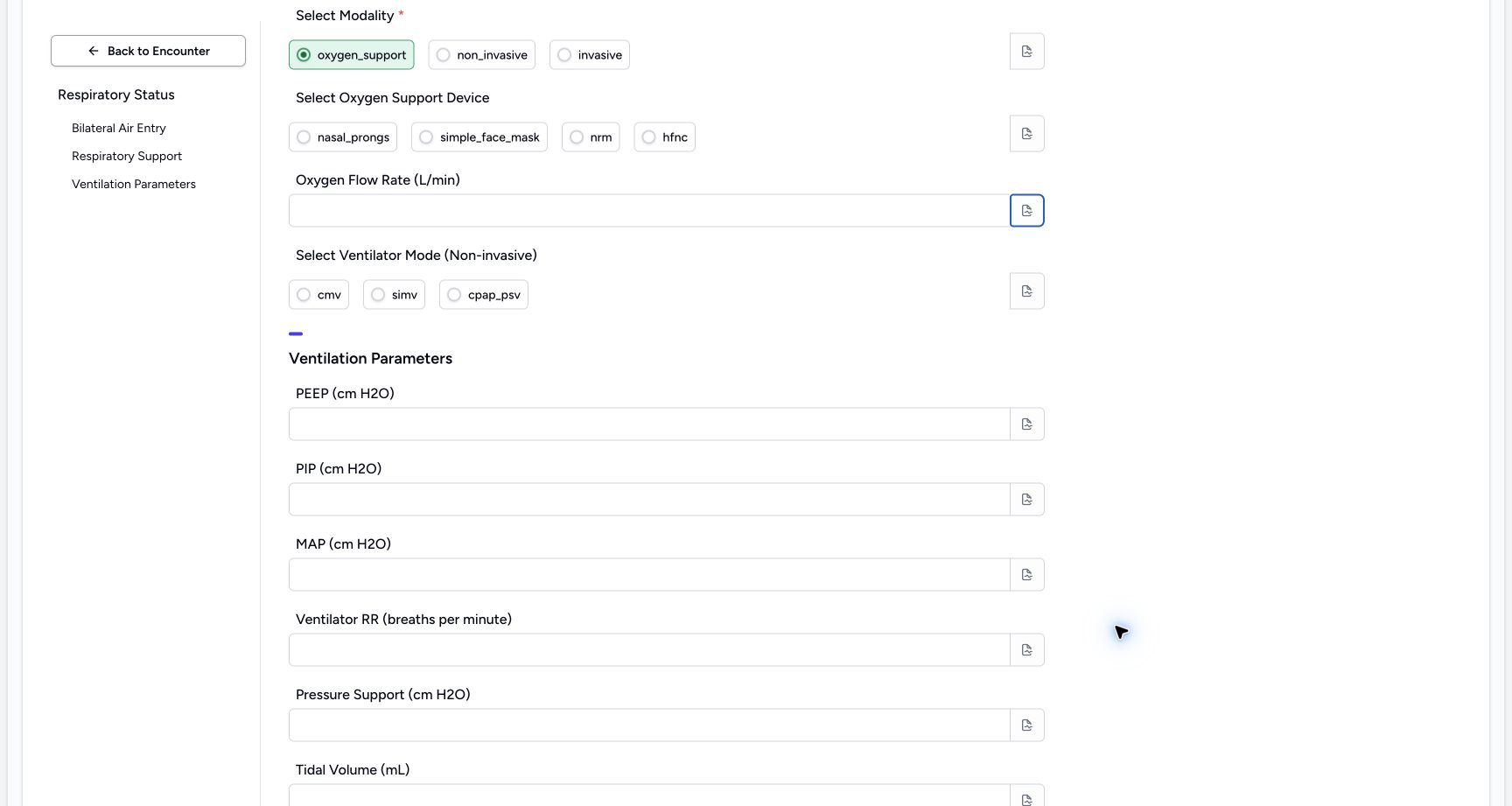
1. Enter, edit, blur and clear Oxygen Flow Rate (L/min)
For this unsaved software exercise, enter 1.25, then edit it to 2.50 in Oxygen Flow Rate (L/min). Leave the input after each entry to check it remains visible. Select the contents, delete them and leave the input again. Check the empty result. Open this field’s separate note icon, inspect the empty note and close it. Leave this optional input empty for the final response.
 1
1Enter the fictional Oxygen Flow Rate (L/min) example 1.25
Capture details
Observed committed 3dfb source on 19 October 2026. Fictional software inputs are not respiratory measurements, treatment advice or ventilator settings.
Image SHA-256 d6ee6f49580cc126025b17f518ebe8adeb03f6a2c7c4d9e2e1c1326cc527205d
- Read 1.25: This fictional value remains visible after leaving the input; it is not a measurement or recommended setting.
 1
1Edit the fictional Oxygen Flow Rate (L/min) example to 2.50
Capture details
Observed committed 3dfb source on 19 October 2026. Fictional software inputs are not respiratory measurements, treatment advice or ventilator settings.
Image SHA-256 d96b52800c38657105b043fe19a4b40b2c7d490840beacbf9e5d57bd55ff285a
- Read 2.50: The edited value is visible after blur; it is still an unsaved software exercise.
 1
1Clear the temporary Oxygen Flow Rate (L/min) value
Capture details
Observed committed 3dfb source on 19 October 2026. Fictional software inputs are not respiratory measurements, treatment advice or ventilator settings.
Image SHA-256 1deab3ec17f5975c232c2344c3781a8f6cbfc8f8f6b2f0f78e3ac8c2544cdc17
- Check the empty input: The temporary number has been deleted and the input is empty after blur.
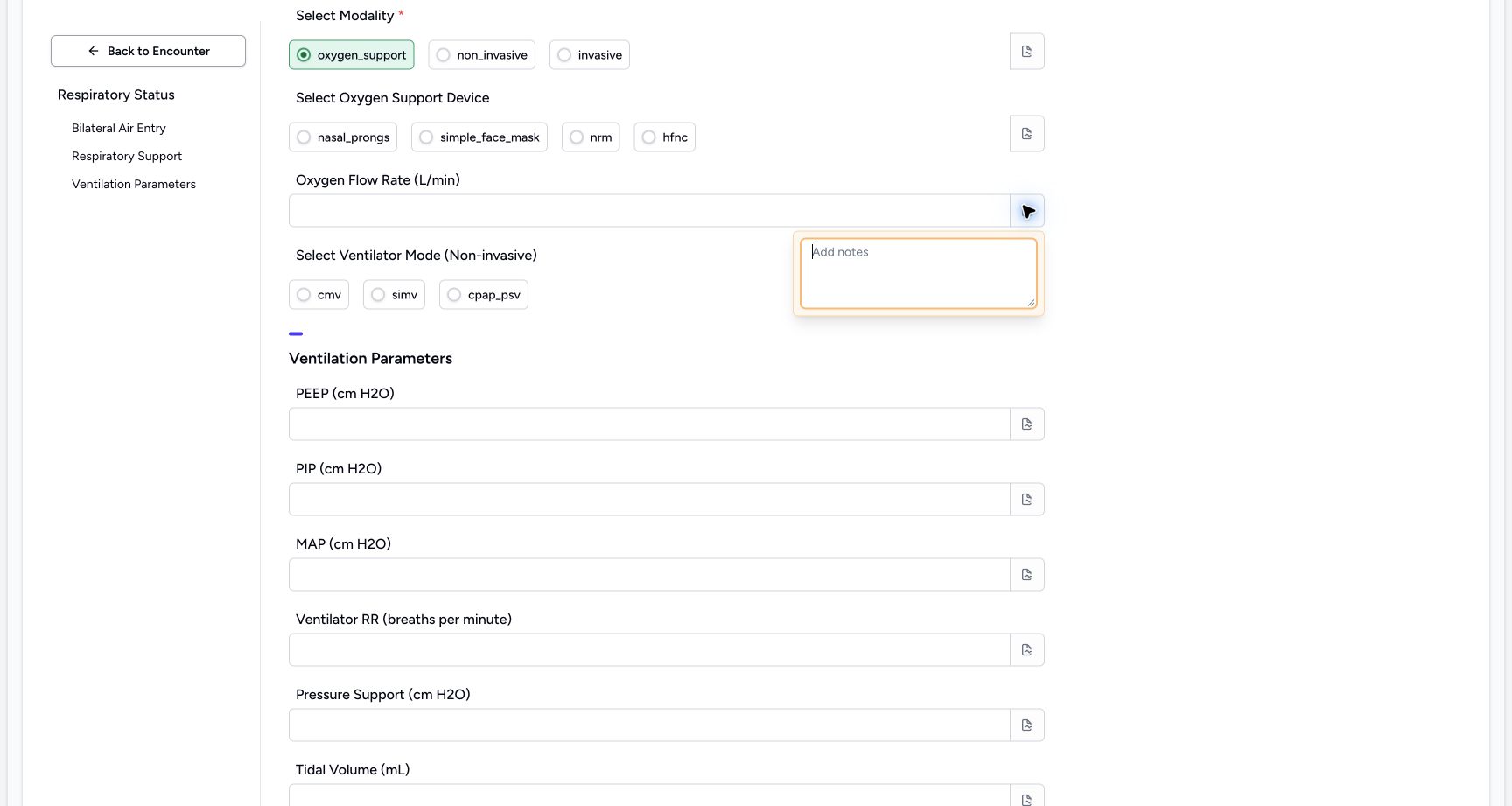 12
12Inspect the Oxygen Flow Rate (L/min) note control
Capture details
Observed committed 3dfb source on 19 October 2026. Fictional software inputs are not respiratory measurements, treatment advice or ventilator settings.
Image SHA-256 7010772daa18d06dce9f4d46514fe8790143d5a0bc3971c80b0643bccbb0621f
- Open the separate Oxygen Flow Rate (L/min) note: This field has its own note icon; the empty popover is already open.
- Inspect the empty editor: Review the blank note, then close the popover.
2. Enter, edit, blur and clear PEEP (cm H2O)
For this unsaved software exercise, enter 1.25, then edit it to 2.50 in PEEP (cm H2O). Leave the input after each entry to check it remains visible. Select the contents, delete them and leave the input again. Check the empty result. Open this field’s separate note icon, inspect the empty note and close it. Leave this optional input empty for the final response.
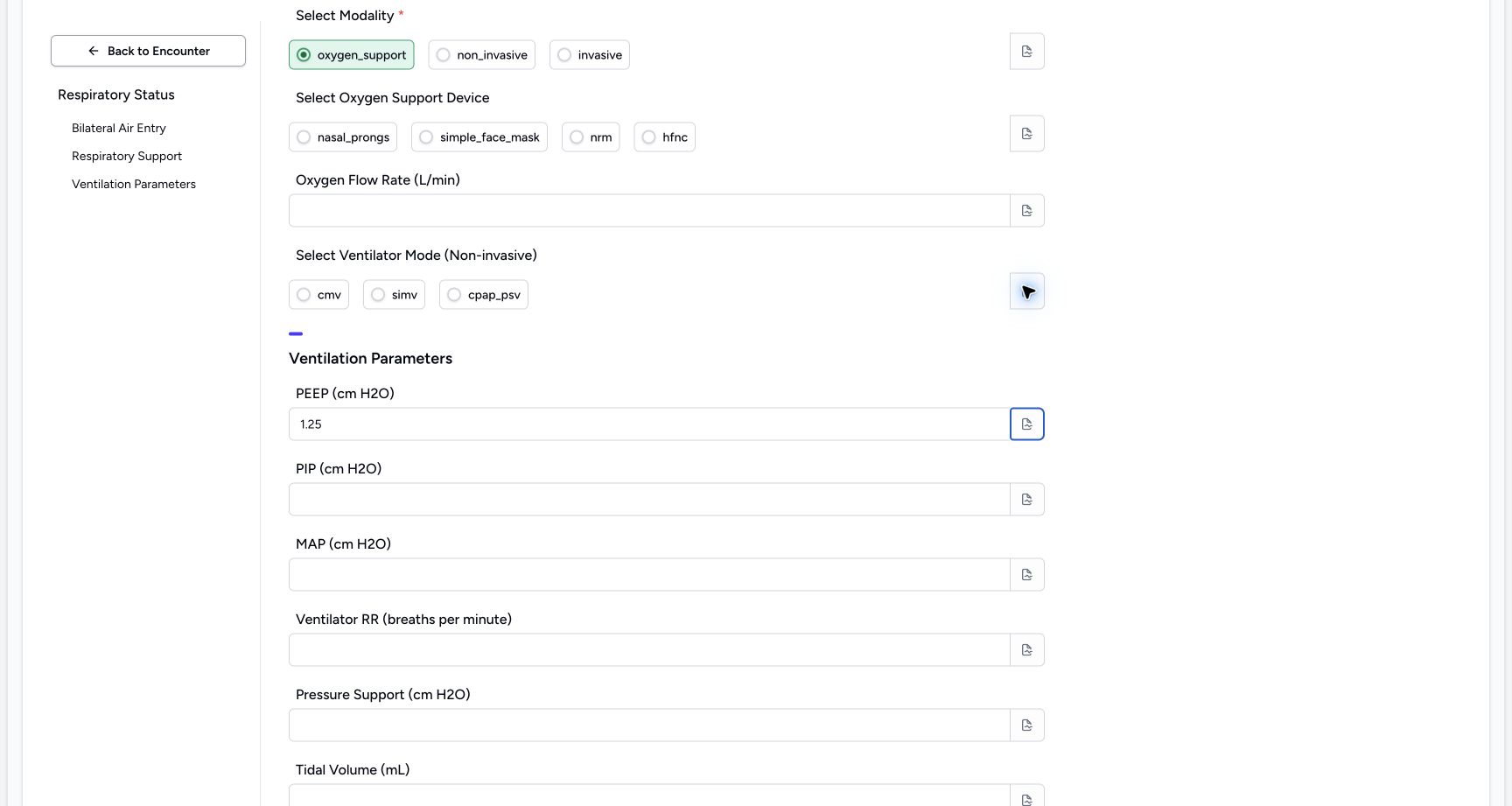 1
1Enter the fictional PEEP (cm H2O) example 1.25
Capture details
Observed committed 3dfb source on 19 October 2026. Fictional software inputs are not respiratory measurements, treatment advice or ventilator settings.
Image SHA-256 d8bb9999df1b46b953613256b18717f29a8255b64b420fd1f52c54b674a94476
- Read 1.25: This fictional value remains visible after leaving the input; it is not a measurement or recommended setting.
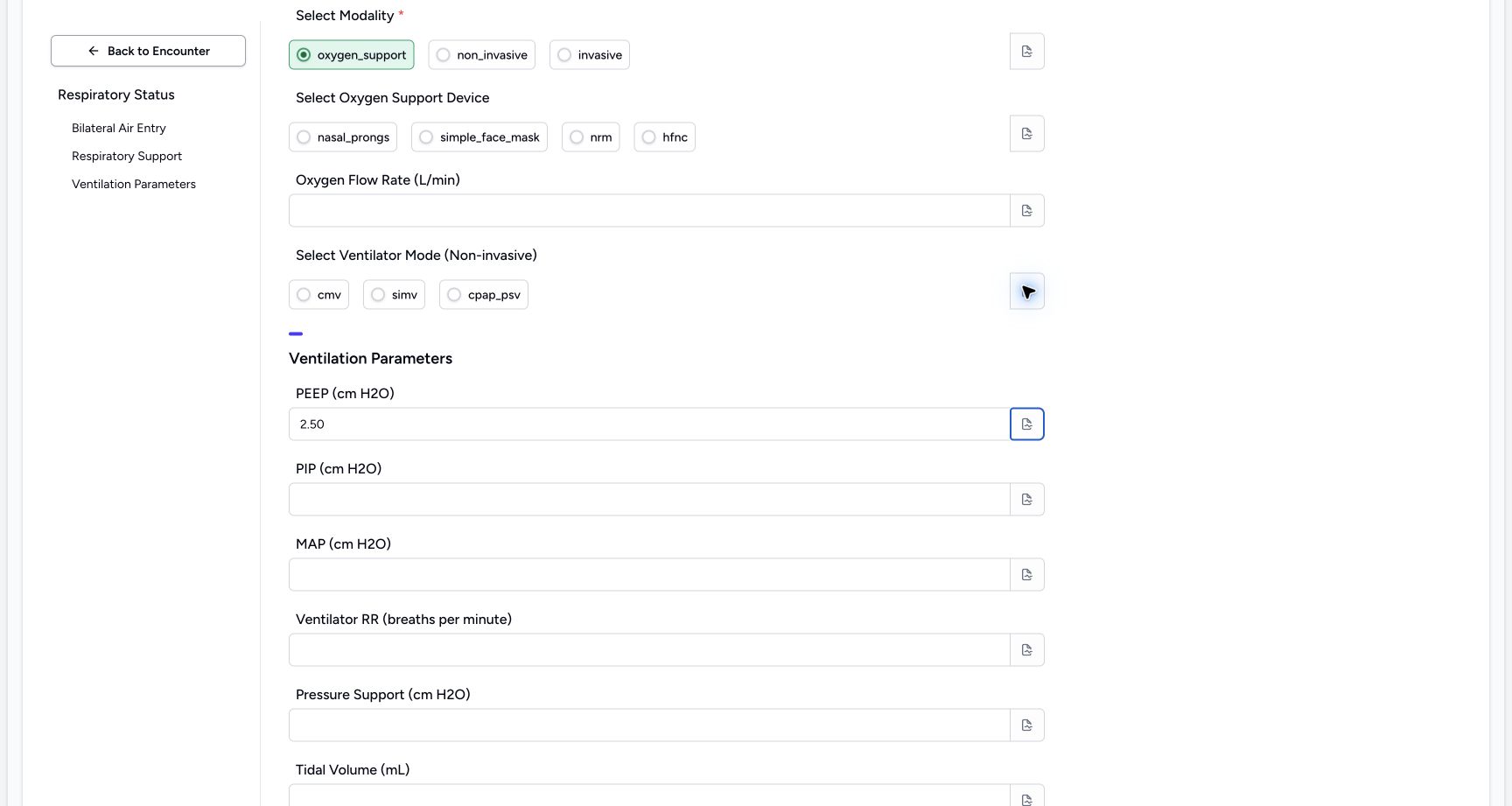 1
1Edit the fictional PEEP (cm H2O) example to 2.50
Capture details
Observed committed 3dfb source on 19 October 2026. Fictional software inputs are not respiratory measurements, treatment advice or ventilator settings.
Image SHA-256 06a3fe4272895f08e0b55f2d69a4cc3f39fd55e5bb819c114acd355a36954214
- Read 2.50: The edited value is visible after blur; it is still an unsaved software exercise.
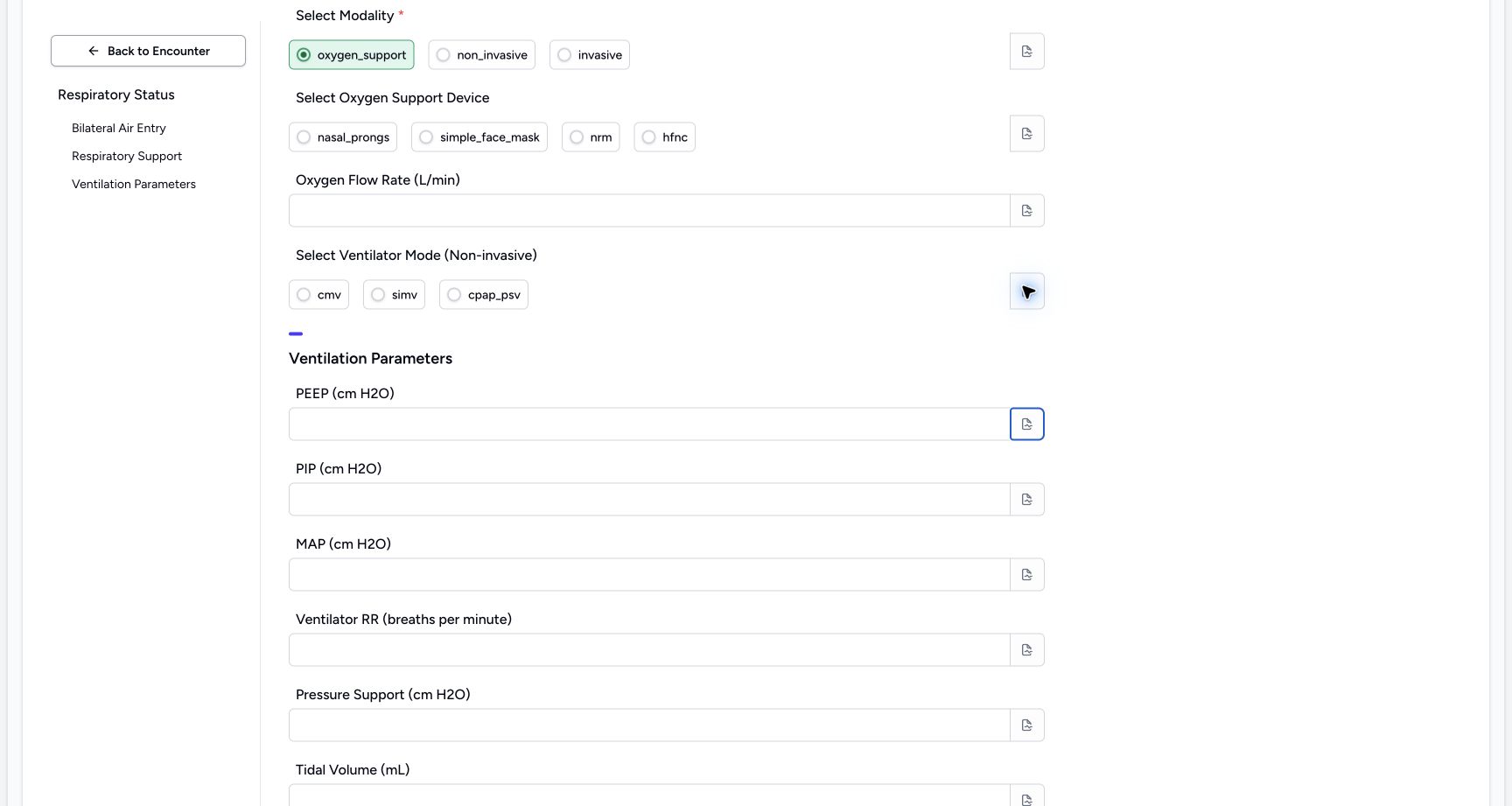 1
1Clear the temporary PEEP (cm H2O) value
Capture details
Observed committed 3dfb source on 19 October 2026. Fictional software inputs are not respiratory measurements, treatment advice or ventilator settings.
Image SHA-256 f2171a0e0db1733f1f198b139dd41ae04df4b64aa8ec14c3fd17c3c5594259b3
- Check the empty input: The temporary number has been deleted and the input is empty after blur.
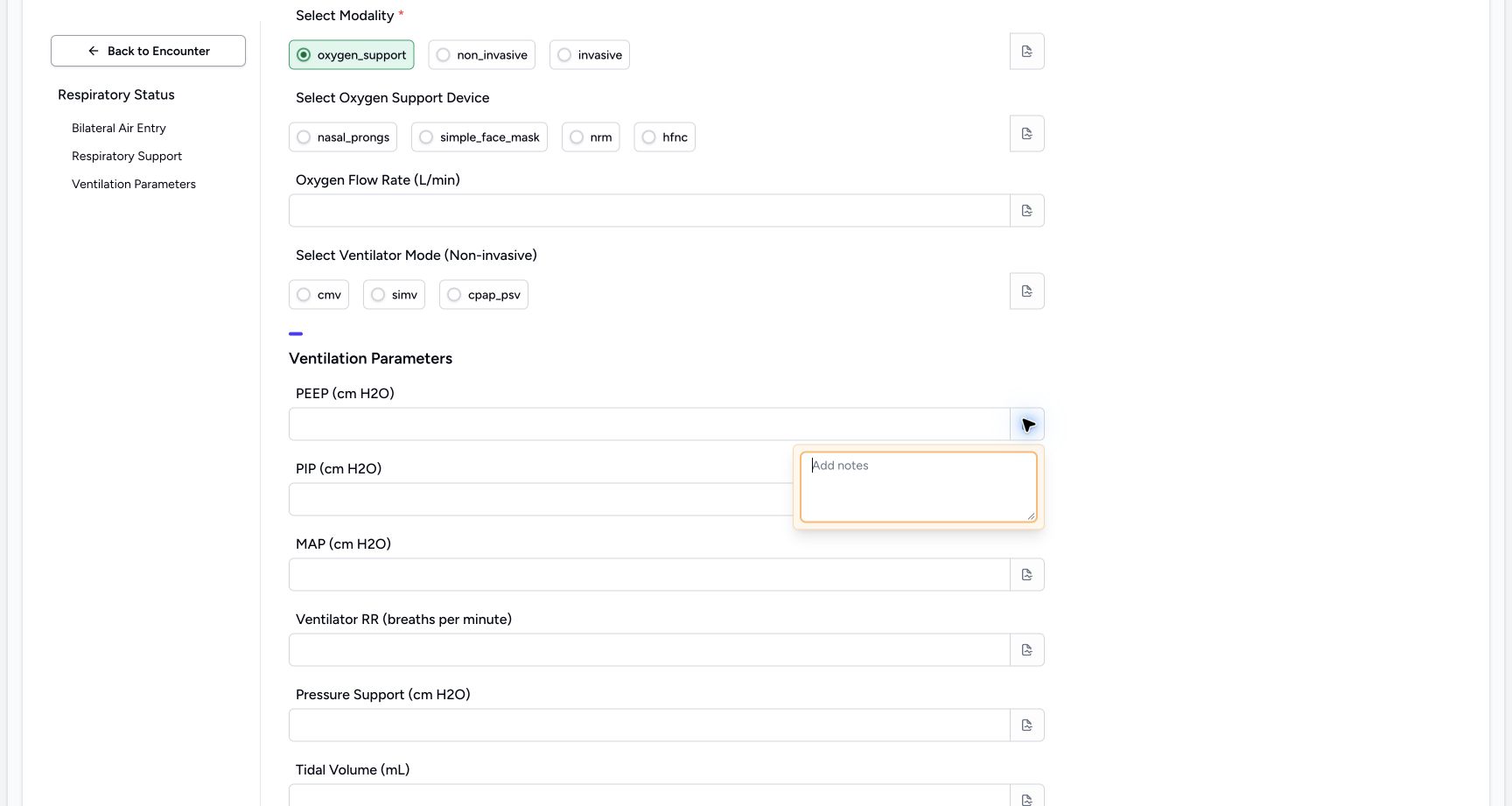 12
12Inspect the PEEP (cm H2O) note control
Capture details
Observed committed 3dfb source on 19 October 2026. Fictional software inputs are not respiratory measurements, treatment advice or ventilator settings.
Image SHA-256 a8bab171b4b727868145eb9dc0f52f36e9b9fa0b09df83cd2988e250e7d82892
- Open the separate PEEP (cm H2O) note: This field has its own note icon; the empty popover is already open.
- Inspect the empty editor: Review the blank note, then close the popover.
3. Enter, edit, blur and clear PIP (cm H2O)
For this unsaved software exercise, enter 1.25, then edit it to 2.50 in PIP (cm H2O). Leave the input after each entry to check it remains visible. Select the contents, delete them and leave the input again. Check the empty result. Open this field’s separate note icon, inspect the empty note and close it. Leave this optional input empty for the final response.
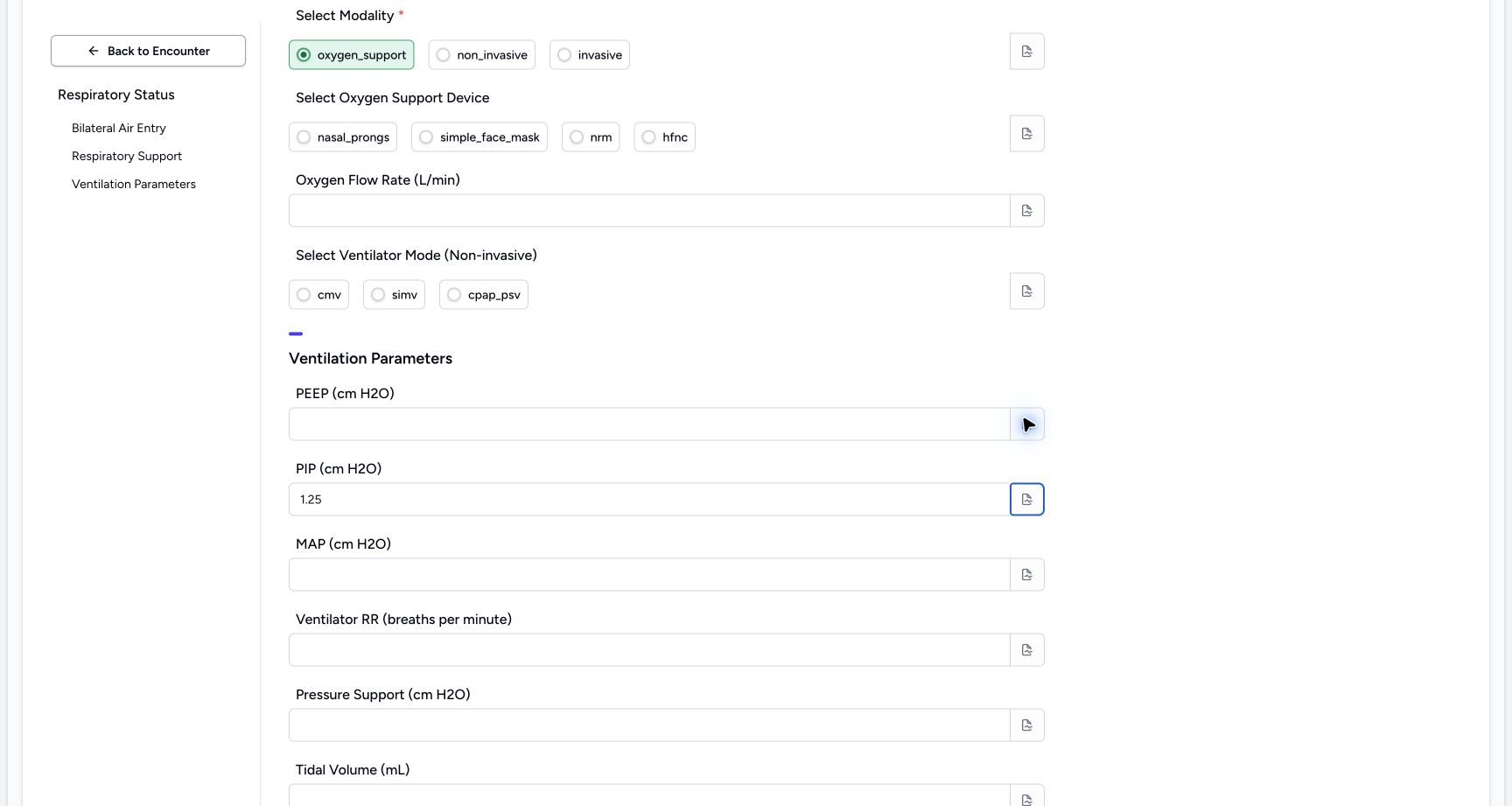 1
1Enter the fictional PIP (cm H2O) example 1.25
Capture details
Observed committed 3dfb source on 19 October 2026. Fictional software inputs are not respiratory measurements, treatment advice or ventilator settings.
Image SHA-256 b2c1f1c3c80c679bc6700e7c812d050f12f1b0ac8fb72289716fbaa582042c92
- Read 1.25: This fictional value remains visible after leaving the input; it is not a measurement or recommended setting.
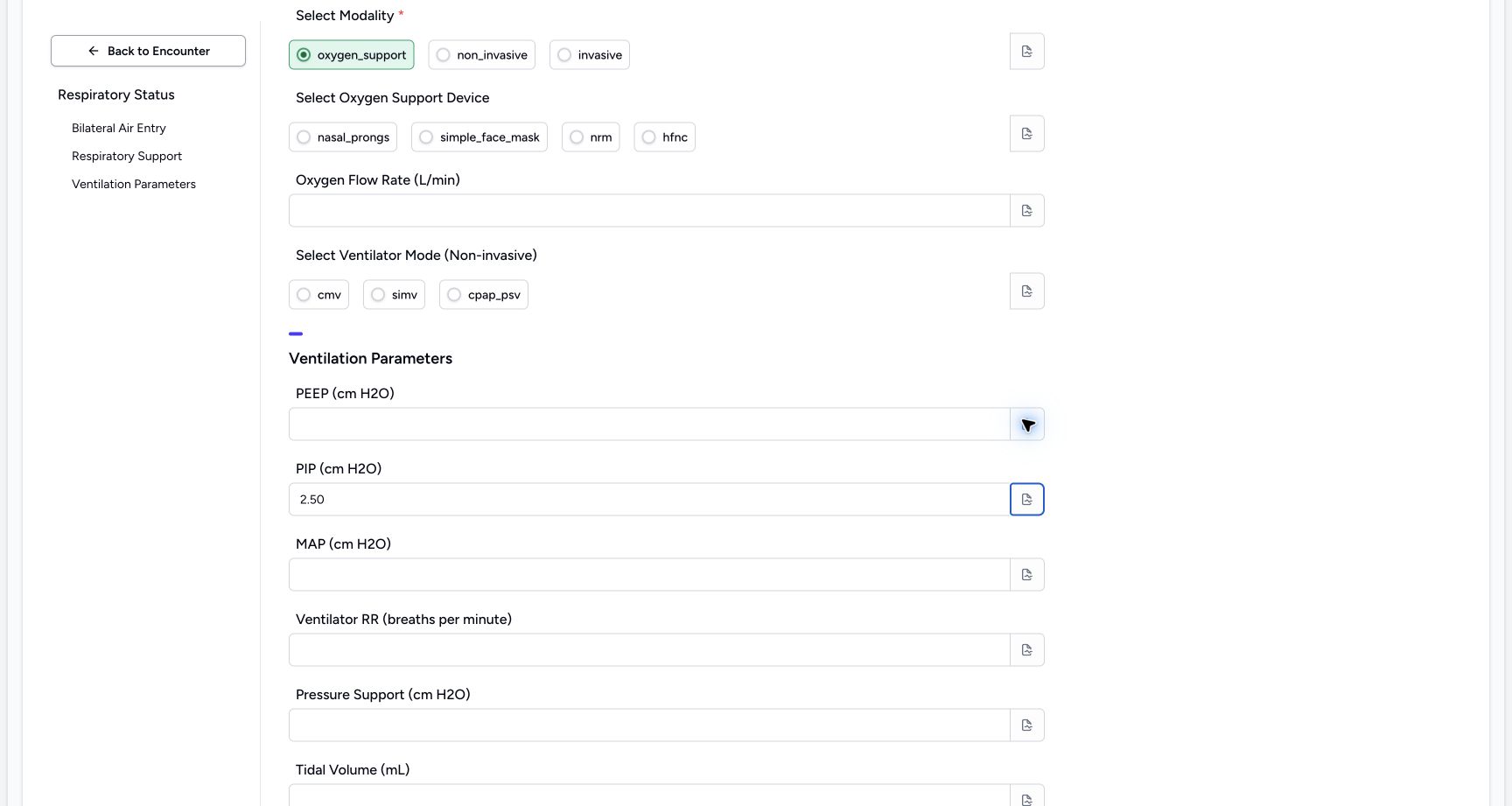 1
1Edit the fictional PIP (cm H2O) example to 2.50
Capture details
Observed committed 3dfb source on 19 October 2026. Fictional software inputs are not respiratory measurements, treatment advice or ventilator settings.
Image SHA-256 8ce9ae2cc89fba8e0b5e5743186d59590fed04cec0279c4c873e35f133b903b8
- Read 2.50: The edited value is visible after blur; it is still an unsaved software exercise.
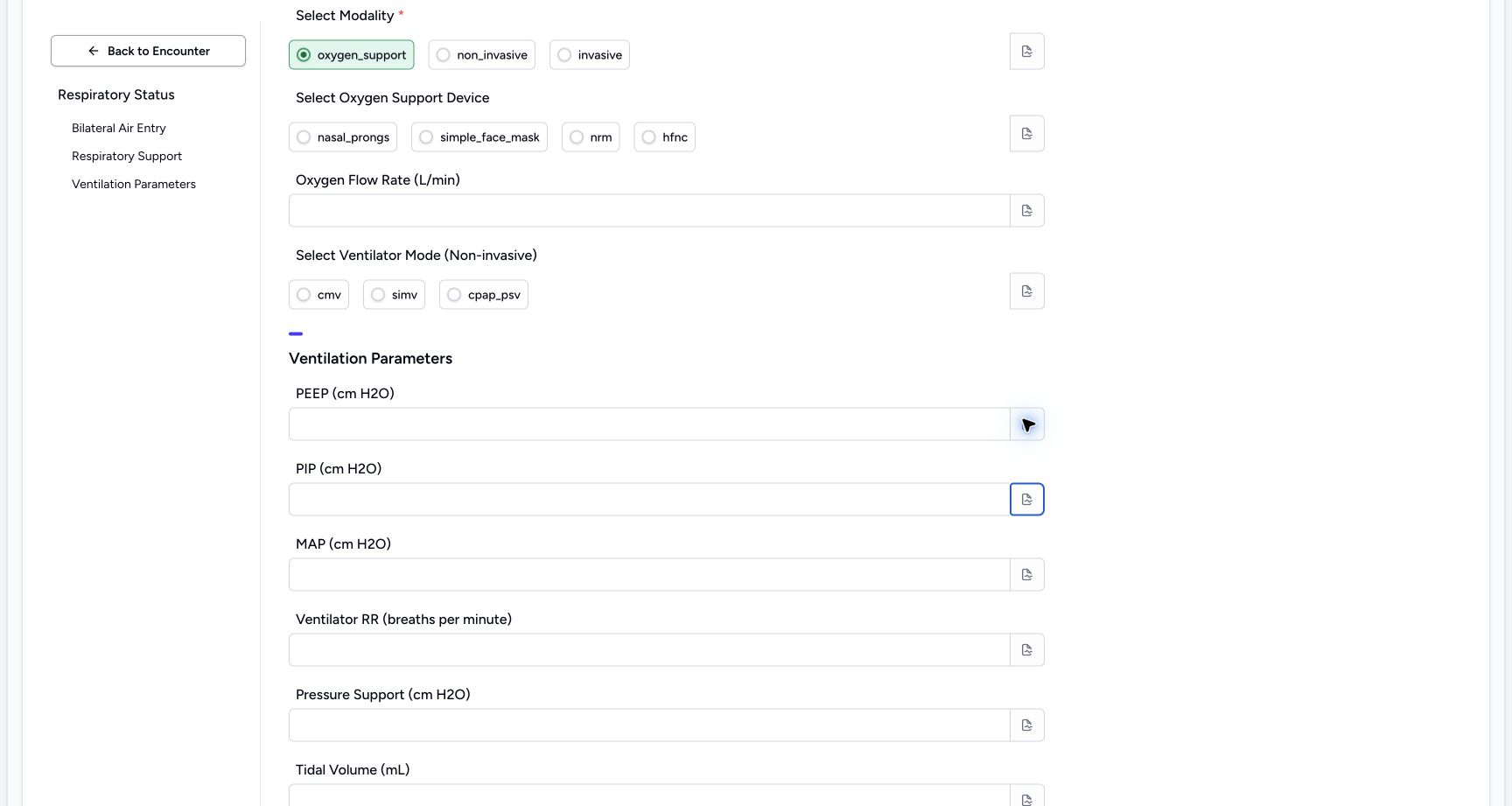 1
1Clear the temporary PIP (cm H2O) value
Capture details
Observed committed 3dfb source on 19 October 2026. Fictional software inputs are not respiratory measurements, treatment advice or ventilator settings.
Image SHA-256 f2aff44393d18b773584c32dcd7ab48fdc82792f81ff9d14daea06253dca5e29
- Check the empty input: The temporary number has been deleted and the input is empty after blur.
 12
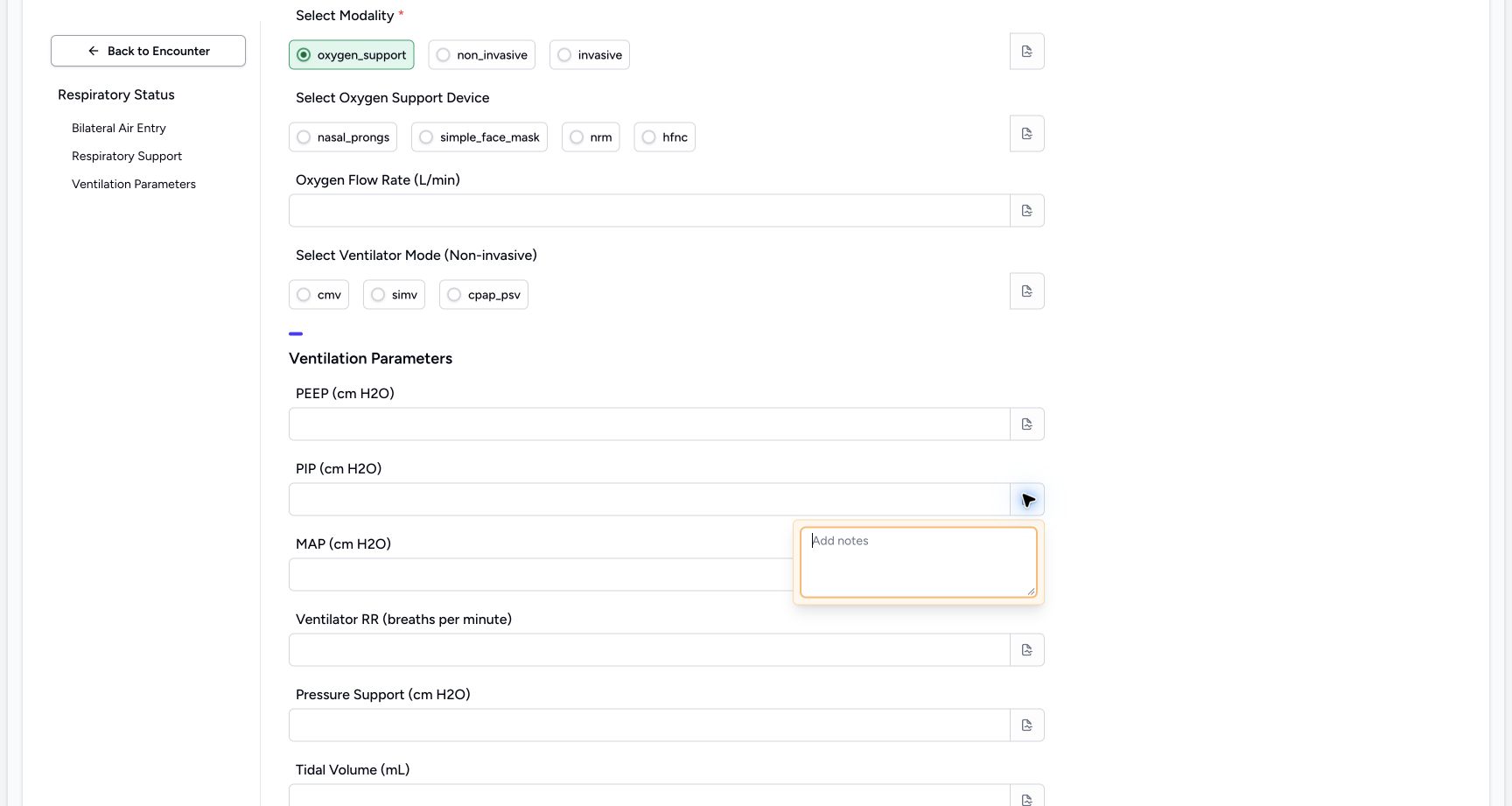
12Inspect the PIP (cm H2O) note control
Capture details
Observed committed 3dfb source on 19 October 2026. Fictional software inputs are not respiratory measurements, treatment advice or ventilator settings.
Image SHA-256 1e2b1497c6f4611d855d392ce63debf49c5894c15e61281e2391f6ff6cc98f0e
- Open the separate PIP (cm H2O) note: This field has its own note icon; the empty popover is already open.
- Inspect the empty editor: Review the blank note, then close the popover.
4. Enter, edit, blur and clear MAP (cm H2O)
For this unsaved software exercise, enter 1.25, then edit it to 2.50 in MAP (cm H2O). Leave the input after each entry to check it remains visible. Select the contents, delete them and leave the input again. Check the empty result. Open this field’s separate note icon, inspect the empty note and close it. Leave this optional input empty for the final response.
 1
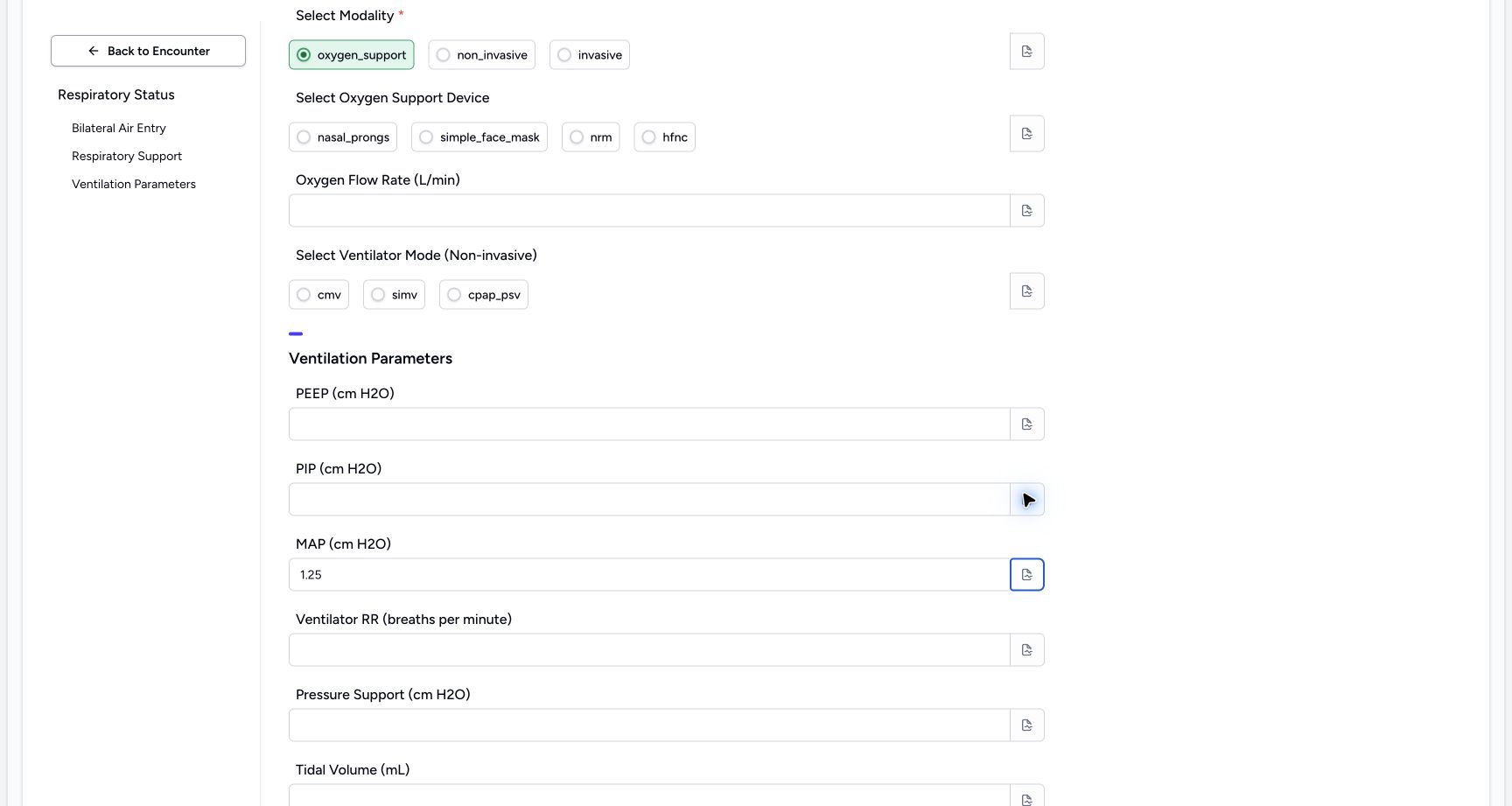
1Enter the fictional MAP (cm H2O) example 1.25
Capture details
Observed committed 3dfb source on 19 October 2026. Fictional software inputs are not respiratory measurements, treatment advice or ventilator settings.
Image SHA-256 9a2dd1ab2c18f5b6a468a845687874fc867853afc8b31346fa9a8e3455e399b5
- Read 1.25: This fictional value remains visible after leaving the input; it is not a measurement or recommended setting.
 1
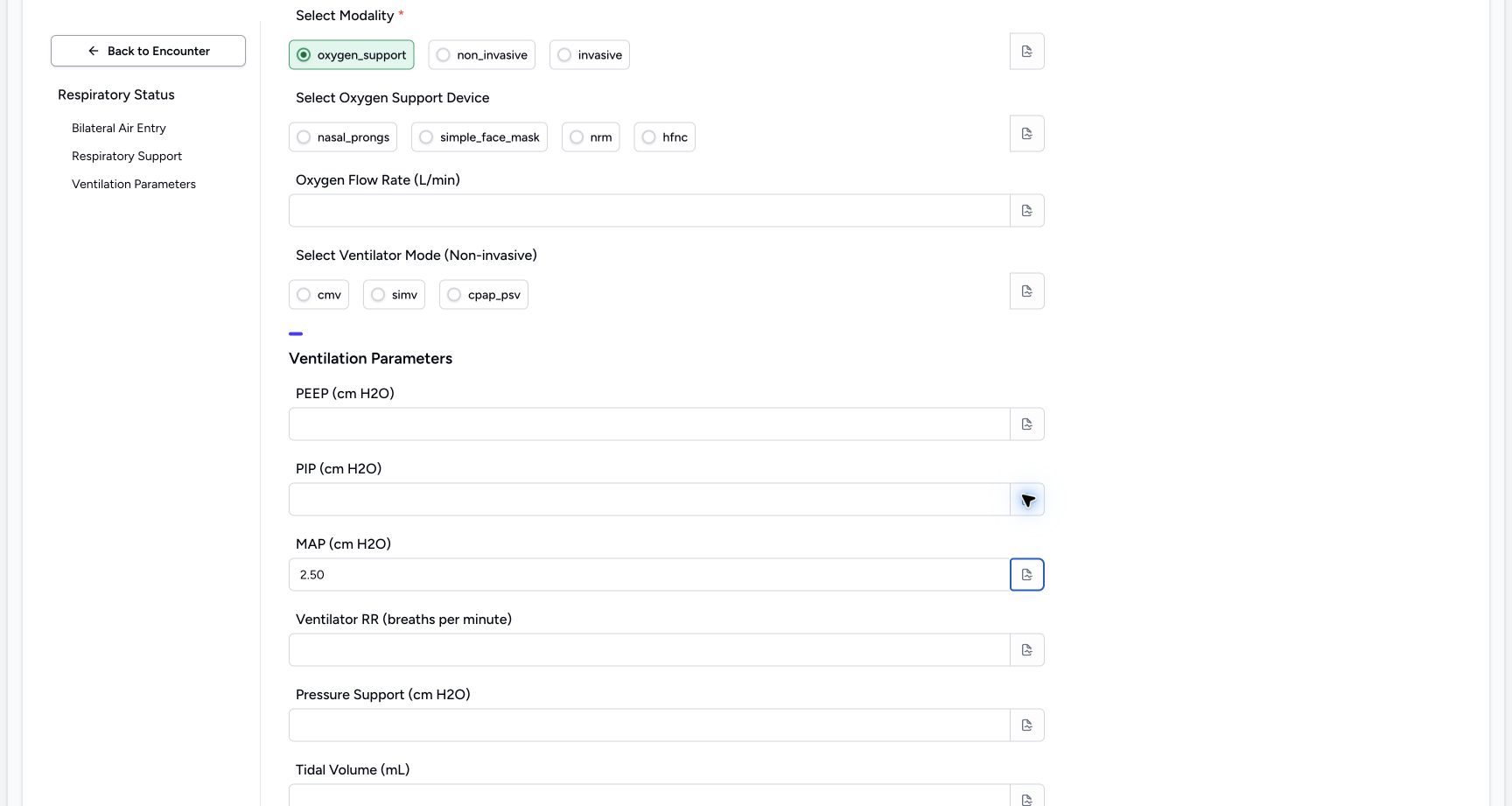
1Edit the fictional MAP (cm H2O) example to 2.50
Capture details
Observed committed 3dfb source on 19 October 2026. Fictional software inputs are not respiratory measurements, treatment advice or ventilator settings.
Image SHA-256 67d37cb038916149774bdb58b06f296909e798ce6f732d1d7cac909c2f3aa21c
- Read 2.50: The edited value is visible after blur; it is still an unsaved software exercise.
 1
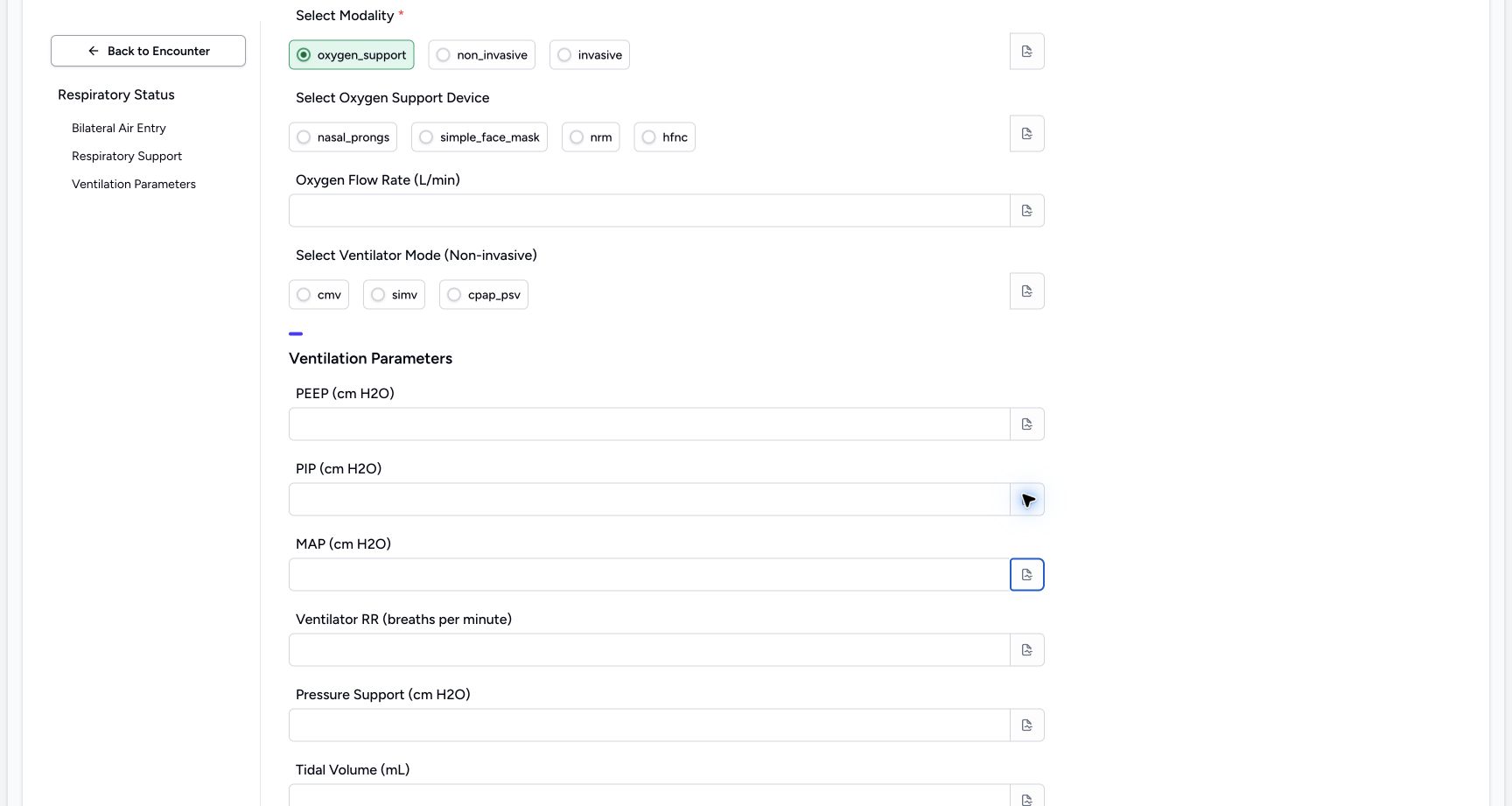
1Clear the temporary MAP (cm H2O) value
Capture details
Observed committed 3dfb source on 19 October 2026. Fictional software inputs are not respiratory measurements, treatment advice or ventilator settings.
Image SHA-256 8da16a2e5347795d752a10a4b48b579fb756155dbdda7a35843c120edcd8daa6
- Check the empty input: The temporary number has been deleted and the input is empty after blur.
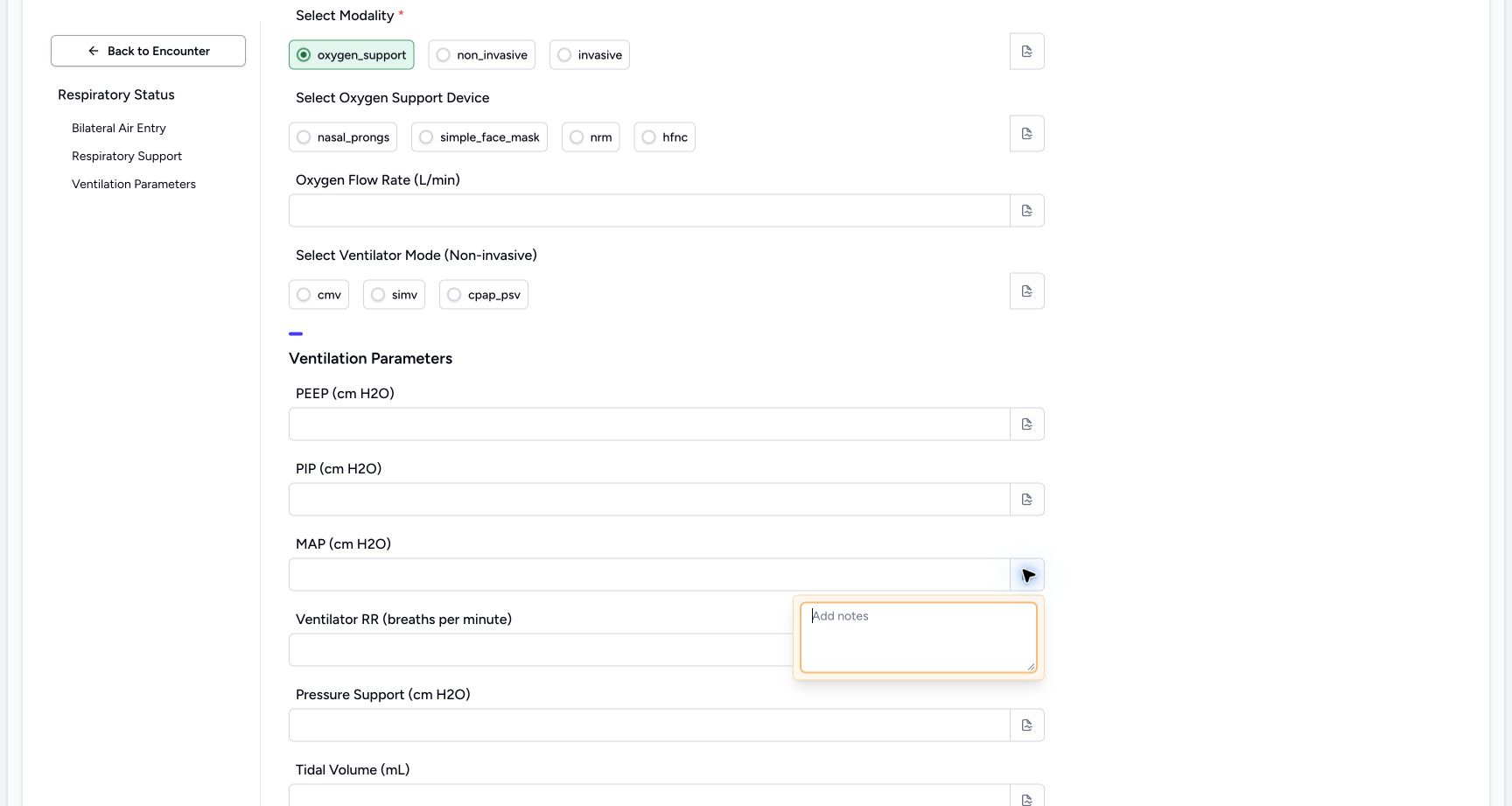 12
12Inspect the MAP (cm H2O) note control
Capture details
Observed committed 3dfb source on 19 October 2026. Fictional software inputs are not respiratory measurements, treatment advice or ventilator settings.
Image SHA-256 c089f00bd82b3e919f7f345d128aab8bea24a3d13885fbc6610121f8d2cc4b51
- Open the separate MAP (cm H2O) note: This field has its own note icon; the empty popover is already open.
- Inspect the empty editor: Review the blank note, then close the popover.
5. Enter, edit, blur and clear Ventilator RR (breaths per minute)
For this unsaved software exercise, enter 1, then edit it to 2 in Ventilator RR (breaths per minute). Leave the input after each entry to check it remains visible. Select the contents, delete them and leave the input again. Check the empty result. Open this field’s separate note icon, inspect the empty note and close it. After checking the empty field, restore the fictional value 0 for the final example; its note popover is shown open.
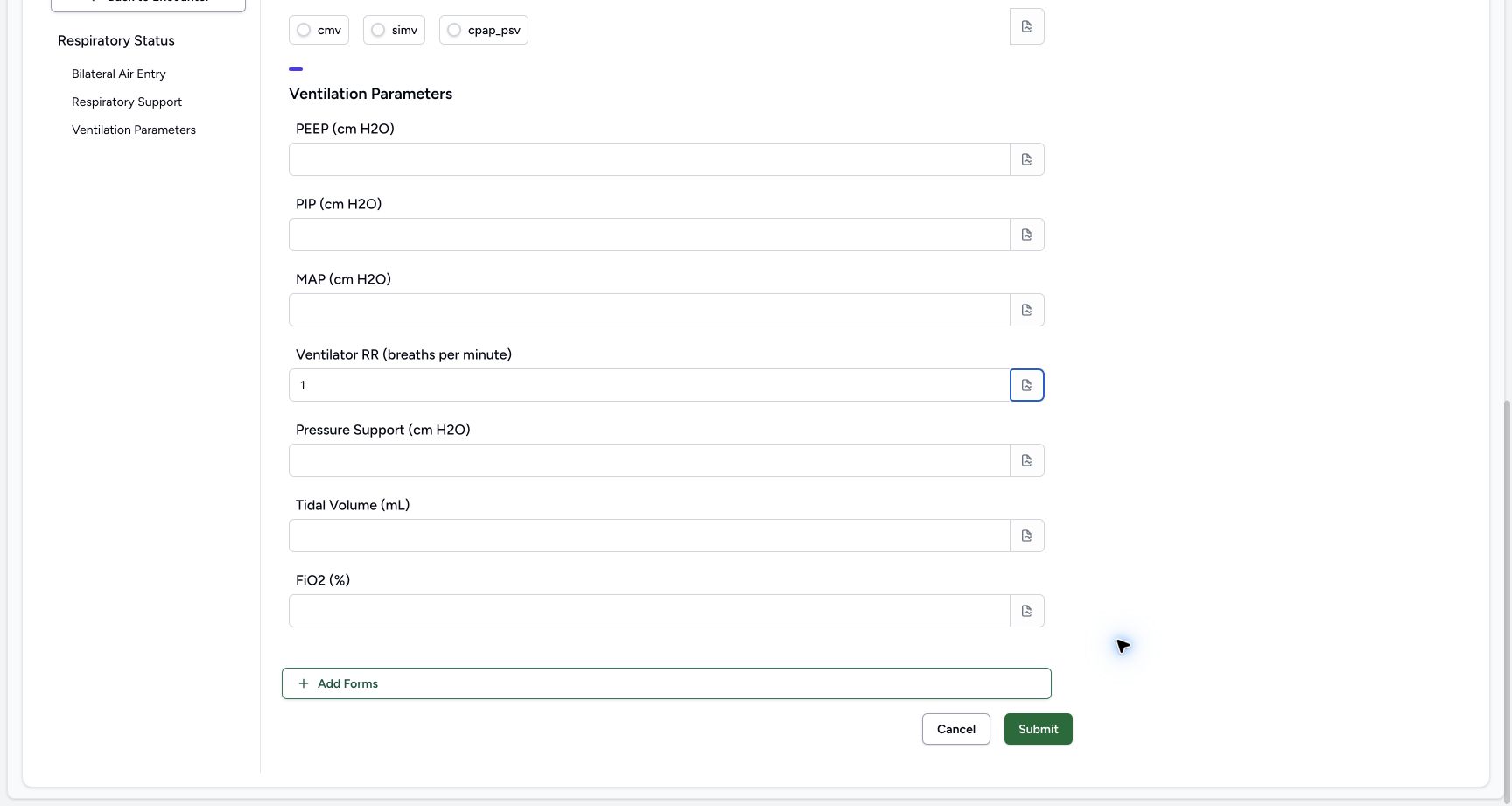 1
1Enter the fictional Ventilator RR (breaths per minute) example 1
Capture details
Observed committed 3dfb source on 19 October 2026. Fictional software inputs are not respiratory measurements, treatment advice or ventilator settings.
Image SHA-256 99379bf622426ec3b43c411c62c967283d77fd92eec73263d94a47047e4402d3
- Read 1: This fictional value remains visible after leaving the input; it is not a measurement or recommended setting.
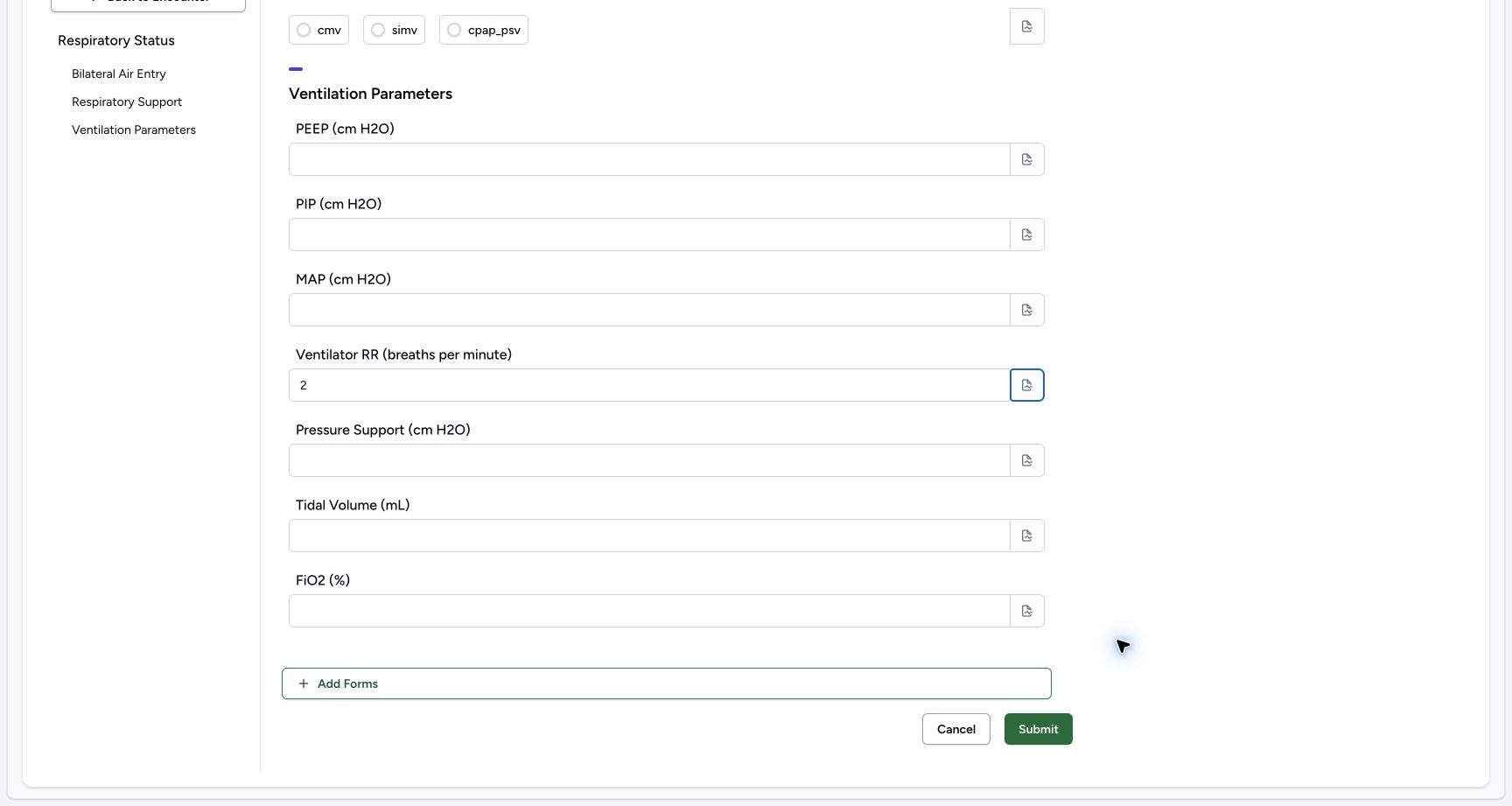 1
1Edit the fictional Ventilator RR (breaths per minute) example to 2
Capture details
Observed committed 3dfb source on 19 October 2026. Fictional software inputs are not respiratory measurements, treatment advice or ventilator settings.
Image SHA-256 de59c4b182598ae0b4ffc77b928c65898b05a68c1718463e67831d9e9e526fed
- Read 2: The edited value is visible after blur; it is still an unsaved software exercise.
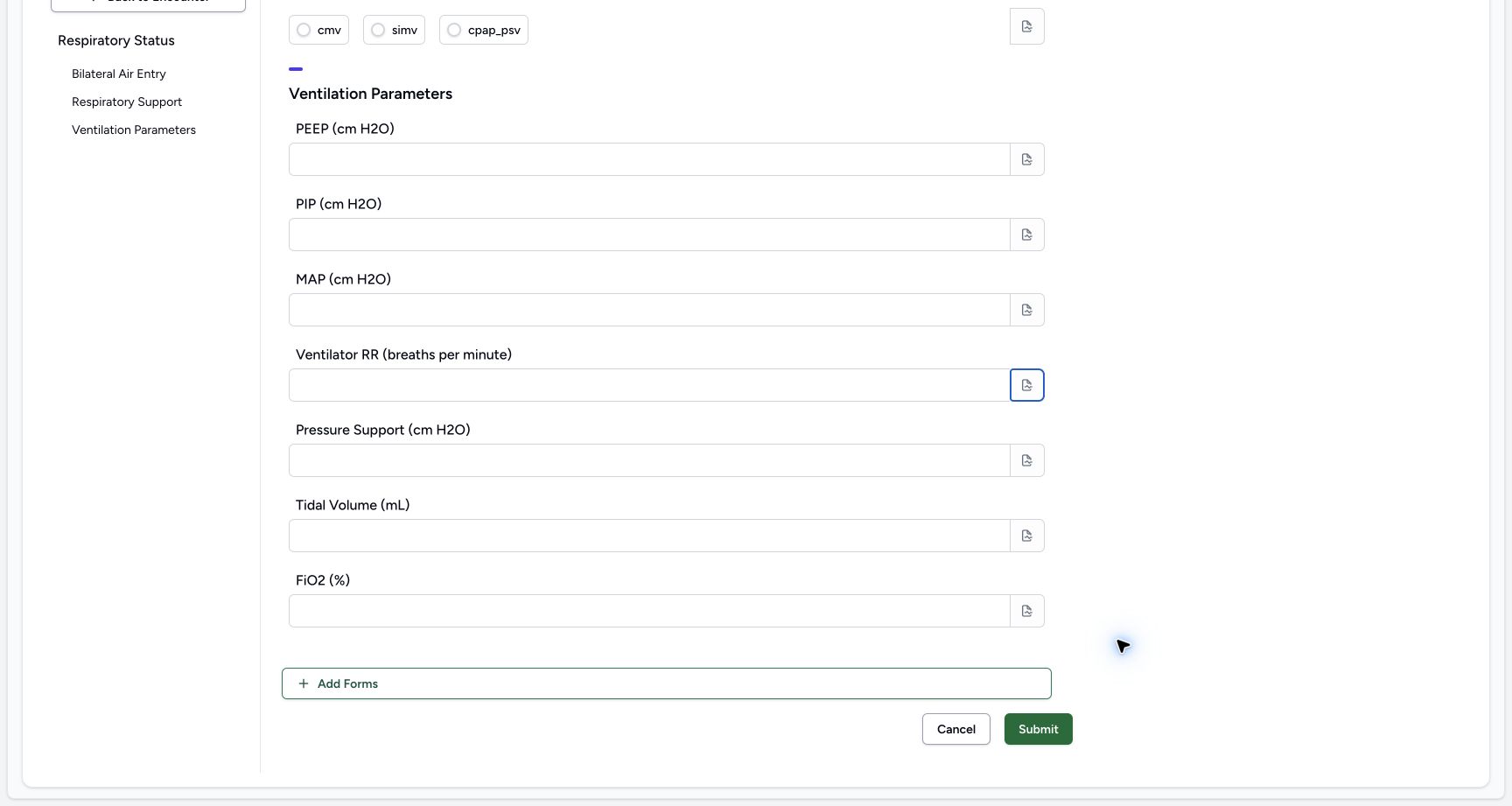 1
1Clear the temporary Ventilator RR (breaths per minute) value
Capture details
Observed committed 3dfb source on 19 October 2026. Fictional software inputs are not respiratory measurements, treatment advice or ventilator settings.
Image SHA-256 586c3987dbe673114bc66901349191095abb107444c3849a39e6f35728196c4d
- Check the empty input: The temporary number has been deleted and the input is empty after blur.
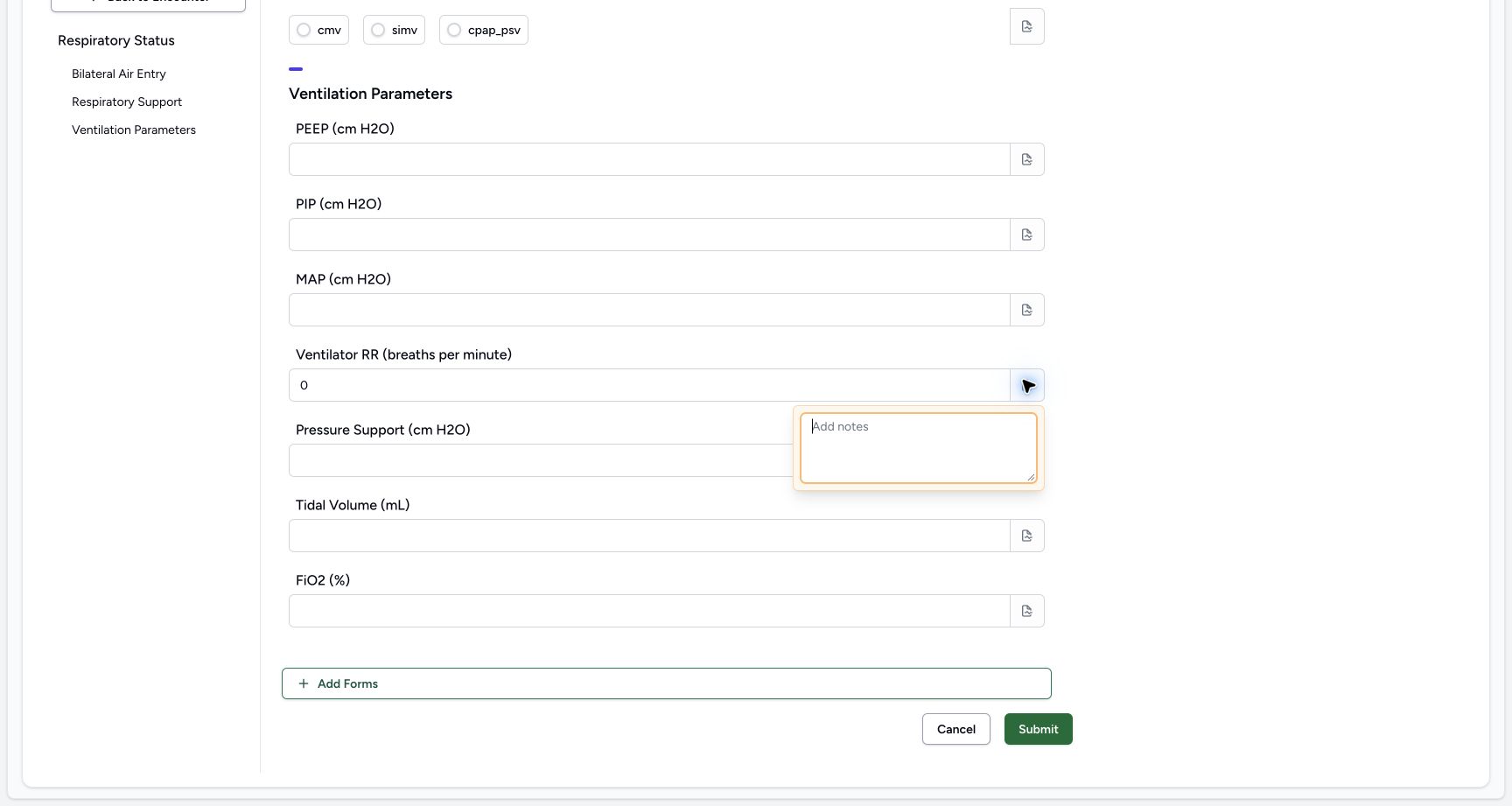 123
123Inspect the Ventilator RR (breaths per minute) note control
Capture details
Observed committed 3dfb source on 19 October 2026. Fictional software inputs are not respiratory measurements, treatment advice or ventilator settings.
Image SHA-256 5e87753bc684ba84441ebcf74c60241c97a6233aeeb371c2d601e061bc8fc0a8
- Read the final fictional zero: After practising clear, 0 is restored for the final software example.
- Open the separate Ventilator RR (breaths per minute) note: This field has its own note icon; the empty popover is already open.
- Inspect the empty editor: Review the blank note, then close the popover.
6. Enter, edit, blur and clear Pressure Support (cm H2O)
For this unsaved software exercise, enter 1.25, then edit it to 2.50 in Pressure Support (cm H2O). Leave the input after each entry to check it remains visible. Select the contents, delete them and leave the input again. Check the empty result. Open this field’s separate note icon, inspect the empty note and close it. Leave this optional input empty for the final response.
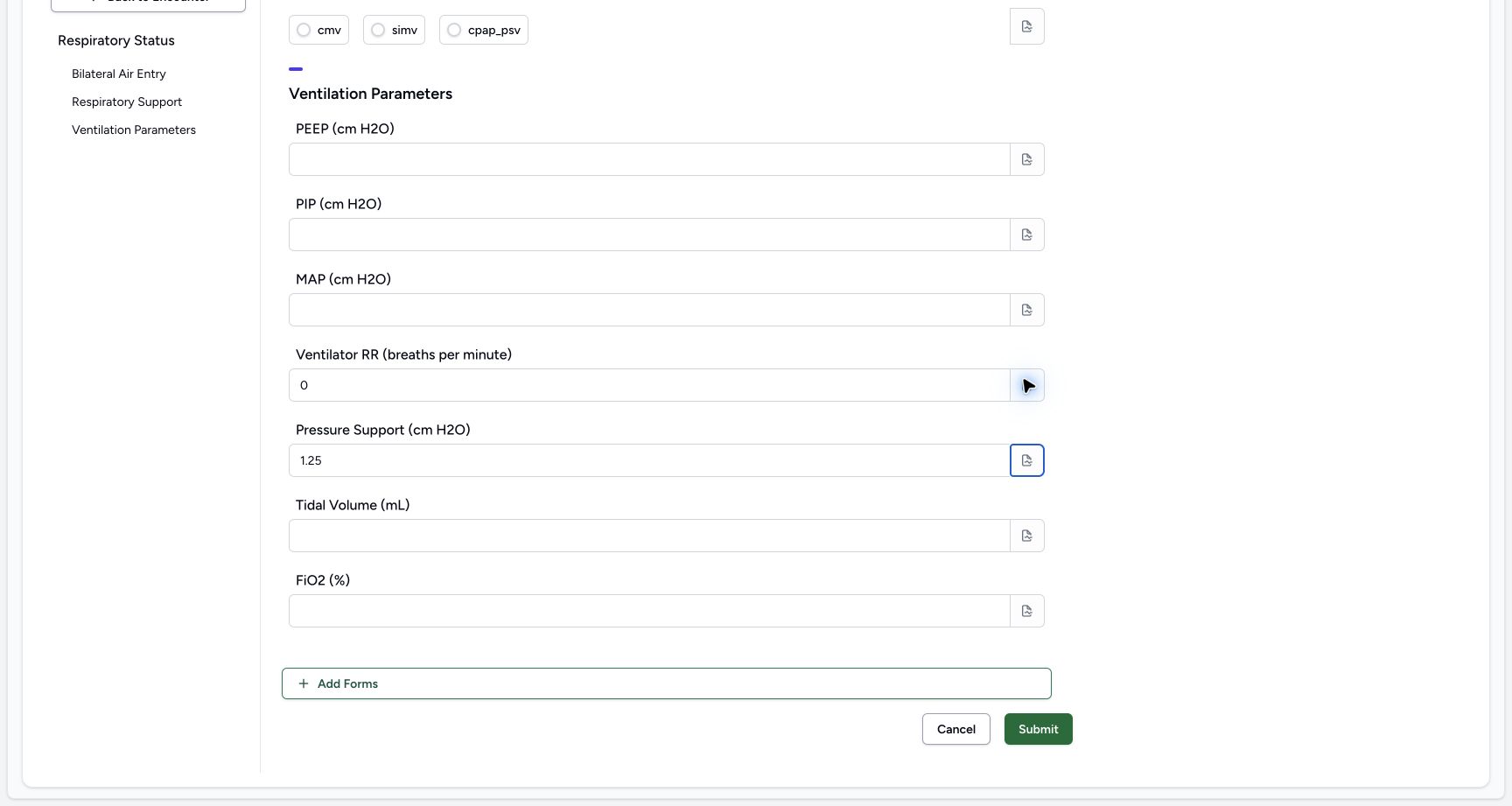 1
1Enter the fictional Pressure Support (cm H2O) example 1.25
Capture details
Observed committed 3dfb source on 19 October 2026. Fictional software inputs are not respiratory measurements, treatment advice or ventilator settings.
Image SHA-256 d73fc99884598c6e17958eaa82c34db52031371b8f43f05b9691ed7cd352252d
- Read 1.25: This fictional value remains visible after leaving the input; it is not a measurement or recommended setting.
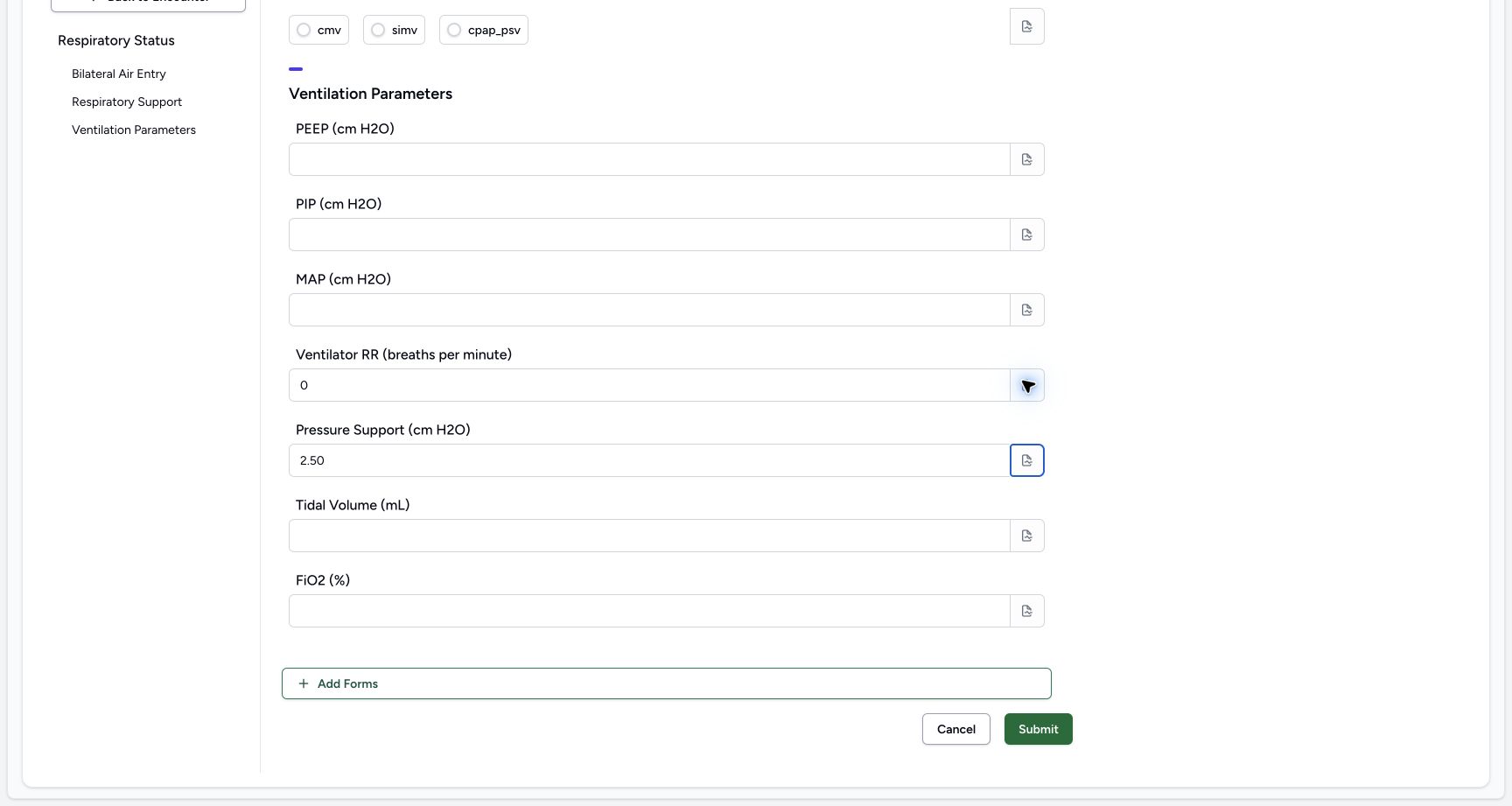 1
1Edit the fictional Pressure Support (cm H2O) example to 2.50
Capture details
Observed committed 3dfb source on 19 October 2026. Fictional software inputs are not respiratory measurements, treatment advice or ventilator settings.
Image SHA-256 d272ce3af96e7ad8b00c7ce51c51bbbb412469830becc9d0660d0f54b9a29428
- Read 2.50: The edited value is visible after blur; it is still an unsaved software exercise.
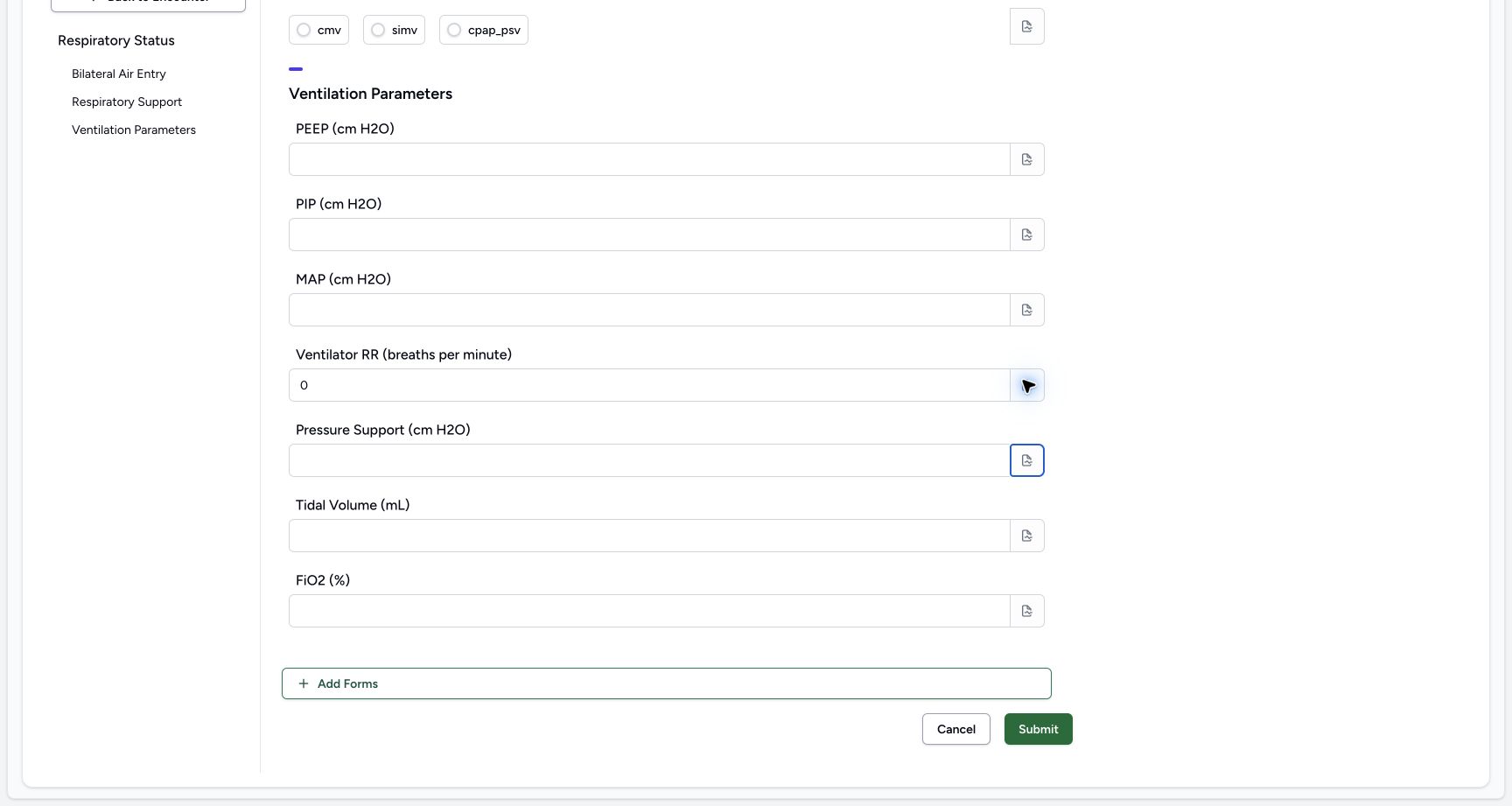 1
1Clear the temporary Pressure Support (cm H2O) value
Capture details
Observed committed 3dfb source on 19 October 2026. Fictional software inputs are not respiratory measurements, treatment advice or ventilator settings.
Image SHA-256 e4066bbe3f4533ec06d13b629f7ea172cd29a9f9c5699dfc76e4298dfcd9707c
- Check the empty input: The temporary number has been deleted and the input is empty after blur.
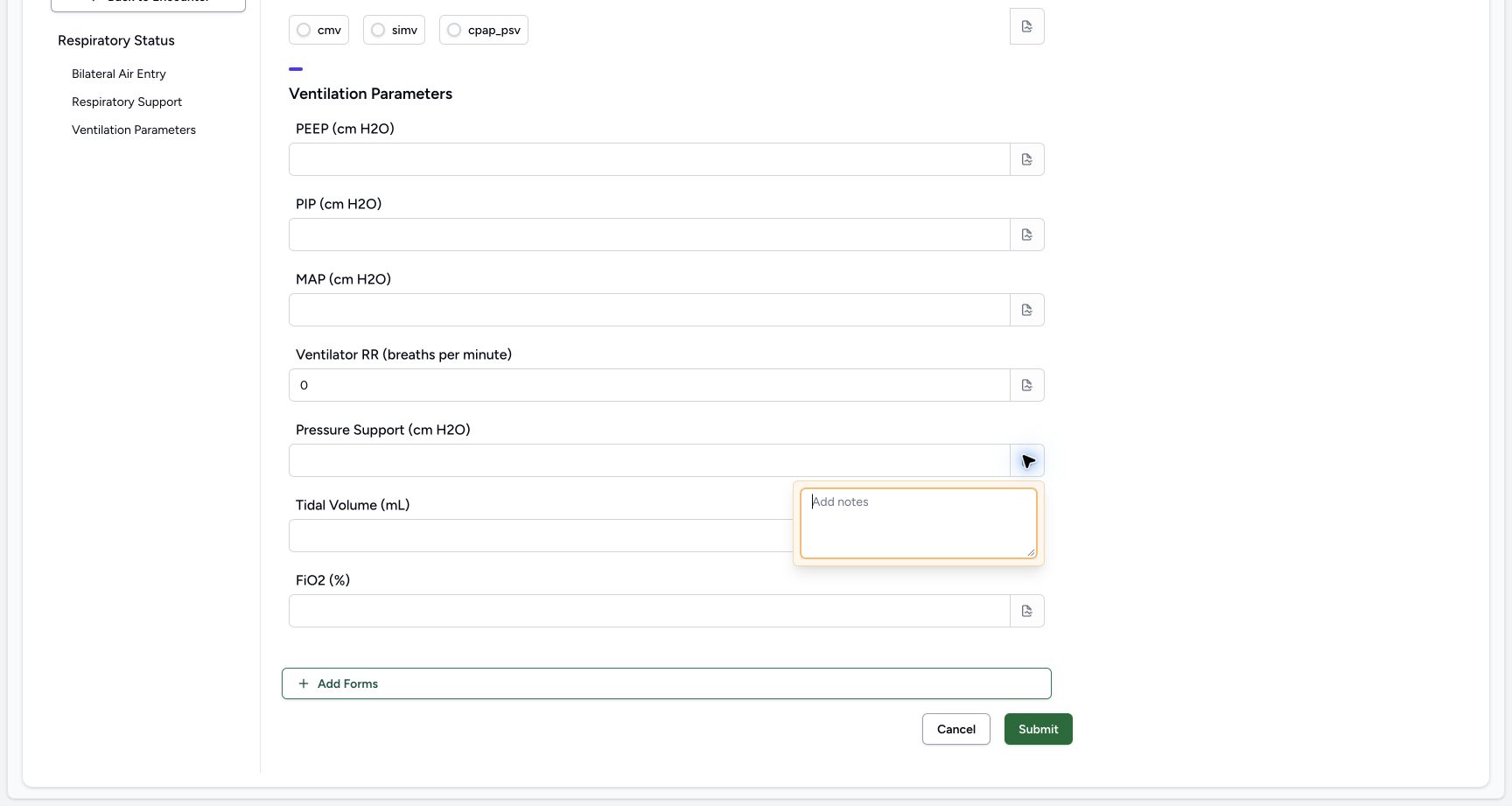 12
12Inspect the Pressure Support (cm H2O) note control
Capture details
Observed committed 3dfb source on 19 October 2026. Fictional software inputs are not respiratory measurements, treatment advice or ventilator settings.
Image SHA-256 b54d91ec3eb1155867d2274525601ee5fbb8b6f0e0bb12ab7b70c5fa0a3faa97
- Open the separate Pressure Support (cm H2O) note: This field has its own note icon; the empty popover is already open.
- Inspect the empty editor: Review the blank note, then close the popover.
7. Enter, edit, blur and clear Tidal Volume (mL)
For this unsaved software exercise, enter 1, then edit it to 2 in Tidal Volume (mL). Leave the input after each entry to check it remains visible. Select the contents, delete them and leave the input again. Check the empty result. Open this field’s separate note icon, inspect the empty note and close it. Leave this optional input empty for the final response.
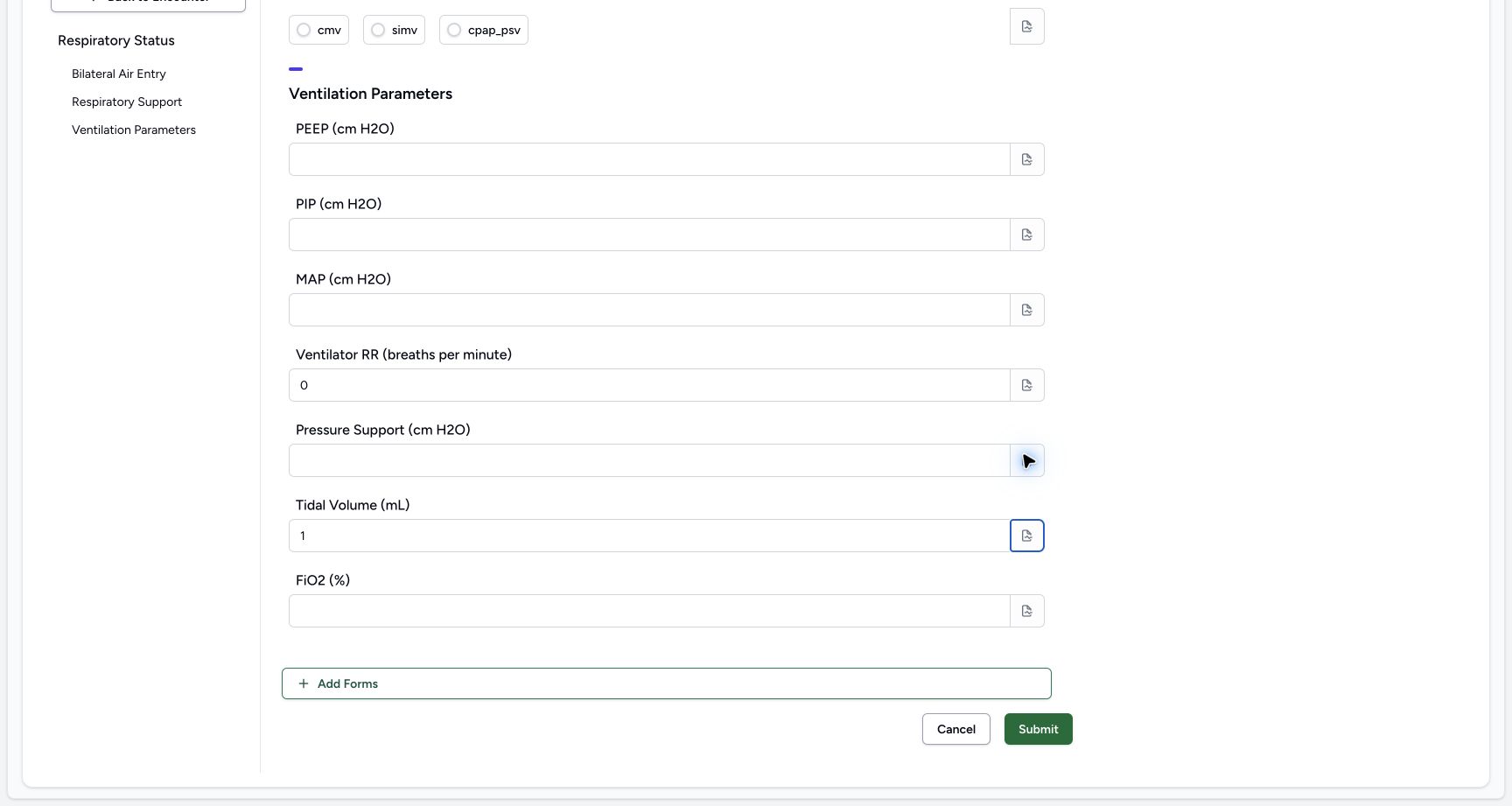 1
1Enter the fictional Tidal Volume (mL) example 1
Capture details
Observed committed 3dfb source on 19 October 2026. Fictional software inputs are not respiratory measurements, treatment advice or ventilator settings.
Image SHA-256 815e01947b2b025d37d70bdbfa6ac2ca60fdf4b5836f4377323f6cb373d251b4
- Read 1: This fictional value remains visible after leaving the input; it is not a measurement or recommended setting.
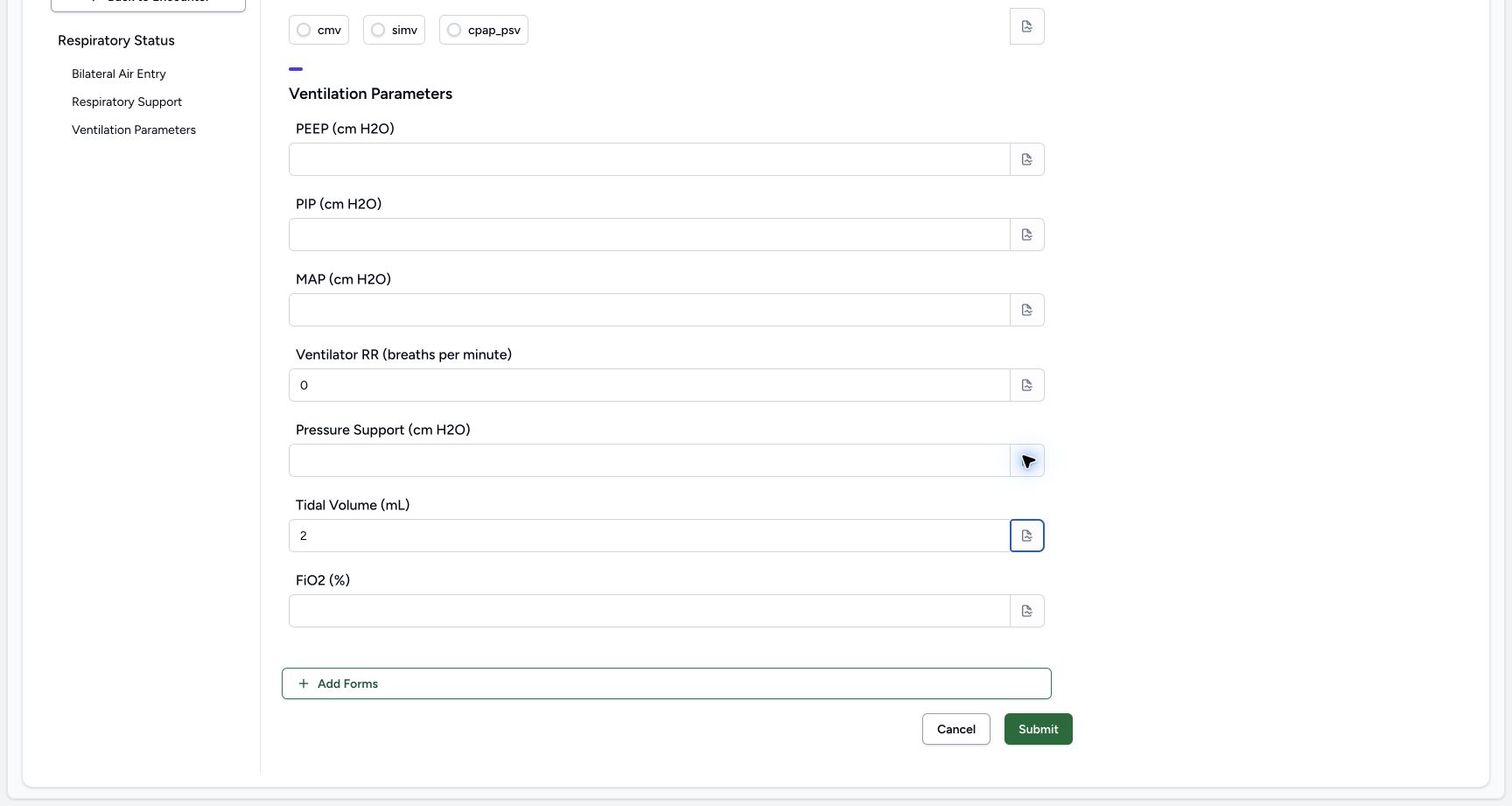 1
1Edit the fictional Tidal Volume (mL) example to 2
Capture details
Observed committed 3dfb source on 19 October 2026. Fictional software inputs are not respiratory measurements, treatment advice or ventilator settings.
Image SHA-256 dba5a8e73c900a48c81e2d55067c475b895d5547e042a3aa964915fa5729c720
- Read 2: The edited value is visible after blur; it is still an unsaved software exercise.
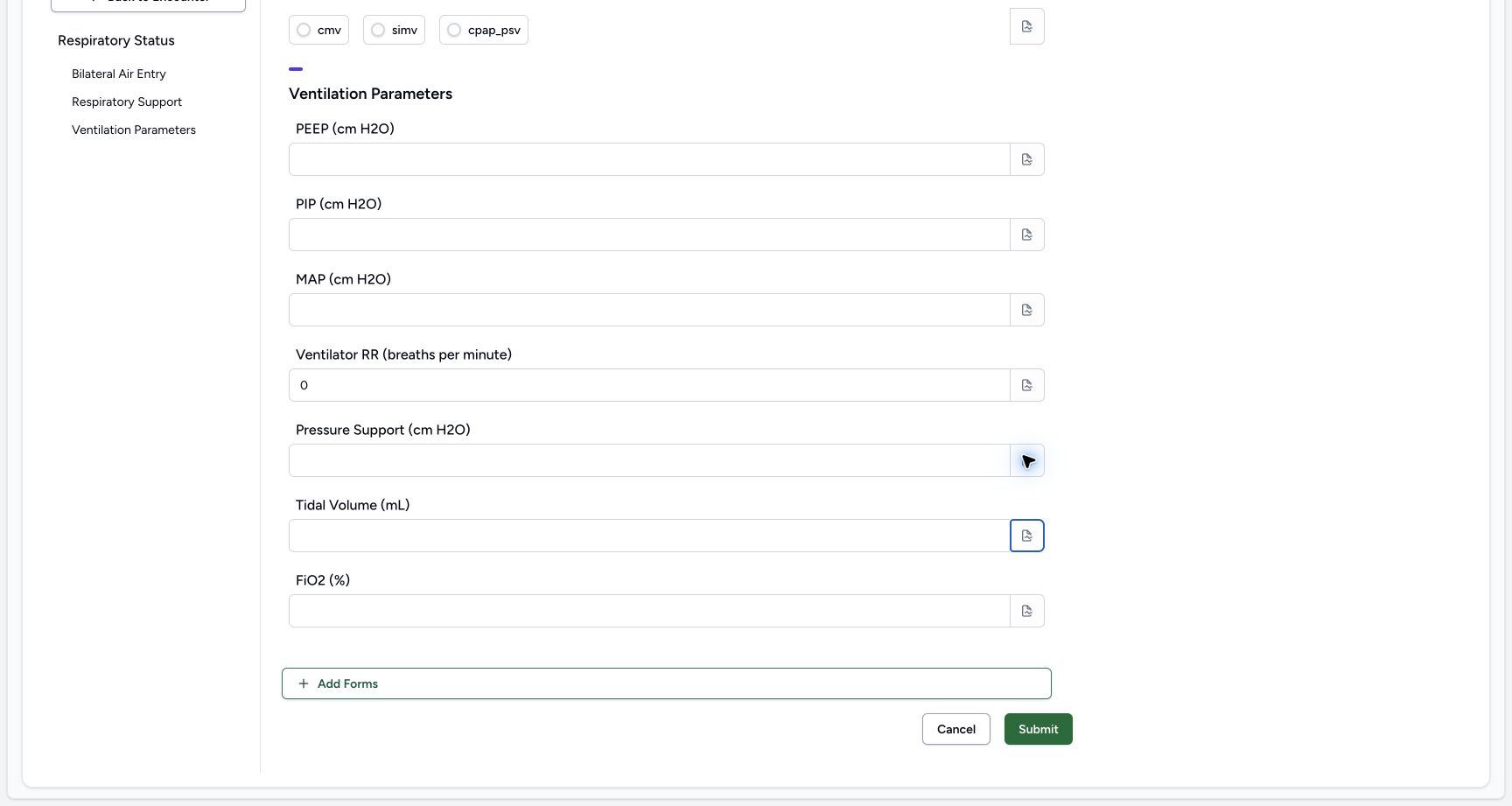 1
1Clear the temporary Tidal Volume (mL) value
Capture details
Observed committed 3dfb source on 19 October 2026. Fictional software inputs are not respiratory measurements, treatment advice or ventilator settings.
Image SHA-256 70a0c65c66370f873b75a9843779a2a1600984fb6ac940c4ec004e53a84e17c6
- Check the empty input: The temporary number has been deleted and the input is empty after blur.
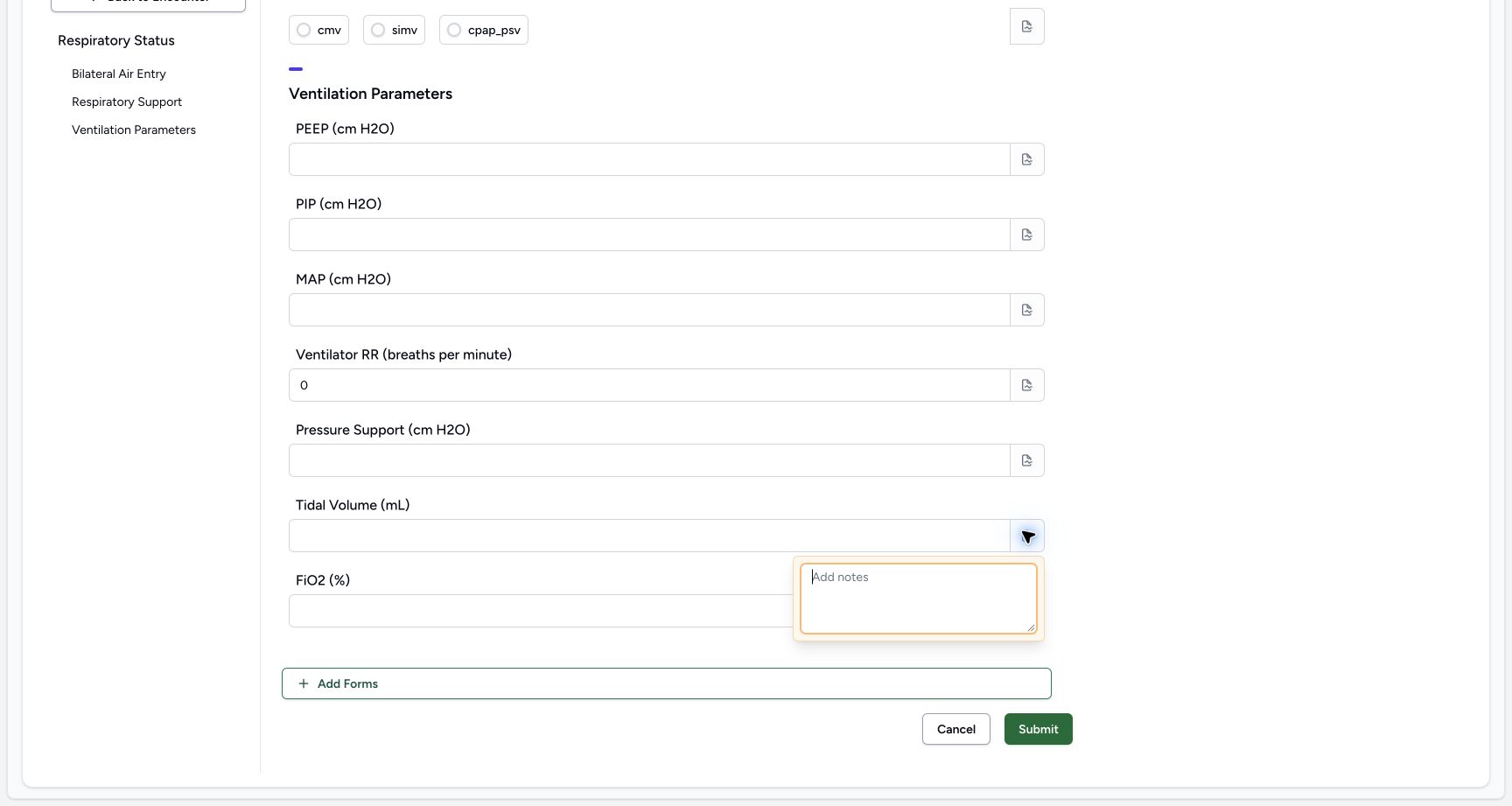 12
12Inspect the Tidal Volume (mL) note control
Capture details
Observed committed 3dfb source on 19 October 2026. Fictional software inputs are not respiratory measurements, treatment advice or ventilator settings.
Image SHA-256 91ecd542c629385326626c7805581abece6d77b4213fb567144f8445477d479c
- Open the separate Tidal Volume (mL) note: This field has its own note icon; the empty popover is already open.
- Inspect the empty editor: Review the blank note, then close the popover.
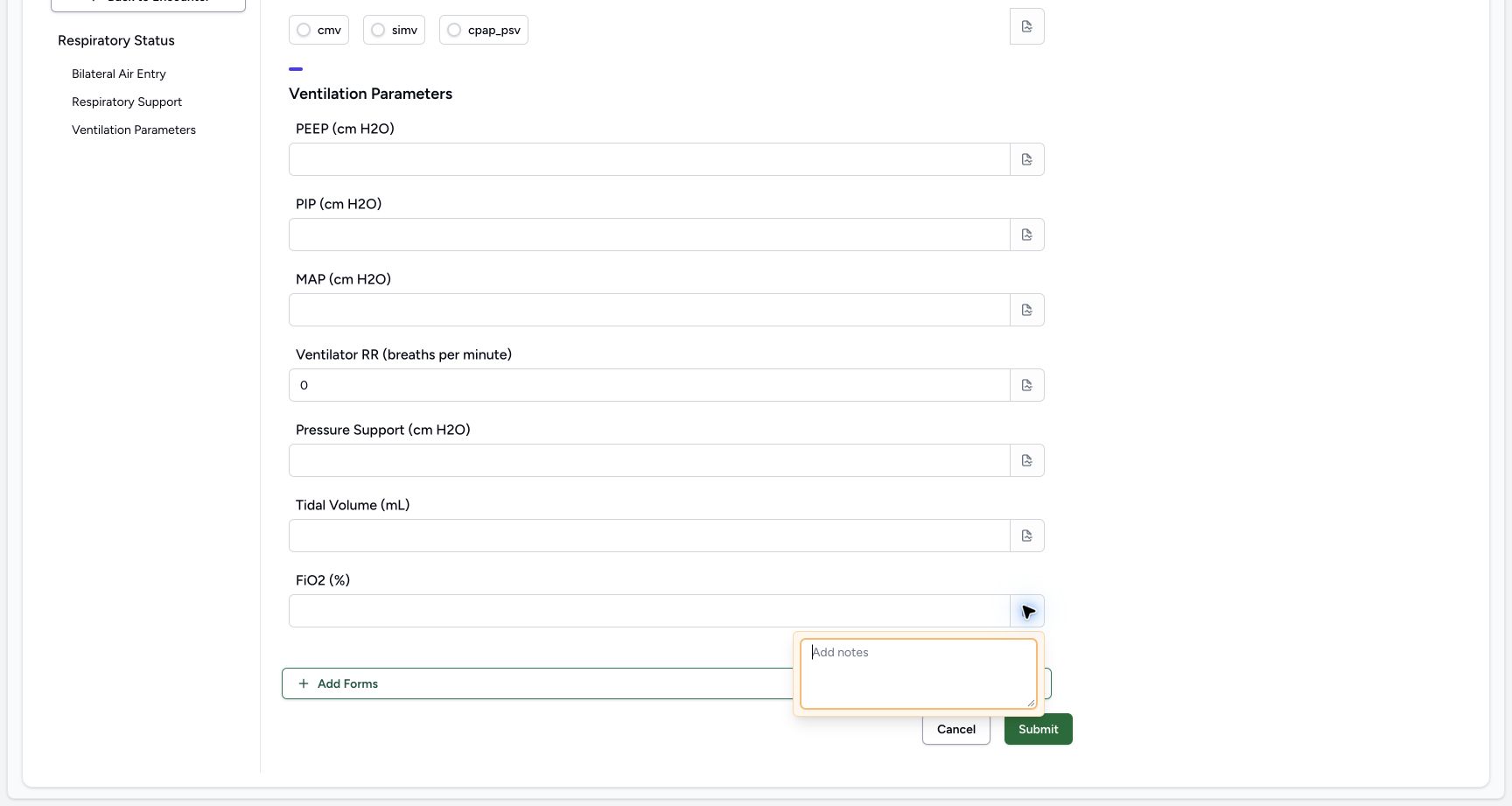
8. Enter, edit, blur and clear FiO2 (%)
For this unsaved software exercise, enter 1.25, then edit it to 2.50 in FiO2 (%). Leave the input after each entry to check it remains visible. Select the contents, delete them and leave the input again. Check the empty result. Open this field’s separate note icon, inspect the empty note and close it. Leave this optional input empty for the final response.
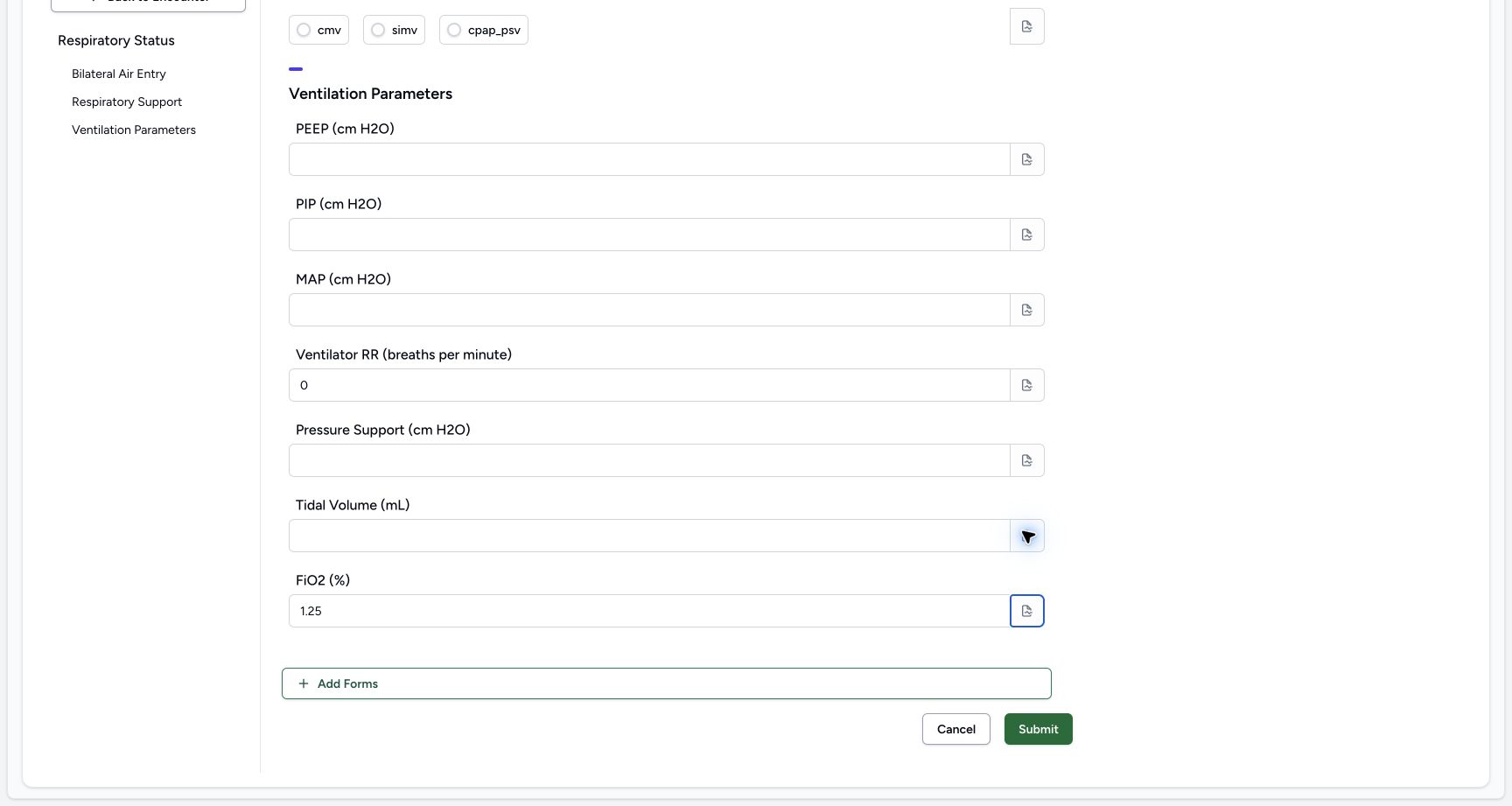 1
1Enter the fictional FiO2 (%) example 1.25
Capture details
Observed committed 3dfb source on 19 October 2026. Fictional software inputs are not respiratory measurements, treatment advice or ventilator settings.
Image SHA-256 cb06b07588c738fb1c7bd2061fd17fa976f2d8a826e7252f7ea3e3dc632268ad
- Read 1.25: This fictional value remains visible after leaving the input; it is not a measurement or recommended setting.
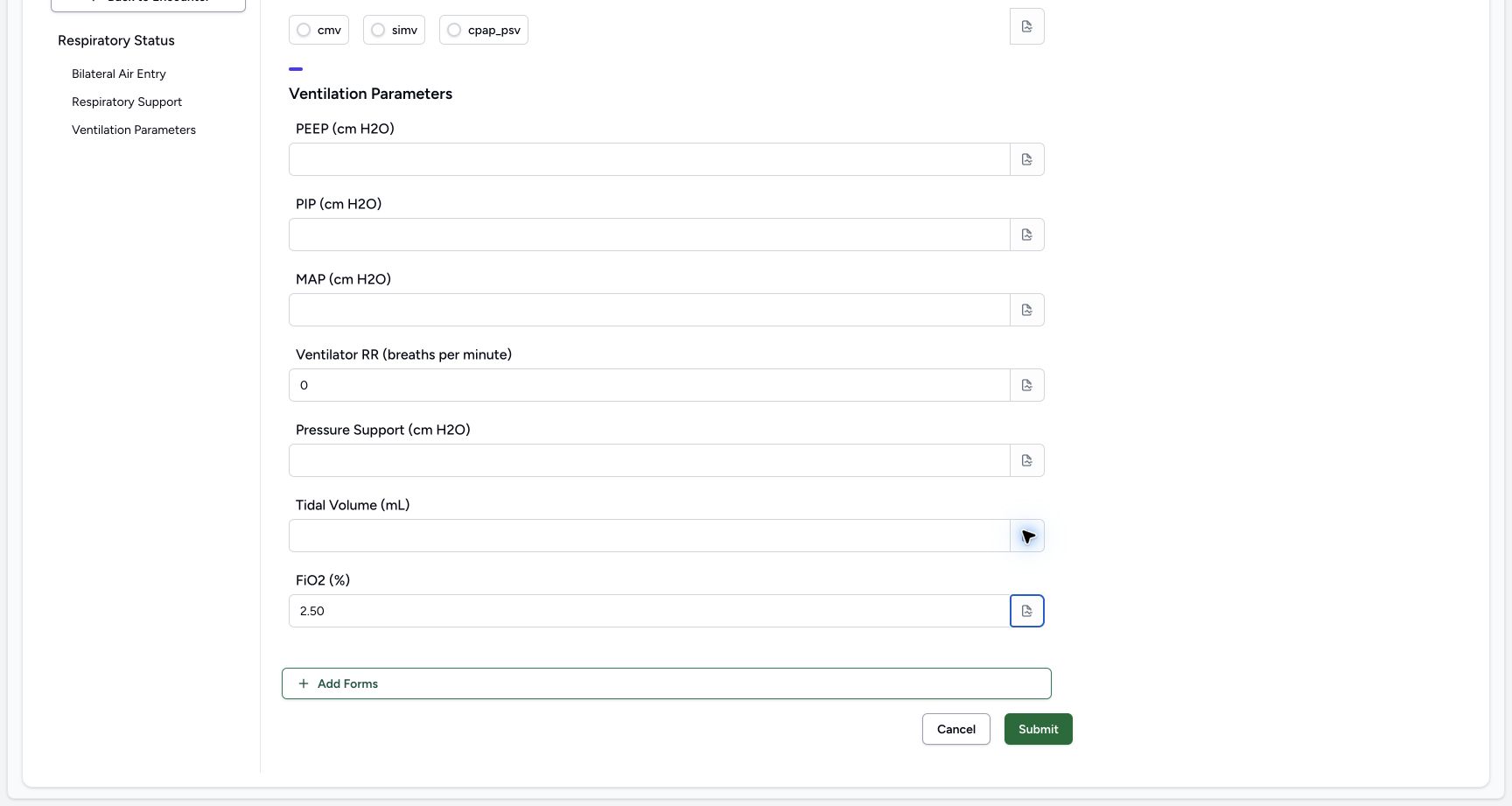 1
1Edit the fictional FiO2 (%) example to 2.50
Capture details
Observed committed 3dfb source on 19 October 2026. Fictional software inputs are not respiratory measurements, treatment advice or ventilator settings.
Image SHA-256 974b122c1240258658721f39319e122610e3d59a97a869ee5836eb7baaaeec73
- Read 2.50: The edited value is visible after blur; it is still an unsaved software exercise.
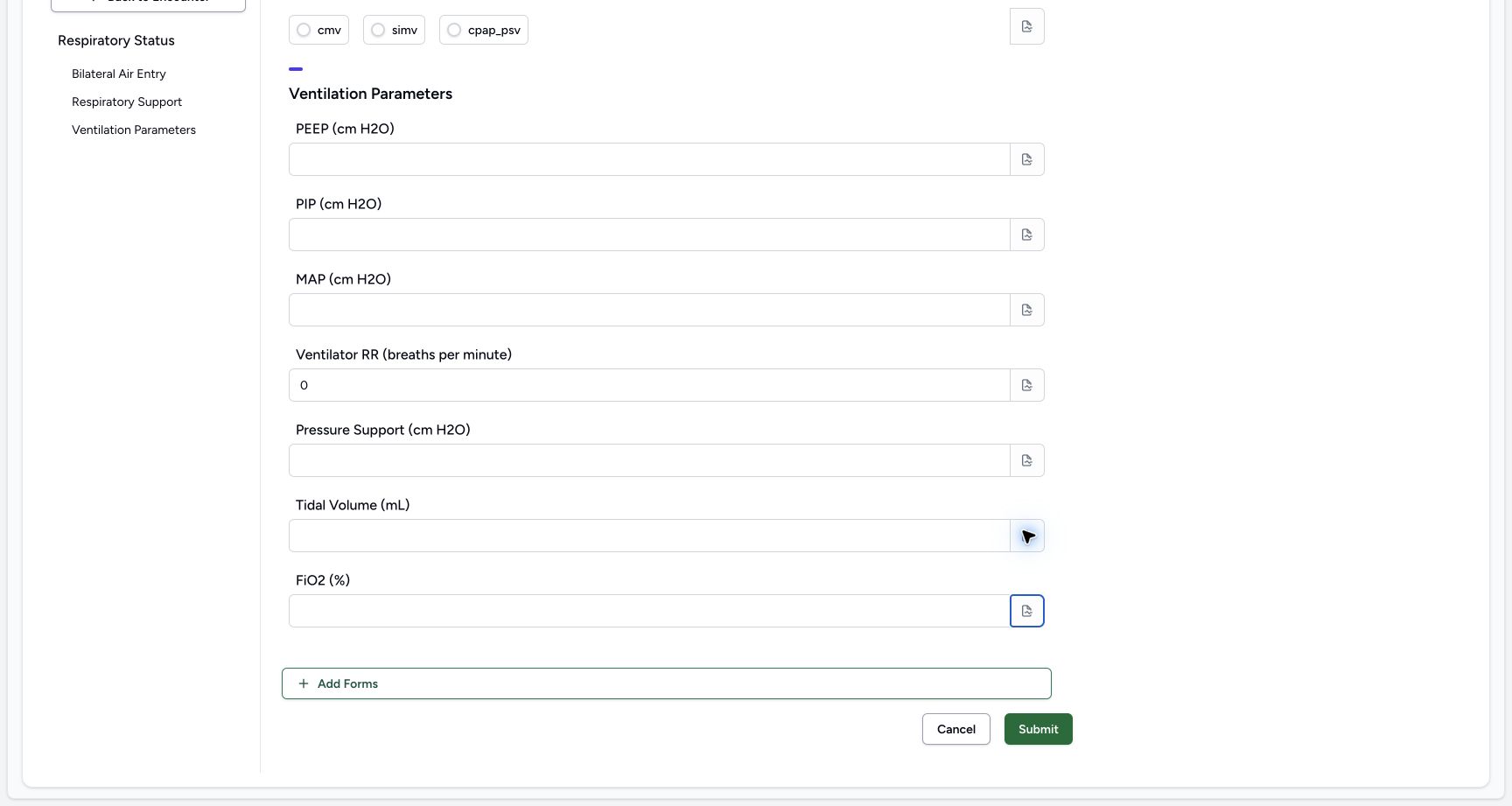 1
1Clear the temporary FiO2 (%) value
Capture details
Observed committed 3dfb source on 19 October 2026. Fictional software inputs are not respiratory measurements, treatment advice or ventilator settings.
Image SHA-256 818c75dadd418c252e7a593a33fc2bf639a8ee1ccb99e84694b0711dcc166c77
- Check the empty input: The temporary number has been deleted and the input is empty after blur.
 12
12Inspect the FiO2 (%) note control
Capture details
Observed committed 3dfb source on 19 October 2026. Fictional software inputs are not respiratory measurements, treatment advice or ventilator settings.
Image SHA-256 8a69dadebe7f1f556883e110c48cb2ee6589182c828e24aecd53537b90a97cf3
- Open the separate FiO2 (%) note: This field has its own note icon; the empty popover is already open.
- Inspect the empty editor: Review the blank note, then close the popover.
Use only fictional software samples
The repeated Decimal samples 1.25 and 2.50, Integer samples 1 and 2, and final 0 demonstrate input controls only. They are not safe ranges, measurements, dosage, oxygen or ventilation instructions. Follow the approved clinical workflow for any real patient.
1Enter the fictional Oxygen Flow Rate (L/min) example 1.25
Capture details
Observed committed 3dfb source on 19 October 2026. Fictional software inputs are not respiratory measurements, treatment advice or ventilator settings.
Image SHA-256 d6ee6f49580cc126025b17f518ebe8adeb03f6a2c7c4d9e2e1c1326cc527205d
- Read 1.25: This fictional value remains visible after leaving the input; it is not a measurement or recommended setting.
1Enter the fictional Ventilator RR (breaths per minute) example 1
Capture details
Observed committed 3dfb source on 19 October 2026. Fictional software inputs are not respiratory measurements, treatment advice or ventilator settings.
Image SHA-256 99379bf622426ec3b43c411c62c967283d77fd92eec73263d94a47047e4402d3
- Read 1: This fictional value remains visible after leaving the input; it is not a measurement or recommended setting.
Read labels without inventing coded observations
Units such as L/min, cm H2O, mL and % are displayed in this form’s labels. This observed form has no coded observation or fixed-unit binding, repeated input or conditional branch; saving these answers did not populate Plots. No range-enforcement or cross-modality validation is demonstrated.
123Read the optional parameters and Cancel
Capture details
Observed committed 3dfb source on 19 October 2026. Fictional software inputs are not respiratory measurements, treatment advice or ventilator settings.
Image SHA-256 5bf3fa08065e041990564ea2302af06c78b5c419db7a705ad1cd1aa60a0379f0
- Review Ventilation Parameters: These configured number inputs are optional.
- Cancel without changes: Select Cancel to leave the untouched form.
- Keep the form set unchanged: Add Forms is visible; adding another form is not part of this exercise.
 12345
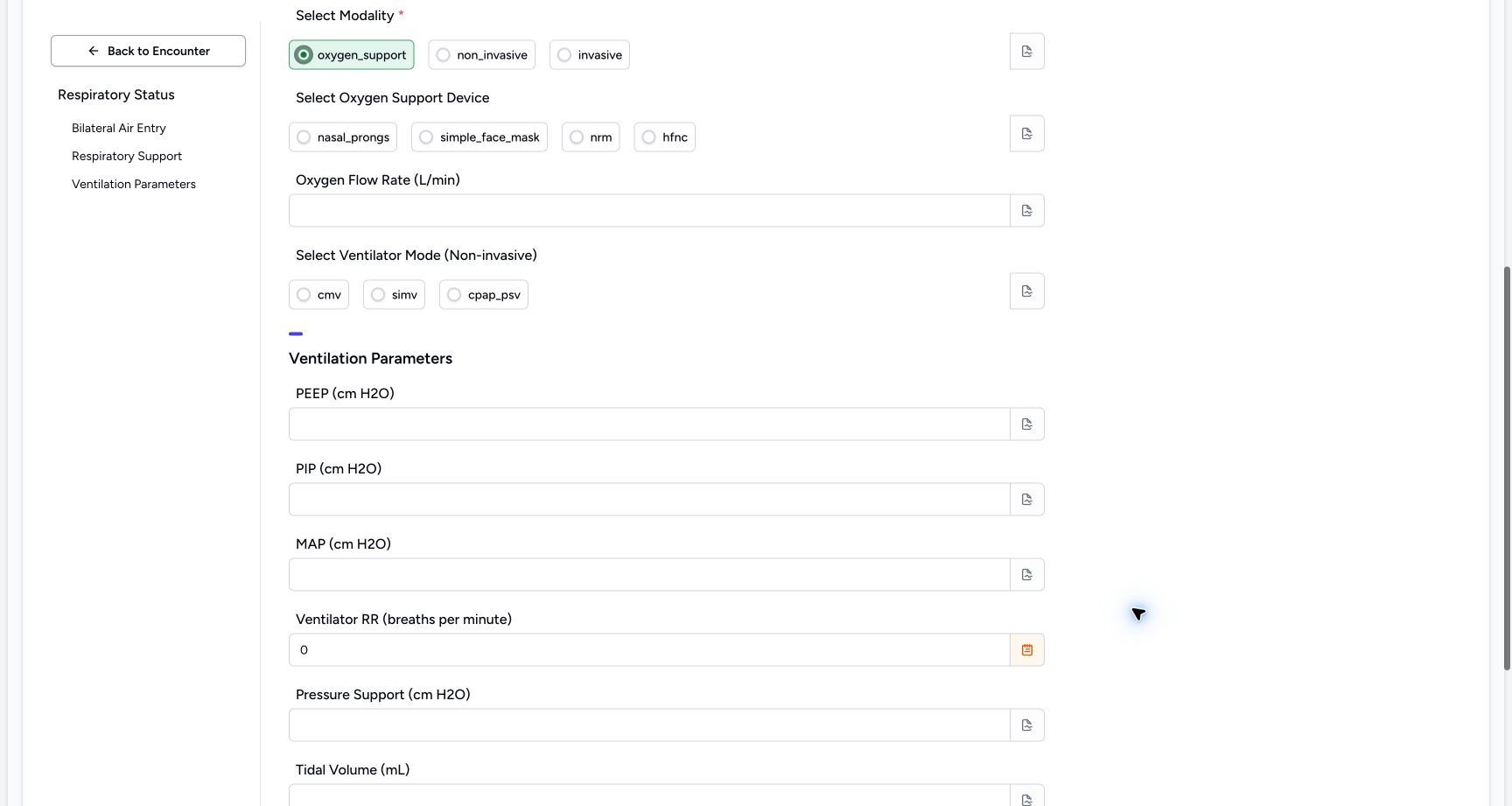
12345Review the cleared optional middle inputs
Capture details
Observed committed 3dfb source on 19 October 2026. Fictional software inputs are not respiratory measurements, treatment advice or ventilator settings.
Image SHA-256 53e447651ef270b8c3d88fad76ce46ab017d1c84b47bab8c1fb474412511b9bb
- Check the device choices are empty: No oxygen-device answer remains selected.
- Check Oxygen Flow Rate is empty: The temporary Decimal exercise is not part of the final response.
- Check the mode choices are empty: No non-invasive mode remains selected.
- Check cleared pressure inputs: PEEP, PIP and MAP are empty in this final review.
- Read the final zero: Only the fictional RR Integer 0 remains in the parameters.
Source evidence
Every citation uses this exact committed version. The private source repository requires access.
- repositories/platform/mansoq-web/src/components/Questionnaire/QuestionnaireForm.tsx:744 ·
3dfb7c9f519fb5b4cd4452439f3c12346bf58319Source file checksum
ee6c2195f13e48f0896a2d3da566c2f2a67910adad08894df6b77862f9cfdeec - repositories/platform/mansoq-web/src/components/Questionnaire/QuestionTypes/NumberQuestion.tsx:29 ·
3dfb7c9f519fb5b4cd4452439f3c12346bf58319Source file checksum
fd8183d93ed6c65e651dfc6b790c5ebc740fceef5cf6d0d5dc3d107f465b8dab - repositories/platform/mansoq-web/src/components/Questionnaire/QuestionTypes/ChoiceQuestion.tsx:45 ·
3dfb7c9f519fb5b4cd4452439f3c12346bf58319Source file checksum
0f6a5813b88385121e4d44682fb82fa0c3d65a57faf21b59ddda8e19995e446e - repositories/platform/mansoq-web/src/components/Questionnaire/QuestionTypes/QuestionInput.tsx:59 ·
3dfb7c9f519fb5b4cd4452439f3c12346bf58319Source file checksum
16bebfb11603d50cb219f5db55d93cd0bc2935630af0fc60a6d5732f04a33163 - repositories/platform/mansoq-web/src/components/Questionnaire/QuestionTypes/QuestionGroup.tsx:37 ·
3dfb7c9f519fb5b4cd4452439f3c12346bf58319Source file checksum
ea2f931a1329973d4b23ffee6f4581df62fc7d7092449142d03b73f61553bccc - repositories/platform/mansoq-web/src/components/Facility/ConsultationDetails/PrintQuestionnaireResponse.tsx:18 ·
3dfb7c9f519fb5b4cd4452439f3c12346bf58319Source file checksum
626d6b496a09058d94929bbec29bd34a3c91a95111466342a278e6bca0f2202e - repositories/platform/mansoq-web/src/components/Facility/ConsultationDetails/PrintAllQuestionnaireResponses.tsx:316 ·
3dfb7c9f519fb5b4cd4452439f3c12346bf58319Source file checksum
e7314df6d693bbd49e54e5f007521488cbc82b164dba4fc0ba2e317049b5cc1a - repositories/platform/mansoq-web/src/components/Facility/ConsultationDetails/QuestionnaireResponsesList.tsx:350 ·
3dfb7c9f519fb5b4cd4452439f3c12346bf58319Source file checksum
abcf7ab477238782e128a28bbd0b83562f900a41dcd1665a3df68e33fad1deac - repositories/platform/mansoq-core/mansoq/emr/api/viewsets/questionnaire.py:116 ·
3dfb7c9f519fb5b4cd4452439f3c12346bf58319Source file checksum
ccc0fe021d193e5d6de9540c256413da356895ceed0c71c5fdcba75ca6915d4e - repositories/platform/mansoq-core/mansoq/emr/api/viewsets/questionnaire_response.py:42 ·
3dfb7c9f519fb5b4cd4452439f3c12346bf58319Source file checksum
3a1e4e355e2f2ec25e82f5adc12ca9250c201b521098af8d1211bee95489fa2b - repositories/platform/mansoq-core/mansoq/emr/resources/questionnaire/utils.py:447 ·
3dfb7c9f519fb5b4cd4452439f3c12346bf58319Source file checksum
8425858d2179a66f482f38a3fd7f0fc0dcb70a4bcd85450fe7ce748b3081826c - repositories/platform/mansoq-core/mansoq/security/authorization/encounter.py:69 ·
3dfb7c9f519fb5b4cd4452439f3c12346bf58319Source file checksum
0e7ff8afcfb57b2371201e16ee6fac26125d6e686af66ed7edd95e49bc07de78 - repositories/platform/mansoq-web/src/components/ui/RadioInput.tsx:34 ·
3dfb7c9f519fb5b4cd4452439f3c12346bf58319Source file checksum
17b849d60a4f860fdb9f2384625fe43b2bc99fc1179019728c57511fce74813d - repositories/platform/mansoq-web/src/components/Questionnaire/QuestionTypes/TextQuestion.tsx:50 ·
3dfb7c9f519fb5b4cd4452439f3c12346bf58319Source file checksum
1ce4eb85780e351a42f155fc8a092fa921e6f4853f1efc91902365498b834aab