 MANSOQ
 Revenue cycle tax configuration · VERSION 3dfb7c9f
Check access before working with tax rules
Recognize the permission boundary and confirm an already authorized Clinic account before using the fictional tax-draft example.
Facility Admin · RCM · Finance · Staff
 1
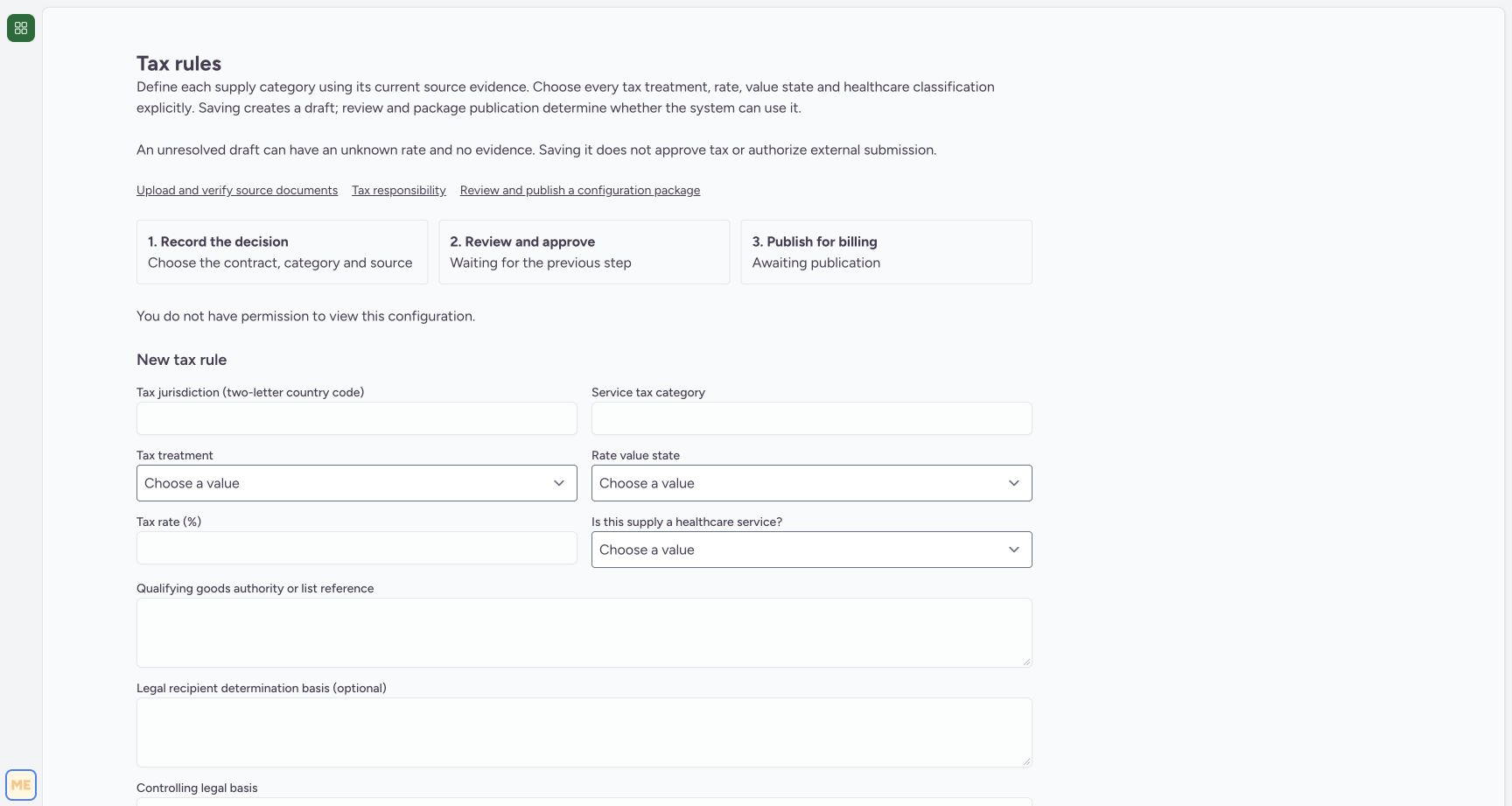
1Staff access boundary on Tax rules
Capture details
Genuine original fictional Clinic tax-draft workflow. One unresolved Draft saved, then normal reload/View details only. Review, publication, activation and claim finalization are not demonstrated.
Image SHA-256 34177c46db4ae7d2f40372a44e7132beaf711b93b2c5f02aad2d909169d064f1
- No permission to view this configuration: Stop at this permission message and use an already authorized account. Do not attempt to enter or save a rule.
 1
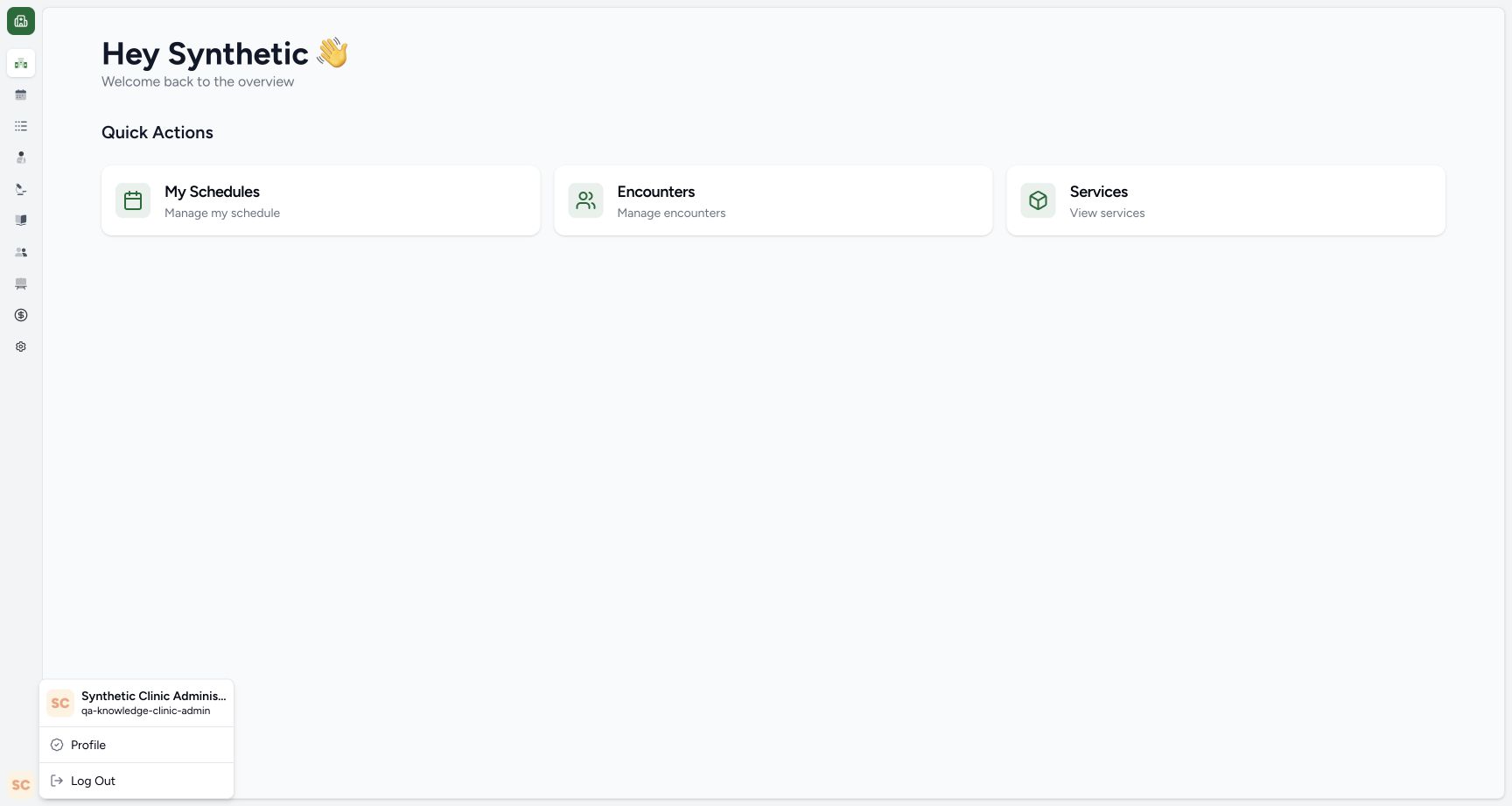
1Existing authorized Clinic administrator
Capture details
Genuine original fictional Clinic tax-draft workflow. One unresolved Draft saved, then normal reload/View details only. Review, publication, activation and claim finalization are not demonstrated.
Image SHA-256 8293f224e70a537e722689e1a5b3d99f0d43a11dd0204c555de9e1f75fb80428
- Existing Clinic administrator account: The remaining example uses the already authorized qa-knowledge-clinic-admin account in the fictional Clinic.
 123
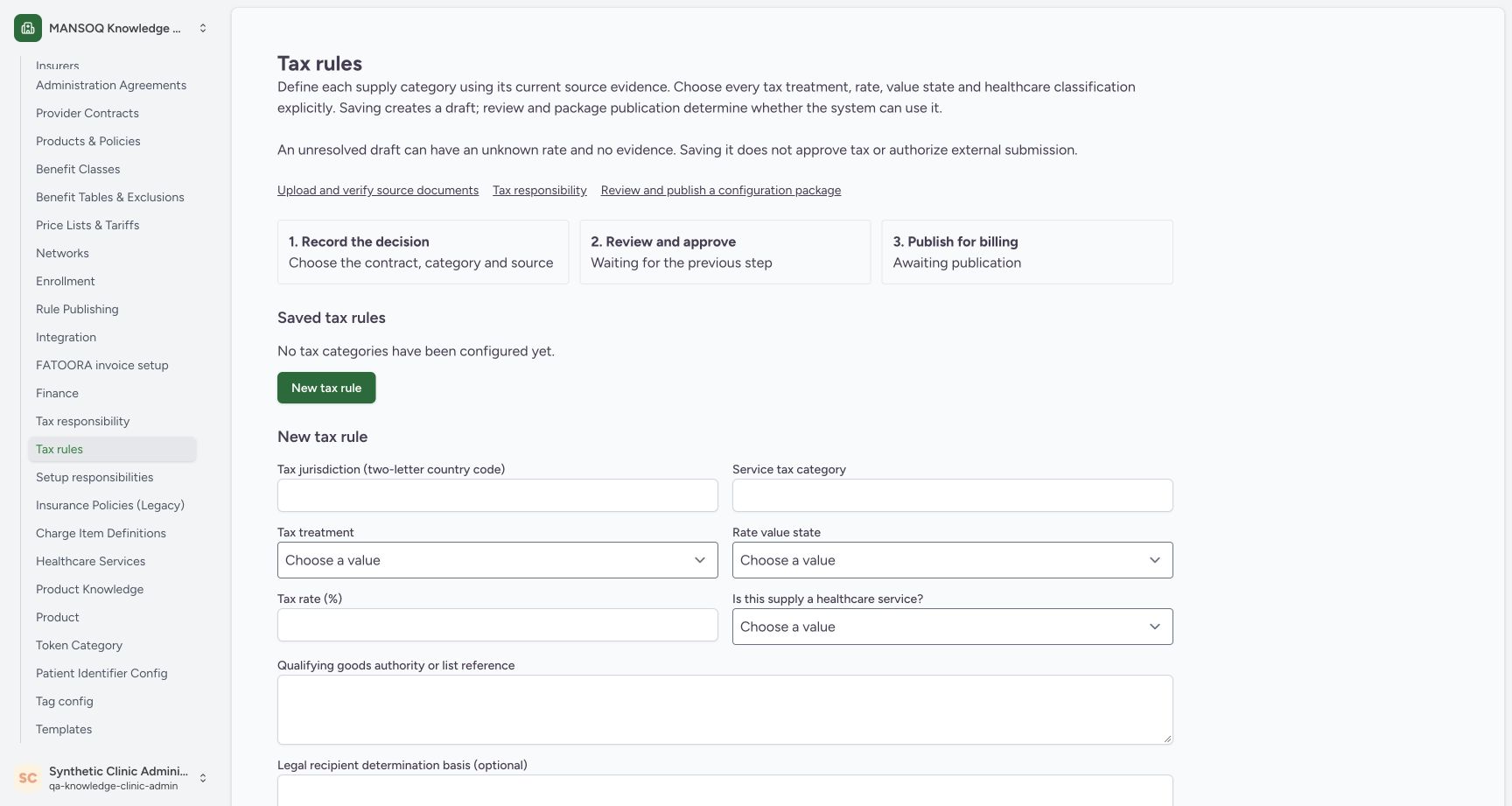
123Empty tax-rule list and new-entry form
Capture details
Genuine original fictional Clinic tax-draft workflow. One unresolved Draft saved, then normal reload/View details only. Review, publication, activation and claim finalization are not demonstrated.
Image SHA-256 06e4dc6145a26fdd473f5c11346461b8c8c018b7bec849c93583dff05206cab6
- Tax rules: The selected Tax rules entry is under facility settings.
- No tax categories configured yet: This is the empty saved list at the start of the captured example.
- New tax rule form: Use the new-entry form beneath the saved list.
6 of 6 content blocks have reviewed image alignment. Missing overview or prerequisite images remain open.
Before you begin
- Use the assigned synthetic training Clinic. The screenshots compare an existing Staff session with an already authorized Clinic administrator; sign-in and permission changes are not taught here.
 1
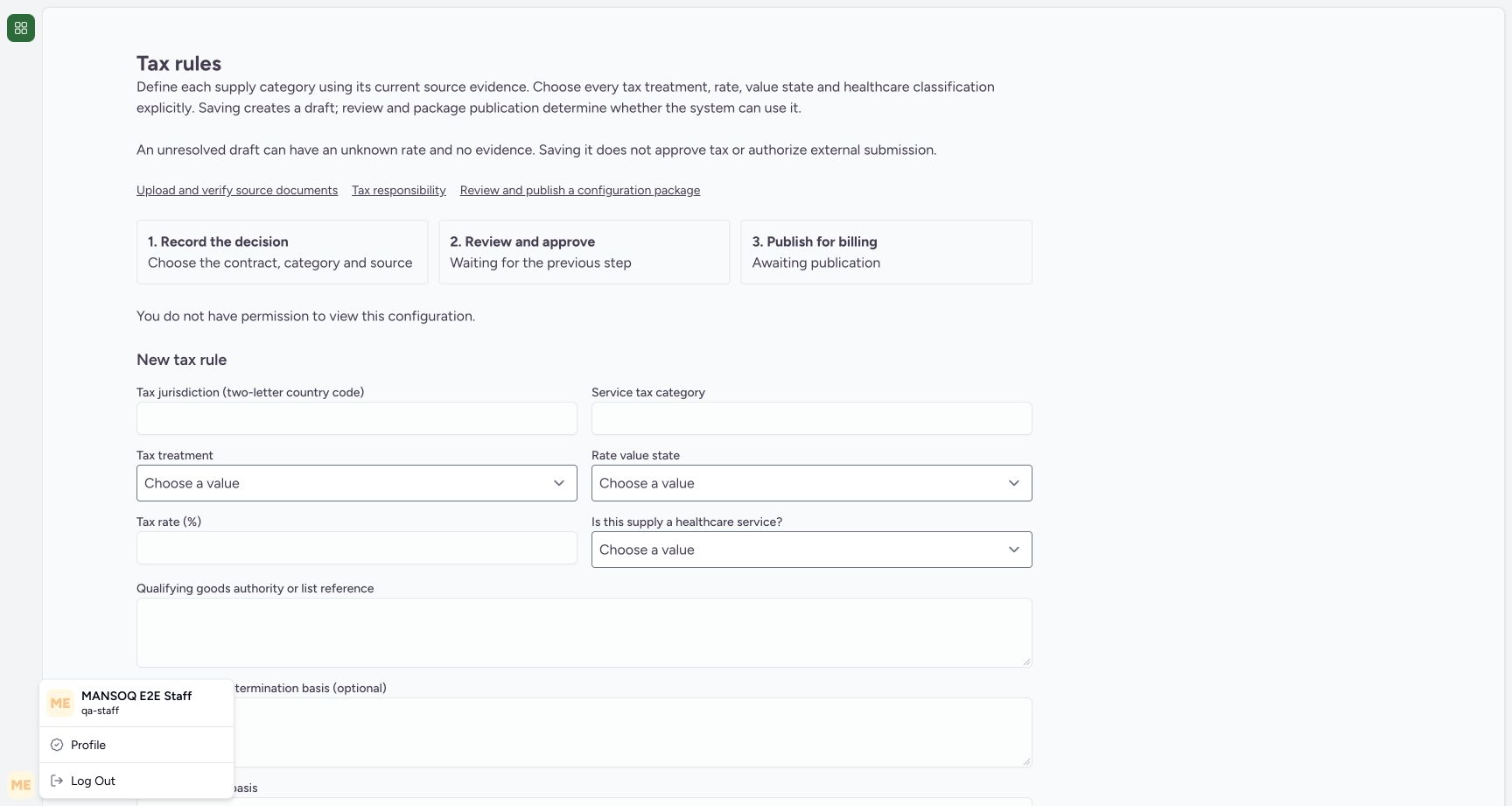
1Recorded release 3dfb7c9f · 2026-10-19T18:55:58.733Z · 1728 × 921 Existing Staff identity before the access check
Capture details
Genuine original fictional Clinic tax-draft workflow. One unresolved Draft saved, then normal reload/View details only. Review, publication, activation and claim finalization are not demonstrated.
Image SHA-256
467c3bedcb8c5ec779a0b7889da7b5f944cdf2b36f8697a8d1e2035e568c0d43- Existing Staff account: The visible account is qa-staff; this is the access-boundary example.
1Recorded release 3dfb7c9f · 2026-10-19T18:56:31.410Z · 1728 × 921 Existing authorized Clinic administrator
Capture details
Genuine original fictional Clinic tax-draft workflow. One unresolved Draft saved, then normal reload/View details only. Review, publication, activation and claim finalization are not demonstrated.
Image SHA-256
8293f224e70a537e722689e1a5b3d99f0d43a11dd0204c555de9e1f75fb80428- Existing Clinic administrator account: The remaining example uses the already authorized qa-knowledge-clinic-admin account in the fictional Clinic.
1. Recognize the Staff access boundary
The first screenshot identifies qa-staff. In this session, Tax rules says “You do not have permission to view this configuration”. Stop at that message and use the assigned authorized account; do not enter or save a rule through a restricted session.
1Existing Staff identity before the access check
Capture details
Genuine original fictional Clinic tax-draft workflow. One unresolved Draft saved, then normal reload/View details only. Review, publication, activation and claim finalization are not demonstrated.
Image SHA-256 467c3bedcb8c5ec779a0b7889da7b5f944cdf2b36f8697a8d1e2035e568c0d43
- Existing Staff account: The visible account is qa-staff; this is the access-boundary example.
1Staff access boundary on Tax rules
Capture details
Genuine original fictional Clinic tax-draft workflow. One unresolved Draft saved, then normal reload/View details only. Review, publication, activation and claim finalization are not demonstrated.
Image SHA-256 34177c46db4ae7d2f40372a44e7132beaf711b93b2c5f02aad2d909169d064f1
- No permission to view this configuration: Stop at this permission message and use an already authorized account. Do not attempt to enter or save a rule.
2. Confirm the authorized account
The following screenshots use qa-knowledge-clinic-admin, the existing authorized administrator of the fictional Clinic. Confirm the account and assigned facility before continuing.
1Existing authorized Clinic administrator
Capture details
Genuine original fictional Clinic tax-draft workflow. One unresolved Draft saved, then normal reload/View details only. Review, publication, activation and claim finalization are not demonstrated.
Image SHA-256 8293f224e70a537e722689e1a5b3d99f0d43a11dd0204c555de9e1f75fb80428
- Existing Clinic administrator account: The remaining example uses the already authorized qa-knowledge-clinic-admin account in the fictional Clinic.
123Empty tax-rule list and new-entry form
Capture details
Genuine original fictional Clinic tax-draft workflow. One unresolved Draft saved, then normal reload/View details only. Review, publication, activation and claim finalization are not demonstrated.
Image SHA-256 06e4dc6145a26fdd473f5c11346461b8c8c018b7bec849c93583dff05206cab6
- Tax rules: The selected Tax rules entry is under facility settings.
- No tax categories configured yet: This is the empty saved list at the start of the captured example.
- New tax rule form: Use the new-entry form beneath the saved list.
3. Locate the new-entry form
Tax rules is selected under settings. At the start of this example the Saved tax rules list is empty, with the New tax rule form below it. After the example is complete, use View details for the existing draft instead of creating it again.
123Empty tax-rule list and new-entry form
Capture details
Genuine original fictional Clinic tax-draft workflow. One unresolved Draft saved, then normal reload/View details only. Review, publication, activation and claim finalization are not demonstrated.
Image SHA-256 06e4dc6145a26fdd473f5c11346461b8c8c018b7bec849c93583dff05206cab6
- Tax rules: The selected Tax rules entry is under facility settings.
- No tax categories configured yet: This is the empty saved list at the start of the captured example.
- New tax rule form: Use the new-entry form beneath the saved list.
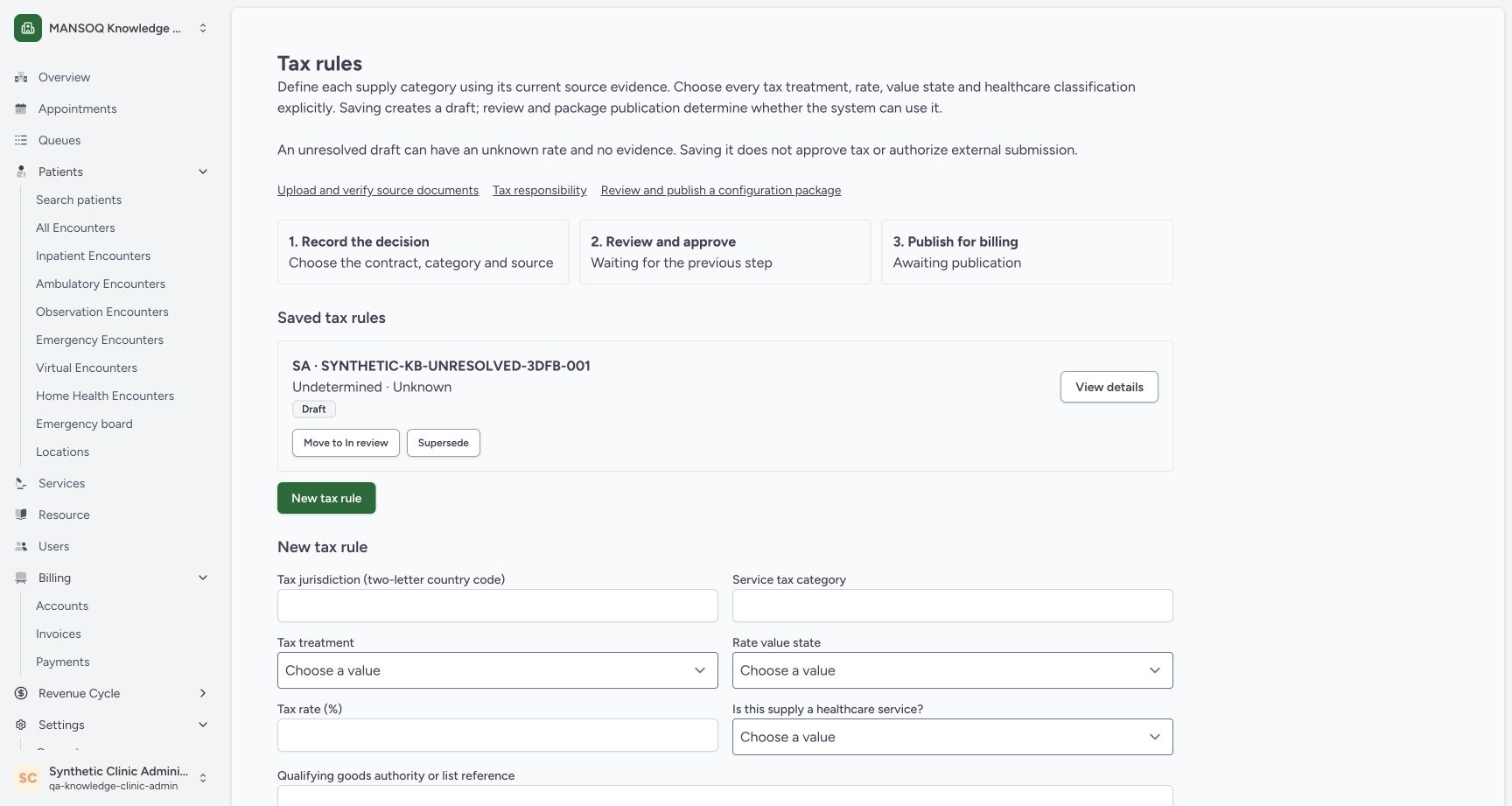 123
123Reloaded list with View details and blank new-entry form
Capture details
Genuine original fictional Clinic tax-draft workflow. One unresolved Draft saved, then normal reload/View details only. Review, publication, activation and claim finalization are not demonstrated.
Image SHA-256 f3d33e6fd3460fb06e76677873c154cb73091219180ade8900b7b09f81437efb
- Draft remains after reload: The same category is still listed with the Draft badge.
- View details: Open the saved card with View details.
- Blank new-entry form: The blank form below the list is a new-entry form; use View details to inspect the saved record.
4. Understand the draft boundary
The page explains that an unresolved draft may have an unknown rate and no evidence. Saving it does not approve tax or authorize external submission. The captured flow ends at Draft; later review and publication are separate work.
123Empty tax-rule list and new-entry form
Capture details
Genuine original fictional Clinic tax-draft workflow. One unresolved Draft saved, then normal reload/View details only. Review, publication, activation and claim finalization are not demonstrated.
Image SHA-256 06e4dc6145a26fdd473f5c11346461b8c8c018b7bec849c93583dff05206cab6
- Tax rules: The selected Tax rules entry is under facility settings.
- No tax categories configured yet: This is the empty saved list at the start of the captured example.
- New tax rule form: Use the new-entry form beneath the saved list.
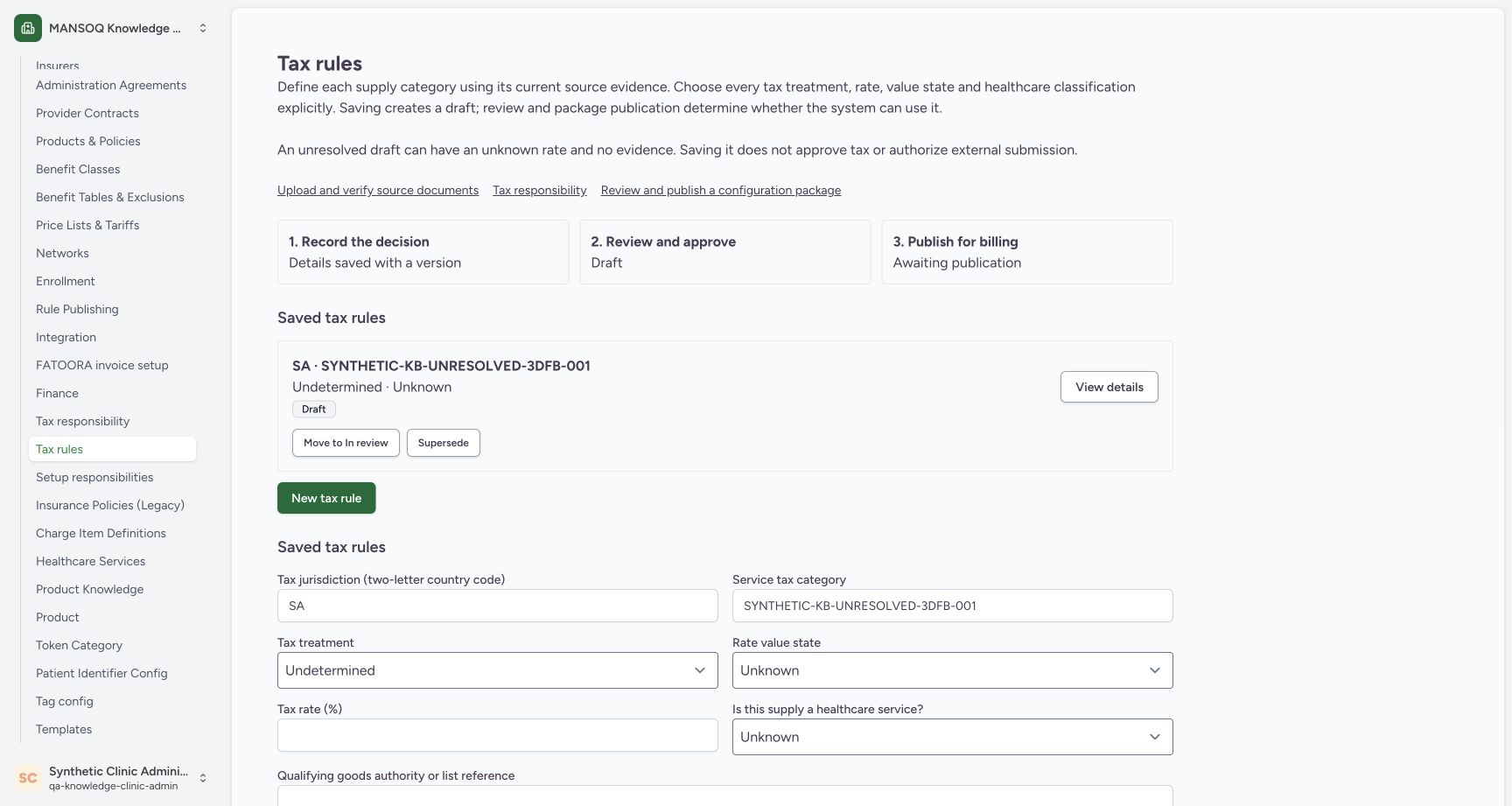 12345
12345Saved category is Draft and awaiting publication
Capture details
Genuine original fictional Clinic tax-draft workflow. One unresolved Draft saved, then normal reload/View details only. Review, publication, activation and claim finalization are not demonstrated.
Image SHA-256 d38781236f7940189fefbe6e6eed5f872b286215a18b8a06b3fdcccc7b87769f
- Saved fictional category: The saved card names the category created in this example.
- Draft: The saved rule is Draft.
- Undetermined · Unknown: The saved list preserves the unresolved treatment and rate state.
- Review stage — Draft: The review stage is still Draft; the later workflow is outside this exercise.
- Awaiting publication: The saved draft has not been published for billing.
Source evidence
Every citation uses this exact committed version. The private source repository requires access.
- repositories/platform/mansoq-web/src/pages/Facility/settings/rcm/TaxRuleSettings.tsx:84 ·
3dfb7c9f519fb5b4cd4452439f3c12346bf58319Source file checksum
f1e8279cd8a8c81e5db560c438020bd6c484f222825a7c3079f54d073a39feb1 - repositories/platform/mansoq-web/src/pages/Facility/settings/rcm/TaxRuleSettings.tsx:126 ·
3dfb7c9f519fb5b4cd4452439f3c12346bf58319Source file checksum
f1e8279cd8a8c81e5db560c438020bd6c484f222825a7c3079f54d073a39feb1 - repositories/platform/mansoq-web/src/pages/Facility/settings/rcm/TaxRuleSettings.tsx:149 ·
3dfb7c9f519fb5b4cd4452439f3c12346bf58319Source file checksum
f1e8279cd8a8c81e5db560c438020bd6c484f222825a7c3079f54d073a39feb1 - repositories/platform/mansoq-web/src/pages/Facility/settings/rcm/TaxRuleSettings.tsx:174 ·
3dfb7c9f519fb5b4cd4452439f3c12346bf58319Source file checksum
f1e8279cd8a8c81e5db560c438020bd6c484f222825a7c3079f54d073a39feb1 - repositories/platform/mansoq-web/src/pages/Facility/settings/rcm/TaxRuleSettings.tsx:190 ·
3dfb7c9f519fb5b4cd4452439f3c12346bf58319Source file checksum
f1e8279cd8a8c81e5db560c438020bd6c484f222825a7c3079f54d073a39feb1 - repositories/platform/mansoq-web/src/pages/Facility/settings/rcm/TaxRuleSettings.tsx:191 ·
3dfb7c9f519fb5b4cd4452439f3c12346bf58319Source file checksum
f1e8279cd8a8c81e5db560c438020bd6c484f222825a7c3079f54d073a39feb1 - repositories/platform/mansoq-web/src/types/rcm/taxRules.ts:59 ·
3dfb7c9f519fb5b4cd4452439f3c12346bf58319Source file checksum
6ba829669a733108bce2a6233e8b9f5f2ae29b809773b2550f27c7f031d62a26 - repositories/platform/mansoq-web/src/components/ui/sidebar/facility/facility-nav.tsx:309 ·
3dfb7c9f519fb5b4cd4452439f3c12346bf58319Source file checksum
26a257157ad5c4272295c13ac63f349cc4f2ba61ede92af64e671a0eb9be5d95 - repositories/platform/mansoq-core/mansoq/emr/api/viewsets/rcm/tax_setup.py:56 ·
3dfb7c9f519fb5b4cd4452439f3c12346bf58319Source file checksum
64a19cf9f732a3d61796e8af876eb257bfbd92067a1fa9041df2a9248b8f8d43 - repositories/platform/mansoq-core/mansoq/emr/api/serializers/rcm/common.py:123 ·
3dfb7c9f519fb5b4cd4452439f3c12346bf58319Source file checksum
b6fdaf1858f3997abfcee9d69204c7f83216e55d4b2976199e98b11a8743eceb - repositories/platform/mansoq-core/mansoq/emr/api/serializers/rcm/common.py:170 ·
3dfb7c9f519fb5b4cd4452439f3c12346bf58319Source file checksum
b6fdaf1858f3997abfcee9d69204c7f83216e55d4b2976199e98b11a8743eceb - repositories/platform/mansoq-core/mansoq/emr/api/serializers/rcm/common.py:336 ·
3dfb7c9f519fb5b4cd4452439f3c12346bf58319Source file checksum
b6fdaf1858f3997abfcee9d69204c7f83216e55d4b2976199e98b11a8743eceb - repositories/platform/mansoq-core/mansoq/emr/api/viewsets/rcm/organization.py:591 ·
3dfb7c9f519fb5b4cd4452439f3c12346bf58319Source file checksum
0e160f39d0eeac946b761309e46be759946ddbe66a471ee4c60e6f3c01b13310 - repositories/platform/mansoq-web/public/locale/en.json:9428 ·
3dfb7c9f519fb5b4cd4452439f3c12346bf58319Source file checksum
96498c8b964dce856d43c09e4241708efdd175d935e7ebbd14fa2f8d62efa507