 MANSOQ
 Patient registration · VERSION 3dfb7c9f
Review both duplicate-record warning choices without saving a duplicate
Read Patient Records Found, make an explicit choice and distinguish returning to an existing record from resuming an unsaved different-person draft.
Staff
 1234
1234Existing phone warning requires an explicit choice
Capture details
Exact committed 3dfb source, existing non-superuser qa-staff and fictional Polyclinic. Two distinct fictional patients only. Genuine unchanged desktop pixels; native confirmation retains its actual smaller window. No care, admission, booking, grant or configuration mutation.
Image SHA-256 ffbc6b38a4cda4a573e20db1ecf3513d93c9f2c1d915c506536e52a611f91e2e
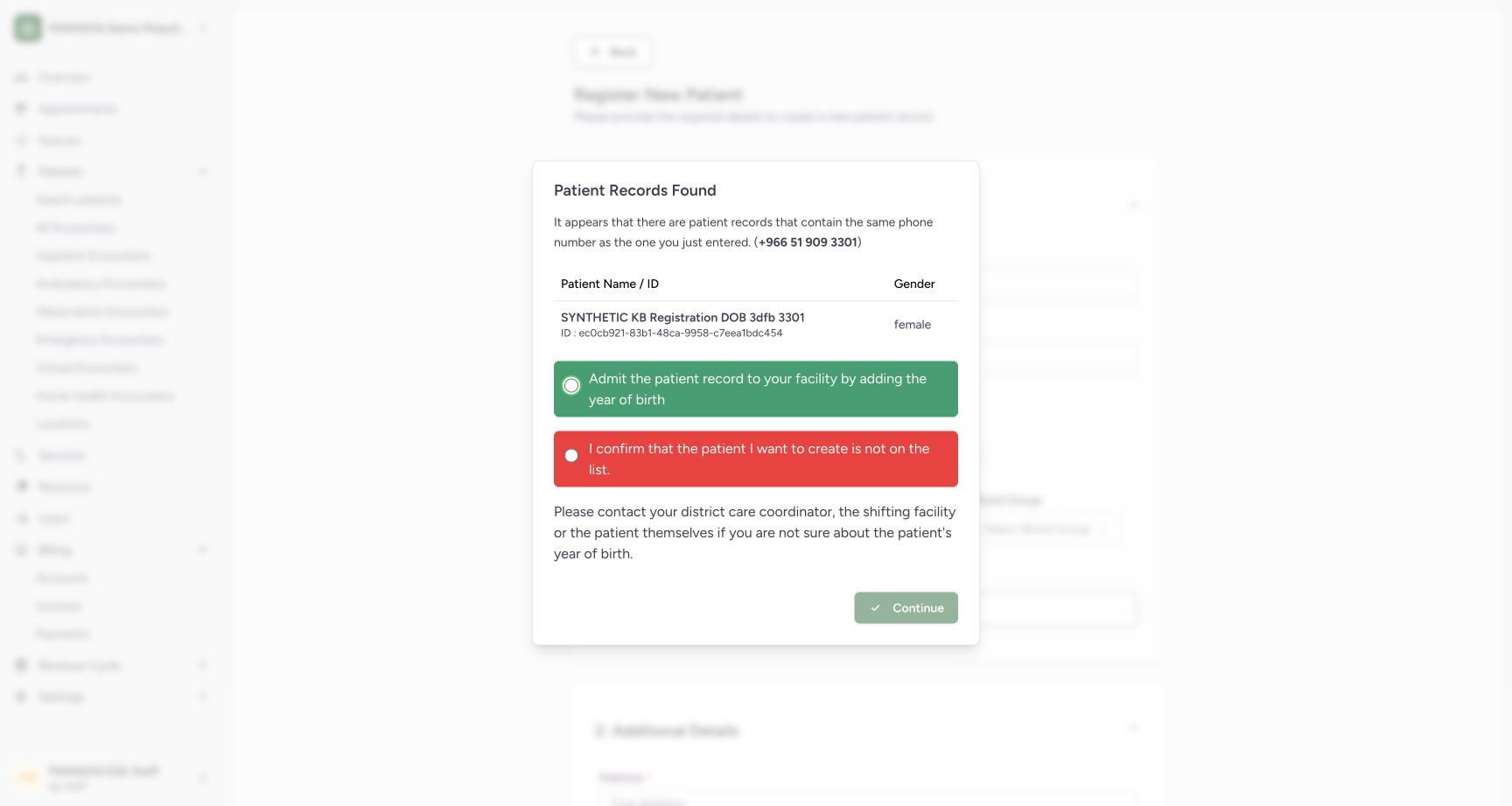
- Patient Records Found: The entered phone already belongs to an existing saved record.
- Use the existing record path: This installed option returns to patient identification; choosing it does not itself create an admission.
- Different-person confirmation: Use only after confirming the person is absent from the listed records.
- Continue is disabled before choice: Select an explicit option before Continue becomes enabled.
 12
12Continue with the existing-record identification path
Capture details
Exact committed 3dfb source, existing non-superuser qa-staff and fictional Polyclinic. Two distinct fictional patients only. Genuine unchanged desktop pixels; native confirmation retains its actual smaller window. No care, admission, booking, grant or configuration mutation.
Image SHA-256 0ef1957eaa457c363fd0e548c230756eb161c9c3a150f6e81e6c4337069c5219
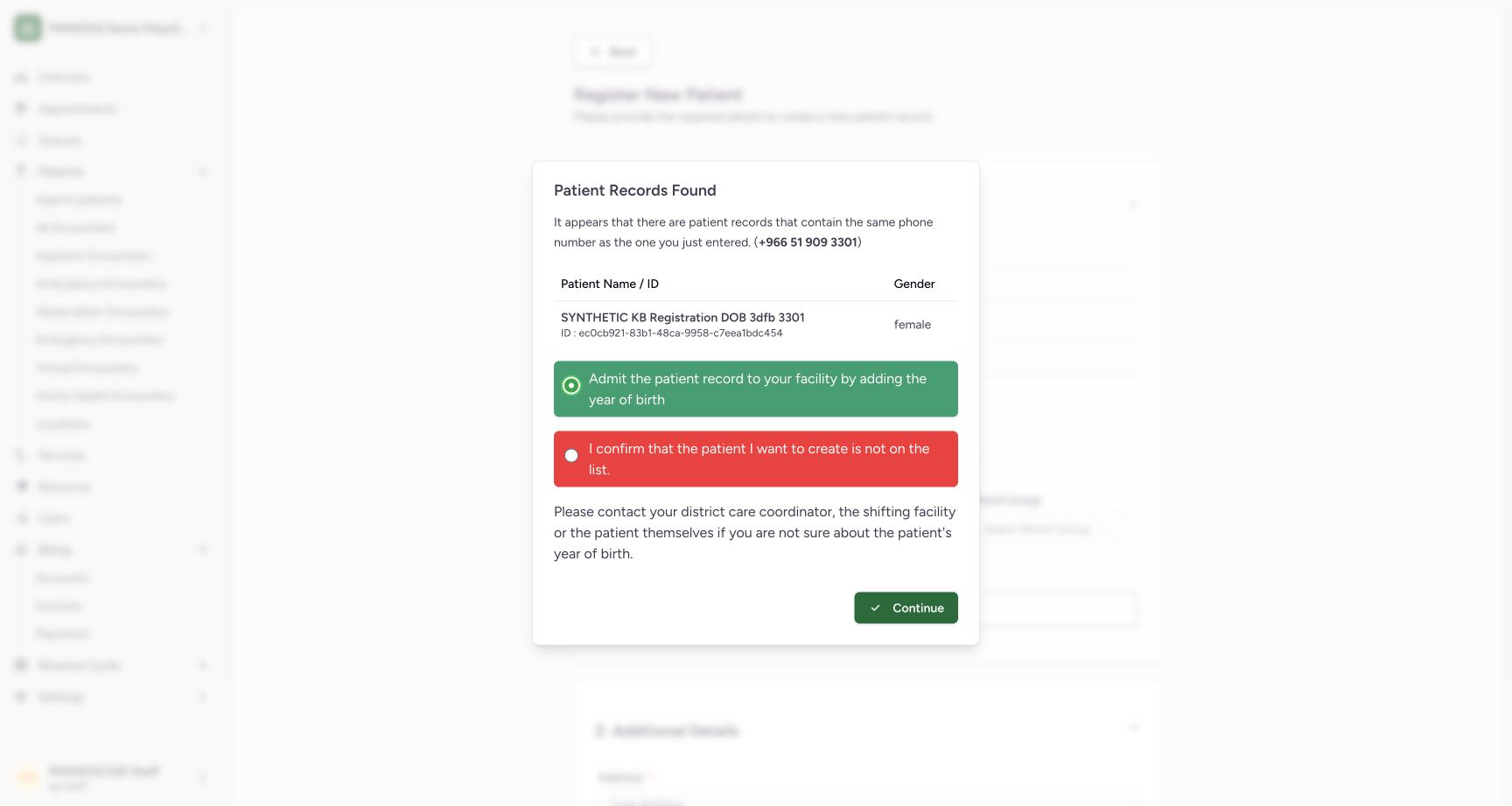
- Existing-record option selected: The existing-record path is selected.
- Continue to identification: Continue returns to patient identification without creating a duplicate record.
 12
12Different-person confirmation resumes the unsaved form
Capture details
Exact committed 3dfb source, existing non-superuser qa-staff and fictional Polyclinic. Two distinct fictional patients only. Genuine unchanged desktop pixels; native confirmation retains its actual smaller window. No care, admission, booking, grant or configuration mutation.
Image SHA-256 fdb183487988236b07e618e06f013b4804fb23d35454625aa36bf40a202e159b
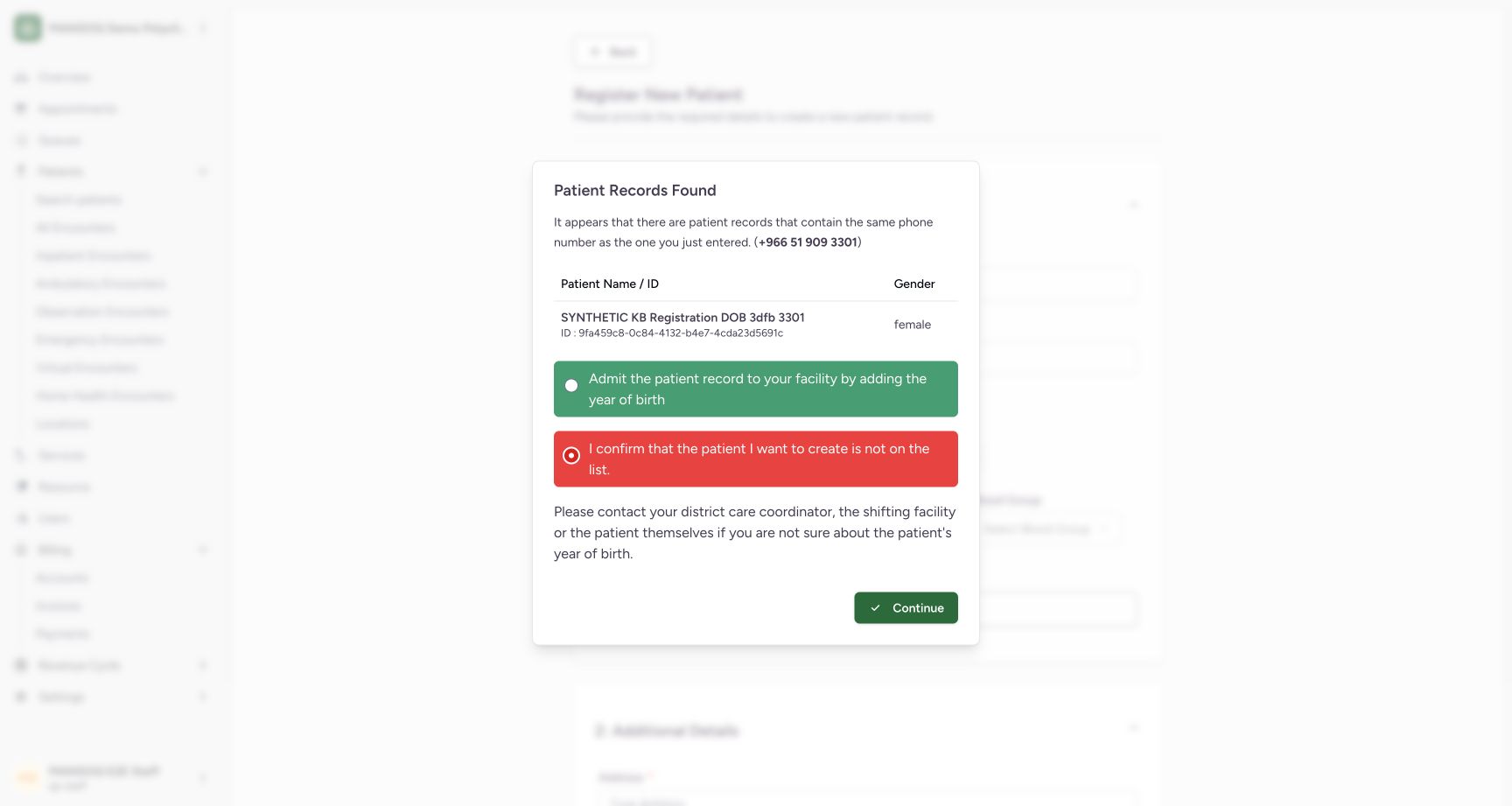
- Different-person confirmation selected: This option is selected only for the separate fictional person in this teaching example.
- Continue to unsaved form: Continue resumes registration; it does not create a patient by itself.
5 of 5 content blocks have reviewed image alignment. Missing overview or prerequisite images remain open.
Before you begin
- Use an already authenticated authorized Staff session. This example already has the synthetic DOB patient with phone ending 3301, allowing the installed duplicate-record warning to be demonstrated.
 12
12Recorded release 3dfb7c9f · 2026-10-19T07:55:19.195Z · 1728 × 921 Find the saved patient by phone number
Capture details
Exact committed 3dfb source, existing non-superuser qa-staff and fictional Polyclinic. Two distinct fictional patients only. Genuine unchanged desktop pixels; native confirmation retains its actual smaller window. No care, admission, booking, grant or configuration mutation.
Image SHA-256
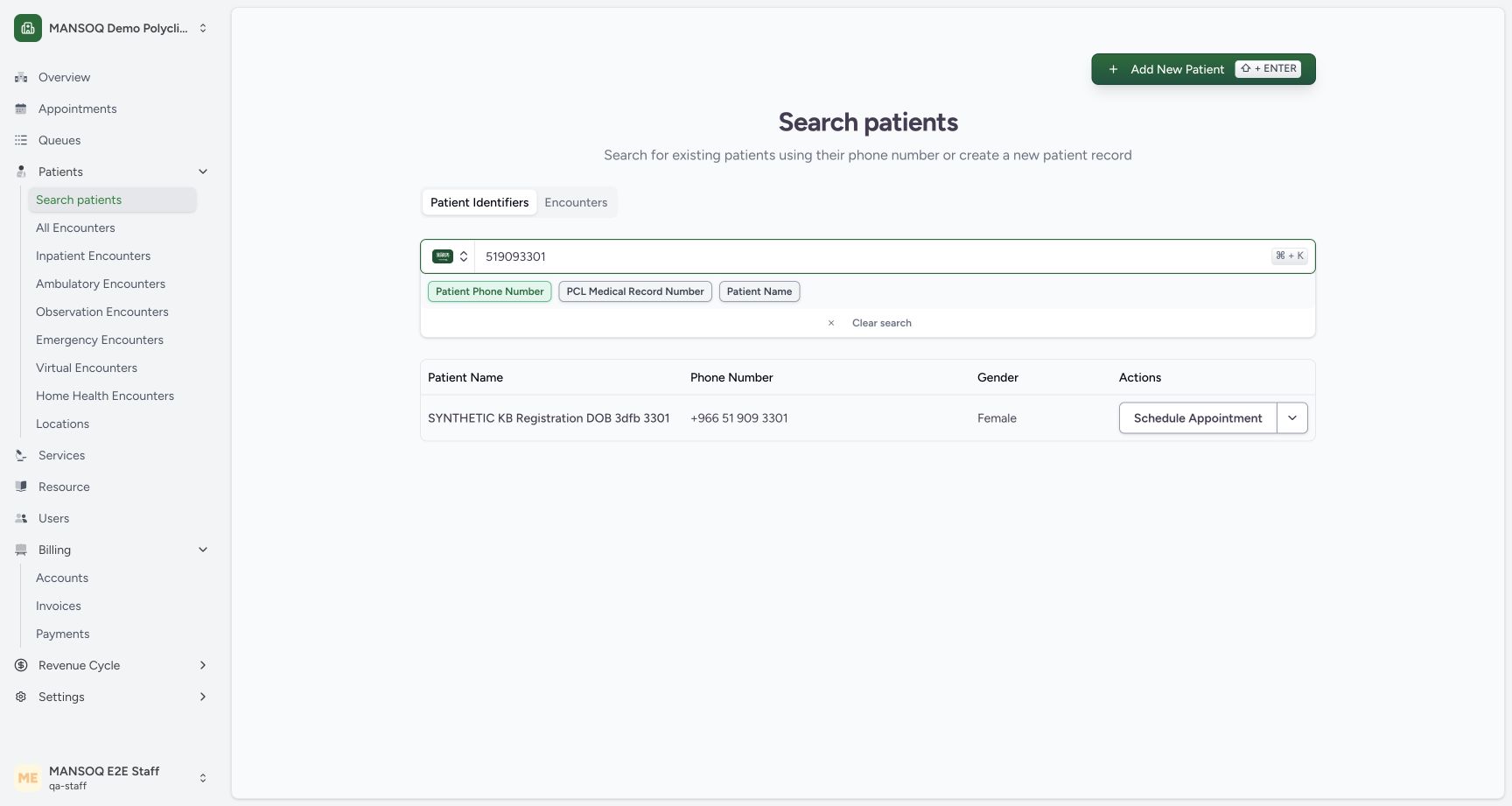
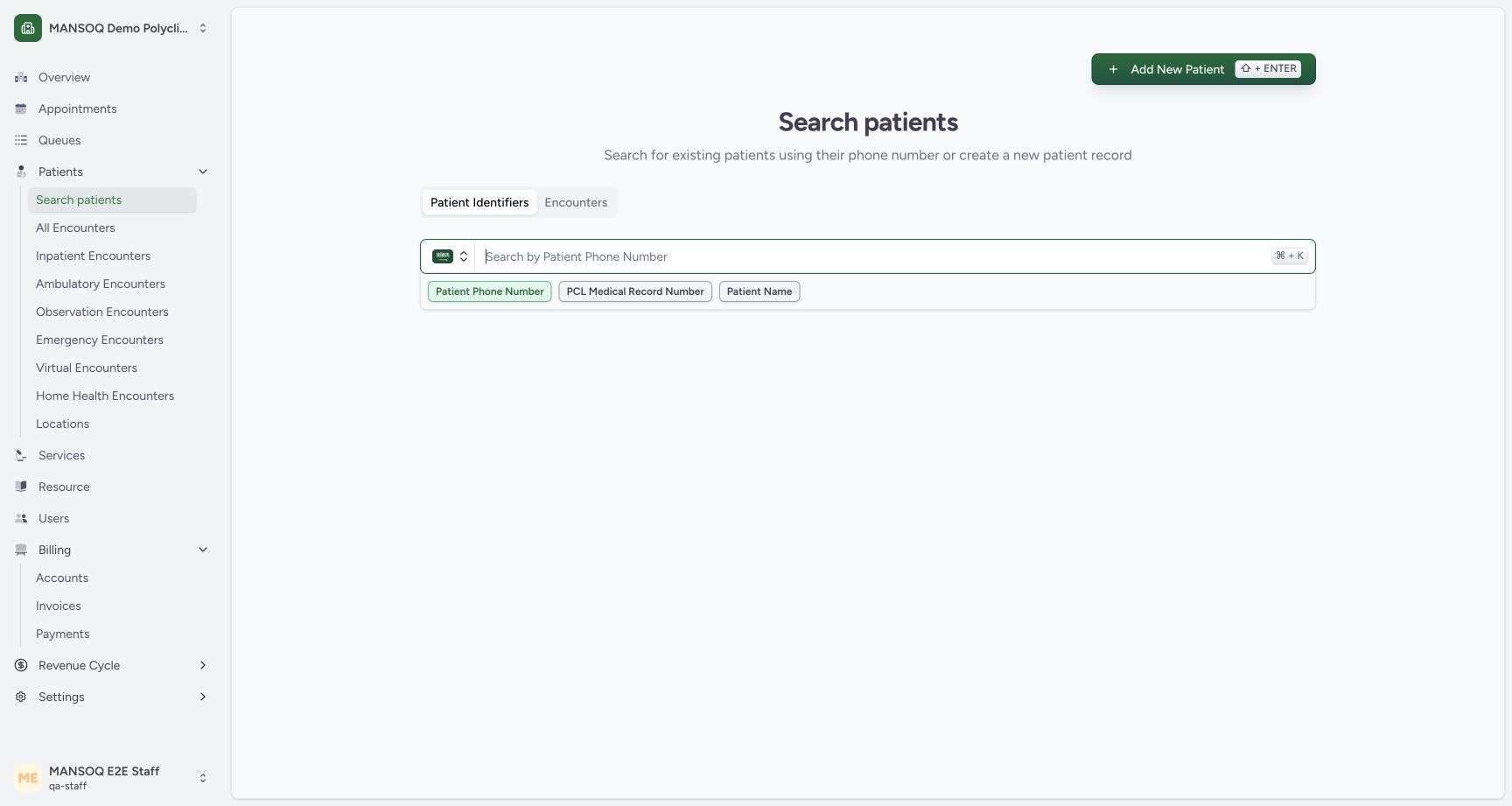
88153034ca02c4139b845661ad36d97306e37b85fb5299f7bdb5f478832740fd- Matching saved identity: Open the matching identity after checking its name, phone and sex.
- Clear search: Clear the current identifier search before looking up another patient.
1234Recorded release 3dfb7c9f · 2026-10-19T07:56:31.640Z · 1728 × 921 Existing phone warning requires an explicit choice
Capture details
Exact committed 3dfb source, existing non-superuser qa-staff and fictional Polyclinic. Two distinct fictional patients only. Genuine unchanged desktop pixels; native confirmation retains its actual smaller window. No care, admission, booking, grant or configuration mutation.
Image SHA-256
ffbc6b38a4cda4a573e20db1ecf3513d93c9f2c1d915c506536e52a611f91e2e- Patient Records Found: The entered phone already belongs to an existing saved record.
- Use the existing record path: This installed option returns to patient identification; choosing it does not itself create an admission.
- Different-person confirmation: Use only after confirming the person is absent from the listed records.
- Continue is disabled before choice: Select an explicit option before Continue becomes enabled.
1. Open a registration and review an existing-phone warning
Choose Add New Patient and enter the already registered phone ending 3301. The Patient Records Found dialog lists the matching synthetic name and gender. Read the warning before proceeding. Continue is disabled until a choice is selected.
 1
1Start a registration from Add New Patient
Capture details
Exact committed 3dfb source, existing non-superuser qa-staff and fictional Polyclinic. Two distinct fictional patients only. Genuine unchanged desktop pixels; native confirmation retains its actual smaller window. No care, admission, booking, grant or configuration mutation.
Image SHA-256 027796ade5fa06a15a77bfdd08a1cc0719c0e18eccb67a68b33c889b3df90fba
- Add New Patient: Open an unsaved registration to review duplicate-record warnings.
1234Existing phone warning requires an explicit choice
Capture details
Exact committed 3dfb source, existing non-superuser qa-staff and fictional Polyclinic. Two distinct fictional patients only. Genuine unchanged desktop pixels; native confirmation retains its actual smaller window. No care, admission, booking, grant or configuration mutation.
Image SHA-256 ffbc6b38a4cda4a573e20db1ecf3513d93c9f2c1d915c506536e52a611f91e2e
- Patient Records Found: The entered phone already belongs to an existing saved record.
- Use the existing record path: This installed option returns to patient identification; choosing it does not itself create an admission.
- Different-person confirmation: Use only after confirming the person is absent from the listed records.
- Continue is disabled before choice: Select an explicit option before Continue becomes enabled.
2. Use the existing-record identification path
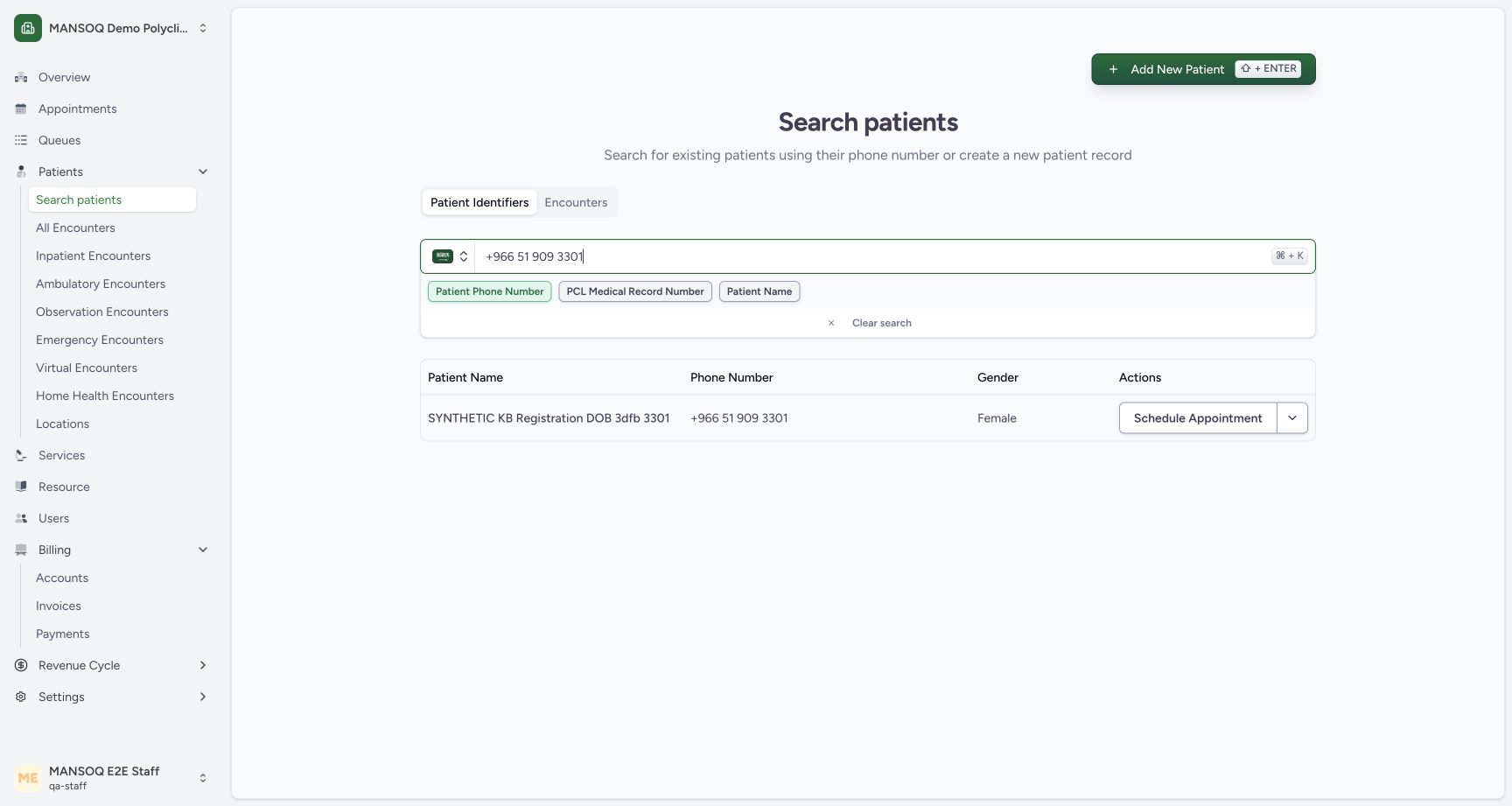
Select the installed option Admit the patient record to your facility by adding the year of birth, then choose Continue. The actual result returns to patient search with the matching existing record. This option alone did not create an admission, encounter or duplicate patient.
12Continue with the existing-record identification path
Capture details
Exact committed 3dfb source, existing non-superuser qa-staff and fictional Polyclinic. Two distinct fictional patients only. Genuine unchanged desktop pixels; native confirmation retains its actual smaller window. No care, admission, booking, grant or configuration mutation.
Image SHA-256 0ef1957eaa457c363fd0e548c230756eb161c9c3a150f6e81e6c4337069c5219
- Existing-record option selected: The existing-record path is selected.
- Continue to identification: Continue returns to patient identification without creating a duplicate record.
 12
12Existing-record choice returns to matching search
Capture details
Exact committed 3dfb source, existing non-superuser qa-staff and fictional Polyclinic. Two distinct fictional patients only. Genuine unchanged desktop pixels; native confirmation retains its actual smaller window. No care, admission, booking, grant or configuration mutation.
Image SHA-256 22bbc34043f9e4bffde49dd7d77da06fe15ec83f1e064e78b6b1bd27dccb3678
- Existing identity remains one record: The existing-record option returned to search for this same saved identity.
- Add New Patient: Open a new unsaved form for the separate different-person warning example.
3. Inspect the different-person path separately
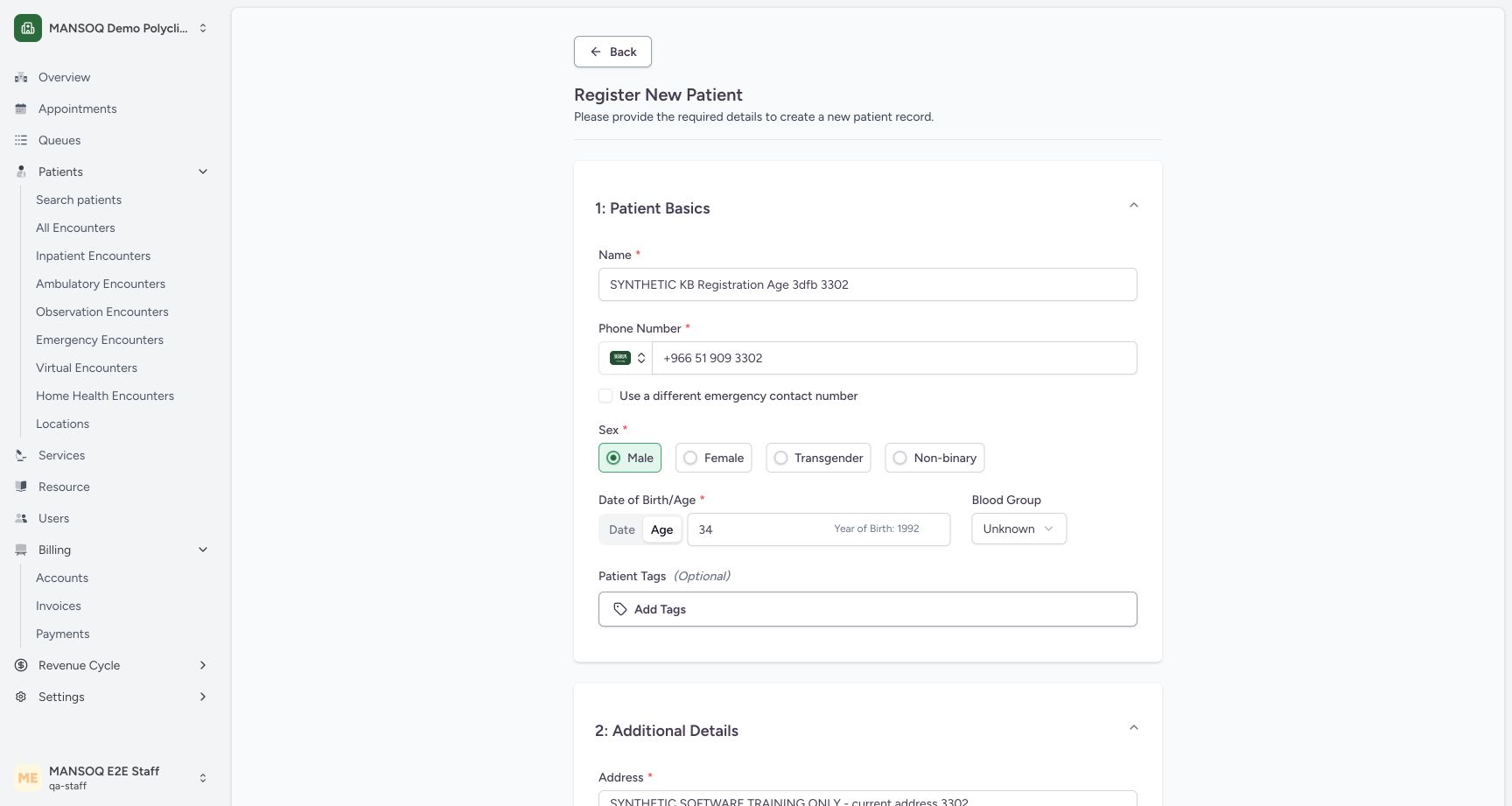
In a new unsaved form using the earlier phone, select I confirm that the patient I want to create is not on the list. and choose Continue. The form resumes without creating a patient. For the separate fictional second patient, the demonstration changes the name and phone to the distinct number ending 3302 before any registration save.
12Different-person confirmation resumes the unsaved form
Capture details
Exact committed 3dfb source, existing non-superuser qa-staff and fictional Polyclinic. Two distinct fictional patients only. Genuine unchanged desktop pixels; native confirmation retains its actual smaller window. No care, admission, booking, grant or configuration mutation.
Image SHA-256 fdb183487988236b07e618e06f013b4804fb23d35454625aa36bf40a202e159b
- Different-person confirmation selected: This option is selected only for the separate fictional person in this teaching example.
- Continue to unsaved form: Continue resumes registration; it does not create a patient by itself.
 1234
1234Review age-based registration with shared contact
Capture details
Exact committed 3dfb source, existing non-superuser qa-staff and fictional Polyclinic. Two distinct fictional patients only. Genuine unchanged desktop pixels; native confirmation retains its actual smaller window. No care, admission, booking, grant or configuration mutation.
Image SHA-256 b059b48aed24ca323044540cac698a6eb91301edcd81994921668242ec5548b1
- Distinct synthetic name: Review the second fictional patient name.
- Distinct phone ending 3302: The form now uses the approved different phone number ending 3302.
- Same emergency contact: Unchecked means the registered emergency number will use this phone.
- Age 34: Age 34 displays an approximate year of birth1992; it does not provide an exact birth date.
Source evidence
Every citation uses this exact committed version. The private source repository requires access.
- repositories/platform/mansoq-web/src/components/Patient/PatientRegistration.tsx:255 ·
3dfb7c9f519fb5b4cd4452439f3c12346bf58319Source file checksum
8a8dd34cad6ec2a2da6b43dbf55869a696cf7dc50f6d16af623bf7a4d9c2f92c - repositories/platform/mansoq-web/src/components/Patient/PatientRegistration.tsx:302 ·
3dfb7c9f519fb5b4cd4452439f3c12346bf58319Source file checksum
8a8dd34cad6ec2a2da6b43dbf55869a696cf7dc50f6d16af623bf7a4d9c2f92c - repositories/platform/mansoq-web/src/components/Facility/DuplicatePatientDialog.tsx:146 ·
3dfb7c9f519fb5b4cd4452439f3c12346bf58319Source file checksum
32e35e71823adbd11ff41f555c360e0e3b9555e04e0db4e44176c14b199651f2 - repositories/platform/mansoq-web/src/components/Facility/DuplicatePatientDialog.tsx:144 ·
3dfb7c9f519fb5b4cd4452439f3c12346bf58319Source file checksum
32e35e71823adbd11ff41f555c360e0e3b9555e04e0db4e44176c14b199651f2