 MANSOQ
 Scheduling and appointments · VERSION 664f6a8f
Create a private single-day practitioner template with capacity 2
Create a separate 45-minute future training session, keep it private and recognize the observed current-day date refusal.
Staff
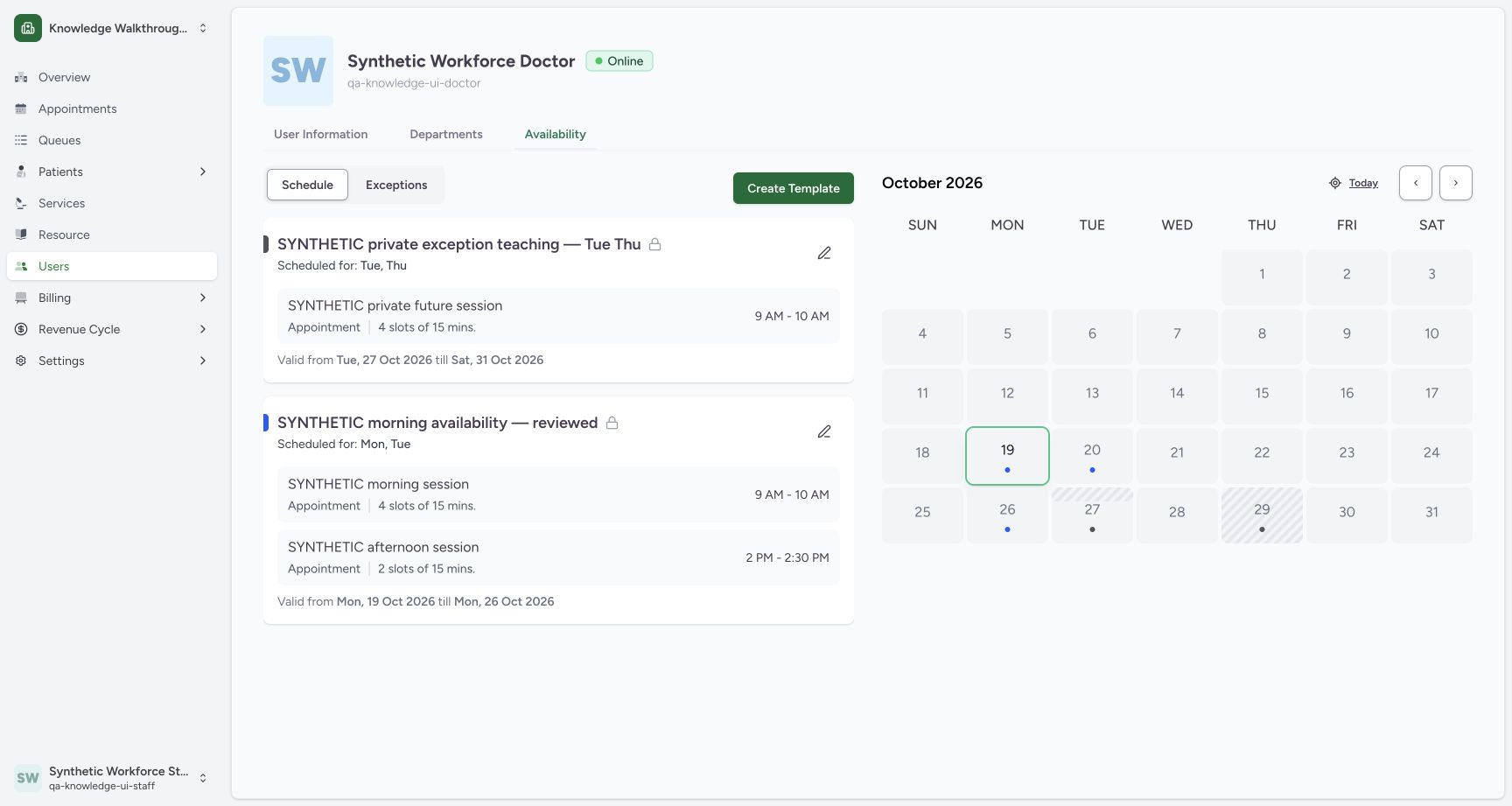 12
12Keep original templates separate
Capture details
Exact committed 664f6a8f source, ordinary existing Staff in the fictional Clinic. Genuine 1728 × 921 per-tab screenshot. Keep original templates separate.
Image SHA-256 93d5ab5b90bdb25cfab8436699833995df29edbb53d57e22e3edf7e0f7bc1e78
- Create Template: Create a separate private training template.
- Existing templates: Keep the two existing templates separate.
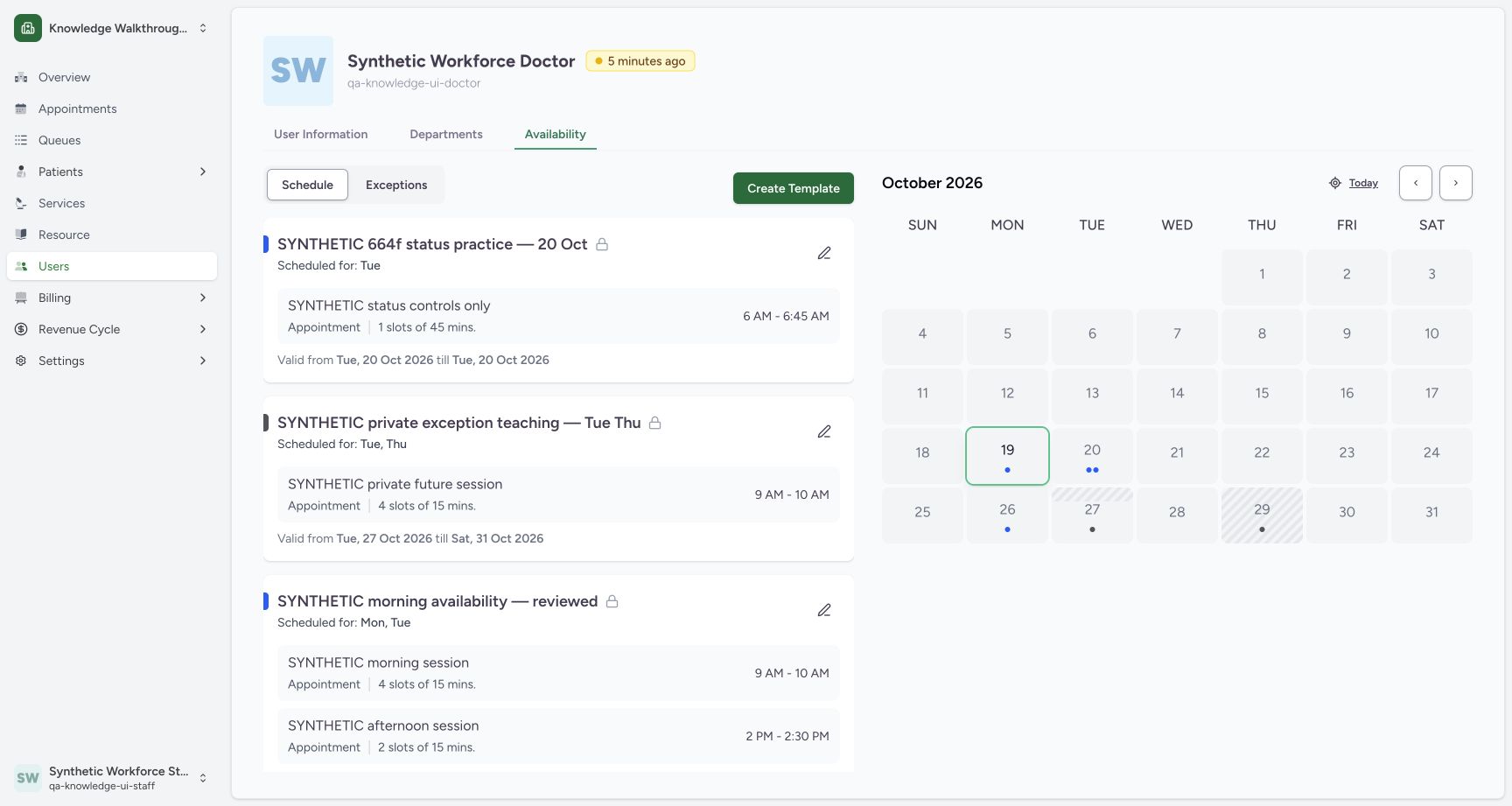 123
123Verify the saved private future template
Capture details
Exact committed 664f6a8f source, ordinary existing Staff in the fictional Clinic. Genuine 1728 × 921 per-tab screenshot. Verify the saved private future template.
Image SHA-256 0f42d660e39c06df34129a83960cc2034ae54b1ac485209273dbe2cea8531583
- Saved distinct template: The new private Tuesday template is present.
- One 45-minute slot: Review the saved session and 06:00–06:45 time.
- 20 October validity: Both dates are 20 October 2026.
9 of 9 content blocks have reviewed image alignment. Missing overview or prerequisite images remain open.
Before you begin
- Use an existing authorized Staff account in the intended Clinic and identify the correct practitioner. The screenshots use the fictional Clinic and Synthetic Workforce Doctor. Pictured times use Riyadh (UTC+03:00): the saved 03:00–03:45 UTC slot is displayed as 06:00–06:45. Confirm your configured scheduling timezone and browser date context; other timezone combinations are not verified here.
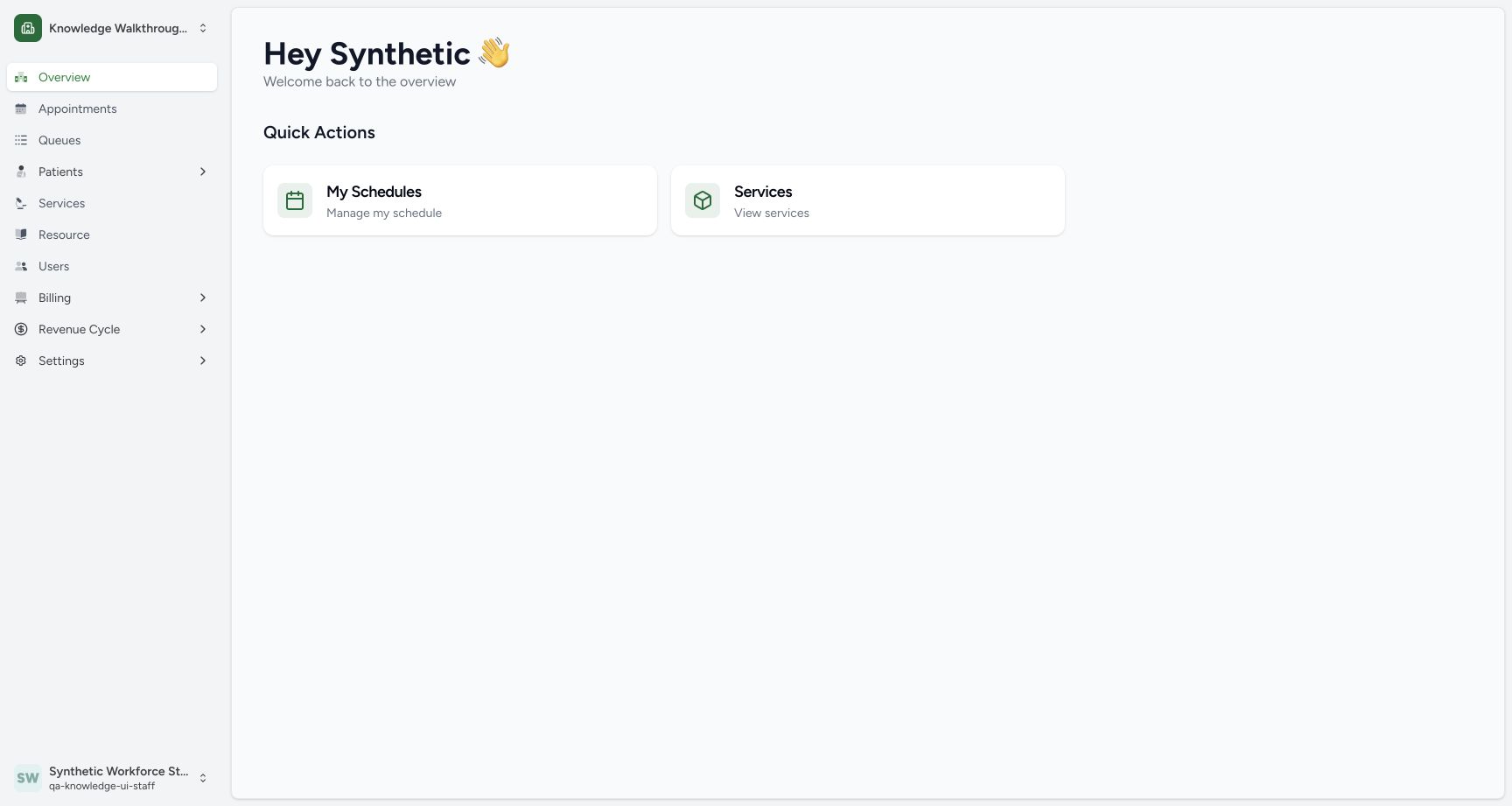 12
12Recorded release 664f6a8f · 2026-10-19T03:06:28.118Z · 1728 × 921 Recognize the Staff actor and fictional Clinic
Capture details
Exact committed 664f6a8f source, ordinary existing Staff in the fictional Clinic. Genuine 1728 × 921 per-tab screenshot. Recognize the Staff actor and fictional Clinic.
Image SHA-256
c23e97517fa732140164baf3c44e69c5bbd347bd48bb7375b59bab84751b14b2- Users: Open the users directory for the intended practitioner.
- Observed Staff actor: The existing synthetic Staff account is signed in.
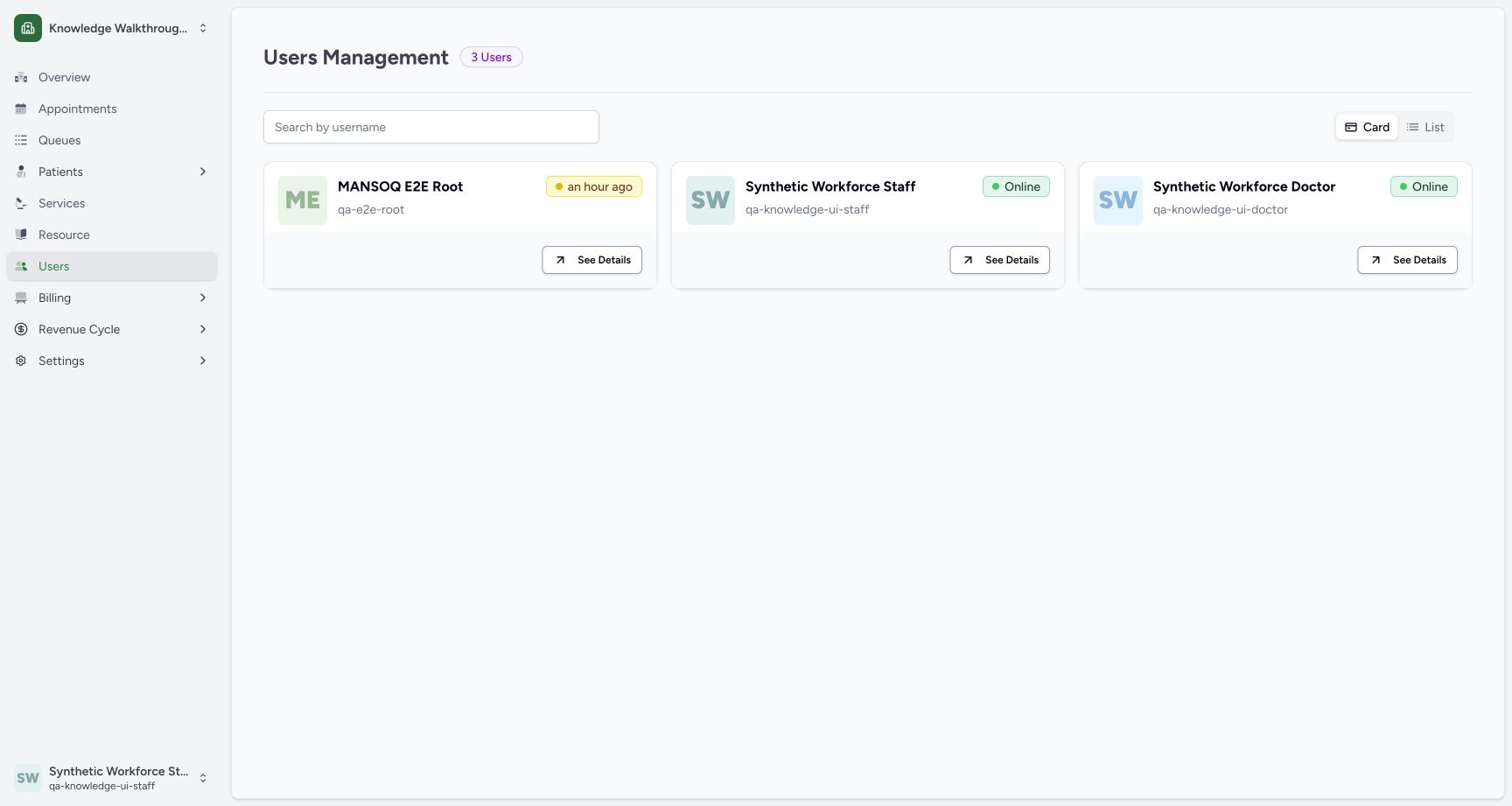 1
1Recorded release 664f6a8f · 2026-10-19T03:06:45.413Z · 1728 × 921 Open the existing Doctor card
Capture details
Exact committed 664f6a8f source, ordinary existing Staff in the fictional Clinic. Genuine 1728 × 921 per-tab screenshot. Open the existing Doctor card.
Image SHA-256
2ce699a15522af6810e74455fb72bfb23bd004e7f4e1b38b777a7db06eefac44- Doctor See Details: Open the card for Synthetic Workforce Doctor.
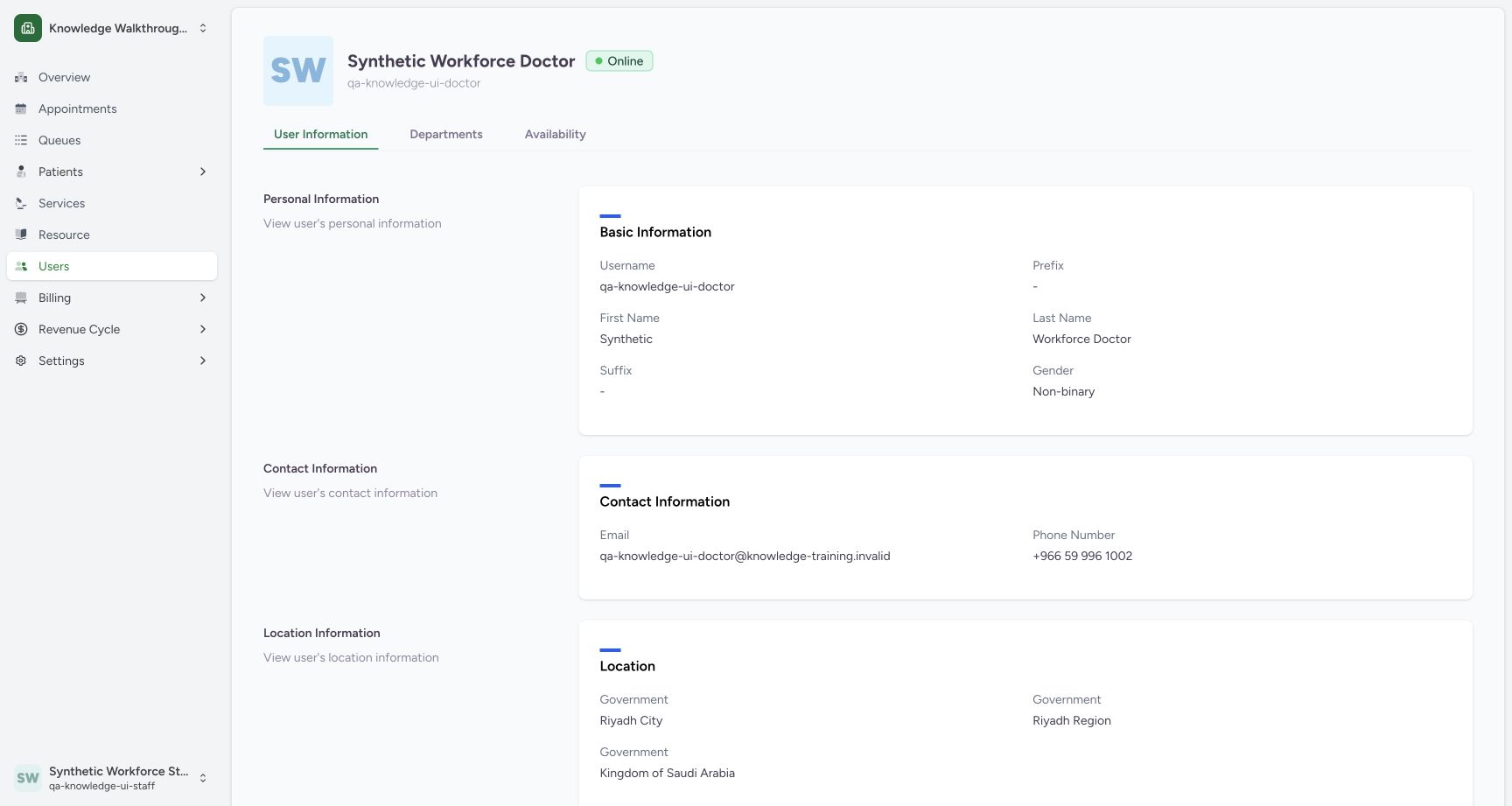 1
1Recorded release 664f6a8f · 2026-10-19T03:06:50.744Z · 1728 × 921 Open practitioner Availability
Capture details
Exact committed 664f6a8f source, ordinary existing Staff in the fictional Clinic. Genuine 1728 × 921 per-tab screenshot. Open practitioner Availability.
Image SHA-256
4e69546465e26547e3c632fe9683faa2f42041b3131fbdcf377f7d6bb85bc714- Availability: Open this Doctor’s schedule.
1. Open the intended practitioner
Check the signed-in Staff and Clinic, open Users, then use See Details on Synthetic Workforce Doctor. Open Availability.
12Recognize the Staff actor and fictional Clinic
Capture details
Exact committed 664f6a8f source, ordinary existing Staff in the fictional Clinic. Genuine 1728 × 921 per-tab screenshot. Recognize the Staff actor and fictional Clinic.
Image SHA-256 c23e97517fa732140164baf3c44e69c5bbd347bd48bb7375b59bab84751b14b2
- Users: Open the users directory for the intended practitioner.
- Observed Staff actor: The existing synthetic Staff account is signed in.
1Open the existing Doctor card
Capture details
Exact committed 664f6a8f source, ordinary existing Staff in the fictional Clinic. Genuine 1728 × 921 per-tab screenshot. Open the existing Doctor card.
Image SHA-256 2ce699a15522af6810e74455fb72bfb23bd004e7f4e1b38b777a7db06eefac44
- Doctor See Details: Open the card for Synthetic Workforce Doctor.
1Open practitioner Availability
Capture details
Exact committed 664f6a8f source, ordinary existing Staff in the fictional Clinic. Genuine 1728 × 921 per-tab screenshot. Open practitioner Availability.
Image SHA-256 4e69546465e26547e3c632fe9683faa2f42041b3131fbdcf377f7d6bb85bc714
- Availability: Open this Doctor’s schedule.
2. Create a separate template
In Schedule, keep the existing templates separate and use Create Template. The new sheet contains Template Name and validity dates.
12Keep original templates separate
Capture details
Exact committed 664f6a8f source, ordinary existing Staff in the fictional Clinic. Genuine 1728 × 921 per-tab screenshot. Keep original templates separate.
Image SHA-256 93d5ab5b90bdb25cfab8436699833995df29edbb53d57e22e3edf7e0f7bc1e78
- Create Template: Create a separate private training template.
- Existing templates: Keep the two existing templates separate.
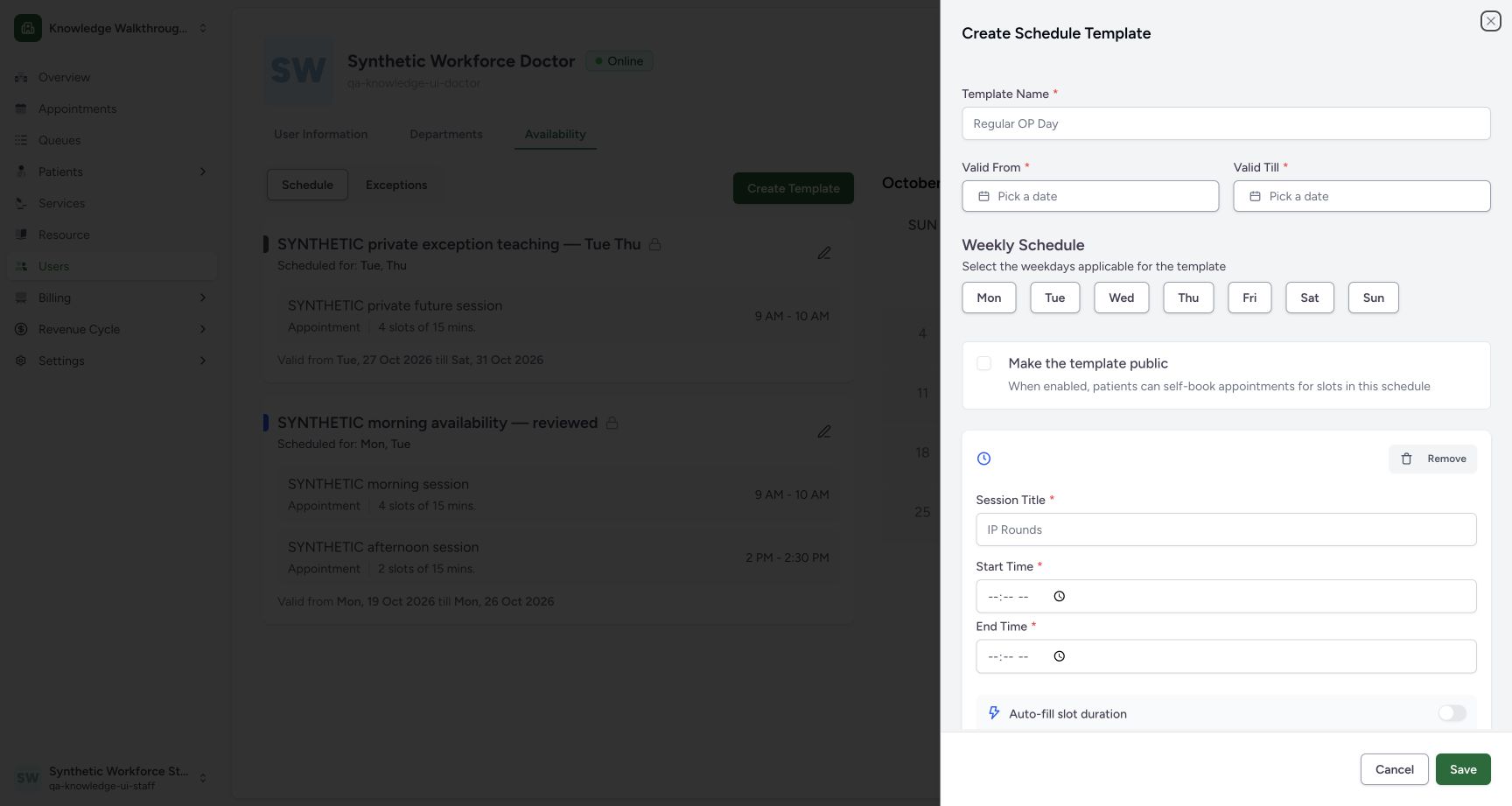 123
123Start a distinct private template
Capture details
Exact committed 664f6a8f source, ordinary existing Staff in the fictional Clinic. Genuine 1728 × 921 per-tab screenshot. Start a distinct private template.
Image SHA-256 e2703c0ec100d825915008917c1504c1e28cf016efec9815e9d678f99516e3c8
- Template Name: Enter a distinct synthetic name.
- Valid From: Choose the intended validity date.
- Valid Till: Choose the intended last valid date.
3. Set the future date, weekday and private visibility
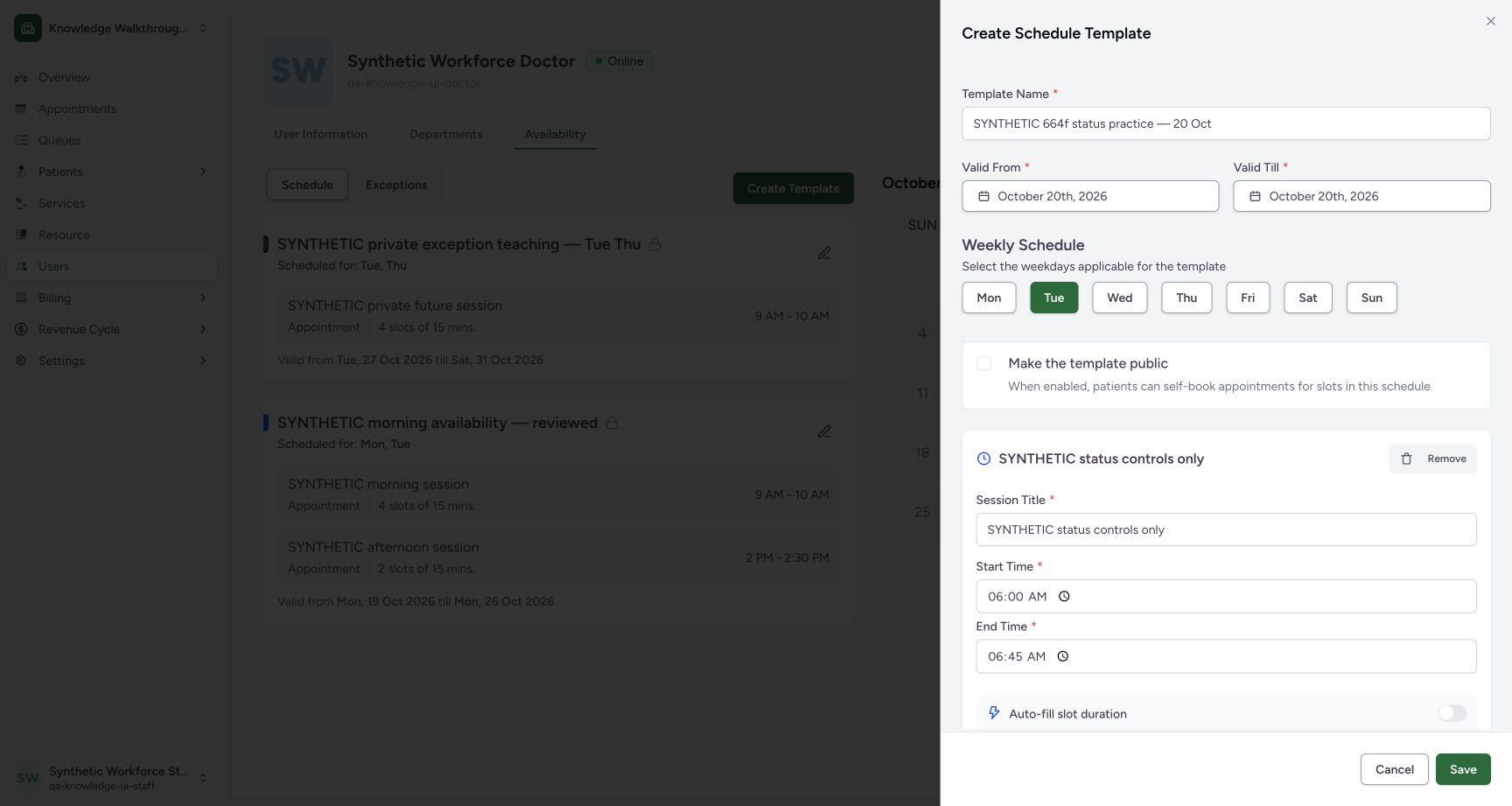
Enter SYNTHETIC 664f status practice — 20 Oct. This example uses 20 October 2026 for both Valid From and Valid Till, with Tuesday selected. Keep Make the template public unchecked.
 12345678
Review the approved future single-day template
Capture details
Exact committed 664f6a8f source, ordinary existing Staff in the fictional Clinic. Genuine 1728 × 921 per-tab screenshot. Review the approved future single-day template.
Image SHA-256 f0b228c681545b1060711b32944d2b9f87afc5631e1366248e7bc11d1df9ba7c
- Distinct name: The saved example is named for 20 October.
- Valid From 20 October: Choose the approved future training day.
- Valid Till 20 October: This is a single-day example.
- Tuesday: Match the weekday to the intended date.
- Private: Keep Make the template public unchecked.
- Session Title: Use a clearly synthetic session name.
- Start 06:00: Review the intended local start time.
- End 06:45: Review the intended local end time.
4. Enter the single session
Use SYNTHETIC status controls only, 06:00–06:45. Scroll within the sheet to review Slot duration 45 minutes and Patients per Slot 2. The form calculates one slot and approximately 22.5 minutes per patient for this fictional capacity.
12345678Review the approved future single-day template
Capture details
Exact committed 664f6a8f source, ordinary existing Staff in the fictional Clinic. Genuine 1728 × 921 per-tab screenshot. Review the approved future single-day template.
Image SHA-256 f0b228c681545b1060711b32944d2b9f87afc5631e1366248e7bc11d1df9ba7c
- Distinct name: The saved example is named for 20 October.
- Valid From 20 October: Choose the approved future training day.
- Valid Till 20 October: This is a single-day example.
- Tuesday: Match the weekday to the intended date.
- Private: Keep Make the template public unchecked.
- Session Title: Use a clearly synthetic session name.
- Start 06:00: Review the intended local start time.
- End 06:45: Review the intended local end time.
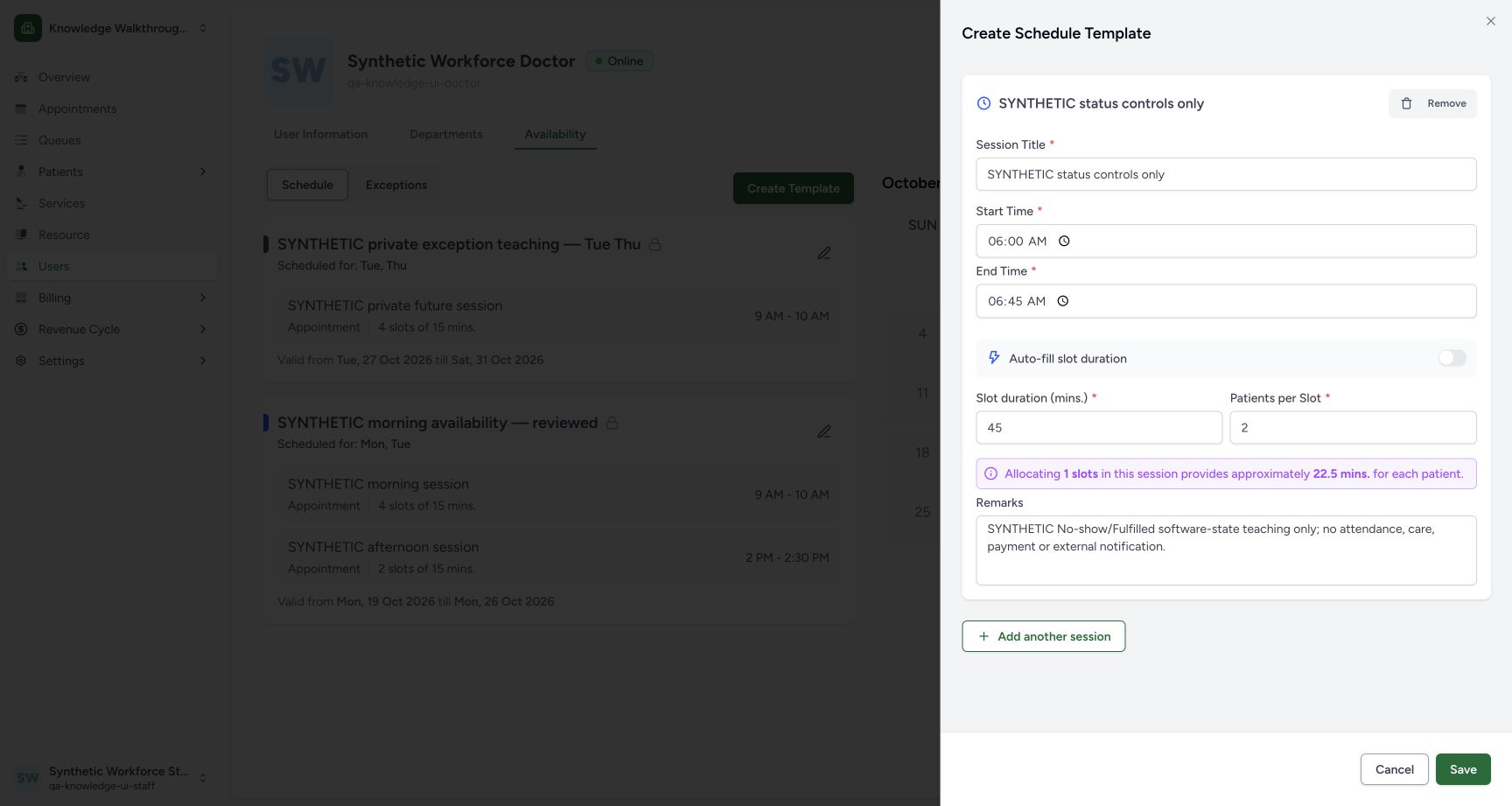 1234
1234Set 45-minute slots and capacity 2
Capture details
Exact committed 664f6a8f source, ordinary existing Staff in the fictional Clinic. Genuine 1728 × 921 per-tab screenshot. Set 45-minute slots and capacity 2.
Image SHA-256 31a710e403d086f563ef2aba85cb72109460bf991825814f194d5c0ea5504f77
- 45-minute slot: The single session is one 45-minute slot.
- Capacity 2: The example permits two fictional appointments.
- Synthetic remarks: Record that this is software-state practice.
- Save: Save the reviewed private template once.
5. Save and verify the new template
Review the synthetic remarks and use Save once. Confirm the new private template card, Tuesday session, 1 slot of 45 minutes, 6 AM–6:45 AM and validity on 20 October 2026.
1234Set 45-minute slots and capacity 2
Capture details
Exact committed 664f6a8f source, ordinary existing Staff in the fictional Clinic. Genuine 1728 × 921 per-tab screenshot. Set 45-minute slots and capacity 2.
Image SHA-256 31a710e403d086f563ef2aba85cb72109460bf991825814f194d5c0ea5504f77
- 45-minute slot: The single session is one 45-minute slot.
- Capacity 2: The example permits two fictional appointments.
- Synthetic remarks: Record that this is software-state practice.
- Save: Save the reviewed private template once.
123Verify the saved private future template
Capture details
Exact committed 664f6a8f source, ordinary existing Staff in the fictional Clinic. Genuine 1728 × 921 per-tab screenshot. Verify the saved private future template.
Image SHA-256 0f42d660e39c06df34129a83960cc2034ae54b1ac485209273dbe2cea8531583
- Saved distinct template: The new private Tuesday template is present.
- One 45-minute slot: Review the saved session and 06:00–06:45 time.
- 20 October validity: Both dates are 20 October 2026.
Keep the saved example separate
The new status-practice card appears above the earlier private templates. Its future date is used only for the later software-state examples; it is not an attendance record.
123Verify the saved private future template
Capture details
Exact committed 664f6a8f source, ordinary existing Staff in the fictional Clinic. Genuine 1728 × 921 per-tab screenshot. Verify the saved private future template.
Image SHA-256 0f42d660e39c06df34129a83960cc2034ae54b1ac485209273dbe2cea8531583
- Saved distinct template: The new private Tuesday template is present.
- One 45-minute slot: Review the saved session and 06:00–06:45 time.
- 20 October validity: Both dates are 20 October 2026.
Troubleshooting
A selected current date is refused as before the current date
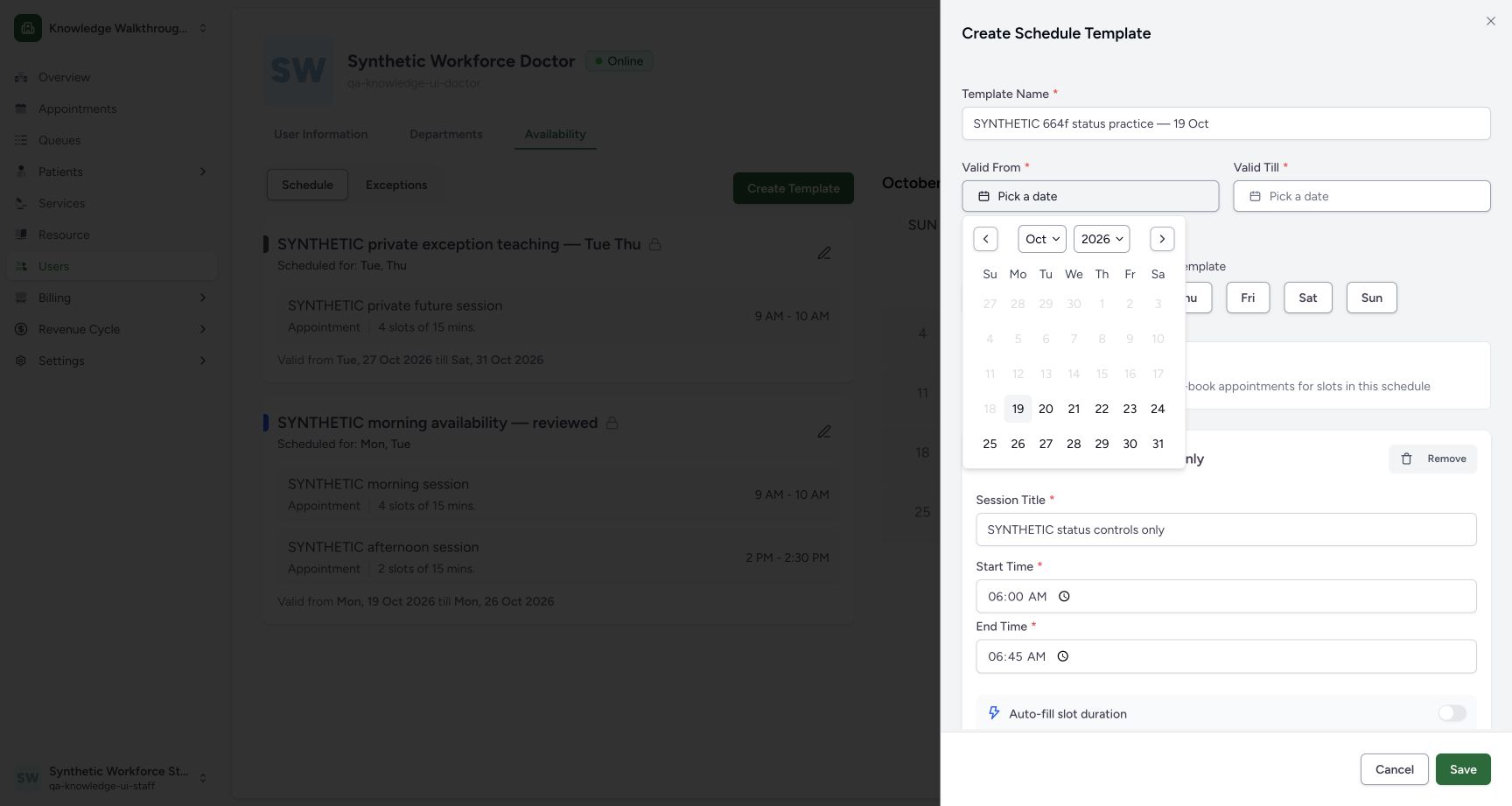
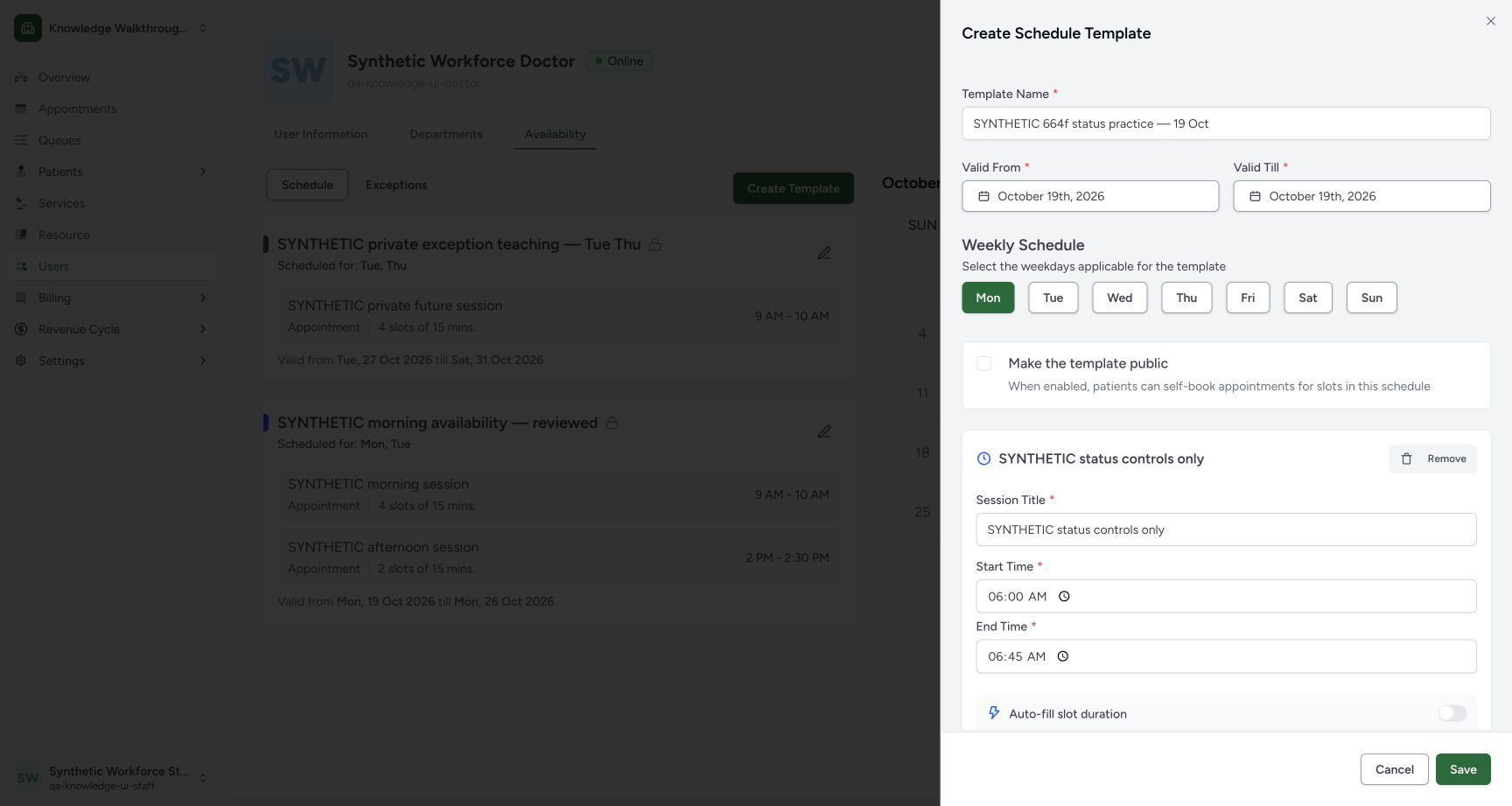
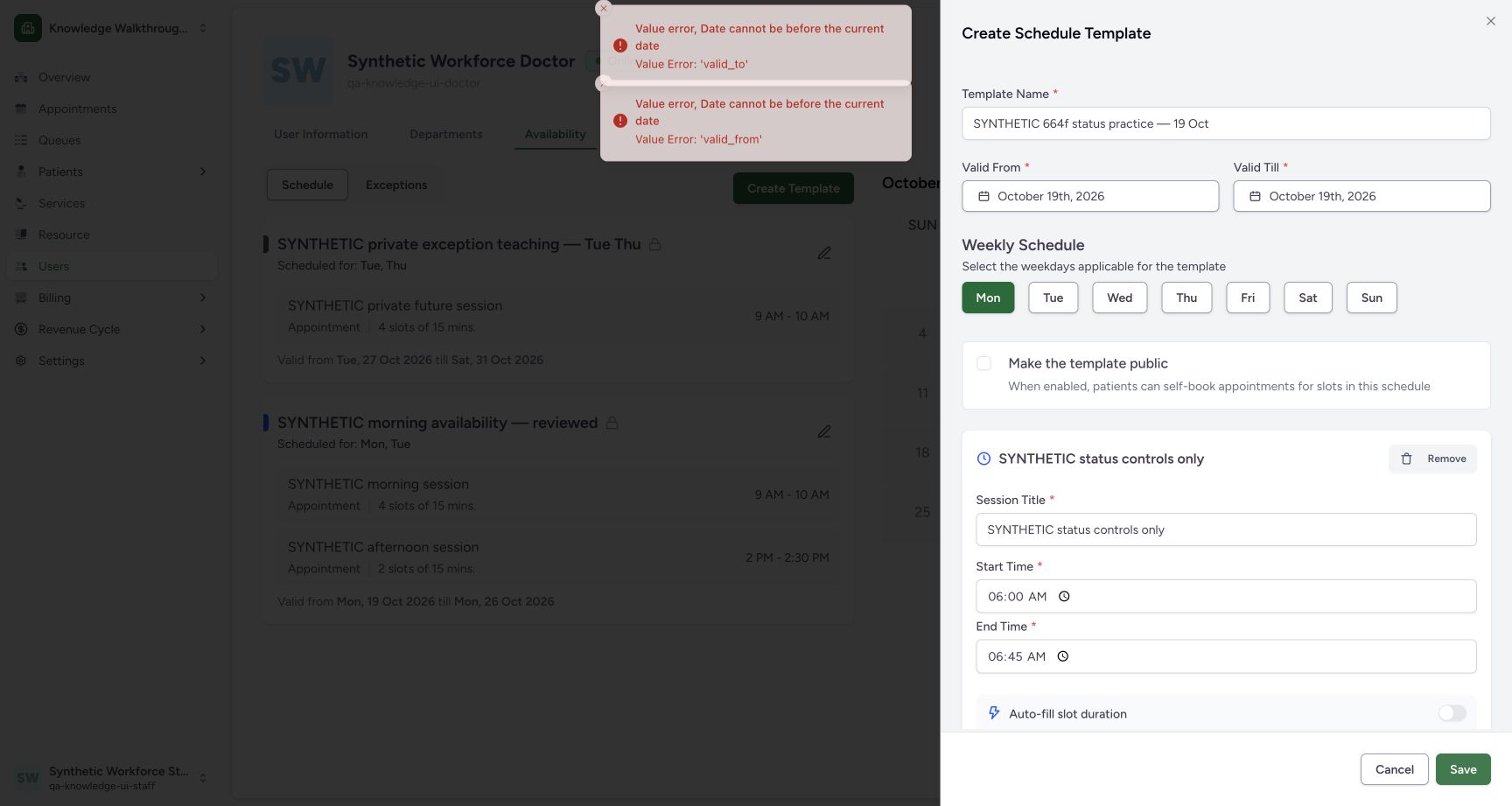
In the observed 664f version the picker offered 19 October, but Save returned the displayed validity errors for both fields. No template was saved by that attempt. This lesson then used the separately approved future date, 20 October, with Tuesday selected; it does not claim current-day creation succeeded.
 1
1Recognize the date picker’s current-day option
Capture details
Exact committed 664f6a8f source, ordinary existing Staff in the fictional Clinic. Genuine 1728 × 921 per-tab screenshot. Recognize the date picker’s current-day option.
Image SHA-256 30f6f9f9af110fcd4da150d7339d70085dac0721850fe09dff070ff83984a196
- Current date selectable: The date picker offers 19 October; the later Save refusal is shown separately.
 123
123Review the refused current-day draft
Capture details
Exact committed 664f6a8f source, ordinary existing Staff in the fictional Clinic. Genuine 1728 × 921 per-tab screenshot. Review the refused current-day draft.
Image SHA-256 4a73115b96a5239c58c2aea02fc253bfa1a2764f08a065ba98ec04a264487df2
- 19 October: The first draft uses the current day.
- Monday: The draft weekday matches 19 October.
- Save: The attempted normal Save is refused in the following image.
 12
12Read the actual current-day validity refusal
Capture details
Exact committed 664f6a8f source, ordinary existing Staff in the fictional Clinic. Genuine 1728 × 921 per-tab screenshot. Read the actual current-day validity refusal.
Image SHA-256 9e579d672484306e79d673725cffd93544c73fba11369d4bf4578867aa6217d2
- Actual date refusal: Both validity fields report Date cannot be before the current date.
- Save: This normal Save produced the displayed date errors.
12345678Review the approved future single-day template
Capture details
Exact committed 664f6a8f source, ordinary existing Staff in the fictional Clinic. Genuine 1728 × 921 per-tab screenshot. Review the approved future single-day template.
Image SHA-256 f0b228c681545b1060711b32944d2b9f87afc5631e1366248e7bc11d1df9ba7c
- Distinct name: The saved example is named for 20 October.
- Valid From 20 October: Choose the approved future training day.
- Valid Till 20 October: This is a single-day example.
- Tuesday: Match the weekday to the intended date.
- Private: Keep Make the template public unchecked.
- Session Title: Use a clearly synthetic session name.
- Start 06:00: Review the intended local start time.
- End 06:45: Review the intended local end time.
123Verify the saved private future template
Capture details
Exact committed 664f6a8f source, ordinary existing Staff in the fictional Clinic. Genuine 1728 × 921 per-tab screenshot. Verify the saved private future template.
Image SHA-256 0f42d660e39c06df34129a83960cc2034ae54b1ac485209273dbe2cea8531583
- Saved distinct template: The new private Tuesday template is present.
- One 45-minute slot: Review the saved session and 06:00–06:45 time.
- 20 October validity: Both dates are 20 October 2026.
Source evidence
Every citation uses this exact committed version. The private source repository requires access.
- repositories/platform/mansoq-web/src/pages/Scheduling/components/CreateScheduleTemplateSheet.tsx:88 ·
664f6a8fd787188f6481a6cb6f72a98c9d5fa22bSource file checksum
b68e6f0eda7973b933e2d0eb912e6f7292382a6216342c687ffca78493f80803 - repositories/platform/mansoq-web/src/pages/Scheduling/components/CreateScheduleTemplateSheet.tsx:233 ·
664f6a8fd787188f6481a6cb6f72a98c9d5fa22bSource file checksum
b68e6f0eda7973b933e2d0eb912e6f7292382a6216342c687ffca78493f80803 - repositories/platform/mansoq-core/mansoq/emr/resources/scheduling/schedule/spec.py:141 ·
664f6a8fd787188f6481a6cb6f72a98c9d5fa22bSource file checksum
b57f548fd7d9e0aad687cd63d90263172f818459d2b513e7923610c254ea81e2 - repositories/platform/mansoq-core/mansoq/emr/resources/scheduling/schedule/spec.py:56 ·
664f6a8fd787188f6481a6cb6f72a98c9d5fa22bSource file checksum
b57f548fd7d9e0aad687cd63d90263172f818459d2b513e7923610c254ea81e2 - repositories/platform/mansoq-web/src/types/scheduling/scheduleApi.ts:1 ·
664f6a8fd787188f6481a6cb6f72a98c9d5fa22bSource file checksum
09bef9454cad793d68a19beeffa4db57fbb9b56f70577abbcaf3dc70fd30ed51