 MANSOQ
 Manager dashboards and monitoring · VERSION 8d99bb8a
Monitor queue definitions and review reports
Use the four queue-monitoring tabs and their loaded empty states while keeping configured queues, work items and operational proof separate.
Facility Admin
 1234
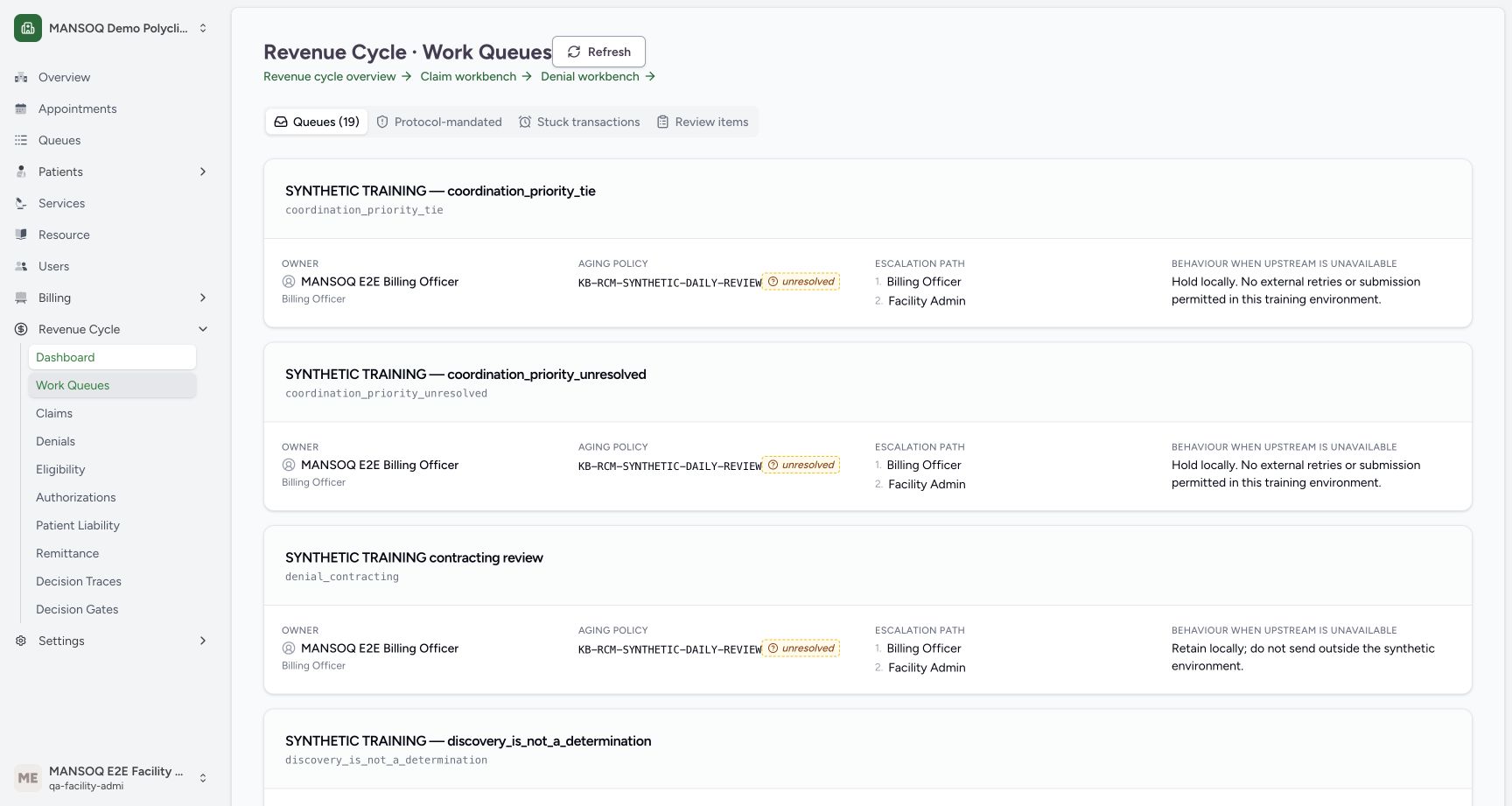
1234Configured synthetic work queues
Capture details
Exact committed release 8d99, isolated synthetic Polyclinic. Existing non-superuser Facility Admin; no new permissions. Source and139 frontend assets independently verified. Read-only manager teaching, not production deployment, bank reconciliation, payer acceptance or clinical/tax approval.
Image SHA-256 75e641f7f2760aa01f525380107619b83cd24506fc68209d44d2a383f2a61069
- Configured queues: This is the number of configured queue definitions, not the dashboard count of open work items.
- Refresh queues: Reload the queue definition list.
- Aging policy unresolved: A stored policy label can remain unresolved.
- Upstream outage behavior: The demonstrated instructions explicitly retain work locally.
10 of 10 content blocks have reviewed image alignment. Missing overview or prerequisite images remain open.
Before you begin
- Use the intended facility with existing account-read and claim-management permissions for the displayed queue surfaces. This example uses the same normal Facility Admin; no new access is granted.
 123
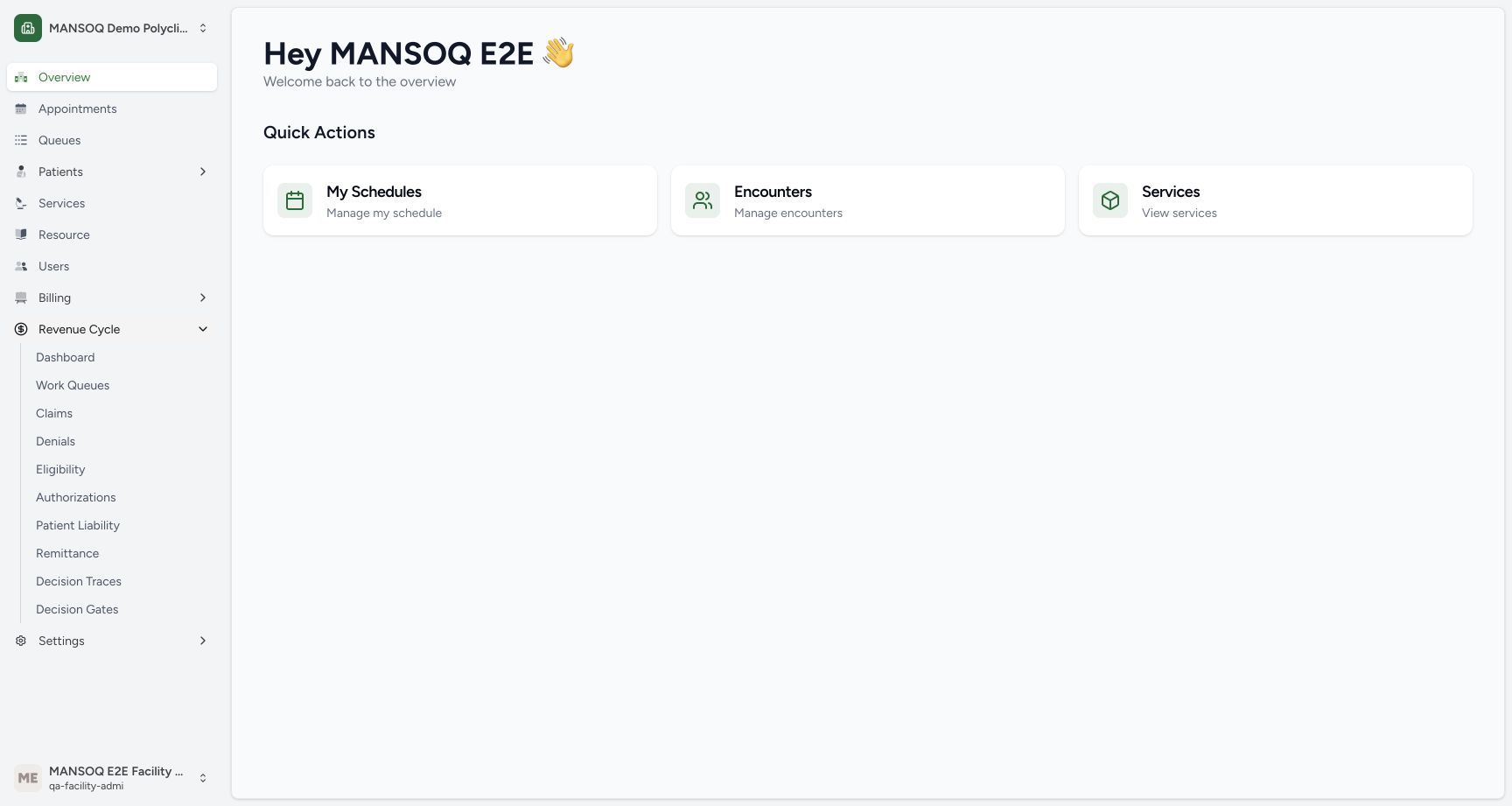
123Recorded release 8d99bb8a · 2026-10-19T03:52:06.908335+00:00 · 1728 × 921 Open Dashboard from the actual Revenue Cycle menu
Capture details
Exact committed release 8d99, isolated synthetic Polyclinic. Existing non-superuser Facility Admin; no new permissions. Source and139 frontend assets independently verified. Read-only manager teaching, not production deployment, bank reconciliation, payer acceptance or clinical/tax approval.
Image SHA-256
2d1d5cd0c0c4267cd28b6ec03b04d7c911a9d1f0614ef17ba15122e3ce1df315- Revenue Cycle menu: Expand this existing facility menu.
- Dashboard link: Open the aggregate revenue dashboard.
- Existing manager account: The demonstrated role is Facility Admin.
1234Recorded release 8d99bb8a · 2026-10-19T03:53:01.350694+00:00 · 1728 × 921 Configured synthetic work queues
Capture details
Exact committed release 8d99, isolated synthetic Polyclinic. Existing non-superuser Facility Admin; no new permissions. Source and139 frontend assets independently verified. Read-only manager teaching, not production deployment, bank reconciliation, payer acceptance or clinical/tax approval.
Image SHA-256
75e641f7f2760aa01f525380107619b83cd24506fc68209d44d2a383f2a61069- Configured queues: This is the number of configured queue definitions, not the dashboard count of open work items.
- Refresh queues: Reload the queue definition list.
- Aging policy unresolved: A stored policy label can remain unresolved.
- Upstream outage behavior: The demonstrated instructions explicitly retain work locally.
1. Open Work Queues
Choose Work Queues in Revenue Cycle. The Queues tab shows 19 configured definitions. This differs from the dashboard’s 150 open work items; the two counts describe different records.
123Open Dashboard from the actual Revenue Cycle menu
Capture details
Exact committed release 8d99, isolated synthetic Polyclinic. Existing non-superuser Facility Admin; no new permissions. Source and139 frontend assets independently verified. Read-only manager teaching, not production deployment, bank reconciliation, payer acceptance or clinical/tax approval.
Image SHA-256 2d1d5cd0c0c4267cd28b6ec03b04d7c911a9d1f0614ef17ba15122e3ce1df315
- Revenue Cycle menu: Expand this existing facility menu.
- Dashboard link: Open the aggregate revenue dashboard.
- Existing manager account: The demonstrated role is Facility Admin.
1234Configured synthetic work queues
Capture details
Exact committed release 8d99, isolated synthetic Polyclinic. Existing non-superuser Facility Admin; no new permissions. Source and139 frontend assets independently verified. Read-only manager teaching, not production deployment, bank reconciliation, payer acceptance or clinical/tax approval.
Image SHA-256 75e641f7f2760aa01f525380107619b83cd24506fc68209d44d2a383f2a61069
- Configured queues: This is the number of configured queue definitions, not the dashboard count of open work items.
- Refresh queues: Reload the queue definition list.
- Aging policy unresolved: A stored policy label can remain unresolved.
- Upstream outage behavior: The demonstrated instructions explicitly retain work locally.
2. Read the owner and unresolved policy
Read the queue owner, aging policy, escalation path and behavior when upstream is unavailable. The shown queues have fictional Billing Officer ownership and an unresolved aging-policy label. Do not substitute the presence of a policy name for an established deadline. The outage instructions retain work locally.
1234Configured synthetic work queues
Capture details
Exact committed release 8d99, isolated synthetic Polyclinic. Existing non-superuser Facility Admin; no new permissions. Source and139 frontend assets independently verified. Read-only manager teaching, not production deployment, bank reconciliation, payer acceptance or clinical/tax approval.
Image SHA-256 75e641f7f2760aa01f525380107619b83cd24506fc68209d44d2a383f2a61069
- Configured queues: This is the number of configured queue definitions, not the dashboard count of open work items.
- Refresh queues: Reload the queue definition list.
- Aging policy unresolved: A stored policy label can remain unresolved.
- Upstream outage behavior: The demonstrated instructions explicitly retain work locally.
3. Refresh queue definitions
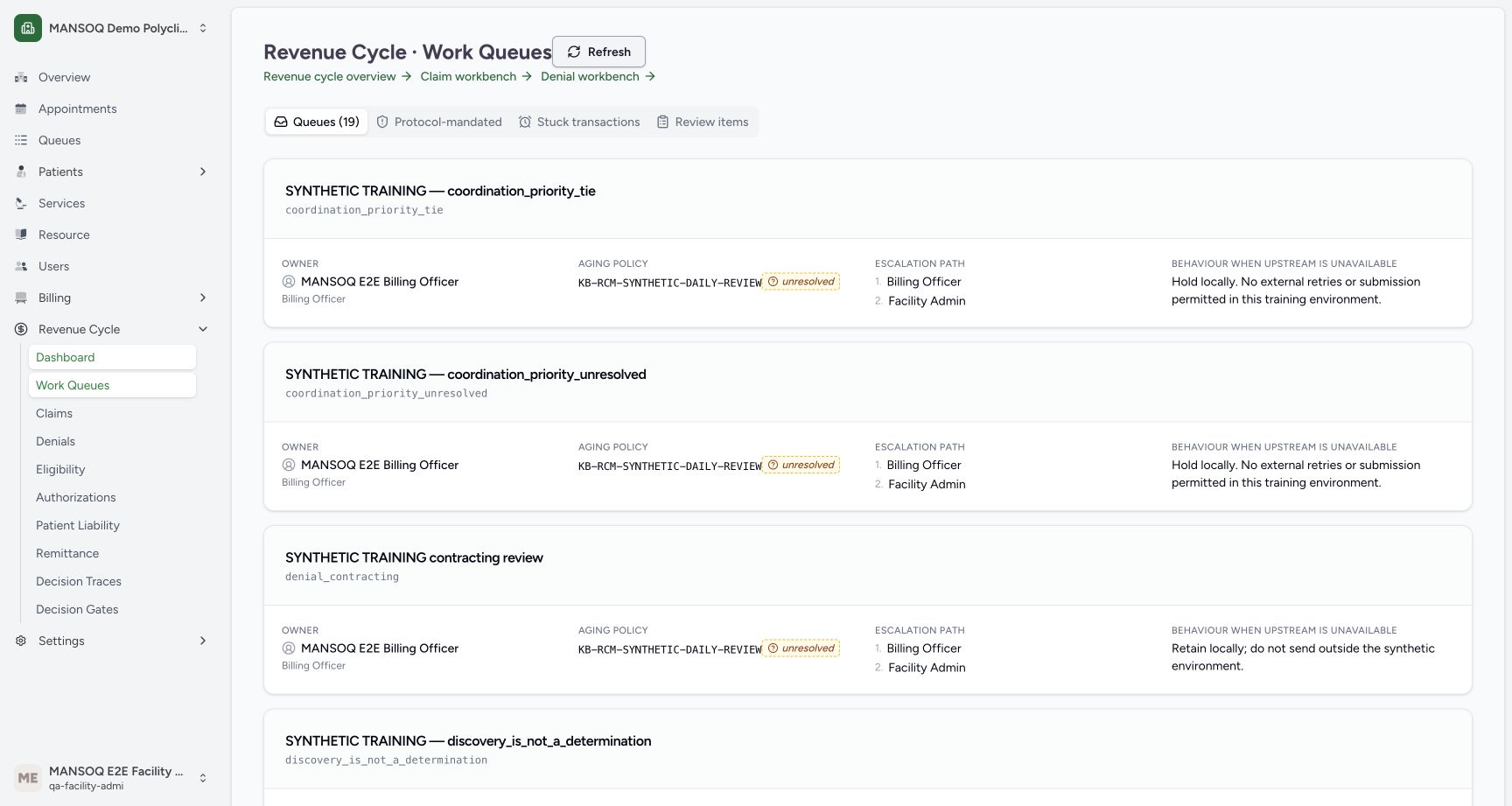
Choose Refresh and wait for the queue list to settle. In this page the top Refresh refetches the queue definition list; it does not guarantee that every separate tab report has been rerun. The demonstrated count remains 19.
1234Configured synthetic work queues
Capture details
Exact committed release 8d99, isolated synthetic Polyclinic. Existing non-superuser Facility Admin; no new permissions. Source and139 frontend assets independently verified. Read-only manager teaching, not production deployment, bank reconciliation, payer acceptance or clinical/tax approval.
Image SHA-256 75e641f7f2760aa01f525380107619b83cd24506fc68209d44d2a383f2a61069
- Configured queues: This is the number of configured queue definitions, not the dashboard count of open work items.
- Refresh queues: Reload the queue definition list.
- Aging policy unresolved: A stored policy label can remain unresolved.
- Upstream outage behavior: The demonstrated instructions explicitly retain work locally.
 1234
1234Queue definitions after Refresh
Capture details
Exact committed release 8d99, isolated synthetic Polyclinic. Existing non-superuser Facility Admin; no new permissions. Source and139 frontend assets independently verified. Read-only manager teaching, not production deployment, bank reconciliation, payer acceptance or clinical/tax approval.
Image SHA-256 742eff4869ded3080841f7602da58d0eb22bd6083c5adeb5bb1e4d0a729f6d7c
- Configured queues: This is the number of configured queue definitions, not the dashboard count of open work items.
- Refresh queues: Reload the queue definition list.
- Aging policy unresolved: A stored policy label can remain unresolved.
- Upstream outage behavior: The demonstrated instructions explicitly retain work locally.
4. Read the protocol requirement report
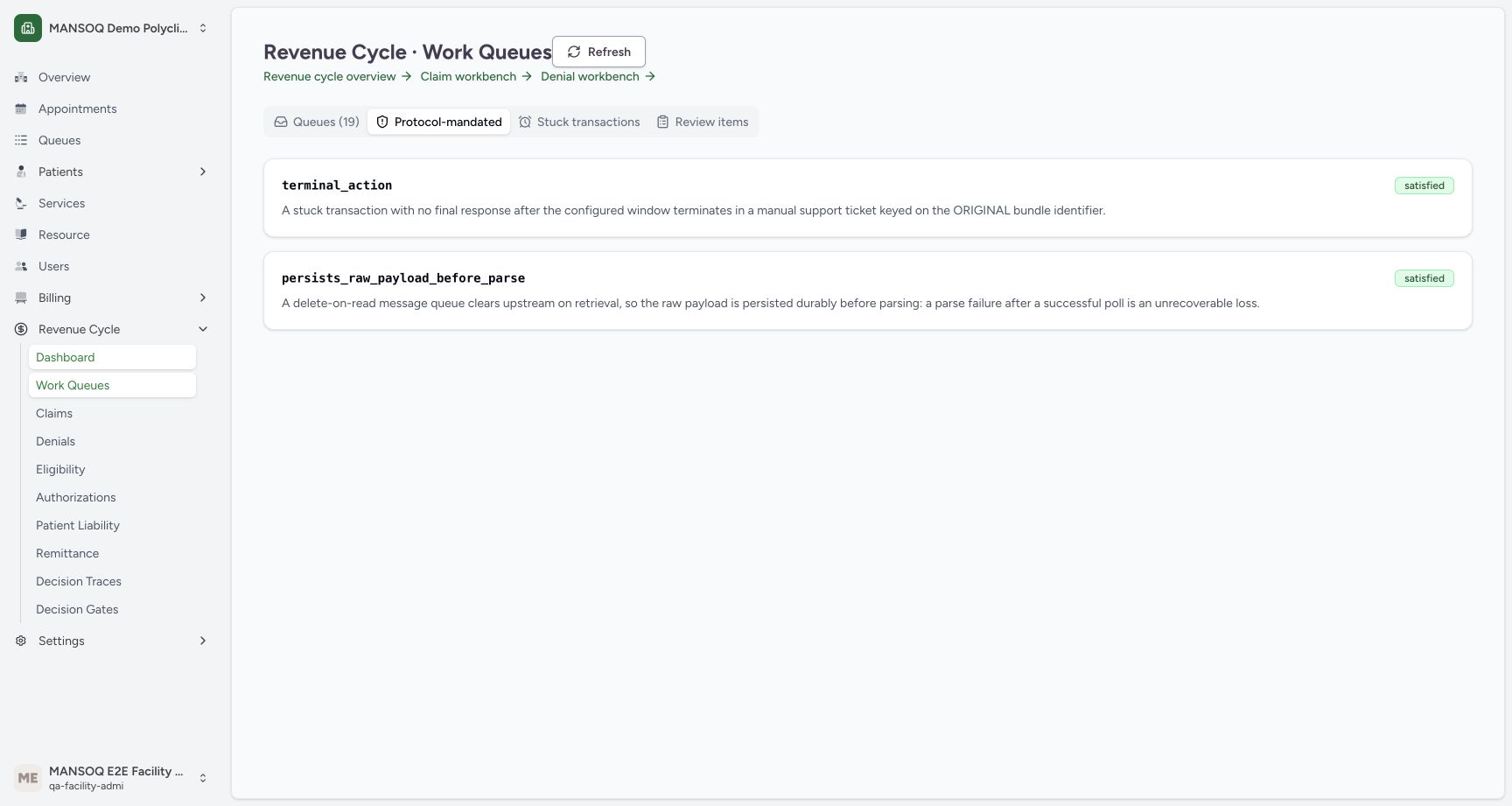
Choose Protocol-mandated. Two requirement indicators display satisfied. In the actual API report no applicable queue rows are returned and their unmet lists are empty. These indicators are not proof that an upstream production connection, raw-payload recovery or support-ticket workflow has been executed successfully.
 12
12Protocol requirement indicators
Capture details
Exact committed release 8d99, isolated synthetic Polyclinic. Existing non-superuser Facility Admin; no new permissions. Source and139 frontend assets independently verified. Read-only manager teaching, not production deployment, bank reconciliation, payer acceptance or clinical/tax approval.
Image SHA-256 43c50b2a8958b22e4c720f42b9c93a748d9c61484b28da78a4e29baa6f087f69
- Protocol view: Open the requirement report.
- Displayed satisfied indicator: Here the report has no applicable queue rows; this badge does not prove a production integration passed.
5. Read the stuck-transaction report
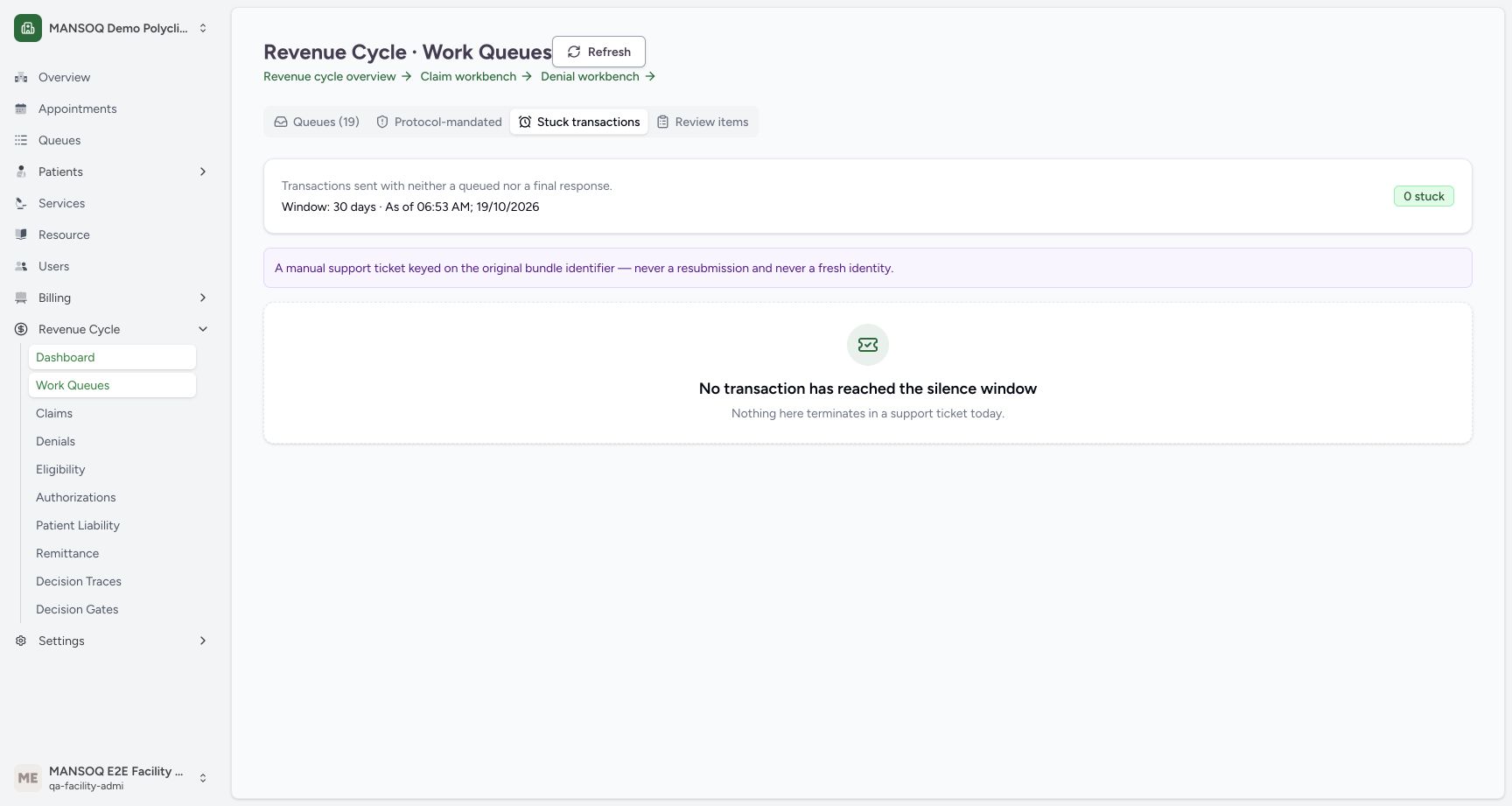
Choose Stuck transactions. Read its as-of time, configured window and count together. The illustrated local configuration uses 30 days and the report has 0 stuck transactions. The empty message means no transaction in this report has reached that window. The terminal instruction refers to a support ticket using the original bundle identity; raising a ticket is a separate write and is not performed here.
 123
123Stuck-transaction report with no matching rows
Capture details
Exact committed release 8d99, isolated synthetic Polyclinic. Existing non-superuser Facility Admin; no new permissions. Source and139 frontend assets independently verified. Read-only manager teaching, not production deployment, bank reconciliation, payer acceptance or clinical/tax approval.
Image SHA-256 c93fa42c6ff2d953a615fd2bd8a6a5a0c58dff6c6d5763ea89bbe66198d2105c
- Stuck transactions: Open the read-only silence-window report.
- Configured window: The displayed30 days comes from the retained local configuration.
- No transaction in this report: Read the empty report independently from other dashboard counters.
6. Inspect a selected queue’s review items
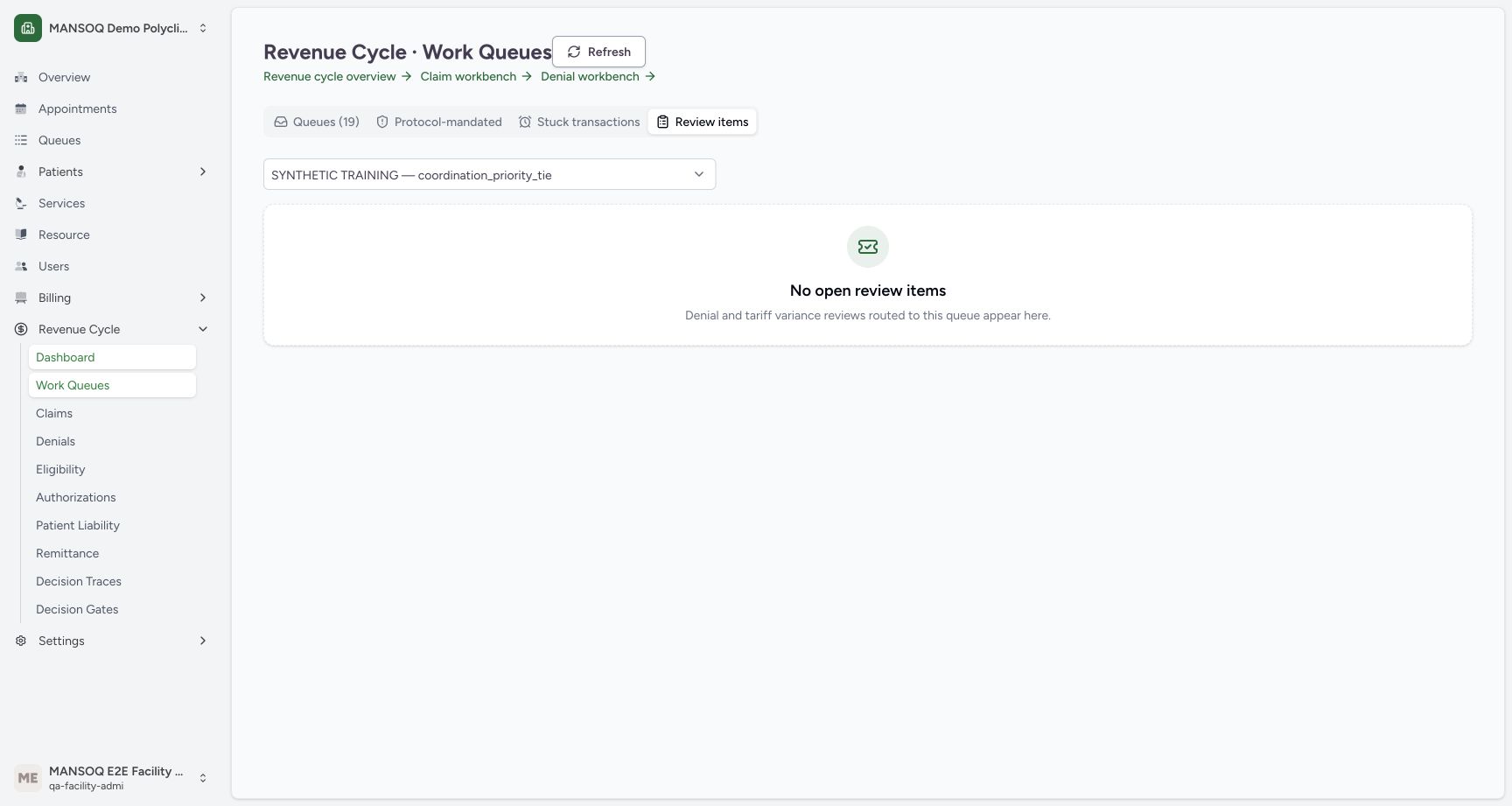
Choose Review items and read the selected queue name. The initial coordination-priority queue has No open review items. That empty result is scoped to this queue and the default open status; it does not replace the facility-wide work counter.
 12
12First queue has no open review items
Capture details
Exact committed release 8d99, isolated synthetic Polyclinic. Existing non-superuser Facility Admin; no new permissions. Source and139 frontend assets independently verified. Read-only manager teaching, not production deployment, bank reconciliation, payer acceptance or clinical/tax approval.
Image SHA-256 f0e86a2082544a66bbf45014c52cdd0c8714c77cb39aff605e16157c58068f13
- Queue selector: Choose a configured work queue.
- Empty selected queue: No open review items applies only to the selected queue.
7. Change the review queue
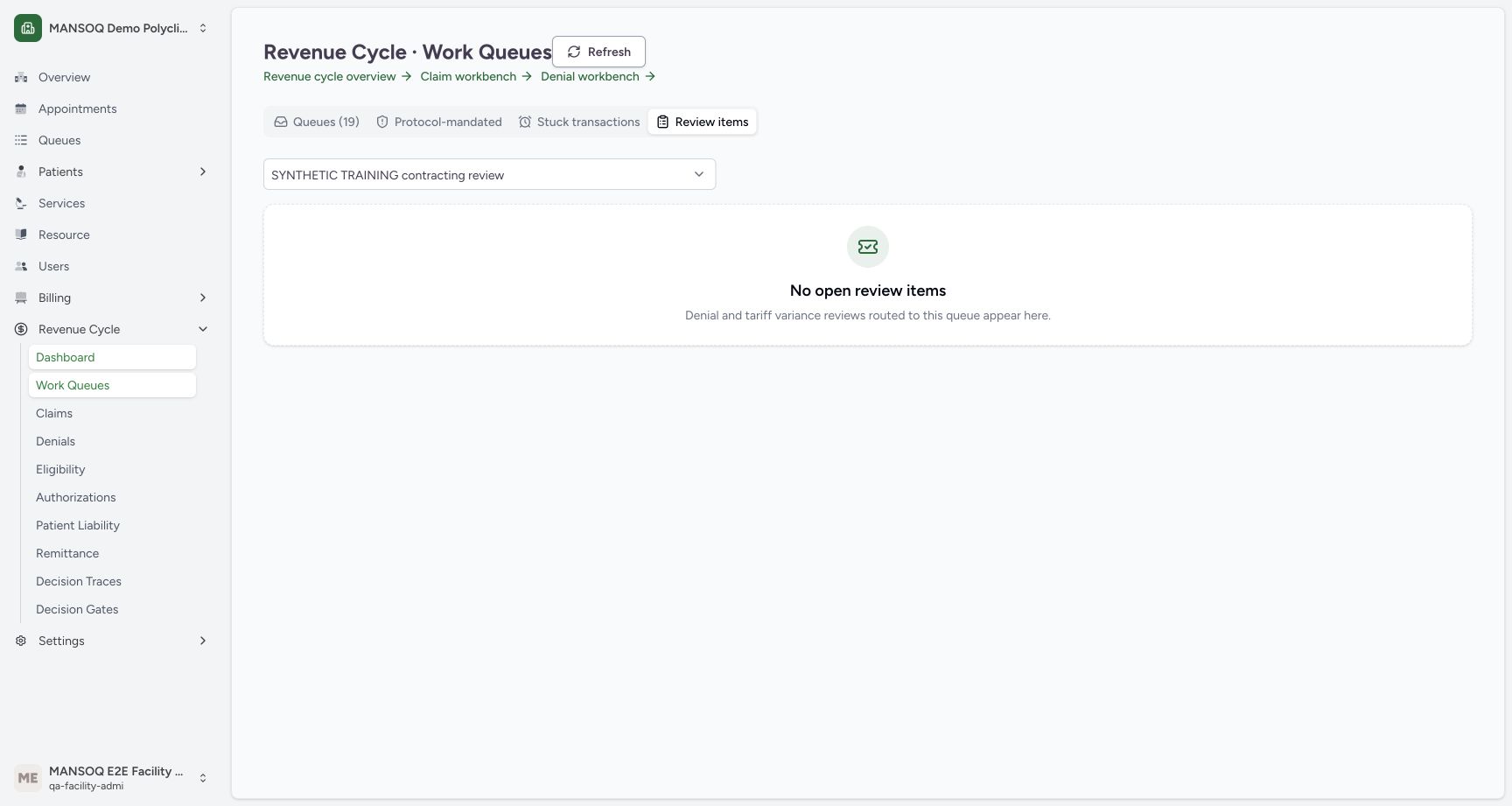
Use Work queue to choose SYNTHETIC TRAINING contracting review. Wait for the loaded No open review items result. Queue selection rereads the chosen queue; no ticket, denial remedy, reassignment or status change is made.
12First queue has no open review items
Capture details
Exact committed release 8d99, isolated synthetic Polyclinic. Existing non-superuser Facility Admin; no new permissions. Source and139 frontend assets independently verified. Read-only manager teaching, not production deployment, bank reconciliation, payer acceptance or clinical/tax approval.
Image SHA-256 f0e86a2082544a66bbf45014c52cdd0c8714c77cb39aff605e16157c58068f13
- Queue selector: Choose a configured work queue.
- Empty selected queue: No open review items applies only to the selected queue.
 12
12Selected contracting-review queue is empty
Capture details
Exact committed release 8d99, isolated synthetic Polyclinic. Existing non-superuser Facility Admin; no new permissions. Source and139 frontend assets independently verified. Read-only manager teaching, not production deployment, bank reconciliation, payer acceptance or clinical/tax approval.
Image SHA-256 7f7c1a0580a7264bcf9859bca998cfc9f9884f5831c450ad408fcd6a8cbef0fe
- Selected queue: The contracting-review queue is selected.
- Loaded empty result: The settled result contains no open review items for this queue.
Operational controls and evidence remain separate
The displayed protocol and stuck reports use retained local setup. No external request, payer response or ticket transmission is demonstrated. Deadline source establishment, nonempty review rows, outage remediation and support-ticket creation remain their own uncompleted teaching branches.
1234Configured synthetic work queues
Capture details
Exact committed release 8d99, isolated synthetic Polyclinic. Existing non-superuser Facility Admin; no new permissions. Source and139 frontend assets independently verified. Read-only manager teaching, not production deployment, bank reconciliation, payer acceptance or clinical/tax approval.
Image SHA-256 75e641f7f2760aa01f525380107619b83cd24506fc68209d44d2a383f2a61069
- Configured queues: This is the number of configured queue definitions, not the dashboard count of open work items.
- Refresh queues: Reload the queue definition list.
- Aging policy unresolved: A stored policy label can remain unresolved.
- Upstream outage behavior: The demonstrated instructions explicitly retain work locally.
12Protocol requirement indicators
Capture details
Exact committed release 8d99, isolated synthetic Polyclinic. Existing non-superuser Facility Admin; no new permissions. Source and139 frontend assets independently verified. Read-only manager teaching, not production deployment, bank reconciliation, payer acceptance or clinical/tax approval.
Image SHA-256 43c50b2a8958b22e4c720f42b9c93a748d9c61484b28da78a4e29baa6f087f69
- Protocol view: Open the requirement report.
- Displayed satisfied indicator: Here the report has no applicable queue rows; this badge does not prove a production integration passed.
123Stuck-transaction report with no matching rows
Capture details
Exact committed release 8d99, isolated synthetic Polyclinic. Existing non-superuser Facility Admin; no new permissions. Source and139 frontend assets independently verified. Read-only manager teaching, not production deployment, bank reconciliation, payer acceptance or clinical/tax approval.
Image SHA-256 c93fa42c6ff2d953a615fd2bd8a6a5a0c58dff6c6d5763ea89bbe66198d2105c
- Stuck transactions: Open the read-only silence-window report.
- Configured window: The displayed30 days comes from the retained local configuration.
- No transaction in this report: Read the empty report independently from other dashboard counters.
Source evidence
Every citation uses this exact committed version. The private source repository requires access.
- repositories/platform/mansoq-web/src/pages/Facility/revenueCycle/WorkQueuesPage.tsx:621 ·
8d99bb8a4712f6aa8446bcd3b40bf62dae280d39Source file checksum
84c0640559583f6d50274f42c31ad4a01fda9c2f70b2131c144ee04721c48158 - repositories/platform/mansoq-web/src/pages/Facility/revenueCycle/operations/rcmOperationsApi.ts:1 ·
8d99bb8a4712f6aa8446bcd3b40bf62dae280d39Source file checksum
5db0f80e171dc7b30a6c62b9f67e0466e45d47a9fb8b4db6bef9f38780e97a1b - repositories/platform/mansoq-core/mansoq/emr/api/viewsets/rcm/work_queues.py:85 ·
8d99bb8a4712f6aa8446bcd3b40bf62dae280d39Source file checksum
76ac2a386be6f79798a6660f97bfcbbeb25cdefe4fc48608d259427f8ee4a979 - repositories/platform/mansoq-core/mansoq/emr/api/viewsets/rcm/operations_base.py:573 ·
8d99bb8a4712f6aa8446bcd3b40bf62dae280d39Source file checksum
e2b741a157811f624bf70161931308f82789e49ca28a2c0d35f86f6fb46b6ba7