 MANSOQ
 Laboratory and diagnostics · VERSION 96ca7318
Change definition status, retire with the Delete-labelled action and restore Draft
Save Active, cancel then confirm the actual retirement action, locate the retained Retired definition, save the supported Unknown state and restore Draft.
Facility Admin
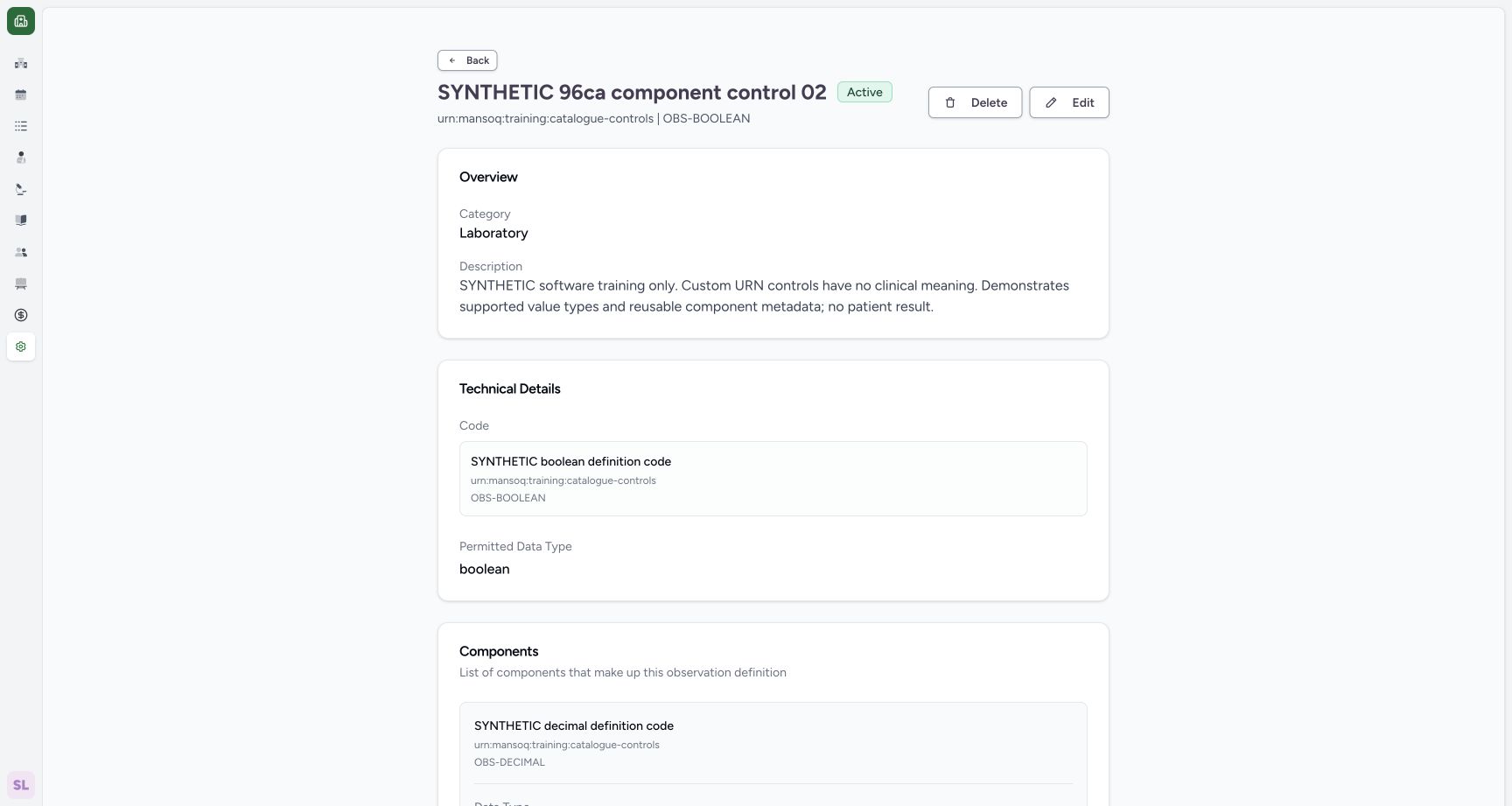 12
12saved active delete entry
Capture details
Exact 96ca source. Fictional definition metadata and software-control limits only; no patient result, clinical reference-range or licensed terminology qualification.
Image SHA-256 2344e260677dfc45837e75d64ad69e270b76e8d2e3ff753e0b2b201a05a6b46a
- Delete-labelled action: Open the source-supported retirement confirmation.
- Saved Active: Read the persisted Active status.
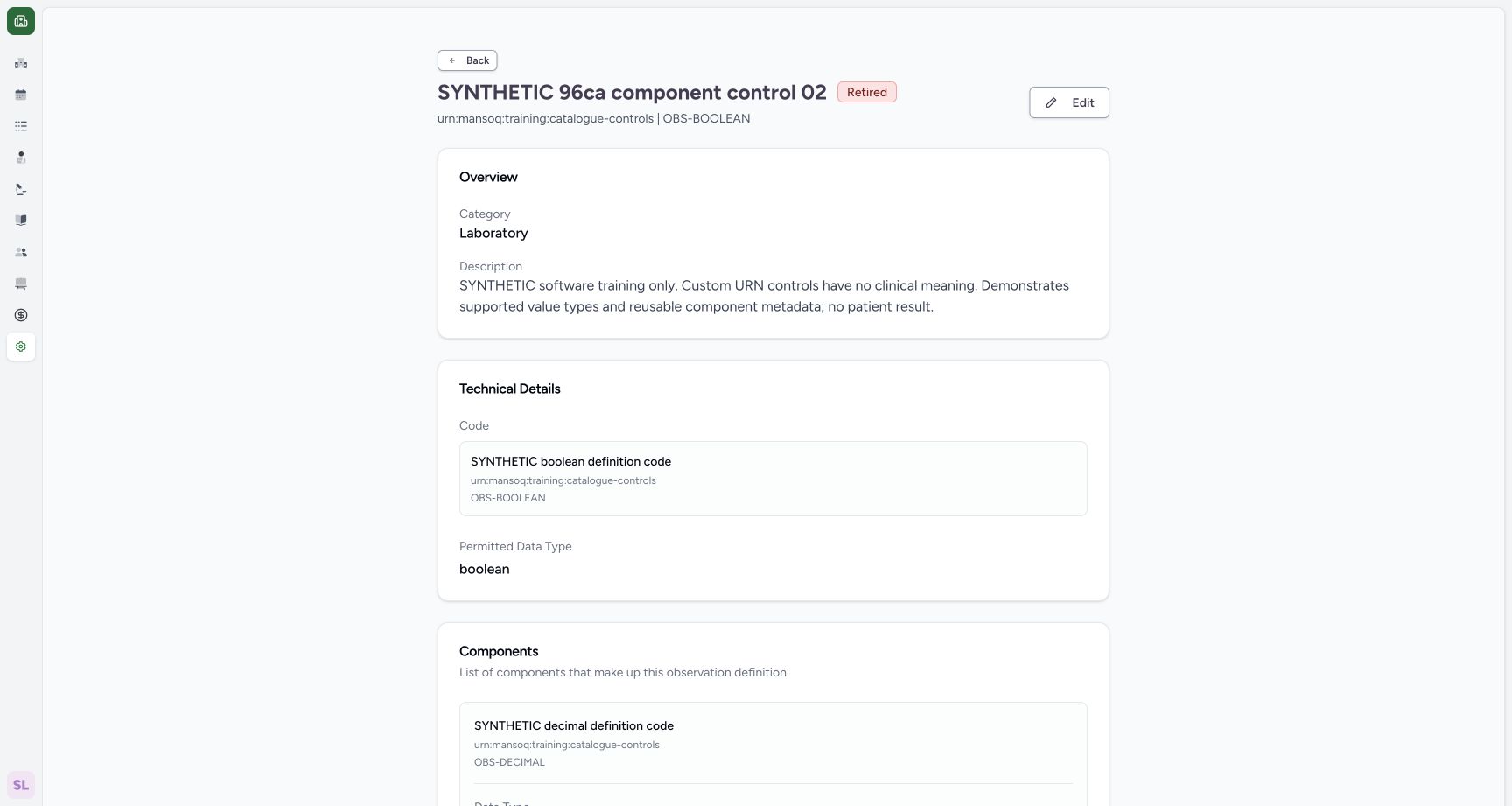 12
12retired detail edit remains
Capture details
Exact 96ca source. Fictional definition metadata and software-control limits only; no patient result, clinical reference-range or licensed terminology qualification.
Image SHA-256 156f2ad6fca32bdaa75ad53b17593f952492542ea245984047b6932508a34bde
- Edit retained definition: The Retired record remains editable.
- Saved Retired: Read the retained Retired status.
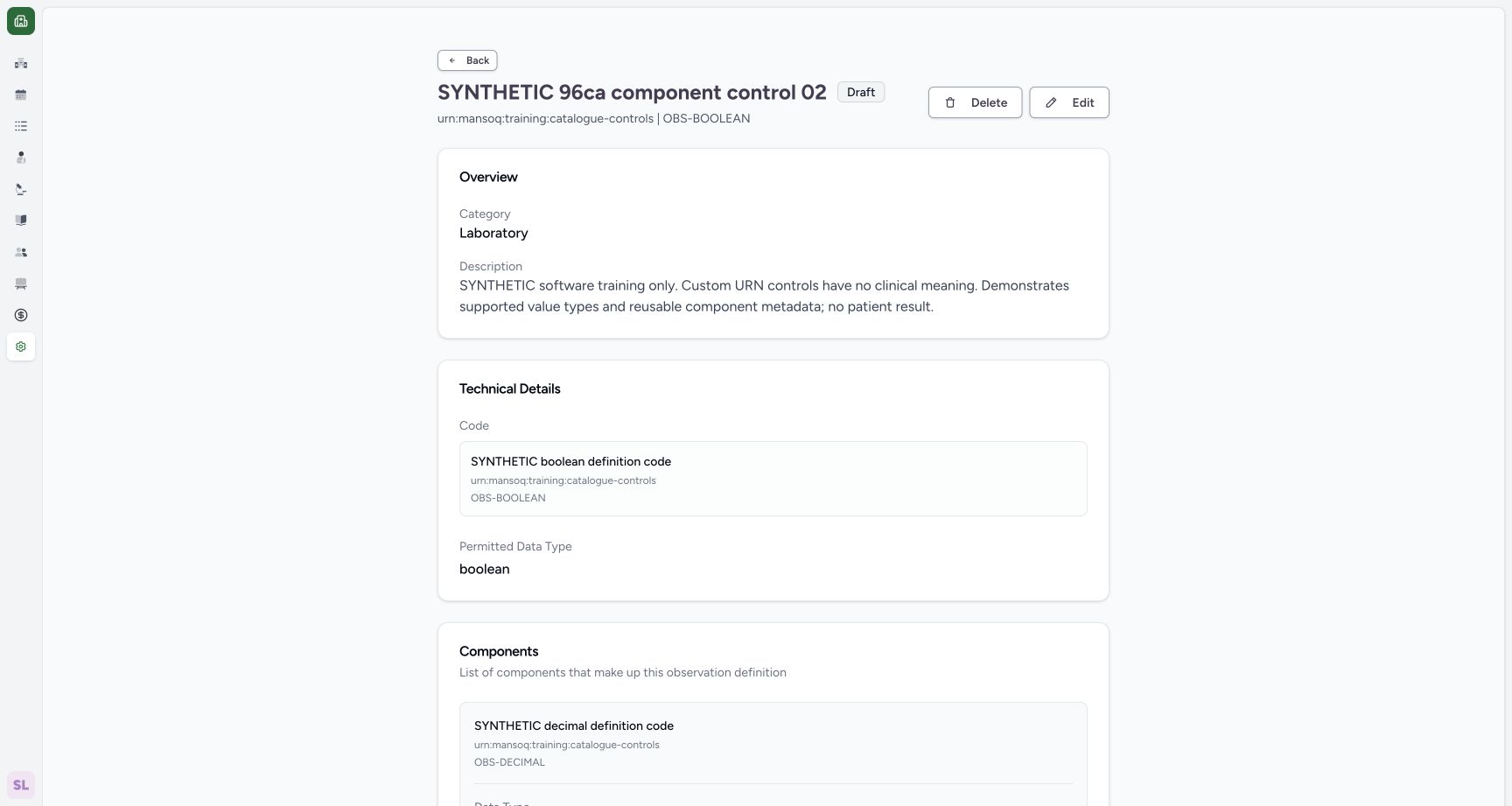 1
1final saved draft
Capture details
Exact 96ca source. Fictional definition metadata and software-control limits only; no patient result, clinical reference-range or licensed terminology qualification.
Image SHA-256 1d009f2cc63f8253a7df7d741b4f1f23a2384ec3b36b182bda9b7421688df4cf
- Final Draft: Read the restored final Draft state.
15 of 15 content blocks have reviewed image alignment. Missing overview or prerequisite images remain open.
Before you begin
- Use only the pictured fictional component-control definition in the Laboratory. This status example preserves its synthetic description, component settings and existing range.
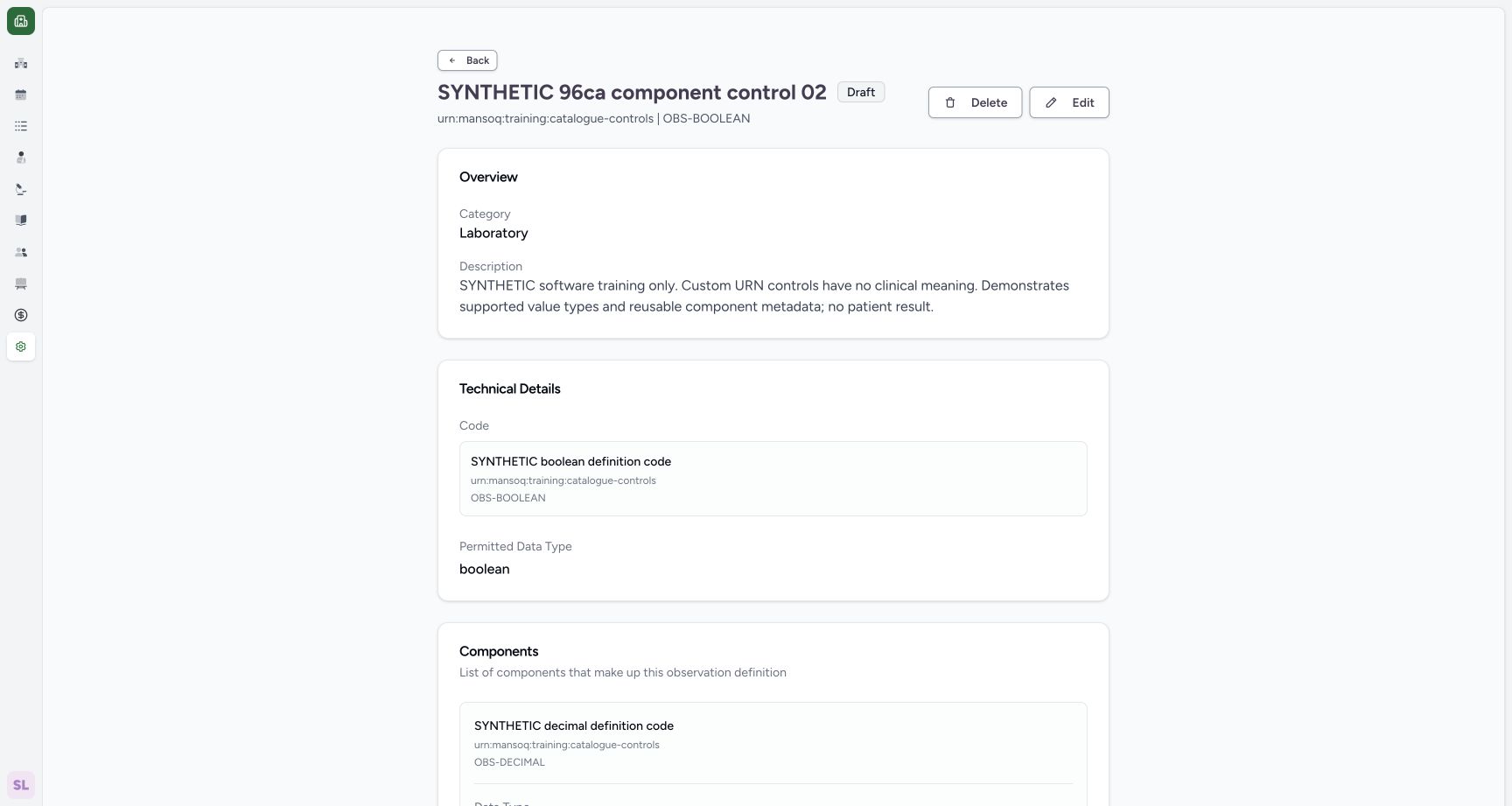 1
1Recorded release 96ca7318 · 2026-10-19T02:40:23.195Z · 1728 × 921 draft definition edit entry
Capture details
Exact 96ca source. Fictional definition metadata and software-control limits only; no patient result, clinical reference-range or licensed terminology qualification.
Image SHA-256
dbb090ba3a77b7d5261e0ff30f351505cde58ee2869b24be624125b531f86278- Edit: Open the saved fictional definition editor.
 1
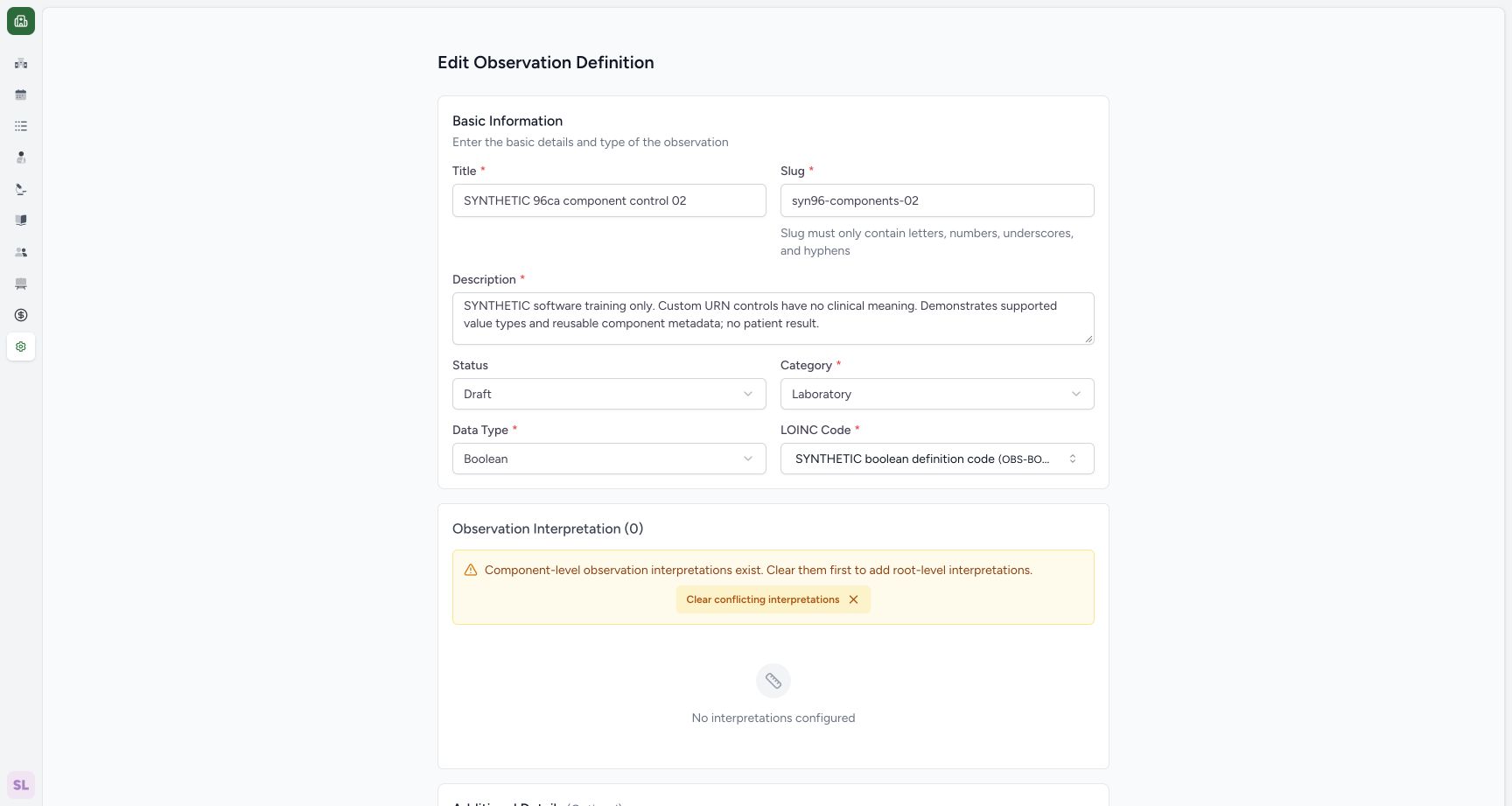
1Recorded release 96ca7318 · 2026-10-19T02:42:12.543Z · 1728 × 921 draft status editor
Capture details
Exact 96ca source. Fictional definition metadata and software-control limits only; no patient result, clinical reference-range or licensed terminology qualification.
Image SHA-256
65c4b582a59f1b223295569fa815c538cad14fd99e7ad4b8da239f27b1b5a000- Status: Open the saved Draft status menu.
1. Open the Draft status editor
Open the saved synthetic definition and use Edit. Its Status starts as Draft.
1draft definition edit entry
Capture details
Exact 96ca source. Fictional definition metadata and software-control limits only; no patient result, clinical reference-range or licensed terminology qualification.
Image SHA-256 dbb090ba3a77b7d5261e0ff30f351505cde58ee2869b24be624125b531f86278
- Edit: Open the saved fictional definition editor.
1draft status editor
Capture details
Exact 96ca source. Fictional definition metadata and software-control limits only; no patient result, clinical reference-range or licensed terminology qualification.
Image SHA-256 65c4b582a59f1b223295569fa815c538cad14fd99e7ad4b8da239f27b1b5a000
- Status: Open the saved Draft status menu.
2. Select Active
Open Status and choose Active. Review the selected value before saving.
1draft status editor
Capture details
Exact 96ca source. Fictional definition metadata and software-control limits only; no patient result, clinical reference-range or licensed terminology qualification.
Image SHA-256 65c4b582a59f1b223295569fa815c538cad14fd99e7ad4b8da239f27b1b5a000
- Status: Open the saved Draft status menu.
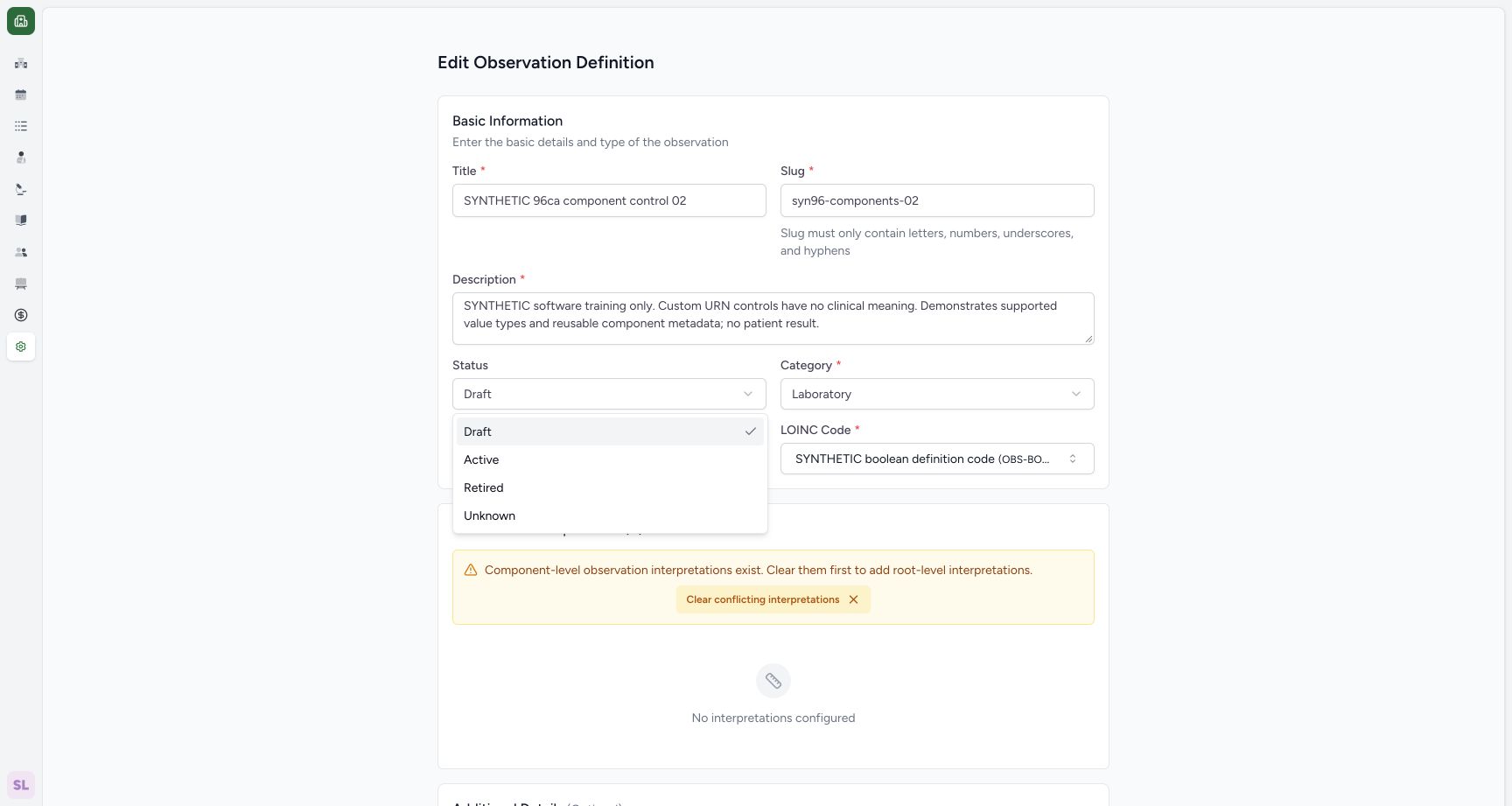 1
1select active status
Capture details
Exact 96ca source. Fictional definition metadata and software-control limits only; no patient result, clinical reference-range or licensed terminology qualification.
Image SHA-256 26b8d5eae7add377f20e6b92cba721b5690272ed45b4429284f6ad84f010ad5f
- Active: Choose Active.
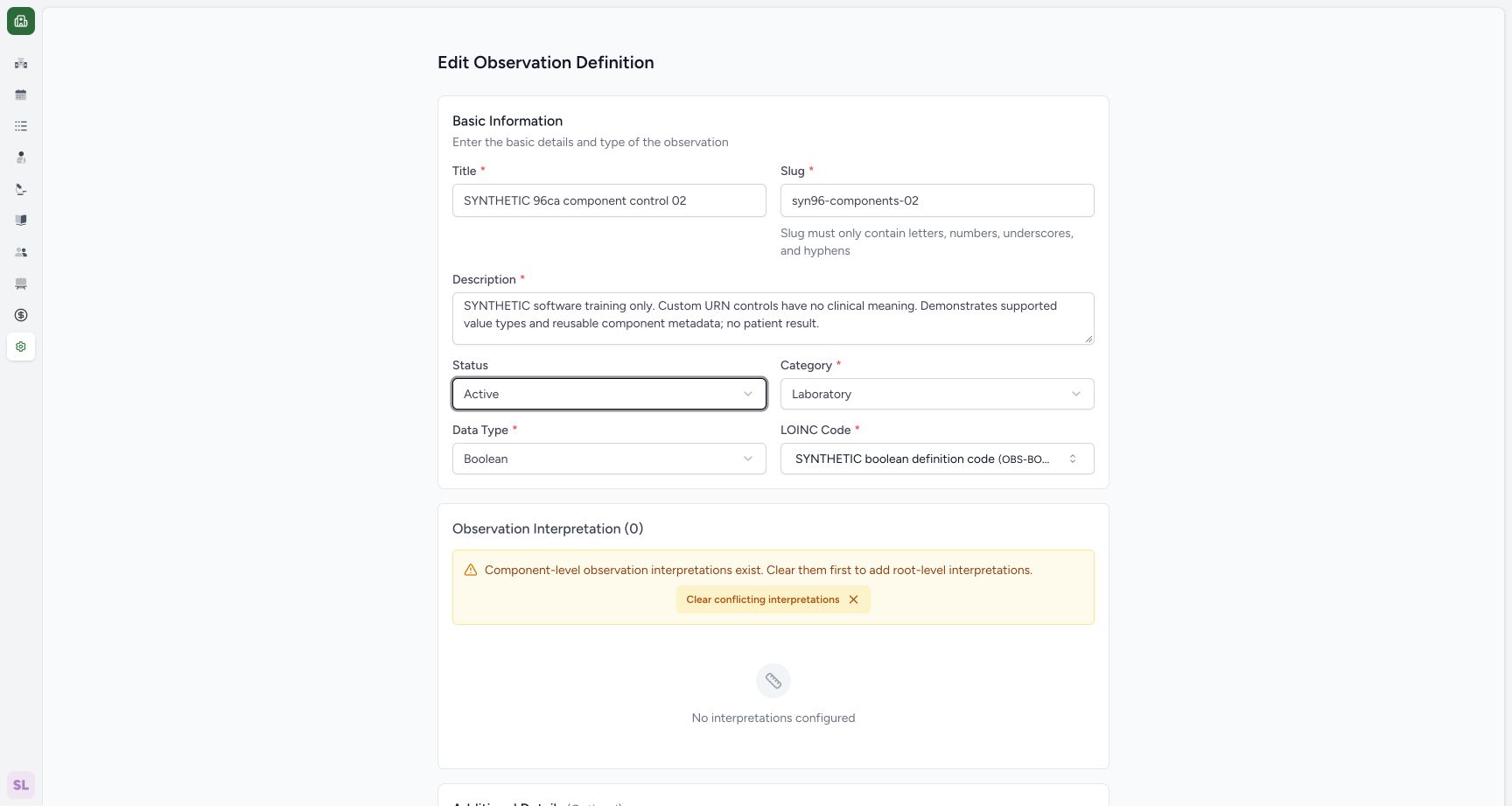 1
1active selected before save
Capture details
Exact 96ca source. Fictional definition metadata and software-control limits only; no patient result, clinical reference-range or licensed terminology qualification.
Image SHA-256 cc5729f23d01a8de66a249a645360a61c41c922b9d163dc42dbd12209d83f93e
- Active selected: Review the selected status before saving.
3. Save and verify Active
Scroll to the parent footer and use Save. Saved detail shows Active for the same synthetic definition.
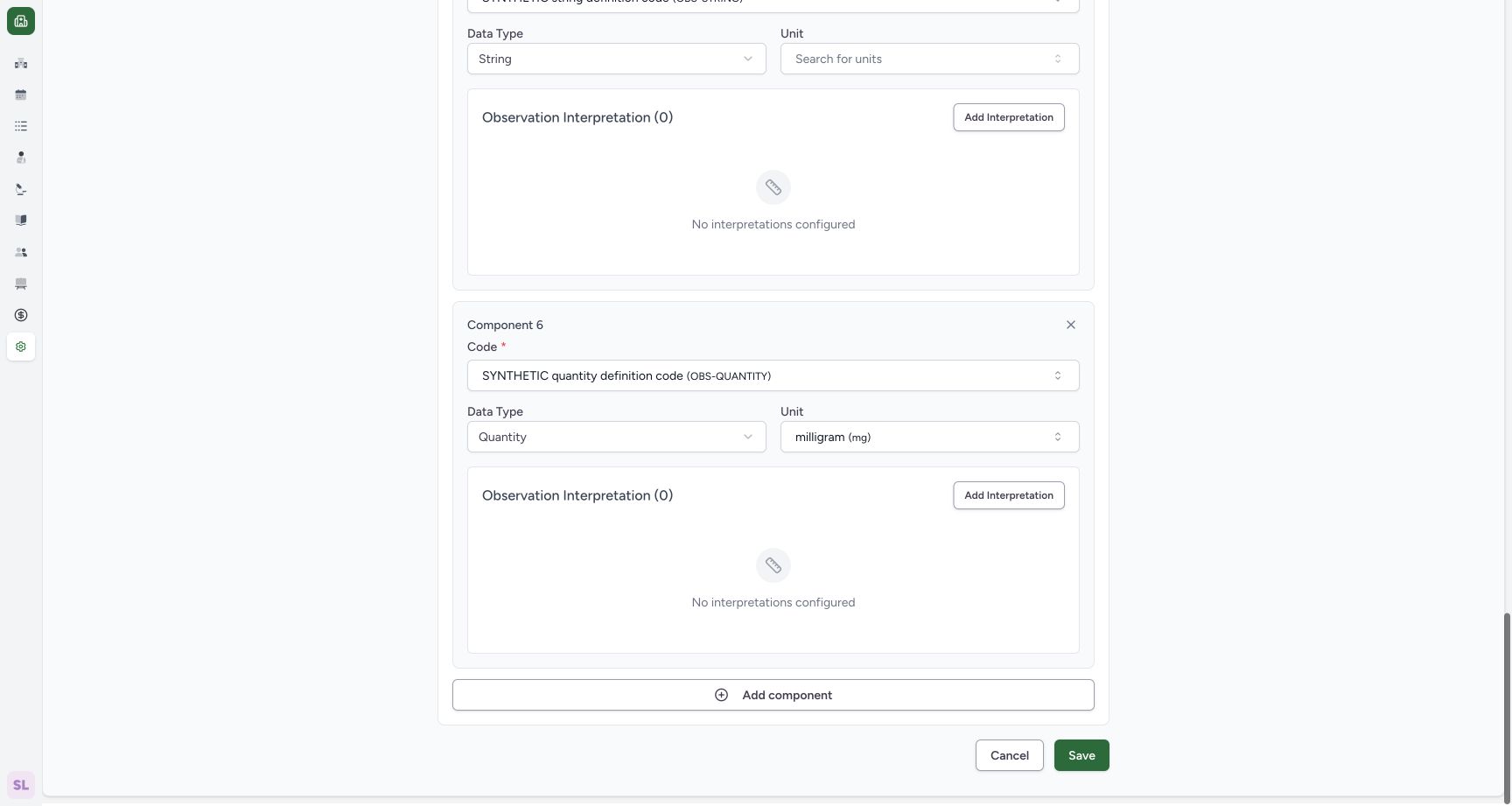 1
1save active status
Capture details
Exact 96ca source. Fictional definition metadata and software-control limits only; no patient result, clinical reference-range or licensed terminology qualification.
Image SHA-256 f2b2972c2b7b6f7f25ba07d208370b050eb75ca0e3a38df0302a172c09c71203
- Save Active: Persist Active through the parent editor.
12saved active delete entry
Capture details
Exact 96ca source. Fictional definition metadata and software-control limits only; no patient result, clinical reference-range or licensed terminology qualification.
Image SHA-256 2344e260677dfc45837e75d64ad69e270b76e8d2e3ff753e0b2b201a05a6b46a
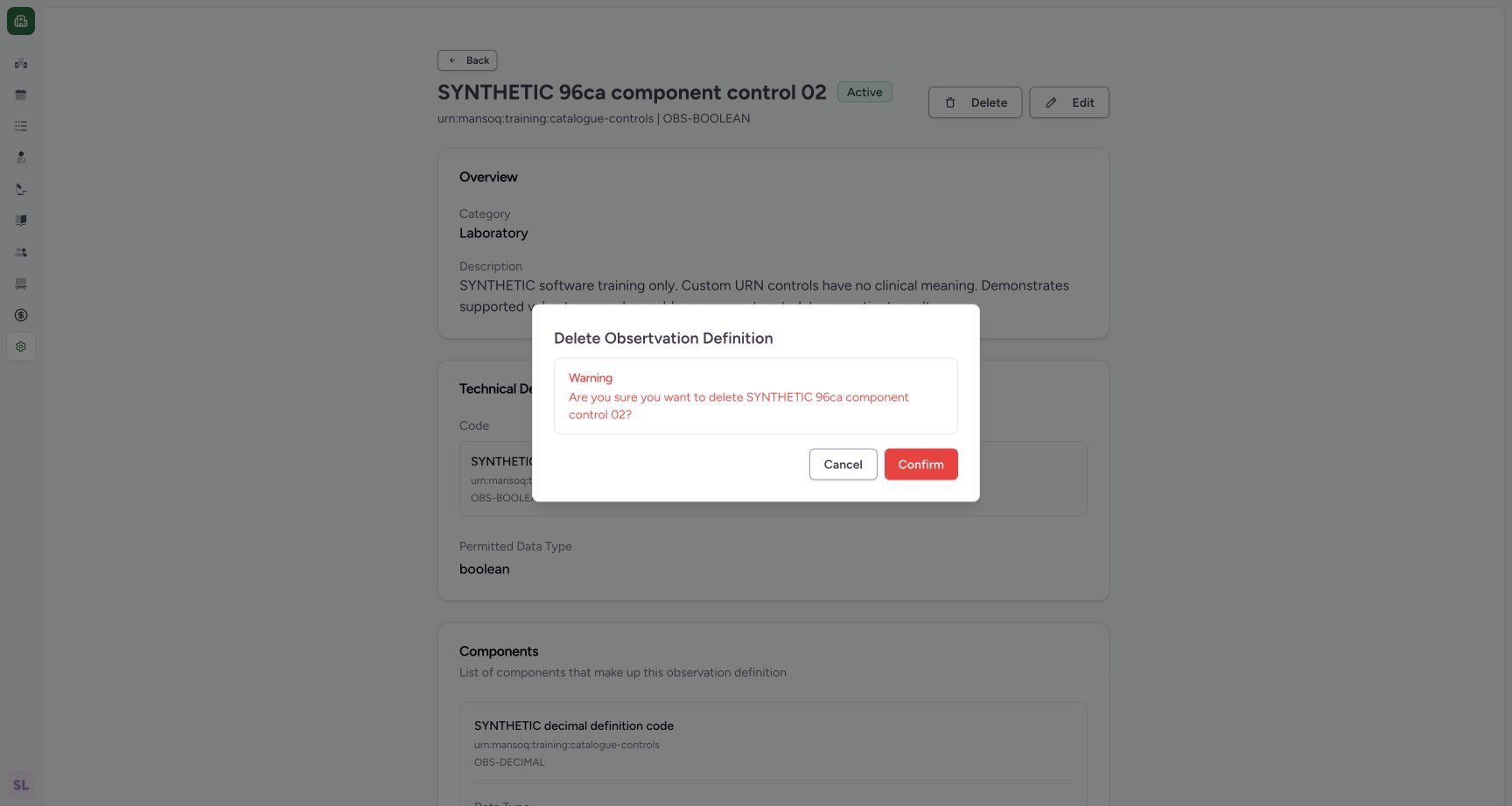
- Delete-labelled action: Open the source-supported retirement confirmation.
- Saved Active: Read the persisted Active status.
4. Cancel the Delete-labelled confirmation first
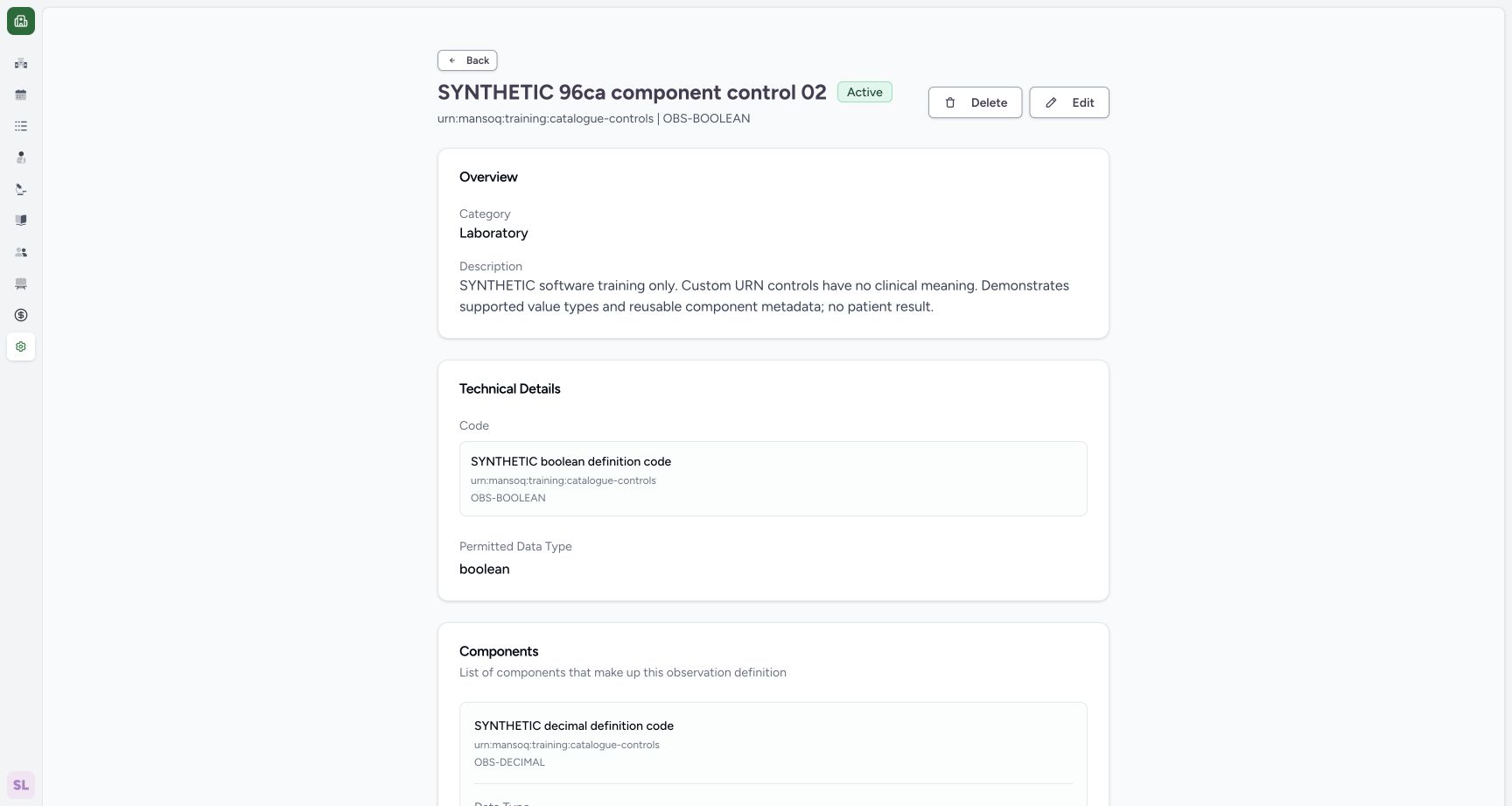
Use Delete on the Active detail. Read the warning naming the synthetic definition, then choose Cancel. The saved detail remains Active.
12saved active delete entry
Capture details
Exact 96ca source. Fictional definition metadata and software-control limits only; no patient result, clinical reference-range or licensed terminology qualification.
Image SHA-256 2344e260677dfc45837e75d64ad69e270b76e8d2e3ff753e0b2b201a05a6b46a
- Delete-labelled action: Open the source-supported retirement confirmation.
- Saved Active: Read the persisted Active status.
 1
1cancel delete labelled confirmation
Capture details
Exact 96ca source. Fictional definition metadata and software-control limits only; no patient result, clinical reference-range or licensed terminology qualification.
Image SHA-256 c1f7f38c12818cdaad9765cfdb8bc412cb6a5dbbacc184934cae03293922b725
- Cancel: Keep the definition Active.
 12
12active after retirement cancel
Capture details
Exact 96ca source. Fictional definition metadata and software-control limits only; no patient result, clinical reference-range or licensed terminology qualification.
Image SHA-256 c31a52870a74489b43d86262fa5931649f9e13c0883779e2f08b85c8f9dbb31b
- Delete-labelled action: Reopen the confirmation for this same fictional record.
- Active retained: Read Active after cancelling retirement.
5. Retire the fictional definition
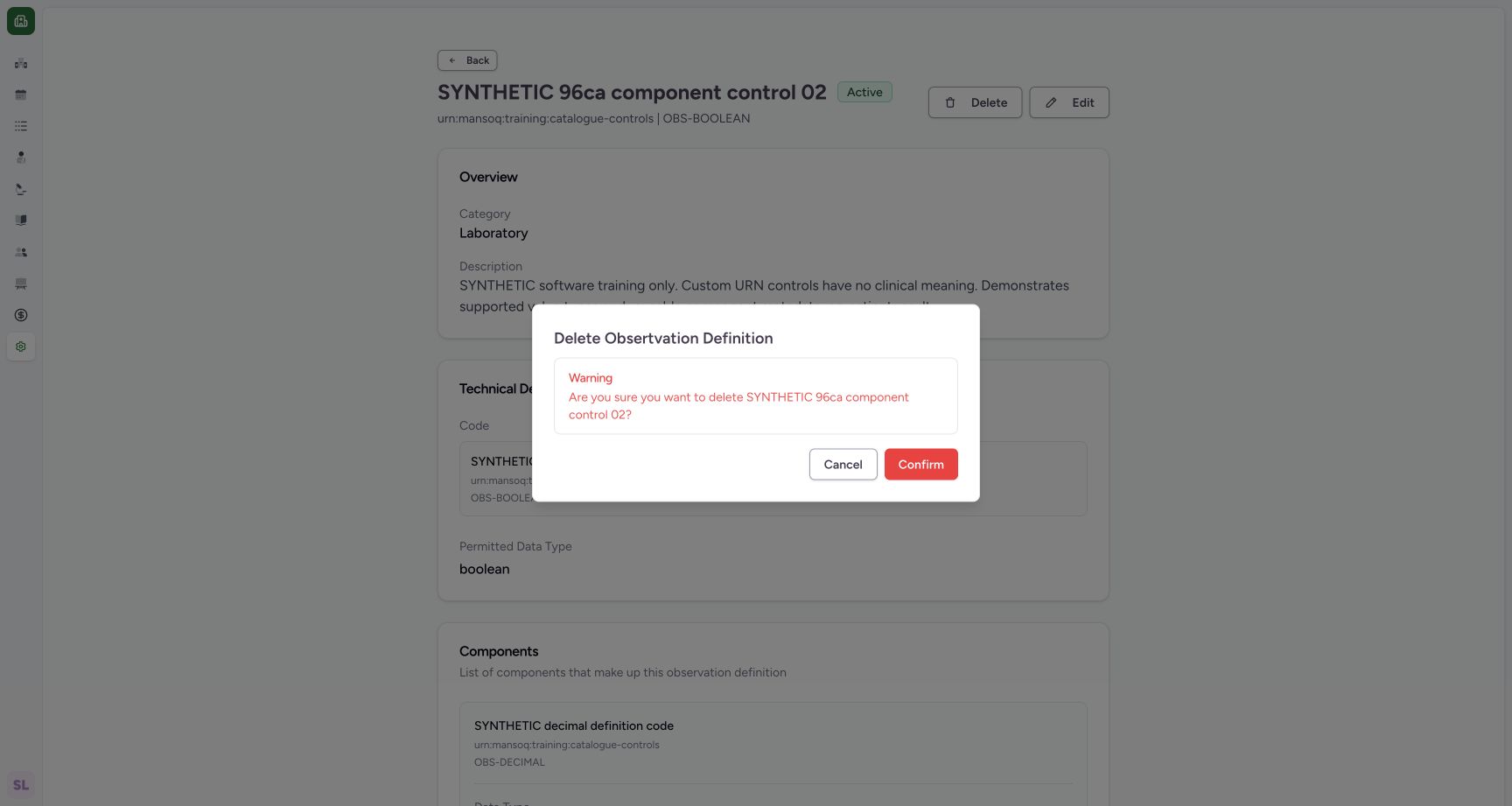
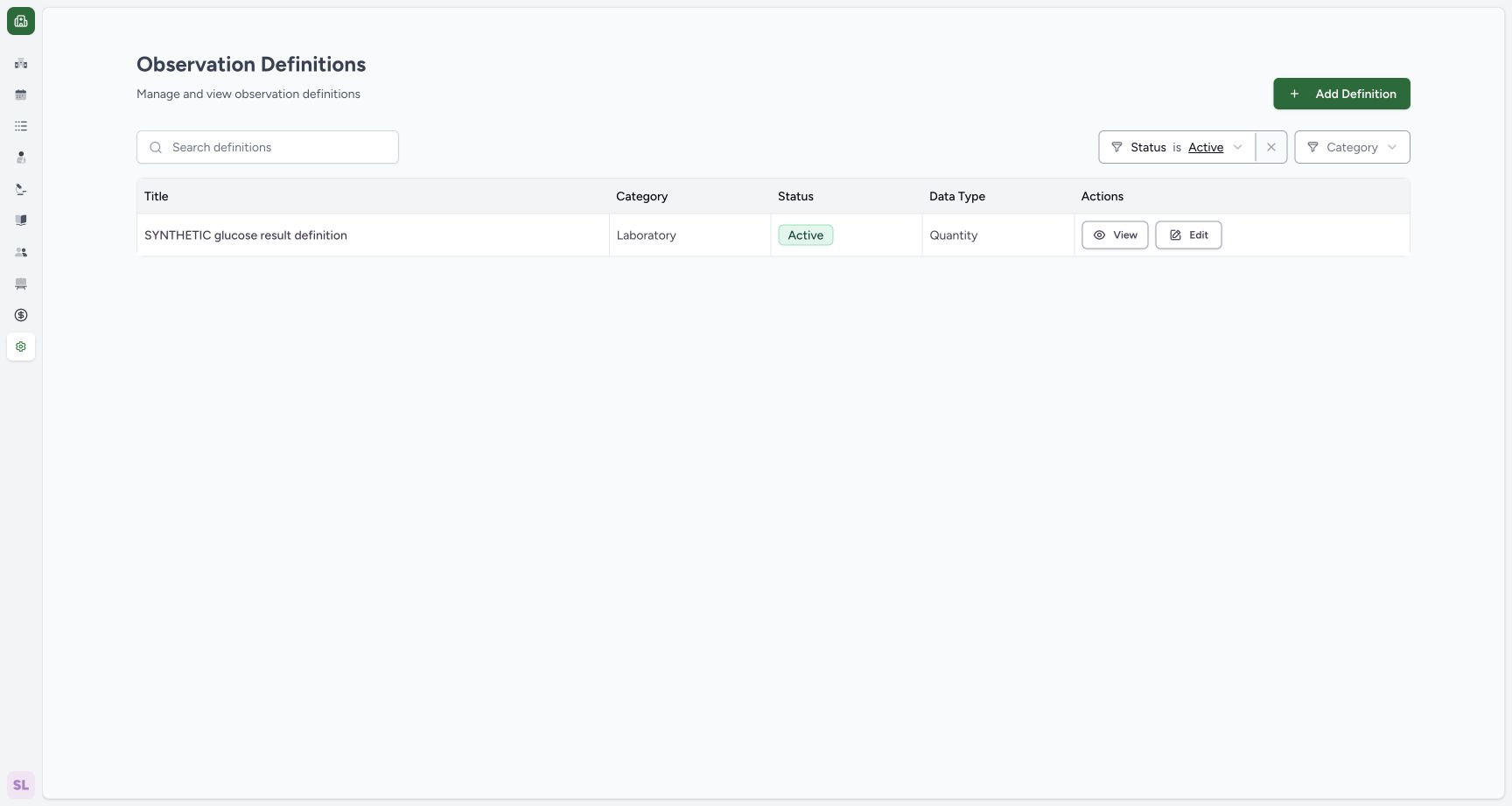
Reopen Delete, verify the named synthetic record and use Confirm. In this source version the action retires the definition. The application returns to its Active catalogue filter, which no longer includes the retired record.
12active after retirement cancel
Capture details
Exact 96ca source. Fictional definition metadata and software-control limits only; no patient result, clinical reference-range or licensed terminology qualification.
Image SHA-256 c31a52870a74489b43d86262fa5931649f9e13c0883779e2f08b85c8f9dbb31b
- Delete-labelled action: Reopen the confirmation for this same fictional record.
- Active retained: Read Active after cancelling retirement.
 1
1confirm source supported retirement
Capture details
Exact 96ca source. Fictional definition metadata and software-control limits only; no patient result, clinical reference-range or licensed terminology qualification.
Image SHA-256 c1f7f38c12818cdaad9765cfdb8bc412cb6a5dbbacc184934cae03293922b725
- Confirm retirement: Confirm the actual recoverable retirement action for this fictional record.
 1
1active filter after retirement
Capture details
Exact 96ca source. Fictional definition metadata and software-control limits only; no patient result, clinical reference-range or licensed terminology qualification.
Image SHA-256 5f073df30ba1d9da76bd18992c54fc4d9b7ca3004cef338789acce22fa9bd61d
- Active filter: Open the catalogue Status filter.
6. Find the retained Retired record
Open the catalogue Status filter and choose Retired. The same component-control row appears with Retired and Boolean. Use View.
1active filter after retirement
Capture details
Exact 96ca source. Fictional definition metadata and software-control limits only; no patient result, clinical reference-range or licensed terminology qualification.
Image SHA-256 5f073df30ba1d9da76bd18992c54fc4d9b7ca3004cef338789acce22fa9bd61d
- Active filter: Open the catalogue Status filter.
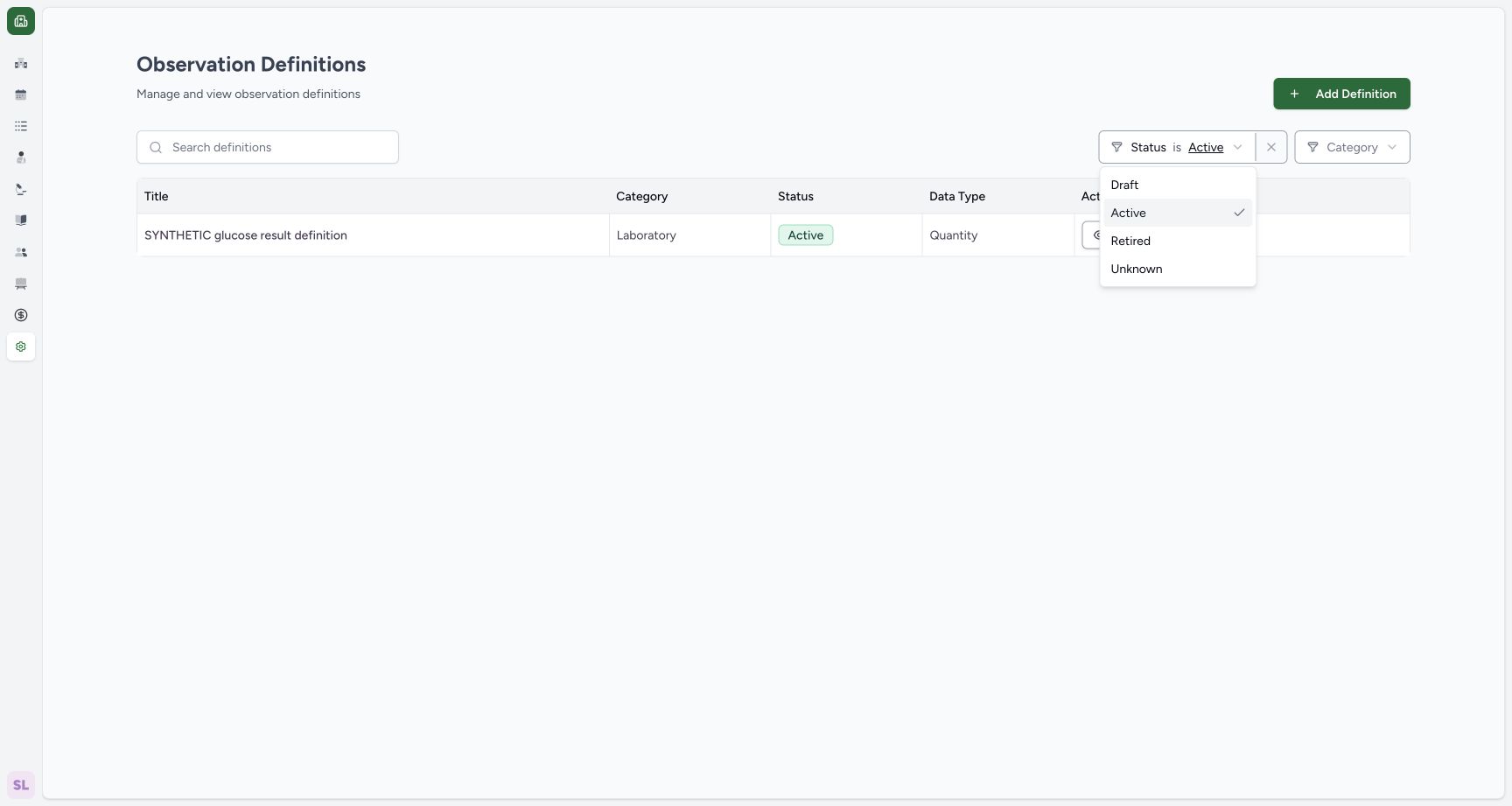 1
1select retired list filter
Capture details
Exact 96ca source. Fictional definition metadata and software-control limits only; no patient result, clinical reference-range or licensed terminology qualification.
Image SHA-256 8c510f8858b379e616e65216997fdb7d6d49cc358063b3c61cd73616044ccbf0
- Retired: Select the retained Retired records.
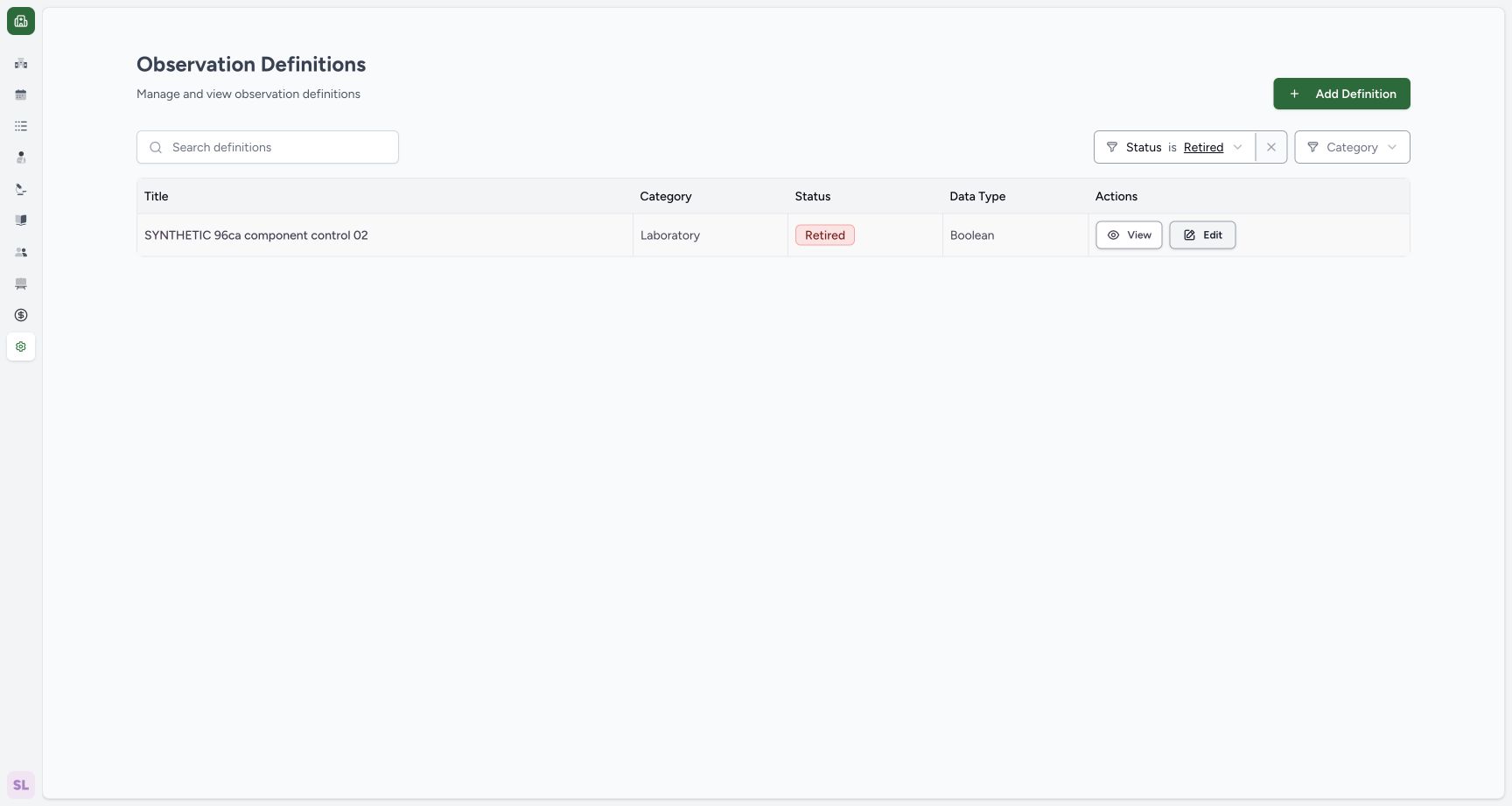 1
1retained retired row
Capture details
Exact 96ca source. Fictional definition metadata and software-control limits only; no patient result, clinical reference-range or licensed terminology qualification.
Image SHA-256 58ce234920d45d9180678d374784bb8d1e93a8e7b2150f84da5fafa5538214f0
- View retained record: Open the same retired definition.
7. Inspect available Retired actions
The Retired detail keeps the title and custom code. Edit remains available, while the Delete-labelled button is absent on this state.
12retired detail edit remains
Capture details
Exact 96ca source. Fictional definition metadata and software-control limits only; no patient result, clinical reference-range or licensed terminology qualification.
Image SHA-256 156f2ad6fca32bdaa75ad53b17593f952492542ea245984047b6932508a34bde
- Edit retained definition: The Retired record remains editable.
- Saved Retired: Read the retained Retired status.
8. Select the supported Unknown state
Use Edit, open Status and choose Unknown. The editor reflects this actual supported selection.
12retired detail edit remains
Capture details
Exact 96ca source. Fictional definition metadata and software-control limits only; no patient result, clinical reference-range or licensed terminology qualification.
Image SHA-256 156f2ad6fca32bdaa75ad53b17593f952492542ea245984047b6932508a34bde
- Edit retained definition: The Retired record remains editable.
- Saved Retired: Read the retained Retired status.
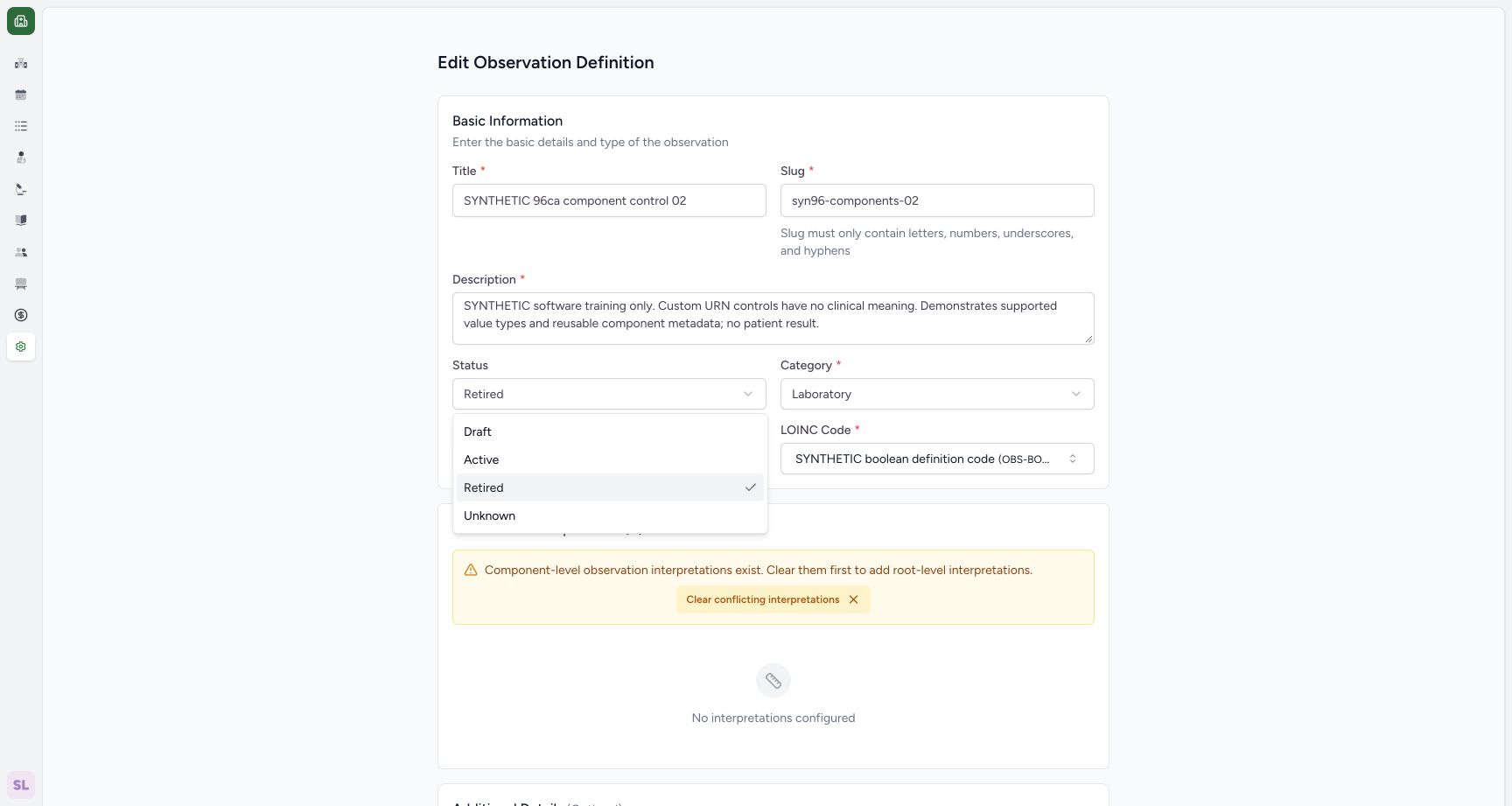 1
1select unknown status
Capture details
Exact 96ca source. Fictional definition metadata and software-control limits only; no patient result, clinical reference-range or licensed terminology qualification.
Image SHA-256 a6022f890504b99d028f82ef2ac0f7e07fafc8271cb82eaaa10a72c3ff032003
- Unknown: Choose the actual supported Unknown option.
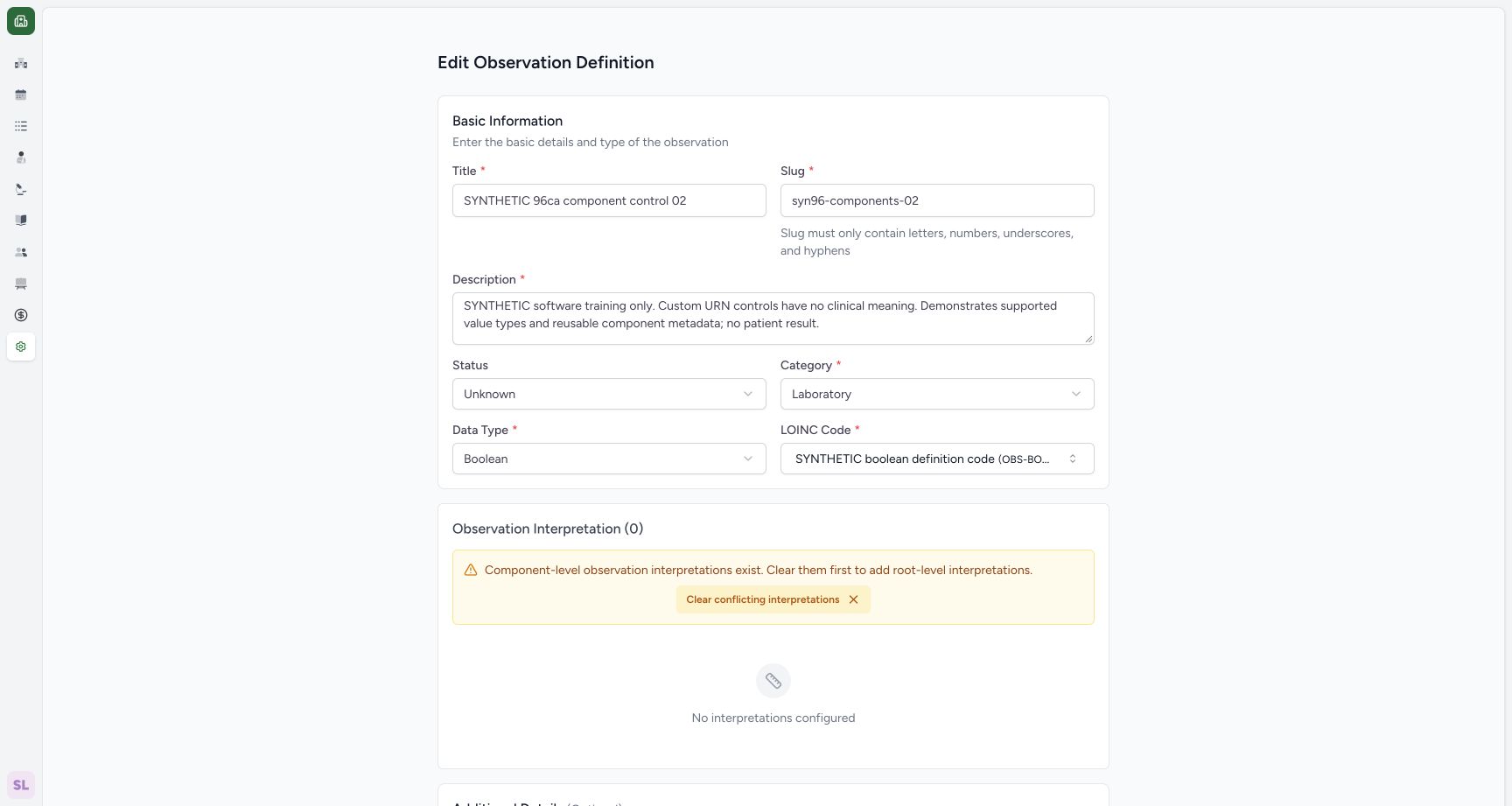 1
1unknown selected before save
Capture details
Exact 96ca source. Fictional definition metadata and software-control limits only; no patient result, clinical reference-range or licensed terminology qualification.
Image SHA-256 47aa25d5f20cc3decad7a4c7d6289cc785fe3c2f56d0c2b13a0c38d49a155457
- Unknown selected: Review the selected status before saving.
9. Save and verify Unknown
Scroll to the footer and use Save. Saved detail shows Unknown for the retained definition.
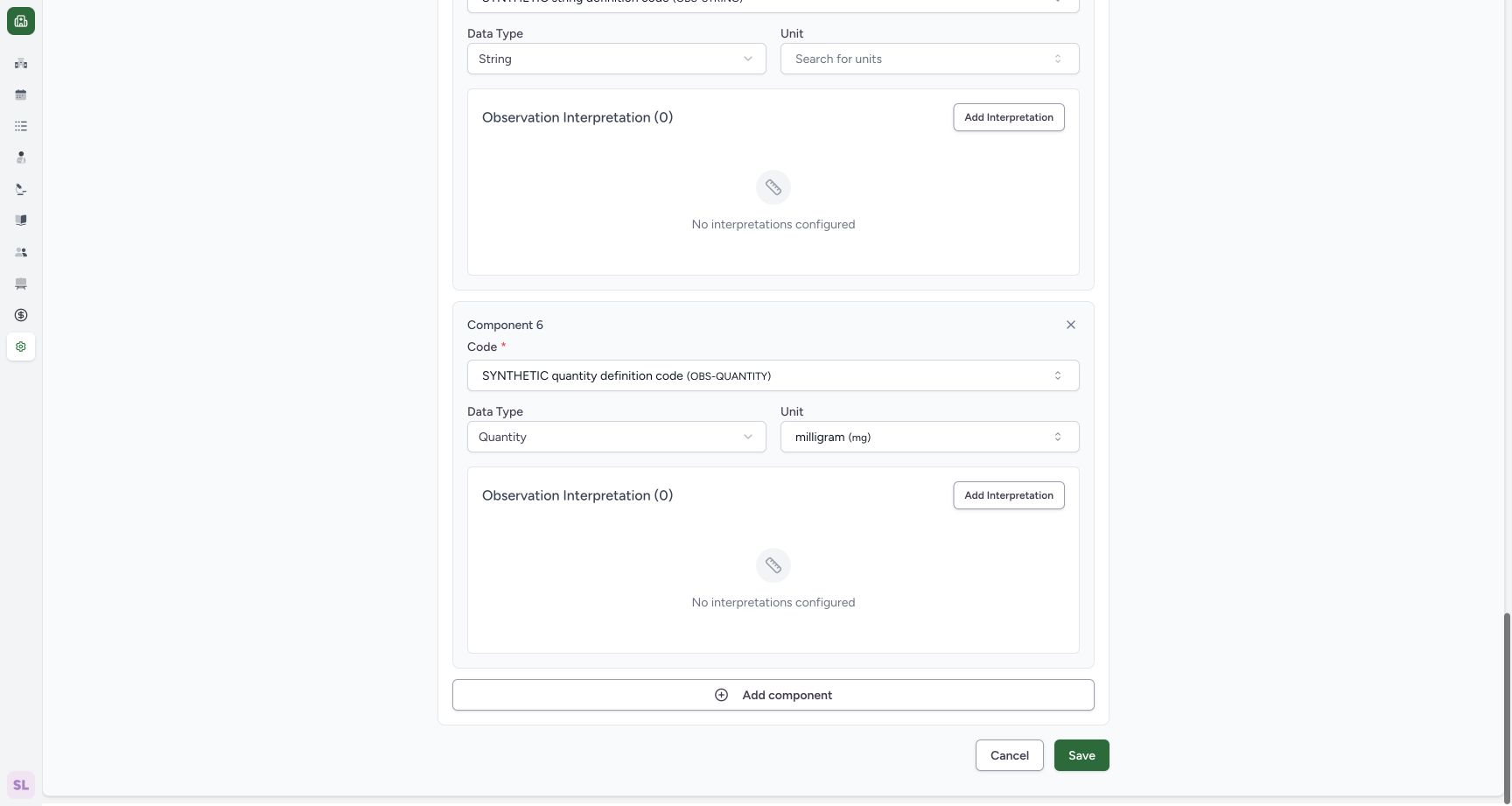 1
1save unknown status
Capture details
Exact 96ca source. Fictional definition metadata and software-control limits only; no patient result, clinical reference-range or licensed terminology qualification.
Image SHA-256 f2b2972c2b7b6f7f25ba07d208370b050eb75ca0e3a38df0302a172c09c71203
- Save Unknown: Persist the selected Unknown state.
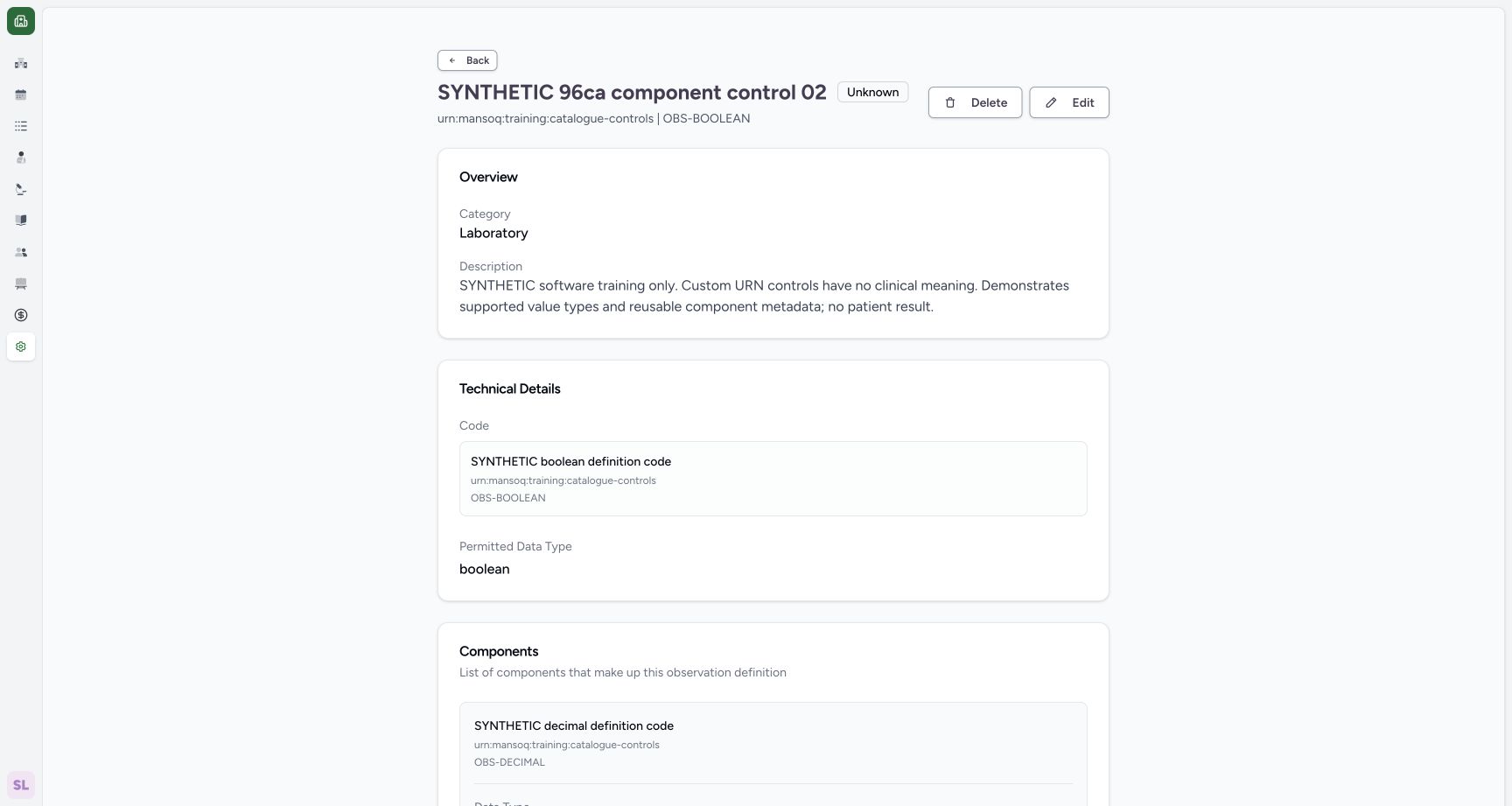 12
12saved unknown definition
Capture details
Exact 96ca source. Fictional definition metadata and software-control limits only; no patient result, clinical reference-range or licensed terminology qualification.
Image SHA-256 22deaadcfa91eeb132315fae4d2331d67eed5c129248db1e052151fdac8277f7
- Edit Unknown record: Open the retained definition to restore Draft.
- Saved Unknown: Read the persisted Unknown status.
10. Select the final Draft restoration
Use Edit again. Open Status, choose Draft, and review the selected final value.
12saved unknown definition
Capture details
Exact 96ca source. Fictional definition metadata and software-control limits only; no patient result, clinical reference-range or licensed terminology qualification.
Image SHA-256 22deaadcfa91eeb132315fae4d2331d67eed5c129248db1e052151fdac8277f7
- Edit Unknown record: Open the retained definition to restore Draft.
- Saved Unknown: Read the persisted Unknown status.
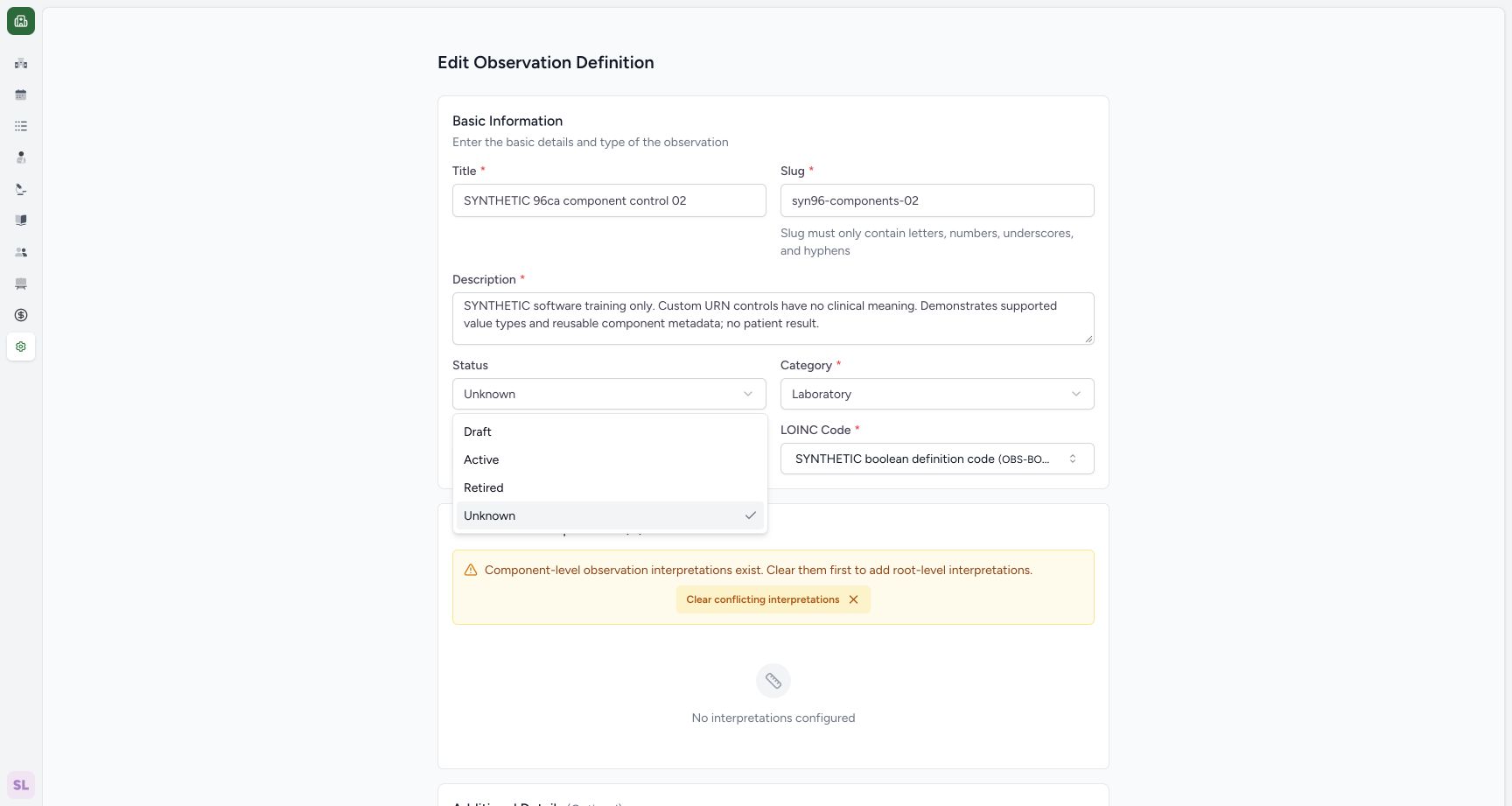 1
1select restored draft
Capture details
Exact 96ca source. Fictional definition metadata and software-control limits only; no patient result, clinical reference-range or licensed terminology qualification.
Image SHA-256 ab70962fd99a546f657704b6febc7d7b774462b44bf1650dda820c2f1f72bff4
- Draft: Choose Draft for the intended final state.
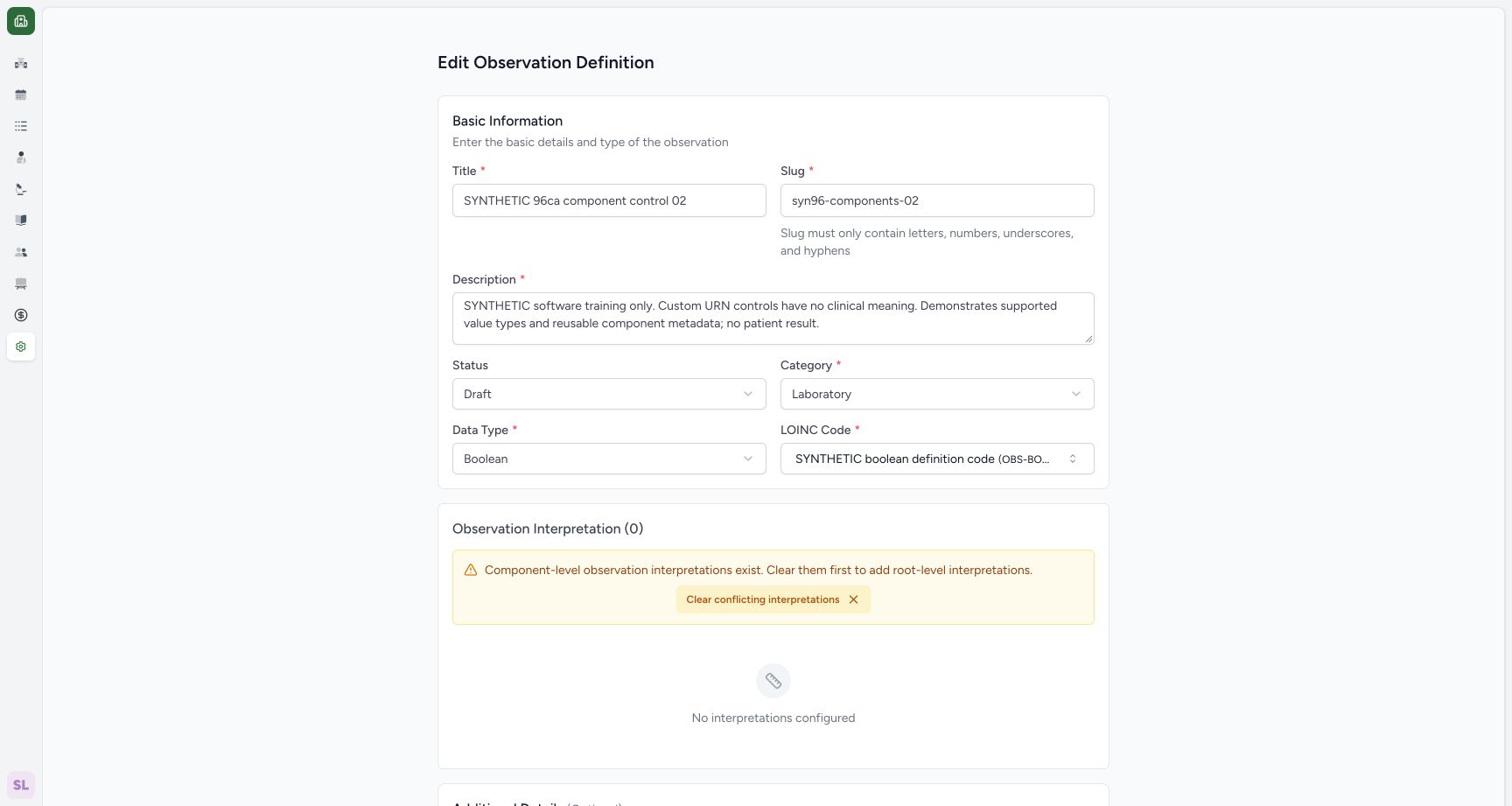 1
1draft selected before final save
Capture details
Exact 96ca source. Fictional definition metadata and software-control limits only; no patient result, clinical reference-range or licensed terminology qualification.
Image SHA-256 65c4b582a59f1b223295569fa815c538cad14fd99e7ad4b8da239f27b1b5a000
- Draft selected: Review Draft before saving.
11. Save the restored Draft
Use the footer Save once. Saved detail shows Draft again for the same fictional definition.
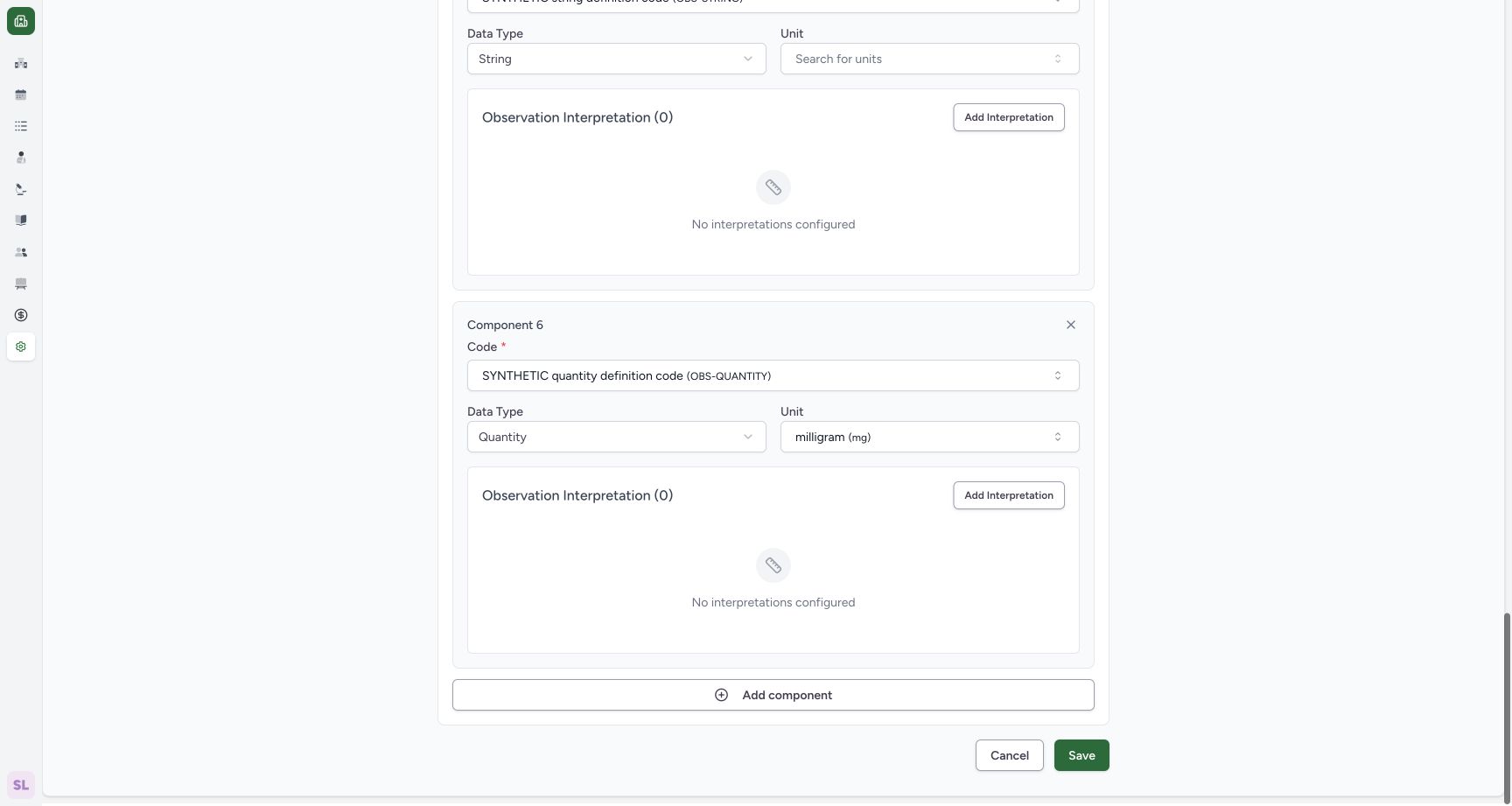 1
1save restored draft
Capture details
Exact 96ca source. Fictional definition metadata and software-control limits only; no patient result, clinical reference-range or licensed terminology qualification.
Image SHA-256 f2b2972c2b7b6f7f25ba07d208370b050eb75ca0e3a38df0302a172c09c71203
- Save restored Draft: Persist the intended final state.
1final saved draft
Capture details
Exact 96ca source. Fictional definition metadata and software-control limits only; no patient result, clinical reference-range or licensed terminology qualification.
Image SHA-256 1d009f2cc63f8253a7df7d741b4f1f23a2384ec3b36b182bda9b7421688df4cf
- Final Draft: Read the restored final Draft state.
Delete wording and saved result
This version labels the action Delete, but the observed result is a retained Retired record with View and Edit available. The worked example then changes it through normal Edit and finishes as Draft. Do not treat the displayed label as proof of permanent deletion.
1confirm source supported retirement
Capture details
Exact 96ca source. Fictional definition metadata and software-control limits only; no patient result, clinical reference-range or licensed terminology qualification.
Image SHA-256 c1f7f38c12818cdaad9765cfdb8bc412cb6a5dbbacc184934cae03293922b725
- Confirm retirement: Confirm the actual recoverable retirement action for this fictional record.
1retained retired row
Capture details
Exact 96ca source. Fictional definition metadata and software-control limits only; no patient result, clinical reference-range or licensed terminology qualification.
Image SHA-256 58ce234920d45d9180678d374784bb8d1e93a8e7b2150f84da5fafa5538214f0
- View retained record: Open the same retired definition.
12retired detail edit remains
Capture details
Exact 96ca source. Fictional definition metadata and software-control limits only; no patient result, clinical reference-range or licensed terminology qualification.
Image SHA-256 156f2ad6fca32bdaa75ad53b17593f952492542ea245984047b6932508a34bde
- Edit retained definition: The Retired record remains editable.
- Saved Retired: Read the retained Retired status.
1final saved draft
Capture details
Exact 96ca source. Fictional definition metadata and software-control limits only; no patient result, clinical reference-range or licensed terminology qualification.
Image SHA-256 1d009f2cc63f8253a7df7d741b4f1f23a2384ec3b36b182bda9b7421688df4cf
- Final Draft: Read the restored final Draft state.
Troubleshooting
The definition disappears from Active after confirmation
The action returns to the Active filter while the definition is now Retired. Select Retired to locate the retained row and open its detail.
1active filter after retirement
Capture details
Exact 96ca source. Fictional definition metadata and software-control limits only; no patient result, clinical reference-range or licensed terminology qualification.
Image SHA-256 5f073df30ba1d9da76bd18992c54fc4d9b7ca3004cef338789acce22fa9bd61d
- Active filter: Open the catalogue Status filter.
1select retired list filter
Capture details
Exact 96ca source. Fictional definition metadata and software-control limits only; no patient result, clinical reference-range or licensed terminology qualification.
Image SHA-256 8c510f8858b379e616e65216997fdb7d6d49cc358063b3c61cd73616044ccbf0
- Retired: Select the retained Retired records.
1retained retired row
Capture details
Exact 96ca source. Fictional definition metadata and software-control limits only; no patient result, clinical reference-range or licensed terminology qualification.
Image SHA-256 58ce234920d45d9180678d374784bb8d1e93a8e7b2150f84da5fafa5538214f0
- View retained record: Open the same retired definition.
Source evidence
Every citation uses this exact committed version. The private source repository requires access.
- repositories/platform/mansoq-web/src/pages/Facility/settings/observationDefinition/ObservationDefinitionForm.tsx:1 ·
96ca7318eb2b93f5fa477908a1543075e0d1f056Source file checksum
4b96425f4d9e9cadf10720dcecbbe8ae323c85afab53e591358d1437c2a800ad - repositories/platform/mansoq-web/src/pages/Facility/settings/observationDefinition/ObservationDefinitionView.tsx:1 ·
96ca7318eb2b93f5fa477908a1543075e0d1f056Source file checksum
c4d0b3b59c270af6067985e4ee80c40b647041a8b7420c27ad85a3d0deb8d056 - repositories/platform/mansoq-web/src/types/emr/observationDefinition/observationDefinitionApi.ts:1 ·
96ca7318eb2b93f5fa477908a1543075e0d1f056Source file checksum
9fd238ca281a27a49e8d303a1861a6dd0d2784256f7df833fe883e279e143422 - repositories/platform/mansoq-core/mansoq/emr/api/viewsets/observation_definition.py:1 ·
96ca7318eb2b93f5fa477908a1543075e0d1f056Source file checksum
266ba9db30988a6c5bd0c2b01e7f609e6fa8f0754641ef079f3e8d1843a20935